 MetaTrader 5
 Experts
 Indicadores
 Bibliotecas
 Utilitários
 Widgets
 Regras
Conheça o Mercado MQL5 no YouTube, assista aos vídeos tutoriais
Como comprar um robô de negociação ou indicador?
Execute seu EA na
hospedagem virtual
hospedagem virtual
Teste indicadores/robôs de negociação antes de comprá-los
Quer ganhar dinheiro no Mercado?
Como apresentar um produto para o consumidor final?
Utilitários de negociação para a plataforma MetaTrader 5 - 36
 Abaixo estão os programas de negociação que simplificam o trading no MetaTrader 5. Passe o mouse sobre um produto para ler uma descrição mostrando seu propósito.
I find the lot calculation tedious so I just use this script and tell it the dollar amount to use. It then does the rest. This works for any currency.
How-To: Open a buy position using the desired dollar amount instead of lots. To use, just drop it onto a chart and set inputs as needed. The script will then do the necessary lot calculation and open the trade.
Inputs: FIXED_DEAL_AMOUNT: Fixed amount to use per trade e.g 100 to open a R100 deal USE_SL_ON_BUY: If true then a suitable stoploss wil
FREE
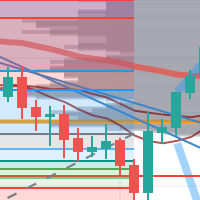
每次一忙都會錯過訊號下單,或不想一直花時間盯盤下單,可以用這個工具掛單,讓MT5 自動 盯盤並在滿足條件後下單 。
demo : https://www.youtube.com/watch?v=JBPiFkixqT4 configuration: https://www.youtube.com/watch?v=D7xESKKD26o #############################################
使用場景:
一般交易可以分為2種,分別是: 左側交易: 價格到達關鍵位置時就下單交易,想要自動下單,可以使用buy limit和sell limit掛單 右側交易: 價格到達關鍵位置, 同時出現做多或做空訊號 時下單交易, 想要自動下單, 就 可以用本工具自動掛單 本工具會 在你指定的阻力區域偵測到做空訊號時,建空單 ; 並在你指定的支撐區域偵測到做多訊號時,建多單。 demo影片: https://www.youtube.com/watch?v=JBPiFkixqT4
########################################
FREE

Margin Tick Ratio — margin efficiency analysis for all broker's instruments
Margin Tick Ratio is a script for MetaTrader 5 that runs through your broker's tools in one run and answers a practical question: how much "tick" profit do you get for each unit of collateral, and how expensive is the entry spread.
The script does not trade. It collects data, ranks tools by efficiency, and generates a user-friendly report in a terminal, CSV, and interactive HTML file.
Who is this product for
• T
FREE

Este script foi projetado para avaliar pesos em várias funções de janela. Um indicador construído nessas funções de janela pode ser baixado em https://www.mql5.com/ru/market/product/72159 Parâmetros de entrada: iPeríodo – período do indicador. iPeríodo >= 2 iCenter é o índice da referência onde estará localizado o centro da função da janela. Por padrão, este parâmetro é 0 - o centro da janela coincide com o centro do indicador. Com 1 <= iCenter <= iPeriod, o centro da função da janela será de
FREE

Este produto foi rebatizado para PositionRelay Slave Subscriber.
Instale PositionRelay Slave Subscriber no MQL5 Market. Este anúncio TradeEcho foi substituído e será ocultado. Títulos do Market não podem ser renomeados.
Mesmo User ID e API na nuvem. Desinstale TradeEcho Slave Subscriber e anexe PositionRelay Slave Subscriber em cada conta seguidora.
Produto complementar: PositionRelay Master Publisher.
Palavras-chave: copy trading, copiador, PositionRelay, rebrand, slave
PositionRelay Slave
FREE

Este indicador cria um canal em relação a outro indicador de gráfico: indicador + ATR e indicador - ATR . Útil para saber se o preço subiu muito da sua linha de base. Os níveis de ATR podem ser ajustados com um multiplicador. Também pode ser aplicado a preços (fechado, aberto, alto, baixo, mediano...) ou outros indicadores de subjanela. Na verdade, você pode obter as mesmas informações sobre distâncias da linha de base ao aplicá-las para fechar preços
Você também pode obter este indicador p
FREE

Dashboard – Painel Operacional para MetaTrader 5 A Dashboard é uma ferramenta essencial para traders que buscam visão centralizada , controle eficiente das ordens e acesso rápido às informações mais importantes do mercado , tudo diretamente no gráfico do MetaTrader 5. Funcionalidades: Visualização clara das posições abertas Gerenciamento rápido de ordens (abertura/fechamento) Exibição de lucro/prejuízo por operação Indicadores de tendência integrados (médias, candles, etc.) Painel personali
FREE

Painel de Trading GUARDIAN Controle o Mercado. Não o siga. GUARDIAN não é apenas outro painel de trading.
É um sistema de comando para traders que rejeitam o caos, a hesitação ou a execução emocional. Projetado para profissionais que entendem uma verdade:
Velocidade e controle na execução determinam os resultados. ️ GUARDIAN elimina a lacuna entre decisão e ação.
Substitui a aleatoriedade por estrutura. ️
Transforma seu gráfico em um centro de comando. O que GUARDIAN impõe: ️ Ex
FREE

Você já se deixou levar pelos movimentos imediatos do mercado quando uma tendência continua por muito tempo?
Operar contra a tendência baseado na sensação de que "está prestes a reverter". Realização de lucros prematura devido à ansiedade de "não querer perder os ganhos". Todos esses são arrependimentos que poderiam ter sido evitados se você tivesse apenas esperado o fechamento da vela.
Esta ferramenta foi criada para eliminar o estresse de ficar olhando para o monitor e para apoiar o trading d
FREE

CxPV Analyst is a high-performance trading utility and Expert Advisor designed for traders who demand data-driven precision over simple indicator crossovers. By combining four distinct quantitative engines into a single "Cert Score" (Certainty Score), this tool identifies high-conviction market phases while filtering out low-probability "noise." Whether you are a manual analyst looking for a powerful dashboard or an algorithmic trader seeking automated execution, CxPV Analyst provides the instit
FREE

NORA NEWS SHIELD - Professional News Protection System Product Description Overview NORA NEWS SHIELD is a professional risk management tool that automatically protects your trading during high-impact economic news releases. It monitors major global currencies and temporarily suspends trading activity during critical market-moving events, helping you avoid sudden volatility spikes and potential losses. How It Works The system continuously scans the economic calendar for upcoming high-impact news
FREE

It can only be used in EURCHF . The Expert Advisor is a great tool that allows you to control your trade with ease and precision. The tool can be moved in the graphs and offers the following characteristics:
Instant order entry with a single click. Entry of pending orders using price tags and trend lines. Instant order closure with a single click. Instant order closure using trend lines as output levels that the broker can not see. We can modify the way to enter and exit the market, allowing us
FREE
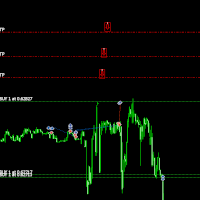
Move TakeProfit - Instruções de Uso Como Usar Arrastar e Soltar Clique e arraste o script para o gráfico no preço onde deseja definir o novo nível de TakeProfit. Solte o script no nível de preço desejado. Janela de Confirmação Após soltar o script, aparecerá uma janela de confirmação. Ela mostrará o número de posições modificadas e o preço exato do TakeProfit. Clique em "Sim" para confirmar ou "Não" para cancelar. Atualização Automática do TakeProfit Se confirmado, o script atualizará o
FREE

Daily PnL Notifier – Get Telegram alerts when your daily profit or loss target is reached! Looking for a simple, fast, and reliable way to monitor your daily performance on MetaTrader 5?
Daily PnL Notifier is the tool you need. ️ Key features : Sends an instant Telegram notification when your account hits a custom profit or loss threshold . Fully customizable : you set your own daily gain or loss limits. Ultra simple: minimal interface , no useless settings. Works on all accounts (demo or li
FREE

North Connection — ponte oficial entre o MetaTrader 5 e a North Trader Station A North True Funding é uma prop firm com base tecnológica criada para ajudar traders a evoluírem com mais estrutura, clareza e disciplina operacional. Nossos programas foram desenvolvidos para oferecer uma jornada mais organizada, com regras claras, ambiente profissional e ferramentas que ajudam o trader a conectar desempenho, preparo e oportunidade com responsabilidade e critério. Na North, a proposta não é vender p
FREE

EquityShield is a lightweight and dependable Expert Advisor (EA) for MetaTrader 5, crafted to protect your trading account from excessive losses with minimal resource usage. It monitors your account's equity drawdown and automatically closes all open positions and pending orders if the drawdown exceeds your specified threshold, either in percentage (%) or a fixed amount ($). Designed as a robust safety barrier, EquityShield ensures your capital remains secure during unexpected market volatility
FREE
The script removes all of the indicators on the chart with one movement of the hand. There are situations when there are too many indicators on the chart. And it is required to delete all of them without closing the tab. Unfortunately, the settings window doesn't allow us to select all indicators at once and we have to delete one by one. This script will solve this problem. Simply drag the script from Navigator window onto the chart.
FREE
Este indicador deve ser usado em conectores de bots para automação de entradas do indicador Pct Multi.
Como usar: Configure o conector do bot com as seguintes informações: Nome do indicador: pctmultibot Buffer de Call: 0 Buffer de Put: 1
Não adicione este indicador ao gráfico, apenas configure-o no conector do bot!
Indicador Pct Multi:
https://www.mql5.com/en/market/product/111091
FREE

This utility is a graphical shell for other Expert Advisors that do not have their own graphical shell or whose graphical shell you do not like. Just run the utility on a free chart of any currency pair, specify in the input parameters the "Magic Number" of the advisor to which you want to connect the utility, and a graphical shell will appear on the graph, containing information about the traded currency pairs, current positions and trading results of your advisor. If you like this utility, tak
FREE
Application with Close Button.
Program include parameters to change settings:
Robot work with Symbols: - All Symbols - Current Chart Symbol
Transaction close (Profit/Loss): - All - Close Profit Only - Close Losing Only
Retries - max retries to close all transaction Sleep - time in ms between next Retries
Robot is free.
Robot designed for learn publish robots in Market.
FREE
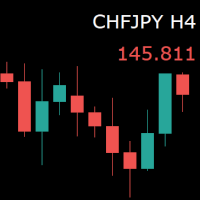
For those who monitor charts from afar, this utility is essential. It displays the chart symbol, time frame, and bid price as text. Users can adjust the text position, color, and font size. It’s also a useful tool for forex video publishers. There will be no more complaints about which symbol and time frame are displayed on the screen, even if the content is viewed on a phone. Symbol prefixes such as “_ecn” or “_stp” can be removed from the displayed symbol.
FREE

OrderCalc opens a window in the chart with the data of your orders:
Position size, stop loss, take profit, profit/loss
Only the positions for this symbol are displayed. If several positions exist, these are totalled and displayed in the last line. If you work with pyramids, you can see at a glance how big the total profit or loss is.
M can be used to display information about the symbol: Margin, spread, minimum order size, increment etc. R opens the risk calculator. A click in the chart calc
FREE
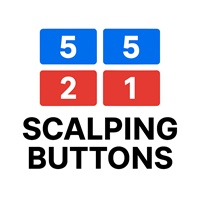
Selam arkadaşlar özellikle gold scalp yaparken zamana ve reflekse ne kadar ihtiyacımız olduğunu biliyorsunuz.
Bu sebeple ben kendime scalp yaparken bana yardımcı olacak buttonlar hazırladım.
ben gold scalp yaparken : 3 .çeşit Sell
3 .çeşit buy close sell close buy
açık emirleri kapat hepsini kapat
şeklinde kendime butonlar hazırladım. ve çok faydasını gördüm.
bütün butonların renklerini lot değerlerini isimlerini değiştirebililrsinz.
kesinnikle çok seveceğinize eminim
bol kazançlar.
FREE

Vyl Focus Trainer — это инструмент для дыхательной разминки, разработанный для MetaTrader 5, который помогает трейдерам войти в спокойное, сосредоточенное состояние перед началом торговой сессии.
В отличие от стандартных торговых инструментов, эта утилита не анализирует рынок и не открывает сделки. Ее цель — подготовить вас, трейдера, к дисциплинированной, эмоционально уравновешенной торговле. Благодаря двухминутной управляемой дыхательной сессии с визуальными подсказками, инструмент помогает
FREE

Помощник для ручной торговли. Рассчитывает лот по вашему риску, показывает все параметры сделки до её открытия.
Два режима: Market - для входа по текущей цене. Линия Open следит за Ask/Bid автоматически. Breakout - для отложенных ордеров. Выбираешь свечу и таймфрейм, линии ставятся на High/Low.
Можно менять цвета линий, переназначать клавиши, двигать панель куда удобно.
FREE

Would appreciate a review of the product if possible.
This program, is designed to automatically log and monitor trading account performance metrics in MetaTrader 5. It tracks daily balance and equity, calculates performance metrics, and records them in a CSV file for later analysis. Key Features: 1. Initialization: • Inputs for account name ( Account_Name ), starting day balance ( Start_Day_Balance ), and equity ( Start_Day_Equity ) are accepted. • If the starting balance or equity is not prov
FREE

An Essential Tool for the Professional Trader
Problem: As a professional trader, you have worked out entry points across several charts and now your anticipating price action. At this stage, you are having to constantly check your mobile phone or PC across several charts hoping for those prices to be achieved
Solution: Enter all the prices for all charts into a single display and get instant notifications to your mobile phone or PC. Save yourself time and frustration
Note: This product wil
FREE

The script analyzes all trading instruments listed in the Market Watch of the MT5 platform to assess their suitability for trading on the timeframes specified in the settings. Based on the analysis, the script displays a table, where trading instruments deemed suitable and recommended for trading are marked in green, based on their compliance with the risk-to-reward ratio coefficient, including the spread (default 1:3). Instruments not recommended for trading are marked in red.
FREE

Fastest Trades Copier is the fastest and most lightweight trade copier between MT5 accounts available on the market. Running entirely through the MT5 Common Folder — no DLLs, no external servers, no internet dependency — it copies your trades between two terminals on the same VPS or PC with near-zero latency, polling every 500ms with minimal CPU footprint. Key Features: Ultra-fast local copy via MT5 Common Folder Configurable symbol name translation between brokers (e.g. USDJPY.sc → USDJPY)
FREE
多数の通貨を取引している場合、画面をカチャカチャ切り替えの際にどの通貨を見ているか 迷ったことはありませんか。 表示している通貨が大きく表示されるMT4用のインジケーターは あるのですがMT5用がなかったので作成しました。
機能: どの通貨でも表示可能になります。 表示位置 (左上 、 右上 、 左下 、 右下) の 指定 が可能 になります。 表示位置(X軸、Y軸)が変更可能 になります。 フォントの色を 変更可能 になります。 使用するフォント を指定することが可能になります。 フォントサイズ の 変更が可能 になります。 インストール方法: ファイル->データフォルダーを開く->MQL5フォルダー->Indicatorsフォルダー 配下にex5ファイルを置いてMT5を再起動してください。
FREE
I find the lot calculation tedious so I just use this script and tell it the dollar amount to use. It then does the rest. This works for any currency.
How-To: Open a sell position using the desired dollar amount instead of lots. To use, just drop it onto a chart and set inputs as needed. The script will then do the necessary lot calculation and open the trade.
Inputs: FIXED_DEAL_AMOUNT: Fixed amount to use per trade e.g 100 to open a R100 deal USE_SL_ON_BUY: If true then a suitable stoploss wi
FREE
I find the lot calculation tedious so I just use this script and tell it the dollar amount to use. It then does the rest. This works for any currency.
How-To: Creates a sell limit order at chosen MA price using the desired dollar amount instead of lots. To use, just drop it onto a chart and set inputs as needed. The script will then do the necessary lot calculation and create a sell limit order.
Inputs: FIXED_DEAL_AMOUNT: Fixed amount to use for the trade e.g 100 to open a R100 deal MA_PRICE:
FREE
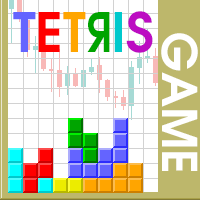
The Tetris — the most famous time killer is now on MT. Game develops active logic, attention and speed of decision making. This is a classic version of the game, no frills, but you can still adjust the size of the glass, the scale of the game, the color of the figures, and the desired speed. The game is made as an indicator. Control Keys: 'W,A,S,D' or 'Cursor' or 'NumPad'. S — Start new game. C — Continue previous game. P — pause on / off. Space — drop a figure. Esc — exit to menu.
FREE

This indicator allows to hide CCI oscillator (on all MT5 timeframes) from a date define by the user, with a vertical line (Alone) or a panel (with "Hidden Candles"). Indicator Inputs: Period Apply To Information on "Commodity Channel Index" indicator is available here: https://www.metatrader4.com/en/trading-platform/help/analytics/tech_indicators/commodity_channel_index ************************************************************* Hey traders!! Give me your feeds! We are a community here and
FREE

EA to help traders stay within tight risk management.
Asks only for account's initial balance and Stop Out DD. This is meant for prop firm traders, but will help any trader who is looking for a simple risk manager.
Trasks and reports daily PnL and will advise you to stop at 1% daily loss. Will advise you to wait if you have too many open trades.
Based on the open chart (symbol and timeframe) will recommend size and SL distance in order to risk the desired cash risk. See screenshot for example
FREE

!!!The first 10 users are free!!! Prop Protector — Trading Panel and Risk Management Utility Prop Protector is a utility designed for position sizing and risk management in the MetaTrader 5 terminal. The tool assists in calculating lot sizes based on defined risk parameters and monitoring daily drawdown limits. Key Features: Trading Panel: Provides an interface for executing market Buy and Sell orders directly from the chart. Lot Size Calculation: Automatically calculates the required lot s
FREE

Bundle Risk Manager Pro EA
"Risk Manager Pro EA is an all-in-one trading utility that combines advanced risk management tools, ensuring full control over your trading account while protecting your capital and complying with trading regulations. By bundling Limit Positions , Concurrent Risk Capital , and the newly added Limit Profit , this EA is the ultimate solution for disciplined trading and achieving evaluation goals. Key Features: 1. Limit Positions : Enforces a maximum number of open posi
FREE

Trading Companion is an EA bridge to the Telegram chat. It does not place trades, it provides to your Telegram's terminal information about your accounts - it can be used with any other EA, indicator or trading solution. It notifies you about the server lag (ping between your terminal and your broker) and includes a feature to withdraw wisely from your account.
Settings Ping limit: default 300ms - will warn you if ping is superior Basis Fund: 0, deactivated - each time you will withdraw, it is
FREE

This Expert Advisor monitors all open positions across all symbols in MetaTrader 5. Whenever a Stop Loss (SL) or Take Profit (TP) is manually set or adjusted on any position, the EA automatically applies that value to all other open positions , regardless of symbol or order type (Buy/Sell). This ensures consistent and synchronized SL and TP levels across your account.
Perfect for mobile trading via tablet or smartphone!
FREE

CloseByLossOrProfit Expert Advisor closes all positions as their total profit or loss reaches a specified value (in deposit currency). In addition, it can delete pending orders. Allow AutoTrading before running the Expert Advisor. Usage: Run the Expert Advisor on a chart. Input Parameters: Language of messages displayed (EN, RU, DE, FR, ES) - language of the output messages (English, Russian, German, French, Spanish); Profit in the currency - profit in points; Loss in the currency - loss in p
FREE
Copier MS MT5 Netting Copyist MS is a fast and easy-to-use copier of trade orders; it works as an advisor in the form of a single file with switching between the Master and Slave operating modes. The current version of the adviser works only on netting accounts. Settings Type of work - selection of the operating mode: Master or Slave; Master account number - number of the trading account of the master terminal; Selective copying currency pairs - individual selection of currency pairs for copyin
FREE

Universal HTF Box Candle Overlay: Multi-Timeframe Wick Stats & Liquidity Tracker The Ultimate Multi-Timeframe Visualization Tool for MT5! Stop switching tabs to check higher timeframes. Universal HTF Box Overlay brings any higher timeframe (HTF) structure directly onto your current lower timeframe (LTF) chart. Whether you are a Gold scalper or a Trend follower, this utility gives you the "Eagle Eye" view needed for precision trading. Key Features: Fully Universal HTF Support: Overlay ANY time
FREE
CYP Trade Manager Basic - Advanced Position Management for MT5 Protect Your Trades with Professional Risk Management CYP Trade Manager Basic is a sophisticated trade management Expert Advisor designed to protect your trading capital and maximize profit potential through intelligent position management. Perfect for both beginner and experienced traders who want to automate their trade management without the complexity. Key Features Automatic Breakeven Protection Moves stop loss to breakeven
FREE

Rastreamento limpo e rápido do seu Fator de Lucro (Profit Factor) em tempo real diretamente no seu gráfico do MetaTrader 5. Diga adeus às telas desordenadas e aos painéis pesados e lentos. O Simple Profit Factor Tracker da InnovaDash é um widget ultraleve que fornece exatamente os dados de que você precisa, exatamente onde você precisa. Por que rastrear seu Fator de Lucro? O Fator de Lucro (Lucro Bruto ÷ Perda Bruta) é a medida definitiva de uma vantagem operacional. Um número acima de 1.0 signi
FREE

Test Trade Saver Script
Application Type: Script
Application Functions: Saves test results cache file data into text files
About the Application The script extracts trading results from a test system cache file and saves them into text files for further analysis. How to Use Parameters: LOG_LEVEL - Logging level in the Experts terminal section. DEBUG provides the most detailed information, while ERROR gives the minimum. CUSTOM_MAGIC_NUMBER - The system identifier (Magic Number) used to save resu
FREE

一 運作方式(如下圖)
在一個單邊向上的行情中, 自動交易工具做以下動作: 當價格來到高點,等待突破訊號在進場。
當價格回調,等待回調結束要往上時在進場。 當進場下單後,
如果一直漲就持續持單,等待價格漲不上去準備下來時,在獲利離場。
但如果一直跌,就等待要上漲時在進場,進場時加倍下單,
一個做底單,動作同上等待獲利離場,
另一個單用做倉位修正,此單和第一張單在盈虧為0時會各自平倉,不造成損失。 Ps:
在一個單邊向下的行情中,動作則相反
二 設定方法(如下圖)
Step1 一開始要自己指定工具的方向.
如果認為會往上走,設定i_tradeup=true, i_tradedown=false,
如果認為會往下走,設定i_tradeup=false, i_tradedown=true,
Step2 指定目標位置和止損位置
如果認為會往上走,i_top輸入目標位置,i_bottom輸入止損位置
如果認為會往下走,i_top輸入止損位置,i_bottom輸入止盈位置
當價格到達目標位置會強制平倉獲利並暫停工具運作
當價格到達止損位置會反向開單鎖倉
FREE

HeatMap – Volume & Pips Change Analyzer for MT5 The HeatMap indicator for MetaTrader 5 is a powerful and interactive tool designed to help traders identify the most active and volatile trading hours across the last 14 days. By default, the indicator starts as a simple floating button labeled "HeatMap" in the top corner of your chart.
With just one click, it opens a compact, easy-to-read panel showing historical market behavior in a 24-hour x 14-day grid layout . What it shows: Hourly Data: Each
FREE

This MQL5 script calculates and displays a recommended trading lot size, offering both automatic and manual modes. In automatic mode, it calculates lot size based on account balance, market volatility (ATR), or a hybrid of both. The script defines lot size types (Micro, Mini, Standard) with switching thresholds, volatility settings, and safety limits. It aims to automate lot size calculations for systematic risk management, adapting to market dynamics and account parameters. Core Features Out
FREE

The utility TradeKeeper Lite can show your profits for different periods and bip a sound when you reach a profit target value. Click the tachometer to quickly switch to the next profit period. There are 5 of them: This Day, This Week, This Month, Last 90 Days and All I Made. With the utility TradeKeeper Pro , available at this link , you can also open trades with a magic number and volume of your choice, trail any orders with a simple trail or iSAR-based trail, as well as close any open trades a
FREE

The Order Selective Delete is a multi-symbol multi-timeframe script used to delete simultaneously various pending orders. General Description
The Order Selective Delete possesses three operation modes (Intersection, Union and All) that control the way as three pending order features (symbol, magic number and type) are used. The modes, available through the Selection Mode input parameter, relate to the features, available through the “Select by Feature” and “Feature” input pa
FREE

The Position Selective Close is a multi-symbol multi-timeframe script used to close simultaneously various positions. General Description
The Position Selective Close possesses three operation modes (Intersection, Union and All) that control the way as four position features (symbol, magic number, type and profit) are used. The modes, available through the Selection Mode input parameter, relate to the features, available through the “Select by Feature” and “Feature” input pa
FREE

Apresentando o Trade Stacker : Seu Multiplicador de For ç a de Trading Definitivo Transforme seu trading com o poder do empilhamento automatizado de posi çõ es ! O Trade Stacker EA transforma oportunidades ú nicas de trading em posi çõ es estrat é gicas multin í vel com apenas um clique . Atenção, o aplicativo não funciona no testador de estratégias. Baixe a demonstração aqui: https://kevinafeku8.gumroad.com/l/avmxc Instructions for the demo: https://www.mql5.com/en/blogs/post/759785
FREE

️ Drawdown Protection – Manual Trading Blocker (MT5) Protect Your Account from Manual Trading Mistakes Drawdown Protection – Manual Trading Blocker is an Expert Advisor designed exclusively for MetaTrader 5 to strictly control daily drawdown caused by manual trading . Once the predefined daily maximum drawdown is reached, this EA automatically blocks all new manual trades , helping traders avoid emotional decisions and revenge trading. ️ How It Works The EA continuously monitors the accoun
FREE

This is a MetaTrader 5 script. It helps to summarize all trades into every symbol.
Input Select Period: This is 7-option input. It includes Last Month, This Month, Last Week, This Week, Today, All History, and Date Specified. Specify Starting Date: Enter a date if you selected Date Specified in "Select Period" input. Specify Ending Date: Enter a date if you selected Date Specified in "Select Period" input. The summary is saved into a file in MQL5\Files folder. MT4 Version: https://www.mql5.co
FREE

Result and Execution line, which shows the net global position, the expected profit at a given price level, and its percentage of the account balance. Additionally, with the line unselected, it executes position and/or order closing actions. You can move the line from one price to another by selecting it, to obtain information on the closing result of positions at different price levels. If you wish to close trades and/or orders, select this option in the EA parameters and then deselect the li
FREE

Play Trading: Get started in trading by playing and learning how Limit (rebound) and Stop (continuation) orders work. From a mobile and transparent panel (by clicking on the header), anticipate market developments and place Limit and/or Stop orders. Set the initial distance to generate the grid with the number of orders you want (for each type of order). Set the take profit points and lot size as you wish. Set the type of orders you want: BUY – SELL – NO (delete orders) – BOTH (Buy and Sell
FREE

NS Financas Clear All Objects Automatically Script para rápida remoção de todos os objetos do seu gráfico (Linhas, formas, simbolos, etc...) Não perca mais tempo tentando encontrar todos os objetos da sua tela para a remoção. Utilize esse script e em um click todos os objetos da serão removidos do gráfico automaticamente. Além também, ser possível configurar teclas de atalho para tornar o script ainda mais rápido na sua utilização. O NS Financas Clear All Objects Automatically não remove seus
FREE
Este script permite abrir operaciones de forma rápida con un loteo automático basado en el "equity".
También permite habilitar/deshabilitar la colocación de SL y TP al hacer clic en un botón. Si se habilita el SL o el TP, también se tiene la posibilidad de establecer el riesgo que se desea tomar en pips.
* Se recomienda ocultar los botones de compra y venta originales.
FREE

This Program will not execute any trades!
Works on any chart and any time frame!
This is the MT5 version.
MT4 version: https://www.mql5.com/en/market/product/125496?source=Site+Market+My+Products+Page#description
This Program will produce a comment box at the top left of the chart and show you your equity % difference throughout the day. Updating constantly in real time.
The daily resets back to zero on open of a new market open day. Using new current equity at start of day as reference for
FREE
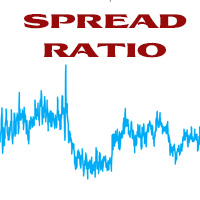
This tool helps you calculate the ratio of slippage and current spread compared to the average price movement over the timeframe of a specific symbol. It can indicate whether you should trade on that timeframe or not. If the ratio is too high, it will be very challenging to make a profit. Typically, this ratio should be less than 15%.. Simply add it to the chart of the timeframe for the symbol you wish to estimate.
FREE

For MT5 Backtest. With this EA, you can read indicators via backtesting. Buffers and objects are read. You can then use them to program strategies and use them for your EA.
It's very easy to use. You simply enter the full indicator name in the menu and you're ready to go. You can then see all the information you need in the backtest log (journal). The default path is the indicator's root directory. If you want to specify a different directory from there, you can do so in the menu.
FREE

A MetaTrader 5 script that automatically closes all charts except for a specified number to keep open. Simply enter numbers like 1,2,5,10 to keep those corresponding charts open, or a single number (e.g., 3 ) to keep the first 3 charts open. All other charts are closed in one action, helping you manage multiple open positions with ease. Perfect for decluttering your workspace and focusing on the charts that matter most.
Source Code here: https://github.com/pwn-forex/ChartChaos Youtube T
FREE

Haribol Risk Monitor A simple risk management dashboard for active traders. Displays your real-time account balance, equity, P/L, spread, and daily loss against a fixed USD limit — with color-coded warnings as you approach your ceiling. Fires an alert when your daily loss limit is breached. Includes one-click BUY, SELL, Close Buy, Close Sell, and Close All buttons for fast trade execution directly from the chart. Auto-detects broker filling mode. Compatible with Windows and macOS. Resets daily a
FREE

O Trade Dispensary Connect é um utilitário EA para MT5 projetado para enviar ordens em formato JSON para o copiador de ordens Trade Dispensary via Webhook. Se o Trade Dispensary estiver sendo executado em sua máquina local, basta usar http://127.0.0.1 :5000/webhook/mt5/[ID_DA_CONTA] como URL do webhook. Se o Trade Dispensary estiver sendo executado em outro computador, obtenha o endereço/domínio da máquina. Um serviço de tunelamento como Pinggy ou Ngrok é recomendado para este cenário.
Este EA
FREE

Este produto foi rebatizado para PositionRelay Master Publisher.
Instale PositionRelay Master Publisher no MQL5 Market. Este anúncio TradeEcho foi substituído e será ocultado. Títulos do Market não podem ser renomeados.
Mesmo User ID e API na nuvem. Desinstale TradeEcho Master Publisher e anexe PositionRelay Master Publisher na conta master.
Produto complementar: PositionRelay Slave Subscriber.
Palavras-chave: copy trading, copiador de trades, master slave, PositionRelay, rebrand
PositionRe
FREE

O único objetivo do Blind Broker System é ocultar seus planos de negociação e torná-los invisíveis para o seu corretor. Se você realmente deseja torná-lo "cego" e garantir que ele não saiba nada sobre seus níveis de stop loss, volumes, níveis de lucro com antecedência, basta usar este robô de negociação.
Blind Broker System é um sistema alternativo de gestão de ordens.
A diferença é que todas as ordens enviadas através do Blind Broker System ao invés de serem gravadas no servidor da corre
FREE

MP Close By Loss Or Profit for MT5 The Reason I made this Expert is because I want traders who already found out how to be profitable in the market use an easier tool throughout their trading days. This Expert will consider your exposure of trades and close them based on profit targets and losses you set for your own Risk Management. I want to thank my friend who helped me on this Expert, and his brilliant work is now shared here with you. A bit of advice after running the expert on your platfo
FREE

Very often there are situations when you need to quickly close all open positions or close only under a certain condition...
The Positions Close script closes open positions according to the selected settings.
You can choose to close All positions , only Buy, only Sell
You can also choose by which symbols to close positions: by all symbols or only by the current one, on the chart of which the script was thrown
There is a filter for closing profitable or unprofitable positions, as well as bo
FREE

What is Risk of Ruin? Risk of ruin is the probability of an individual losing substantial amounts of money through investing, trading or gambling, to the point where it is no longer possible to recover the losses or continue. Risk of ruin is typically calculated as a loss probability, also known as the "probability of ruin."
Input Parameters StartPeriod: Set the first date from where you like the program to calculate. Your current account performance will be measured. EndPeriod: Set the last da
FREE

The Maximun Minimun Strata (100 bars and any period) is used to identify key levels on a price chart, which can be useful in technical analysis and decision making in trading:
Identify Key Levels: They help identify support and resistance levels on a price chart. The support level represents a minimum floor at which the price tends to bounce upwards, while the resistance level represents a maximum ceiling at which the price tends to bounce downwards.
Decision Making: Traders use these key lev
FREE
O Mercado MetaTrader é a única loja onde você pode baixar um robô demonstração de negociação gratuitamente para testes e otimização usando dados históricos.
Leia a visão geral e opiniões de outros clientes sobre os aplicativos, faça o download para o seu terminal e teste um robô de negociação antes de comprá-lo. Apenas no Mercado MetaTrader você pode testar um aplicativo de forma absolutamente gratuita.

Você está perdendo oportunidades de negociação:
- Aplicativos de negociação gratuitos
- 8 000+ sinais para cópia
- Notícias econômicas para análise dos mercados financeiros
Registro
Login
Você concorda com a política do site e com os termos de uso
Se você não tem uma conta, por favor registre-se