 MetaTrader 5
 Experts
 지표
지표
 라이브러리
라이브러리
 유틸리티
유틸리티
 위젯
위젯
 규칙
규칙
MetaTrader 5용 Expert Advisor 및 지표 - 131
 트레이딩 로봇과 지표를 사용하여 외환 거래를 더 수익성 있게 만들 수 있습니다. 트레이딩용 로봇을 사용하면 개점 및 폐점 거래를 자동화할 수 있으며, 지표는 시장 행동을 보다 정확하게 예측할 수 있습니다.
이 페이지에는 MetaTrader 5 응용 프로그램의 카탈로그가 나와 있습니다.
트레이딩 로봇과 지표를 사용하여 외환 거래를 더 수익성 있게 만들 수 있습니다. 트레이딩용 로봇을 사용하면 개점 및 폐점 거래를 자동화할 수 있으며, 지표는 시장 행동을 보다 정확하게 예측할 수 있습니다.
이 페이지에는 MetaTrader 5 응용 프로그램의 카탈로그가 나와 있습니다. 
See how your account is really doing at a glance, right on the chart. The dashboard reads your account and trade history and never opens, modifies or closes a trade. How it works Every second the dashboard reads balance, equity, margin and open positions. Closed results come from the deal history: for each closing deal the profit, swap, commission and fee are added together. From these deals it calculates closed profit for today, this week and this month, plus statistics for the period you choos
FREE
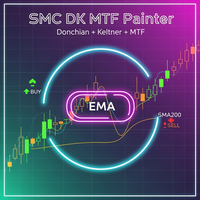
SMC Donchian Keltner MTF Trend Painter The SMC Donchian Keltner MTF Trend Painter for MetaTrader 5 is a versatile trend indicator that combines Donchian and Keltner channels with a multi-timeframe EMA bias. It delivers a clear, multi-dimensional view of market trends and precise trading signals – ideal for both intraday and swing traders. Key Features: Multi-Timeframe Trend Assessment: Candles are colored according to EMA bias from two timeframes (e.g., H1/H4), instantly showing the dominant ma
FREE

Confluence Engine builds scored SMC confluence zones on your chart. Instead of showing one signal type, it clusters independent Smart Money signals — liquidity sweeps and institutional higher-timeframe levels — into price zones and tells you exactly how many factors coincide at each one.
This answers the question every SMC trader is really asking: how many independent signals agree on this level right now?
How it works:
Detects liquidity sweeps of prior swing highs/lows (wick pierce + body cl
FREE

Fractal Adaptive AI v6.0 RÉEL - Trading neuronal multi-indices Description courte Robot de trading neuronal avec analyse de plus de 8 instruments. Réseau neuronal adaptatif à 14 caractéristiques. Compatible FTMO. Description complète Conseiller expert professionnel basé sur l'IA pour la paire EUR/USD M15 Fractal Adaptive AI v6.0 REAL est un système de trading automatisé utilisant des réseaux neuronaux avancés avec une analyse contextuelle multi-indices pour détecter les meilleures opportunités
FREE

MetaTrader 5 (MT5)를 위한 Wormhole 시간 프레임 지표 는 단순한 거래 도구가 아닙니다. 이는 금융 시장에서 경쟁 우위를 제공하는 강력한 무기입니다. 초보자부터 전문 트레이더까지 모두를 위해 설계된 Wormhole은 데이터를 분석하고 결정을 내리는 방식을 혁신하여 항상 한 발 앞서 나갈 수 있도록 도와줍니다. Wormhole 지표가 필요한 이유 경쟁을 능가하세요: 하나의 차트에서 두 개의 시간 프레임을 동시에 볼 수 있는 기능으로 항상 한 걸음 앞서 나갈 수 있습니다. 차트 간 전환은 이제 필요 없으며, 필요한 모든 것이 바로 눈앞에 있습니다. 숨겨진 기회를 발견하세요: 기존의 시간 프레임을 변형하고 다른 트레이더들이 놓치는 패턴을 찾아보세요. 예를 들어, H1 차트가 2:00 PM 대신 1:59 PM에 종료된다고 상상해 보세요. 이는 시장이 반응하기 전에 행동할 수 있는 중요한 이점을 제공합니다. 또는 5분 차트의 경계를 조정하여 표준 00:00–00:05 대신
FREE

The Chill Trader – Relaxed and Efficient Trading The Chill Trader is a semi-automatic Expert Advisor designed for traders who want smart trade management without losing control over their analysis. It operates based on hammer candlestick detection as an entry signal, ensuring an optimal point to open buy positions with advanced risk management. How It Works? The trader analyzes the market and decides when to activate the EA.
The Chill Trader detects a hammer candlestick and automatical
FREE
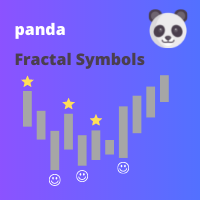
This indicator displays fractal symbols and bars Use this indicator to show different symbols for bearish and bullish fractals: Choose from 144 symbols (refer to table below) Colors, size and offset of fractals can be modified Fractal price bar or candle color can be changed Hide fractals and show fractal price bar only Frequency in fractal calculation can be changed
How to use 1. Select which symbols to use for bearish and bullish fractals; 2. Select which colors to use for bearish and bullis
FREE

Manual ATR Grid Manager is a manual trading system for gold (XAUUSD) that lets you choose your entry and then hands the ongoing trade management to the EA. Place a market buy or sell, or a buy/sell limit or stop order, directly from the chart. Set your lot size and entry price, with on-screen instructions guiding each step. Once the position opens, the EA manages its profit target. If price moves against you, an adjustable ATR-based grid can add positions at intervals that respond to market vola
FREE

Broker Clock and New York Session answers a question every MetaTrader user meets sooner or later: what time is it on my broker's server, and what time is it in New York? Broker servers run on many different clocks: UTC all year, GMT+2/+3 following US summer time, or GMT+2/+3 following European summer time. For a few weeks every spring and autumn, when the US and Europe change their clocks on different dates, a fixed offset is wrong by one hour. This indicator finds the right one for you. What it
FREE

Want to AUTOMATE this strategy? We have released the fully automated Expert Advisor based on this logic. Check out Range Vector Fibo Logic EA here: https://www.mql5.com/en/market/product/158065
UPGRADE AVAILABLE: Tired of manual trading? I just released the Automated MTF Version with Mobile Alerts and Auto-Targets. Get the Pro Version here: https://www.mql5.com/en/market/product/159350 Range Vector Fibo Logic (Indicator) One Candle Strategy Stop waking up at 3 AM to draw lines manually. Range
FREE

한국어 (KOREAN) TrendSeeker FX — 세션 기반 트렌드 자동매매 EA (MT5) TrendSeeker FX 는 MetaTrader 5용 전문 외환 자동매매(EA)로,
높은 유동성 구간에서 고품질 추세 거래 를 목표로 설계되었습니다. 본 EA는 리스크 우선 구조 를 기반으로 하며,
시장 구조·변동성·리스크 조건이 충족될 때만 작동합니다. 본 시스템은 24/5 상시 운용을 권장하지 않습니다 . 사용 시 주의사항 TrendSeeker FX는 세션 기반 EA 입니다.
비추천 시간대에 운용 시: 성과 저하 손실폭 증가 신호 품질 저하 전략 개요 추세 추종 전략 그리드 없음 마틴게일 없음 엄격한 리스크 관리 자본 보호가 최우선이며,
수익은 장기적으로 복리 성장을 목표로 합니다. ️ 위험 고지 외환 거래에는 손실 위험이 있습니다.
과거 성과는 미래 수익을 보장하지 않습니다.
FREE

WANT TO AUTOMATE THESE ZONES? Stop waiting for setups! The Smart SR Levels Sniper EA is now live. It reads these exact indicator zones, filters for high-probability "thin" zones , auto-calculates your risk , and targets the next SR levels for Take Profit . It can even scan all your open charts at once! Stop guessing where the market will turn. Let the volatility tell you. Smart SR Levels Sniper EA https://www.mql5.com/en/market/product/165191
LogicLadder SR Zones
------------------------
FREE

This EA was made for educational purposes. Find the full overview of how it was made in the YouTube video. The EA is inspired by Larry Connors double 7s strategy. It's been slightly altered using machine learning. Use on real money at your own risk, as always. How to use: Add to D1 chart for SP500 IMPORTANT: Go to inputs and change name of 'subchart' to the name your broker uses for SP500. What this strategy does It buys short-term dips in a steady, calm uptrend , then sells after a bounce. E
FREE

CHRONOTRAP AI LIMITED LAUNCH OFFER Secure the indicator at the lowest available price before the next pricing tier begins. FIRST 4 BUYERS: $43 NEXT 5 BUYERS: $55 NEXT PRICE: $65 FINAL LAUNCH PRICE: $95 Actual Planned Price: $245 Once a pricing tier is completed, the price moves to the next level and will not return to the previous tier. CHRONOTRAP AI Professional Session Liquidity & Trap Intelligence for MetaTrader 5 Most session indicators only place colored boxes on the chart. ChronoTrap

Veda Trend Hunter EA — 지능형 XAUUSD 전문가 어드바이저 고대의 지혜. 현대적 정밀함. 기관급 골드 트레이딩. XAUUSD · M15 99% 역사 품질 샤프 비율: 5.11 승률: 72.73% 포물선 SAR 추적 $250으로 +1,975% Veda Trend Hunter EA 는 XAUUSD (금/USD) M15 타임프레임 에 특화된 완전 자동화 MetaTrader 5 전문가 어드바이저입니다. 이동평균 추세 방향, 일본 캔들스틱 패턴 인식, 포물선 SAR 추적 청산을 결합한 독점적 멀티 시그널 진입 시스템과 적응형 자금 관리를 통해 고확률 추세 추종 진입 기회를 포착합니다. Vantage International 실계좌 MT5 환경(Build 5660)에서 99% 역사 품질 과 38,699,285틱 으로 백테스트된 결과, Veda Trend Hunter는 $250 예치금을 $5,188.22로 성장 시켰습니다 — 단 3개월(2026년 1월~3월
FREE

Liquidity Momentum Pulse (LMPX) Description
Liquidity Momentum Pulse (LMPX) is a technical indicator designed to measure true market pressure by combining market participation and price acceleration. The indicator calculates: Normalized Volume : Volume / Volume Moving Average Price Momentum : Rate of Change (ROC) The final value is the product of normalized volume and momentum (ROC), generating a composite signal useful for: Detecting price movements supported by above-average participation Ide
FREE

ENGLISH VERSION (FREE INDICATOR) Smart ZigZag Signal & Statistics Monitor – FREE Multi‑Timeframe Indicator Free automated trading signals based on ZigZag peak ratios, live trade tracking, win/loss statistics, and one‑click signal inversion – designed to work with the commercial Smart Logic Executor PRO EA. This indicator is completely FREE. Use it standalone or as a signal source for the paid Expert Advisor Smart Logic Executor PRO (sold separately). Key Features 6 Adjustable Ran
FREE

Key Features of v1: Smart Compact Layout: Specifically optimized for Crypto (BTC) and Gold (XAU). Prices and Volumes are separated into independent columns. No more overlapping text, keeping your chart clean and professional. ️ Micro-Volume Visibility: A forced rendering algorithm ensures that even the smallest pending orders are visible as micro-bars, so you never miss liquidity details. ️ Smart Status Detection: LIVE DATA: When the broker provides real Level 2 data, the panel glow
FREE
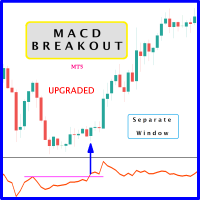
Probability emerges to record higher prices when MACD breaks out oscillator historical resistance level. It's strongly encouraged to confirm price breakout with oscillator breakout since they have comparable effects to price breaking support and resistance levels; surely, short trades will have the same perception. As advantage, many times oscillator breakout precedes price breakout as early alert to upcoming event as illustrated by 2nd & 3rd screenshot. Furthermore, divergence is confirmed in c
FREE

RSI Condition:
The Relative Strength Index (RSI) for the current period is below a specified low threshold (RsiLow). This indicates oversold conditions. Candlestick Pattern:
It checks for a specific candlestick pattern across three consecutive candles: The current candle (1) closes higher than it opens (bullish) The previous candle (2) closes lower than it opens (bearish) The current candle's close is below the high of the previous candle Price Action:
The alert also checks that the current
FREE
GoldStorm - Advanced Gold Trading Algorithm (XAU/USD) After intensive research, programming, and testing, GoldStorm was created – an innovative Expert Advisor (EA) developed in MQL5. This advanced trading algorithm is designed specifically for trading gold (XAU/USD) and fully utilizes market dynamics and price volatility. How Does GoldStorm Work? GoldStorm uses a strategy based on precise pending orders. After a position is activated, one of two actions occurs: Pyramiding Positions – If the mark

This is a multi frame stochastic indicator, you can attach any time frame of stoch indicator on one chart. It is very useful if you like to check multi time frame stoch data. If you are interested in EA,click below links to take a look: https://www.mql5.com/en/market/product/80170 https://www.mql5.com/en/market/product/81136
How to use: > Atach the first time frame you want on to the currency pair's chart > Atach the second time frame you want on to the currency pair's chart > Atach the third
FREE

Setting a chart up exactly the way you like it takes a few minutes. Doing it twenty times takes an afternoon. Chart Cloner opens exact copies of the chart you drop it on. Symbol, timeframe, colours, scale and chart mode always carry across, because that is what makes a copy a copy. You decide whether the attached Expert Advisor, the indicators and the drawn objects come with them. Point it at your Market Watch instead of a copy count and it opens one chart per symbol, every pair wearing the same
FREE
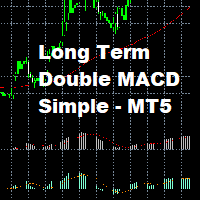
Long Term Double MACD Strategy with EMA Trend Confirmation
This strategy uses a leading and lagging MACD indicator. The leading indicator gives the entry signals, and the lagging indicator gives the exit signals. This Expert does not use any account management and as such you should make sure to set good stop losses.
Works best on longer timeframes on low volatility pairs.
FREE

Account Guard Daily Limit is the free version of Account Guard. It watches the whole account and enforces two rules: a daily loss limit and a maximum drawdown. It opens no trades of its own. It works for manual trades and for any EA on the account. The panel shows the state, the day result against the limit, and how much room is left above the drawdown floor. The two rules Daily loss limit in percent of the initial balance. When it is hit, every position and pending order is closed. Any trad
FREE

GoldCutTer EA – Smart Grid Recovery System GoldCutTer EA is an advanced grid-recovery Expert Advisor designed for XAUUSD (Gold) trading on MetaTrader 5. It combines EMA/RSI entry signals with an intelligent martingale grid and a unique "CutTer" partial-close mechanism that trims losing layers against profitable ones — reducing drawdown faster than traditional grid systems. Core Strategy The EA enters trades based on EMA crossover positioning and RSI oversold/overbought levels. When price moves
FREE

This EA trades using the CCI Indicator. It offers many trading scenarios and flexible position management settings, plus many useful features like customizable trading sessions, a martingale and inverse martingale mode. [ Installation Guide | Update Guide | Troubleshooting | FAQ | All Products | Get Help ] Easy to use and supervise It implements three different entry strategies Customizable break-even, SL, TP and trailing-stop Works for ECN/Non-ECN brokers Works for 2-3-4-5 digit symbols Tr
FREE

TickAll - Automated Trading Robot "Please test it in the EURUSD 15-minute timeframe" Introduction: TickAll is an automated trading robot designed to assist both novice traders and professional traders in the Forex market. Utilizing advanced algorithms and up-to-date market analysis, TickAll helps you make the best trading decisions.
Our trading robot stands out from the rest due to its unique feature - the ability to sometimes incur losses yet ultimately generate profits. Unlike
FREE

VBOT CORE SIGNAL — Multi-Timeframe Trend + ADR Context for Forex, Gold, and Crypto CFDs Trade with clarity. Avoid low-quality trades. VBOT CORE SIGNAL identifies BUY, SELL, and NO TREND conditions. NO TREND — NO TRADE Launch Price: $39 (limited to the first 30 days)
The price will increase to $59 after this period. Introduction VBOT CORE SIGNAL is not a simple indicator like RSI, ADX, or MA used in isolation. It is designed as a multi-layered system that combines market data, trend evaluation, a
FREE
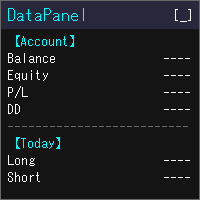
DataPanel은 계좌의 상태를 차트 위의 패널 하나에 모아서 보여 줍니다. 주문은 전혀 내지 않으며 DLL도 사용하지 않습니다. 원래는 다른 EA를 돌리고 있는 계좌의 상황을 한눈에 보고 싶어서 Claude Code로 만들었습니다. 기능을 이것저것 추가하다 보니 정보가 많아졌지만, 필요한 정보만 표시할 수 있으니 설정에서 필요에 맞게 바꿔 주세요. 볼 수 있는 것 잔고, 유효 증거금(순자산), 평가 손익, 증거금 유지율 잔고와 순자산의 드로다운(최대값과 발생 시각). 입금·출금·크레딧은 드로다운에 포함하지 않습니다 오늘·이번 주·이번 달·올해·전체 기간의 손익(롱/숏 별도)과 성장률 승률, 프로핏 팩터, 기대값, 연승·연패, 평균 보유 시간, 스왑·수수료 같은 비용 매직 넘버별·종목별 손익과, 거래한 종목의 비율 포지션 목록, 손익분기 가격, 스톱아웃까지의 여유 경제지표(국가와 중요도를 선택 가능), 오늘의 공휴일, 시세 목록, 통화 강도, 시장 세션 같은 PC에서 실행 중인 모
FREE

Investment Castle Horizontals — Key Levels, Mapped Clearly
The Horizontals Indicator gives you a clean, comprehensive map of the horizontal levels that matter — the prices where the market repeatedly reacts — so you can plan entries, exits and targets around real structure instead of guesswork.
What it does for you Key horizontal levels: the important support and resistance prices, drawn for you. Comprehensive yet clean: a clear map of structure without chart clutter. Plan with structure: set
FREE
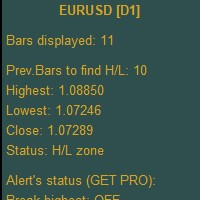
Higher Timeframe Chart Overlay will display higher timeframe candles, including the number of candles high/low you specify.
You no longer need to switch timeframes to check the candles. Everything can be shown in one chart. Get Full Version - https://www.mql5.com/en/market/product/115682 Please feel free Contact me if you have any questions regarding this tool.
FREE

Smart Fractal es un indicador diseñado para identificar automáticamente los fractales más importantes del mercado, resaltando los máximos y mínimos relevantes directamente sobre el gráfico. Su objetivo es ayudar al trader a localizar zonas potenciales de reversión, niveles de soporte y resistencia, así como puntos clave para el análisis de la estructura del precio. A diferencia de un simple indicador visual, Smart Fractal facilita la lectura de la acción del precio al destacar únicamente los piv
FREE
This indicator is suitable for trend identification, price channel definition and trading signal generation. It combines smoothness, adaptability and visual clarity, which makes it useful for scalping, day trading and swing trading.
Technical details: Hull Moving Average (HMA) – provides a smooth trend line without lags.
Super Smoother – reduces "noise" and creates a smooth curve.
Channel Width – adapts to the timeframe (e.g., narrower on M1, wider on D1).
Debug Logging – enabled in the con
FREE

This is MT5 version ,MT4 version: https://www.mql5.com/zh/market/product/135163 Warning: This is Martingale EA, with extremely high risk!!! Expert Advisor (EA) is not omnipotent, using this EA means agreeing to bear the risk of all losses incurred by the EA Trading financial products such as foreign exchange and gold are high-risk products that may result in zero principal. Please be aware of the risks before trading
This is Laodengxi 429 EA FREE! This is a Martingale EA
FREE
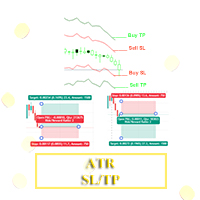
Hello, Traders! I have developed something for traders who uses Average True Range aka ATR value to determine their trade's Stoploss and Takeprofit. With this indicator you can easily set the Takeprofit and Stoploss with the multiplier of your choice.
To use this, kindly adjust the ATR Period to your trading style, then adjust the Stoploss Multiplier and Takeprofit Multiplier accordingly.
Happy Trading. Goodluck and Goodtrading!!!
FREE
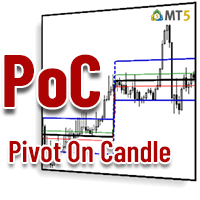
How many times have you looked for a PIVOT that works on a specific candle every day?
Many traders like to estimate the direction of the day's trend based on a specific time each day, such as 30 minutes after the market opens, or at 12 noon, and so on.
This indicator allows you to specify a certain time (hour and minute) and plots a pivot from that time to the next day at the same time. It shows five lines based on that specific candle/hour: median, maximum, minimum, support and resistance.
FREE

This EA uses local chart fluctuations as a trigger to enter a position.
It does not use the martingale method or grid.
Entry trigger:
[level1]
1. Fall → Fall → Appears to be higher than the specified difference at this time = BUY entry
2. Rise → Rise → Appears to be lower than the specified difference at this time = SELL entry
[level2]
1. Fall → Fall → Rise after a gap → Rise higher than the specified difference = BUY entry
2. Rise → Rise → Fall after a gap → Fall lower than the specifi
FREE
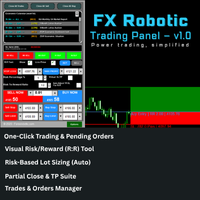
FX Robotic Trading Panel — v1.0 by Forex Robotic All-in-one MT5 panel for one-click execution, visual R:R control, risk-based lot sizing, partial closes (incl. virtual TPs), news, and MA signals—right on your chart. Overview FX Robotic Trading Panel is a professional, on-chart control center for MetaTrader 5 that blends lightning-fast trade execution , visual Risk/Reward management , auto lot sizing from risk% , staged partial take-profits (real or virtual ), an economic calendar , and a multi
FREE

Expreso is built for one purpose:
To help traders position early before the move expands — not chase it after. In a market where most traders react late, Expreso focuses on timing and positioning, allowing you to align with emerging momentum at the earliest stage possible. Core Concept Expreso is designed to support early entry positioning by helping you focus on: Timing entries near the start of a move Recognizing when the market is ready to expand Avoiding late entries during overextended pric
FREE

"채널 돌파 원리로 작동하는 트레이딩 시스템을 소개합니다(가격이 항상 동일한 범위에 머물 수는 없습니다). XAU와 같이 변동성이 큰 페어를 선택하세요. Initial lot = 0.01; (최소 초기 로트) Maximum lot = 0.5; (최대 로트, 도달 시 초기 로트로 리셋) Channel width = 0.02; (돌파를 기다리는 채널 폭 (가격 대비 %). 너무 크게 설정하지 말고 가능한 한 작게 설정하는 것을 권장합니다) Target profit = 0.1; (거래당 예상 수익 (잔고 대비 %)) Distance for recovery = 1.5; (수익 실현을 위해 가격이 이 거리를 움직일 때의 거리 (가격 대비 %). 0.5보다 크게 설정하는 것을 권장합니다) Trailing stop = 0.01; (트레일링 스탑 (가격 대비 %)) Use Take Profit = true; (TP 사용) Reset loss when max lot reached = true; (최

[MT5 전용] 『LongSword M1 EURJPY』 '클린 모드(일부 상쇄 결제 기능)'로 리스크를 억제하는 유로엔 1분봉 전용·매수 전용 EA [1분봉·유로엔 전용] 번거로운 최적화나 초기 설정이 전혀 필요 없는 단일 통화 특화형 『LongSword M1 EURJPY』는 시장의 '바닥 깊이'를 독자적인 로직으로 엄격하게 수치화하여, 반등의 초동을 노리는 유로엔(EURJPY) 1분봉 전용·매수 전용 특화형 EA입니다. 기존의 마틴게일(물타기) EA처럼 "전체 합계 손익이 플러스가 될 때까지 그저 큰 평가 손실을 견디는" 방식은 사용하지 않습니다. 본 EA는 엄선된 초기 신호로 진입한 후, 독자적인 '추격 로직'으로 대바닥에서만 신중하게 물타기를 수행하며, 여기에 '클린 모드(일부 상쇄 결제 기능)'를 융합하여 압도적인 안정성을 실현했습니다. 본 EA의 3가지 핵심 장점

이중 라인 신호, 두 레벨 시스템, 멀티 타임프레임 지원, 사용자 정의 시각 신호 및 고도로 구성 가능한 알림 시스템을 갖춘 고급 TSI (True Strength Index).
프리랜서 프로그래밍 서비스, 업데이트 및 기타 TrueTL 제품은 제 MQL5 프로필 에서 이용하실 수 있습니다.
피드백과 리뷰를 환영합니다!
True Strength Index (TSI)란 무엇인가요? True Strength Index (TSI)는 William Blau가 개발한 모멘텀 오실레이터입니다. 가격 모멘텀(현재 종가와 이전 종가의 차이)에 이중 지수 평활화를 적용하여 시장 노이즈를 효과적으로 필터링하고 기본 추세 방향을 드러냅니다. TSI는 -100과 +100 사이에서 진동하며, TSI 메인 라인과 시그널 라인(TSI의 이동 평균) 두 개의 라인으로 구성됩니다. 양수 값은 강세 모멘텀, 음수 값은 약세 모멘텀을 나타냅니다. 두 라인 간의 교차와 High/Low 레벨을 통한 움직임이 주요
FREE

V-POWER CLOUD SYSTEM: V-Power Cloud es un indicador de estructura avanzada que redefine el análisis de volumen mediante la visualización de la Masa Crítica en el precio. A diferencia de las nubes convencionales, este sistema está diseñado para identificar los niveles donde las instituciones acumulan órdenes y defienden sus posiciones mediante Bases Planas y Densidad de Nube . 1. El Concepto de Masa (Densidad de la Nube) La nube representa la cantidad de contratos y liquidez presentes en una zon
FREE
The Daily Highs and Lows Indicator is a versatile tool that combines support and resistance levels with real-time market dynamics. By incorporating previous daily highs and lows, it provides valuable insights into market psychology and identifies potential areas of price reversals or breakouts. With its ability to adapt to changing market conditions and customizable options, traders can stay ahead of trends and make informed decisions. This indicator is suitable for various trading styles and ti
FREE
This indicator allows us to identify unusual volatility conditions.
If the ATR line is below the middle bollinger line, volatility is assumed to be below average. If the ATR line is above the middle bollinger line, volatility is assumed to be above average.
If the ATR line breaks the upper bollinger band, volatility is assumed to be high. If the ATR line breaks the lower bollinger band, volatility is assumed to be low.
FREE

CROW_RANGO — ORB Expert Advisor for MT5 CROW_RANGO is an experimental ORB (Opening Range Breakout) Expert Advisor designed for intraday trading, scalping, and prop firm evaluations. The system automatically detects the market opening range and executes LONG or SHORT trades when valid breakout conditions are identified using momentum filters, EMA confirmation, and structural validation. The goal of the project is to develop an automated trading tool focused on fast-moving markets and high-volatil
FREE

AZ_custom_daily_candle The indicator allows you to draw the contours of daily candles on small timeframes, plus you can customize the display of, for example, an H1 candle and see how it looks on the M5 chart (I think this is a useful setting for scalping). Further, it is possible to shift the beginning/end of drawing candles, change the background color, line thickness. Suggestions and wishes are welcome. v 1.05 (31/03/2025)
By demand, I have added the ability to turn on/off daily maximum/mini
FREE

The Quick Style utility is designed for facilitation and acceleration of working with the properties of graphical objects. Left-click a graphical object while holding the Shift key to open the quick access window for configuring the object properties. In the window, you can change the color, style and line width with one click, including those of other graphical objects. All changes are displayed immediately. To close the Quick Style , simply click the free space on the chart. The utility is eas
FREE

Este robô é baseado no cruzamento de médias móveis (MA Crosses) e opera em timeframes mais longos (H4, D1). A estratégia é seguimento de tendência, o que significa que o robô entra em posições alinhadas com a direção principal do mercado, eliminando ruídos e falsas entradas que normalmente afetam scalpers de curto prazo.
A configuração do Best Scalper 4h TF MA Crosses é ideal para ativos que apresentam movimentos de tendência mais claros e estáveis, como índices e commodities. Ele teve ótimos
FREE

Garner Risk Calculator for MetaTrader 5
## Visual trade planning, position sizing and manual order placement
Garner Risk Calculator is an MT5 Expert Advisor that brings trade planning and position sizing directly onto your chart. Position your Stop Loss and Take Profit, choose the amount you want to risk, and view the calculated lot size before placing an order.
The dark navy panel with blue accents provides a clear view of your proposed trade. It is a manually operated calculator and order-e
FREE

LZ Multi-Timeframe Candle Timer displays the remaining time before the current bar closes for multiple timeframes simultaneously on a single dashboard. Monitor up to 9 timeframes (M1, M5, M15, M30, H1, H4, D1, W1, MN1) without switching charts. The indicator uses server time, updates every second, and is optimized for smooth display with minimal CPU use.
Feature highlights
- Multi-timeframe display: select which timeframes to show (M1 through MN1) via boolean inputs. Display only the interval
FREE

The Forex Gangster Indicator allows you to determine the current trend. If the Forex Gangster Indicator line has moved below the price and turned blue, then you should open deals for an increase. If the Forex Gangster Indicator line has appeared above the price and turned red, then you should open deals for a decrease: The indicator is suitable for any time frames, but it needs to be supplemented with filtering indicators, since by itself it is late and does not have time to give an accurate si
FREE

Multi-Timeframe Breakout Pressure and Confirmation Dashboard
TAGLINE
Track compression, stored pressure, breakout direction, and confirmation in one dashboard.
PRODUCT OVERVIEW
BreakoutPulse Navigator MT5 is a professional multi-timeframe breakout dashboard for MetaTrader 5. It is designed to detect two different stages of a breakout:
1. Pressure building before the breakout 2. Directional confirmation after price leaves the channel
The indicator combines:
- Bollinger Band squeeze - ATR
FREE

Assets can behave based on repetitive patterns on specific times of the day, for example at the opens and closes of the sessions. Daily Vertical Lines helps us draw vertical lines at any given time of the day as many days as required, as simple as sliding a vertical line. This free version only draws vertical lines, while the paid version (to be published) collects and presents technical and statistical information regarding the price behavior at that time of the day.
FREE
AliPivot Points is a Meta Trader 5 Indicator that draws you the latest pivot points. You can choose from timeframes ranging from 1 Minute to 1 Month. Calculation methods for pivot points includes: Classic Pivot Points Camarilla Pivot Points Fibonacci Pivot Points Woodie Pivot Points You can personalize the line colors, style, and width to suit your preference. The indicator displays values on the right side of the chart. AliPivot Points values can also be utilized by developers for creating Expe
FREE

THE>>>>>>___IIIREX_CLAW_vs_CLUSTER_EAIII___<<<<<< Set1: Price Offset 100, Stopp Loss 100-1000, Take Profit 2000
Set2: Price Offset 200, Stopp Loss 100-1000, Take Profit 2000
Set3: Price Offset 100, Stopp Loss 100-1000, Take Profit 1000
Set4: Price Offset 200-500, Stopp Loss 100-1000, TakeProfit 1000
Set5: PriceOffset 100-1000 (Recomment 200) higher is lower Risk, Stopp Loss 500 Take Profit 1000, 2000, 3000 it is the same Target
Set it to your Moneymanagement
Indize: DE40
“IC Market” R
FREE

Trading in global markets (such as Forex, Indices, and Commodities) demands maximum attention to time. However, MetaTrader 5 natively displays only your broker’s server time, forcing the trader to constantly make mental calculations to know the exact time on their own computer.
Pinpoint Local Time solves this problem elegantly and in an integrated way. It adds a secondary, ultra-compact time scale (ruler) at the bottom of your chart, which runs synchronously with market history, displaying the
FREE

Close-Open A/D (CO A/D): A Cumulative Volume-Efficiency Line for Accumulation/Distribution Analysis CO A/D is a cumulative Accumulation/Distribution-style indicator built around a simple question On-Balance Volume and Chaikin A/D don't directly ask: how efficiently did each bar convert its own volume into open-to-close travel? Formula CO_raw = (Close − Open) / (High − Low) Volume = Log(TickVolume + 1) [or raw volume — selectable] CO A/D = Previous CO A/D + (CO_raw × Volume) Where OBV assigns ful
FREE

TickAll - Automated Trading Robot
Introduction: TickAll is an automated trading robot designed to assist both novice traders and professional traders in the Forex market. Utilizing advanced algorithms and up-to-date market analysis, TickAll helps you make the best trading decisions. Market Analysis: TickAll continuously monitors the market, analyzing various indicators, price movements, and patterns to identify potential trading opportunities. Trend Identification: Using sop
FREE

opnMAX Moirai: Indicator Overview opnMAX Moirai is an indispensable, sleek Heads-Up Display (HUD) utility designed for MQL5 traders who require absolute precision in timing and volatility monitoring. While visually non-intrusive, Moirai runs on a high-performance, second-by-second background timer engine. This ensures that clocks and countdowns tick smoothly and remain perfectly accurate even during periods of low liquidity when price ticks are sparse. Essential synergy for opnMAX EAs Moirai wa
FREE
> Elevate Your Trading Strategy This free tool is just the beginning. At code4trading , we specialize in developing high-performance indicators and Expert Advisors designed for precision and professional-grade analysis. Looking for more advanced features? Discover our full suite of premium tools, including optimized signals, advanced oscillators, and institutional-grade trading utilities at our official MQL5 store. > Explore the full catalog here: https://www.mql5.com/en/users/pablogx9
FREE

The Hon Heiken Ashi Trend Sniper is a professional-grade, strictly non-repainting indicator designed to catch high-probability trend entries while keeping you safe during flat, ranging markets. By combining the smoothed price action of Heiken Ashi candles, the directional bias of dual Exponential Moving Averages (EMAs), and the momentum detection of the Average Directional Index (ADX), this indicator provides clear, actionable BUY and SELL arrows only when the market is genuinely moving. Whe
FREE
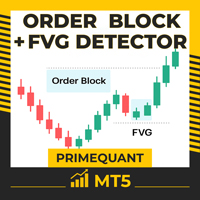
Order Block and FVG Detector Indicator by PrimeQuant Unlock the power of Smart Money Concepts (SMC) with the PrimeQuant Order Block Detector – a cutting-edge MT5 indicator designed for traders who want to spot high-probability order blocks and Fair Value Gaps (FVGs) with precision and clarity. Built on advanced volume pivot analysis, this tool helps you identify institutional footprints in the market, giving you an edge in spotting potential reversal and continuation zones. Why Choose PrimeQu

The MarketMaverick Expert Advisor is a MetaTrader 5 algorithm by Themichl LLC, designed for forex trading. It uses technical indicators and risk management for automated trading within specified hours. Key features include Bollinger Bands, ATR, ADX, and Moving Averages for trade execution; risk management with dynamic lot sizing, and flexible stop-loss/take-profit; trading restrictions like news filters and cooldown periods; error handling with logging; and extensive customization options. It a
FREE

When executing an order, whether through the Metatrader ticket on a computer or the Metatrader app on a mobile device, either manual or pending,
Easy Trade will automatically set the take profit and stop loss levels, as well as a limit order with its respective take profit and stop loss levels. It follows the trading strategy for market open (US30, US100, US500), but it can be applied to any market asset.
FREE
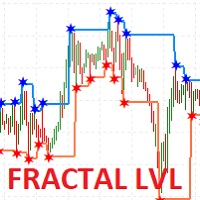
I present the well-known Fractal indicator.
Levels have been added to this indicator.
At the extreme points, you can see the continuation of the price line, which changes when the values of the Fractal indicator change.
The indicator is easy to use. The basic Fractal settings have been saved.
FractalLevels Parameters:
LeftBars - the number of bars on the left
RightBars - the number of bars on the right
FREE
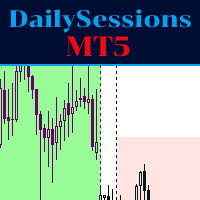
The indicator represents the session boxes for the Asian, European and American sessions. It is possible to change the time of each session, such as color. It is also possible to disable the display of each session. You will find in input parameters variables to modify in format hh:mm. In Colors tab you can change the color of boxes of each sessions. If you need some implementations please contact me.
FREE

ArgosWatch Drawdown Meter MT5 — Daily Loss & Maximum Drawdown Live Monitor
Most trading accounts and prop challenge attempts are not lost to a bad strategy. They are lost to arithmetic performed under pressure: trying to calculate mid-trade how much of today's loss allowance is already gone and whether the next position still fits inside it.
ArgosWatch Drawdown Meter answers that question continuously in real time, and adds something a simple readout cannot give you: an on-chart daily history
FREE
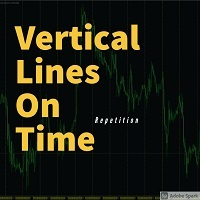
This indicator draws a vertical line repeatedly at the set time. The number of lines that can be set can be set arbitrarily. In addition, it is possible to set 4 types of lines. It is possible to change different times, colors, line types, etc. The time can be set to any time in minutes.
In the next version, we plan to display the high and low prices within the setting range.
FREE
MetaTrader 마켓은 MetaTrader 플랫폼용 애플리케이션을 구입할 수 있는 편리하고 안전한 환경을 제공합니다. Strategy Tester의 테스트를 위해 터미널에서 Expert Advisor 및 인디케이터의 무료 데모 버전을 다운로드하십시오.
MQL5.community 결제 시스템을 이용해 성능을 모니터링하고 원하는 제품에 대해 결제할 수 있도록 다양한 모드로 애플리케이션을 테스트할 수 있습니다.
