 MetaTrader 5
 Experts
 지표
지표
 라이브러리
라이브러리
 유틸리티
유틸리티
 위젯
위젯
 규칙
규칙
MetaTrader 4용 무료 트레이딩 유틸리티 - 3
 다음은 MetaTrader 4에서 외환 거래를 단순화하는 거래 프로그램입니다. 아래 목록의 유틸리티 위로 마우스를 가져가면 해당 설명과 용도를 읽을 수 있습니다.
Key Features & Core Logic ATR Rope Indicator Logic (Pine Script Replication) Utilizes a custom-calculated Average True Range (ATR) "Rope" mechanism that adapts dynamically to market volatility . Functions as a trailing baseline and trend-direction filter, helping the EA stay on the right side of market momentum Scoring System & Risk Filtering Evaluates market conditions through a comprehensive scoring algorithm (out of 14 points for both Buy and Sell sides) . Trades are only executed or alerted
FREE

DF Fib Trader Pro DF Fib Trader Pro는 MetaTrader 5용으로 설계된 자동 거래 시스템입니다. 피보나치 기반 가격 수준과 추세 및 구조 분석을 결합하여 진입 및 청산 시점을 정의합니다. EA는 롱 포지션과 숏 포지션을 모두 지원하며, 내장된 위험 관리 매개변수를 포함합니다.
핵심 기능: • 피보나치 되돌림 및 확장 로직을 사용하여 진입, 손절매, 이익실현 시점을 표시합니다. • 랏 크기 및 손절매/이익실현 수준 설정 가능 • 진입 시점 1개 또는 2개 선택 가능 • 시장 상황에 따라 고정 또는 동적 손절매 및 이익실현 지원 • 다양한 시간대 및 통화쌍 지원 • 최대 스프레드, 슬리피지, 거래 빈도 제어 옵션 포함 • 자동 거래 관리: 손익분기점, 트레일링 손절매, 부분 청산 옵션 • 원하는 경우 시장가 주문 지원 입력 개요: • 위험 관리: 랏 크기, 거래당 위험, 최대 거래 수 • 진입 조건: 피보나치 레벨 선택, 추세 필터 옵션 • 청산 관리:
FREE

시장이 4H 또는 1H 이동평균선 위에 있을 때 매수를 고려하고, 그 아래에 있을 때 매도를 고려하는 것만으로도 큰 손실 위험이 줄어듭니다. 이는 승률을 높여줍니다.
5분 봉의 종가가 1시간(H1) 또는 4시간(H4) 차트의 20MA를 교차하여 확정되는 정확한 순간에 알림을 보내드립니다.
이 유틸리티는 상위 타임프레임의 확증을 중시하는 트레이더를 위해 설계되었습니다. 백그라운드에서 시장을 모니터링하므로, 다른 차트를 보고 있는 동안에도 중요한 추세 변화를 놓치지 않습니다. M5 캔들의 종가 확정 시점을 기준으로 판정하므로, 일시적인 급등락으로 인한 '노이즈'와 '속임수(꼬리)'를 효과적으로 제거합니다.
주요 특징:
H1 및 H4 20일 이동평균선 실시간 모니터링. M5 캔들이 확정된 순간에만 알림 발생. 모든 종목에서 작동하며, 다른 차트를 보고 있어도 활성 상태 유지. 간결하고 전문적인 알림 메시지. 본 제품은 단순한 유틸리티로 제공됩니다.
동일한 개발자의 다른 제품
FREE

바스켓 단계 이익 EA ΤΤ4는 바스켓 이익의 3가지 다른 단계(기간)에서 많은 미결 주문을 처리하고 최종적으로 원하는 종료 시간에 모든 이익 또는 손실로 모든 주문을 청산하는 가장 진보된 방법입니다.
제품 설치 | 바스켓 스테이지 수익 EA MT4 설정/입력 가이드 | 구매한 제품의 업데이트
특징 Martingale, Grid, Averaging 또는 기타 위험한 기술을 사용하지 않습니다 3단계로 결합된 모든 미결 포지션에 대해 계정의 통화로 바스켓 이익 실현 4단계 모든 오픈 포지션은 결합된 손익으로 마감됩니다 100% 자동화된 전문가 고문 MQL5 VPS 호환
Basket Stage Profit EA MT4는 어떻게 사용하나요? 수동으로 거래하는 경우 Basket Stage Profit EA ΤΤ4를 MT4 터미널의 별도 차트에 첨부하고 자동 거래 버튼을 클릭해야 합니다. 이 방법으로 계속해서 새로운 수동 거래를 열 수 있으며 Baske
FREE

AUTO BE Utility – Breakeven Manager for MetaTrader 4 The AUTO BE Utility by KALIFX is a compact and efficient trade-management tool for MetaTrader 4.
It automatically adjusts the stop-loss level to the breakeven point once the market price reaches a defined profit distance.
This ensures that active trades are protected from reversals once they move into profit, without requiring manual intervention. Main Features Automatic Breakeven Control – Moves the stop-loss to breakeven when the price reac
FREE

CyberZingFx Buffer Finder Tool Developed for Finding Buffers of Indicator to use in Universal Indicator EA . This is Not an Indicator or EA CyberZingFx Buffer Finder Tool is utility tool designed specifically for MetaTrader 4 (MT4) users. It is a standalone application that helps you easily find the buffers of any MT4 indicator, allowing you to use them in your Universal Indicator EA. With the Buffer Finder Tool, you no longer have to search through the data window to find the buffers you need.
FREE

The utility is designed for placing pending orders Buy Stop, Sell Stop, Buy Limit, Sell Limit with predefined values for each type of orders, number 0 ... 15, distance from current price, Lot, Take Profit, Stop Loss, Magic. Expose and delete by pressing the hot key. How to place and delete orders by voice using the utilities of this type, see the video below the description. https://www.youtube.com/channel/UCTpVWJkEic6TzoXr0qc9RIw/featured Key "A" sends a request for placing orders Buy Stop. Ke
FREE

핵심 설명 Ultimate Trading Dashboard MT4 is a complete visual trading control system that integrates drag and drop order execution, multi-symbol monitoring, automated timeframe rotation, and advanced market analysis tools into a single unified workspace designed to improve speed, precision, and decision-making efficiency in manual trading on MetaTrader 4. 주요 특징 차트에 직접 드래그 앤 드롭하여 주문을 실행하고, 매수 지정가, 매수 손절매, 매도 지정가, 매도 손절매 주문을 자동으로 감지합니다. 단일 인터페이스에서 여러 통화 쌍을 자동으로 순환하며 모니터링하는 멀티 심볼 모니터링 기능 H4, H1, M30,
FREE

AutoSTPending - Expert Advisor for Automatic Stop Loss and Take Profit
The AutoSTPending expert advisor automatically creates or modifies the Stop Loss and Take Profit levels configured in the properties. It is a user-friendly and easy-to-understand tool. With AutoSTPending, you can simplify and streamline your trading operations by allowing the expert advisor to automatically set and adjust your Stop Loss and Take Profit levels. This allows you to focus on other activities while maintaining ef
FREE

가벼운 무게로 원활한 성능, 간편한 조작 및 직관적인 사용을 위해 설계된 거래 보조 도구입니다. 무겁고 지나치게 복잡한 거래 관리 프로그램과는 달리, 이지 매니저는 불필요한 지연이나 복잡함 없이 가볍고 반응성이 뛰어나도록 설계되었습니다. 가장 많은 기능을 제공하는 데 집중하기보다는, 가장 유용한 거래 관리 도구들을 간편하고 사용하기 쉬운 인터페이스에 통합하는 데 주력합니다. Easy Manager는 모든 사용자에게 적합하며, 숙련된 트레이더조차도 불필요한 기능으로 패널이 복잡해지는 것을 방지하는 효율적인 위험 관리 기능을 높이 평가합니다. 사용자 가이드: https://www.mql5.com/en/blogs/post/777381 기술적 특징 포지션 오프너 차트에서 직접 새로운 거래 설정을 생성하고 관리합니다. 매수 및 매도 거래 선택 조정 가능한 부지 크기 수동 입력, 손절매 및 이익실현 수준 ATR 기반 거래 실행 계좌 잔액을 기준으로 한 위험도 계산 위험도는 금액과 백분율로 표시
FREE
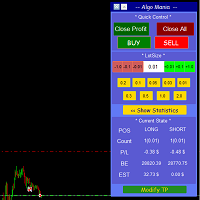
This is a trade manager specially for traders using martingale strategy and multiple trades at the same chart.
features: - easy and fast to set the lot size with mouse clicks. - Close all trades and close profit trades with a single click. - Show details on the running symbol: - number of trades (long - short) and total lots of each direction. - total profit/loss on this symbol separately and for both directions. - Break even point for both long and short. - Estimated profit if all the trades
FREE

This simple visual expert advisor allows you to trade easily from the chart. It handles risk management for you and can perform several useful tasks with your existing trades, saving time and making risk-management for each individual trade easier. [ Installation Guide | Update Guide | Troubleshooting | FAQ | All Products | Get Help ] Trade easily from the chart Trade with precise risk management, hassle free Trade pending order with drag and drop price selection Set SL and TP levels with
FREE

History Pre-loader — MT4 History Pre-loader is a utility script for traders who want to prepare and inspect MetaTrader price history before running a Strategy Tester, reviewing an older market period or using tools that depend on a deeper historical range. The script works from the symbol of the chart where it is attached . Open a chart for the exact broker symbol you want to prepare, attach the script, select the target oldest date and let the terminal request the available history. What the sc
FREE

Удобная торговая панель для MT4 с поддержкой нескольких символов. Быстрые кнопки Buy / Sell / Close All. Гибкие настройки: лот, SL/TP в $, Magic, спред. Настраиваемый интерфейс (цвета, размеры, позиция). Максимум удобства для ручной торговли. Кому подойдёт: MultiSymbolPanel — это инструмент для трейдеров, которые хотят: Управлять сделками вручную, но быстрее и удобнее; Контролировать несколько валютных пар с одной панели.
FREE

MQT Lot Size Calculator는 선택한 리스크(자기자본의 비율 또는 고정 금액)에 대해 정확한 랏 크기를 계산합니다. 차트 위의 세 개의 드래그 가능한 선인 진입, 손절(Stop Loss), 익절(Take Profit)을 사용합니다. 무료이며 가볍고 계산만 수행합니다. 주문을 열거나 수정하거나 종료하지 않습니다. 작동 방식(로직 요약): 방향은 손절선의 위치로 판단합니다(진입 아래 = 매수, 위 = 매도). 리스크 금액 = 자기자본 x 리스크 비율(또는 고정 금액). 랏당 손실 = 손절까지의 거리 / 틱 크기 x 틱 값. 랏 = 리스크 / 랏당 손실이며, 항상 브로커의 거래량 단위로 내림하므로 설정한 것보다 더 많은 리스크를 지지 않습니다. 패널 표시: 방향, 진입/손절/익절의 가격과 포인트 거리, 계좌 통화 기준 리스크, 계산된 랏, 반올림 후 실제 리스크, 손익비, 익절 시 잠재 수익, 필요 증거금(여유 증거금을 초과하면 경고). 참고: 계산기일 뿐입니다. 거래를 열
FREE

Trailing Stop Manager with Break Even is a MetaTrader 4 utility that moves your stop loss automatically to protect profit as price advances. Unlike the platform's single-mode trailing stop, it offers four professional methods plus break-even handling, and it manages all matching positions on any symbol. Features Four trailing modes for different conditions: Fixed Pips, ATR-based, Step, and Break-even plus Trail (two-phase). Fixed Pips: classic trail that starts after a set profit and follows at
FREE

Overview No Nonsense ATR is a tool designed to help the No Nonsense Forex Traders backtest strategies and trading in real time.
The indicator calculates the value of the Stop Loss and the Take Profit (SL/TP) based on the ATR (Average True Range) allowing to verify the historical data in a simple and practical way, showing not only the SL/TP values but also the place where they would be and if it was a gain or loss. The No Nonsense ATR also calculates the trading volume required for each trade a
FREE

The Trading Sessions indicator is a simple tool that helps to highlight a specific trading session. For example, it can be used to differentiate the European, American or Asian sessions.
Main features The indicator shows a user-defined trading session. Alert notifications for the start and end of the session. Custom session time. Works on every timeframe (M1, M5, M15, M30, H1, H4, D1, W1, MN). Customizable parameters (Colors, alerts...). It can be used for creating EA. Available for MT4 an
FREE

This Expert Advisor is a tool for managing orders.
The EA can Place/remove a take profit. Place/modify/delete a stop loss. Manage all orders or specific ones having a certain ID.
You can to get the source code from here .
Parameters ManageOrders : Order_By_Order = Manage separately each order. Same_Type_As_One = manage same orders (all buy or all sell as one order, like basket system). PutTakeProfit : Put take profit in orders (yes/no). TakeProfitPips : Take Profit in pips. PutStopLoss : Put
FREE

Key Features: Automatic swing detection on any timeframe (M1 to MN1) Visual arrow indicators (red for swing highs, blue for swing lows) Adjustable sensitivity with customizable swing strength parameter Dynamic arrow positioning that never overlaps with candles Instant display when changing timeframes - no delays Compatible with MT4 and MT5 platforms Clean, professional interface with minimal screen clutter Lightweight code for fast performance Customizable colors and arrow sizes
Customizable S
FREE

FORBEX Candle Count Down Timer Every Candle Counts Know exactly how much time remains until the current candle closes. FORBEX Candle Count Down Timer is a simple yet highly practical utility that displays the remaining time of the active candle directly on the chart, helping traders make better timing decisions and avoid entering or exiting positions blindly during candle formation. Whether you trade using Price Action, Volume, Market Profile, Murrey Math, or any other methodology, knowing how
FREE

Crystal CopyCat Ultimate Ultra-Fast Master–Slave Copier with Zero-Delay Execution and Cross-Platform MT5 Compatibility
Architecture: MT4 → MT4 and MT4 → MT5 Full Compatibility
MT4 Pro :- https://www.mql5.com/en/market/product/165057
MT5 Free Version: https://www.mql5.com/en/market/product/144569
Complete User Setup Guide:- https://www.mql5.com/en/blogs/post/764222
1. Overview
Crystal CopyCat Ultimate 5.0 is a next-generation trade copy engine engineered for professional traders, portfo
FREE
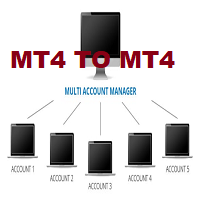
This tool allows you to automatically copy your orders between two or more METATRADER 4 platforms in same computer.
Settle the issuer of orders in Principal and the receiver of orders in Copieur To use it, add the script on both platforms, activate the auto trading button for the order copier. Principal=main Copieur=copy
it is very simple and does not need to add dll or csv . GOOD LUCK
FREE
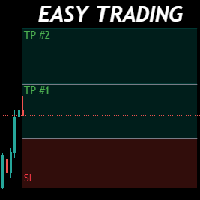
Money Management will help you to Easy Trade with One Click , instance and pending, set SL, and manage number of your TP . You can use this expert for different currency pairs, CFDs, cryptocurrency, and stocks .
The basic formula for calculating pip value and position size which has been used in this expert are:
Pipette Value = Position Size * (Exchange Rate (Base Currency) / Entry Price) * Contract Size * Digits Exp. Account Currency: USD Currency Pair: GBPJPY Position Size: 0.05 Lot = 5000
FREE

Easy Lot Size Calculator Stop calculating lot sizes manually and start trading visually.
Automatic position lot size calculator for MT4 (MT5 also available)
The Easy Lot Size Calculator is the ultimate trade management dashboard. It is designed for traders who need speed, precision, and strict risk management. Whether you are a scalper needing split-second execution or a swing trader demanding exact risk percentages, this EA handles the math so you can focus on the chart. Why Use This Calcu
FREE

Flexible Copy Trade EA: The Premier MetaTrader Multi-Account Synchronizer Streamline your trading operations with the most reliable, high-speed trade copier designed for the modern MetaTrader environment.
Whether you are managing multiple accounts, coordinating a trading team, or looking to mirror signals across different terminals with near-zero latency, Flexible Copy Trade EA is your enterprise-grade solution. It offers seamless, lightning-fast synchronization regardless of the broker or ac
FREE

스나이퍼 전문가 어드바이저는 반자동 전문가로,소위"안전"규칙과 실패한"안전"규칙과 함께 사용되는 오버 클러킹 위치를 사용하여 트레이더의 전략에 따라 거래를 여는 것이 주요 임무입니다.
전문가가 저격 전략에 따라 시장을 분석하지 않는다는 점은 주목할 가치가 있지만 자금 관리에 대한 대중적인 접근 방식을 구현하기위한 일반적인 조수입니다.
그것은 또한 전문가 고문 절대적으로 모든 가능 하 고 어떤 시간 프레임에 작동,그래서 그것은 당신의 전략에 품질 추가 될 수 있습니다 주목할 가치가 있다.
고문의 알고리즘. 실용적인 응용 프로그램 및 설정
내가 이미 언급했듯이,스나이퍼 고문은 반자동,즉 그는 직접 주문을 직접 열지 않습니다.
차트에서 주문을 열려면 버튼이있는 특수 패널이 있으며 클릭하면 전문가가 두 개의 누적 위치 주문을 동시에 엽니 다. (그림 1)
고문은"안전한"규칙에 따라 작동하며,그 본질은 두 가지 주문으로 총 계획된 볼륨을 여는 것이지만 다른 목표를 갖는 것입니
FREE

The utility is designed to close several types of orders. Closing is done by pressing the hot key. How to place and delete orders by voice using the utilities of this type, see the video below the description. https://www.youtube.com/channel/UCTpVWJkEic6TzoXr0qc9RIw/featured Provided closing options:
KEY "1" DELETE BUY STOP. KEY "2" DELETE SELL STOP. KEY "3" DELETE BUY AND SELL STOP. KEY "4" DELETE BUY LIMIT. KEY "5" DELETE SELL LIMIT. KEY "6" DELETE BUY AND SELL LIMIT. KEY "7" DELETE ALL PEND
FREE

Photocopy MT4 is an Copier of transactions through Telegram channel. Will help you instantly publish your trade in Telegram channel or copy trades from Telegram channel. The utility can work in two directions by receiving signals in MT4 and transmitting signals to Telegram . No more missed deals No more panic Capital Management Ease of use
You can use it for:
Copying your own deals through Telegram channel (via the Internet); Copying trades from MT5 to MT4 and vice versa. Propagation of signa
FREE

SAYON Trade Copier copies trades between MetaTrader accounts on the same computer or VPS: MT5 → MT5, MT4 → MT4, MT4 → MT5 and MT5 → MT4 .
One single EA for both roles: set it as Master on the account that sends the trades and as Slave on the accounts that copy them. You can switch role from the panel. FREE and complete. Every feature is included, with no limits on symbols or time.
To copy to or from MT5 accounts you also need SAYON Trade Copier MT5 on the MT5 terminals. Fast and reliable: the co
FREE

VisualRiskTool VisualRiskTool is a professional trade execution panel and risk management utility designed for MetaTrader. It streamlines the process of opening and managing positions by automating complex lot size calculations and providing a visual interface for setting stop-loss and take-profit levels directly on the chart. Core Functionality: Precision Risk Management The primary goal of VisualRiskTool is to eliminate manual calculation errors. By defining a fixed risk percentage (e.g., 0.5%
FREE

This indicator show the candle remaining time on the chart and/or in the corner of the window. It also display notificaton (popup and push) when a new candle is formed (optional). You configure the timer on candles and at chart corner. I don't need to explain the functions because are very simple. MT5 version: https://www.mql5.com/pt/market/product/38470 Any doubt or suggestion to a new feature please comment. Enjoy!
FREE
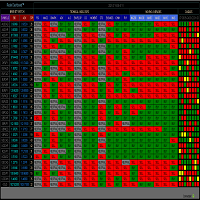
RADAR DASHBOARD
The Radar Dashboard shows the current "Trend Feeling" of each symbol based on the key indicators from the Classic Technical Analysis. As more indicators shift from Sell to Buy, it is suggested that the Trend is now Up (buy). As more indicators change from Buy to Sell, it is suggested that the Trend is now Bearish (sell). The interpretation by the columns of "CANDLES" can also show us possible reversals or pullbacks. For example: A large amount of red squares in H4 (bear candle)
FREE

Программу можно использовать как советник для ручной и полуавтоматической торговли. Или как индикатор для выявления структуры рынка. В торговой части программы отсутствуют ордера Sell, Buy. А также лимитные и стоповые ордера. Вместо этого на график выводится торговая рамка для сделок на продажу - SELL или на покупку - BUY . У торговой рамки имеются три уровня. Уровень открытия будущего ордера. Уровень стопа и уровень профита. Влево от торговой рамки выводятся три линии. Перемещая данные линии
FREE

Position Manager Pro v1.0 (MT4) Dual Magic Number Independent Group Manager with Live P&L Dashboard Overview Position Manager Pro is a powerful trade management Expert Advisor for MetaTrader 4 that operates as an overlay manager — it does not open positions itself, but instead manages and monitors positions opened by other EAs or manually by the trader. The core concept is two fully independent groups , each identified by a unique Magic Number . Each group has its own Take Profit, Stop Loss, and
FREE

진입 전에 위험을 계획하고 청산된 거래를 차트에서 바로 검토하세요. Edgemory Trader OS는 MetaTrader 4용 무료 오프라인 위험 계산기, 포지션 크기 계획 도구, 거래 일지 및 CSV/JSON 내보내기 도구입니다. 가입, 토큰, DLL, WebRequest 또는 외부 서버 없이 즉시 작동합니다.
결정론적 계획 도구는 계좌 잔액, 위험 비율, 진입가, 손절가, 이익실현가, 틱 크기와 가치, 브로커의 랏 제한을 사용합니다. 종목 사양에 맞는 포지션 크기와 손익비를 표시합니다. 가격 수준을 임의로 만들지 않으며 주문을 전송하지 않습니다.
패널에는 다음 항목이 표시됩니다. - 청산된 거래 수와 승률 - 사용 가능한 수수료와 스왑을 포함한 순손익 - 프로핏 팩터와 거래당 평균 결과 - 최대 실현 낙폭 - 최고 및 최악의 청산 거래 - 총 수수료 및 스왑 비용 - 입력한 계획, 위험 비율, 랏 및 손익비 - 마지막 내보내기 시간과 로컬 상태
CSV와 JSON 파일은 자
FREE

Itrade manager expert advisor (EA) is a type of software that can be programmed to perform a variety of tasks related to managing trades in the financial markets. Some of the ways in which the Itrade manager EA can help you trade better include: Itrade manager EA can automatically modify, and close trades based on predefined rules and conditions, freeing you up to focus on other aspects of your trading strategy. Managing risk: Itrade manager EA can help you manage risk by placing stop-loss and
FREE

Features: fast opening / closing deals the number of deals and the total profit for the Symbol
Fast open deals: set the Lot volume set StopLoss / TakeProfit in points (if you set "0", then it is not used) set slippage set Magic (if necessary) set comment (if necessary)
Fast open features: fast open Buy fast open Sell fast close ALL open orders for the current Symbol
Attention: this utility works only on the current instrument this utility works on a VPS must enable Algo trading in the termi
FREE

로고 MT4 버전: https://www.mql5.com/en/market/product/121289 MT5 버전: https://www.mql5.com/en/market/product/121290
워터마크 MT4 버전: https://www.mql5.com/en/market/product/120783 MT5 버전: https://www.mql5.com/en/market/product/120784
"로고" 스크립트는 MetaTrader 4(MT4)의 거래 차트에 사용자 지정 로고 또는 이미지를 배경으로 표시하도록 설계되었습니다. 이 스크립트를 사용하면 트레이더가 로고 또는 기타 원하는 이미지를 사용하여 차트를 개인화할 수 있습니다.
작동 방식:
이미지 준비: 먼저 차트에 로고로 표시할 이미지를 선택하세요. 이미지 편집 소프트웨어를 사용하여 이미지를 비트맵 파일 형식(.bmp)으로 변환하세요. 이미지 저장: 변환이 완료되면 .bmp 이미지 파일을 MT4 설치 경로의 다음 디렉
FREE

이 도구는 두 가지 주요 이점을 제공합니다. MT5 경제 지표의 사용 편의성을 향상시키고 MT4와 데이터를 원활하게 공유할 수 있습니다. 예를 들어, 10년 이상 전의 경제 지표 데이터를 효과적으로 활용하여 훈련 및 백테스팅을 수행할 수 있습니다. 또한, MT4의 PracticeSimulator 와 호환되어 과거 데이터 거래 연습부터 MT4 실시간 거래까지 활용할 수 있는 소중한 도구입니다. 중요 사항
이 도구는 MT5의 경제 지표 데이터를 필요로 하므로 MT4 버전에서는 독립적으로 작동하지 않습니다. MT5 버전이 설치되어 있는지 확인하세요. => MT5 버전
MT5 경제 지표의 개선 사항 역사 데이터 액세스 : 10년 이상 전의 이벤트를 포함한 경제 지표 데이터를 분석하여 상세한 백테스팅 및 과거 검토가 가능합니다. 사용자 정의 가능한 표시 : 경제 지표는 차트에서 눈에 띄지 않게 표시되며 배경과 조화를 이루도록 조정 가능합니다. 자동 시간 조정 : 시간대 및 서머타임을 자동으
FREE
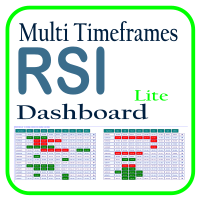
Optimize your trading analysis with the RSI Multitimeframe Dashboard, a powerful tool designed to streamline RSI monitoring across all timeframes and symbols listed in your Market Watch. This dashboard delivers real-time insights and alerts, making it essential for traders who rely on RSI to identify potential market entries and exits. Key features include: Comprehensive RSI Overview : Instantly view RSI values for every timeframe across all Market Watch symbols, making multi-timeframe analysis
FREE

Easy Backtest 2 Pro
Easy Backtest 2 Pro is a great FREE alternative testing software!.
You can test your new strategy in Strategy Tester in your MT4 , using all available historical data. Beyond the basic functions such as: BUY, SELL PENDING ORDERS STOP LOSE, TAKE PROFIT AUTO RISK MANAGMANT AUTO LOT SIZE You can modify each of them at any time, exactly like in live trading. Advanced features PRO such as: PREVIOUS DAY'S HIGH/LOW PIVOT POINTS FIBONACCI AUTO TRAILLING STOP AUTO BRE
FREE
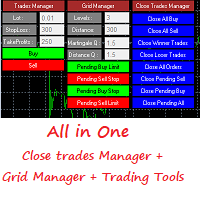
This is a demo version . Download the full version from this link https://www.mql5.com/fr/market/product/84850
Full version Allows you to : Set the number of levels (trades). Lot size and you can do Martingale to raise the lot size for each level. Set distance between levels, and you can manage the distance for each level using Distance Q. Static TP and SL for each level. You can open : BUY STOP / BUY LIMIT / SELL STOP / SELL LIMIT (levels in one click). Close all buy orders. Close all s
FREE

CleanView — Chart Management Utility for MetaTrader 4 CleanView is a utility designed to simplify the management of chart appearance and graphical objects in MetaTrader 4. It provides a compact button panel located in the upper-left corner of the chart, allowing quick access to functions for visual customization, chart cleaning, and display control. Functions and Buttons Clear Chart — removes all graphical objects from the current chart except the utility buttons. Useful for quick cleanup of lin
FREE

Simple indicator that draws the market hours on chart (broker, local and GMT). Functions: Horizontal distance - from border. Vertical distance - from border. Color - text color. Font - text font. Size - text size. Corner - which chart corner will be drawn. Show seconds - show or hide seconds. Draw as background - candles front or back. Label local - text before local time. Label broker - text before broker time. Label GMT - text before GMT time. Object ID - identification from object
FREE
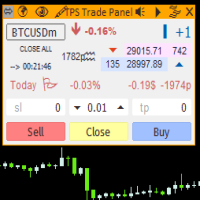
"TPS Trade Panel: Your Gateway to Effortless Trading
Introducing the TPS Trade Panel – the ultimate tool to streamline and enhance your trading experience across financial markets. Whether you're a novice or a seasoned trader, this feature-rich panel empowers you to execute trades swiftly and make informed decisions with ease.
Efficient Order Execution: Execute trades across multiple financial instruments without the need to navigate through complex menus. With a few clicks, you can open, clo
FREE

Nour Copier MT4 is a simple and flexible trade copier for copying trades between multiple MT4 accounts on the same computer or VPS. Main Features Copy Buy, Sell and Pending Orders Copy Stop Loss and Take Profit Copy all symbols or selected symbols only Fixed Lot or Lot Multiplier Reverse Trade option Symbol Mapping for different brokers Basic risk and spread controls One Master can copy to multiple Slave accounts No DLL required Arabic & English Support Available For installation help, configur
FREE

VR 감시 목록 및 링커 - 터미널용 스크리너 애플리케이션 메타트레이더 . 가장 흥미롭고 기술적인 금융 상품을 더 쉽게 찾을 수 있습니다. 이 스크리너는 bybit, Moscow Exchange, American Exchange, 외환 및 암호화폐 시장, 금속 시장 등의 거래소에서 트레이더가 거래하는 데 사용되며 소품 회사에서 거래하는 데 사용됩니다. 금융상품의 선택은 수동으로 수행됩니다. 스크리너는 MetaTrader 터미널의 오픈 차트를 연결하고, 금융상품 변경 시 각 차트의 데이터를 별도로 표시합니다. 설정, 파일 설정, 데모 버전, 지침, 문제 해결 등은 다음에서 얻을 수 있습니다. [블로그]
다음에서 리뷰를 읽거나 작성할 수 있습니다. [링크]
버전: [메타트레이더5] 스크리너를 사용하면 거래자가 가장 기술적인 금융 상품을 찾고 유동성이 낮고 위험이 높은 상품에 대한 거래를 제외하는 데 도움이 됩니다. 스크리너를 사용하면 티커가 포함된 시트를 쉽고 빠르게 생성 및 변경하
FREE

Time Based Close - Automated Trade Management EA Overview
Time Based Close is a powerful and user-friendly Expert Advisor (EA) designed for MetaTrader 4 (MT4). It automates trade management by closing positions based on a user-defined holding time, while also protecting your account with a dynamic drawdown control feature. Whether you're a beginner or a seasoned trader, this EA simplifies your trading strategy and helps you manage risk effectively. Key Features Time-Based Closing : Automatical
FREE
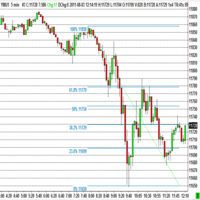
The program automatically draws fibonacci. This will save you a great deal of time in studying the chart. My intention is to facilitate those who carry out a study of the graph manually and use Fibonacci. In the screenshot you can see the result.The script applies to the chart of any currency pair or any stock. It will not open any purchase or sale operation because this program is limited only to drawing fibonacci.
FREE

ATC Alert Manager를 사용하면 차트에서 직접 가격 알람을 설정하고 하나의 작은 패널에서 관리할 수 있습니다. 각 알람은 차트의 선으로 표시되며 새 가격으로 드래그할 수 있습니다. 알람은 가격이 레벨을 횡단하는 순간에 한 번 발생하며, 팝업 알림, 소리 및 휴대폰으로의 선택적 푸시 알림이 함께 제공됩니다. 이미 레벨을 지난 가격은 트리거하지 않으므로 매 틱마다 반복 알림을 받지 않습니다.
이 도구는 포지션 도구, 거래 관리 및 성과 분석과 함께 All In One Trade Management Panel MT4 의 일부이기도 합니다.
주요 기능: 한 번의 클릭으로 알람을 추가합니다. 가격 필드는 현재 가격에서 시작하며 방향을 선택합니다: Above 또는 Below.
모든 알람에 메모를 추가합니다. 예: "런던 고점". 메모는 알림 메시지에 포함됩니다.
각 알람은 차트 오른쪽에 가격 레이블이 있는 선으로 그려집니다. 레이블을 드래그하여 가격을 변경하면 알람이 새 레벨
FREE

Stay ahead of market movements with precision and efficiency using DG Price Alerts , a MetaTrader 4 indicator designed for traders who demand accuracy and flexibility. This powerful tool is crafted to provide instant notifications when price levels are touched or breached, ensuring that you never miss a crucial market opportunity. Key Features: User-Friendly Interface: Seamlessly navigate through our intuitive graphical user interface. Effortlessly set up alerts by placing horizontal lines, tren
FREE

BuntuFx Copier Pro is a fast and reliable trade copier for synchronizing orders between Master and Slave accounts on MetaTrader 4 and MetaTrader 5. Main Features MT4 and MT5 cross-platform copying Market and pending order synchronization Automatic SL, TP, partial close, and order close copying Multiple lot modes: multiplier, fixed lot, risk percentage, and lot sequence Symbol mapping and suffix support Magic number, symbol, direction, and comment filters Reverse trading mode Layer-based copying
FREE
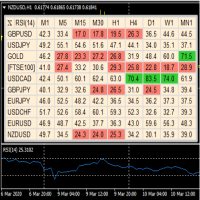
A useful dashboard that shows the RSI values for multiple symbols and Time-frames. It can be easily hidden/displayed with a simple click on the X top left of the dashboard. You can input upper and lower RSI values and the colours can be set to show when above/below these values. The default values are 70 and 30. Symbols and time-frames are input separated by commas. Symbols can also be loaded from the Market Watch window. If there are more than 30 symbols, only the first 30 will be loaded. You
FREE

Hide Scale - 도표 공간을 극대화하고자 하는 트레이더를 위한 이상적인 도구 Hide Scale 사용 방법 시간 축을 숨기려면 "T"를 누르고, 가격 축을 숨기려면 "P"를 누릅니다. 해당 기능의 단축키를 사용자 정의할 수 있습니다. 각 버튼을 클릭하고 각 기능에 대한 새로운 키를 선택하면 됩니다. 양쪽 축을 동시에 숨기려면, 두 옵션에 동일한 키를 할당할 수 있습니다. 축을 다시 표시하려면 해당하는 키를 다시 누르면 됩니다. 이 도구를 만든 이유 우리는 Sweet VWAP 지표를 사용하는 트레이더들이 거래 화면에서 사용 가능한 공간을 극대화하기 위해 Hide Scale 도구를 개발했습니다. 우리의 목표는, 화면에 공간이 부족한 트레이더들에게 보다 생산적이고 편안한 작업환경을 제공하는 것입니다. 이 도구는 가격 행동 기술을 적용하는 트레이더들에게 특히 유용합니다. 일반적으로 그들은 캔들의 형성과 가격 변동성만을 모니터링할 필요가 있기 때문입니다. Hide Scale을 사용하면
FREE

This EA is literally a reverse of Recovery Zone Assistance, as its name says ... It is an assistant, an expert advisor that monitors all the orders for the asset in which it has been placed, no matter if that order was by some other expert advisor or by the trader placed on the Manually, he will start his work after each order that is negative. Find Recovery Zone Assistance on https://www.mql5.com/en/market/product/68909 This Expert Advisor is based on this sistem on video "Recovery Zone" on
FREE

This is application readymade scanner for the traders, you can scan your watch list symbols, explanation timeinterval is the refresh rate of the symbols column height is the number of the symbols you want to scan, high1 and high2 are the comparison of the last two candles low1 and low2 are the comparison of the last two candles l1 is the last candle and l2 is the previous candle. other things are self explanatory, you can message me for any explanation, this indicator is more than worth 300US
FREE

This panel is designed for manual binary options trading. It is possible to set the position volume and the expiration time. Note: make sure your broker supports binary option trading via the MetaTrader 4!
Settings Ask confirmation - ask for additional confirmation before opening; Magic number - unique identifier of opened positions.
FREE

Predetermination is an exit manager for trades you open yourself. It does not open positions and it does not send signals. After a manual buy or sell, it gives that trade a stop and up to six exit stages based on volatility. Three stages come from Average True Range, each with its own timeframe. Three come from completed range: daily (ADR), weekly (AWR), and monthly (AMR). Each stage can be switched on or off. Enabled stages are sorted by distance. Nearer stages trail the stop. The
FREE

TimeBar TimeBar는 바가 닫힐 때까지 남은 시간과 바가 열린 후 경과된 시간, 현재 시간을 표시하는 간단한 정보 표시기입니다. 이해하기 쉽도록 두 가지 유형의 표시 모드가 추가되었습니다. 즉, 그래프 왼쪽 상단에 설명 형식으로 표시되거나 그래픽 개체 형식으로 표시됩니다.
장점 글꼴 선택 글꼴 크기. 아무거나 설정할 수 있습니다. 댓글보니 너무 작아서 개체를 이동할 수 있습니다. 언제든지 마우스를 두 번 클릭하여 선택하고 차트의 어느 위치로든 이동할 수 있으며 평소와 같이 계속 업데이트됩니다 시각적 경고. 현재 막대가 닫힐 때까지 지정된 시간(초)을 설정할 수 있으며, 해당 시간에 도달하면 설정에 지정된 경고 색상으로 변합니다 설정 표시할 시간을 선택합니다 각 시간의 색상(그래픽 개체의 경우) 바가 곧 닫힐 것임을 알려주는 알림입니다 귀하의 거래 시스템에 추가로 TimeBar 표시기를 사용하십시오.
시장에 있는 다른 제품도 사용해 보세요 https://www.mql5
FREE

Welcome to the World of our Trade Copier via Internet *whatever is the technology we can copy trades from/to MT4 platforms. You can trade manually from your mobile phone or you can attach your trading robots (EA) to your master account(s) and the trades will be copied to all your usersaccount(s). Our trade copier is not self-hosted, it means that you need to keep your computer or VPS running, everything is managed via internet.
Everything works Via Internet! ( Please add the address " h
FREE

Symbol Cost Monitor 는 여러 거래 종목의 거래 비용을 동시에 빠르게 모니터링할 수 있도록 설계된 MetaTrader 4용 전문 분석 유틸리티입니다. 스프레드와 스왑은 최종 거래 결과에 직접적인 영향을 미칩니다. 이는 스캘핑, 활발한 데이 트레이딩, 며칠 동안 포지션을 보유하는 거래, 여러 종목을 동시에 거래하는 경우에 특히 중요합니다. MetaTrader 4의 기본 인터페이스에서는 이러한 모든 항목을 하나의 창에서 편리하게 비교하기 어렵기 때문에, 일반적으로 각 종목의 세부 정보를 개별적으로 열어 수동으로 확인해야 합니다. Symbol Cost Monitor는 선택한 종목의 핵심 데이터를 수집하여 차트 위의 간결한 패널에 표시합니다. 이를 통해 스프레드가 확대된 종목을 빠르게 확인하고, 스왑을 비교하며, 거래 조건의 변화를 모니터링하고, 포지션을 열기 전에 예상 비용을 평가할 수 있습니다. 패널은 데이터를 실시간으로 업데이트하며, Market Watch에 표시된 모든
FREE

The utility places a grid of pending orders. You can select the number of orders in the grid, the step between orders, multiplier for the order size, SL and TP levels and the magic number. If you use a profit bucket , please note that it applies to all orders on the current currency pair with the current magic. If you want to use several grids with independent profit buckets at the same time, run several copies of the utility and specify different magics in the settings.
MT5 version of the ut
FREE
이 스크립트를 사용하면 추세선, 피보나치 되돌림 등과 같은 모든 유형의 그리기 개체를 하나 이상의 다른 차트에 복사할 수 있습니다.
기본적으로 스크립트는 현재 차트, 즉 스크립트가 적용된 차트의 모든 개체를 현재 로드된 동일한 심볼의 다른 차트에 복사합니다.
설정
목적지 시간 프레임 PERIOD_CURRENT 이외의 값으로 설정하면 스크립트가 적용된 차트와 동일한 심볼의 열린 차트에 객체를 복사합니다. 값을 특정 기간(예: PERIOD_D1)으로 설정하면 동일한 기호 AND 기간의 차트만 업데이트됩니다. CopyObjectsOfType 이것을 복사하려는 특정 유형의 개체로 설정할 수 있습니다. 그러면 해당 유형의 개체만 다른 차트에 복사됩니다. CopyIndicatorWindowObjects True로 설정하면 표시기 창의 개체도 복사됩니다. 이는 소스 차트와 동일한 지표를 동일한 순서로 갖는 두 번째 차트에 의존합니다.
마음의 내용에 차트 사이에 개체를 복제하십시오!
FREE

Simple and unobtrusive utility for displaying weeks, days and hours
Options to control the display of separator lines and labels allow you to customize them to your own taste Display of the separator lines either only in the main chart, or across any indicator windows Automatically reduce intensity of less relevant separator lines and labels for the chart‘s current magnification
FREE
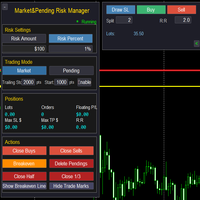
Market & Pending Risk Manager EA Operation Manual Market & Pending Risk Manager is a professional MT5 trading panel EA that integrates multiple functions such as market order trading, pending order trading, risk management, and trailing stop loss, providing traders with a comprehensive trading solution. Core Advantages Intelligent Dual-Mode Trading Market Order Mode: One-click buy/sell for fast execution Pending Order Mode: Precise entry to wait for the optimal timing Seamless Switching:
FREE

This is a forex supporting tool for all manual traders.
You can close positions immediately at once on the MT4 Terminal by a single click. CLOSE SELL: You can close SHORT positions of the target currency pair (same as the chart you’re using this EA). CLOSE BUY: Same as above but LONG positions will be closed. CLOSE ALL: All opened positions will be closed (no matter of currency pairs). You can select the closing method from CLOSE ALL or CLOSE ONE BY ONE. You can choose the positions to be closed
FREE

This is a trade management EA that will close all your Open Orders (or both Open and Pending Orders) when your drawdown against balance exceeds a set percentage limit. E.g. Balance = $10,000 and “DrawdownPercent” is set at 2.0, if floating P&L is greater than -$200.00, all Orders will be closed.
It will send a notification to you MT4 app on your phone ( ”Drawdown Percent Close triggered!”) A text display is included for some visual feedback.
Basic notes: It only needs to be attached to one char
FREE

Introduction
Auto Chart Alert is a convenient tool to set alert for your trading in your chart. With Auto Chart Alert, you can set the alert line in one click in your desired location in your chart. You can even set alert over the sloped lines in your chart. Auto Chart Alert is a great tool when you have to watch out importnat support and resistance levels for your trading. You can receive the sound alert, email and push notification when the price hit the alert line at you desired location. Au
FREE

This Expert Advisor is a tool to be used for closing all open positions by ticket in profit. Does not open positions, can only close positions. You can select the type of profits (pips or currency) and type of tickets (buy or sell) to manage it, and specific ID (magic number).
You can to get source code from here .
Parameters ManageBuySellOrders - Way to manage opened orders, as different basket buy from sell, or same basket buy and sell. CloseBuyOrders - Close all buy positions if target achi
FREE
MetaTrader 마켓은 MetaTrader 플랫폼용 애플리케이션을 구입할 수 있는 편리하고 안전한 환경을 제공합니다. Strategy Tester의 테스트를 위해 터미널에서 Expert Advisor 및 인디케이터의 무료 데모 버전을 다운로드하십시오.
MQL5.community 결제 시스템을 이용해 성능을 모니터링하고 원하는 제품에 대해 결제할 수 있도록 다양한 모드로 애플리케이션을 테스트할 수 있습니다.
