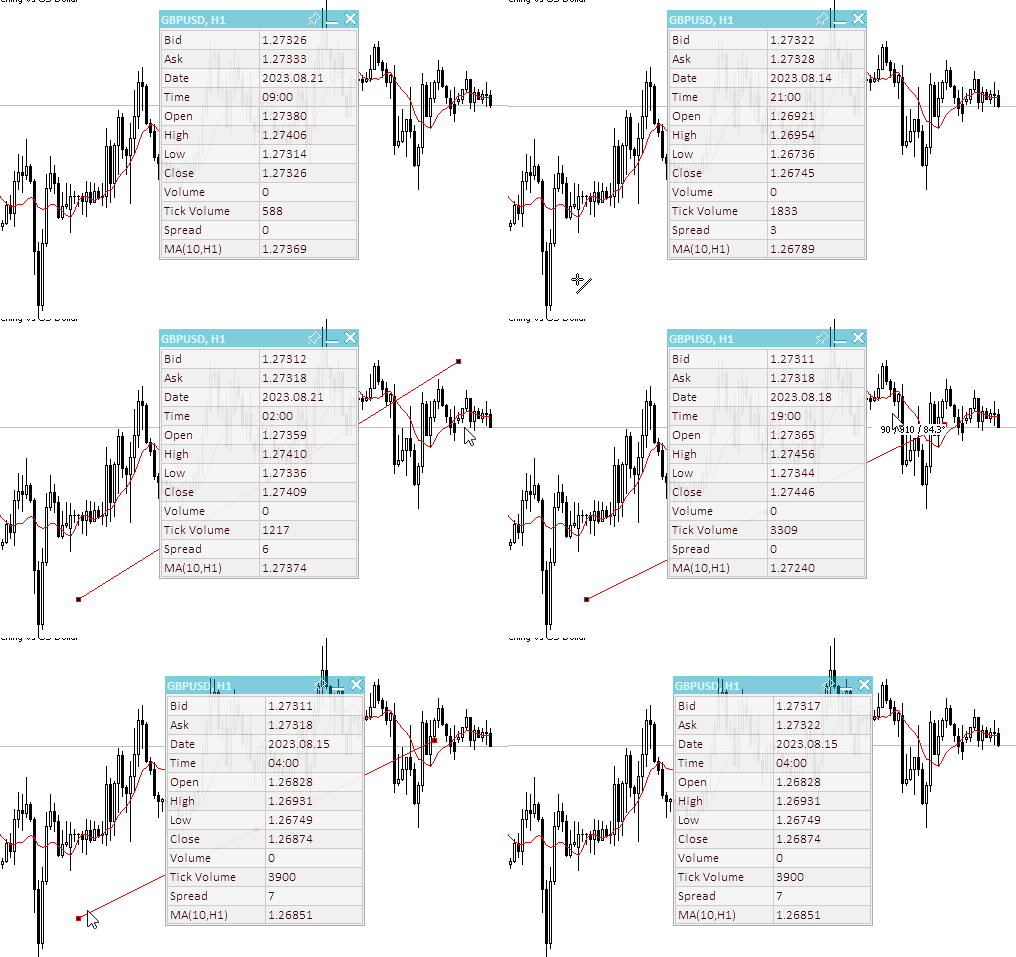
帆布很酷! - 页 84

 
Martin Moreno #:
我想用 Canvas 类创建一个用户界面。唯一的问题是,我不知道如何让仪表盘在图表上可移动。
我搜索了很多,但没有找到任何示例。如果您能给我一个提示,我将感激不尽。


您可以从这篇文章开始:https://www.mql5.com/en/articles/12751

Improve Your Trading Charts With Interactive GUI's in MQL5 (Part I): Movable GUI (I)
  • www.mql5.com
Unleash the power of dynamic data representation in your trading strategies or utilities with our comprehensive guide on creating movable GUI in MQL5. Dive into the core concept of chart events and learn how to design and implement simple and multiple movable GUI on the same chart. This article also explores the process of adding elements to your GUI, enhancing their functionality and aesthetic appeal.
 
Samuel Manoel De Souza #:

您可以从这篇文章开始:https://www.mql5.com/en/articles/12751

太好了......非常感谢!

 
Martin Moreno #:
我想用 Canvas 类创建一个用户界面。唯一的问题是,我不知道如何让仪表盘在图表上可移动。
我搜索了很多,但没有找到任何示例。如果您能给我一个提示,我将感激不尽。


4 年前我已经给过您一个例子了:))

关于交易、自动交易系统和测试交易策略的论坛

如何将所有对象转换为 1 个对象

Nikolai Semko, 2019.10.05 22:39

的确,画布就是解决方案。

而且,Canvas 比乍看起来要简单得多。

下面是一个指标的原始示例(MQL5 & MQL4),其中有一个对象 OBJ_BITMAP_LABEL,该对象中有许多窗口。

#property indicator_chart_window
#include <Canvas\iCanvas.mqh> //https://www.mql5.com/ru/code/22164 - MQL5
                              //https://www.mql5.com/en/code/23840 - MQL4

struct win {
   int               x;
   int               y;
   int               width;
   int               height;
   uint              clr;
};
win wnd[30];
int OnInit() {
   for (int i=0; i<ArraySize(wnd); i++) {
      wnd[i].width=rand()%200+70;
      wnd[i].height=rand()%150+50;
      wnd[i].x=rand()%(W.Width-wnd[i].width);
      wnd[i].y=rand()%(W.Height-wnd[i].height);
      wnd[i].clr=ARGB(255,rand()%150+100,rand()%150+100,rand()%150+100);
   }
   ShowAllWind();
   return(INIT_SUCCEEDED);
}

//+------------------------------------------------------------------+

int OnCalculate(const int rates_total, const int prev_calculated, const int begin, const double &price[]) {
   return(rates_total);
}

//+------------------------------------------------------------------+

void OnChartEvent(const int id,
                  const long &lparam,
                  const double &dparam,
                  const string &sparam) {
   static bool click = false;
   static int x_mouse=0, y_mouse=0;
   static int focus=-1, xfocus=0, yfocus=0;
   int x=(int)lparam;
   int y=(int)dparam;
   if (sparam!="1" && click) focus=-1;
   if (sparam=="1" && !click) {
      focus=-1;
      for (int i=ArraySize(wnd)-1; i>=0; i--) {
         if (wnd[i].x<x && wnd[i].y<y && wnd[i].x+wnd[i].width>x && wnd[i].y+20>y) {
            focus=i;
            xfocus=x;
            yfocus=y;
            break;
         }
      }
      if (focus>=0) ChartSetInteger(0,CHART_MOUSE_SCROLL,false);
      else ChartSetInteger(0,CHART_MOUSE_SCROLL,true);
   }
   click=(sparam=="1")?true:false;
   if (id==CHARTEVENT_MOUSE_MOVE && focus>=0) {
      wnd[focus].x+=x-xfocus;
      wnd[focus].y+=y-yfocus;
      xfocus=x;
      yfocus=y;
      ShowAllWind();
   }
   if (id==CHARTEVENT_CHART_CHANGE) ShowAllWind();
}

//+------------------------------------------------------------------+

void ShowAllWind() {
   Canvas.Erase();
   for (int i=0; i<ArraySize(wnd); i++) {
      Canvas.FillRectangle(wnd[i].x,wnd[i].y,wnd[i].x+wnd[i].width,wnd[i].y+wnd[i].height,ARGB(255,GETRGBR(wnd[i].clr)*0.5,GETRGBG(wnd[i].clr)*0.5,GETRGBB(wnd[i].clr)*0.5));
      Canvas.FillRectangle(wnd[i].x+3,wnd[i].y+23,wnd[i].x+wnd[i].width-3,wnd[i].y+wnd[i].height-3,wnd[i].clr);
      Canvas.FillRectangle(wnd[i].x+3,wnd[i].y+3,wnd[i].x+wnd[i].width-3,wnd[i].y+20,ARGB(255,GETRGBR(wnd[i].clr)*0.7,GETRGBG(wnd[i].clr)*0.7,GETRGBB(wnd[i].clr)*0.7));
   }
   Canvas.Update();
}
//+------------------------------------------------------------------+

在这篇新文章中,您将看到实现信息面板的另一种选择。

https://www.mql5.com/ru/articles/13179

附加的文件:
 
Nikolai Semko #:
例如,我在这里绘制了一个脚本,清楚地演示了这一点。右边是这个快速算法,左边是我的算法(大约慢 4-10 倍)。 。
尼古拉-塞姆科,你好。在https://www.mql5.com/ru/forum/227736/page66#comment_20456641 这个示例中,您演示了 Bmp 大小调整(缩小)。

我可以缩小 Bmp 图片,但画布大小不变。出于同样的原因,我也无法放大图片,只能按照原始大小(即画布大小)进行裁剪。

我并不完全了解数组,所以您能否给我解释一下,或者最好给我看一个带代码的示例:

1.图片放大

2.如果我们缩小或放大了图片,则提供与图片尺寸相等的画布。

谢谢。

 
Vitaliy Kuznetsov #:
Nikolai Semko,你好。在https://www.mql5.com/ru/forum/227736/page66#comment_20456641 这个示例中,您演示了 Bmp 大小调整(缩小)。

我可以缩小 Bmp 图片,但画布大小不变。出于同样的原因,我无法放大图片,只能按照原始大小(即画布大小)进行裁剪。

我并不完全了解数组,所以您能否给我解释一下,或者最好给我看一个带代码的示例:

1.图像放大

2.如果我们缩小或放大了图片,则提供与图片尺寸相等的画布。

谢谢。

您好、
CCanvas 中有一个 Resize() 函数。
 
Vitaliy Kuznetsov #:

很酷,很实用。只是出于兴趣,它能在 MT4 中使用吗?

不幸的是,在 MQL4 中无法将资源作为数组附加。但其他功能都可以使用。
当然,可以通过硬手鼓来实现。例如,将 PNG 图像插入 BMP 文件,即在 png 的开头添加 BMP 头,并将 png 本身作为 bmp 图像传递(即如果打开这样的 BMP,会出现不同透明度的彩色像素噪音)。然后在 MQL4 中将此 "bmp 文件 "作为资源附加。这对于市场来说可能是必要的,这样 ex4 就已经包含了一个密度更大的 png 格式图像。
供参考:png 比相同的 BMP 图像小大约 10 倍,但质量不变,此外还支持全透明。
在 ex5(ex4)文件中,真正的 BMP 资源是以压缩格式存储的,但不会少一个数量级。有必要进行精确检查。
 

大家好。我也对这段代码很感兴趣。但在使用 Resize() 时,它不起作用。也许应该换一种顺序。

 
Vladimir Nikolaychuk #:

大家好。我也对这段代码很感兴趣。但在使用 Resize() 时,它不起作用。也许应该换一种顺序。

好吧,我稍后给您举个例子。
但我更喜欢用一个画布来绘制整个图表。这在 95% 的情况下都是合理的。
 
Nikolai Semko #:
好吧,我稍后会给你举个例子。
但我更喜欢用一个画布来绘制整个图表。这在 95% 的情况下都是合理的。

如果您能提供代码示例,我将不胜感激。在此先表示感谢...

 
Nikolai Semko #:
好吧,我稍后会给你举个例子。
但我更喜欢用一个画布来绘制整个图表。这在 95% 的情况下都是合理的。

下面是一个基于png.mql 库的示例,当鼠标移动时,画布的位置会改变,大小也会改变。如果鼠标指针水平居中,则对应图像的原始大小,如果向左 - 则缩小,向右 - 则放大。
只是我不得不将 png.mql 中的变量 C 和 _C 从私有重新扔到公有。因此,如果已经安装了该库,则需要将其覆盖。
本示例有两种操作模式(输入变量 bool resize_canvas):

  • 每次调整图像大小时调整画布大小
  • 每次调整 图像 大小时不调整 Canvas 大小。 根据工作逻辑,Canvas 的初始大小等于可能的最大图像大小。
不幸的是,在 MQL5 的第一种模式中,存在一个图像闪烁的古老错误,只有一种方法可以解决这个问题,即不改变画布大小。我尝试更改 CCanvas.Resize() 函数,但没有任何效果。一切都以同样的方式闪烁。也许有人能做到:)))
这就是为什么我更喜欢在整个屏幕上使用一个画布!

#define  MAX_ZOOM 2
#include <Canvas\png.mqh> //https://www.mql5.com/en/code/45439
CPng img("cubes.png"); // Get PNG from a file, create a canvas and display it on the screen at coordinates (X=500, Y=100)

input bool resize_canvas = false;
int chart_width,chart_height;


//+------------------------------------------------------------------+
int OnInit() {
   img.Resize(resize_canvas?10:img.width*MAX_ZOOM); // формируем массив _bmp[] максимального размера в режиме без изменения размера canvas
   ChartSetInteger(0,CHART_EVENT_MOUSE_MOVE,true);
   chart_width = (int)ChartGetInteger(0,CHART_WIDTH_IN_PIXELS);
   chart_height = (int)ChartGetInteger(0,CHART_HEIGHT_IN_PIXELS);
   img._CreateCanvas(chart_width/3, chart_height/3);
   return(INIT_SUCCEEDED);
}
//+------------------------------------------------------------------+
void OnDeinit(const int reason) {
}
//+------------------------------------------------------------------+
void OnTick() {
}
//+------------------------------------------------------------------+
void OnChartEvent(const int id,
                  const long &lparam,
                  const double &dparam,
                  const string &sparam) {
   if (id == CHARTEVENT_MOUSE_MOVE) {
      double new_width = img.width*(MAX_ZOOM*(double)lparam/chart_width);
      img.Resize(new_width);
      if (resize_canvas) { // режим с изменением размера canvas  Моргает!!!
         img._C.Resize(img._width,img._height);
         ArrayCopy(img._C.m_pixels,img._bmp);
      } else {  // режим без изменения размера canvas         не Мограет!!!
         img._C.Erase(0x00FFFFFF);
         for(int i =0; i++<img._height;) ArrayCopy(img._C.m_pixels,img._bmp,int(i*img.width*MAX_ZOOM),i*img._width,img._width);
      }
      img._C.Update();
      img._MoveCanvas(int(lparam)/5, int(dparam)/5);
   }
}


PNG
PNG
  • www.mql5.com
Forget about BMP files like a bad dream. Thanks to this library, you can now use the PNG format, which has a number of advantages, such as being more compact without losing image quality and maintaining transparency.
附加的文件: