Signal Buffer Inspector
- Yardımcı programlar
- Sürüm: 1.0

Know exactly what your indicator is telling an Expert Advisor.
Signal Buffer Inspector reads another indicator on the same chart — including indicators you only have as an EX5 file — and answers the questions every automation project starts with: which buffer carries the BUY arrows, which carries the SELL arrows, what value means "no signal", on which bar the signals appear, and whether values on closed bars change later.
What you see on the chart
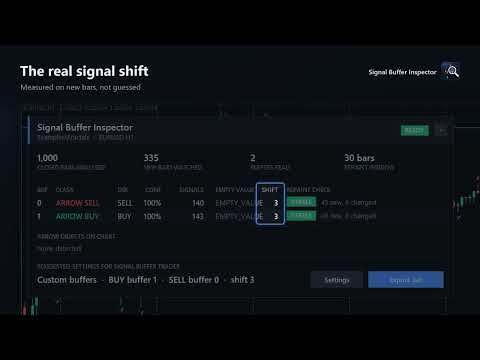
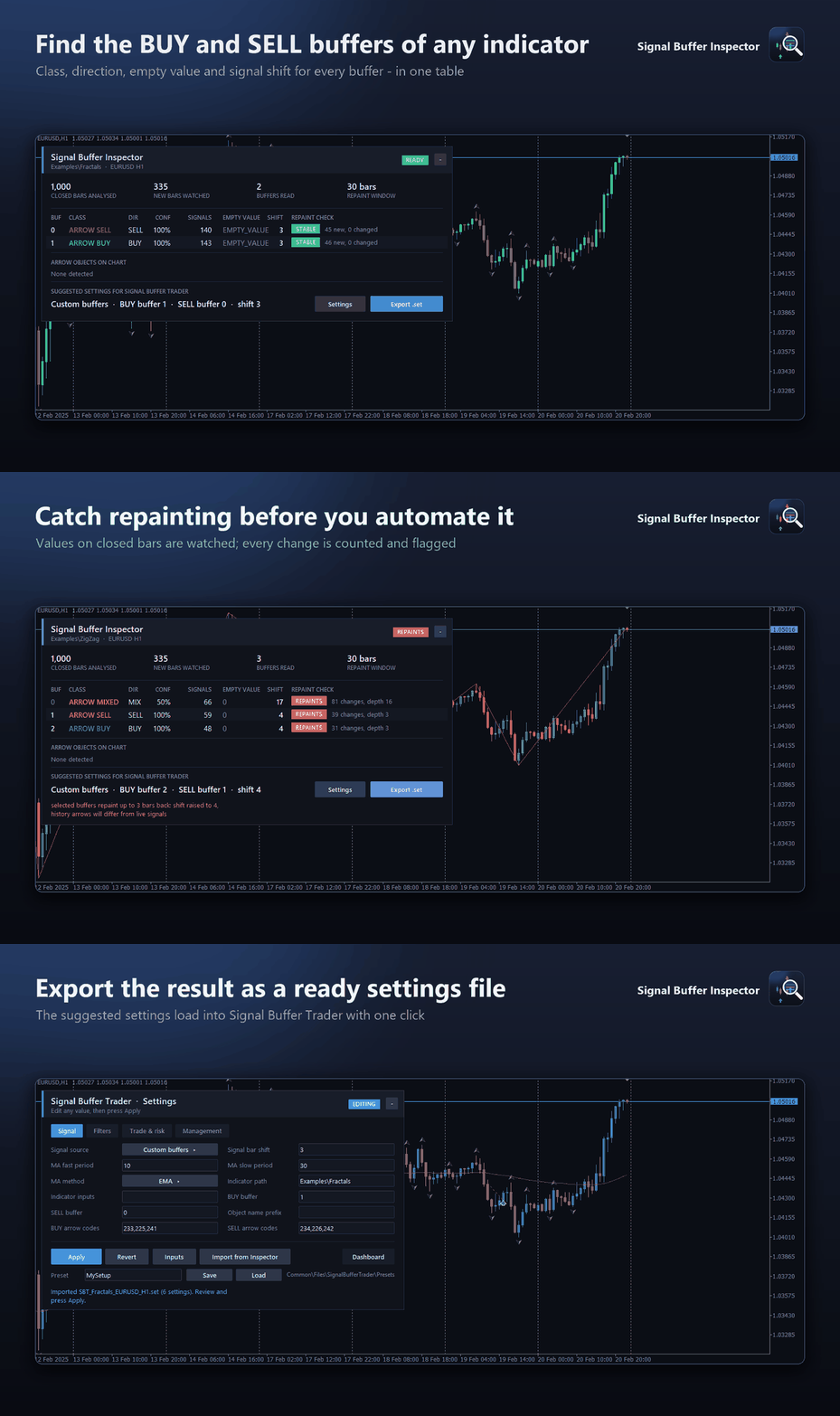
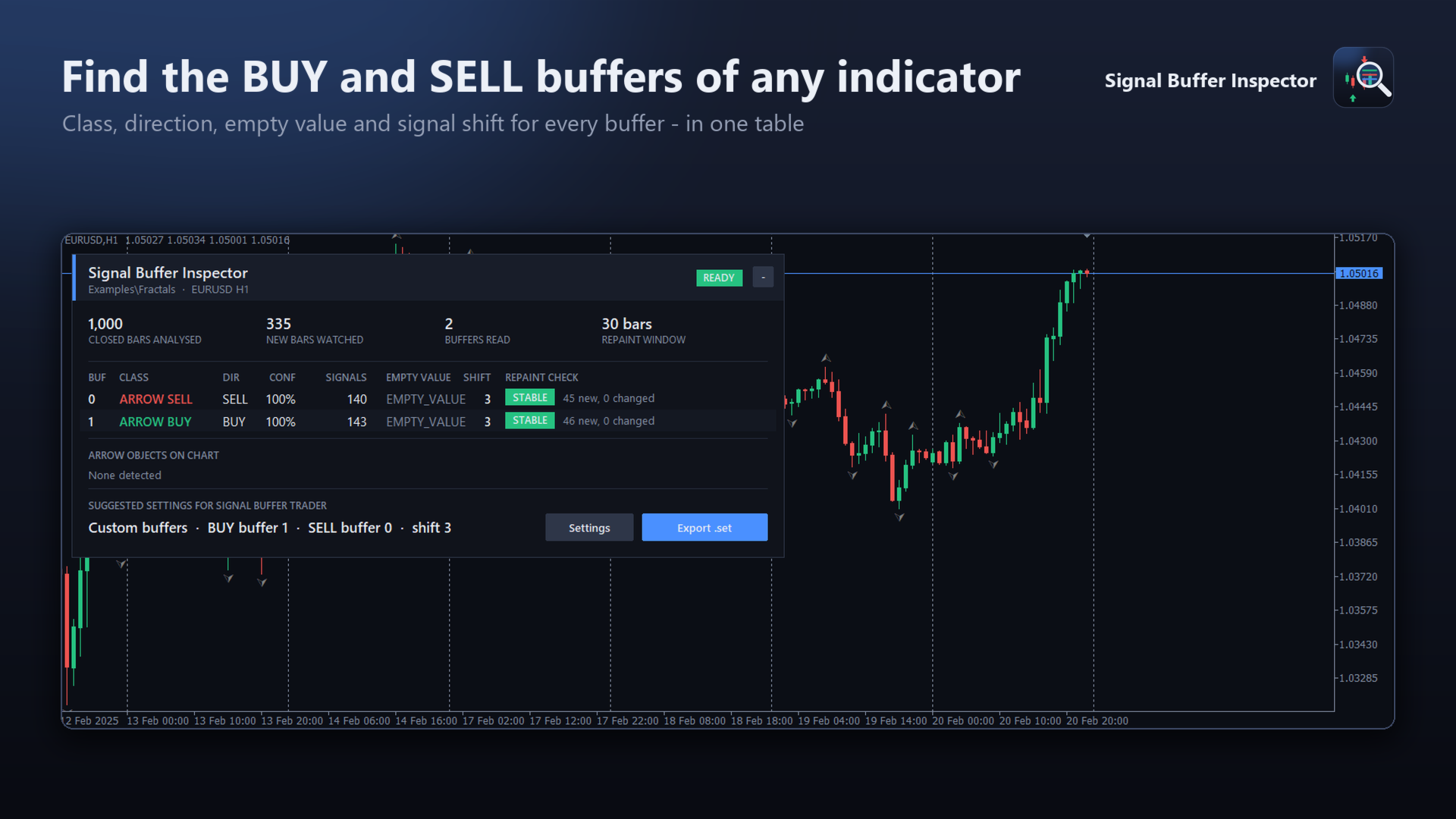
- A buffer table: class of every buffer (BUY arrows, SELL arrows, mixed arrows, +1/−1 flags, lines, empty), direction with a confidence percentage, number of signals, the empty value and the signal shift.
- Empty value detection: EMPTY_VALUE, 0 or a constant such as −1 are recognised and treated as "no signal".
- Signal shift: the bar where new signals actually appear. Fractals, for example, appear three bars back.
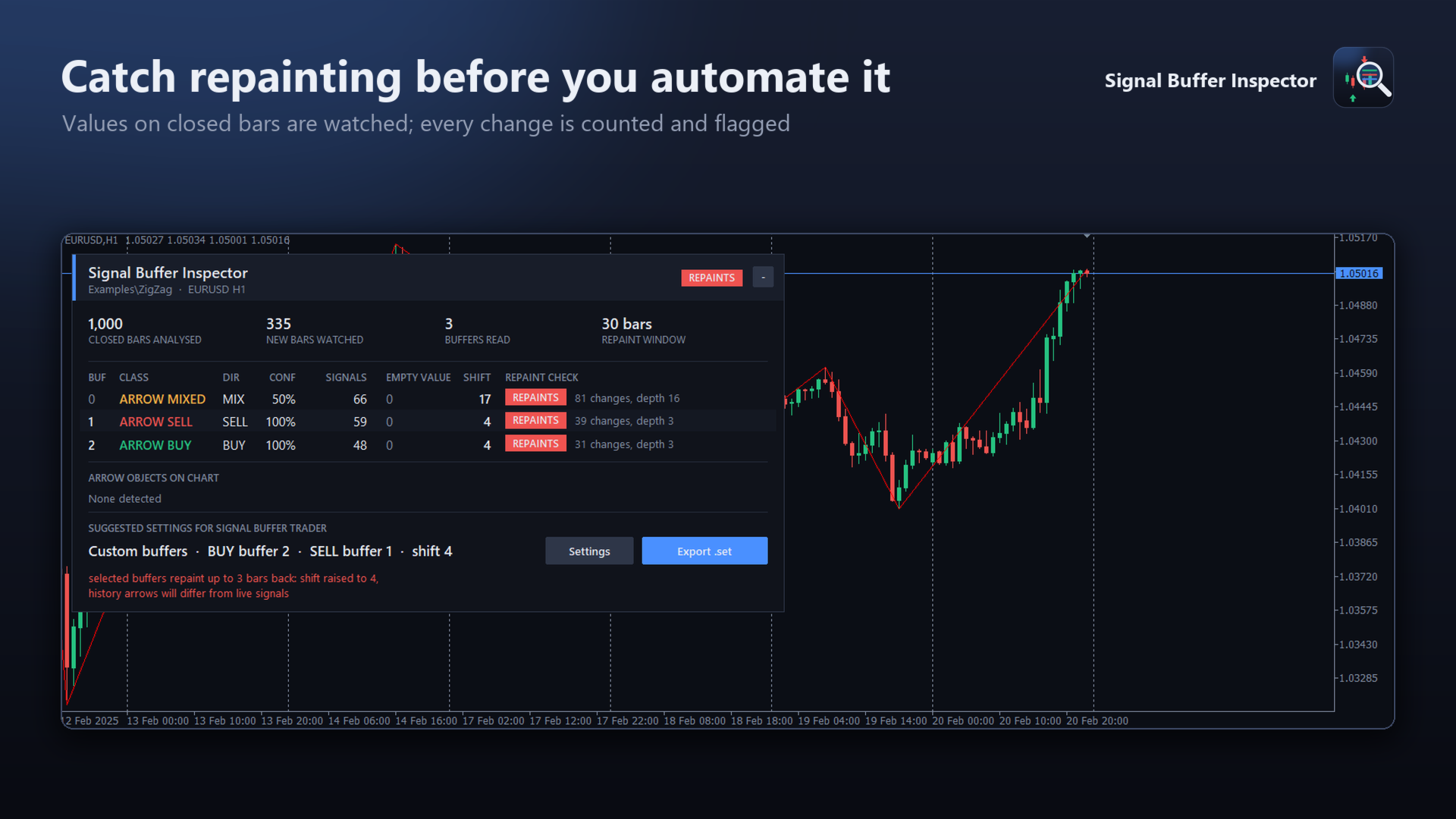
- Repaint check: values seen on closed bars are recorded. If they later change or disappear, the buffer is marked REPAINTS with the number of changes and how many bars back they happened. Until enough new signals have been observed the status stays PENDING.
- Arrow objects: indicators that draw arrows as chart objects are detected too, grouped by object name prefix with BUY/SELL counts and arrow codes.
- An overall verdict — READY, CHECKING, REPAINTS or NO SIGNALS — and the suggested settings in one line.
Settings on the chart
Press Settings to switch the inspected indicator with the ◀ ▶ buttons (any indicator on the chart), enter a file path such as Examples\Fractals, or change the analysis depth and the repaint window. Apply restarts the analysis immediately. The panel can be collapsed to one line, moves below the One-Click Trading panel automatically and adapts its width to the chart.
Export for Signal Buffer Trader
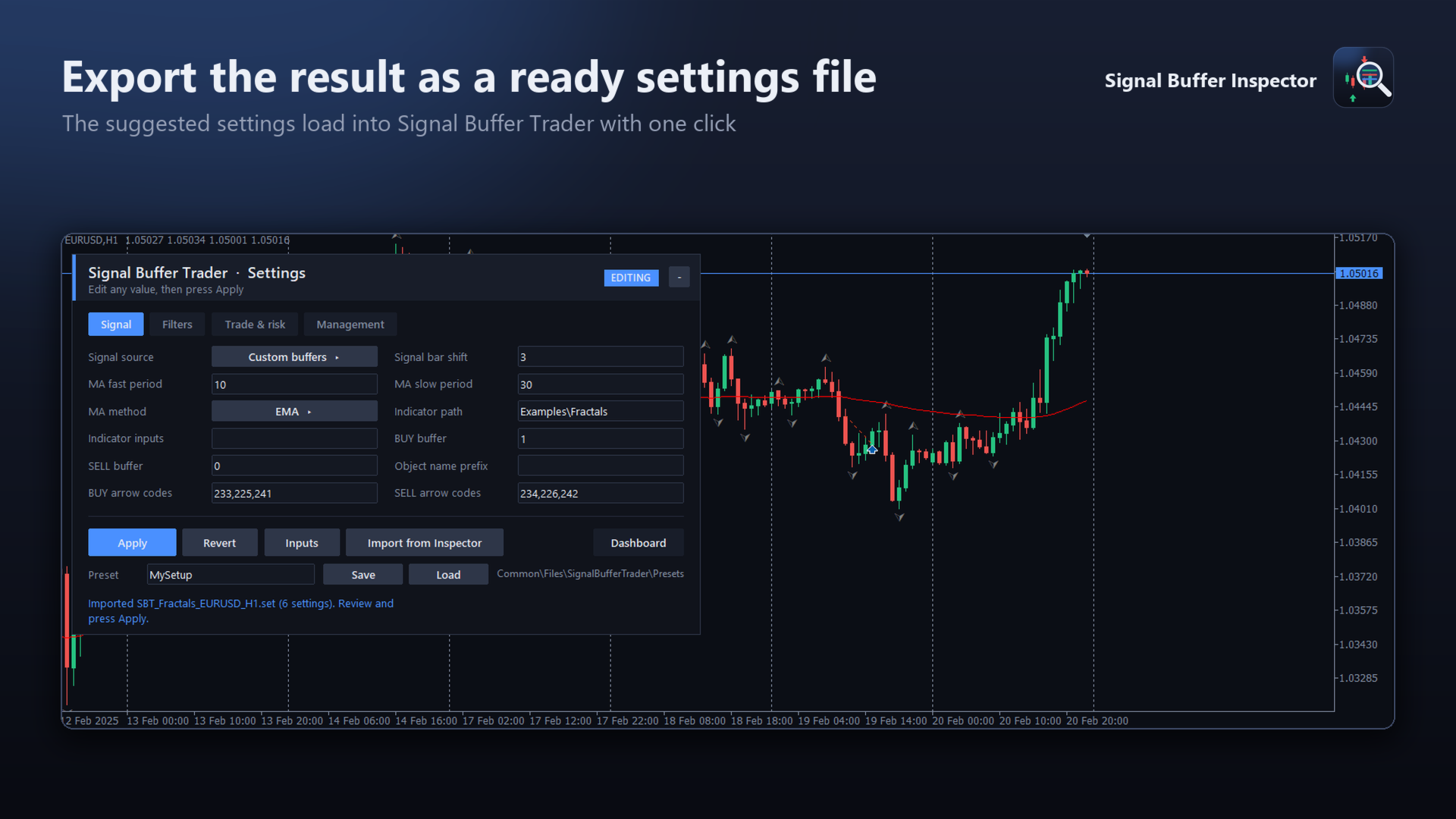
Export .set writes the suggested settings — indicator path, its current inputs, BUY/SELL buffers and shift — to a settings file in the terminal's common Files folder (Files\SignalBufferInspector). Signal Buffer Trader, a separate Expert Advisor, imports this file with one click; it can also be loaded from the Inputs tab of any compatible EA.
Tip
The repaint check only reports what it has observed. Run the inspector in the Strategy Tester visual mode to watch hundreds of bars in a few minutes before you rely on an indicator.
How to use
- Put the indicator you want to inspect on the chart.
- Add Signal Buffer Inspector to the same chart (Target selection: Auto).
- Read the table; wait for new bars or use the visual tester to complete the repaint check.
- Press Export .set if you want to automate the signals.
Notes
- Signals painted only as pictures (canvas) or as text in another window cannot be read.
- A target loaded by file path uses its default inputs; put the target on the chart to capture non-default inputs.
- Built-in terminal indicators are analysed; the export needs the file version of the indicator (for example from MQL5\Indicators\Examples).
- Every "input group" line of an indicator counts as one input when an EA loads it; exported input lists include them automatically when the target is taken from the chart.
- The inspector does not trade, does not change the inspected indicator, uses no DLLs and no internet connection.