Gold Trap Hunter
- Uzmanlar
- Sürüm: 1.10
- Etkinleştirmeler: 20

EA operates using a price trap (straddle) strategy combined with a reversal pending order-based trailing stop mechanism, specifically designed and optimized for Netting accounts.
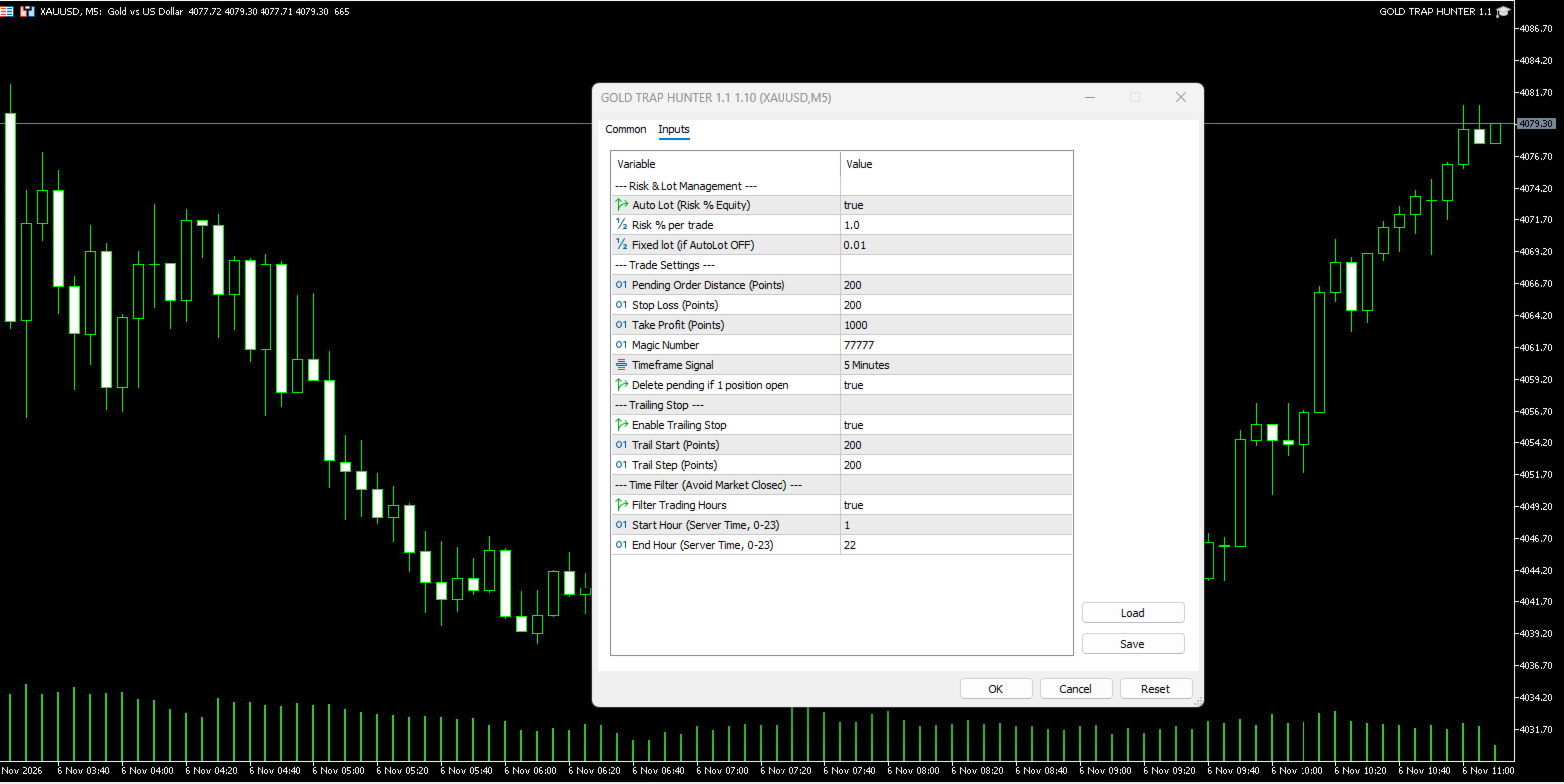
Phase 1: Initial Trap Setup (Straddle) When the EA is active and there are no open positions, the system automatically places two pending orders simultaneously: a Buy Stop above the current price and a Sell Stop below it. The placement distance is determined by the InpPendingDistance parameter. Each order is also immediately equipped with a Stop Loss according to the InpStopLoss value.
Phase 2: Execution and Cleanup When price movement breaks through one of the levels and triggers a pending order (for example, the Buy Stop becomes an active Buy position), the EA detects this change and immediately deletes the untouched opposite pending order (the initial Sell Stop).
Phase 3: Pending Order-Based Trailing Stop Instead of shifting a virtual Stop Loss line, this EA uses a real pending order as a safety net. If the running position reaches the initial profit target (InpTrailStart , e.g., 200 points), the EA places a new pending order in the opposite direction (e.g., a Sell Stop to guard a Buy position). The distance is maintained at InpTrailDistance behind the price. If the trend continues, this reversal pending order will be continuously modified to trail the price movement.
Phase 4: Reversal and Profit Locking (Netting Logic) Since the Netting system does not allow simultaneous Buy and Sell positions, the EA works around this by calculating the trailing order lot size as Running Position Lot + Initial Standard Lot. For instance, if the Buy position is 0.1 Lot, the Trailing Sell Stop is placed at 0.2 Lot. When the price reverses and hits that Sell Stop, the broker automatically uses 0.1 Lot to close the Buy position (locking in the profit) and leaves the remaining 0.1 Lot as a newly active Sell position.
Internal Protection Features
-
Hedging Blocker: The EA automatically halts initialization if attached to a Hedging account.
-
Freeze Level Filter: Reads the broker's minimum modification limit (SYMBOL_TRADE_FREEZE_LEVEL ) so the EA does not force the deletion or modification of orders when the price is too close, preventing error logs from piling up.
-
Automatic Lot Normalization: Adjusts the compounded lot size to always comply with the broker's volume step and maximum limits, preventing Invalid Volume rejections.