Futures Chart Trader MT5
- Yardımcı programlar
- Sürüm: 1.0
- Etkinleştirmeler: 5

FUTURES CHART TRADER PRO: The Ultimate Futures Trading Experience in MT5
Tired of oversized panels covering your charts and losing precious seconds calculating lots or modifying orders one by one?
For Scalping and Intraday trading, every millisecond counts and visual clarity is essential. Futures Chart Trader Pro brings the speed, precision, and intuition of professional Futures platforms directly into MetaTrader 5.
Get complete control over your risk, entries, and bulk position management with 100% on-chart visual execution (Drag and Drop) and an ultra-compact Dark Fintech interface.
Key Advantages for Scalpers and Day Traders:
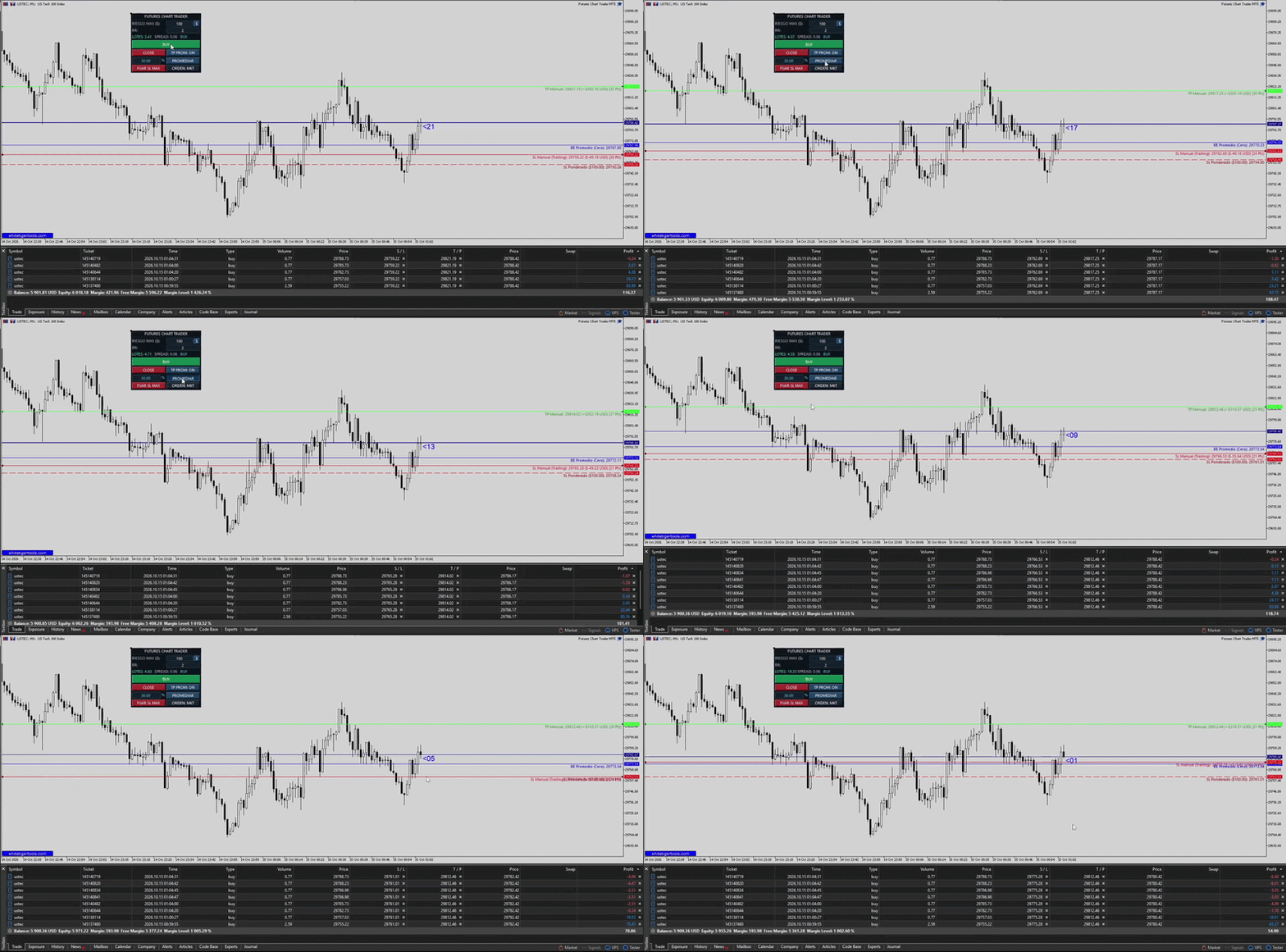
- Auto Order Detection (No Redundant Buttons): Drag your Stop Loss line below market price to automatically set BUY; drag it above to set SELL. In PEND mode, positioning the entry and SL lines automatically prepares Buy Limit, Sell Limit, Buy Stop, or Sell Stop orders.
- Real-Time Risk and Lot Calculation: Set your risk in Fixed Cash ($) or Account Percentage (%). The lot size recalculates instantly as you move the SL line, showing floating tags with the exact projected dollar amount and distance in Pips/Points.
- Futures-Style Block Management: Automatically tracks your Weighted Average Break-Even (BE) and Weighted Maximum SL lines. Moving the manual SL or TP updates all active positions simultaneously and asynchronously (OrderSendAsync) without lag.
- Smart Averaging with Protected Risk (Add Position): Scale in by setting an addition percentage (e.g. 30%) and clicking Promediar / Add Position. The system executes the order and recalculates the unified Stop Loss for the whole block from the new Break-Even point, keeping your total loss within your preset limit.
- Anchored Risk-to-Reward (RR): Set your target RR (e.g. 2.0). Before entering, the Take Profit line automatically follows your Stop Loss movements maintaining the exact ratio.
Workflow in 3 Steps:
1. Set Risk ($ or %) and RR ratio on the mini-panel.
2. Drag the SL line to your technical invalidation level on the chart.
3. Click the main button to execute, manage with on-chart lines, or click CLOSE to flatten all exposure instantly.
Technical Specifications:
- DPI-Aware Dynamic Layout: Automatically scales to screen resolution (4K, QHD, 1080p).
- Persistent Memory: Saves settings in terminal global variables across timeframe changes or restarts.
- Universal Compatibility: Works across Indices, Forex, Crypto, Commodities, and CFD Futures.
- Multi-Language Support: English, Spanish, Russian, Chinese, Portuguese, and French.