Stop Loss Controller
- Yardımcı programlar
- Sürüm: 1.1
- Etkinleştirmeler: 5

Manage SLs and TPs for a specified magic number.
There are two inputs to specify what sort of positions to update, and the relevant magic number. A magic number of zero would target trades manually placed on the terminal.
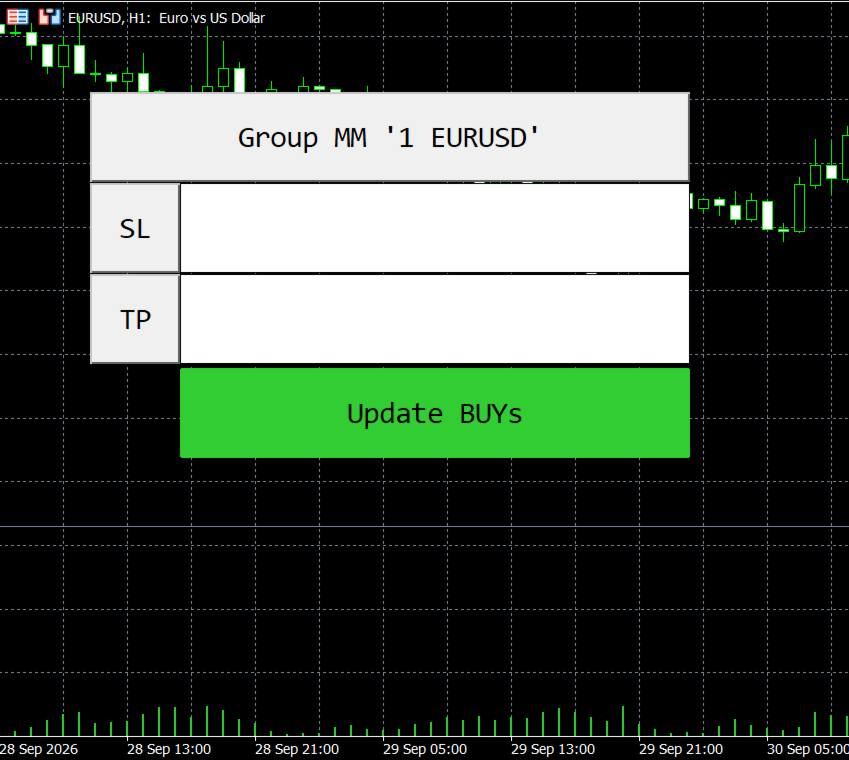
Two fields appear on the chart to enter the SL and TP values. When an invalid value is entered, such as an entry containing alphabets or non-numeric symbols, the field defaults to the value zero. Note that the value zero in a field would remove the existing SL/TP for the target trades if the update button is engaged. To leave existing values; such as updating only SLs without tampering with TPs, enter the SL value and leave the TP field blank/empty. If a value already exists there, even if it is a zero value, click the smaller button right before the field to empty the field. When set, click the update button and the Expert will do its thing! Clicking on the header button rolls up the tool. Another click unrolls! This also acts as a master reset for both fields.
Magic Number: All trades with the matching magic number will be updated.
Operation: Specifiy what type of trades to update.
Symbol: Target specific symbols for the multiple sl and tp update.