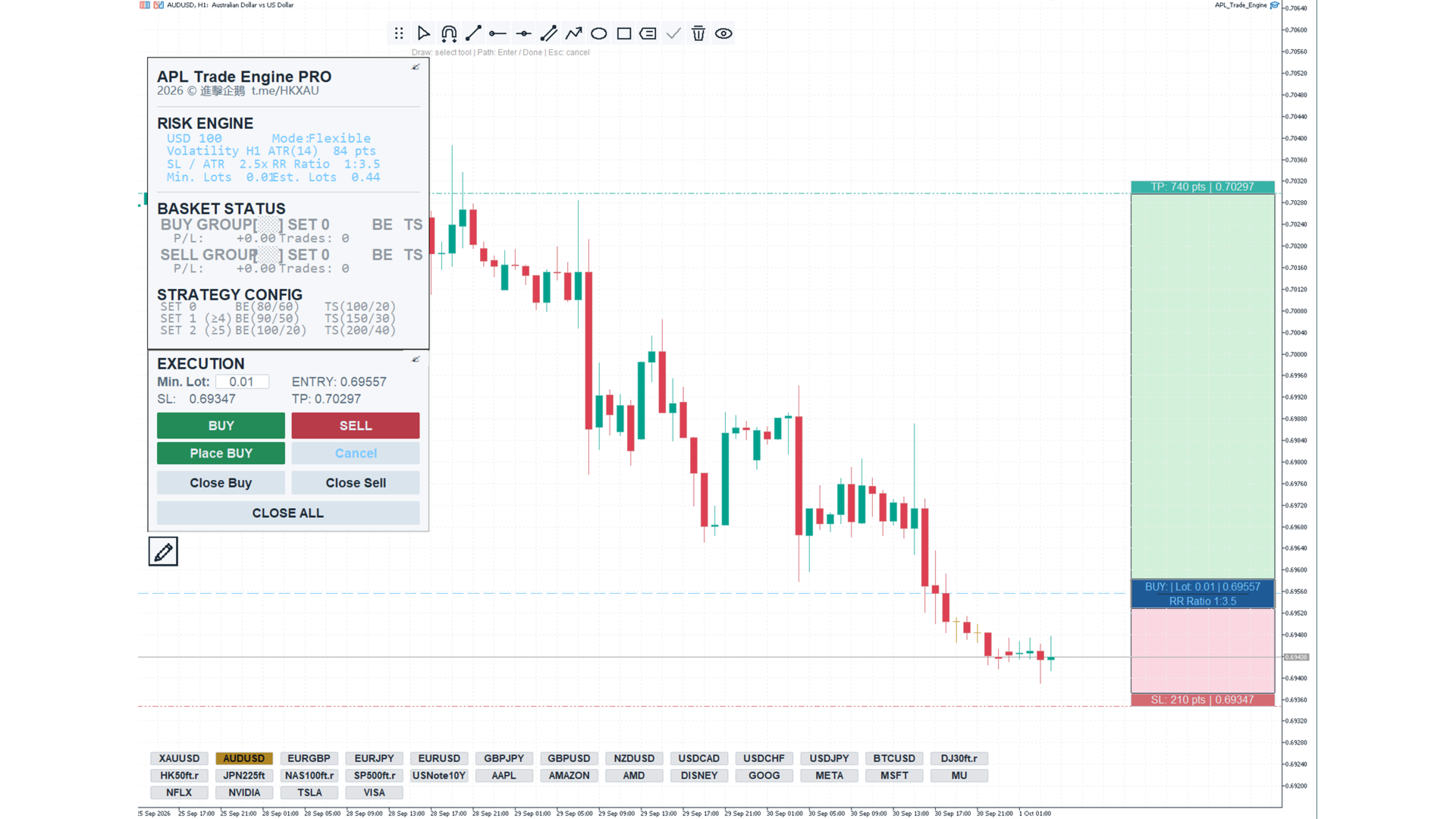
APL Trade Engine
- Yardımcı programlar
- Sürüm: 1.87
- Güncellendi: 1 Ekim 2026
- Etkinleştirmeler: 5

APL Trade Engine
Draw your analysis, plan your trade and manage its lifecycle directly in MetaTrader 5.
APL Trade Engine connects chart analysis with interactive order execution and rule-based position management. You choose the trading idea, entry and stop loss. The EA applies your predefined risk amount, split-order structure and protection settings.
From chart analysis to interactive execution
Draw directly on your MT5 chart using trend lines, horizontal lines, channels, paths, rectangles, support and resistance zones, ellipses and price labels. Previous-day, previous-week and trading-session high and low levels help you mark the price areas relevant to your plan.
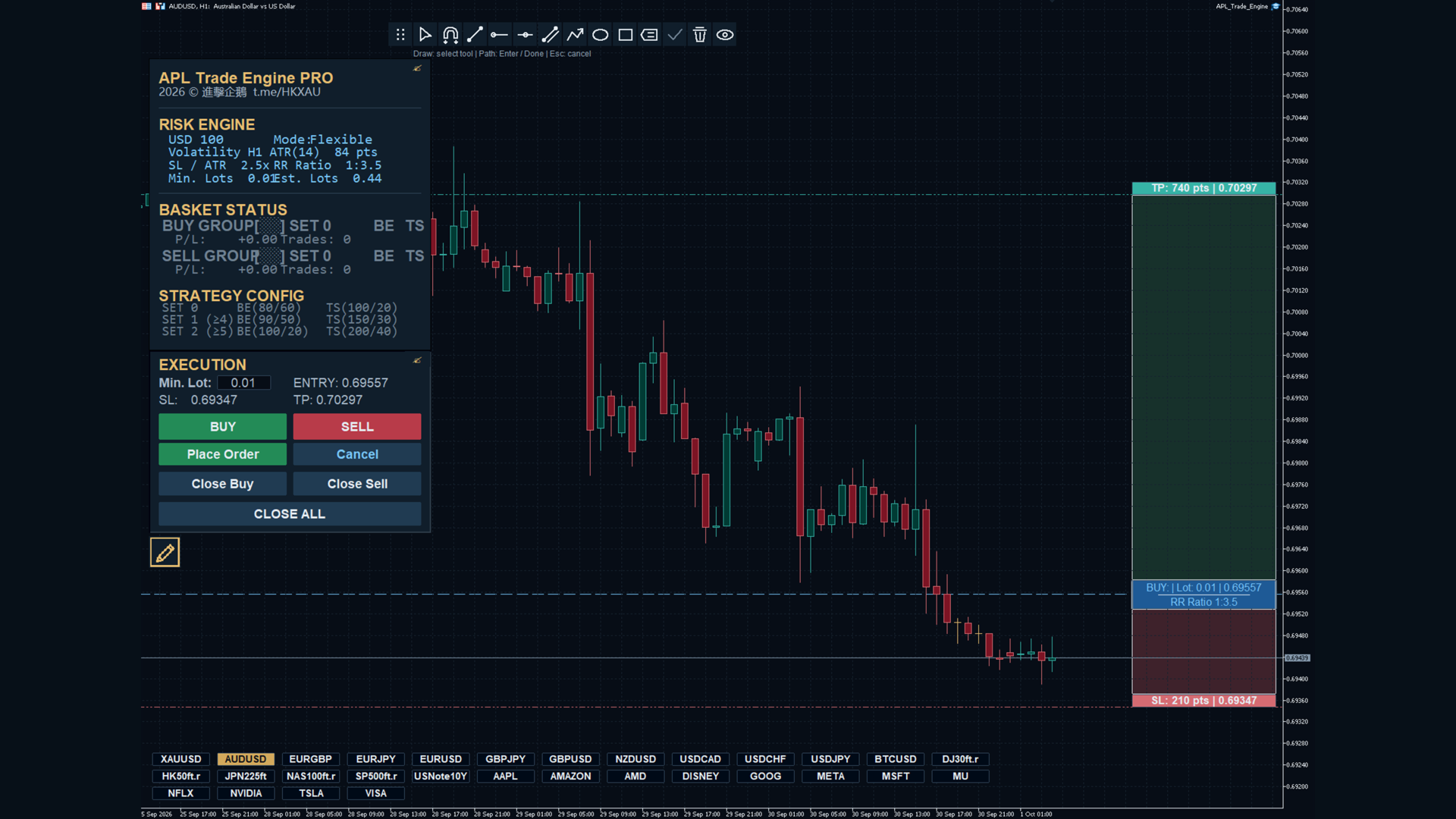
When ready, use the interactive trading assistant to position Entry, Stop Loss and Take Profit on the chart. Review the reward-to-risk ratio, risk amount and estimated lot size before submitting the order. Drawing objects support your analysis; order submission remains a deliberate action.
Start a trade from your phone
When away from your computer, you can open a small manual source position, such as 0.01 lot where the symbol permits it, and set a valid stop loss. With a Full or Micro management instance running on your computer or VPS, the EA can recognise an eligible source trade and build the configured split-order structure using Risk Money and your saved rules.
You do not need the desktop panel to issue that source trade. Configure risk, split-order levels and protection rules in the EA inputs beforehand. The source position is a real trade and its risk is included in the calculation. Eligibility depends on the management range, Magic identifiers, timing and broker conditions.
Adjust protection while the trade develops
The EA can switch between DEFAULT, SET 1 and SET 2 as the number of positions changes. In Auto mode, the thresholds follow the actual grid layer count.
For example, when the original source position plus the split positions qualify for SET 2, closing the source position can move the remaining group to SET 1 if its position count meets that threshold. With the default settings, SET 1 has earlier break-even and trailing activation thresholds than SET 2. This lets you change the applicable protection rules by reducing the position group.
A set change does not guarantee an immediate stop-loss update. The configured activation conditions must be met, and the broker must accept the protection operation.
Eight stages of trade management
- Start the trade: submit through the interactive assistant or open an eligible manual source position.
- Build split orders: the EA calculates lot sizes and creates the configured price levels within the accepted risk budget.
- Wait for execution: pending orders wait for their prices; paired alternative orders are cancelled when applicable.
- Manage the group: the EA tracks positions, profit readings and the applicable parameter set.
- Apply break-even: when enabled and triggered, the EA attempts to move protection to the configured target.
- Trail the position: when enabled and triggered, protection follows the group's profit high-water mark.
- Execute software protection: the active manager attempts to exit the group when a valid software protection level is reached.
- Complete the trade: check the remaining positions, pending orders and trade history to confirm the exit.
One plan with distributed entries
Instead of allocating the entire planned size at one price, APL Trade Engine distributes orders across your configured levels. The aim is to improve the group's average entry price when those levels are filled, while applying the selected risk rules. Flexible mode may reduce the number of layers when required by the budget.
The resulting average entry depends on which orders actually fill. Some levels may remain unfilled, and execution costs or price gaps may change the result.
Operating requirements
Automatic split-order management requires a hedging account. Use one active Full or Micro manager for the same trades; Observer mode provides monitoring and manual controls. Background management and software protection require the terminal, EA and connection to remain running. A source position must have a valid stop loss and meet the EA's acceptance conditions.
Risk Money is the target for each managed trading group. Multiple active groups can produce higher combined exposure. Test the workflow on a demo account before live use. Trading results and maximum realised loss are not guaranteed. Support is available through MQL5 messages and product comments.