ProScalpPanel
- Uzmanlar
- Sürüm: 6.1
- Etkinleştirmeler: 20

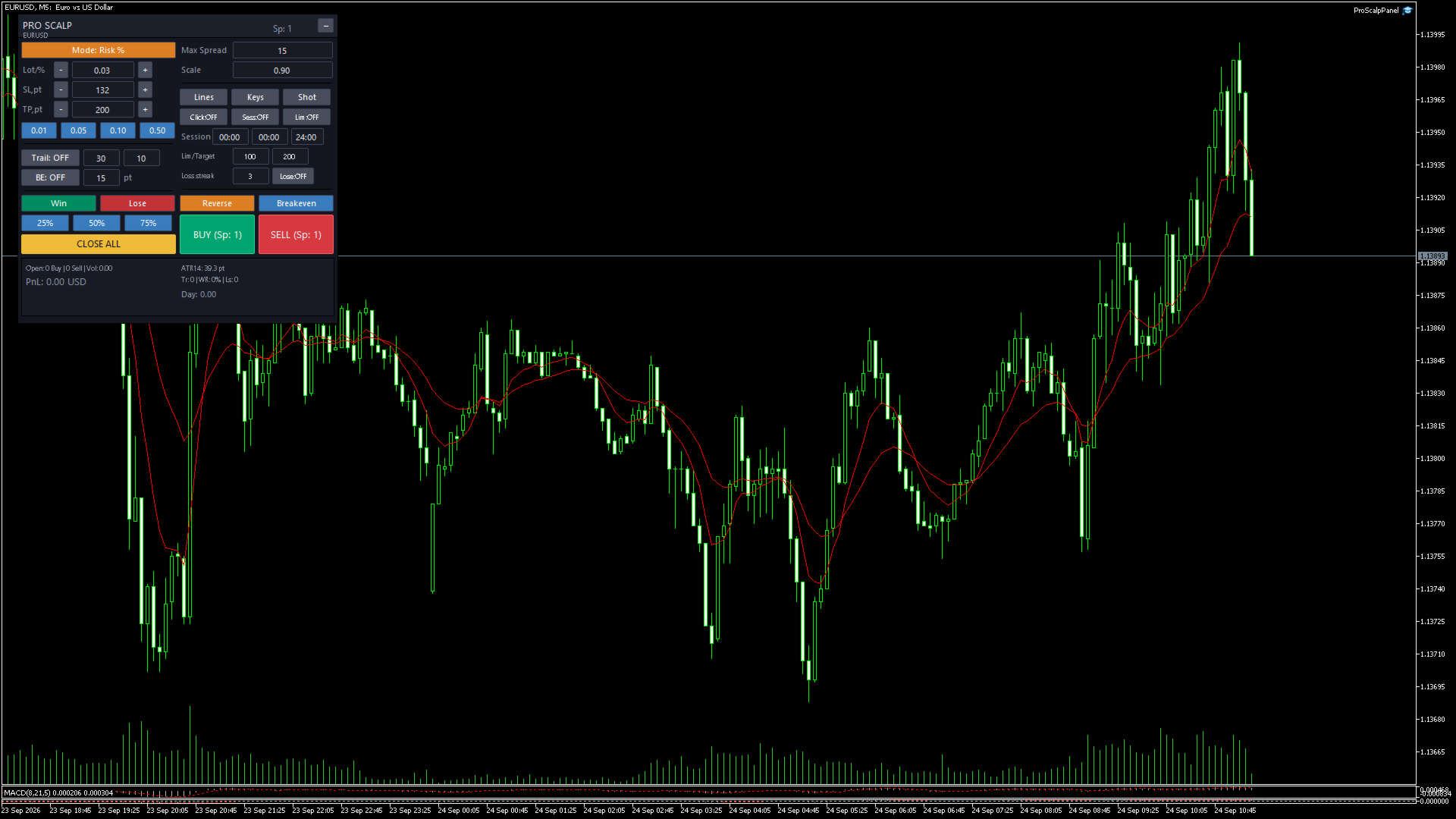
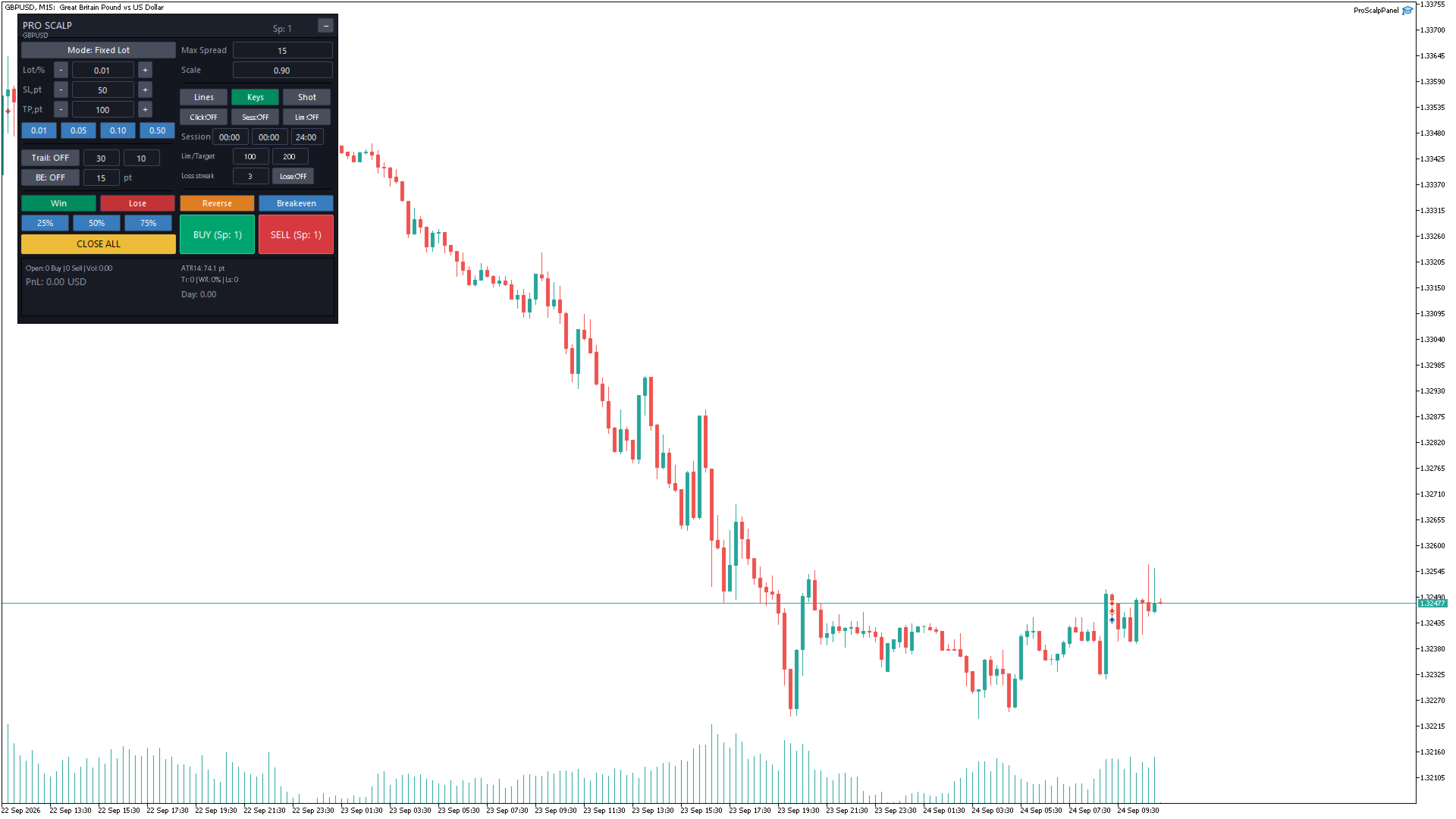
ProScalpPanel — a professional MQL5 Expert Advisor (trading panel) for scalping in MetaTrader 5. The panel is drawn directly on the chart and gives one-click access to all operations: open/close positions, manage SL/TP, protection filters and daily statistics.
Purpose
A manual scalping tool: the trader sees everything on a single chart and controls positions via buttons, hotkeys, or clicks on the chart. A built-in "demo mode" for the Strategy Tester automatically opens and closes trades through the same panel functions — used for MQL5 Market validation.
How it works
1. Panel and state
- On startup ( OnInit ) the GUI panel is created, CTrade is initialized (async mode, magic number 777888, slippage 5 points), an ATR(14) indicator is created for the dashboard, and a 500 ms timer is started.
- Panel state (lot, SL/TP, modes, scale, language) is saved into terminal global variables and restored on the next start.
- The panel scales via the "Scale" parameter and can be collapsed with the header button. Professional dark color scheme; active toggles are highlighted green, blocking is shown red.
2. Opening trades ( ExecuteTrade )
- BUY/SELL buttons (hotkeys ↑/↓) open a market order: spread ( Max spread ), trading rights (terminal/account/EA), symbol trade mode, free margin, and SL/TP validity against the minimum distance (stops/freeze level) are checked before sending.
- Click-to-Trade: a click on the chart opens a trade — BUY if the clicked price ≥ Ask, SELL if ≤ Bid. One- or two-click mode. Clicks over the panel area are ignored.
- Volume: fixed lot (± buttons, presets 0.01/0.05/0.10/0.50) or risk-based ( Risk % of balance/equity). Volume is normalized by the symbol's step, minimum and maximum.
3. Position management
- Close All / Close Win / Close Lose — close all, profitable or losing positions (only own: same symbol + magic 777888).
- Close 25 / 50 / 75 % — partial position close.
- Reverse — close a position and open the opposite one.
- BE (Breakeven) — move SL of open positions to breakeven (+offset).
- AutoBE — automatically move SL to breakeven when the price goes BE trigger points in profit.
- Trailing stop — the SL follows the price with Trail step steps on a Trail -point distance; modifications are only made when protection improves (no request spam).
4. Protection and filters
- Max spread — when the spread exceeds the limit, the BUY/SELL buttons are locked and marked "LCK".
- Session filter — entries are allowed only inside a set time window.
- Daily limit/target — when Day loss limit or Day target is reached, new entries are blocked (LOCK).
- Loss streak — entries are blocked after N consecutive losing trades (based on real deals in OnTradeTransaction ).
5. Statistics and logging
- Dashboard: open Buy/Sell counts, volume, floating PnL, day result, trade count, win-rate, loss streak, ATR(14) in points.
- Daily statistics are collected from closing deals in OnTradeTransaction ; counters reset when the calendar day changes.
- Closed deals are logged to a CSV file ( MQL5\Files\ProScalp\… ); chart screenshots are available via the Shot button.
6. Demo mode for MQL5 Market
- If Demo auto trades is enabled, the EA in the Strategy Tester opens/closes demo trades every ~200 ticks through the standard panel functions (at most Demo max deals per run). This lets Market validators confirm that the trading functions work in the tester.
Input parameters (defaults)
| Parameter | Description |
|---|---|
| InpLot = 0.10 | Default lot |
| InpSL = 50 / InpTP = 100 | Default SL / TP, points |
| InpMaxSpread = 15 | Max spread, points (0 = no limit) |
| InpRiskMode / InpRiskPct = 0.9 | Risk % mode (% of balance) |
| InpTrail = 30 / InpTrailStep = 10 / InpTrailOn | Trailing: distance, step, enabled |
| InpBETrigger = 15 / InpAutoBE | Auto-BE: trigger points, enabled |
| InpDayLoss = 100 / InpDayTarget = 200 | Daily loss limit / daily target |
| InpLoseSeries = 3 | Allowed consecutive losses |
| InpDemoAutoTrades = true / InpDemoMaxDeals = 8 | Demo trades in tester (for Market) |
Controls and hotkeys
- Buttons: BUY, SELL, Close All/ Win/ Lose, Close 25/50/75, Reverse, BE, AutoBE, Trailing, Click, Session, Day limit, Lose-block, Mode (lot/risk), 1x/2x, Keys, Shot, Collapse, Lang (EN/UA).
- Hotkeys: ↑ — BUY, ↓ — SELL, Space/Esc — close all, B — breakeven, T — trailing toggle, R — reverse, + / − — lot change.