ProScalpPanel
- エキスパート
- バージョン: 6.6
- アップデート済み: 30 10月 2026
- アクティベーション: 20

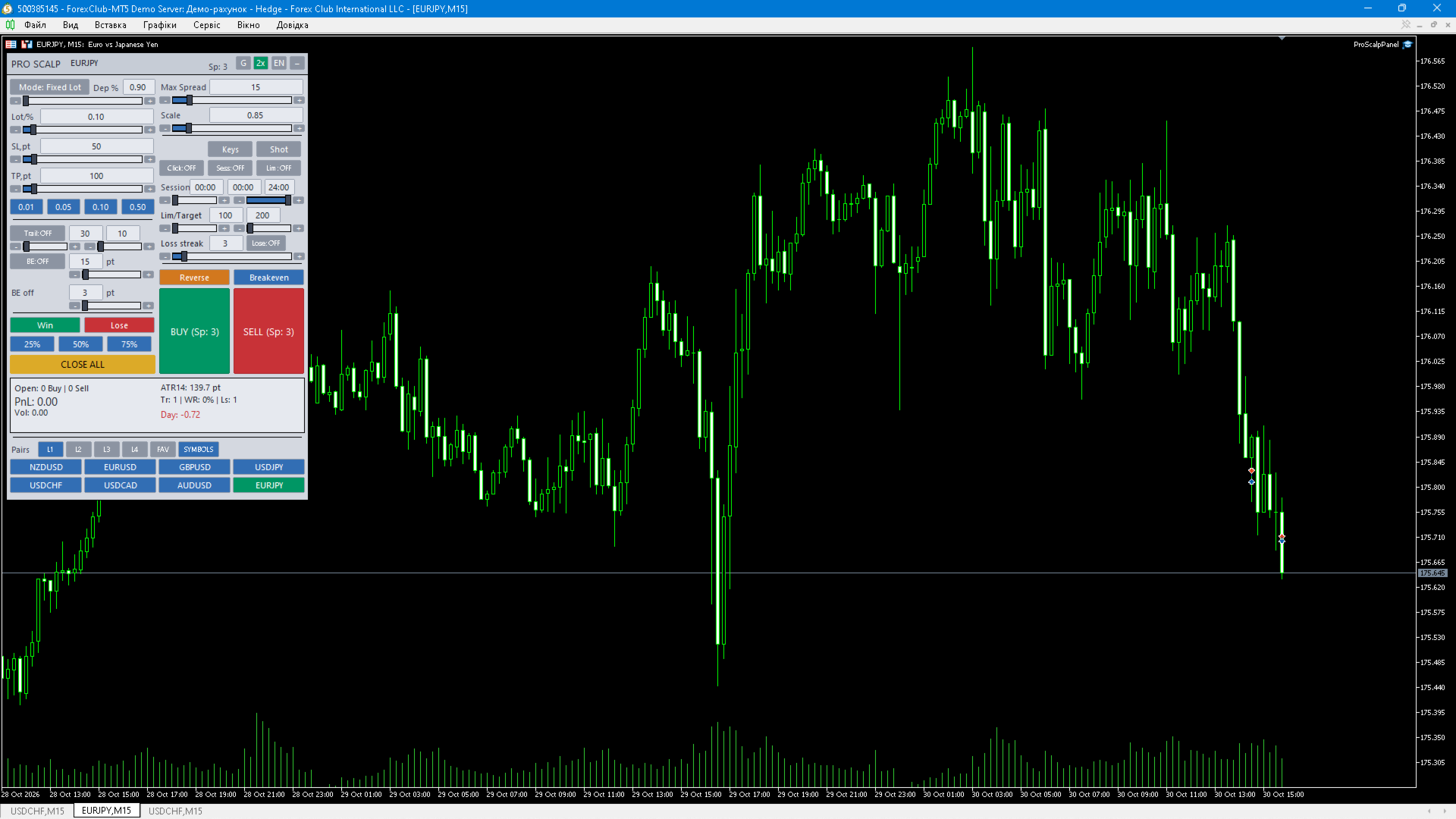
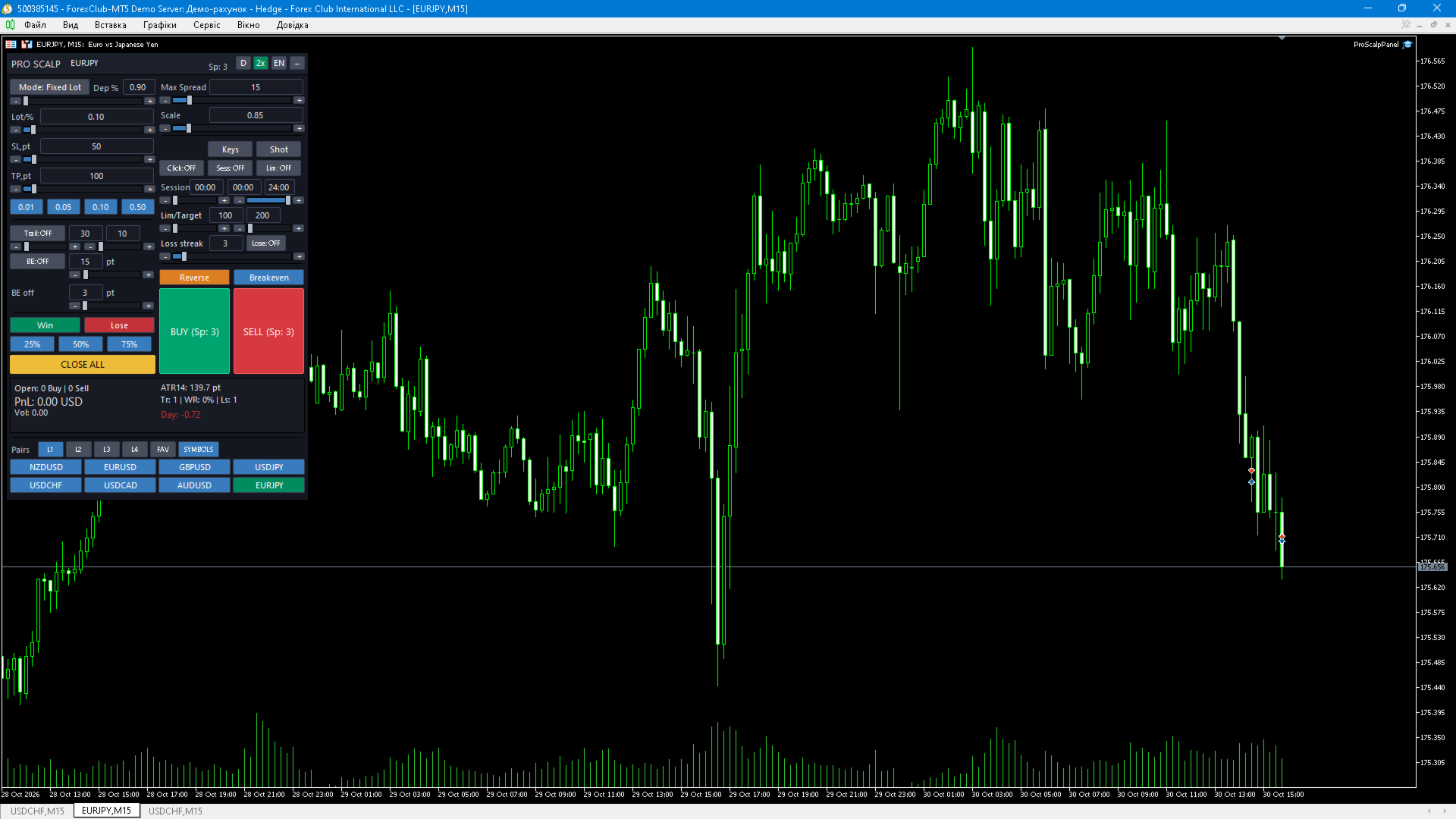
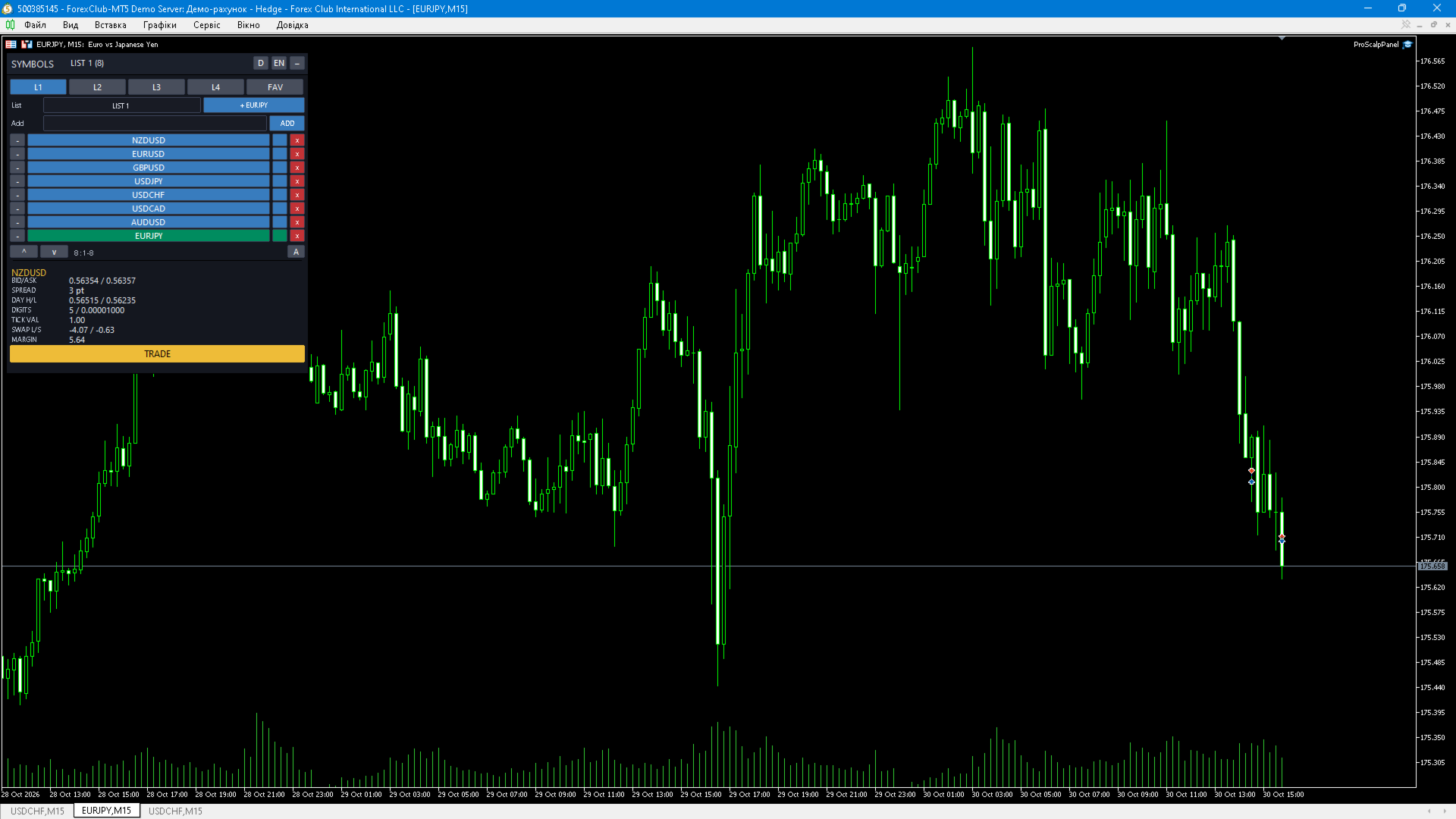
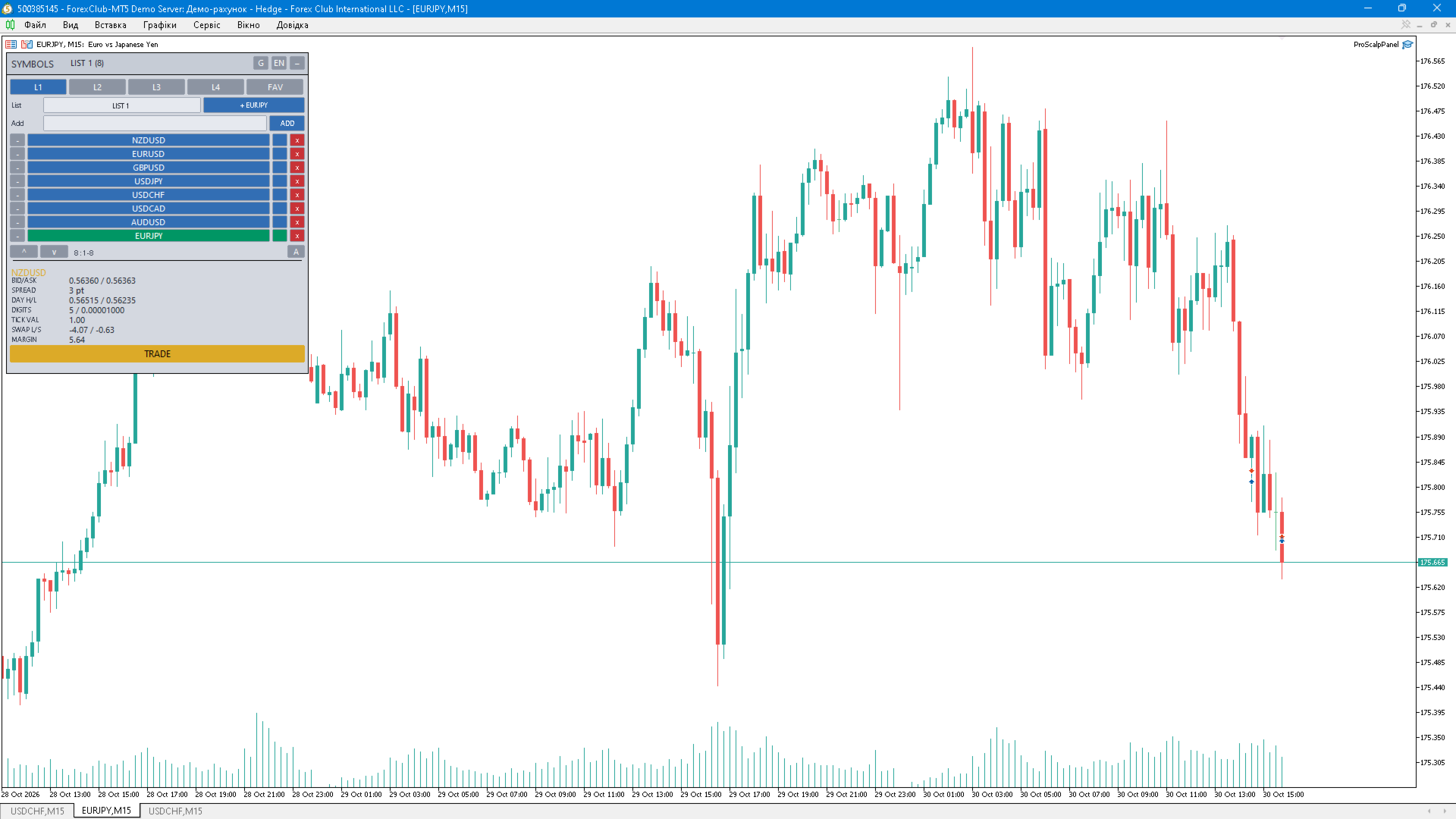
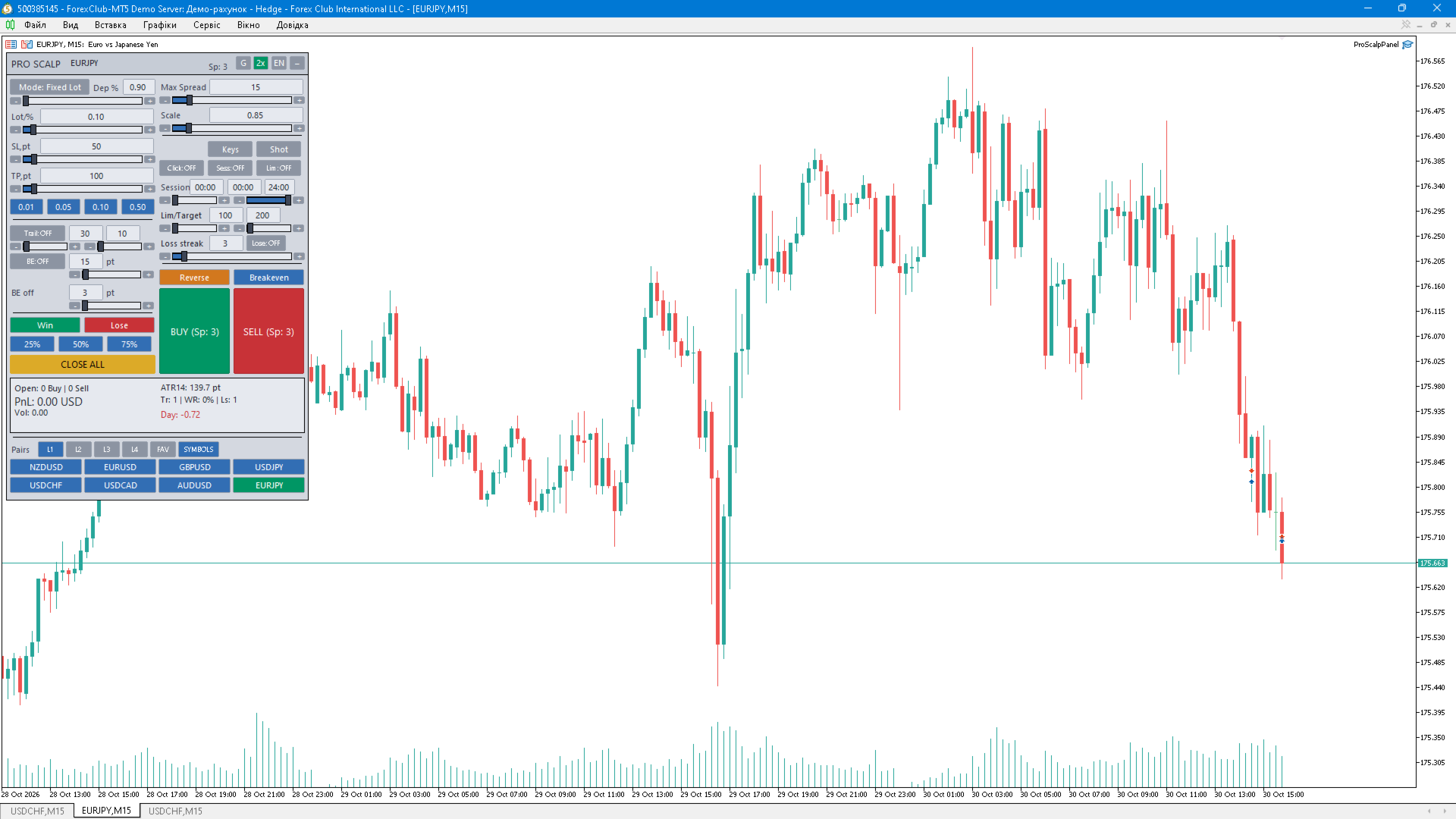
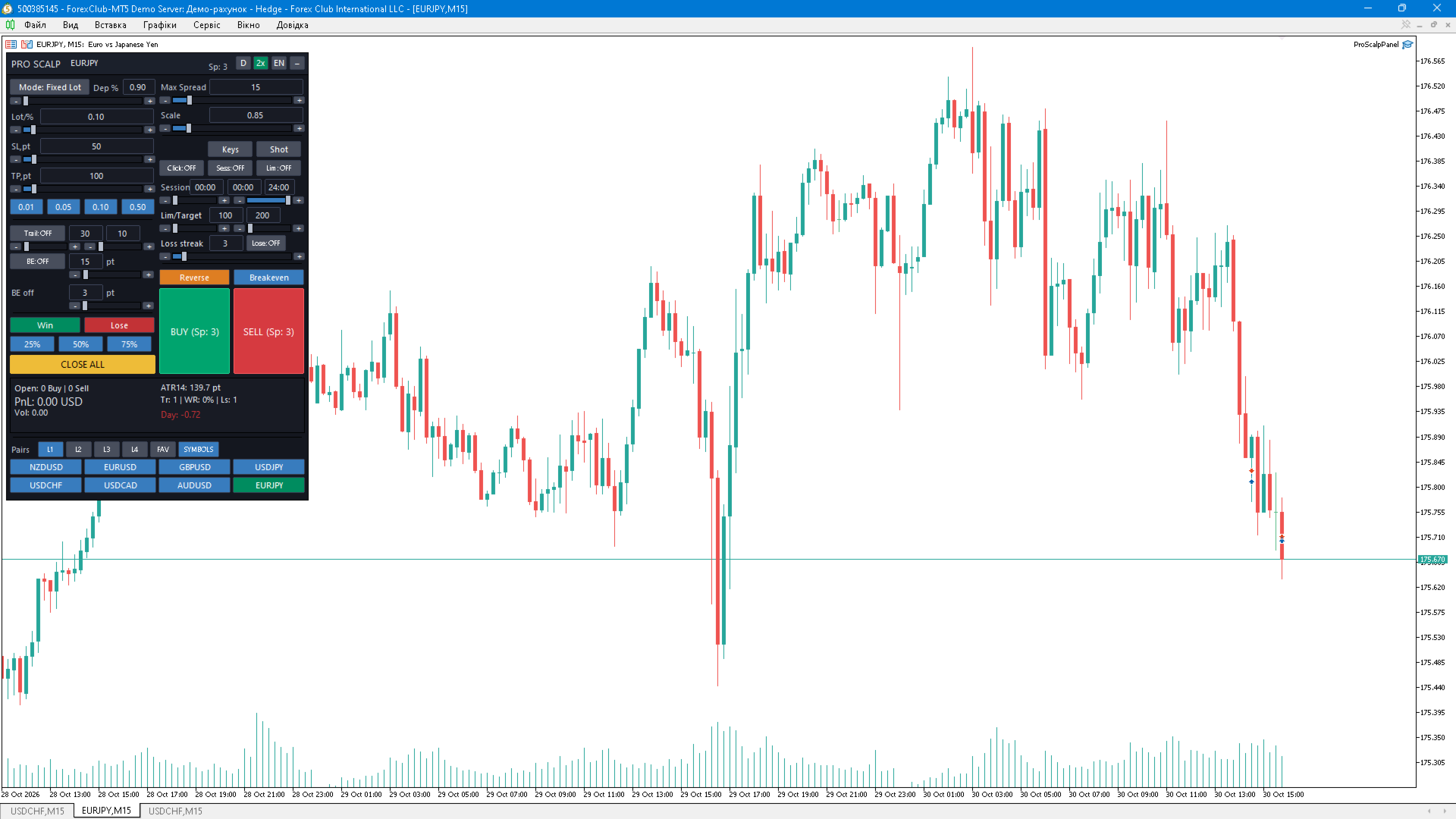
ProScalp Panel — a professional manual-trading panel for MetaTrader 5 ProScalp Panel is a compact trading control panel that sits directly on the chart. It combines order entry, position management, risk protection and quick access to your favourite symbols in one window. The panel generates no trading signals — every order is opened only by your command. KEY FEATURES • Market orders: BUY / SELL with stop loss and take profit applied automatically from panel settings. • Volume mode: fixed lot or risk as % of balance (volume is derived from the SL). • Parameter control: lot, SL and TP with input fields, sliders, “−”/“+” buttons and quick lot presets. • Trailing stop with configurable distance and step in points. • Automatic breakeven with a profit trigger and BE offset that covers commission/spread. • Position closing: all, profitable only, losing only, partial 25 % / 50 % / 75 %. • One-click position reversal and breakeven for all positions. PROTECTION AND FILTERS • Maximum spread filter — BUY/SELL buttons lock and change colour when spread is too wide. • Trading session filter by server time (start/end). • Daily loss limit and daily profit target with entry lock. • Entry block after a configurable streak of losing trades. • All limits are configured in the panel and persist between restarts. PAIRS (SYMBOLS) BLOCK • Four user lists L1…L4 plus a separate FAV favourites list. • Eight slot buttons on the trade page (2 rows × 4) — switch the chart symbol in one click. • SYMBOLS page: rename lists, add a symbol (typed or the current chart symbol), remove, scroll, assign an individual highlight colour per instrument (16-colour palette) and toggle favourites. • Symbol info panel: BID/ASK, spread, day high/low (D1), digits and point size, tick value, swap long/short, margin for the minimum volume. • Lists are stored in MQL5\Files\ProScalp\Pairs.csv and shared across charts; an optional mode switches the symbol on all open charts at once (disabled by default). INTERFACE • Three themes: dark, soft grey, light. • UI scale 0.5–3.0 — the panel fits any monitor and resolution. • Interface and tooltip language: EN / UA / RU. • Collapse the panel to a compact header and expand it back. • Tooltips for every control. • Dashboard: open positions count, floating P/L, ATR(14), number of trades, win rate, loss streak, day result. • Chart click-trading (1 or 2 clicks); clicks on the panel area are ignored. • Hotkeys (can be switched off): Up/Down — BUY/SELL, Space/Esc — close all, B — breakeven, T — trailing, R — reverse, Q/Z/[ and E/X/] — decrease/increase volume. • Automatic panel state persistence (lot, SL, TP, theme, scale, symbol lists) across terminal restarts. • Per-symbol CSV trade journal: MQL5\Files\ProScalp\log_SYMBOL.csv. • Optional automatic screenshots after a trade is closed. INPUT PARAMETERS (DEFAULTS) • InpLot = 0.10 — default lot • InpSL = 50 / InpTP = 100 — stop loss and take profit in points • InpMaxSpread = 15 — maximum spread in points (0 = no limit) • InpRiskMode = false, InpRiskPct = 0.9 — risk % of balance mode • InpTrail = 30, InpTrailStep = 10, InpTrailOn = false — trailing stop • InpBETrigger = 15, InpAutoBE = false, InpBEOffset = 3 — automatic breakeven • InpDayLoss = 100.0, InpDayTarget = 200.0 — daily loss limit / profit target in deposit currency • InpLoseSeries = 3 — allowed consecutive losing trades HOW TO USE 1. Attach the panel to the chart and enable “Allow algorithmic trading”. 2. Set lot (or risk %), SL and TP; enable trailing and breakeven if needed. 3. Build your symbol lists on the SYMBOLS page and mark favourite pairs. 4. Configure the spread filter, trading session and daily limits for your strategy. 5. Before live trading, verify the panel in the Strategy Tester (visual mode) and on a demo account. NOTES AND LIMITATIONS • The panel manages only positions with its own magic number 777888 — other positions are never touched. • Works on netting and hedging accounts, with any symbol and timeframe. • All chart objects use the ProScalp_ prefix and do not conflict with other programs. • Requires MetaTrader 5 build 3000+ and enabled algorithmic trading. • The Strategy Tester runs a single symbol: switching the chart symbol is not supported there by the terminal, while the pair lists remain fully functional. • The pairs block requires symbols available at your broker; missing instruments are added to Market Watch automatically. IMPORTANT The panel is not a trading strategy and does not provide trading recommendations. It does not guarantee profit: results depend on your decisions and market conditions. Past performance does not guarantee future results. Always test the panel on a demo account before using it on a live one and make sure the settings match your broker’s conditions (minimum lot, volume step, stop level).
For validation in MQL5 Market, the advisor can make small demonstration trades in the tester - this can be turned off in the paramet