LockMaster
- Göstergeler
- Sürüm: 2.63
- Güncellendi: 23 Eylül 2026

LockMaster — See Every Outcome Before You Touch a Locked Position
Do you love untangling complex locks — or are you forced to? Either way, this tool is for you!
Managing a hedge lock (opposing Buy and Sell positions on the same pair) is one of the trickiest situations in manual trading. Which leg do you close first? What happens to your Break-Even, Margin Call and Stop Out levels if you unwind one side now — or wait for a Take Profit to hit? Guessing wrong costs money. LockMaster removes the guesswork and draws the answer directly on your chart, before you act.
What it shows you
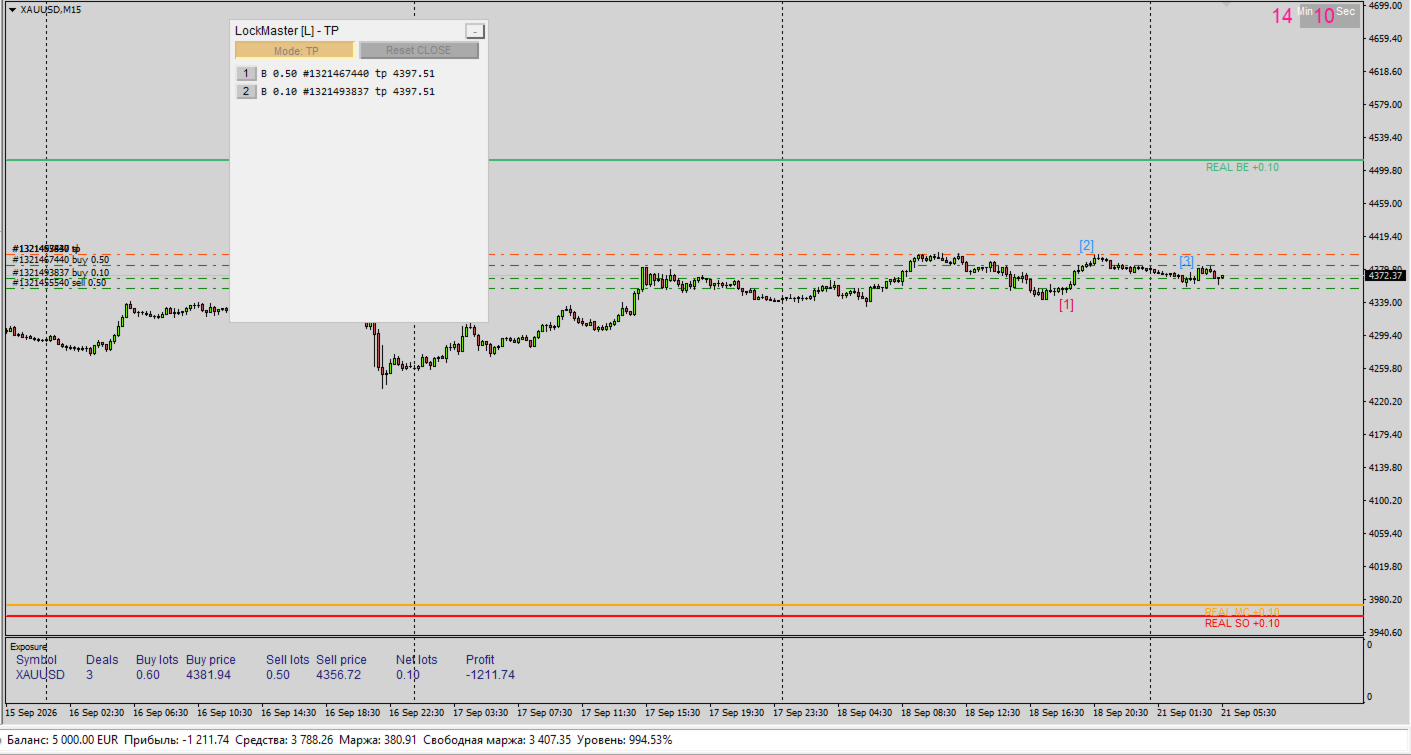
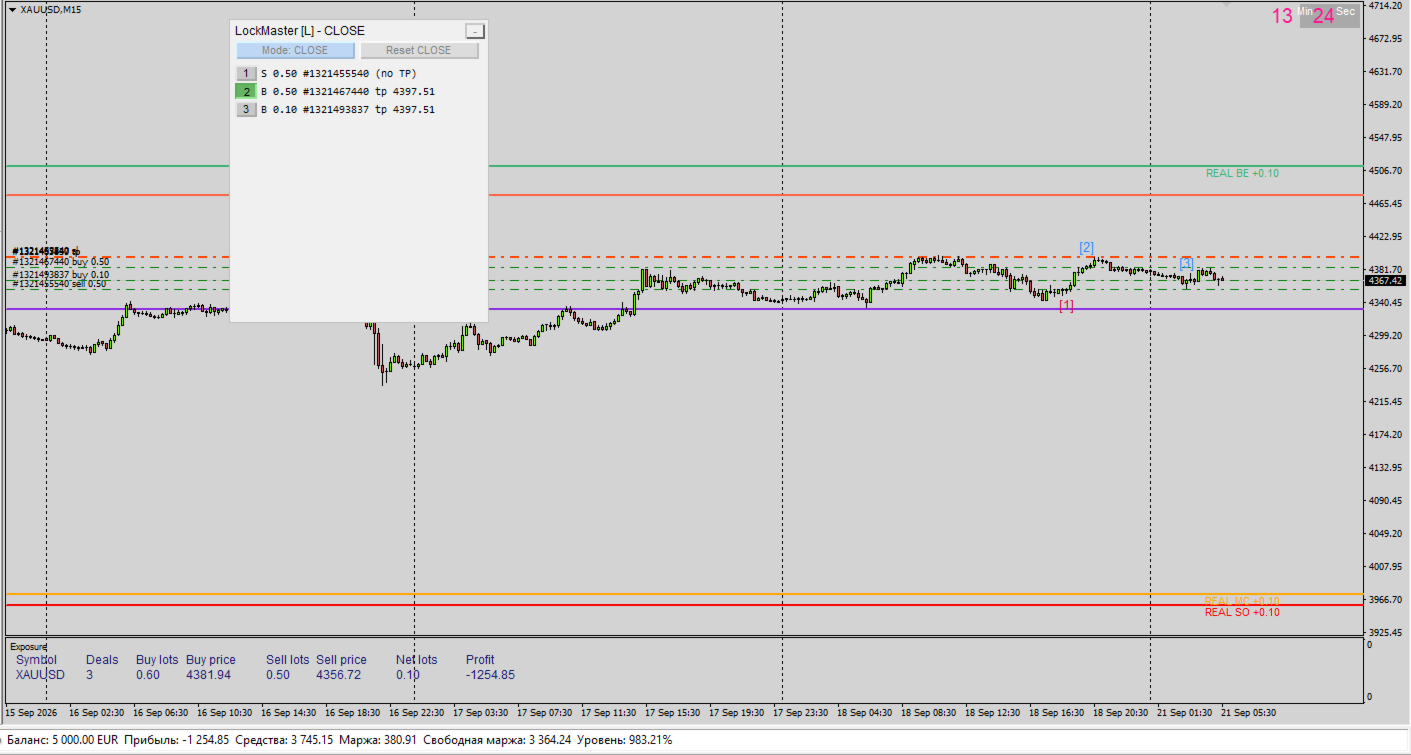
- REAL lines (always on) — your account's true, current Break-Even, Margin Call and Stop Out, based on every open position on the symbol. Net exposure or a single leftover trade — it's always there, in every mode.
- CLOSE mode — "what if I close this right now?" A control panel lists every open trade. Tick any combination you like, independently, and LockMaster instantly draws where your BE/MC/SO would land if you closed exactly those trades at today's market price. Untick to compare. No math, no spreadsheet — just click and read the chart.
- TP mode — "what if my Take-Profits fire, one by one?" The panel switches to a live, auto-sorted queue of every order that has a TP, nearest to price first. Click the first one: LockMaster simulates that order banking its profit at its own TP and shows you the resulting BE/MC/SO for what's left. Click the next: it builds on top of the first, exactly like a real sequential close would. The panel enforces the order strictly — no skipping ahead, no gaps — so the simulation always matches something that could actually happen.
Why this matters for a lock
Closing one leg of a lock doesn't just remove that position — it banks its profit or loss permanently, and that immediately changes how far the remaining side needs to move to break even. A small realized gain barely moves your BE. A realized loss can push it painfully far away. LockMaster does this arithmetic for you, correctly, for as many trades as you have — two or twenty.
Built for real use, not just a demo
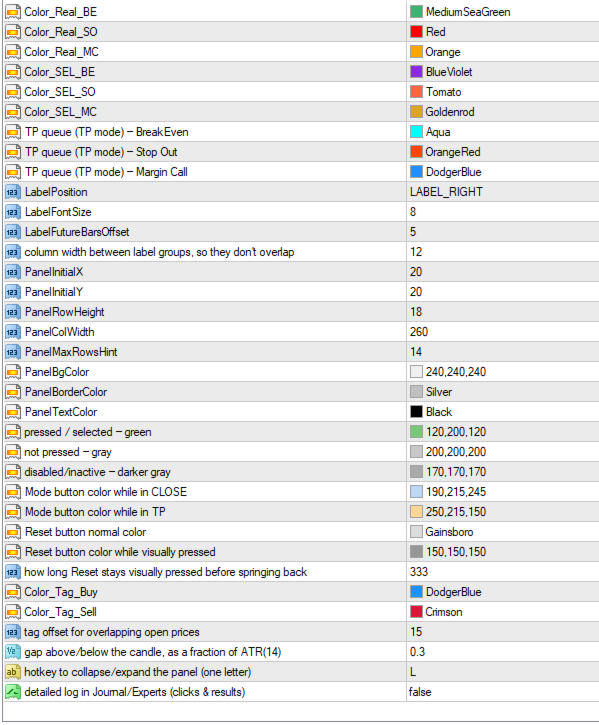
- Floating, draggable, collapsible control panel (single hotkey to toggle, configurable).
- The panel remembers its position and adapts automatically if the chart is resized — it never gets stuck off-screen.
- Any change on the account (a new order, a closed one, a TP added or removed, a partial close) is detected automatically and the whole panel resets cleanly — no stale, misleading selections left over from a different situation.
- Clear, colour-coded lines with detailed tooltips explaining exactly what each one means and which trades it includes.
- Optional detailed logging (Journal/Experts tab) for anyone who wants to see the exact numbers behind every line.
How to use it
- Attach LockMaster to the chart of the symbol you're managing.
- Look at the REAL lines first — that's where you stand right now, no matter what.
- Open the panel. Choose CLOSE to explore "close some trades now" scenarios, or TP to explore "let some Take-Profits fire in order" scenarios.
- Tick the boxes that match the scenario you're considering and read the resulting lines straight off the chart.
- Decide with your eyes open — not with a rough guess.
Who it's for
Anyone who runs manual hedge locks, grid-with-locking strategies, or simply ends up with opposing positions on the same symbol and wants a clear, honest picture of the consequences before pulling the trigger on a partial close.
LockMaster is an analysis and visualization tool. It does not place, modify, or close any trade by itself — every decision stays in your hands. Past performance and simulated scenarios are not a guarantee of future results; test on a demo account until you're fully comfortable with how it behaves on your own trading style.