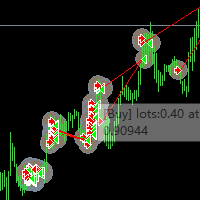
Randli RR Manager System
- Yardımcı programlar
- Sürüm: 4.117

➡️ 1. Visual Level Adjustment (Click-and-Drag Risk Management)
The utility provides an interactive framework to configure order parameters using chart-based lines rather than manual price typing:
- Exclusive Toggle Logic: Activating one level adjustment mode (e.g., clicking the Stop Loss button) automatically disarms the other two modes. This prevents graphic input conflicts on the chart.
- Target Parameters: It manages three distinct interactive pricing lines:
- Entry Price ( btn_p_ent_click / p_entryVonalKattVaras )
- Stop Loss ( btn_p_sl_v_click / p_slVonalKattVaras )
- Take Profit ( btn_p_tp_v_click / p_tpVonalKattVaras )
- Misclick Protection: It records high-resolution system uptime via GetTickCount() right at the moment of interaction ( skipClickTick ). This acts as an anti-bounce or double-click safeguard, preventing erratic line displacement while dragging.
➡️ 2. Multi-Module Operational Matrix
The dashboard utilizes a 6-button navigation interface to switch the environment between different trading logic modules ( aktualisKereskedesiMod 0 to 5 ), dynamically rebuilding the user interface upon activation:
- Module 0 (Market Orders): Dedicated to live execution. It triggers JRR_RefreshTradingLines() to map, monitor, and manage currently open, running market positions.
- Module 1 (Pending Orders): Dedicated to structural entry orders (Limits/Stops). It triggers JRR_RefreshPendingLines() to project and track unfulfilled trade setups.
- Modules 2 to 5 (Auxiliary Tools): Reserved for back-end trading utilities. Based on standard algorithmic panels of this caliber, these routinely handle functionalities such as lot-size calculators (risk-to-equity formulas), advanced partial closing targets, account metrics/analytics, or global EA configurations.