RuleCommand Protocol Runtime MT5
- Uzmanlar
- Sürüm: 1.130
- Etkinleştirmeler: 10

Plan. Protect. Execute.
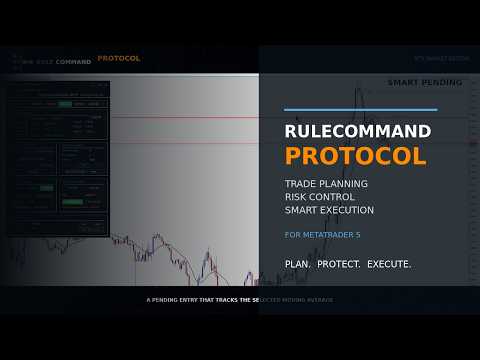
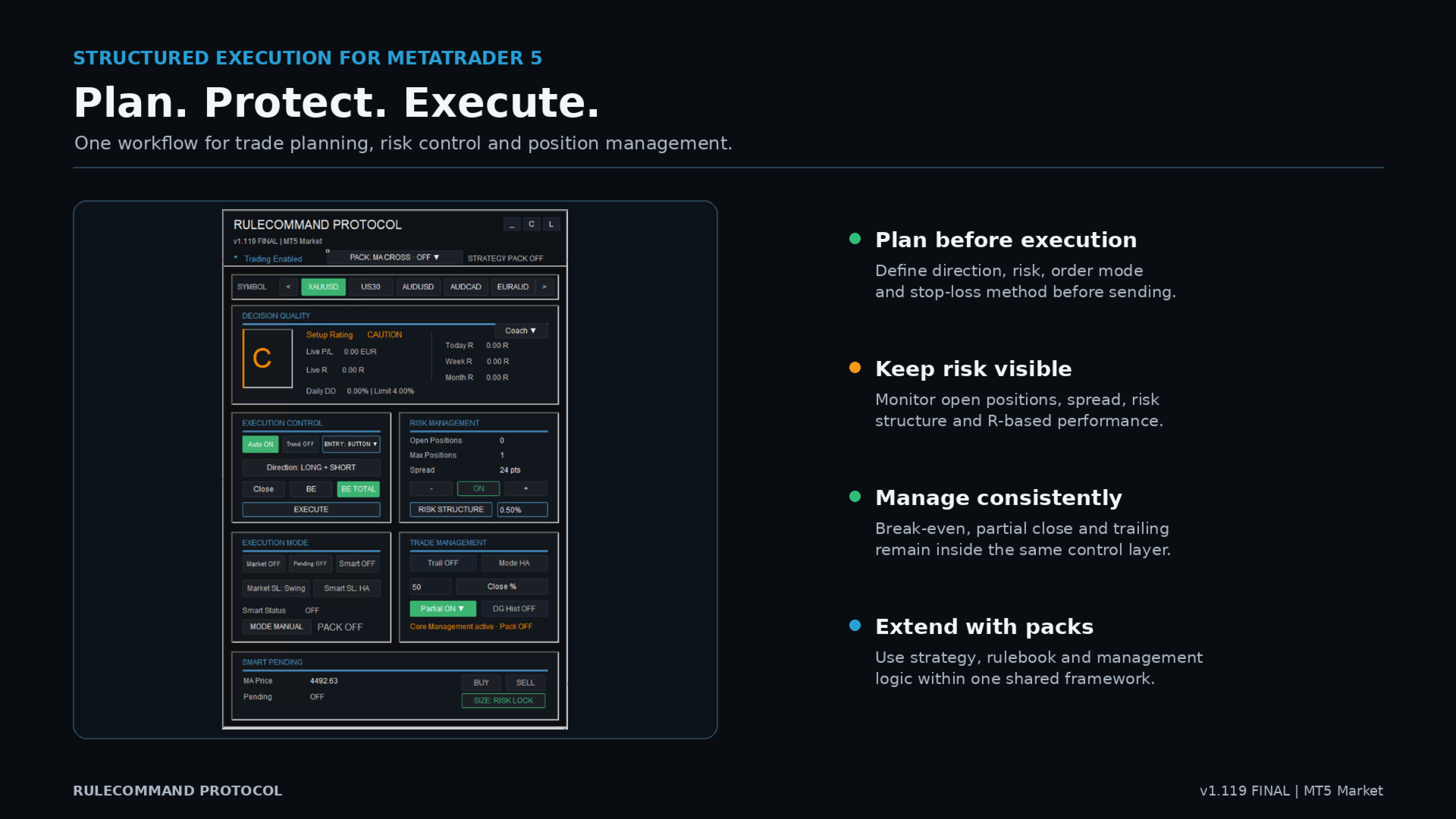
RuleCommand Protocol is a trade-planning, risk-control and execution environment for MetaTrader 5. It brings the steps before, during and after an order into one chart interface: market selection, direction, entry, stop loss, target, risk-based position sizing, execution and position management.
Protocol does not replace the trader's judgment and does not guarantee trading results. Its purpose is to make the intended plan visible and to turn that plan into a controlled order workflow.
HOW THE WORKFLOW OPERATES
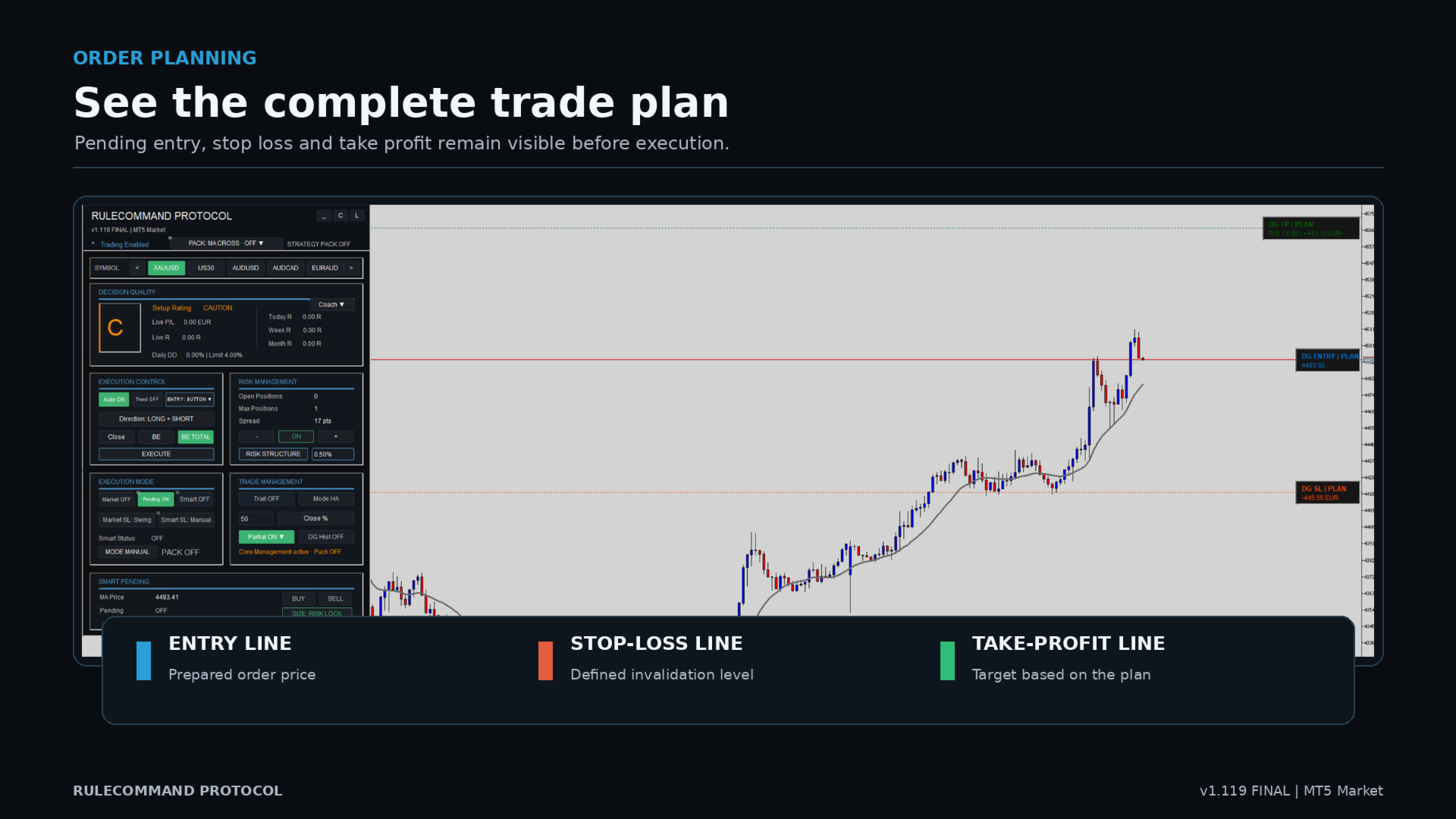
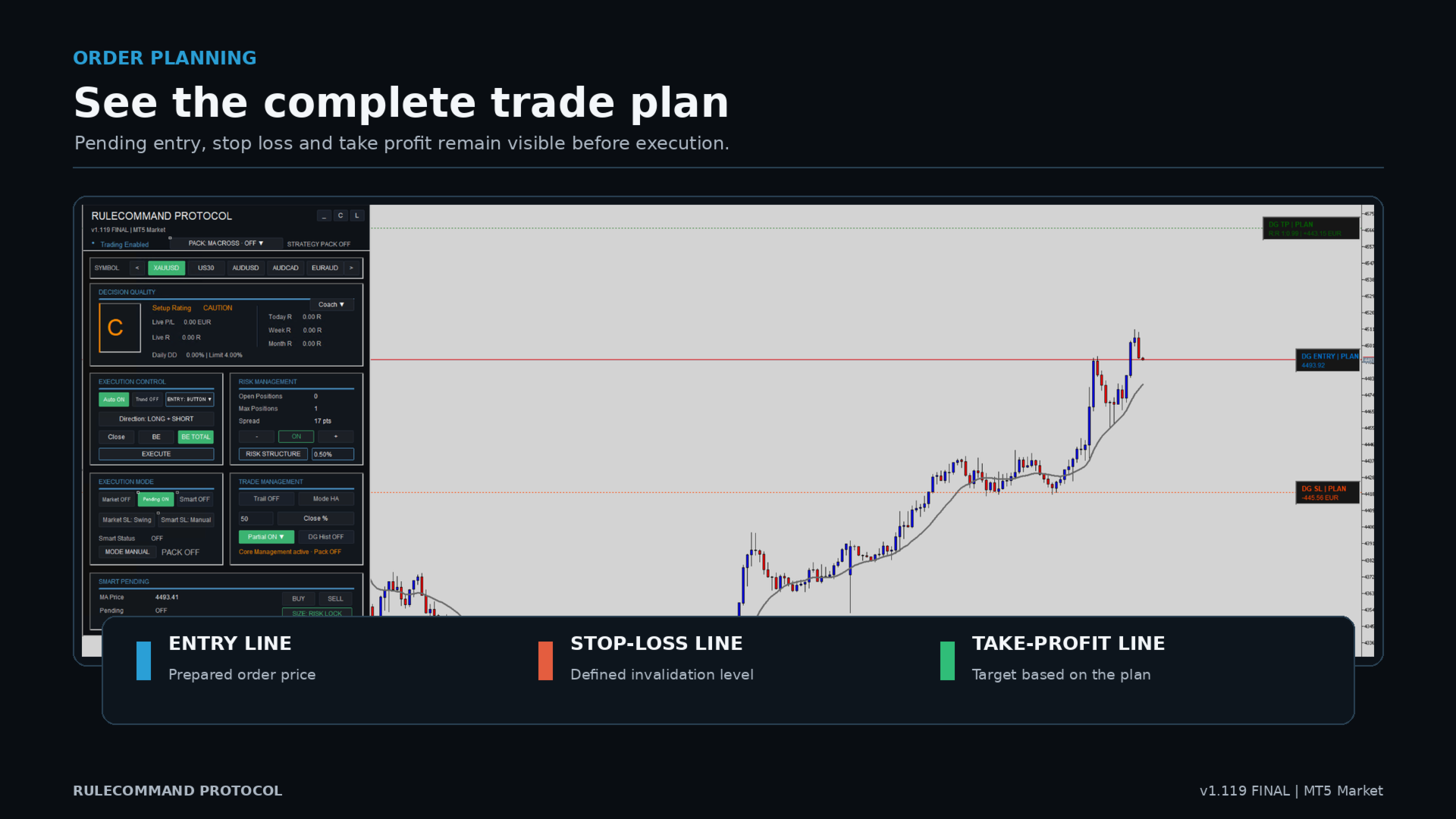
Select a market from the integrated watchlist. Define the permitted direction and the order type. Place or adjust entry, stop-loss and take-profit levels directly on the chart. Select the risk model and check the resulting order information before execution.
The same control surface supports three order workflows:
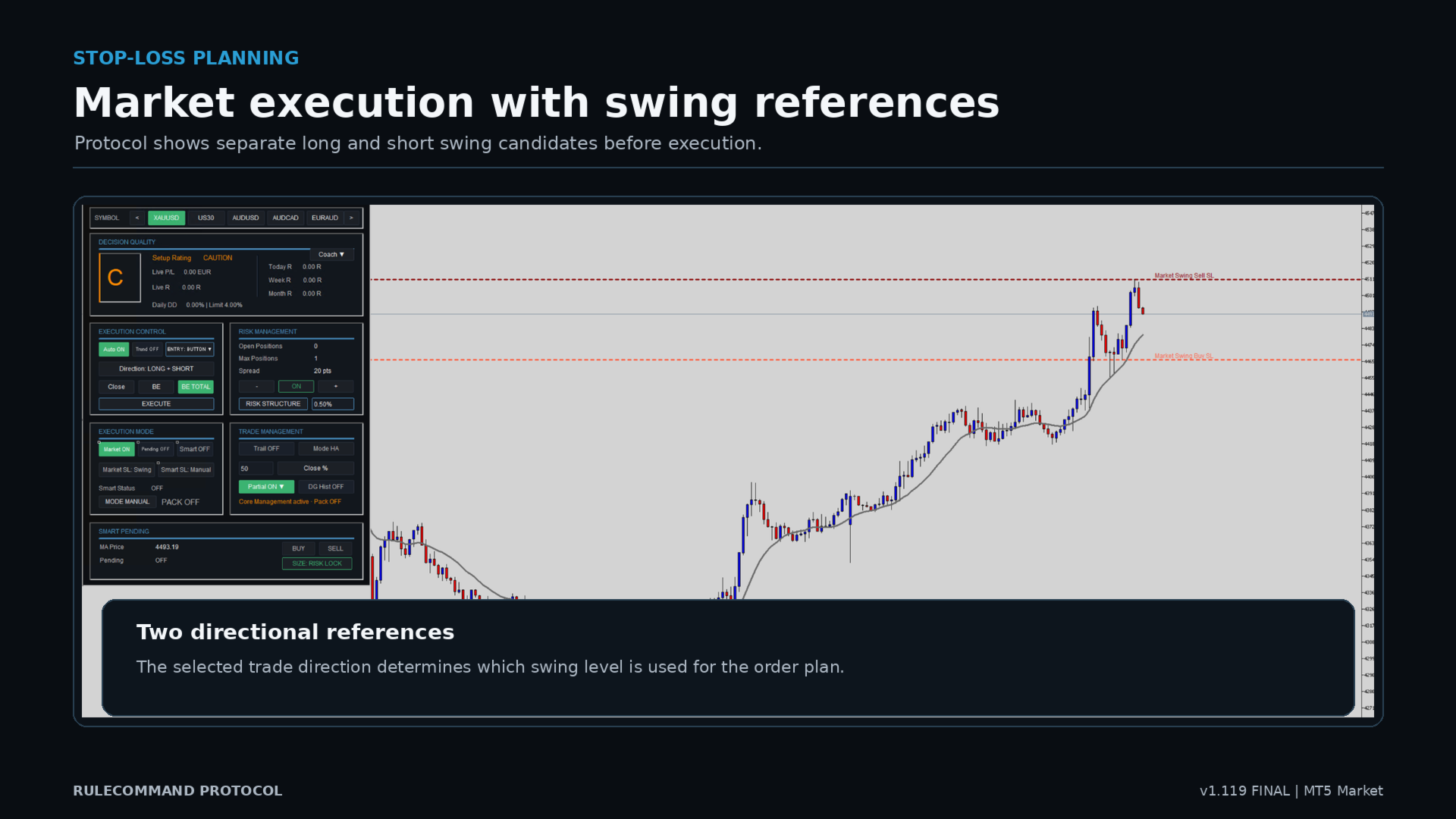
- Market execution for an immediate order after confirmation.
- Pending execution with editable entry, stop-loss and target lines.
- Smart Pending execution, where the entry can track the selected moving average until the order is filled or cancelled.
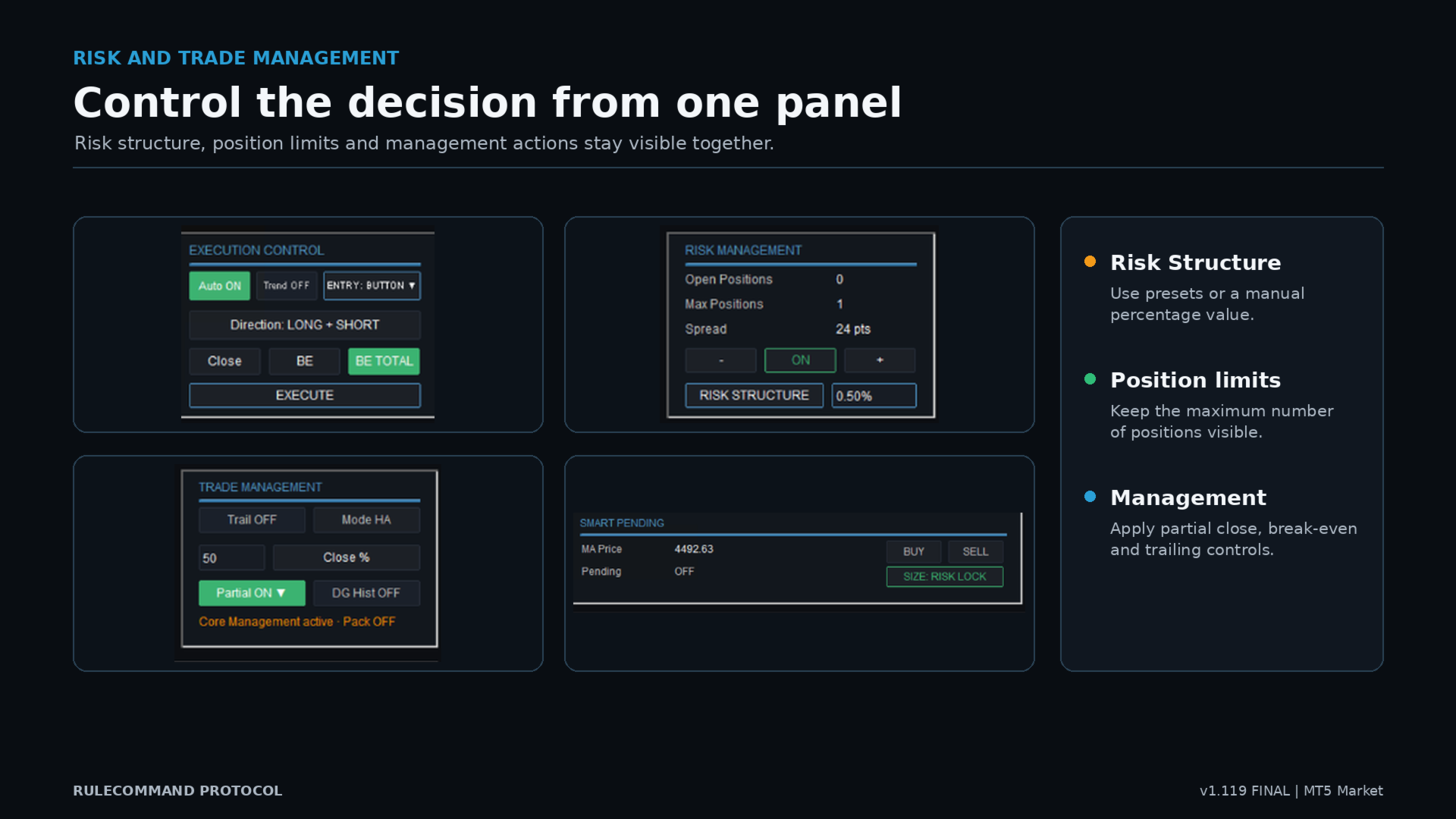
ENTRY: BUTTON requires a deliberate click on EXECUTE. SIGNAL AUTO enables the EA-internal automatic entry logic defined in the inputs. Strategy Pack execution is controlled separately through Manual, Semi or Full Auto mode.
RISK-BASED POSITION SIZING
Protocol calculates position size from account value, the selected percentage risk and the planned stop distance. Broker limits such as minimum volume, volume step and stop level are respected where available.
Smart Pending offers two sizing behaviours:
- RISK LOCK: the entry continues to track the selected moving average and the volume is recalculated to preserve the selected percentage risk while the stop and R:R plan remain defined.
- LOT LOCK: the entry continues to track the selected moving average while the order volume remains fixed. The monetary risk can therefore change as the entry-to-stop distance changes.
The selected lock mode is stored per symbol. Pending orders can remain active across watchlist changes and terminal restarts. Standard Pending and Smart Pending orders can operate in parallel when the Max Positions setting permits it.
EXECUTION AND POSITION MANAGEMENT
The panel provides direction control, maximum-position limits, spread information, break-even, combined break-even, partial closing and trailing functions. Stop-loss planning supports Swing, smoothed Heikin Ashi and Manual modes, depending on the selected order workflow.
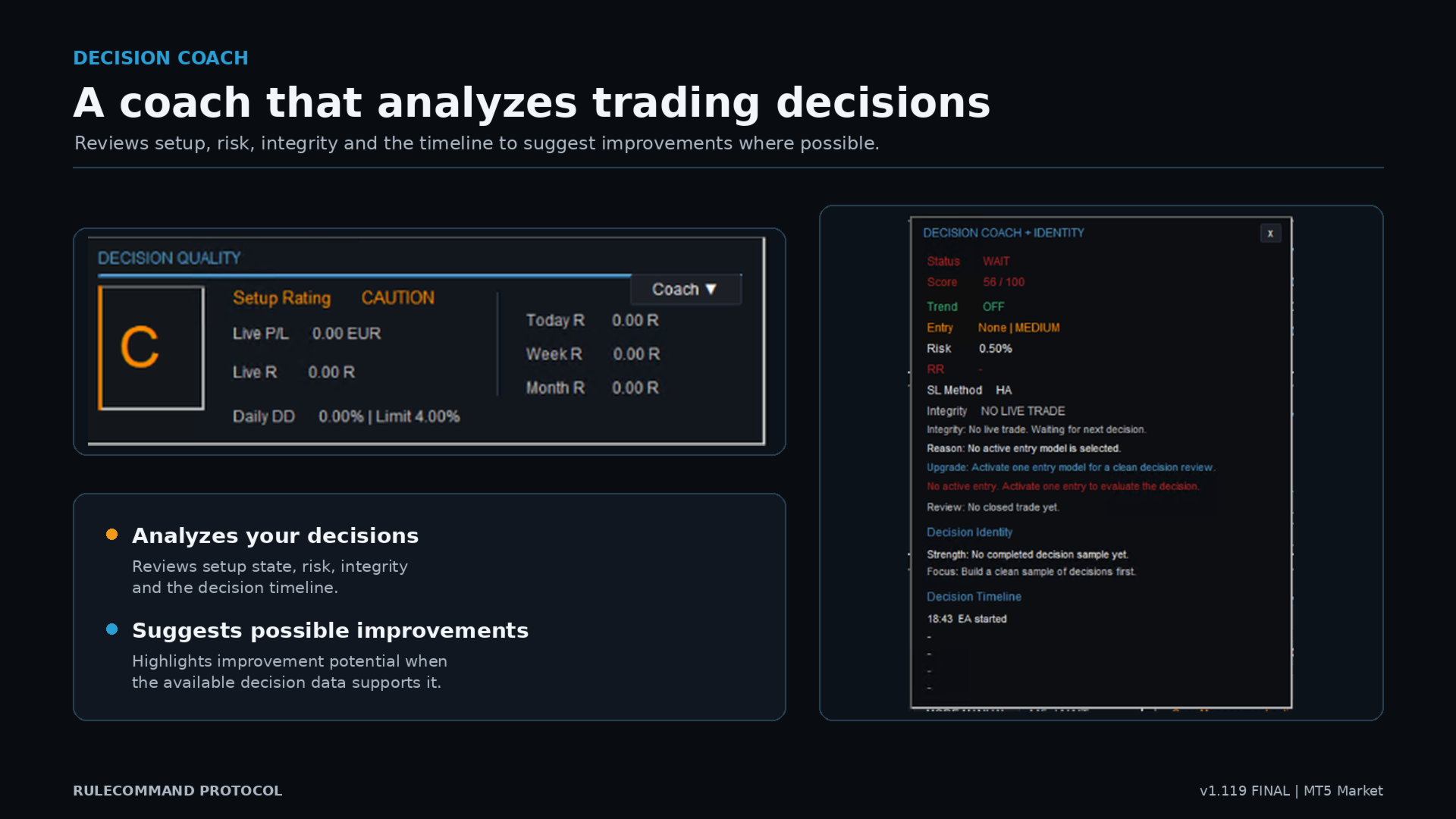
Protocol History records Protocol-managed trade events and presents Today R, Week R and Month R together with live P/L and Live R. These values are analytical records, not forecasts.
INCLUDED PACKS IN THIS MT5 MARKET EDITION
The Pack Manager contains three Strategy Packs:
- MA Cross
- Open Range Breakout
- Liquidity Reversal
It also contains the Prop Challenge Rulebook with the expandable Prop Guardian and the Default Management Pack.
Strategy Packs can be enabled, configured and used in Manual, Semi or Full Auto mode. Their signals depend on market conditions and the selected settings. A signal is not a recommendation and no signal frequency or result is guaranteed.
PROP GUARDIAN
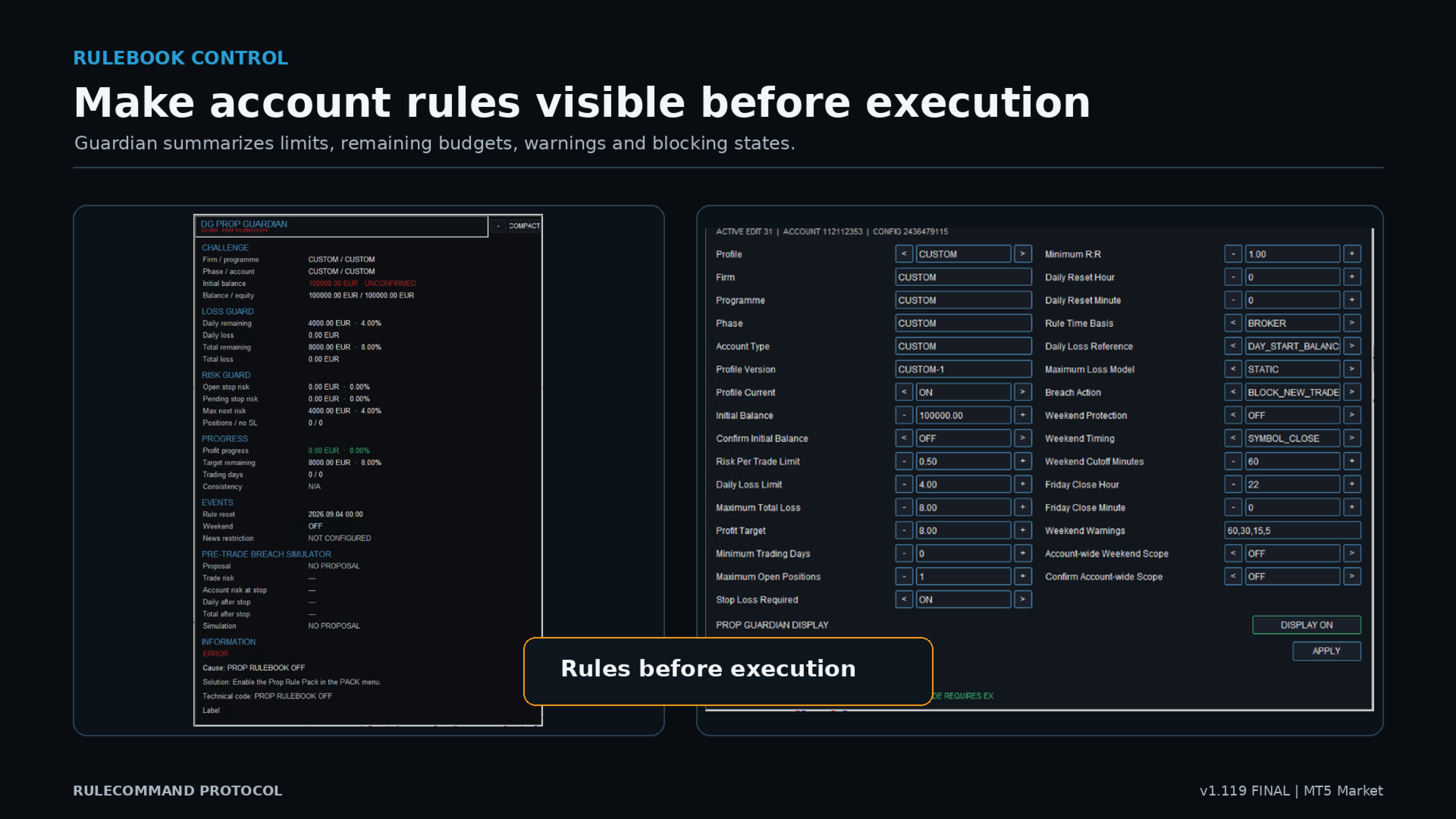
Prop Guardian keeps selected challenge-account rules visible before execution. Profiles can contain limits such as risk per trade, daily loss, maximum total loss, minimum R:R, maximum open positions, weekend handling and breach action.
Firm rules can change. The user must verify every profile against the current rules of the relevant provider. RuleCommand Protocol is not affiliated with or endorsed by any prop firm.
INTERFACE AND MULTI-SYMBOL CONTROL
- Configurable symbol watchlist
- Symbol-specific settings and Smart Pending persistence
- Background maintenance of Protocol-managed Smart Pending orders
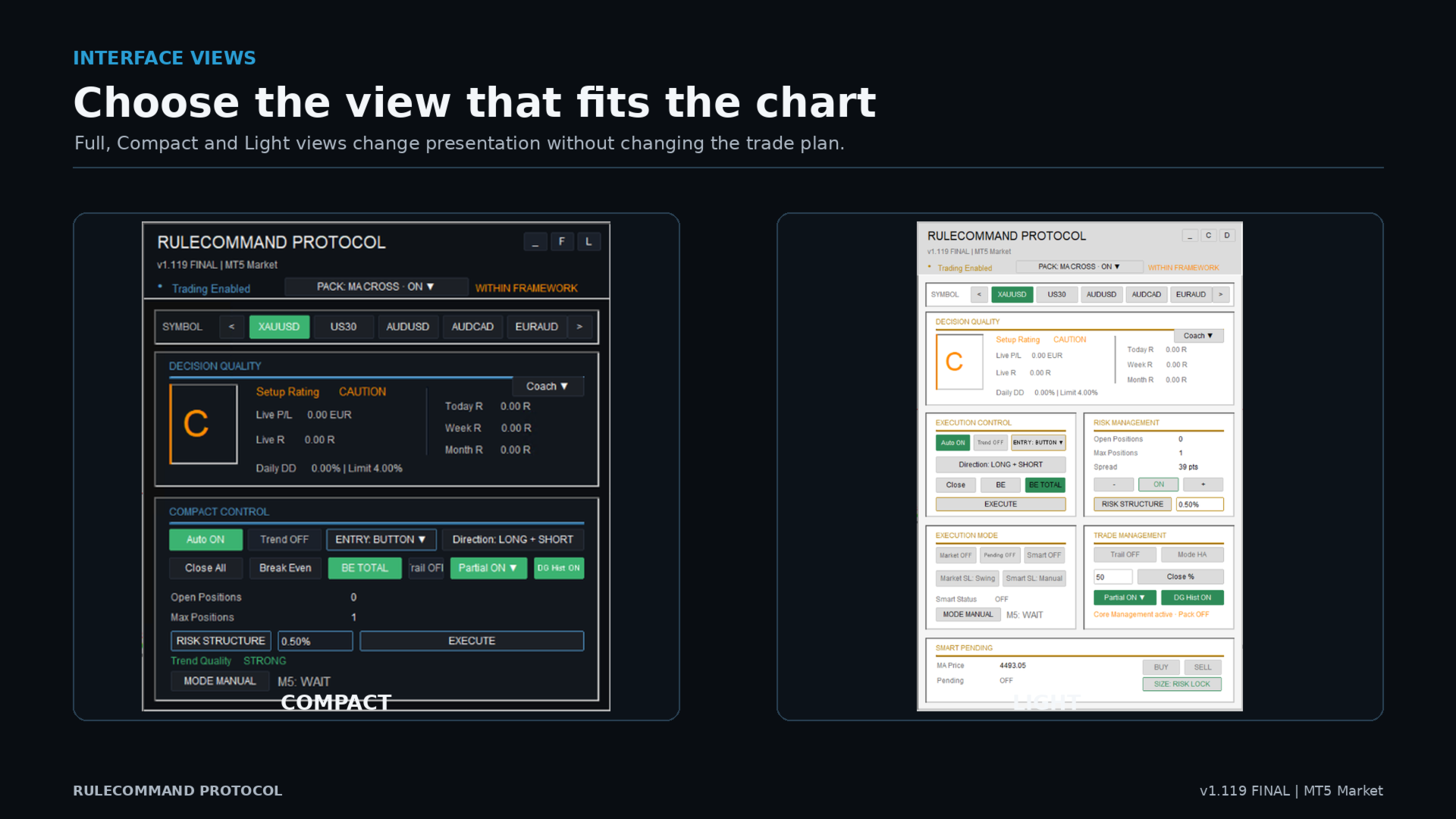
- Full and Compact panel views
- Dark and Light themes
- Decision Quality, live risk information and Decision Coach
- One Close action for Protocol-managed positions and pending orders in the active scope
FIRST START
1. Install RuleCommand Protocol from the MetaTrader 5 Market.
2. Open a chart for a tradable broker symbol.
3. Attach the EA and allow algorithmic trading.
4. Check the global Algo Trading switch and the status line in the panel.
5. Start on a demo account. Confirm symbol specifications, spread, stop distance, order volume and account currency.
6. Configure the watchlist, risk value, maximum positions and desired order workflow.
7. Before every execution, verify direction, entry, stop loss, take profit, R:R and the displayed monetary risk.
IMPORTANT OPERATING NOTES
RuleCommand Protocol must remain attached to a running MetaTrader 5 terminal for active panel functions and Smart Pending maintenance. A VPS may be used when continuous operation is required.
Symbol names, suffixes, contract sizes, tick values, minimum volume, volume steps, stop levels and trading hours differ by broker. Test the product with the intended broker and symbols before live use.
Manual trading or another EA can change account exposure outside Protocol's workflow. Always verify the account and broker order list directly in MetaTrader 5.
USER GUIDES
English user guide: Complete User Manual (EN)
German user guide: Complete User Manual (DE)
Support is provided through the Product Comments section and MQL5 messaging.
RISK NOTICE
Trading involves risk and can result in the loss of capital. RuleCommand Protocol is a technical planning and execution tool. It does not provide investment advice, predict market outcomes or guarantee trading results. The user remains responsible for every configuration, order and account decision.