PlanGuard MT5
- Yardımcı programlar
- Sürüm: 1.0
- Etkinleştirmeler: 10

Purpose
PlanGuard MT5 is a trading-discipline utility for traders who want their manual positions checked against a predefined plan.
The utility monitors newly opened positions, reports rule violations and can request the closure of a non-compliant position. It also tracks account-wide daily profit and loss, entry count, losing positions and intraday profit giveback.
PlanGuard does not generate signals and does not open trades.
Position checks
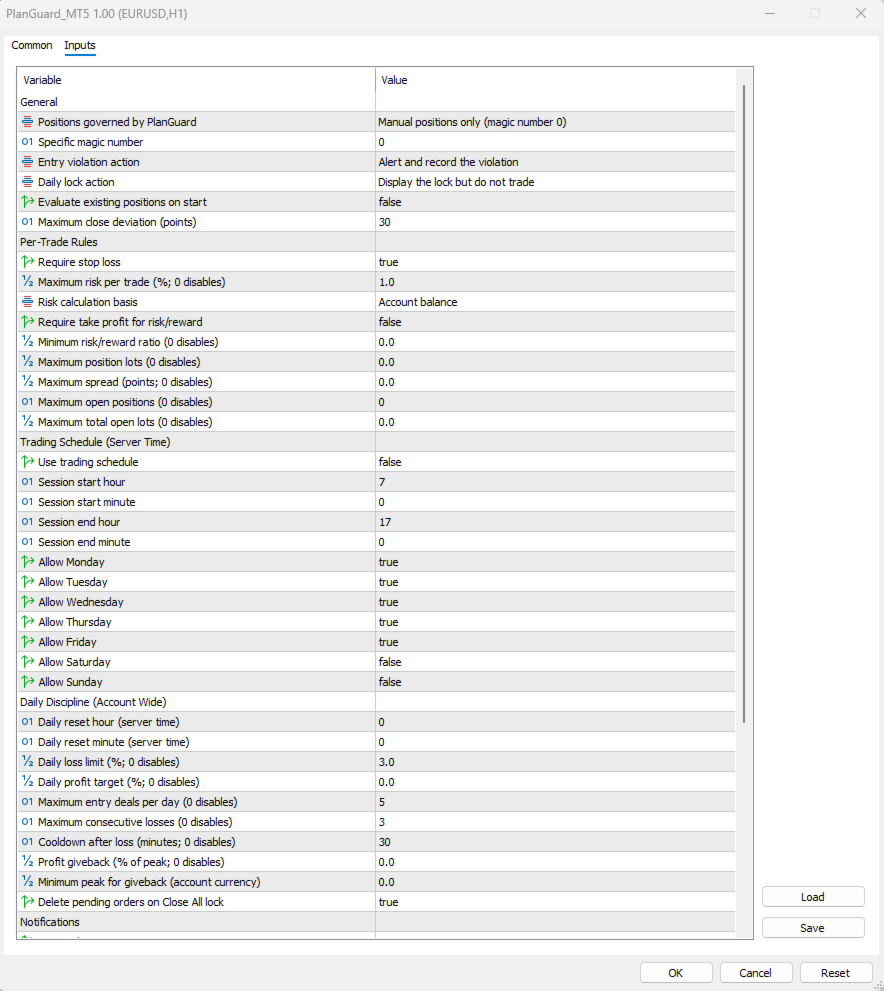
The following rules can be enabled independently:
- Server-side stop loss required
- Maximum estimated risk per position
- Minimum risk-to-reward ratio
- Maximum position volume
- Maximum current spread
- Maximum number of managed open positions
- Maximum combined managed volume
- Allowed weekdays and server-time trading session
Risk is estimated in the account deposit currency from the open price, volume and stop-loss price. Possible slippage and every broker charge cannot be known in advance.
Daily discipline
PlanGuard can monitor:
- Daily equity loss from the start-day balance
- Daily profit target
- Managed entry deals per day
- Consecutive fully closed losing positions
- Cooldown time after a losing position
- Giveback from the highest daily profit observed by the utility
The daily reset hour and minute are configurable in broker server time. Day state and lock state are retained after a terminal restart.
Actions
Entry violations can produce warnings only or a position-close request.
When a daily lock is active, PlanGuard can warn only, close managed positions opened after the lock, or attempt to close all managed positions and delete managed pending orders.
Position scope can be manual trades, all account positions or one selected magic number.
Dashboard
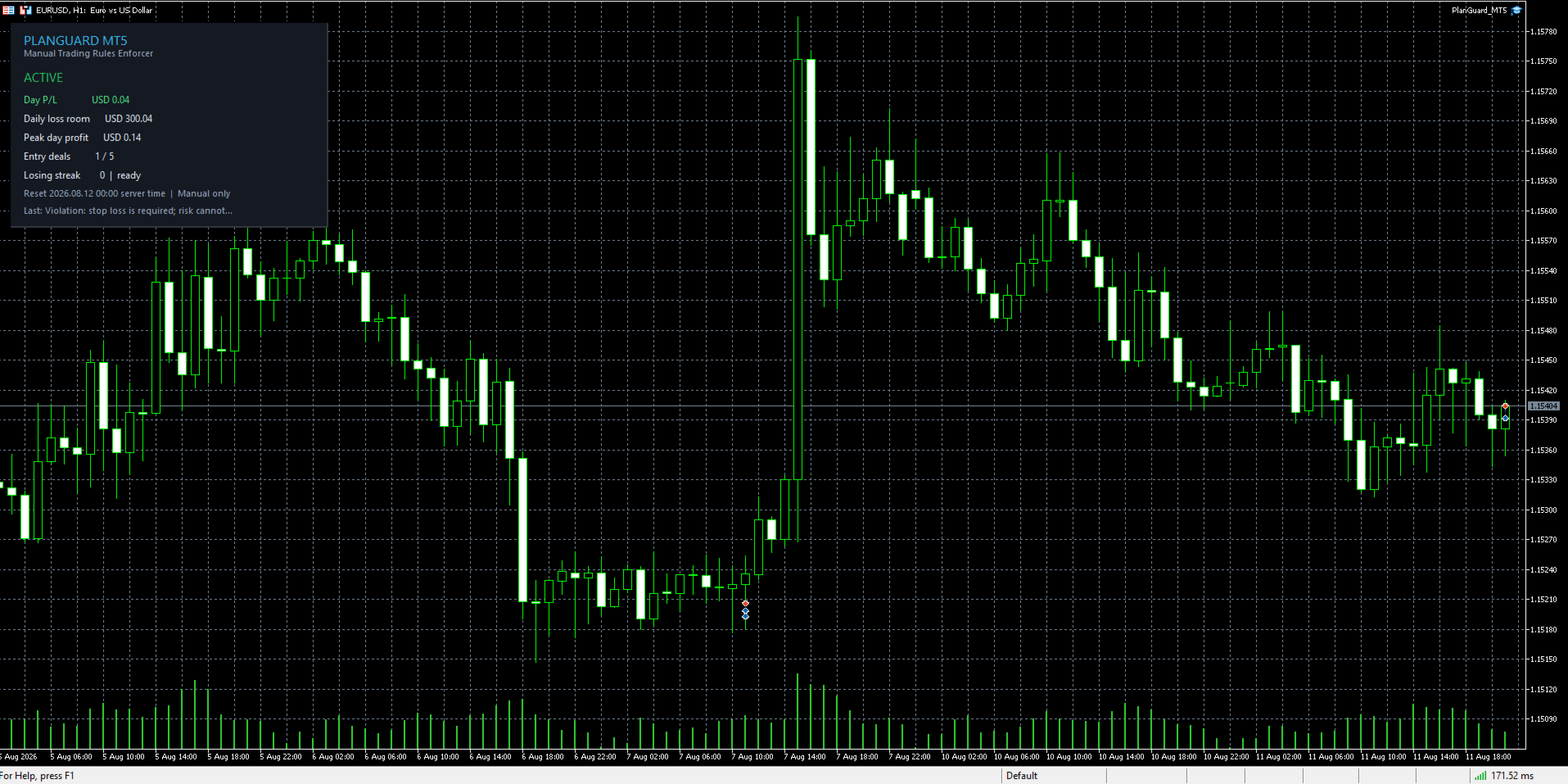
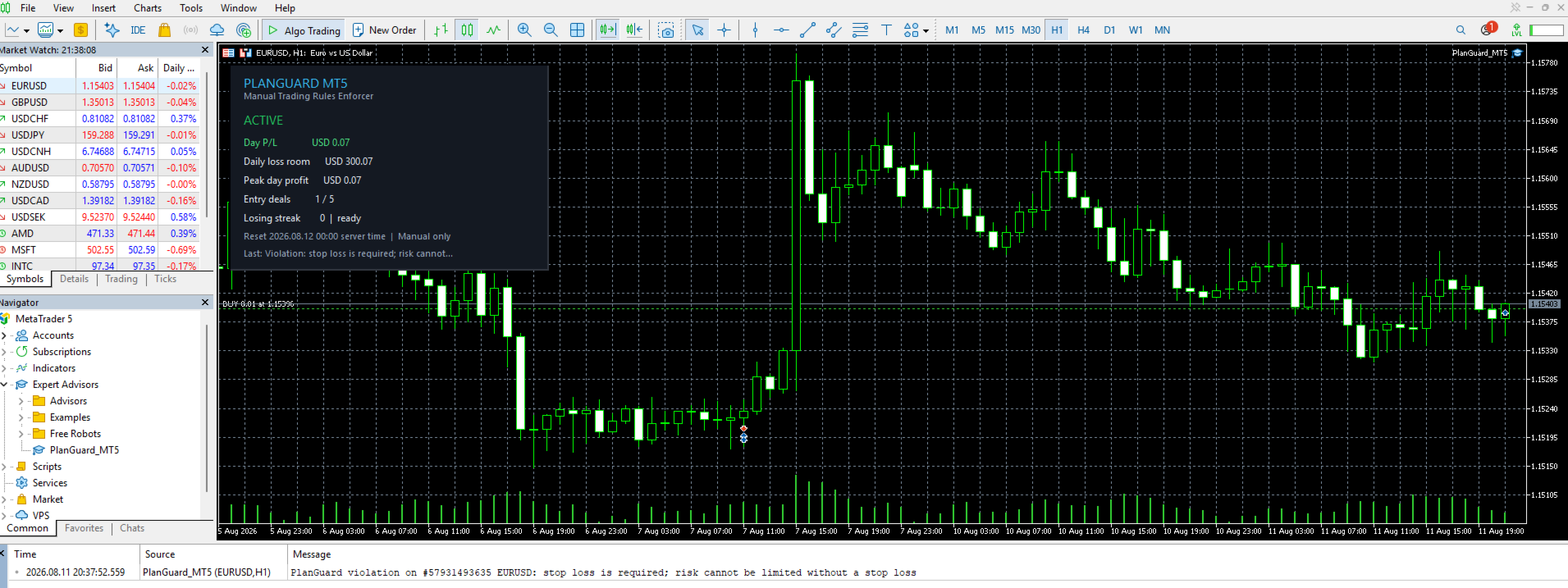
The chart panel shows the current operating status, account-wide daily profit or loss, remaining room before the daily loss threshold, observed daily peak profit, managed entry count, consecutive losing positions and cooldown status, daily reset time, position scope and latest action or error.
Setup
1. Attach one PlanGuard instance to one chart on the account.
2. Review every input and begin with warning-only actions.
3. Enable Algo Trading only when automatic closure or pending-order deletion is required.
4. Verify the settings and calculations on a demo account before using an enforcement mode.
Popup, sound and MetaTrader push notifications are available.
Execution information
A manual order reaches the broker before MetaTrader reports the resulting position to an attached utility. PlanGuard therefore evaluates and, when configured, closes the position after execution. It cannot guarantee pre-trade blocking.
Close and delete requests remain subject to broker execution, market hours, connection status, price gaps, slippage and account permissions. A failed entry-rule close remains queued and is re-evaluated after 10 seconds while the position is still non-compliant. A loss can exceed a configured limit. The utility does not certify compliance with any particular evaluation company.
Only one PlanGuard instance should normally run per account. Test all settings on a demo account first.