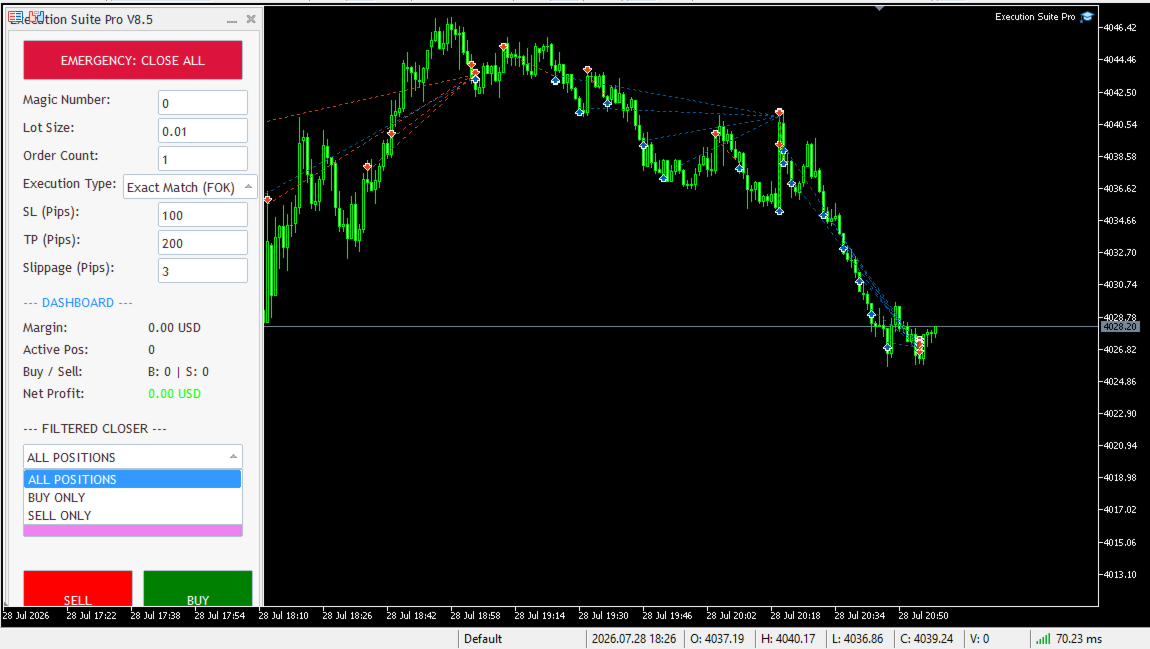
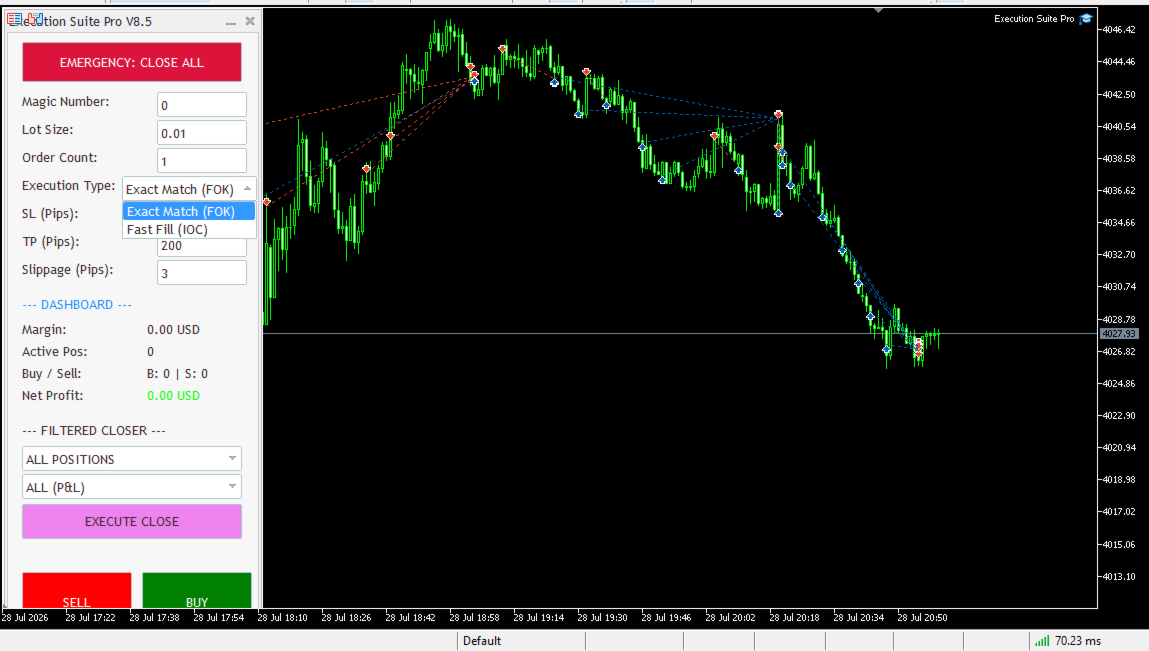
Execution Suite Pro High Speed Scalping Panel
- Yardımcı programlar
- Sürüm: 8.50
- Etkinleştirmeler: 15

Are you tired of execution delays, missing perfect entry points, or struggling to manage multiple open positions during high market volatility?
Welcome to Execution Suite Pro, the ultimate high-performance trading panel engineered specifically for manual traders and professional scalpers on MetaTrader 5.
Unlike standard one-click trading tools, this professional utility utilizes advanced Asynchronous Order Execution (Zero-Lag) to ensure your commands reach the broker's server instantly, without freezing your chart. Whether you need to execute rapid scalping strategies, intelligently filter and close specific trades (e.g., closing only profitable buys), or hit the emergency "Panic Mode" button to liquidate everything during news events, Execution Suite Pro puts absolute control back in your hands.
🌟 Key Features:
1. Asynchronous Order Execution (Zero-Lag): Built with OrderSendAsync technology to fire market orders instantly without waiting for broker confirmation, preventing terminal freeze during high volatility.
2. Smart Filtered Position Closer: Intelligently close specific groups of trades. Filter by target (All, Buy Only, Sell Only) and condition (All, Profit Only, Loss Only) with a single click.
3. Emergency "Panic Mode": A dedicated, highly visible button to instantly liquidate ALL open positions across the current symbol when the market turns unexpectedly. (⚠️ Note: This acts as a master override and will close all trades on the symbol, including manual trades, regardless of the Magic Number).
4. Multi-Order Execution System: Want to open 5 trades at once? Simply set the "Order Count" and click buy or sell. The panel will execute them simultaneously.
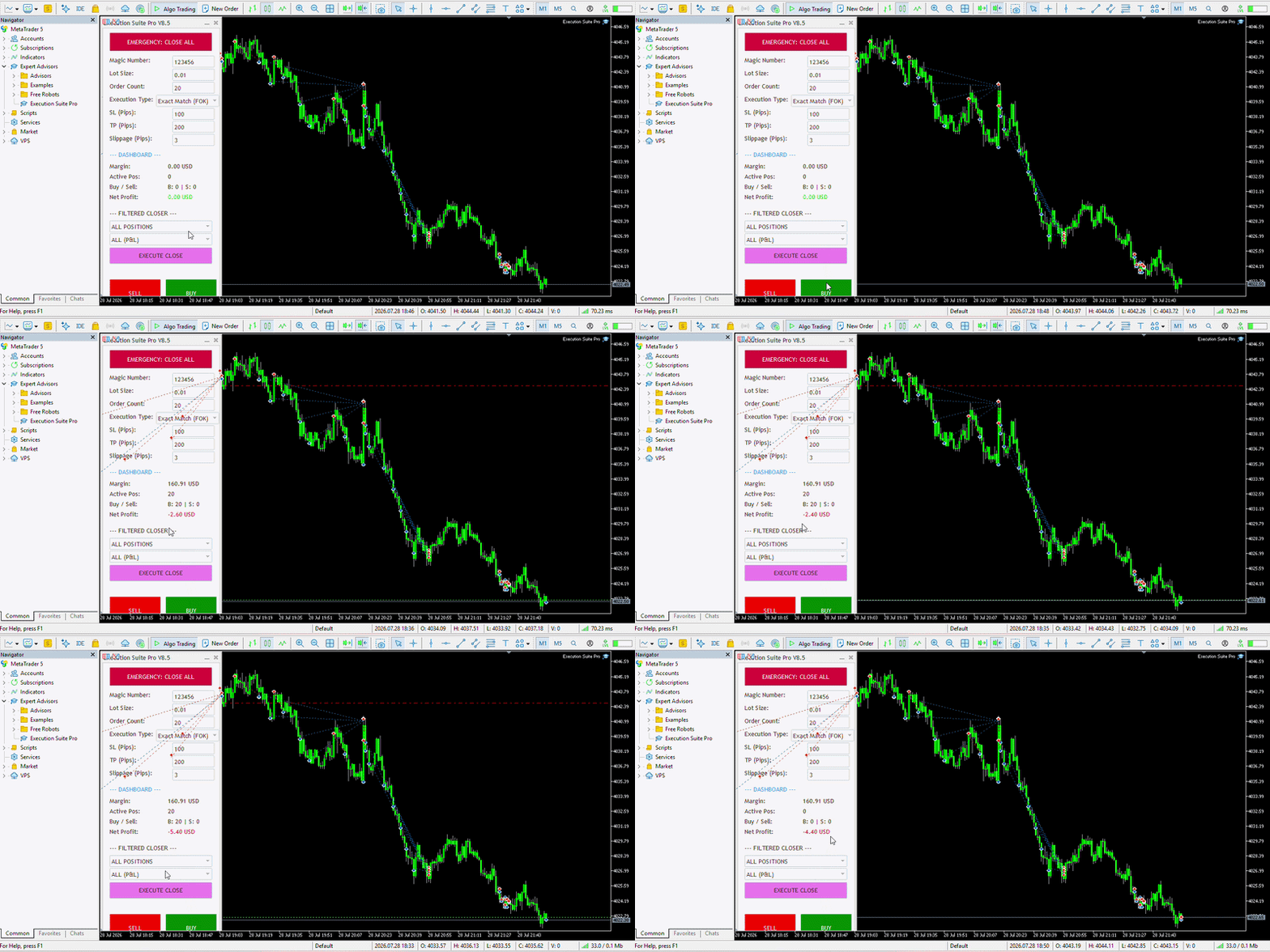
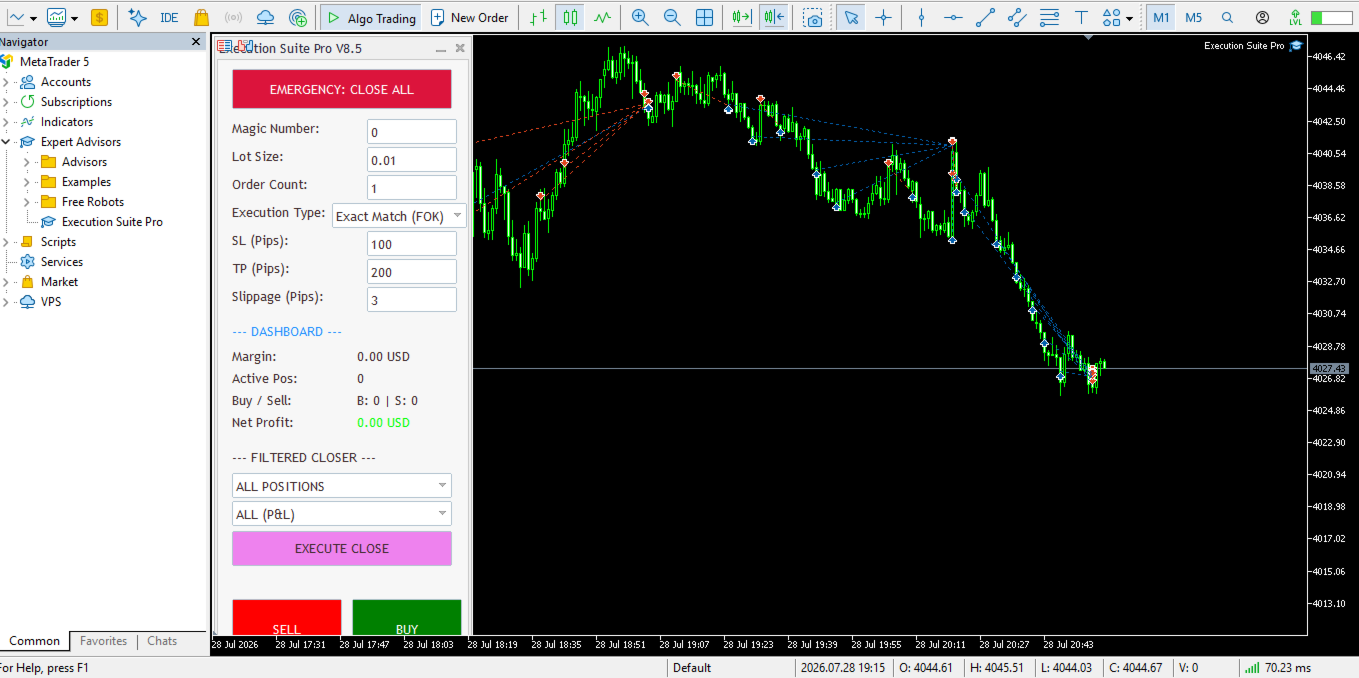
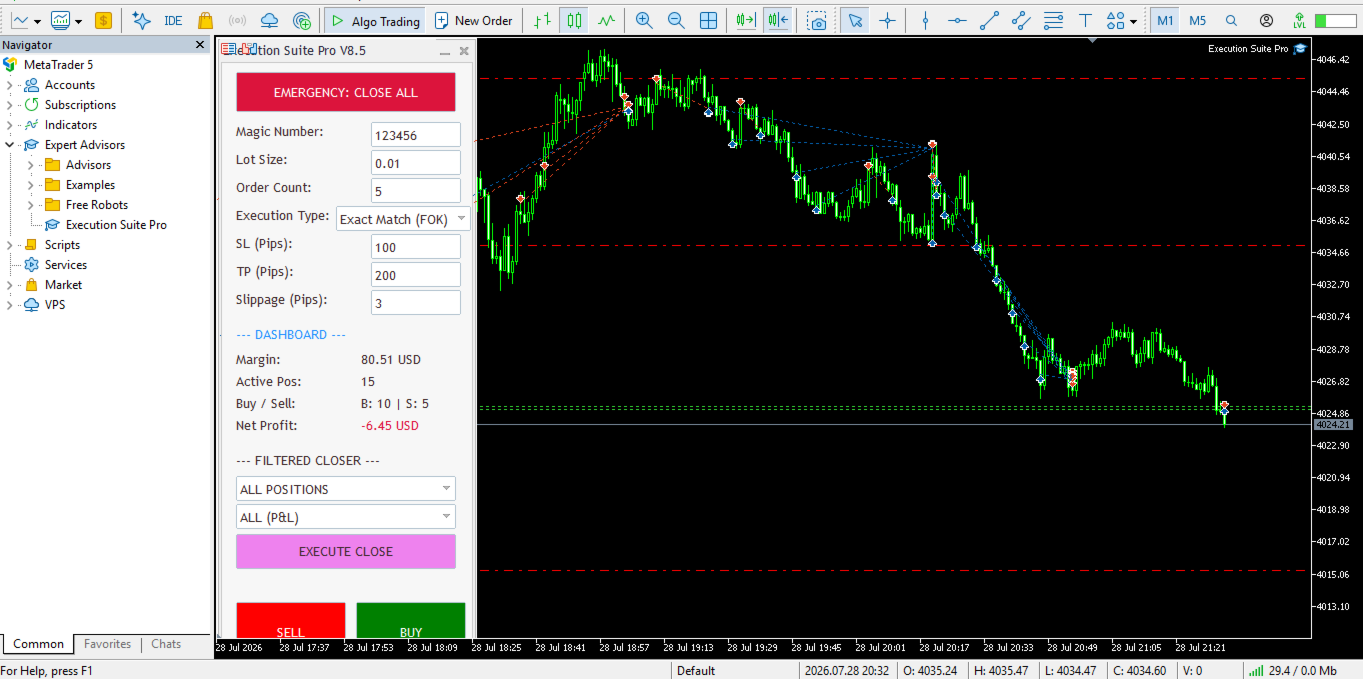
5. Real-Time Financial Dashboard: Monitor your crucial data live on the chart, including Active Margin, Total Positions, Buy/Sell distribution, and current Net Profit/Loss.
6. Advanced Order Management: Pre-define your Magic Number, Lot Size, Stop Loss (SL) in pips, Take Profit (TP) in pips, and maximum Slippage for complete risk control.
7. Auto-Detection of Broker Filling Modes: The panel automatically detects and adapts to your broker's execution policies (FOK, IOC, or Return), eliminating annoying "Invalid Volume" or order rejection errors.
8. Instant On-Chart Control (Zero-Setup): No tedious inputs windows required. Adjust your Lot Size, SL/TP, and settings live on the visual panel in real-time. Just drag the EA onto the chart and start trading instantly!
⚙️ Panel Parameters & Live Settings:
Unlike traditional utilities, Execution Suite Pro requires no complex input windows. All settings are adjusted directly and live on your chart for maximum speed and convenience:
- Magic Number: Assign a unique ID to manage only the trades opened by this panel, leaving your other manual or EA trades untouched.
- Lot Size: Set your desired trading volume.
- Order Count: Choose how many simultaneous positions to open with a single click (Perfect for layer trading).
- Execution Type: Select between FOK, IOC, or Standard (Return) filling modes.
- SL (Pips) & TP (Pips): Define your Stop Loss and Take Profit distances in standard pips (automatically calculated and applied).
- Slippage (Pips): Define the maximum allowed slippage to protect your entries during high volatility.
- Close Target (Filter): Dropdown menu to select which positions to liquidate (All Positions, Buy Only, or Sell Only).
- Close Condition (Filter): Dropdown menu to further filter the closing action by profitability (All P&L, Profit Only, or Loss Only).
📖 How to Use & Best Practices:
One-Step Setup: Simply drag and drop the EA onto your desired chart. All controls are instantly available on the panel.
Enable Algo Trading: Ensure the "Algo Trading" button at the top of your MT5 terminal is turned on (Green) for the panel to send orders.
Maximum Speed: For the ultimate zero-lag scalping experience, we highly recommend running your MetaTrader 5 on a low-latency VPS located close to your broker's trading servers.
⚠️ Important: Understanding Broker Filling Modes
Different retail brokers use different liquidity policies. Execution Suite Pro allows you to select the correct execution mode directly from the panel to avoid "Invalid Volume" or order rejection errors. Here is a quick guide:
- FOK (Fill or Kill): The order must be executed completely in its specified volume immediately. If the full volume is not available, the entire order is canceled. (This is the most common mode for standard Forex brokers).
- IOC (Immediate or Cancel): The broker will immediately fill as much of your requested volume as possible. Any remaining unfilled volume is automatically canceled.
- RETURN (Standard): The order will be executed partially if necessary, and any remaining volume will not be canceled; instead, it will remain in the market until fully filled.
💬 Support & Feedback:
If you have any questions or need assistance, please feel free to send me a direct message. If you find this tool helpful, your positive review is highly appreciated!