Grid Manager Manual Multi Order
- Yardımcı programlar
-
Juliano Guzlinki Pacheco
 I believe that technology is one of the main competitive differentiators in the modern financial market. While many traders still rely exclusively on manual analysis and emotional decision-making, the use of automation, algorithms, and intelligent systems allows for more precise, fast, and
 - Sürüm: 3.26
- Güncellendi: 2 Ekim 2026
- Etkinleştirmeler: 10
Grid Manager is a hands-on control panel for building and managing grid "baskets" directly on your chart. You decide the direction and the moment; the tool opens the grid, manages every leg, and protects the position with money-based risk controls, on-chart breakeven/SL/TP lines, and one-click actions. It is an execution and management assistant — fast, visual, and fully under your control.
What it is — and what it is not
Grid Manager is a manual assistant. It does not generate signals, does not decide entries for you, and is not a "set-and-forget" robot. There is no hidden strategy predicting the market. You choose when and which way to trade; Grid Manager handles the rest: placing the base order, distributing the grid legs, tracking floating P/L in your account currency, and closing on your terms.
If you want a disciplined, visual way to run grid/averaging setups by hand — including firing entries from your phone while the terminal runs on a VPS — this tool was built for you.
Key features
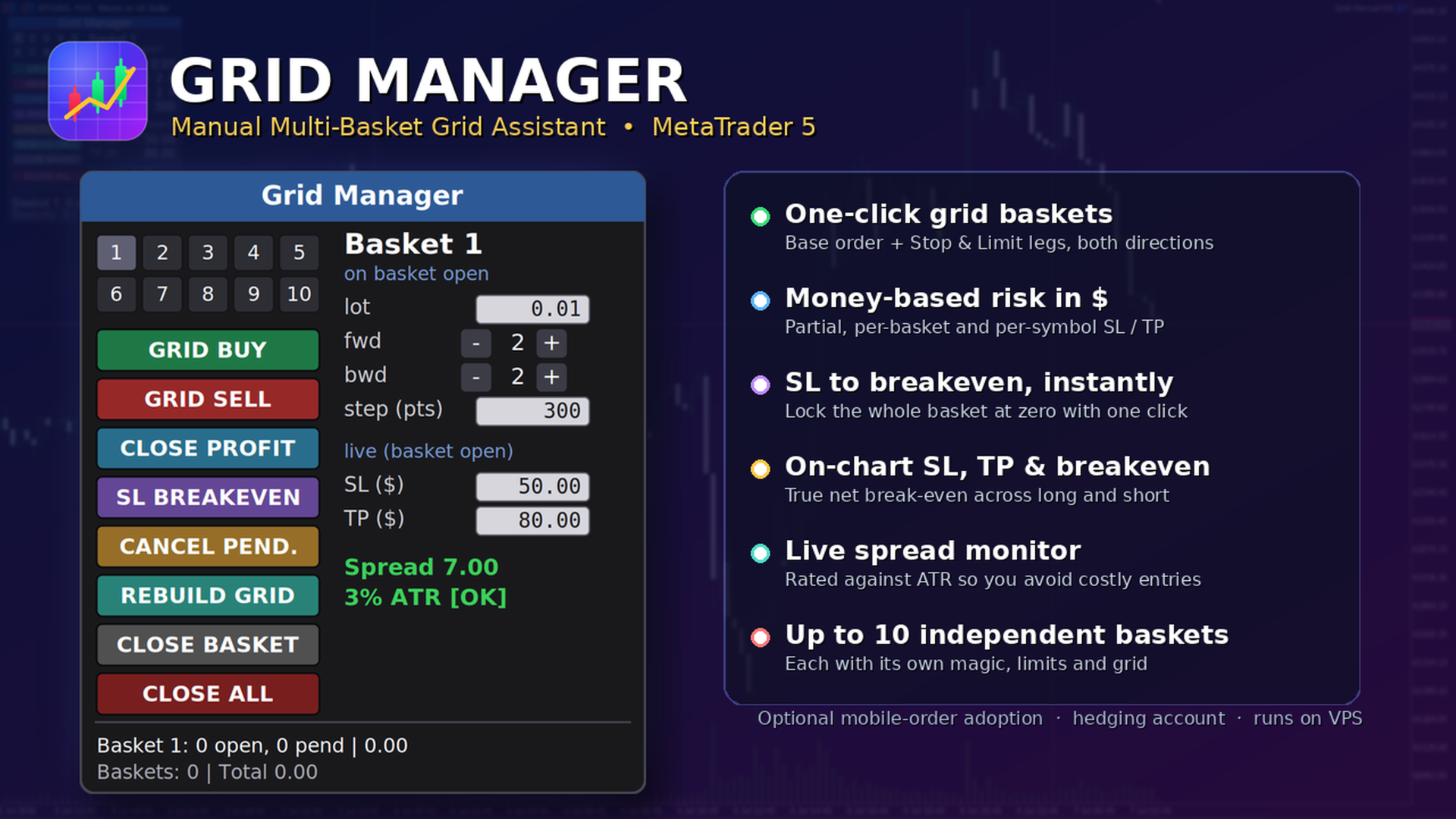
- Multi-basket management — run several independent baskets at once (up to 10 by default), each with its own magic number, its own parameters, and its own risk limits.
- One-click grid — a single button opens a full basket: a base market order plus forward Stop legs (continuation) and backward Limit legs (averaging), in either direction.
- Live per-basket editor — change lot, forward/backward counts, grid step and SL/TP on the fly. Add or remove pending legs from an open basket with +/− buttons.
- Money-based risk (in $) — partial SL/TP per order, per-basket SL/TP, and a per-symbol "kill switch". No point math — you set the dollars you are willing to risk or take.
- Protective one-click actions — Close Profit, move SL to Breakeven, Rebuild Grid, Cancel Pendings, Close Basket, Close All.
- On-chart lines — SL (red), TP (green) and a break-even line (gold) that reflect the current positions in real time. The account break-even line correctly accounts for both long and short exposure.
- Spread monitor — current spread in points plus an ATR-relative rating (OK / HIGH), so you know when the cost of entry is unusually large.
- Optional manual-order adoption — when enabled, an entry you fire manually (e.g., from the MT5 mobile app) is automatically wrapped in a grid by the EA running on your VPS.
- Persistent state — basket metadata and SL/TP survive recompile and timeframe changes; state is isolated per symbol.
- Flexible floating panel — dock it to any corner, edge-center, or a manual position; it follows the edge when you resize the chart.
How it works
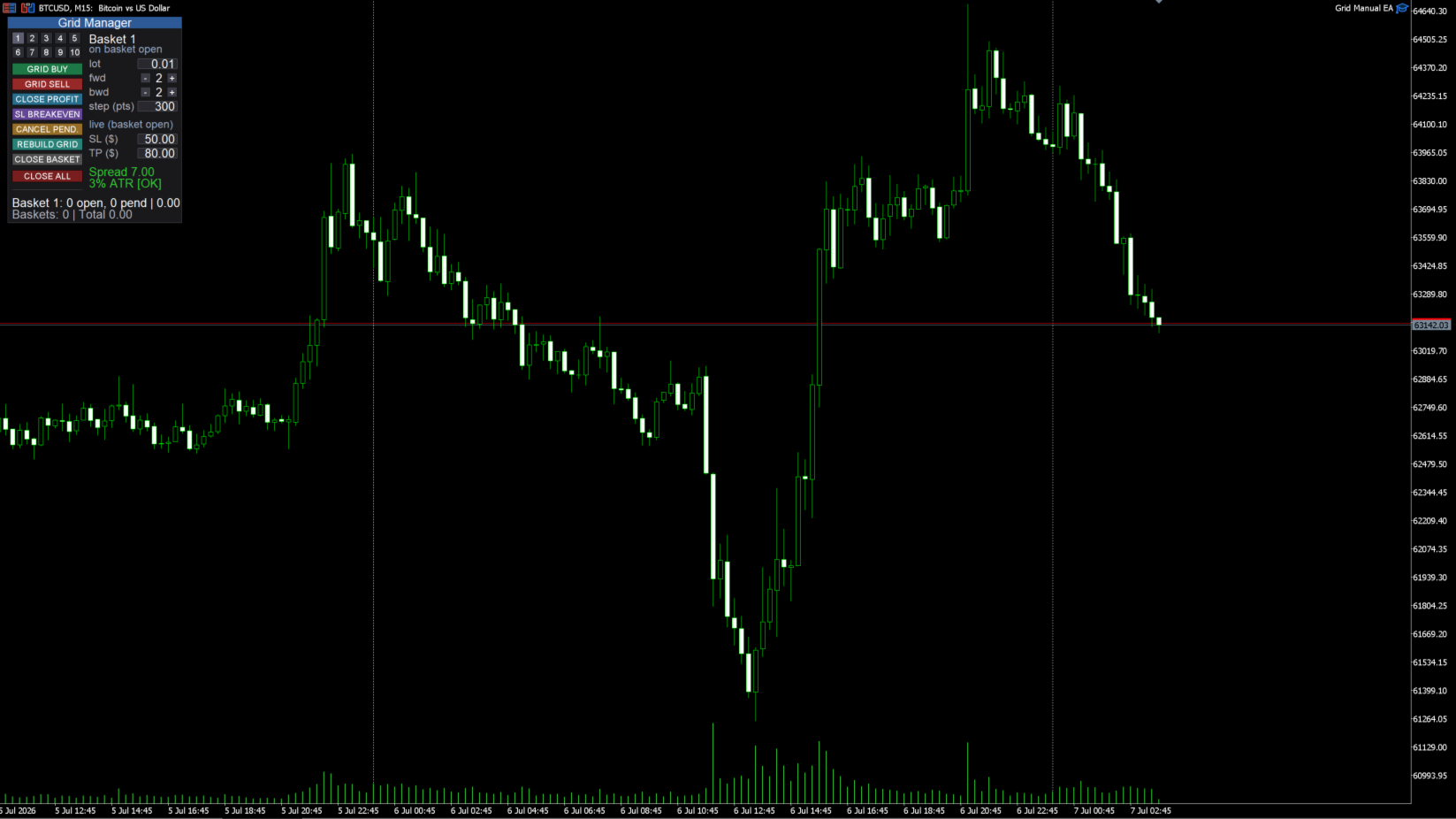
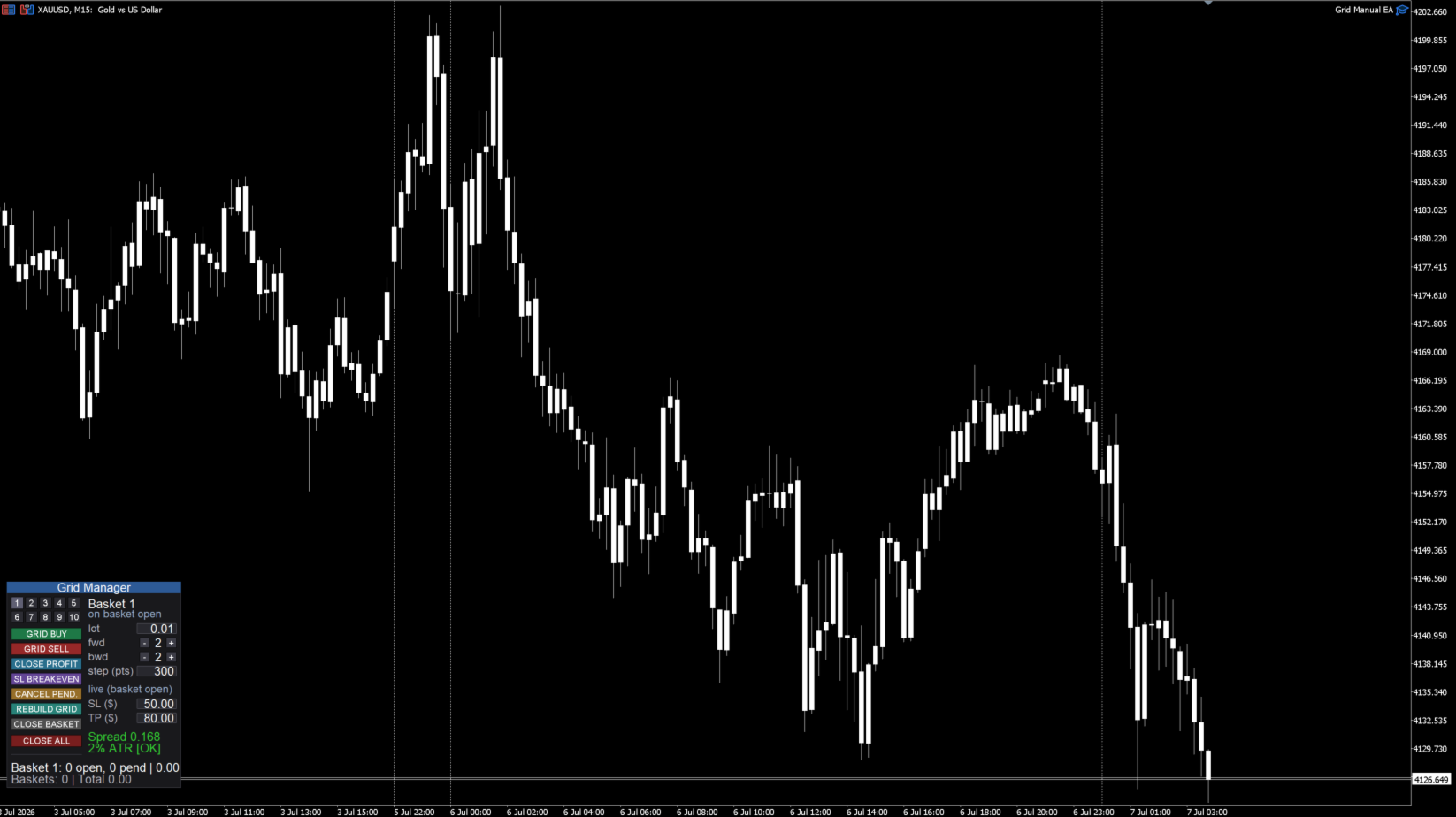
- Attach Grid Manager to the chart of the symbol you want to trade and set your default parameters.
- Select a basket slot (1–10) and set its lot, forward/backward legs, step and SL/TP.
- Click GRID BUY or GRID SELL. The base order fills at market and the pending legs are placed around it.
- Manage as it runs: add or remove legs, move the stop to break-even once in profit, rebuild the grid if closing winners left gaps, or close the basket.
- Let the risk limits watch it for you — the per-basket and per-symbol dollar limits close positions when hit.
The panel, in detail
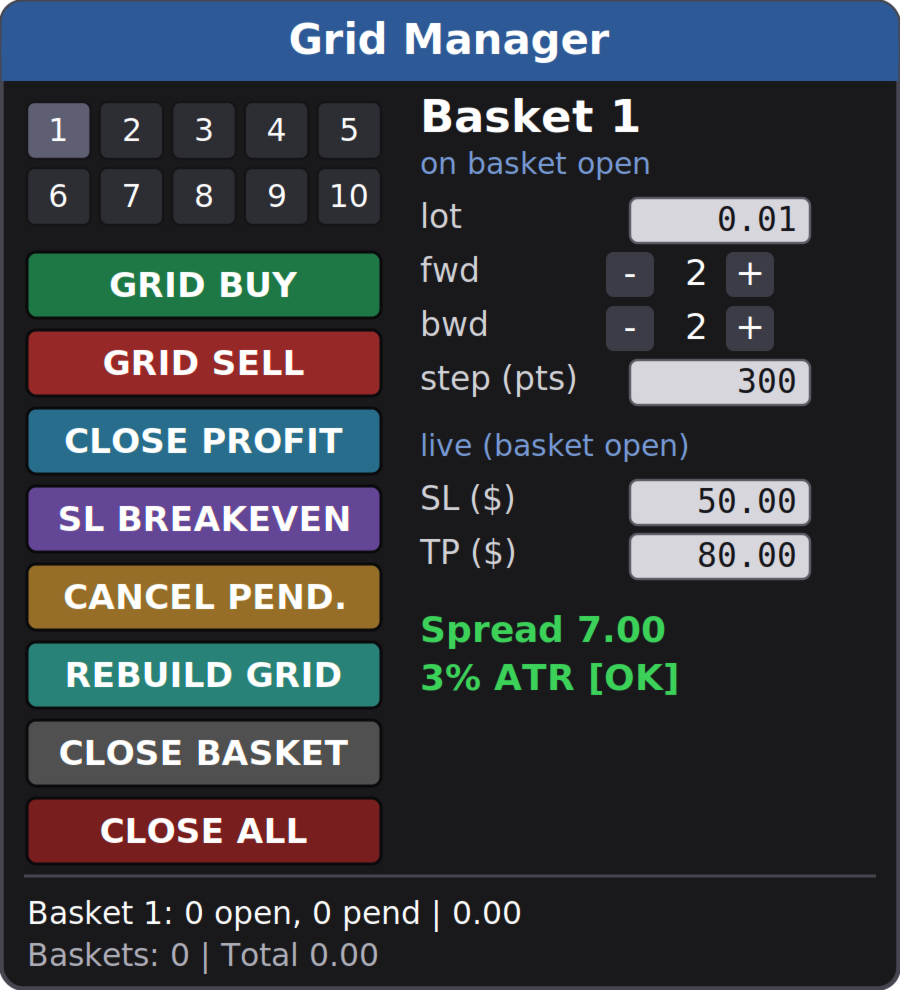
Numbered basket selector (1–10). Color-coded so you always know the state: blue = a buy basket, red = a sell basket, gray = empty; the selected slot is highlighted. Click a number to make it the active basket.
Parameter column. For an empty slot the fields set how the basket will open. For an open basket they switch to live control: forward/backward show the current pending legs (adjust with +/−), and SL/TP edit the live dollar thresholds.
Action buttons:
- GRID BUY / GRID SELL — open a new basket (base order + forward stops + backward limits).
- CLOSE PROFIT — close every position currently in profit across all baskets.
- SL BREAKEVEN — move the stop of the selected basket to its break-even price (only when the basket is in profit).
- CANCEL PEND. — cancel the pending orders of the selected basket, keeping the filled positions.
- REBUILD GRID — cancel the pendings and re-lay the configured legs of the selected basket, filling the gaps left by closed positions, without duplicating levels that still hold a position.
- CLOSE BASKET — close the selected basket (all its positions and pendings).
- CLOSE ALL — global kill switch: close every basket on the symbol.
Status & spread. A live status line shows the selected basket (open positions, pending orders, floating P/L) and the symbol total, plus the spread monitor. The panel title turns red and shows [AUTOTRADING OFF] whenever trading is not permitted, so a click never fails silently.
Risk management — hard stops vs. soft stops
Please read this carefully; it is the most important thing to understand about the tool.
Hard (broker-side) stops — active even if your terminal is offline:
- Partial SL/TP per order — a real Stop Loss / Take Profit attached to each order at the broker.
- SL BREAKEVEN button — sets a real broker-side stop at the basket break-even price.
Soft (EA-monitored) stops — require the terminal/VPS to be running:
- Per-basket SL/TP ($) and the per-symbol kill switch ($) are monitored by the EA on every tick and closed at market when hit. They are not broker-guaranteed stops: in a fast move price can travel past the level before the close executes, and if the terminal is closed or disconnected they will not fire. Run the EA on a VPS if you rely on them.
This is by design for money-based, multi-position basket risk — but you should know the difference.
On-chart visualization
- SL / TP lines per basket, drawn at the price where the basket would hit your dollar SL or TP, recalculated as legs fill.
- Break-even line — either a single account line (net of long and short exposure) or one line per basket, selectable. The account line shows the true price where the combined position is flat, so it stays correct even when you hold buy and sell baskets at the same time.
Manual / mobile order adoption (optional)
Turn on Adopt manual orders and Grid Manager will watch for a manual position on the symbol whose volume matches your configured lot. When one appears, it opens a grid basket around it automatically. The intended workflow: keep the EA running on a VPS, fire an entry from the MT5 mobile app, and the grid is built for you. Only executed positions are adopted (never resting pending orders), and only those matching the configured lot — so your other manual trades are left alone.
Inputs (overview)
- New basket defaults — lot per order, forward orders (Stop), backward orders (Limit), grid step (points).
- Partial SL/TP (per order, $) — real broker-side stops on each order (0 = off).
- Per-basket SL/TP ($) — soft basket limits (0 = off).
- Symbol SL/TP ($, kill switch) — soft limit that closes everything on the symbol (0 = off).
- Panel — title, position (9 anchors + manual), size, font, buttons per row, show SL/TP lines, average-line mode (Account / Basket / Off), ATR period and max spread-to-ATR ratio.
- General — adopt manual orders (on/off), base magic number, max baskets, slippage (points).
Requirements
- MetaTrader 5, hedging account (baskets use multiple positions and can hold both directions).
- Autotrading enabled.
- Works on any symbol; set the SL/TP dollar values and grid step to suit that symbol's volatility.
- One instance per symbol (running two copies on the same symbol is not supported).
- A VPS is strongly recommended so the soft (EA-monitored) risk limits and manual-order adoption keep working when your computer is off.
Important notes
- Grid Manager is a manual execution and management tool. It does not predict the market or place trades on its own.
- Grid / averaging approaches carry real risk: exposure grows as the market moves against a basket. Size your lots and dollar limits conservatively.
- No profit is promised or implied. Test thoroughly on a demo account and understand every button before trading live.
Questions or feature requests are welcome — leave a comment and I'll respond.