Quantum Universal Recovery Engine
- Uzmanlar
-
Rahmat Muhammad
 Freelancer at digital product. Exploring something new.
 - Sürüm: 2.11
- Güncellendi: 22 Haziran 2026
- Etkinleştirmeler: 5
Quantum Universal Recovery Engine (QURE)
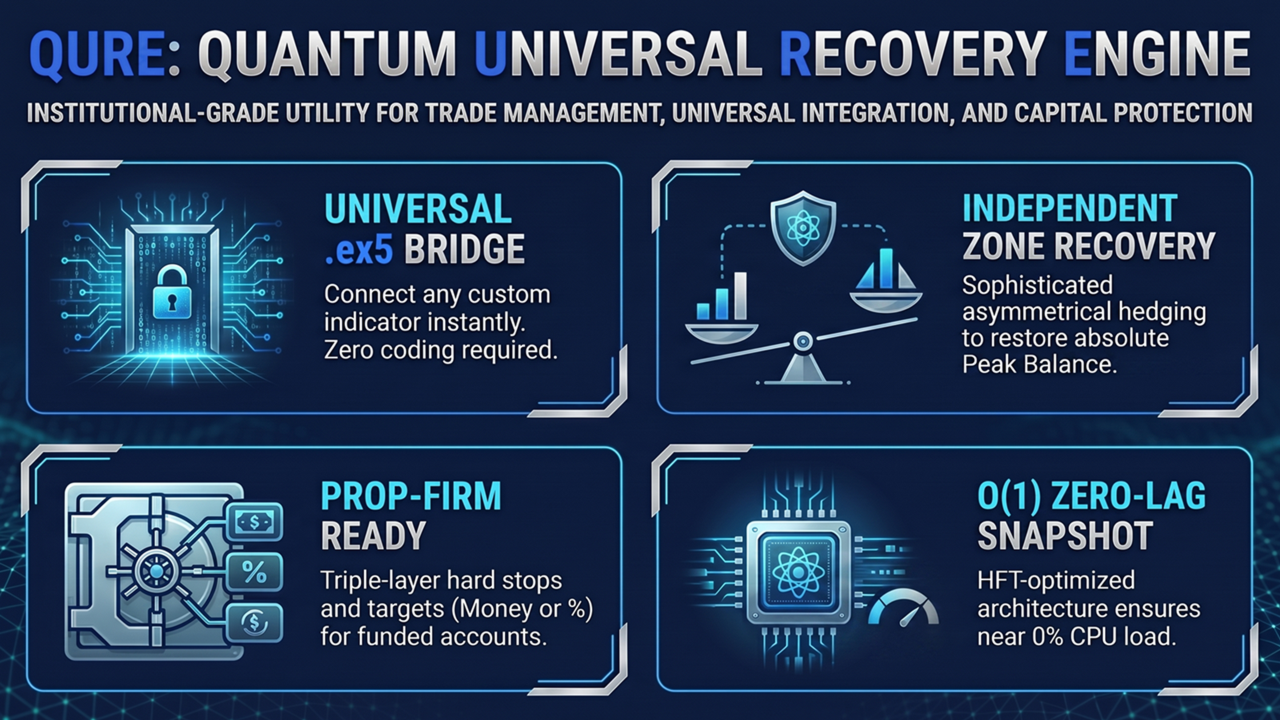
Quantum Universal Recovery Engine (QURE) is an advanced Trade Management and Utility Expert Advisor strictly designed for professional algorithmic traders and Prop-Firm challengers. It does NOT contain built-in trading strategies. Instead, it acts as a highly optimized bridge that reads signals from YOUR own custom indicators (.ex5) and transforms them into fully automated trading systems with uncompromising risk management.
Whether you trade trend-following strategies, reversals, breakouts, or scalping setups, QURE provides the institutional-grade flexibility needed to build a professional automated environment. Powered by a proprietary O(1) Snapshot Architecture and a Non-Volatile Memory Vault, this EA guarantees zero-lag execution and secures your recovery progress even through VPS reboots, power outages, or sudden equity changes.
🔥 CORE TECHNOLOGIES & RECOVERY MODELS
1. The Global Vault & Transaction Interceptor Never worry about VPS crashes again. QURE stores your Account Peak Balance and Recovery State directly into the terminal's physical hard drive. An asynchronous Transaction Interceptor automatically detects manual Deposits or Withdrawals, dynamically re-balancing your Peak Target without breaking the active recovery cycle.
2. Two Advanced Recovery Models
-
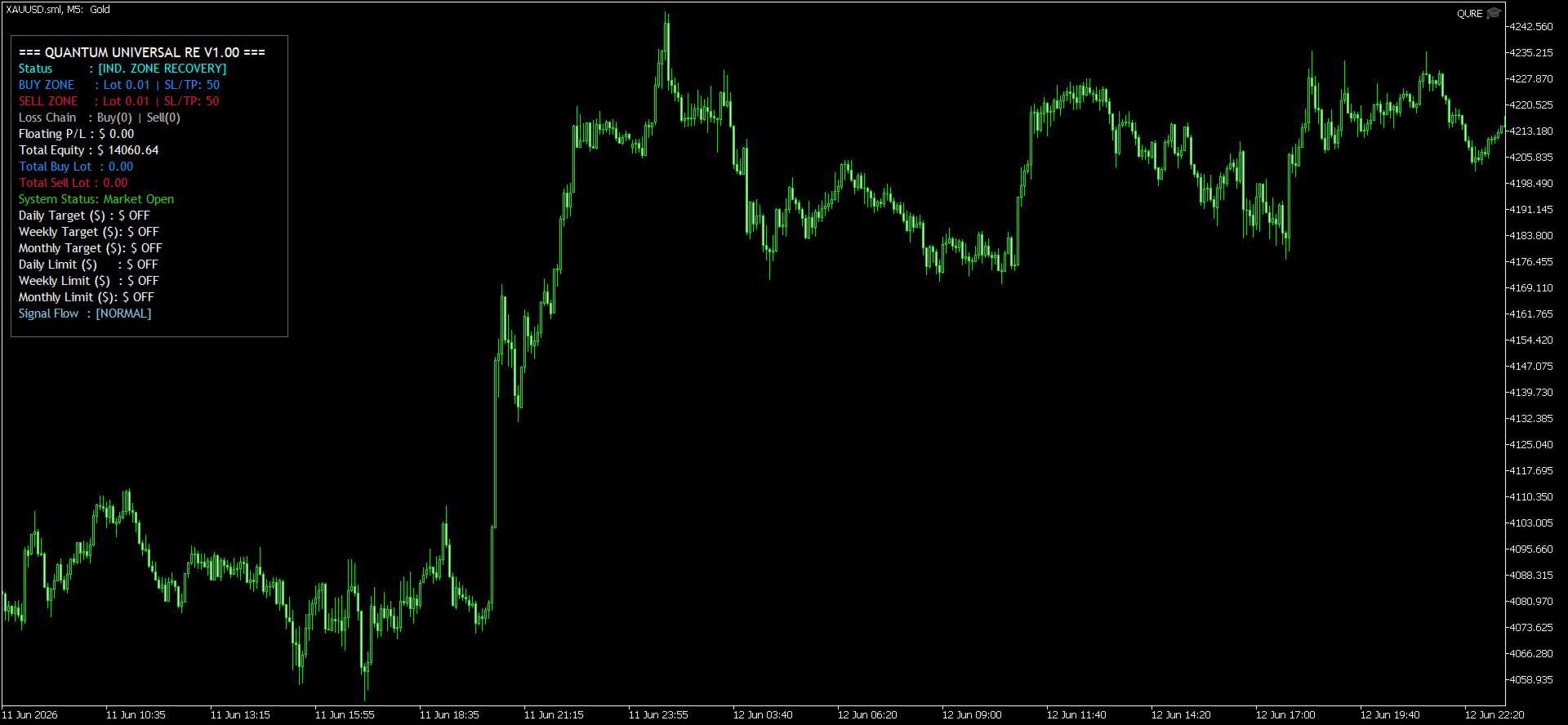
Asymmetrical Zone Recovery: Separates the loss-chain memory of Buy and Sell cycles. Dynamically widens spatial SL/TP parameters to compound lot sizes efficiently until the absolute Peak Balance is restored.
-
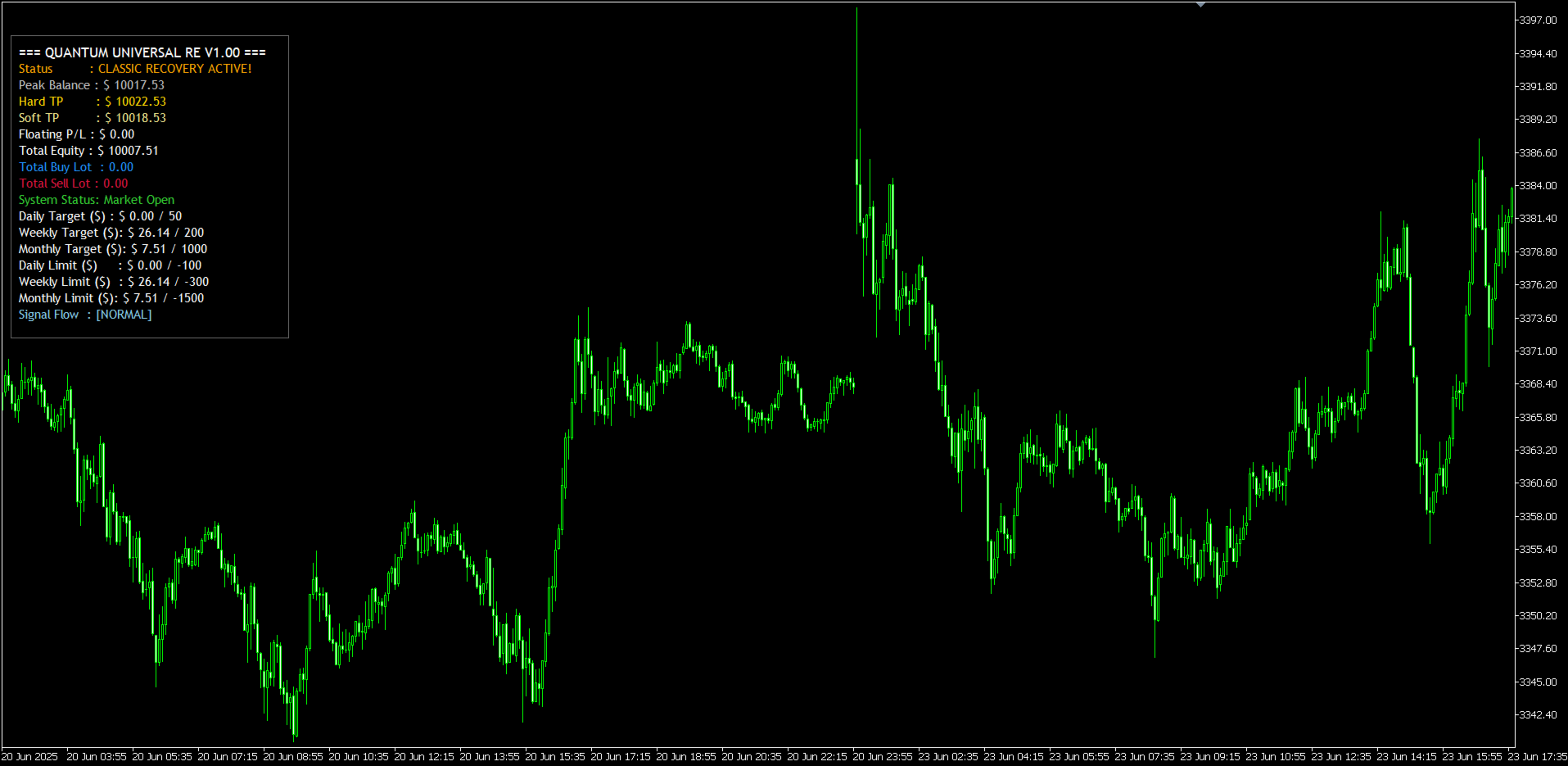
Classic Recovery: Executes traditional Martingale/Increment logic based on Fixed StopLoss and TakeProfit hits, with flexible Soft TP and Hard TP evaluations.
3. The Prop-Firm Arsenal (Percentage & Monetary) Engineered specifically to pass and maintain funded accounts:
-
Dynamic Target Modes: Calculate targets based on fixed Money ($) or dynamically via Peak Balance Percentage (%).
-
Triple-Layer Hard Stops: Set Daily, Weekly, and Monthly Profit Targets or Maximum Drawdown Limits.
-
Friday Flush: Automatically liquidates all floating positions before the weekend gap.
4. Universal Indicator Bridge & Reverse Engine No coding required. Simply input the exact name of your custom .ex5 indicator and map the Buy/Sell buffers. Includes a unique Reverse Signal Switch to instantly flip your indicator's logic (Buy becomes Sell) to adapt to changing market behaviors.
5. Dynamic Asset & Fractional Volume Normalizer Whether you trade standard Forex (0.01 lots), Equities (1.00 lots), or Cryptocurrencies (0.001 fractional lots), the EA automatically detects your broker's volume steps and normalizes the Lot Math precisely, preventing "Invalid Volume" errors across all asset classes.
🛡️ ADVANCED SYSTEM CAPABILITIES
Comprehensive Risk & Trade Protection
-
Fixed Stop Loss, Take Profit, Break Even, and Trailing Stop.
-
Flexible Position Sizing: Fixed Lot, Incremental Lot, or Martingale Lot.
Extreme Market Filters
-
Maximum Spread limits and ATR Volatility limiters.
-
Giant Candle Cooldowns and Wick-to-Body ratio filters to avoid erratic entries.
Advanced Session Control
-
3 independent, midnight-crossing safe trading sessions to ensure you only trade during optimal liquidity zones (e.g., London/NY Killzones).
Smart Notifications
-
Stay updated via Terminal, Push Alerts, and Email for new entries, recovery events, and profit targets.
Institutional-Grade Dashboard GUI
-
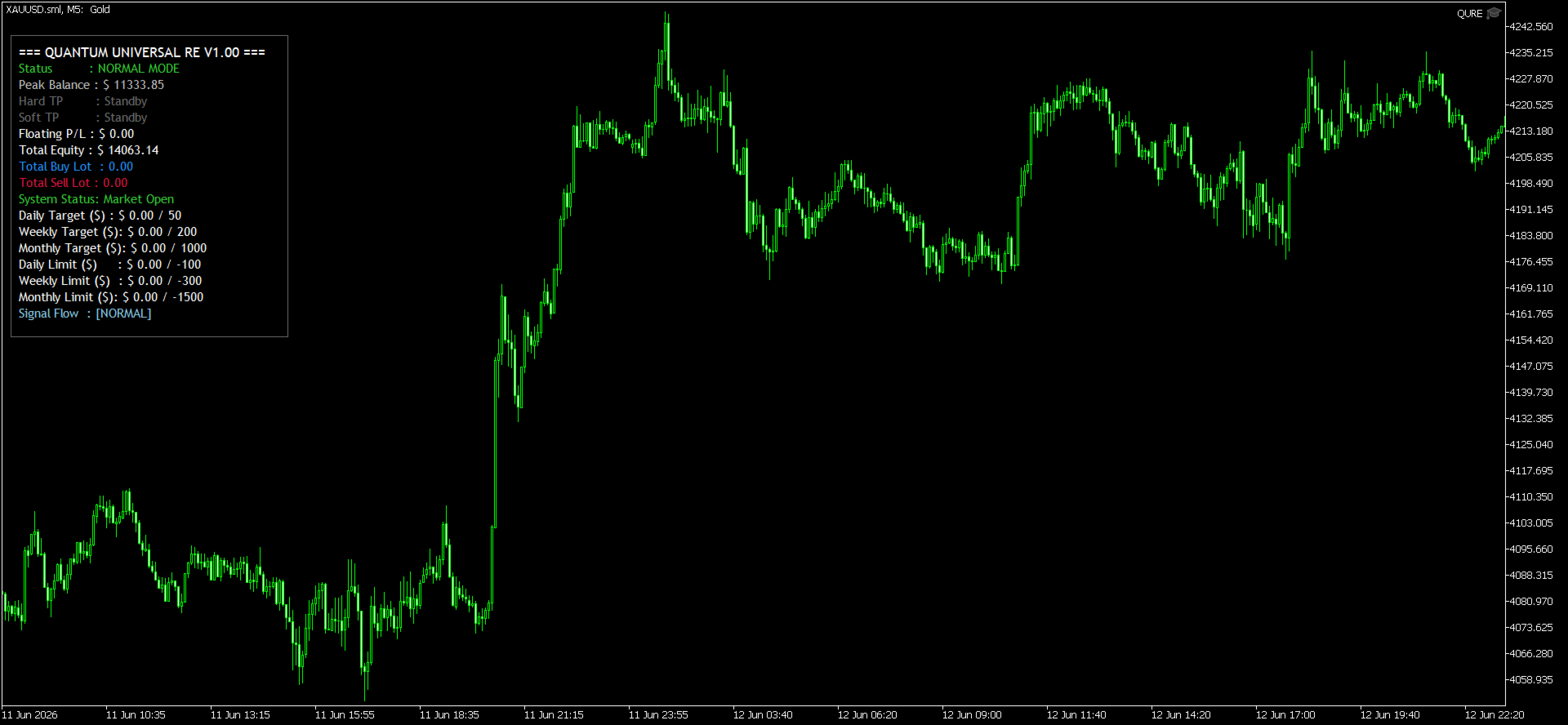
Real-Time Diagnostics: Monitor your floating P/L, total equity, and current lot exposures (Buy & Sell) instantly on the chart.
-
Prop-Firm Tracking Panel: Visually track your Daily, Weekly, and Monthly Basket limits. The panel clearly displays dynamic targets (Money or Percentage) and locks down automatically with visual alerts when targets or hard stops are hit.
-
Loss-Chain Memory Display: In Zone Recovery mode, the dashboard displays the exact number of consecutive losses for both Buy and Sell cycles, keeping you informed of the next multiplier scaling.
⚙️ HOW TO SETUP CUSTOM INDICATORS
-
Place your custom indicator ( .ex5 ) in your terminal's MQL5/Indicators folder. (Leave the input blank or invalid to use the default MT5 Fractals mode).
-
Attach QURE to your chart.
-
In the settings, type the EXACT name of your indicator in "Custom Indicator Name (without .ex5)" field.
-
Assign the correct Buffer numbers for Buy/Sell signals (0, 1, 2, etc.) based on your indicator's data window. Set unused buffers to -1.
Update v2.10
Everything is done visually on the chart. You don't need the indicator source code (mq5 file) for it to be working.
Here is exactly how your workflow will look:
- You drag your Indicator onto the chart. The indicator must be attached first before dragging the QURE EA.
- You adjust all parameters of the indicator exactly how you want them and click OK.
- You drag the QURE EA onto the same chart. Adjust its settings.
- The EA automatically detects the indicator, reads its buffers, and starts trading based on the settings you just picked.
- If you want to change settings later? You just double-click the indicator on your chart, change the settings, click OK, and the EA instantly adapts to the new settings. No recompiling. No hardcoding. No restarting.
Disclaimer: This Expert Advisor is a trading management and execution tool (Utility EA). Results depend on market conditions, broker execution quality, and the signal source used. Past performance of your custom strategy does not guarantee future results. Always test your combined system on a Demo account before trading live funds.