Fixed SL and TP EA MT5

📘 EA Settings Guide

1. StopLoss

  • What it does: Sets a protective stop loss in pips.

  • Default behavior: If set to 0 , the EA will not apply a stop loss.

  • Example: If you set StopLoss = 30 , every trade without a stop loss will automatically be given a 30-pip stop loss.

2. TakeProfit

  • What it does: Sets a take profit target in pips.

  • Default behavior: If set to 0 , the EA will not apply a take profit.

  • Example: If you set TakeProfit = 50 , trades without a take profit will automatically be given a 50-pip target.

3. Trade Type

  • Options:

    • Market Position → Adjusts only active trades already running.

    • Pending Trade → Adjusts only pending orders waiting to be triggered.

    • Both → Adjusts both active trades and pending orders.

  • Example: If you choose Both, the EA will apply stop loss and take profit to every trade type, whether open or pending.

4. Symbols To Apply   

  • Options:

    • Current Symbol → Applies only to trades on the current chart symbol.

    • All Symbols → Applies to trades across all symbols in your account.

  • Example: If you set All Symbols, the EA will adjust trades on EURUSD, GBPUSD, and any other symbol you’re trading.


It is quite simple to use. If you need a custom EA or indicator, contact me in the inbox message.


Yazarın diğer ürünleri
MT5 Account Protector Basic Account Protector Basic is a streamlined risk management tool for MetaTrader 5 (MT5) that helps traders safeguard their accounts with clear, customizable limits. Designed for simplicity and reliability, it ensures that trading remains disciplined and capital is protected. This EA closes all trades once the maximum loss is reached either in value or account percentage. It is especially useful for those trading prop funds account. Key Features: Loss Selection You can
FREE
MT4 vAccount Protector Basic Account Protector Basic is a streamlined risk management tool for MetaTrader 4 (MT4) that helps traders safeguard their accounts with clear, customizable limits. Designed for simplicity and reliability, it ensures that trading remains disciplined and capital is protected. This EA closes all trades once the maximum loss is reached either in value or account percentage. It is especially useful for those trading prop funds account. Key Features: Loss Selection You can
FREE
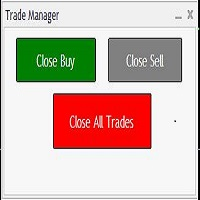
Trades Manager Buy and Sell Close MT5 The Close Buy and Sell Expert Advisor is a free EA given to help traders manage trades easily especially during volatile market environment. Features:     It helps to quickly close trades either in profit or loss.     Close for separate Buy Only      Close for separate Sell Only      Close for both Buy and Sell Only      Control Box can be minimized, closed or moved around from the chart. Check the MT4 here It works for all open trades opened on the
FREE
Symbol Changer (Custom) Indicator This is a simple yet intuitive indicator. And its free. The indicator provide easy navigation across various symbols and across different time frames all in a chart. The buttons are displayed on the main chart. It is flexible and easy to use with fast response speed. FEATURES UniqueID : This identifies the pairs for each chart Use Custom Pairs : If set to true, load all the available symbols in the Market Watch. No means it loads the pairs selected be
FREE
Trades Manager Buy and Sell Close The Close Buy and Sell Expert Advisor is a free EA given to help traders manage trades easily especially during volatile market environment. Features: It helps to quickly close trades either in profit or loss. Close for separate Buy Only  Close for separate Sell Only  Close for both Buy and Sell Only  Control Box can be minimized, closed or moved around from the chart. It works for all open trades opened on the terminal. Contact me for your specific coding
FREE
Symbol Changer Indicator This is a simple yet intuitive indicator.  The indicator provide easy navigation across various symbols and across different time frames all in a chart. The buttons are displayed on the main chart. It is flexible and easy to use with fast response speed. FEATURES         Use Custom Pairs : If set to true, load all the available symbols in the Market Watch. No means it loads the pairs selected below.     Pairs (Separated by Comma) : This enables selected pairs
Filtrele:
Değerlendirme yok
Değerlendirmeye yanıt