EasyTrade PRO
- Yardımcı programlar
- Sürüm: 1.0
- Etkinleştirmeler: 5

Easy Trade MT5 — Fast Trade Execution & Visual Management
Easy Trade MT5 is a professional trade execution and management tool for MetaTrader 5 that puts full control of your trades directly on the chart. Designed for active traders who need to place, manage, and partially close multiple trades quickly — without switching windows or typing prices — it combines a clean visual panel with powerful keyboard shortcuts.
What It Does
Easy Trade MT5 adds a set of floating panels directly onto your chart. From a single interface you can:
- Place Buy/Sell Limit or Market orders in one click
- Set your SL in pips, lot size, and R:R ratio before entry
- See live P&L and pips on every trade line, updated in real time
- Manage multiple simultaneous trades on the same or different symbols
- Take partial profits at any lot size using the Partial Close panel
- Use keyboard shortcuts to execute the most common actions instantly
- Use the Flatten button to close everything in one click
Key Features
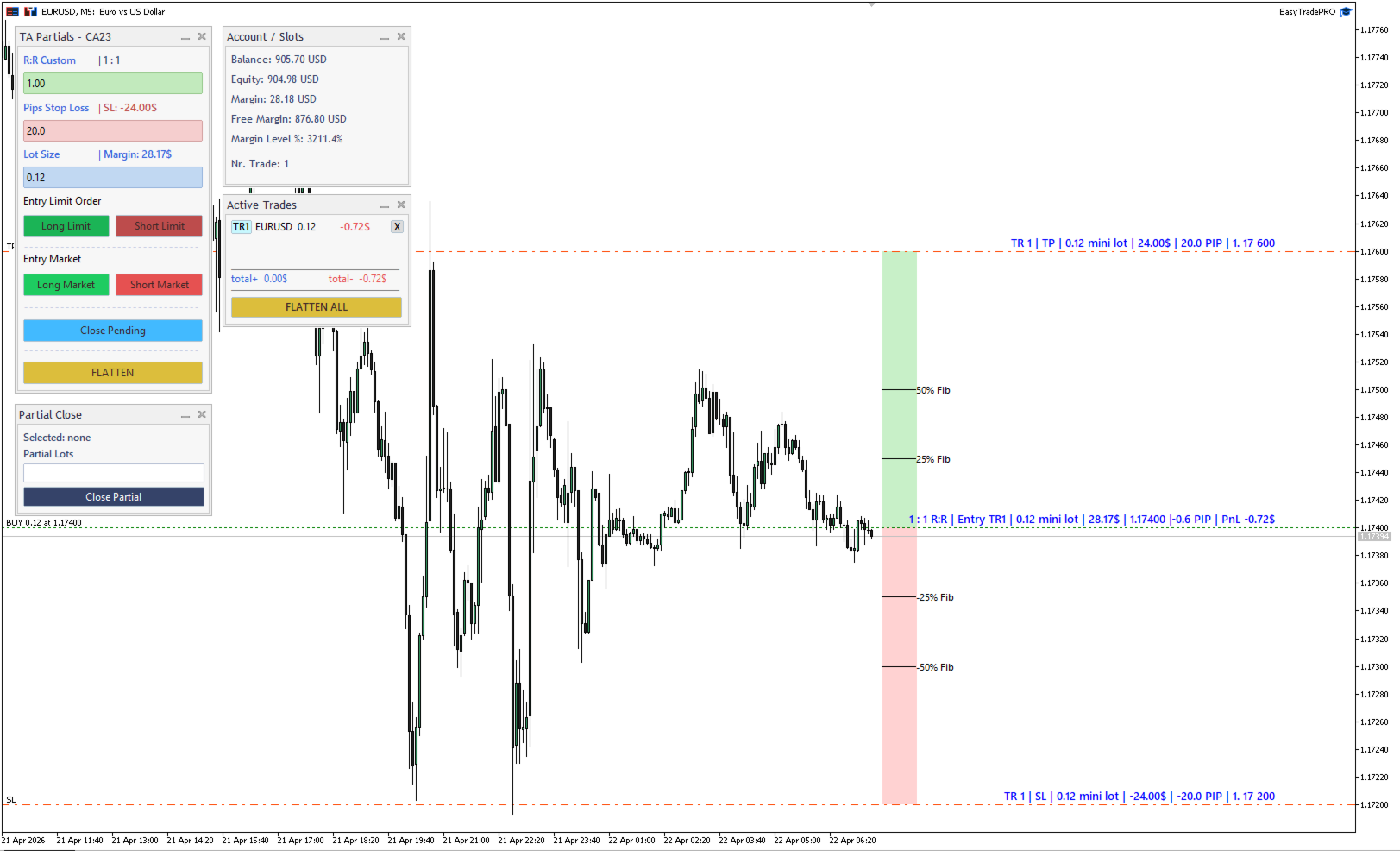
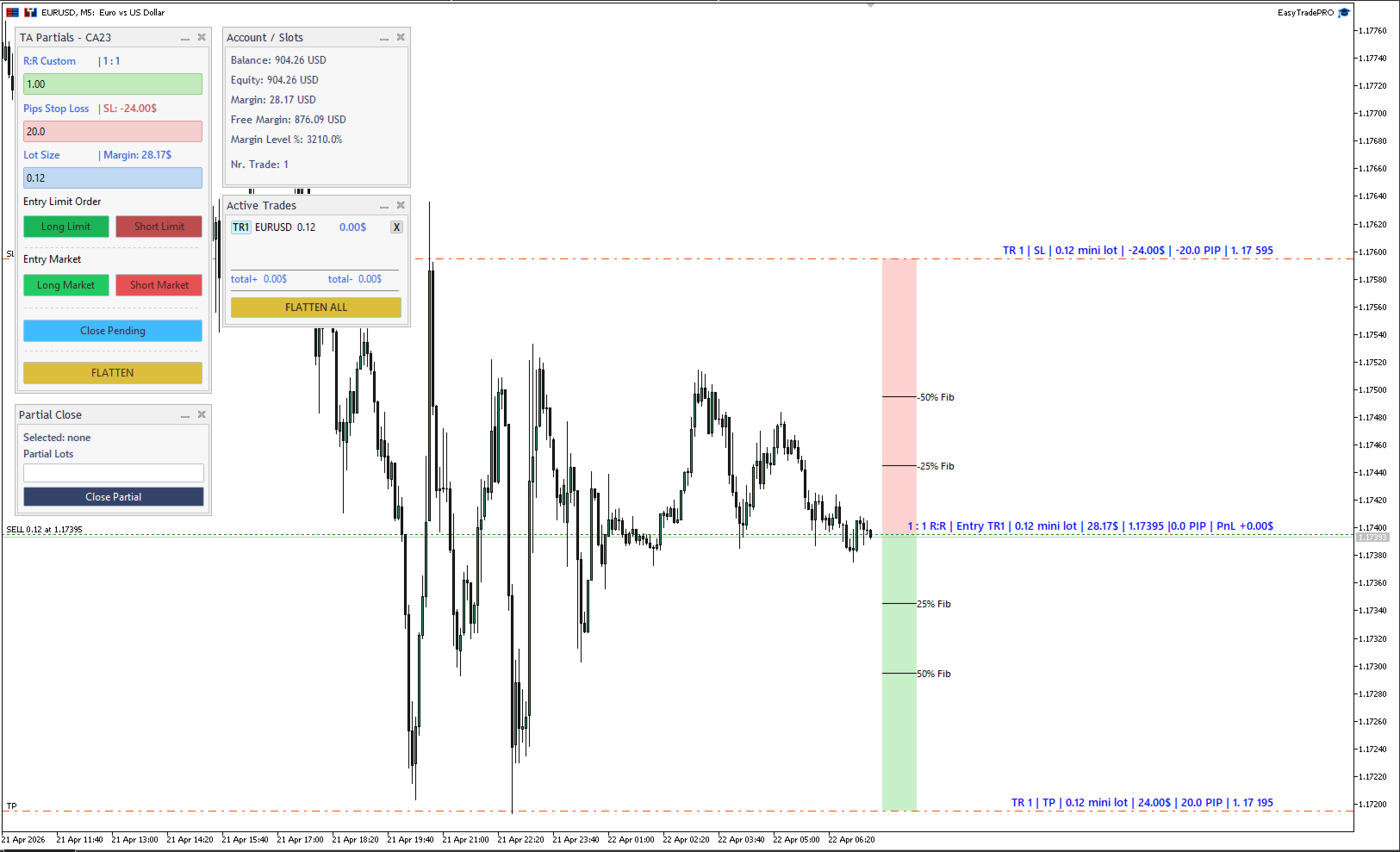
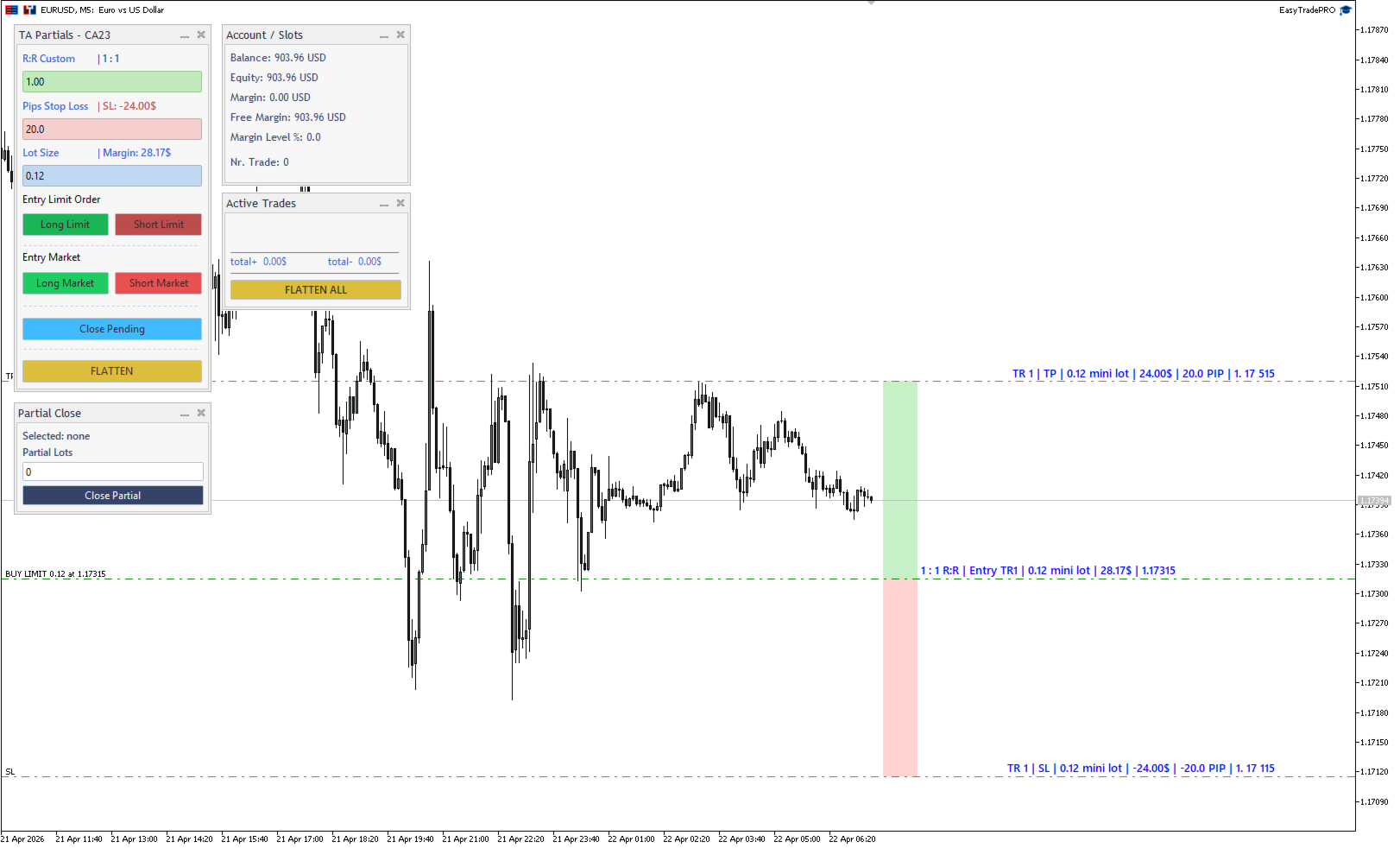
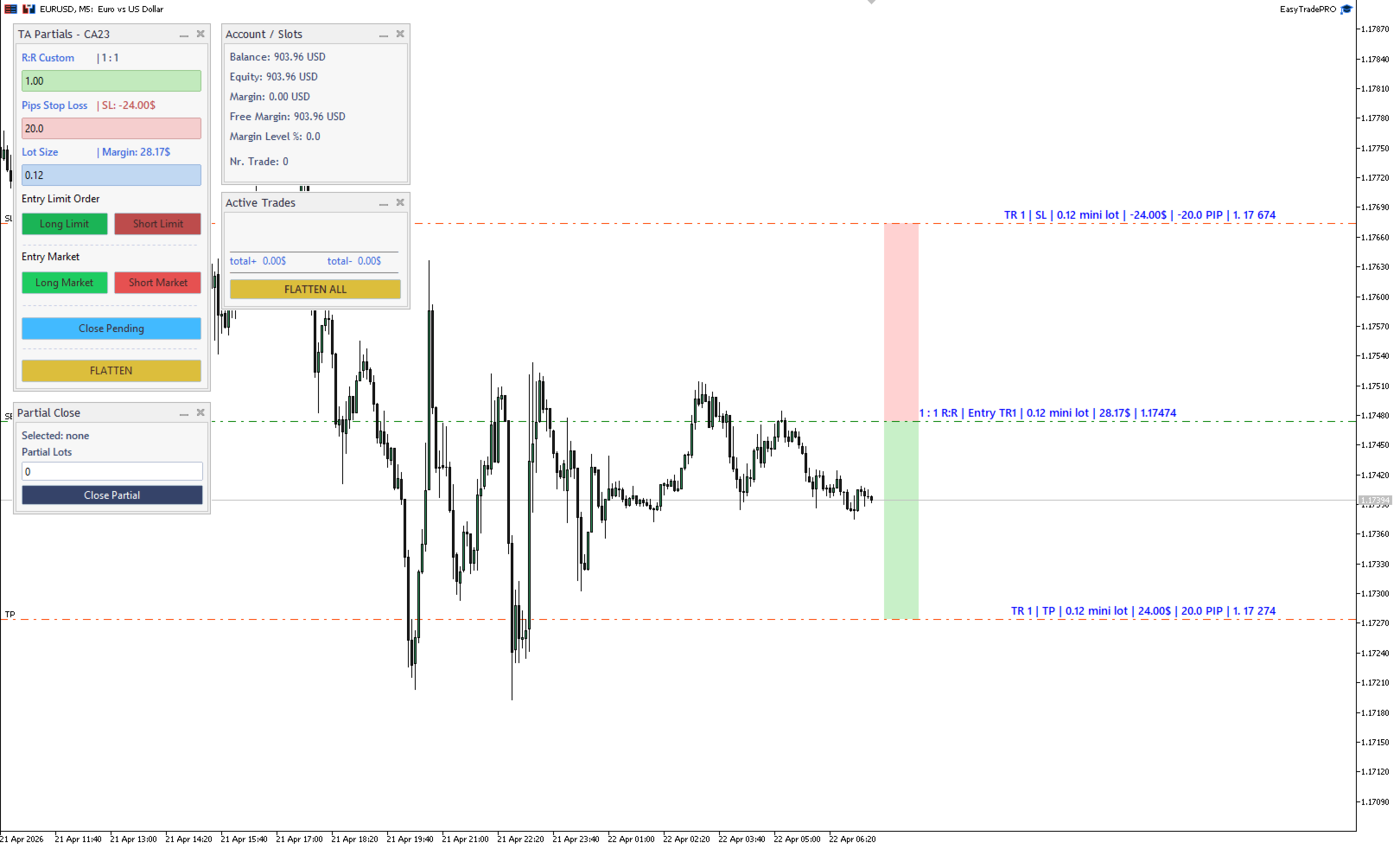
1 — One-Click Trade Placement Enter your Stop Loss in pips and lot size, then click Long Limit, Short Limit, Long Market, or Short Market. Easy Trade MT5 places the order at the correct price with TP automatically calculated from your R:R setting. No manual price typing required.
2 — Custom R:R with Visual Target Set a fully custom R:R ratio (or use the default). The Take Profit line is drawn automatically on the chart based on your SL distance, so you always see your exact risk/reward before entering a trade.
3 — Drag-to-Modify Trade Levels All trade lines (Entry, Stop Loss, Take Profit) use MT5's native draggable trade levels. Simply grab a line and drag it to the new price — the order or position is modified instantly. For pending orders, dragging the Entry line moves the entire group (SL and TP shift with it proportionally).
4 — Visual Risk & Profit Zones A red zone rectangle shows your risk area (Entry to SL) and a green zone rectangle shows your profit target (Entry to TP) — always updated in real time as you move the lines, giving instant visual clarity on every setup.
5 — Fibonacci Levels Auto-Draw Based on your Entry and SL distance, Fibonacci reference levels are drawn automatically at 25% and 50% of both the risk and reward sides, helping you identify areas of interest without any manual drawing.
6 — Active Trades Panel A live Active Trades panel shows all open positions with their current P&L. Each row has an individual X button to close that trade instantly. The Flatten All button closes all positions and cancels all pending orders simultaneously.
7 — Partial Close Panel A dedicated Partial Close panel lets you close a precise number of lots from any active position. Adjust the partial lot size with +/− buttons, then hit Close Partial — no typing, no manual order entry.
8 — Quick Lot Size Buttons Ten quick $/pip buttons ($0.25 to $10 per pip) let you select your lot exposure instantly. Easy Trade MT5 calculates the correct lot size for your SL distance and fills in the Lot Size input automatically.
9 — Keyboard Shortcuts for Maximum Speed Every critical action has a keyboard shortcut so you never need to take your hand off the keyboard:
| Key | Action |
|---|---|
| B | Place Buy Limit |
| N | Place Sell Limit |
| O | Place Buy Market |
| P | Place Sell Market |
| F | Flatten — close all positions on current symbol |
| X | Flatten All — close everything on all symbols |
| C | Cancel all pending orders |
| Q | Close 60% of lots on current symbol |
| R | Close 30% of lots on all symbols |
| 5 | Close 60% of lots on all symbols |
| 0 / Num 0 | Move SL to Breakeven +1 pip (current symbol) |
| 9 / Num 9 | Move SL to Breakeven +1 pip (all symbols) |
10 — Breakeven in One Key Press 0 to instantly move the Stop Loss of all positions on the current symbol to Entry + 1 pip. Press 9 to do the same across all symbols simultaneously.
11 — Right-Side Labels with Live P&L Every line on the chart has a clean label anchored to the right side of the screen, showing price level, pips from entry, and live profit/loss in your account currency — always visible without cluttering the chart.
12 — Multi-Trade Slot System Easy Trade MT5 manages up to 100 independent trade slots simultaneously, each with its own Entry, SL, TP lines, labels, and visual zones. Multiple setups run side by side without interference.
13 — Auto-Scaling UI The panels automatically adjust their size based on your screen resolution and chart dimensions, so everything looks clean on both 1080p and 4K monitors.
Who Is It For?
- Day traders and scalpers who need to execute setups faster than manual order entry allows
- Swing traders managing multiple open positions across sessions
- Risk-focused traders who always want their SL/TP and R:R clearly visible before and during a trade
- Traders who take partial profits manually and want a fast, precise way to close exact lot sizes
Settings
- Magic Number — Easy Trade MT5 only manages trades placed by its own Magic Number
- Lot buttons — 10 configurable $/pip quick-select values
- Fibonacci — Enable/disable, configure line width and bar span
- Pip override — Force a custom pip size per instrument (useful for indices, metals, etc.)
- Label margins — Adjust label position and font sizes for your screen setup
- UI scale — Manual scale override if the auto-sizing doesn't match your layout
Tutorial & Full Usage Guide
A complete video tutorial covering all features of Easy Trade MT5 is available on YouTube:
▶ Watch the Full Tutorial on YouTube
The tutorial walks you through every feature — from placing your first trade to managing multiple positions, using keyboard shortcuts, and taking partial profits.
Compatible with MetaTrader 5. Works on any symbol and timeframe. Supports demo and live accounts.