ZenRisk 2
- Yardımcı programlar
- Sürüm: 2.0
- Etkinleştirmeler: 10

ZenRisk 2.0 — The Minimalist Visual Trade Manager
Trade with clarity. Zero chart bloat, maximum precision.
Are you tired of trade managers that take up half your screen with confusing menus and unnecessary features? ZenRisk 2.0 is a professional, visual trade execution tool built specifically to remove the guesswork from risk management—without the distracting bloat.
Unlike heavy, cluttered panels, ZenRisk is designed for traders who want their focus to remain entirely on the chart. It tucks away an unobtrusive, lightweight GUI panel in the corner of your screen (just 407x90 pixels), giving you a pure, uninterrupted view of your price action while still instantly calculating your lot sizes.
Key Features
-
Zero Chart Bloat: Say goodbye to massive panels covering your candlesticks. The clean, streamlined GUI provides only what you need: crisp BUY and SELL buttons and a live lot size readout.
-
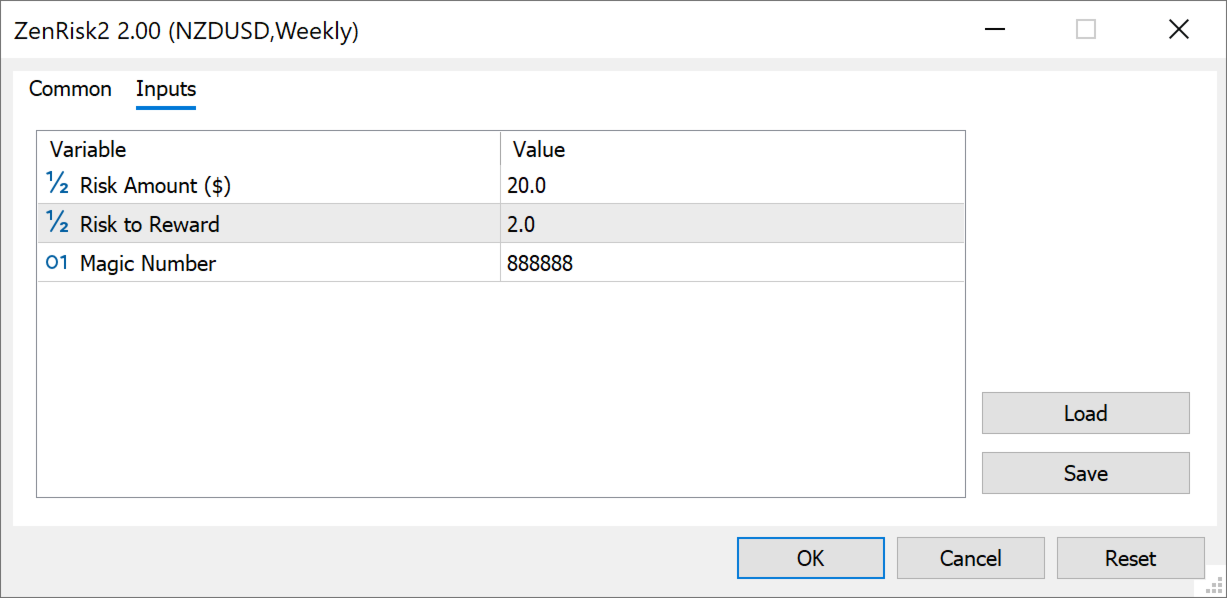
Only 3 Essential Inputs: No endless configuration menus to scroll through. You only need to set your Risk Amount ($), your target R:R Ratio, and your Magic Number.
-
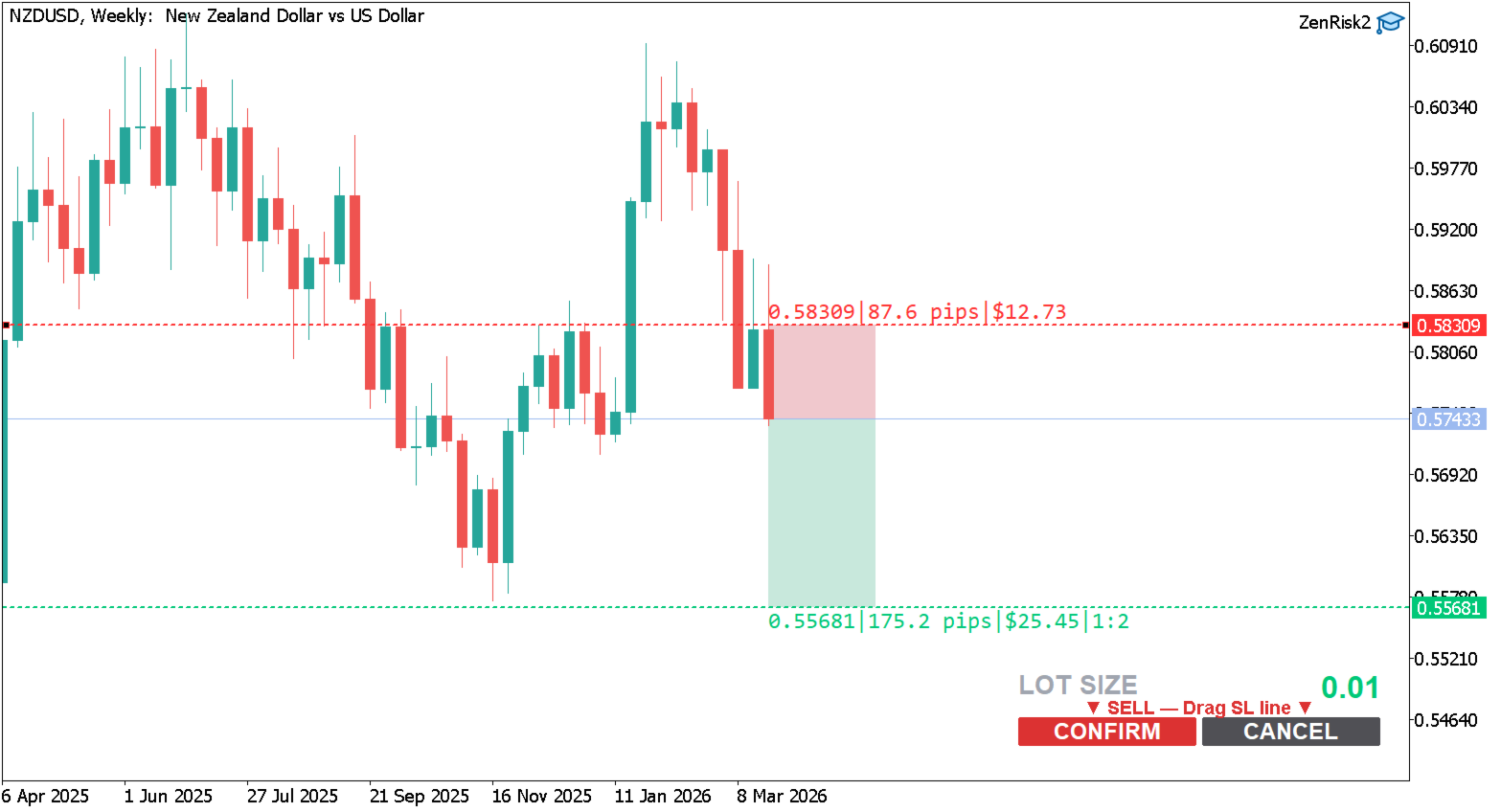
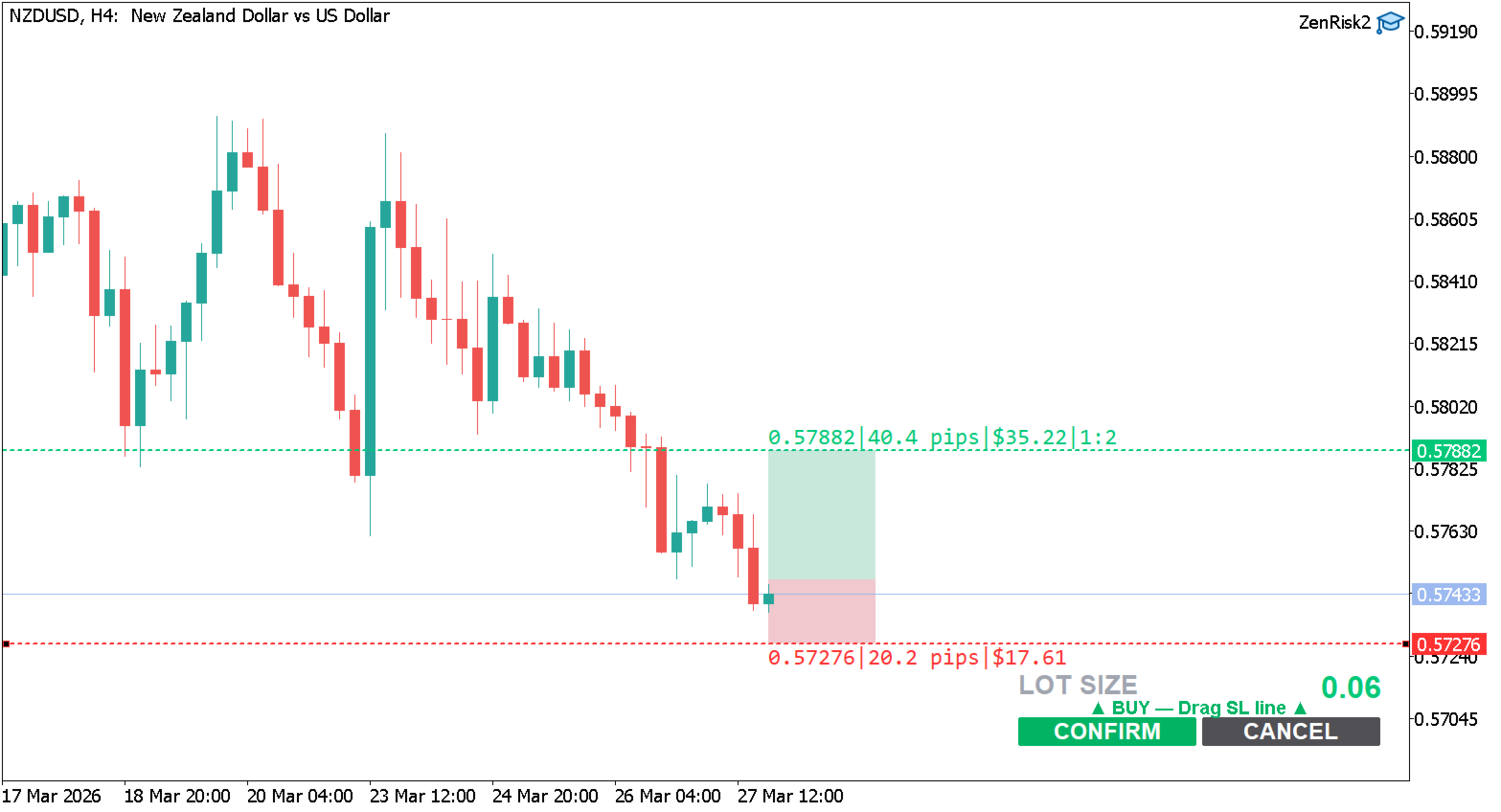
Visual Drag-and-Drop SL/TP: Interactive dashed lines allow you to drag your Stop Loss directly on the chart to your exact technical level.
-
Fixed Dollar Risk & Auto-Lot Sizing: Input your maximum risk in dollars. ZenRisk dynamically calculates your exact lot size based on the asset's tick value, pip distance, and your broker's volume step limits.
-
Auto-Projected Take Profit: Set your desired Risk-to-Reward ratio. As you adjust your Stop Loss, your Take Profit line instantly adjusts to the exact price needed to hit your predefined target.
-
Smart Execution Flow: A smart two-step process turns the panel into "CONFIRM" and "CANCEL" buttons, protecting you from accidental market orders while you plan your setup visually.
-
Live Trade Analytics: Hover over your execution lines for real-time tooltips displaying your exact entry price, pip distance, dollar risk, and calculated lot size before you enter the market.
-
Clean History Zones: After execution, minimal, color-coded SL and TP rectangles remain permanently plotted on your chart, creating a perfect visual record for your trading journal.
How to Use (3 Simple Steps)
-
Configure: Enter your strict Risk Amount ($) and your target R:R Ratio in the inputs.
-
Plan: Click BUY or SELL on the chart panel to enter "Planning Mode".
-
Execute: Drag the dashed Stop Loss line to your desired chart level. The lot size and TP automatically adjust. Click CONFIRM to execute instantly.
Input Parameters
-
InpRiskAmount: Your absolute dollar risk per trade.
-
InpRRRatio: Your Risk-to-Reward multiplier (e.g., 2.0 for 1:2 R:R).
-
InpMagicNumber: Organize your trades and prevent conflicts with other experts.