Parabolid SAR ProLab mt5
- Uzmanlar
- Sürüm: 4.10
- Güncellendi: 6 Mart 2026
- Etkinleştirmeler: 20

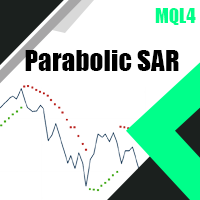
Parabolic SAR EA is a flexible MT5 Expert Advisor built around the classic Parabolic SAR concept, designed for traders who want control, clarity, and customization.
Parabolic SAR is widely used because it plots adaptive stop-and-reverse levels that help traders follow trends and manage exits in a simple, testable way. It adapts well across different markets and timeframes (Forex, Metals, Indices, Crypto, and more). This EA turns the Parabolic SAR concept into a configurable trading framework where you can build your own setups using adjustable parameters and optional filters to match your strategy style.
This is not a “fixed strategy EA”. It is a framework that allows you to build your own rules, optimize parameters, and test variations until you find a configuration that fits your style and your symbol.
- NEW (from 50$ only): Choose 1 EA for Free! (limited to 2 trade accounts numbers, any of my ProLab EAs)
you have a specific filter or feature you’d like to add, feel free to contact me — suggestions are welcome and future improvements are always considered.
Inputs & Settings Overview
This EA is built as a strategy framework. Every feature can be enabled/disabled, optimized, and combined to match your exact trading rules.
1) Trade Settings
-
Trade Direction: Buy only, Sell only, or Buy & Sell
-
Close on Reverse Signal: Option to close open positions when an opposite signal appears
-
Max Orders: Limit the number of open orders (0 = disabled)
-
Fixed Lot Size: Manual lot size per trade
-
Take Profit: TP in points
-
Stop Loss: SL in points
-
Magic Number: Unique identifier for EA positions
2) Parabolic SAR Entry Settings
Entry Timeframe: inpTimeframe (timeframe used to calculate SAR)
Inverse Entry Signal: inverseEntrySignal (reverse the buy/sell logic if enabled)
SAR Parameters
-
SAR Step: inpSarStep (acceleration step)
-
SAR Maximum: inpSarMaximum (maximum acceleration)
-
Confirm Bars (N): inpSarConfirmBars (number of confirmation candles required)
3) Spread Filter
-
Enable Spread Filter (UseSpread): Avoid trading during high spread conditions
-
Max Spread (MaxSpreadPoints): Maximum allowed spread in points
Trend Filters (Optional Multi-Layer Confirmation)
You can enable up to 7 trend filters, each with its own timeframe and optional signal inversion. This allows you to build anything from a simple system to a highly filtered framework.
Trend Filter 1 — Moving Average
-
Enable/Disable
-
Inverse Filter Signal
-
Timeframe
-
MA Period
-
MA Method
-
Applied Price
Trend Filter 2 — Moving Average
-
Enable/Disable
-
Inverse Filter Signal
-
Timeframe
-
MA Period
-
MA Method
-
Applied Price
Trend Filter 3 — RSI
-
Enable/Disable
-
Inverse Filter Signal
-
Timeframe
-
RSI Period
-
Applied Price
-
Bullish Level
-
Bearish Level
Trend Filter 4 — Parabolic SAR
-
Enable/Disable
-
Inverse Filter Signal
-
Timeframe
-
Step
-
Maximum
Trend Filter 5 — Stochastic Oscillator
-
Enable/Disable
-
Inverse Filter Signal
-
Timeframe
-
Price Mode
-
MA Method
-
%K Period
-
%D Period
-
Slowing
Trend Filter 6 — MACD
-
Enable/Disable
-
Inverse Filter Signal
-
Timeframe
-
Fast Period
-
Slow Period
-
Signal Period
-
Applied Price
Trend Filter 7 — ADX
-
Enable/Disable
-
Inverse Filter Signal
-
Timeframe
-
ADX Period
-
Minimum ADX Strength
Trade Management
4) Trailing Stop Module
-
Enable Trailing Stop
-
Trailing Stop Type: Normal Trailing / Parabolic SAR Trailing / ATR Trailing
Normal Trailing
-
Trail Start
-
Trail Distance
-
Trail Step
Parabolic SAR Trailing
-
SAR Timeframe
-
SAR Step
-
SAR Maximum
ATR Trailing
-
ATR Timeframe
-
ATR Period
-
ATR Multiplier
-
ATR Start (0 = immediate)
-
ATR Step
5) Break Even
-
Enable Break Even
-
Start Profit: Activate BE after X points profit
-
Offset: Lock extra points beyond entry
Profit & Loss Control in USD
6) Take Profit Based on USD
-
Close single BUY when profit ($) exceeds a set value (0 = disabled)
-
Close single SELL when profit ($) exceeds a set value (0 = disabled)
-
Close all BUY trades when total profit ($) exceeds a set value (0 = disabled)
-
Close all SELL trades when total profit ($) exceeds a set value (0 = disabled)
-
Close all trades when total profit ($) exceeds a set value (0 = disabled)
7) Stop Loss Based on USD
-
Close single BUY when loss ($) exceeds a set value (0 = disabled)
-
Close single SELL when loss ($) exceeds a set value (0 = disabled)
-
Close all BUY trades when total loss ($) exceeds a set value (0 = disabled)
-
Close all SELL trades when total loss ($) exceeds a set value (0 = disabled)
-
Close all trades when total loss ($) exceeds a set value (0 = disabled)
Trading Schedule Filters
8) Do Not Trade — Session Filter
-
Broker to GMT Offset: Convert broker time to GMT session hours
-
Disable trading during Sydney session (start/end hours)
-
Disable trading during Tokyo session (start/end hours)
-
Disable trading during London session (start/end hours)
-
Disable trading during New York session (start/end hours)
9) Do Not Trade — Day Filter
Disable trading on selected days:
-
Sunday / Monday / Tuesday / Wednesday / Thursday / Friday / Saturday
Risk Engine
10) Equity Protection
-
Enable overall equity drawdown protection
-
Max drawdown (%) from highest equity
-
Option to close all trades when triggered
11) Daily Equity Protection
-
Enable daily equity loss limit
-
Max daily loss (%) from day start equity
-
Option to close all trades when triggered