SuperStat
- Yardımcı programlar
- Sürüm: 9.70
- Etkinleştirmeler: 5

Product Name: Super Stats
Subtitle: Professional Trade Analysis & Account Statistics Dashboard with Advanced Excel Export
Description:
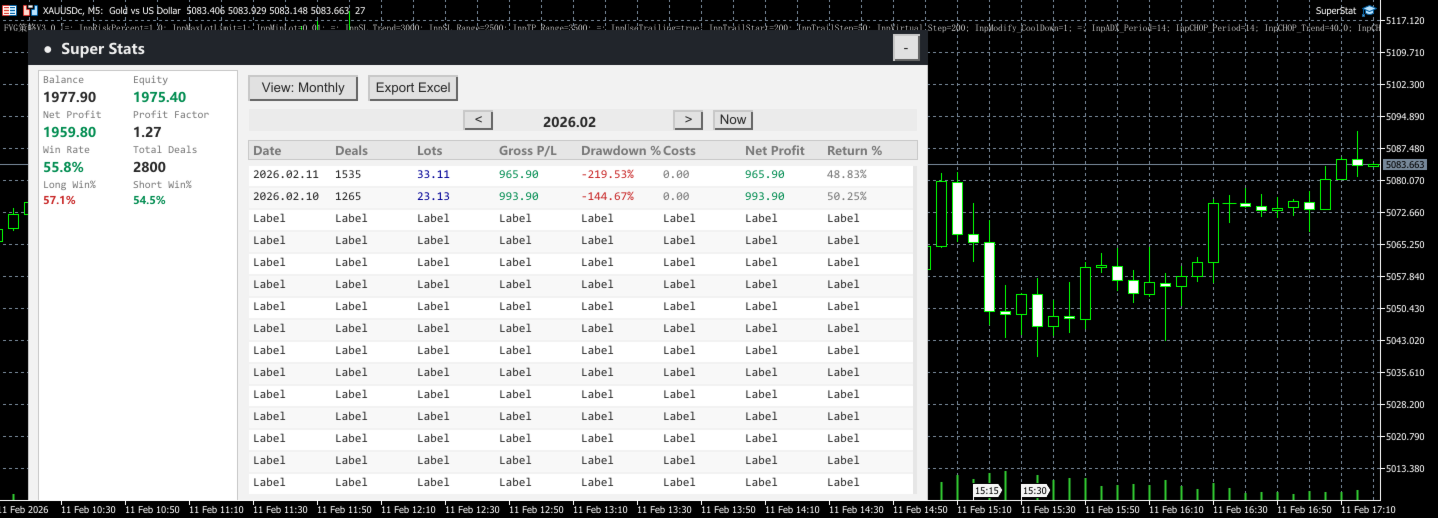
Super Stats is the ultimate utility for traders who need clear, instant insights into their trading performance. Designed with a clean, modern interface, this dashboard provides real-time statistics, monthly/daily breakdowns, and a powerful one-click Excel reporting engine.
Whether you are a manual trader or running EAs, Titan Super Stats helps you track your profitability, drawdown, and win rates effortlessly.
Key Features:
-
📊 Comprehensive Dashboard:
-
Real-time display of Balance, Equity, Net Profit, and Profit Factor.
-
Win Rate analysis with Long/Short separation (identify your directional bias).
-
Total deals count and intraday drawdown monitoring.
-
-
📅 Dual-Mode View:
-
Monthly View: See your daily aggregated performance (Profit, Lots, Drawdown %).
-
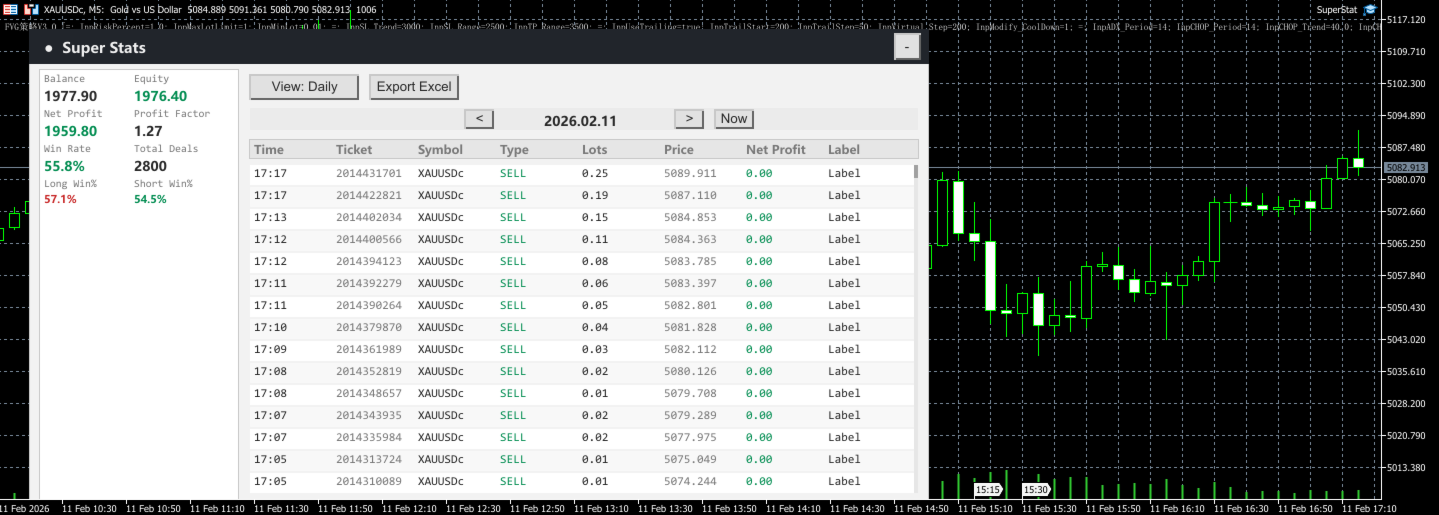
Daily View: Drill down into specific days to see every single trade detail.
-
Smart Navigation: Easily switch between months or days with intuitive [<] [>] buttons.
-
-
📜 Scrollable & Interactive:
-
Supports mouse wheel scrolling for long history lists.
-
Collapsible interface to save chart space when needed.
-
-
🚀 Professional Excel Export:
-
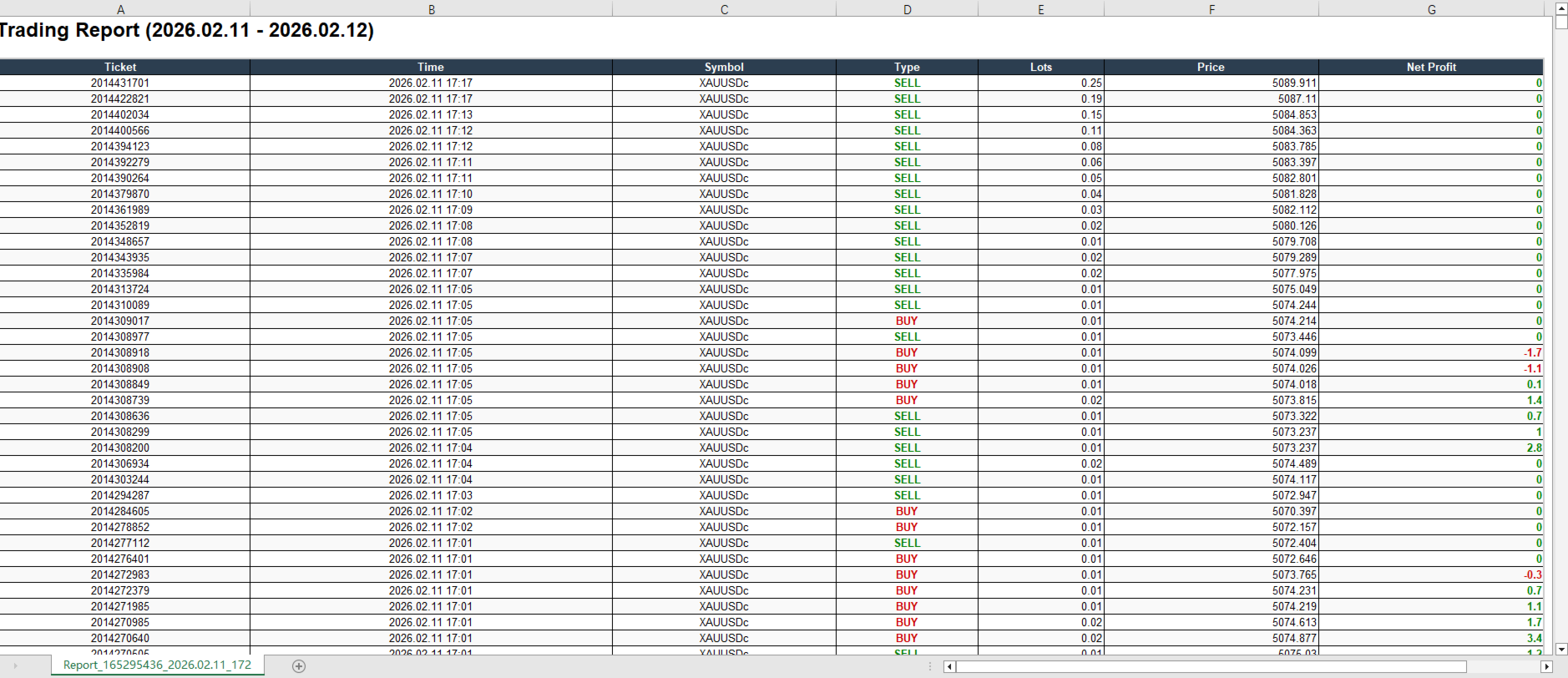
One-Click Export: Generate beautiful, formatted HTML-Excel reports instantly.
-
Smart Logic: Choose to export only the current view (specific month/day) or your entire custom history range.
-
Visual Reports: Exports include color-coded profit/loss, borders, and clear headers—ready for printing or sharing.
-
-
📉 Risk Management:
-
New "Intraday Drawdown %" column highlights high-risk days instantly.
-
How to Use:
-
Attach the utility to any chart.
-
Use the top buttons to switch between Monthly and Daily views.
-
Click "Export Excel" to save your trading report to the MQL5/Files folder.
Parameters:
-
UI Layout: Customize the X/Y position and number of rows to fit your screen.
-
Export Settings: Define a custom date range for full history exports.
Note: This is a Utility tool, not an Expert Advisor. It does not open trades automatically. Please select "Utility" when searching or filtering in the market.