Plimsoll MT5
- Эксперты
- Версия: 1.104
- Обновлено: 27 сентября 2026
- Активации: 5

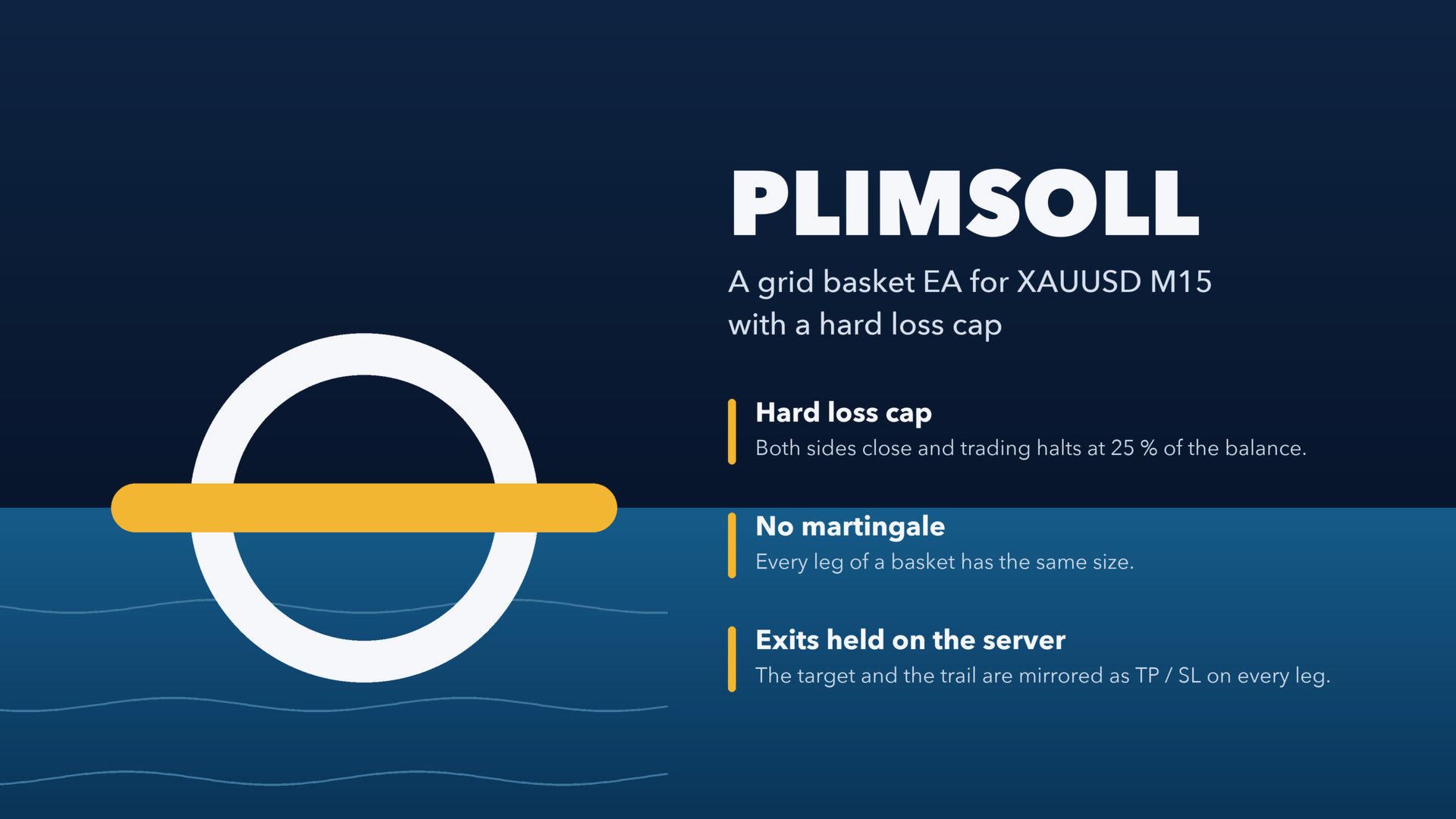
Plimsoll is a basket Expert Advisor for MetaTrader 5 built around one rule: a hard floor under the loss. It fades an extreme of a window oscillator with a basket of equal-size legs, closes the whole basket at its average price plus a target, and closes everything and halts itself when the floating loss crosses a set share of your balance.
- Hard loss cap: both sides are closed and the EA halts at 25 % of the balance (adjustable).
- No martingale: every leg of a basket has the same size.
- Exits held on the server: the target and the trail are mirrored as TP / SL on every leg.
The name comes from the Plimsoll line on a ship's hull: the mark a loaded ship must never sink below.
HOW IT TRADES
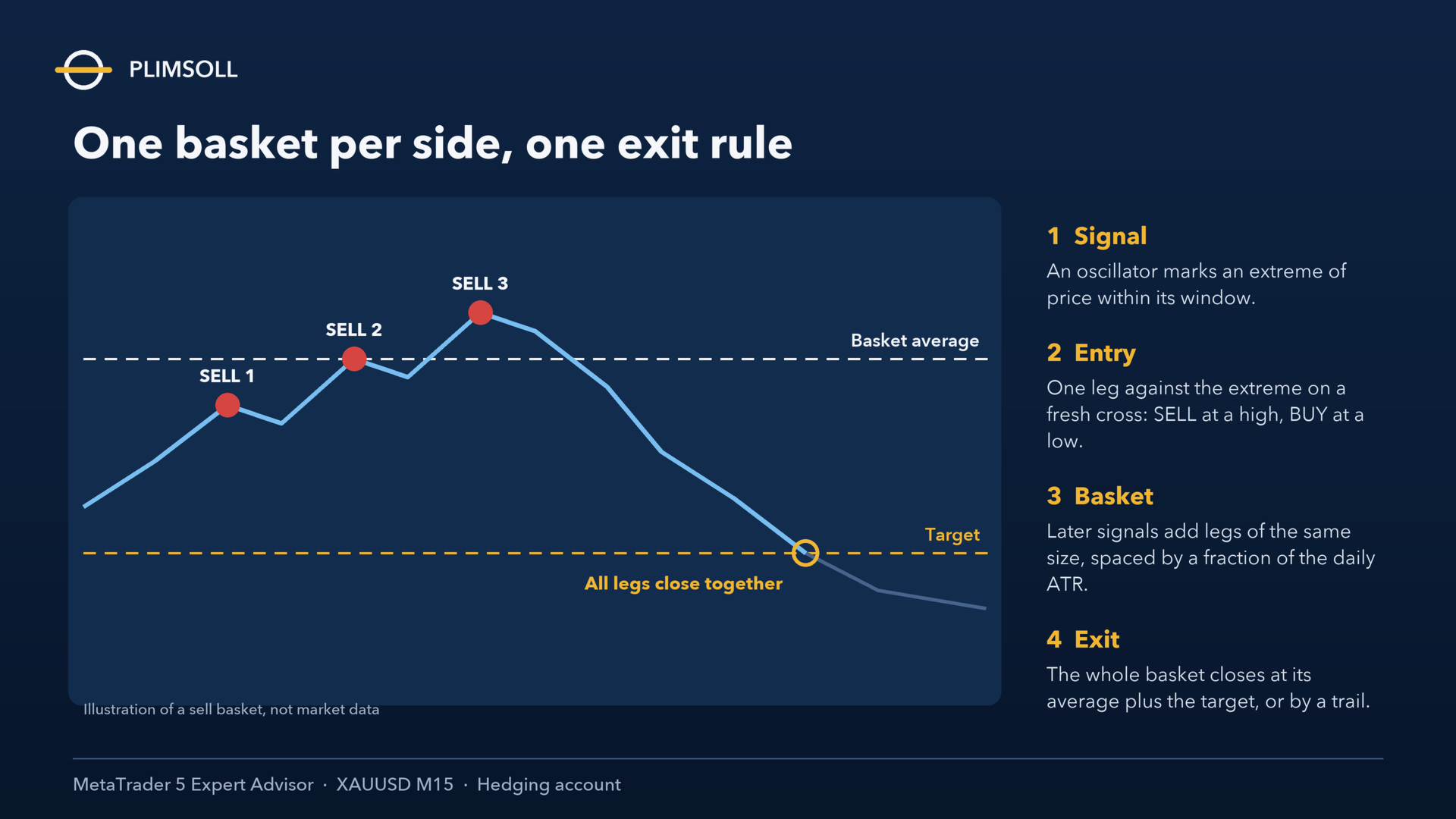
1. Signal. On its own timeframe, the EA builds an oscillator from the closes that set new highs and new lows inside a rolling window. A large positive reading means that price sits high in its window; a large negative reading means that it sits low.
2. Entry. When the reading crosses the entry level on a closed bar, the EA opens one leg against the extreme: a SELL at a high, a BUY at a low. It makes one decision per bar, on a fresh cross only.
3. Basket. Later signals on the same side add legs of the same size, spaced from the last leg by a fraction of the daily ATR. No leg is ever larger than the first.
4. Exit. The basket closes as a whole at its volume-weighted average plus the target, or by a trail. The target narrows as the basket ages, so an old basket asks for less. Because the target and the trail are mirrored to the server, the exit stands even if your terminal goes offline.
5. Both sides. A long basket and a short basket can run at the same time.
PROTECTION: THE PLIMSOLL LINE
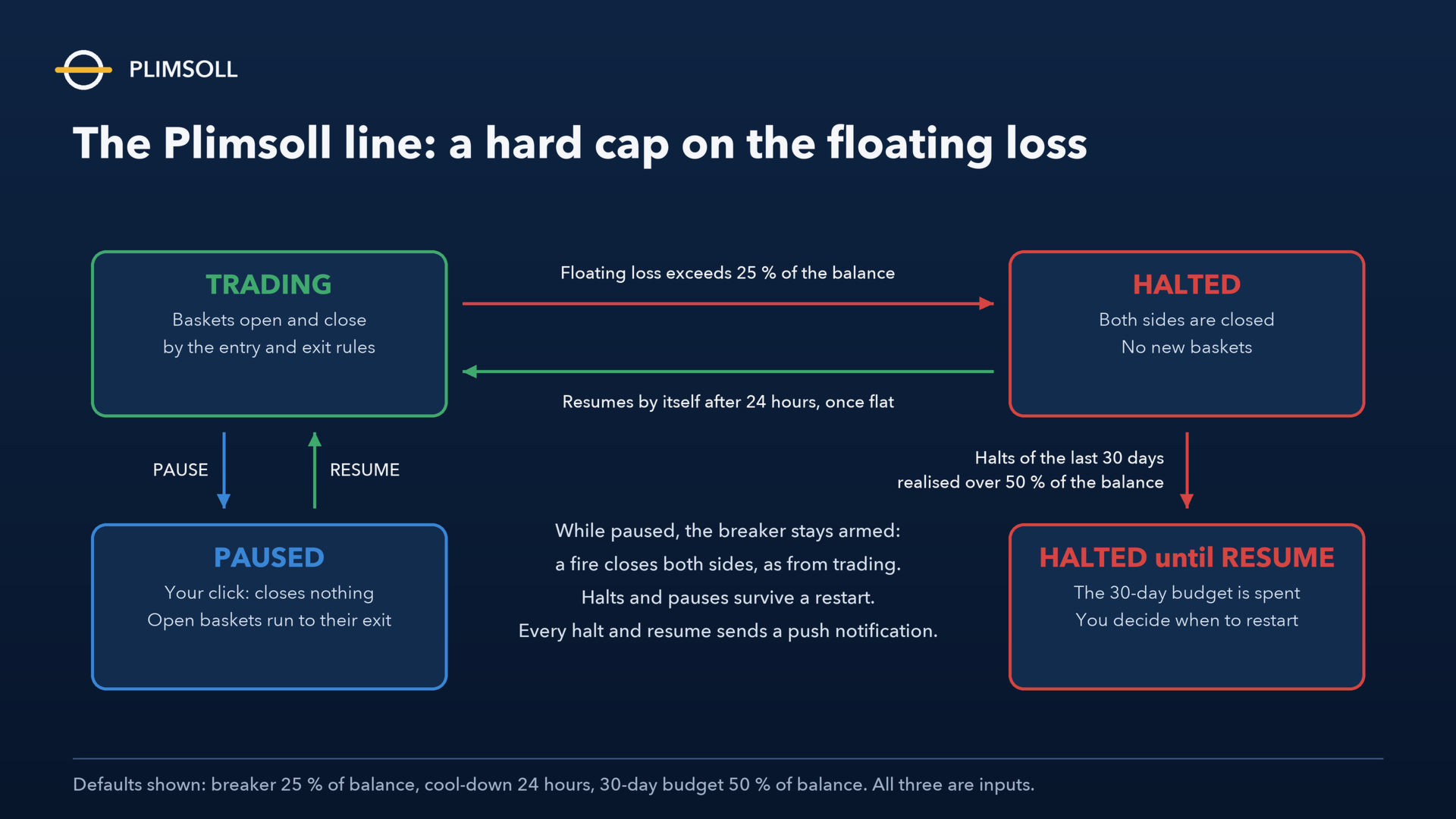
- Loss-cap breaker. On every tick, the EA sums the floating result of every leg it owns on the chart. When the loss exceeds the breaker percentage of the account balance (default 25 %), it closes both sides and halts.
- Automatic resume. After a halt, the EA waits out a cool-down (default 24 hours) and resumes once the chart is flat.
- 30-day budget. If the halts of the last 30 days have realised more than the budget (default 50 % of the balance), the EA stays halted until you press RESUME. It will not keep feeding a losing month.
- PAUSE button. One click on the panel, confirmed by a second, stops new baskets on both sides. A pause closes nothing: open baskets are managed to completion, and the breaker stays armed.
- Entry governor. Repeatedly refused orders on one side pause new entries and notify you, instead of retrying blindly.
- Margin guard. A leg is refused when the free margin after it would fall below 20 % of equity, or when the free margin would not cover the leg's own margin.
- Push notifications on every halt, every automatic resume and every basket alert (a MetaQuotes ID must be set in the terminal).
- Both a halt and a pause survive a terminal restart.
- Optional caps: maximum legs per basket, maximum basket age, a basket loss cap in % of equity, trading-session hours and a flat book before the weekend.
REQUIREMENTS
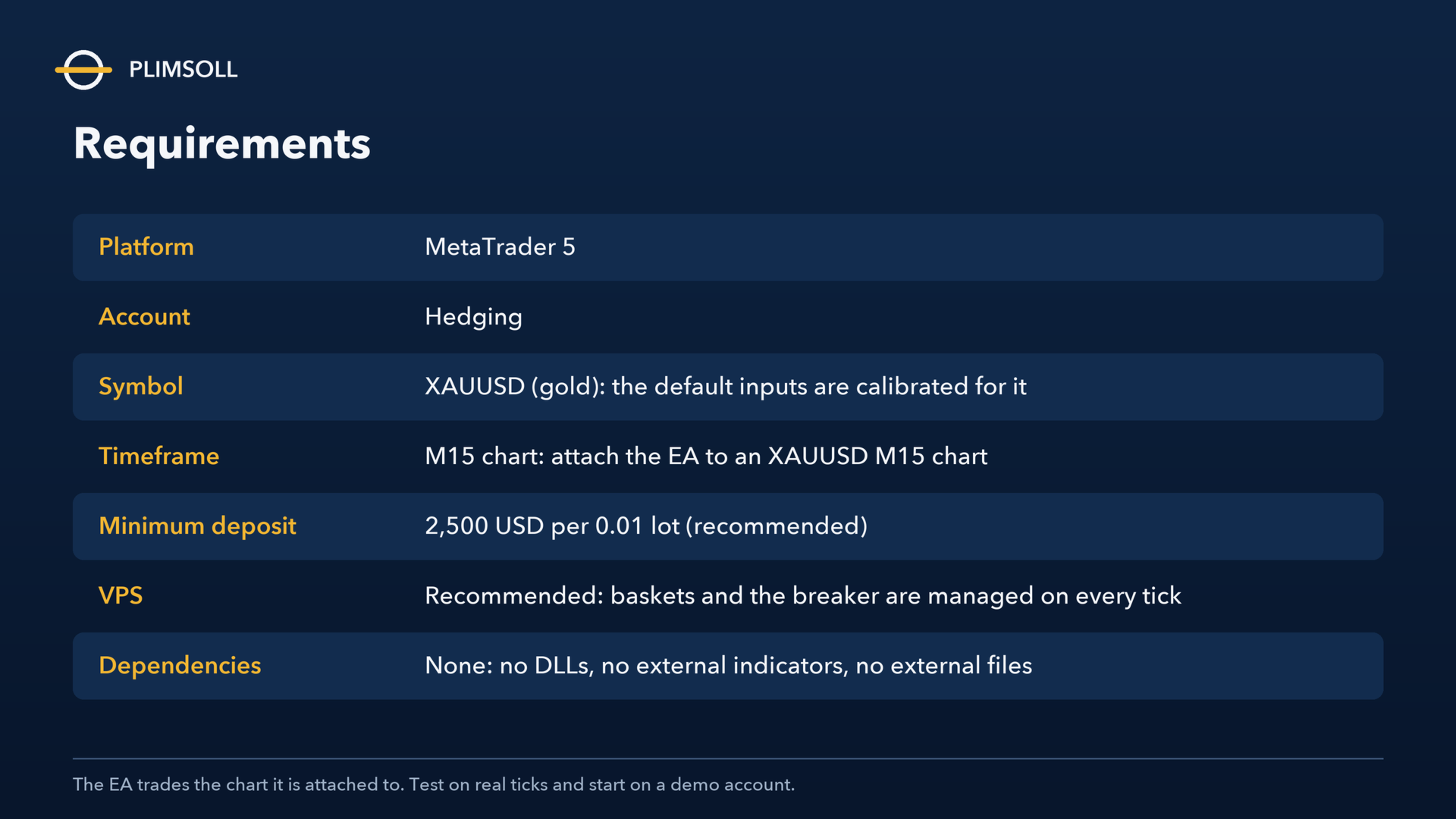
- Account: hedging. On a netting account, the EA runs one basket at a time and says so in the journal; it is designed and tested for hedging.
- Symbol and timeframe: XAUUSD (gold), M15 chart. The EA trades the chart it is attached to, so attach it to an XAUUSD M15 chart. The default inputs are the calibrated gold configuration and are not calibrated for any other symbol or timeframe.
- Minimum deposit: 2,500 USD per 0.01 lot (recommended). The deepest floating loss measured from March 2025 to August 2026 was about 457 USD per 0.01 lot. With the default inputs, the breaker never fired from 2,000 USD upward in those tests; on 1,000 USD or less, it fires on the first deep basket.
- VPS: recommended, because the EA manages open baskets and the breaker on every tick.
- Dependencies: none. No DLLs, no external indicators, no internet access and no external files.
SET FILE
plimsoll_xauusd_w14t.set holds the same configuration as the default inputs. Load it with the Load button in the Inputs dialog to return to the defaults at any time. If your broker names gold differently (for example XAUUSD.m or GOLD), attach the EA to that symbol's M15 chart; the start-up line in the journal shows the symbol and timeframe the EA is trading.
MAIN INPUTS
- Lot rule: a fixed lot, or auto step (default: one base lot per 2,500 USD of balance, capped by "Max lot").
- Signal: the oscillator timeframe, period and entry level.
- Basket: the target in points, the target fade by age, both sides on or off, and the leg spacing as a fraction of the ATR.
- Trail: the arm distance, the trail distance and the step.
- Risk governor: the loss-cap breaker in % of the balance, the resume hours, the 30-day budget, max legs, max age, the basket loss cap and the minimum free margin.
- Broker-side mirrors: a server TP / SL on every leg.
- Session: the trading hours (server time) and a flat book before the weekend.
- Execution: the maximum deviation and the maximum spread to enter.
- Dashboard: an on-chart panel with the status, the PAUSE / RESUME button, each basket's floating result, age, legs and target countdown, the period results and warning colour bands. It can sit in any of the four corners.
- Diagnostics: a CSV decision log with one row per decision and its reason.
Every configuration prints an 8-character fingerprint on the panel, in the start-up line and in the log. Quote it when you contact support, so that the exact configuration can be identified.
STRATEGY TESTER
The EA runs on every tester model. The optimiser's Custom criterion is 1,000,000 minus the maximal equity drawdown in money, so "Custom max" ranks the smallest drawdown first. Please test on real ticks before trading.
RISK
Plimsoll is a grid-style averaging strategy: a basket can stay open for days while the price moves against it. The breaker limits how much of the balance one episode can take; it does not prevent the loss, and when it fires, the loss is realised. Past test results do not predict future results. Trade only money you can afford to lose, and start on a demo account.
SUPPORT
Send questions through the product page on MQL5.com. Please quote the build number and the fingerprint from the start-up line, the symbol and the timeframe.