Hizoa FED Events

HIZOA FED Events

is an informational economic-event awareness utility for MetaTrader 4.

The utility connects to official Federal Reserve and New York Fed sources, retrieves the available event information and displays important scheduled events directly on the chart through compact information boxes, event lines and volatility warnings.

Instead of repeatedly checking external calendars, traders can immediately see when significant scheduled events may affect market conditions.


Informational Utility — No Trading Functions

HIZOA FED Events operates from the Expert Advisors section of MetaTrader 4 but contains no trading functions.

The utility never:

  • Opens trades

  • Modifies positions or orders

  • Closes trades

  • Blocks order placement

  • Provides buy or sell signals

  • Predicts market direction

The trader always retains complete control and responsibility over every trading decision.


Supported Events

HIZOA FED Events is designed to display the following events when valid information is available:

  • FOMC Rate Decision

  • FOMC Press Conference

  • Consumer Price Index (CPI)

  • Federal Reserve Chair Speeches

  • FOMC Minutes

  • Beige Book

  • Federal Reserve Chair Testimony

Each event box displays the event name, date, time and expected volatility level.


Chronological Event Display

All visible event boxes are automatically arranged by date and time.

The nearest upcoming event is displayed first, followed by the remaining events in chronological order. This keeps the event overview clear, logical and easy to follow.


Event Lines

Every available event can be marked by a vertical line on the chart.

These lines show the scheduled event time in relation to the broker’s chart time. Because brokers may use different server times and daylight-saving arrangements, HIZOA FED Events includes adjustable summer- and winter-time correction settings.

Depending on the selected timeframe, event date and currently visible chart period, an event line may be located outside the visible chart area.


Pre-Event Shadow Zone

For the FOMC Rate Decision, HIZOA FED Events can display a shadow zone beginning one hour before the scheduled event line.

This area provides an additional visual warning that unstable price behaviour, sudden swings and reduced market reliability may already occur before the official release.

Leaving trades open during these conditions can involve considerably increased risk.


Volatility Caution

Each event box contains a volatility warning:

  • HIGH

  • MEDIUM

  • LOW

The warning helps traders recognize events that may produce rapid price movements, wider spreads, slippage or unpredictable swings in both directions.

The volatility classification is an informational warning and does not predict the direction or size of the market reaction.


Event Status Labels

HIZOA FED Events uses clear status labels to identify the current condition of an event:

  • TODAY – the event is scheduled for the current broker-server day.

  • UPDATED – the published event date or time has changed.

  • NEW – a newly detected event has been added.

  • CONNECTING – the utility is checking the configured data sources.

  • CONNECTED – the connection succeeded and the available data has been loaded.

  • PARTIAL – part of the requested data was loaded successfully, while one or more sources or events were temporarily unavailable or could not be validated.

A PARTIAL status does not mean that all displayed information is invalid. Successfully retrieved and validated events remain visible, including their event boxes and chart lines.


Automatic Data Refresh

The utility performs a new data scan:

  • When HIZOA FED Events is placed on a chart

  • When another chart timeframe is selected

  • During the standard scheduled refresh cycle

Previously loaded data may appear faster than newly requested information because validated event data may already be available internally while the remaining sources are still being checked.


Automatic Cleanup

Completed events remain available during the event day.

At the end of the broker-server day, expired event boxes and their associated lines are automatically removed. Future events remain active, even when their dates or event lines are outside the currently visible chart area.

This automatic cleanup keeps the chart clean and accessible without requiring manual object removal.


EVENTS ON/OFF Button

The integrated EVENTS button allows the event boxes to be shown or hidden directly from the chart.

When EVENTS OFF is selected:

  • The event boxes are hidden.

  • The event lines remain visible on the chart.

  • The underlying event data remains active.

This creates additional chart space without removing the timing references of scheduled events.


Customizable Settings

Users can adjust several visual and time-related settings, including:

  • Event colors

  • Event-line visibility

  • Event-line width and style

  • Automatic, summer, winter or disabled time correction

  • Summer- and winter-time correction values

  • Pre-event shadow visibility and color

  • Event-box position

  • Volatility-warning visibility and colors

  • NEW, UPDATED and TODAY labels

  • EVENTS button position

  • Connection-status visibility

Technical network, validation, refresh and layout-engine settings are managed internally to keep the input menu clear and accessible.


Required WebRequest Settings

HIZOA FED Events requires permission to access its public data sources.

In MetaTrader 4, open:

Tools → Options → Expert Advisors

Enable “Allow WebRequest for listed URL” and add:

https://www.federalreserve.gov

https://www.newyorkfed.org

Without WebRequest permission, the utility cannot retrieve new online event information.


Important Information

HIZOA FED Events is an informational utility and not an automated trading system.

Although the utility uses official public sources, external information can be delayed, changed, unavailable or incomplete. Event information should always be independently verified when making important trading decisions.

HIZOA FED Events does not guarantee uninterrupted access to external data sources, the continued availability of published information or a specific market reaction.

The trader remains fully responsible for all trading activity and risk management.


Your Feedback Matters

HIZOA is continuously developed with a focus on usability, clarity and practical value for traders.

We would be happy to hear about your experience with the HIZOA product. Comments, reviews and ratings are greatly appreciated, and constructive feedback or suggestions for improvement are always welcome.

If you discover something that could be improved, or have an idea that could make the utility even more useful, please feel free to share it.


HIZOA — Structure Beyond the Visible

© 2026 HIZOA. All rights reserved.


Рекомендуем также
Hello This EA for send Orders Signals when you open or close order and send statics to your channel in Telegram with sum of profit or Loss Pips you can share your orders with your clients in your telegram please watch our video  to see how it is fast. https://www.youtube.com/watch?v=u_7twtYZhyI you must have Telegram channel then make bot and give it Permission and get token (watch this video to know how do it) https://www.youtube.com/watch?v=x1bKWFOjSBE and you must download this files https
Regime Matrix — это мультитаймфреймовый индикатор состояния рынка, предназначенный для классификации текущих рыночных условий на выбранных таймфреймах. Он отображает компактную аналитическую панель непосредственно на графике и предоставляет буферы для советников через iCustom() . Индикатор помогает трейдерам оценивать, находится ли рынок в тренде, диапазоне, сжатии, расширении или состоянии перекупленного/перепроданного отклонения. Каждый таймфрейм рассчитывается независимо, позволяя сравнивать
FREE
Coral History
D Armond Lee Speers
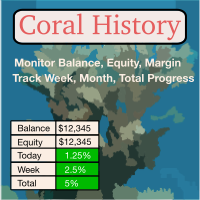
Coral History displays information about your trading account and a summary of your history for the day, week, month and all time in a convenient, lightweight window. NEW : You can now set daily / weekly / monthly goals.   Coral History can notify you when reaching a goal.  If set the goal will be displayed in the History section row header; and if you've reached the goal the row will be highlighted in green. Account Information Balance Equity Free Margin (amount, percent or drawdown) Marin Leve
Trailing and SL TP
Konstantin Kulikov
5 (1)
Сопровождение позиций с помощью: трейлинг-стопа, безубытка, стоп-лосса и тейк-профита.‌ Необходимо разрешить автоматическую торговлю в настройках терминала. В режиме тестирования утилита на первых тиках открывает позиции Buy или Sell, что позволяет в визуальном режиме наблюдать заданную логику, меняя параметры утилиты. В реальном режиме утилита не открывает позиции. Обсудить сложности торговли на Форекс здесь:   чат "Age of Expert Advisors" .   Параметры magic  - магический номер. Если меньше 0,
ExPad
Igor Semyonov
ExPad  - торговая панель для комфортного трейдинга на финансовых рынках. Подходит для любых финансовых инструментов. В общем и целом, панель позволят выполнять следующие функции: Открытие и реверс сделок Работа с видимыми и скрытыми уровнями StopLoss и TakeProfit Независимое управление видимыми и скрытыми уровнями StopLoss Защита прибыли с помощью перемещения уровня StopLoss в безубыток и Трейлинг Стопом Выбор техники Трейлинг Стопа Дистанция от рыночной цены Скользящая средняя Средняя полос Бол
LMBF Executor
Graeme Dakers
5 (1)
**IMPORTANT** THIS TOOL REQUIRES YOU TO FIRST PURCHASE "Graphical Trade Planner" https://www.mql5.com/en/market/product/56702. Without it, this tool will do nothing of any use. -------------------------- Use "Graphical Trade Planner"  to plan your trades directly on your charts and get instant feedback on account risk, trade risk to reward and  required position size. Plus, purchase LMBF Executor separately to easily convert planned trades into orders and manage them from your charts. Features i
Индикатор Chart Sync — предназначен для синхронизации графических объектов в окнах терминала. Может использоваться как дополнение к TradePanel . Перед покупкой вы можете протестировать Демоверсию на демо-счете. Демоверсия здесь . Для работы установите индикатор на график, с которого нужно копировать объекты. Графические объекты, созданные на этом графике, будут автоматически скопированы индикатором на все графики с таким же символом. Индикатор также будет копировать любые изменения в графических
AW Metatrader to Telegram
AW Trading Software Limited
Автоматизированная система для отправки уведомлений, чтобы ни один из ваших подписчиков не пропустил события о вашей торговле из вашего торгового терминала. Утилита, которая отправляет уведомления в мессенджер Telegram о любых торговых операциях на вашем счете.   Пошаговая инструкция по подключению утилиты к каналу в Телеграм ->   ЗДЕСЬ  / MT5 ->   ЗДЕСЬ Преимущества: Легкая настройка и подробная инструкция,  Возможность отправки регулируемых скриншотов, Настраиваемый текст уведомлений с исполь
Trade History Exporter automatically exports trade history to a CSV (comma separated values) file. Trade History Exporter: - automatically exports trade history every time a trade is closed - allows you to manually force an export by using the "W" key on your keyboard - can use Order Comments as Magic Numbers - useful for instance when using a Trade Copier - calculates the Net Profit per trade
MT4 to Telegram: Be A Signal Provider MT4 to Telegram is a powerful utility designed for traders and signal providers who want to bridge the gap between MetaTrader 4 and Telegram. Whether you are managing a private trading community or just want to track your own trades on your mobile device, this tool delivers your execution data instantly to any Telegram Channel or Group. With a built-in Trade Panel , you can execute trades directly from the chart and have the details—Entry, SL, and TP—sent t
Утилита предназначена для выставления отложенных ордеров Buy Stop, Sell Stop, Buy Limit, Sell Limit с предустановленными значениями на каждый тип ордеров, количество 0...15, расстояние от текущей цены, Lot, Take Profit, Stop Loss, Magic. Выставление и удаление осуществляется нажатием горячей клавиши.  Как выставлять и удалять ордера голосом с помощью утилит такого типа, смотрите в видео под описанием.  https://www.youtube.com/channel/UCTpVWJkEic6TzoXr0qc9RIw/featured Клавиш а " A " отправляет з
FREE
Introducing the OrderManager: A Revolutionary Utility for MT4 Manage your trades like a pro with the all-new Order Manager utility for MetaTrader 4. Designed with simplicity and ease-of-use in mind, the Order Manager allows you to effortlessly define and visualize the risk associated with each trade, enabling you to make informed decisions and optimize your trading strategy.  Key Features: Risk Management: Define the risk of your trades quickly and easily, allowing you to make better decisio
MQL Tool "Ofir Email to Telegram": Never Miss a Trading Alert Again! Tired of missing important alerts from your indicators and Expert Advisors (EAs)? Ofir Email to Telegram   is the solution you've been waiting for!   This revolutionary MQL tool automatically forwards all email alerts from your indicators and EAs directly to your Telegram account. Never again will you miss a trading opportunity or important notification! Here are just a few of the benefits of Ofir Email to Telegram: Quick and e
Spread Control — компактный индикатор для MetaTrader 4, который позволяет видеть текущий спред и его динамику прямо на графике инструмента. Возможности Текущий спред в реальном времени График изменения спреда с историей последних значений Расчёт LOW / AVG / HIGH за отображаемый период Цветовая индикация состояния спреда: нормальный уровень; предупреждение; критический уровень Визуальная шкала текущего значения Отображение текущих Bid и Ask Индикатор активности рынка: LIVE — котировки изменяются;
Professional multi-EA portfolio analytics dashboard. Track all your Expert Advisors with real-time performance metrics, P/L, drawdown, and trade monitoring. **Portfolio Dashboard Pro**   - Professional Real-Time Analytics for Multi-EA Traders Transform your MetaTrader 4 into a professional trading control center. Portfolio Dashboard Pro automatically detects and monitors ALL your Expert Advisors, displaying comprehensive performance metrics in a beautiful, customizable dashboard. ###  Key Fe
Утилита HedgingScript (Скрипт для Хеджирования/Страхования рисков) является инструментом для трейдинга, когда из-за ошибочных сделок возникает необходимость выйти из плавающего убытка путем хеджирования результатов по сделкам. Данный инструмент позволяет также решить проблему закрытия отрицательного замка, т.е. отрицательного локирования. Хеджированием результата по сделкам является одновременное их закрытие на уровнях TakeProfit и StopLoss , который рассчитывается скриптом. В расчетах скрипт уч
Close All SELL Orders for MT4 script   - closes absolutely all orders, whether pending or market ones. Orders are closed at the current profit/loss indicators at the time of closing. The script is suitable for moments when you need to quickly close all orders at the current indicators. The script is very easy to use, just drag the script onto the chart and it will do its job. Add me as a friend, I have many other useful products.
FREE
Эта утилита отправит вам подробное уведомление на ваш мобильный телефон и оповещение на терминал MT4, как только на графике появится свечной паттерн, который вы хотите увидеть. Уведомление содержит символ, свечной паттерн и таймфрейм, на котором сформировался паттерн. Вам необходимо связать Metatrader 4 Mobile с вашим терминалом Windows. Вот как это сделать здесь . https://www.metatrader4.com/ru/trading-platform/help/setup/settings_notifications Список свечных паттернов, которые можно обнаруж
Easy mt4 to telegram
Medilane Bernard Philippe Couratier
Jarfac Mt4ToTelegram Introduction Jarfac Mt4ToTelegram   is an MT4 system designed to facilitate real-time communication between the MetaTrader 4 platform and Telegram.   This script allows traders to receive customizable instant notifications based on different trade types, ensuring optimal responsiveness without having to constantly monitor the trading platform. main Features Real-time notifications   : Receive notifications directly on Telegram as soon as an action occurs on MT4. Emoji suppor
Скрипт ищет все позиции по текущей валютной паре, рассчитывает суммарное значение всех лотов по убыточным позициям и предлагает открыть хеджирующую (противоположную по направлению) позицию с размером лота, равным рассчитанной сумме лотов, умноженной на значение параметра LotCoeff. Просто перетащите скрипт на график необходимой валютной пары. Перед открытием противоположных ордеров открывается окно ввода входных параметров: LotCoeff = 1.5; BuySearch = true; SellSearch = false; Slippage = 2; Magic
The Market Heart indicator scans market entries after high volatility is noticed. Most big moves occur a short time after market volatility.  Most big moves occur a short time after market volatility. The idea is to look for entries after the rectangles form and not necessarily as trade entry signals. . For example, you could use the  Retracement Feeder   indicator that generates arrow signals. Market Heart MT5  Version How to use:  1.  Primary use The White Box is the first to be formed and
Утилита предназначена для закрытия нескольких типов ордеров. Закрытие осуществляется нажатием горячей клавиши. Как выставлять и удалять ордера голосом с помощью утилит такого типа, смотрите в видео под описанием.  https://www.youtube.com/channel/UCTpVWJkEic6TzoXr0qc9RIw/featured Предусмотренные опций закрытия: Клавиша "1" Удалить все ордера BUY STOP. Клавиша "2" Удалить все ордера SELL STOP. Клавиша "3" Удалить все ордера BUY и SELL STOP. Клавиша "4" Удалить все ордера BUY LIMIT. Клавиша "5" Уда
FREE
Trade History Exporter automatically exports trade history to a CSV (comma separated values) file. Trade History Exporter: - automatically exports trade history every time a trade is closed - allows you to manually force an export by using the "W" key on your keyboard - can use Order Comments as Magic Numbers - useful for instance when using a Trade Copier - calculates the Net Profit per trade
This tool working You can buy or sell from the button of this tool, the lot size can be filled manually, as for the close all buy button to end all buy positions, close all sell button to end all sell positions, Close All profit button to end  All  profit position, Close All Loss button to end all loss position, Delete Pending button to delete all Pending order, close all orders to end all orders. The variable, you can use close all percent for close all orders when profit in percent, if close
Virtual Exchange Reserve Equity Monitor In an environment where exchanges offer increasingly high leverage ratios, it is all the more important for traders to tightly regulate their level of equity .  This software is designed to be run in the background on any virtual private server that can run Meta Trader 4/5.  It implements basic equity control functions ahead of the broker---allowing users to set their own equity trailing stop, an equity limit to lock-in a certain profit margin, and a unive
FREE
Это бесплатная версия нашей замечательной утилиты с ограниченными функциями. ChartChanger - отличный инструмент для сокращения количества открытых графиков на вашем терминале. В нем имеется три раздела: Symbols, Time frames и Templates. Вам нужно держать открытым только один график, вы сможете использовать его для переключения между несколькими графиками. Symbols: Символы. Вы можете переходить от одного символа к другому одним нажатием на кнопку, а все примененные индикаторы останутся на следующ
FREE
Title : Trade Assistant Manager for MT4 Trade Assistant Manager   — See your risk before you click Trade Assistant Manager is a MetaTrader 4 chart utility for discretionary   traders who want a clear, visual way to size positions . Place your Entry, Stop Loss, and Take Profit directly on the chart. The panel shows the lot size, the money at risk, the profit target in money, and the reward-to-risk ratio — updated as you move the lines. What you gain   Faster decisions   : - Automatically   calcu
FREE
PRODUCT description: Market Data Logger   PRO  is a utility tool specially created for the sole purpose of logging your Broker's market data to a text file. With this tool, you will be able to record and export metrics from your MT4 Broker such as the "MT4 Market Watch Time", "Bid Price", "Ask Price", "High Price", "Low Price" and various measures of "Spread". This tool may be of interest to traders, data scientists wanting to capture and analyze market data, entrepreneurs, archival purposes,
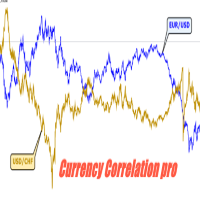
Currency Correlation pro Currency correlation happens when the price of two or more currency pairs moves in conjunction with one another. There can be both positive correlation, where the price of the currency pairs moves in the same direction and negative correlation, where the price of the currency pairs moves in opposite directions. this indicator put the price of 5 pairs on sub-windows so you see what happens in one chart. How to use Correlation Indicator? You can simply choose currency p
Данная завершенная система сетки отложенных ордеров открывает любую комбинацию отложенных ордеров (Buy Stop, Sell Stop, Buy Limit и Sell Limit) и закрывает все существующие отложенные ордера. Вы сможете перемещать скрипт по графику. Он подхватит начальную цену для первой позиции в сетке с той точки, на которой вы его оставите. Обычно такая точка располагается в области линий поддержки/сопротивления. Входные параметры Перед выставлением отложенных ордеров открывается окно входных параметров, в к
С этим продуктом покупают
Добро пожаловать в Trade Manager EA — лучший инструмент для управления рисками, предназначенный для упрощения, точности и эффективности торговли. Это не просто инструмент для размещения ордеров; это комплексное решение для удобного планирования торгов, управления позициями и усиленного контроля над рисками. Независимо от того, начинающий вы трейдер, опытный специалист или скальпер, нуждающийся в быстром исполнении, Trade Manager EA адаптируется к вашим потребностям и работает с любыми активами:
Trade Indicator Assistant is a powerful MT4 utility designed to turn indicators into automated trading systems. Its main feature is the ability to automatically detect an indicator’s   BUY and SELL signal buffers , without requiring you to know the buffer numbers, search through indicator settings, or modify the indicator source code. Bonus Indicator: After purchasing Trade Indicator Assistant, contact me to receive Trade Signal Pro completely free as a bonus indicator. [Download Demo Version]
Local Trade Copier EA MT4
Juvenille Emperor Limited
4.96 (112)
Local Trade Copier EA MT4 — это быстрый и гибкий копировщик сделок для копирования и управления сделками между несколькими счетами MetaTrader 4 на одном компьютере с Windows или Windows VPS. Он сочетает локальную синхронизацию сделок с настройками на стороне Receiver для управления размером лота, рисками, фильтрацией сделок, сопоставлением символов, управлением сделками и защитой счета. Настройте терминалы Transmitter и Receiver примерно за 1 минуту и копируйте ручные сделки или сделки, открыты
Trade Assistant MT4
Evgeniy Kravchenko
4.43 (197)
Помогает рассчитать риск на сделку, простая установка нового ордера с помощью линий, управление ордерами с функциями частичного закрытия, 7 типов трейлинг-стопа и другие полезные функции. Дополнительные материалы и инструкции Инструкция по установке   -   Инструкция к приложению   -   Пробная версия приложения для демо счета Функция Линии   - отображает на графике линию открытия, стоп-лосс, тейк-профит. С помощью этой функции легко установить новый ордер и увидеть его дополнительные характери
Exp COPYLOT CLIENT for MT4
Vladislav Andruschenko
4.69 (65)
Профессиональный копировщик сделок для MetaTrader 4 Быстрый, профессиональный и надежный копировщик сделок для MetaTrader 4 . COPYLOT позволяет копировать сделки Forex между терминалами MetaTrader 4 и MetaTrader 5 , обеспечивая гибкую синхронизацию для разных типов счетов и сценариев торговли. Версия COPYLOT MT4 поддерживает: MetaTrader 4 → MetaTrader 4 MetaTrader 5 Hedge → MetaTrader 4 MetaTrader 5 Netting → MetaTrader 4   Версия MT5 Полное описание + DEMO + PDF Как купить Как установить Как по
Telegram to MT4 Coppy
Sergey Batudayev
4.09 (11)
Telegram to MT4: Идеальное решение для копирования сигналов Упростите свою торговлю с Telegram to MT4 — современным инструментом, который копирует торговые сигналы прямо из каналов и чатов Telegram на вашу платформу MetaTrader 4, без необходимости использования DLL. Это мощное решение обеспечивает точное исполнение сигналов, широкие возможности настройки, экономит время и повышает вашу эффективность. [ Instructions and DEMO ] [ FAQ ] [ How atach logs properly ] [ Settings descrition ] Ключевые
Telegram to MT4 Multi-Channel Copier   автоматически копирует торговые сигналы из ваших Telegram-каналов прямо в MetaTrader 4. Без ботов, без браузерных расширений, без ручного копирования. Сигнал приходит в Telegram — и советник открывает сделку в вашем терминале за считанные секунды. А перед тем как копировать канал, встроенный бэктестер покажет, что этот канал сделал бы на вашем счёте. Продукт состоит из двух компонентов: приложения для Windows, которое слушает ваши Telegram-каналы, и этого с
Trade copier MT4
Alfiya Fazylova
4.61 (36)
Trade Copier — это профессиональная утилита, предназначенная для копирования и синхронизации сделок между торговыми счетами. Копирование происходит от счета/терминала поставщика к счету/терминалу получателя, которые установлены на одном компьютере или vps. АКЦИЯ - Если вы уже приобрели "Trade copier MT4", вы можете получить "Trade copier MT5" бесплатно (для копирования MT4 > MT5 и MT4 < MT5). Для получения более подробной информации об условиях, пожалуйста, свяжитесь с нами через личные сообщени
MT4 к Telegram Signal Provider - это простой в использовании и полностью настраиваемый инструмент, который позволяет отправлять сигналы в Telegram, превращая ваш аккаунт в поставщика сигналов. Формат сообщений полностью настраиваем! Однако для простого использования вы также можете выбрать предопределенный шаблон и включать или отключать определенные части сообщения. [ Демо ]  [ Руководство ] [ Версия для MT5 ] [ Версия для Discord ] [ Телеграм-канал ]  New: [ Telegram To MT5 ] Настройка Шаг за
Take a Break
Eric Emmrich
5 (31)
Take a Break pauses your Expert Advisors when trading is a bad idea: before news, after a daily loss, outside your trading hours, or when a rule you wrote yourself says so. When the pause is over, your EAs simply continue. Account protection for all your EAs in one tool: news filter, drawdown and equity protection, time filter and custom rules. One EA on one chart protects the whole account, the free indicator gives every chart its own rules on top. Free demo | What is new in 26.09 | Support Ass
Скачать рабочую пробную версию Copy Cat More (Копи Кэт Мор) — копировщик сделок (Trade Copier) MT4 — это не просто локальный копировщик сделок; это полноценная система управления рисками и исполнения (risk management and execution framework), созданная для современных торговых задач. От челленджей проп-фирм (prop firm) до управления личным портфелем — он адаптируется к любой ситуации благодаря сочетанию надёжного исполнения, защиты капитала, гибкой настройки и продвинутой обработки сделок. Ко
VirtualTradePad mt4 Extra
Vladislav Andruschenko
4.85 (61)
Торговая Панель для торговли в 1 клик.  Работа с позициями и ордерами!  Торговля с  чарта  (график) или с  клавиатуры . С помощью нашей торговой панели Вы можете торговать   в один клик с графика   и совершать торговые операции в   30   раз быстрее стандартного управления в MetaTrader.  Автоматические расчеты параметров и функции, которые облегчают жизнь трейдеру и помогают трейдеру вести свою торговую деятельность в разы быстрее и удобнее. Графические подсказки и полная информация по торговым с
Partial Closure EA MT4
Juvenille Emperor Limited
5 (3)
Partial Closure EA MT4 позволяет частично закрывать любую сделку на вашем счёте вручную, по выбранному проценту от объёма лота и/или по номеру тикета, либо автоматически — на указанных уровнях TP/SL, закрывая определённый процент от первоначального объёма лота на до 10 уровнях take profit и 10 уровнях stop loss. Он может управлять всеми или выбранными сделками на вашем счёте, указывая или исключая определённые magic-номера, комментарии или символы. Совет: Загрузите бесплатную демо-версию совет
CloseIfProfitorLoss with Trailing
Vladislav Andruschenko
4.88 (32)
Close If Profit or Loss with Trailing для MetaTrader 4 — автоматическое закрытие по общей прибыли или убытку Надёжная торговая утилита для MetaTrader 4, которая автоматически закрывает позиции, когда общая прибыль или общий убыток достигает заданного уровня. Советник контролирует открытые сделки, считает плавающий результат, может использовать трейлинг прибыли и помогает закрывать позиции быстрее, чем ручная реакция трейдера. MetaTrader 4 до сих пор активно используют ручные трейдеры, скальперы
Smart Copy Local MT4
Kyra Nickaline Watson-gordon
5 (7)
Smart Copy is an Easy-to-Use EA that supports Multi Copying Metatrader4 and Metatrader5 and Local/Remote Copying. (Remote Version is coming soon) Free version is available on Smart Copy Local Free MT4 Specifications :     Real Time, Multi Terminal - Multi Account - MT4/MT5 trade copying     Copy from netting to hedge and hedge to netting is supported.     Fast and instant copy     All settings are input visually.     Easy modifying symbol names, prefix, suffix     Enable/Disable copying s

Want automatically to put the pending order, take profit and stop loss? This EA will do it on your behalf! The Fibo Heart EA strategy will place limit order after the ‘check point’ breakout. The position will be triggered when the price make a successful retest. If not, the pending order will automatically deleted after price hit certain level. You also have option to enable market order (instant execution) and custom take profit in the inputs setting. This EA must be attached with Fibo Heart In
The product will copy all telegram signal to MT4   ( which you are member  ) , also it can work as remote copier.  Easy to set up, copy order instant, can work with almost signal formats, image signal, s upport to translate other language to English Work with all type of channel or group, even channel have "Restrict Saving Content", work with  multi channel, multi MT5 Work as remote copier: with signal have ticket number, it will copy exactly via ticket number. Support to backtest signal. How to
TradePanel MT4
Alfiya Fazylova
4.84 (95)
Trade Panel — это многофункциональный торговый помощник. Приложение содержит более 50 торговых функций для ручной торговли и позволяет автоматизировать большинство торговых операций. Инструкция к приложению + видео-инструкции: https://www.mql5.com/ru/blogs/post/771695 Пробная версия приложения для демо-счета: https://www.mql5.com/ru/blogs/post/750864 Как установить приложение: https://www.mql5.com/ru/blogs/post/750096 Как тестировать приложение в визуальном режиме: https://www.mql5.com/ru/blogs/
King Trade Copier MT4
Mohammed Maher Al-sayed Mohammed Ahmed Saleh
5 (1)
King Trade Copier соединяет терминалы MetaTrader, запущенные на одном компьютере или VPS. Сделки, открытые на одном счёте, появляются на остальных. Файл содержит обе роли, поэтому одна и та же загрузка становится отправителем или получателем в зависимости от значения, которое вы зададите параметру Mode. На каждом графике панель показывает, отправляет этот терминал сигналы или принимает их, называет счёт на другой стороне, считает получателей, которые ответили, и показывает возраст последнего си
Индикатор силы валют для MetaTrader 4 Этот индикатор силы валют анализирует до 28 основных пар и выводит одно значение по каждой из 8 валют: USD, EUR, GBP, JPY, CHF, CAD, AUD и NZD. Вместо того чтобы открывать график за графиком, вы читаете одну панель на графике MetaTrader 4 и видите, какую валюту покупают, а какую продают. Что показывает панель Ранжированную шкалу силы для каждой из 8 валют с процентом Мультитаймфреймовую матрицу: три таймфрейма на валюту рядом, чтобы увидеть, согласны ли M15,
Это программа в виде советника, которая устанавливается на график MetaTrader 4. Затем, используя API с сайта Bittrex и Binance, он загружает историю альткоинов (altcoin). После выбора названия пары советник автоматически загружает всю историю по всем таймфреймам (Daily,H12,H4,H2,H1,M30,M15,M5,M3,M1), поэтому нет необходимости устанавливать несколько копий советника на разные графики. Вы можете выбрать одну пару Bittrex и 4 пары Binance при запуске одной копии советника и создать до 15 таймфреймо
Копир->Удобное и быстрое взаимодействие с интерфейсом, пользователи могут использовать его сразу       ->>>> Рекомендуется использовать на компьютерах Windows или VPS Windows Функции: Разнообразные и персонализированные настройки копирования сделок: 1. Различные режимы лота могут быть установлены для различных источников сигналов. 2. Различные источники сигналов могут быть установлены для прямого и обратного копирования сделок. 3. Сигналы могут быть установлены с комментариями. 4. Следует ли ка
News Filter EA: Advanced Algo Trading Assistant News Filter EA is an advanced algo trading assistant designed to enhance your trading experience. By using the   News Filter EA , you can integrate a Forex economic news filter into your existing expert advisor, even if you do not have access to its source code. In addition to the news filter, you can also specify   trading days   and   hours   for your expert. The News Filter EA also includes   risk management   and   equity protection   features
Prop Guardian Risk Manager MT4 – Drawdown, Risk & Hedge Protection for Prop Firm and Managed Accounts Prop Guardian Risk Manager is a professional risk-control utility for MetaTrader 4, designed for prop firm traders, money managers and anyone who wants strict account-level risk protection. It does not generate trading signals, strategy entries or trading decisions. Instead, it runs in the background, monitors your account risk and can automatically block new exposure, close managed trades or ac
EA Local Trade Copier Pro MT4: Ультимативный дубликатор сделок без DLL Вы устали от сложных копировщиков сделок, которые требуют небезопасных внешних DLL, приводят к сбоям в работе терминала или сбивают с толку отдельными файлами «Master» и «Client»? Оцените новое поколение копирования сделок с EA Local Trade Copier Pro MT4. Созданная для максимальной стабильности, молниеносного исполнения и невероятной простоты, эта утилита позволяет беспрепятственно копировать сделки между несколькими терминал
X2 Copy MT4
Liubov' Shkandrii
Быстрый. Точный. Инновационный. Технологичный. Откройте для себя мгновенное копирование сделок с революционным X2 Copy MT4. Всего за 10 секунд простой установки вы получите мощный инструмент для синхронизации сделок между терминалами MetaTrader на одном компьютере или Windows VPS с беспрецедентной скоростью. Управляете несколькими счетами, следуете сигналам или масштабируете свою стратегию — X2 Copy MT4 адаптируется к вашему рабочему процессу с непревзойдённой точностью и контролем. Работайте бы
Multi Copy
Kaijun Wang
5 (1)
Копир->Удобное и быстрое взаимодействие с интерфейсом, пользователи могут использовать его сразу       ->>>> Рекомендуется использовать на компьютерах Windows или VPS Windows Основные функции: Нормальная скорость взаимодействия при копировании сделок составляет менее 0,5 с. Автоматически определять источники сигнала и отображать список учетных записей источников сигнала Автоматически сопоставлять символы, 95% наиболее часто используемых торговых символов на разных платформах (особые случаи, таки
Trend Line Optimizer
Evgenii Aksenov
4.11 (19)
Это автоматический оптимизатор параметров для индикатора   Trend Line PRO Легко и быстро вы подберете оптимальные параметры для вашего любимого индикатора Trend Line PRO.  Оптимизация занимает всего несколько секунд. Оптимизатор позволяет находит лучшие параметры для каждой пары и периода: Amplitude, TP1-TP3, StopLoss, а так же значения для Time Filter и HTF Filter на выбранном участке истории (Days)  Для оптимизации разных таймфреймов вам нужен разный диапазон истории: M5-M15 установите парам
Trade Dashboard MT4
Fatemeh Ameri
4.96 (54)
Trade Dashboard simplifies how you open, manage, and control your trades, with built-in lot size calculation. It allows you to execute trades, manage risk, and control positions directly on the chart, with tools such as partial close, breakeven, and trailing stop. Designed to reduce manual work and help you stay focused on your trading decisions. A demo version is available for testing. Detailed explanations of features are provided within the MQL5 platform. Installation instructions are include
Риск менеджер Риск менеджер - упростит отслеживание просадки и оповестит при критическом достижении указанного риска, а также закроет ордера при достижении критического (указанного) уровня риска. При превышении указанной просадки, можно выбрать два варианта событий Все ордера закрываются и фиксируется убыток. Терминал также полностью закрывается Вместо фиксирования убытка открывается противоположный ордер - и происходит локирование. Ни один ордер не закрывается. Логику раскрытия локов можно п
Другие продукты этого автора
HIZOA Dynamic Support & Resistance is a clean, adaptive market-structure indicator for MetaTrader 4, designed to visualize dynamic support and resistance across multiple market horizons. Instead of displaying only one fixed support and resistance calculation, the indicator continuously analyzes three different historical lookback periods. This creates three dynamic resistance levels and three dynamic support levels, allowing traders to view short-, medium- and longer-term market structure direc
*NOVA VOLUME FLOW OSCILLATOR IS EVOLVING INTO HIZOA !* NOVA Volume Flow Oscillator will soon continue under the new HIZOA brand. The upcoming HIZOA edition will include further improvements and refinements based on extensive development and testing. This enhanced version will be released as a paid product . More information will follow soon. NOVA Volume Flow is a professional volume-pressure oscillator for MetaTrader 4. It transforms market volume and candle direction into a clear visual histo
FREE
HIZOA Candle Statistics Objective Candle Structure, Market Activity and Pattern Recognition HIZOA Candle Statistics is a compact informational and educational indicator that provides a clear numerical view of the current candle and the most recently closed candle. Instead of producing buy or sell signals, the indicator helps traders understand the structure and relative activity of the candles currently shaping the market. By displaying the proportions of the candle body, upper wick and lower w
FREE
HIZOA SPREAD AND TIMER PANEL is a clean and practical information utility for MetaTrader 4. It displays the current spread, rolling average spread, candle closing time and daily closing time directly on the chart. The panel automatically adapts to the active symbol and timeframe, allowing traders to monitor essential spread and timing information without unnecessarily covering important chart areas. HIZOA Spread and Timer Panel is available completely free of charge. MARKET CLOSE AWARENESS HIZOA
FREE
HIZOA Market Sessions is a professional market-session and volume-flow visualization tool designed to provide a clearer view of when market conditions change, which major trading session is active, and how volume pressure develops around those transitions. Instead of displaying trading sessions only as simple time blocks, HIZOA Market Sessions combines session timing with integrated volume-flow analysis . This allows traders to view both the time structure of the market and the activity occurrin
HIZOA RSI Divergence Oscillator  is a visual market-analysis tool designed to automatically detect and display regular bullish and bearish RSI divergences between price and momentum. Divergence can be an important indication that the relationship between price and momentum is changing. However, during active trading it is surprisingly easy to overlook — especially when monitoring multiple markets or timeframes. HIZOA RSI Divergence Oscillator continuously analyzes price structure and RSI behavi
HIZOA Clean Volume Flow provides a clear visual representation of directional volume pressure. No complicated dashboard and no unnecessary signals. The indicator presents the information in a clean and easy-to-read format: Green bars above zero indicate bullish volume pressure. Red bars below zero indicate bearish volume pressure. Bar height and color intensity reflect the strength of the current tick volume compared with its local average. The status display shows the symbol, timeframe, volume
Фильтр:
Нет отзывов
Ответ на отзыв