

Download the Trend Flow indicator for MT4 | Download the Trend Flow indicator for MT5
GET FOR FREEFirst and foremost, it is important to note that the indicator does not repaint.
This means its historical values remain valid and reliable for analysis. Yes, some values are dynamic due to incoming new market data.
They may change only their status, but not their position. All other data is fixed at the close of each candle and remains unchanged.
The drawing results also depend on the number of candles analyzed. The higher the value set in the settings, the more accurate the calculations — but the slower your computer may perform.
The indicator should be used on two or more timeframes. The main direction and targets are determined on the higher timeframe, while entry points are identified on the lower one.
Lower timeframes contain too much noise. However, this noise can be filtered to find favorable positions with a short stop loss and high mathematical expectancy. Only in this way will your analysis be truly effective.
The indicator panel can be turned on and off using the “X” key on the keyboard.
FLOW Button. Trend Flow.
When the indicator detects the entry of a major player, it begins drawing a trend line. A circle marked with the number 1 indicates the first entry.
The Trend Flow continues to be drawn until a major player in the opposite direction is found. Points marked 2, 3, and so on represent repeated entries or confirmations of trend continuation after manipulations or attempts to reverse the trend.
The Trend Flow line acts as a dynamic support or resistance level. It is drawn with a slight offset so as not to distract, while still reminding you of the current trend direction.
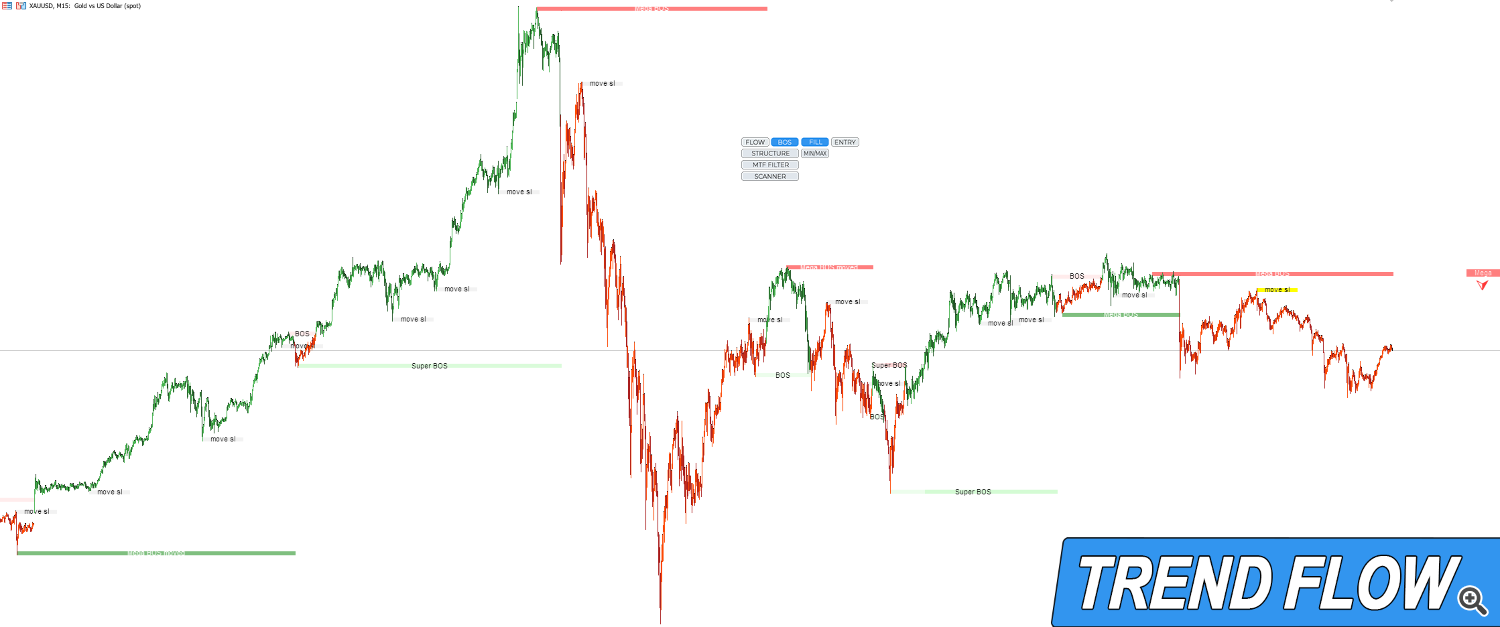
BOS Button. Major Player Positions.
In trading, BOS commonly stands for Break of Structure and indicates continuation in the direction of the trend. In our case, it represents the entry of a major player — the point where a significant money flow was recorded.
A major player absorbs the opposing position and either creates a correction or reverses the trend.
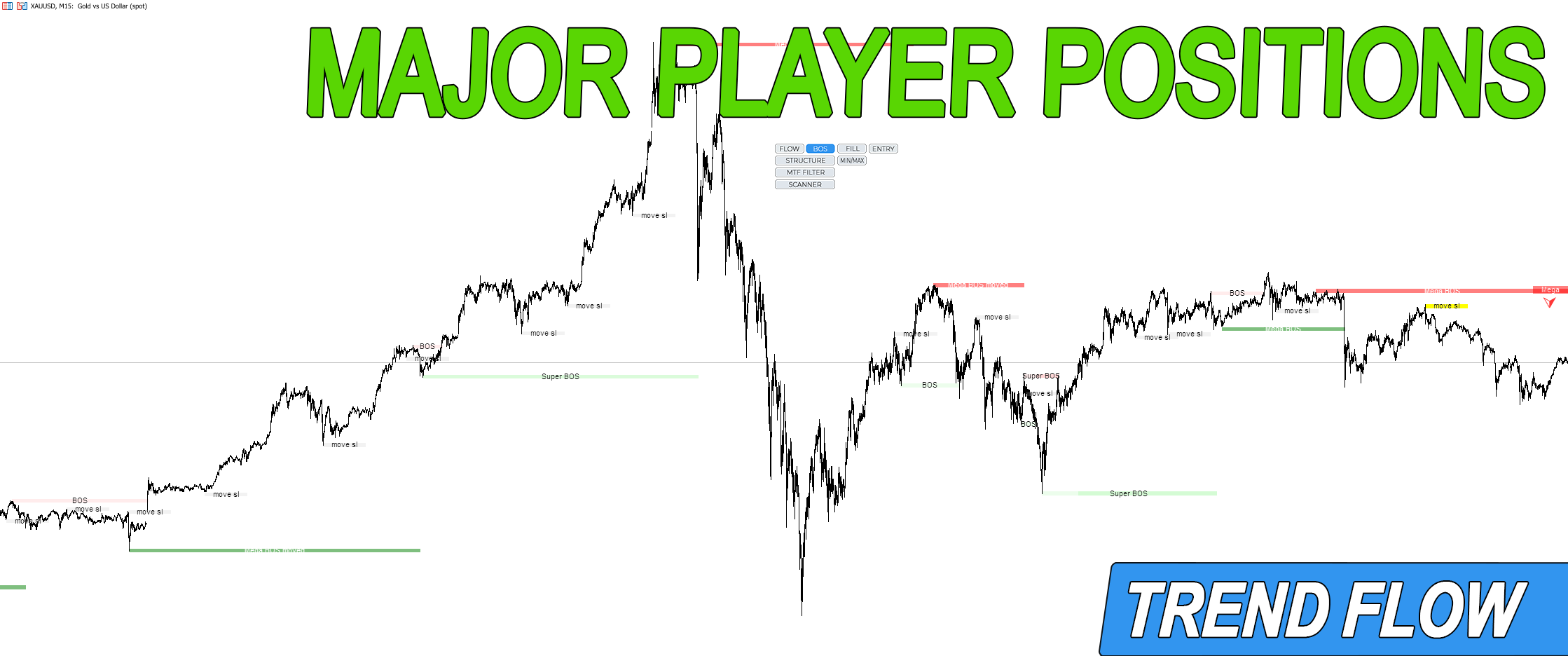
BOS has three strength levels:
MEGA BOS — the strongest entry. It determines the overall trend direction. Entering together with this player is the most reliable, and movements alongside it tend to be the longest.
MEGA BOS moved — relocation of the MEGA BOS position and confirmation of trend continuation. When the distance between MEGA BOS moved levels begins to shrink, this may signal the end of the trend, a reversal, or a correction.
Super BOS — also a large player with significant influence. It is most often found in manipulation zones.
BOS — the weakest of the major players. If a newly detected BOS is opposite to the latest MEGA BOS, it is most often just a correction. If they are aligned in the same direction, it signals trend continuation.
Move SL — relocation of BOS and Super BOS positions. After entering a trade, Move SL can be used to adjust the stop order or increase the main position.
It is important to note that with new incoming market data, a BOS can be upgraded to Super BOS, and Super BOS to MEGA BOS — but never downgraded.
FILL Button. Candle Coloring.

Candles are colored from the moment a new BOS is identified and in its direction. The color helps quickly determine the current trend direction and avoid mistakes.
When using a higher timeframe filter, candle color turns neutral in zones where BOS signals are conflicting.
Colors can be customized in the indicator settings.
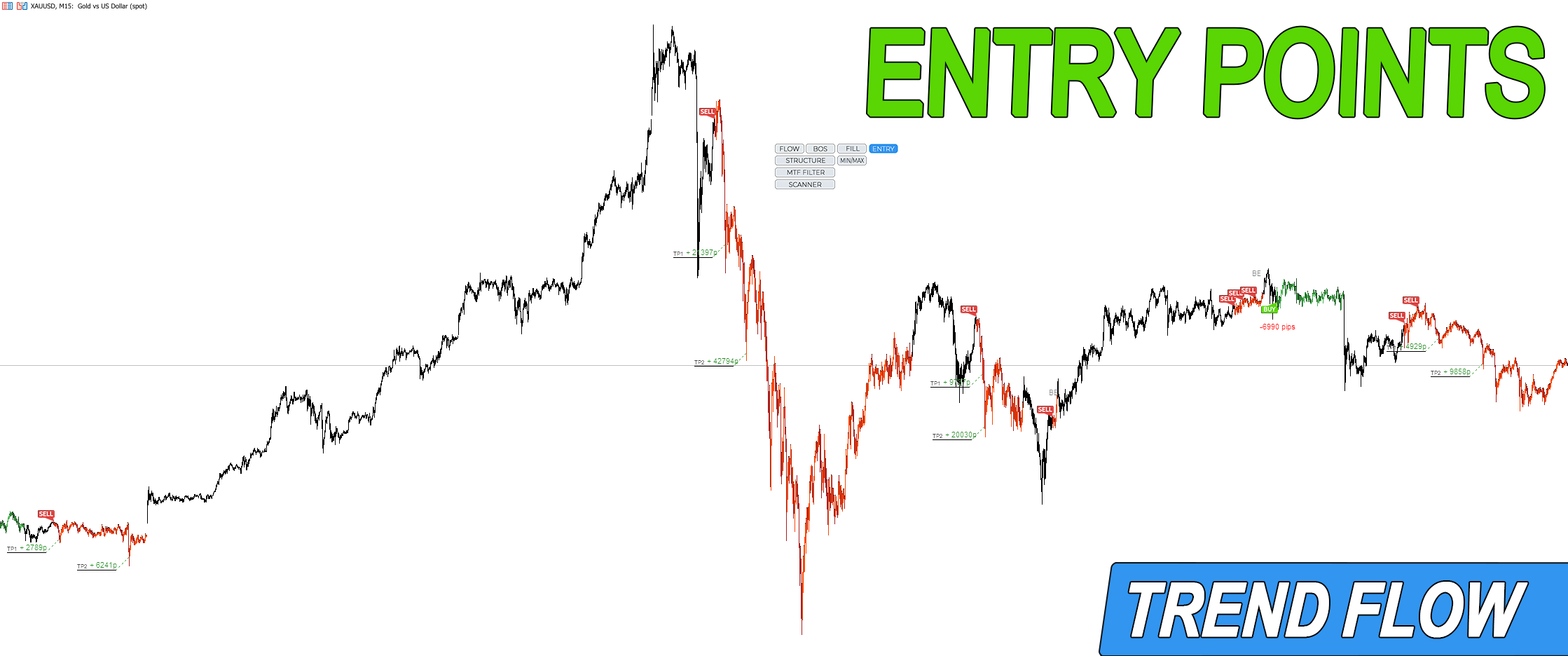
ENTRY Button. Logical Entry Points.
A trend is the primary and dominant price movement. A correction is a temporary move against the trend.
Entering the market in the direction of the trend always increases the probability of success.
Entry points at the beginning of a trend and after corrections significantly improve the risk-to-reward ratio, sometimes multiple times.
Additionally, analyzing price behavior during a correction can help avoid entering losing trades.
An entry point signals the exhaustion of corrective movement. In other words:
after a trend begins, price creates a correction and slows down before continuing in the trend direction — this forms the basis for an entry point, which the indicator marks on the chart.
After a trend begins, price may form a deep correction of more than 50% — or none at all. The pullback percentage used to search for entry points can be adjusted in the settings.
The smaller the percentage specified, the more entry points will be found. The recommended value is 50% or higher.
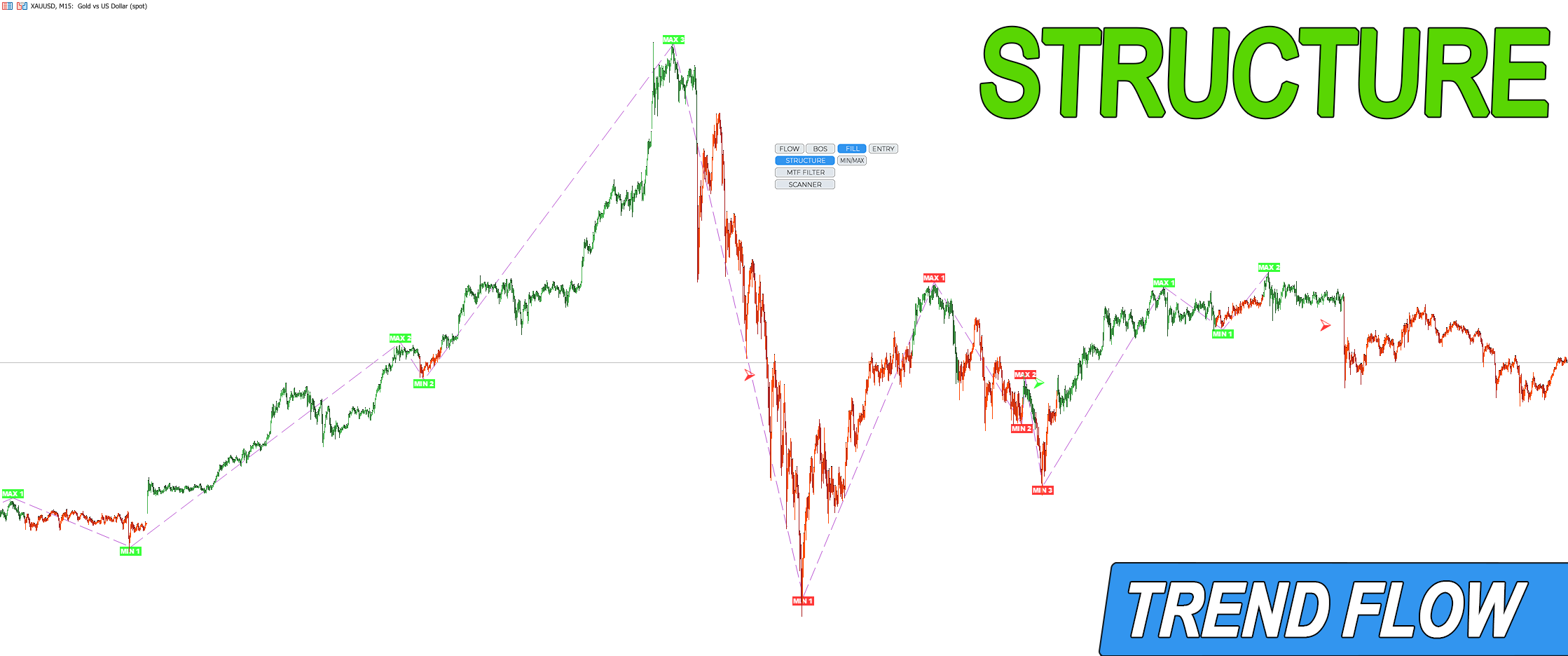
STRUCTURE Button. Market Structure.
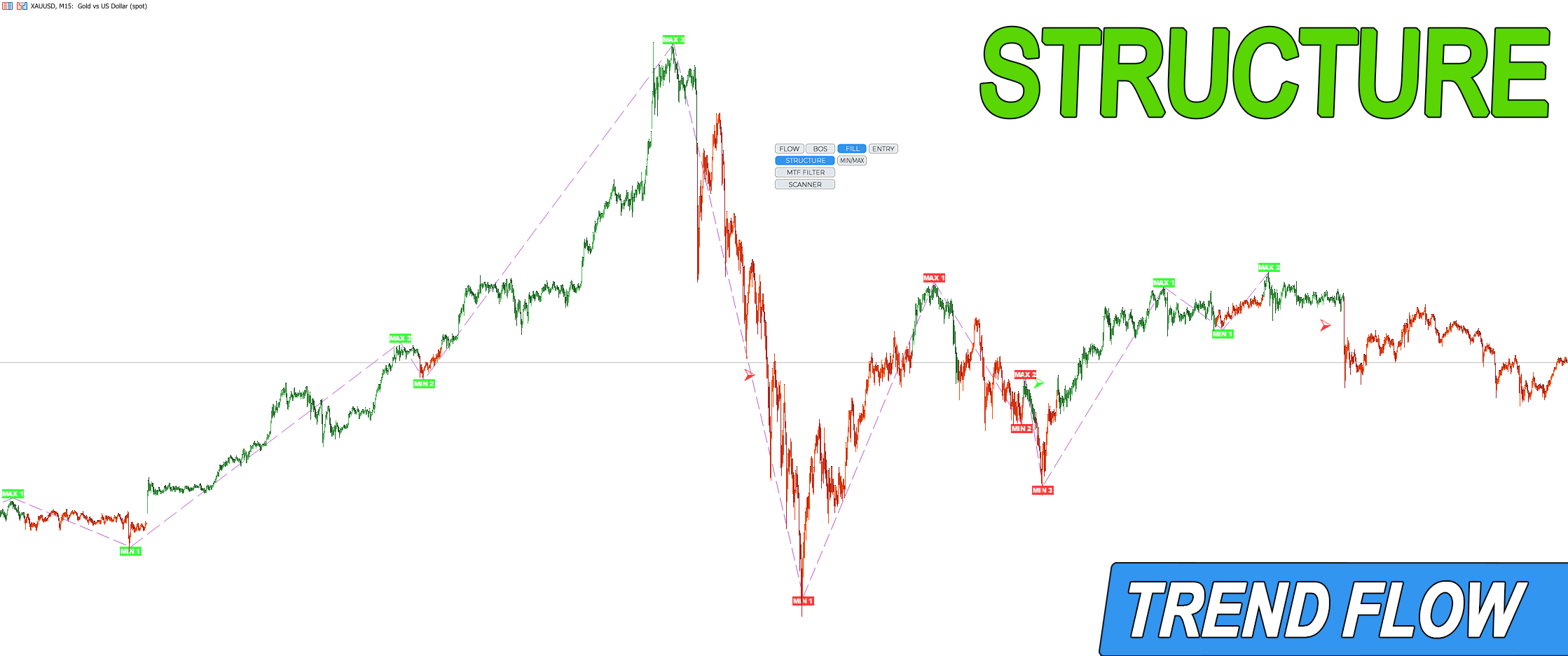
The framework of price movement, defined by highs and lows, forms the market structure. It reflects the market phase and determines the trend: in an uptrend, MIN and MAX rise; in a downtrend, they decline.
A break of structure within a stable trend can be interpreted as a correction or manipulation. Market entries based on structure can be executed both in the direction of the structure and during corrections.
MIN/MAX Button. Smallest Participant Entries.
The substructure of the main structure is displayed as a series of local highs and lows.
These represent entries of the smallest market participants. Analyzing substructure is like examining the main structure under a microscope.
This is particularly important for scalping, short-term trades, and reducing stop-loss size.
MTF FILTER Button. Higher Timeframe Filtering.
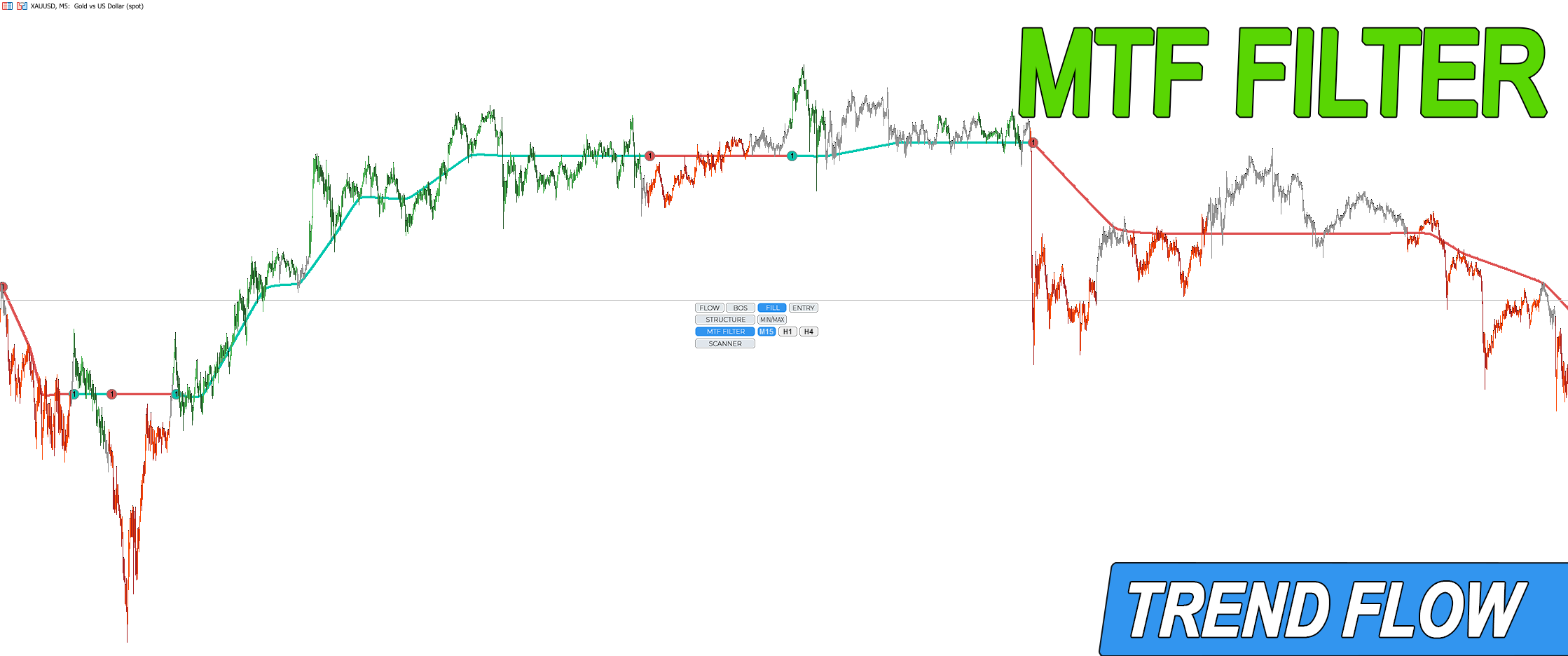
The indicator analyzes all charts across different timeframes using the same logic.
A trend change on a 5-minute chart may only be a correction on a 1-hour chart.
Displaying the higher timeframe trend state on the current chart helps filter out corrective entries and focus only on trades in the main trend direction.
SCANNER Button. Market Analysis.
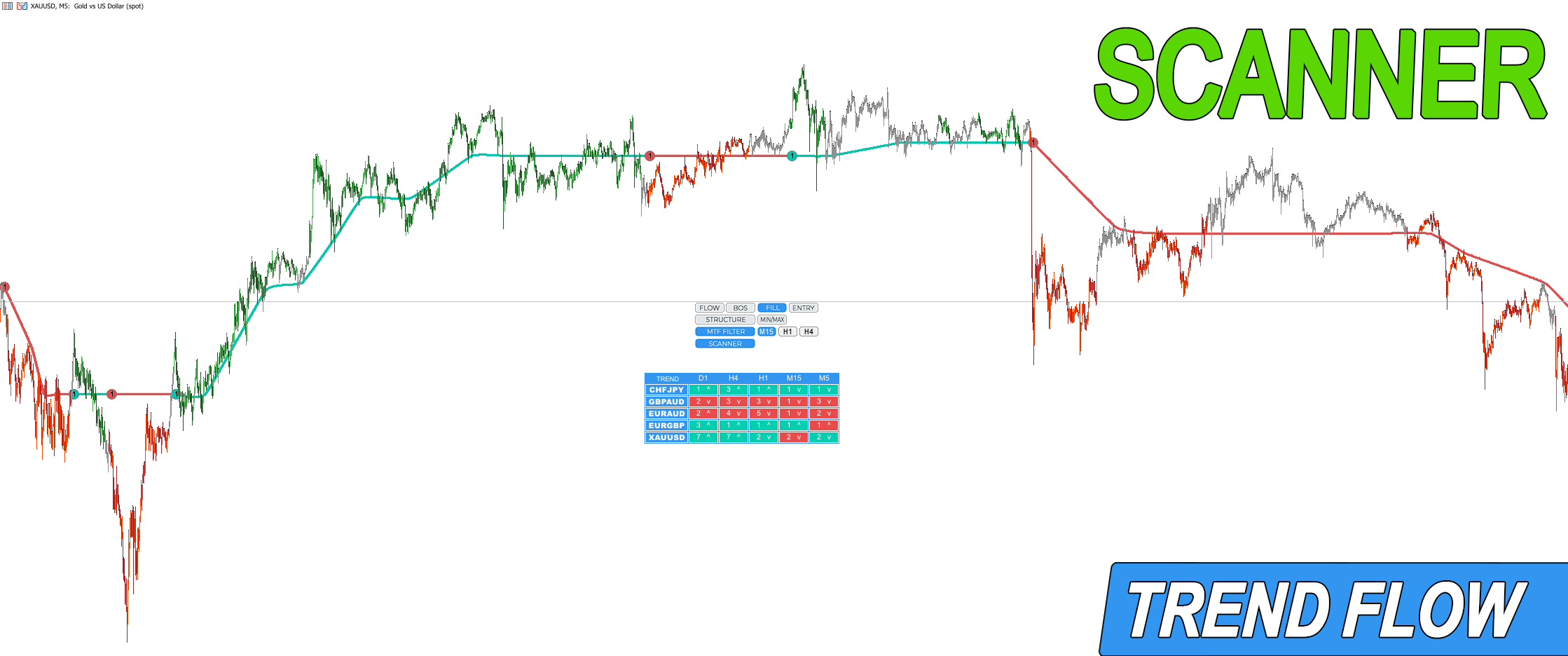
Switching between instruments and searching for high-probability setups takes time. The Scanner allows you to quickly review the market within minutes, switch to the desired instrument, and make fast decisions.
Download the Trend Flow indicator for MT4 | Download the Trend Flow indicator for MT5