Session Range Context
- Indicadores
- Versão: 1.0
- Ativações: 10

Session Range Context
Is the first 45 minutes of your selected session unusually quiet or active compared with the first 45 minutes of earlier sessions? Session Range Context answers that specific question using completed M1 bars, visible sample counts and an exportable calculation audit.
It is a descriptive MT5 indicator for one chart symbol and one configurable session window per instance. It does not generate trading signals, forecast the final range or place orders.
Compare the same elapsed minutes
At 09:45 in a window starting at 09:00, the indicator measures 09:00–09:45 and compares it with the same 45-minute portion of each eligible earlier session. At the end of the configured window, it compares complete windows. The current forming M1 bar and the current session are excluded from the historical baseline.
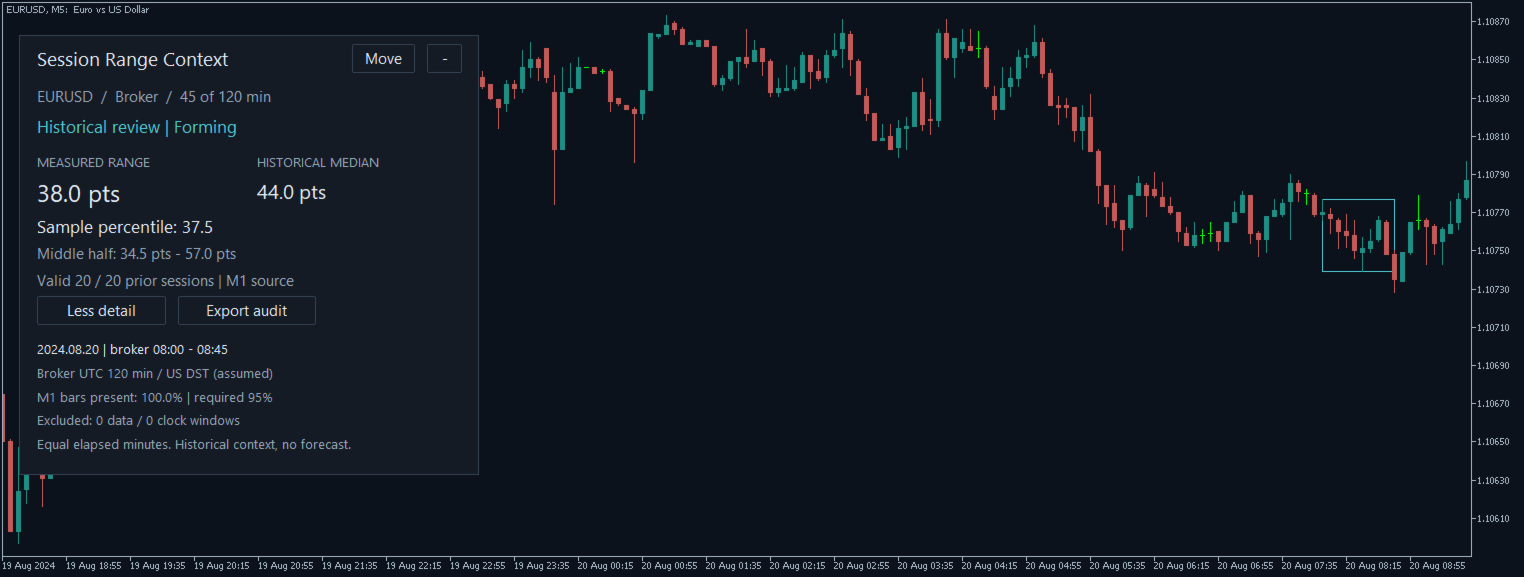
- Measured high-to-low range and historical median, in symbol points.
- Middle-half historical band (25th–75th percentiles) and the current range's percentile within the sample.
- Visible valid sample count, minimum coverage requirement and data or clock exclusions.
- Arbitrary minute starts, including 09:30, with a fixed M1 calculation source regardless of display timeframe.
- Broker, UTC, London or New York session clocks, with explicit broker offset and DST assumptions.
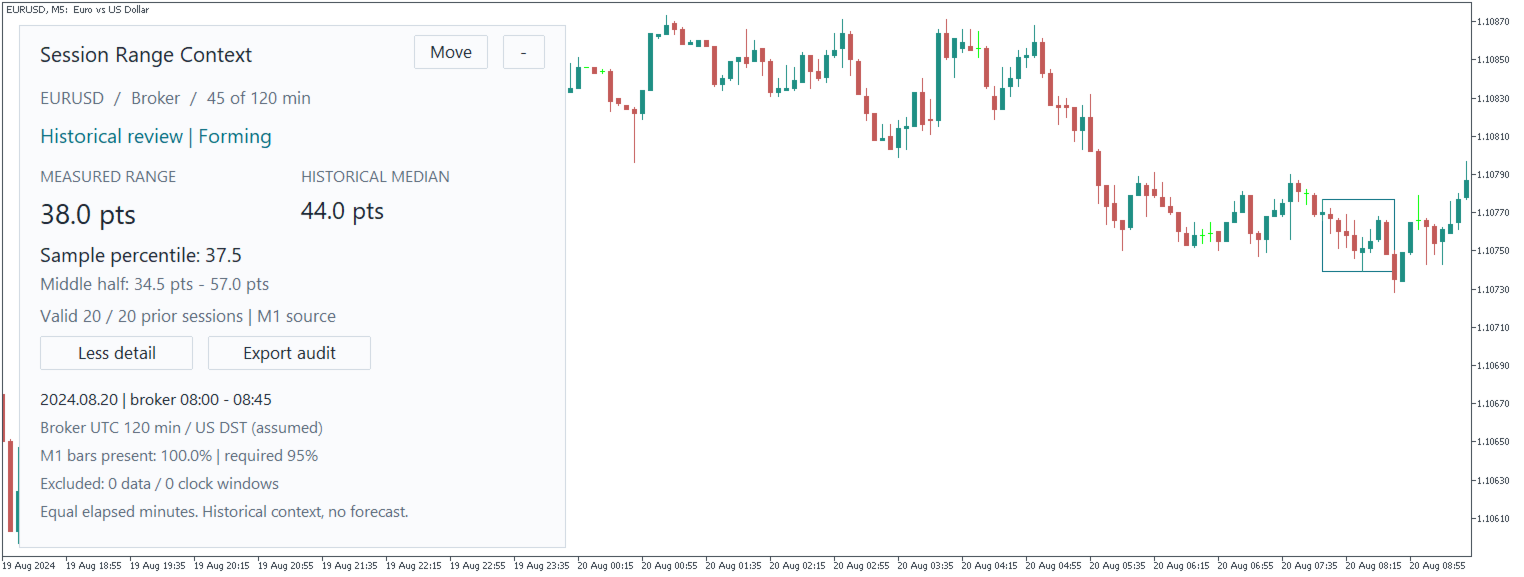
- Compact light/dark panel, expandable details, collapse/restore, adjustable size, and Move-then-click placement.
- Optional measured-range outline and historical review cutoff.
- Local CSV audit listing the included and excluded historical dates, coverage and measured ranges.
Quick start
- Attach the indicator to the symbol you want to study. Start with SessionClock = Broker and confirm your intended start hour, minute and window length.
- Check BrokerStandardUTCMinutes and BrokerDST against your broker's historical server clock. These are user assumptions, not automatically detected broker rules. The defaults are UTC+120 minutes with US DST.
- Leave ReviewAt = 0 to follow the terminal's latest quote time. For historical analysis, enter a cutoff in broker time. Before today's session starts, the most recent eligible session is shown.
- Allow MT5 to load enough M1 history. Check Details for the measured broker interval, coverage and exclusions. The default lookback is 40 prior weekdays, minimum 10 valid samples and 95% M1-bar coverage.
- Use Move, then click an empty area of the chart to place the panel. Cancel or Escape cancels placement. Use a different InstanceId for each additional instance on the same chart.
- Export audit saves a CSV under your terminal's MQL5/Files/SessionRangeContext folder. Re-exporting the same symbol, instance, date and elapsed minute replaces that audit file.
Read the figures correctly
A sample percentile of 80 describes this range's position in the selected historical sample. It is not an 80% chance of a breakout, reversal or profitable trade. Ties receive half weight. Median and quartiles use sorted observations with linear interpolation. A point is the symbol's quoted point size, not necessarily one pip.
The lookback counts eligible calendar dates, not a fixed number of accepted observations. Windows with insufficient M1 bars are excluded. Zero-tick minutes, market closures and missing history can therefore reduce the sample. The displayed range may change if broker history is corrected or additional eligible data arrives. It is not a promise of permanently fixed historical values.
Requirements and limits
Requires MetaTrader 5 and sufficient M1 history for the chart symbol. London, New York and dynamic broker-DST profiles implement modern rules from 2007 onward; older dynamic-DST dates are rejected. Ambiguous or skipped clock times and windows crossing a clock change are excluded. Broker-specific historical rule changes are not inferred automatically.
Offline or stale quotes are labeled and calculations use the last available quote cutoff. The tool provides historical context only. It contains no EA, trade execution, external service or DLL dependency.
Screenshots are native MT5 captures of the actual indicator on archived EURUSD M5 history from August 2024. They show historical-review examples, not live trading results or a performance claim.