MultiRange Stop Loss Manager MT4

MultiRange Stop Loss Manager MT4

MultiRange Stop Loss Manager MT4 is a utility designed to temporarily remove Stop Loss levels during specific time windows and automatically restore them afterwards.

Its main purpose is to protect open and pending orders during market conditions in which the Bid/Ask spread can widen sharply for technical market reasons, rather than because the trading strategy itself has failed.

This can be especially useful:

  • around the daily trading rollover, generally around midnight in MetaTrader server time and, depending on the broker, during the first part of the new trading day;

  • during periods of very low liquidity;

  • during moments of strong volatility;

  • whenever the order book becomes temporarily thinner and the Bid/Ask spread becomes unusually wide.

During these situations, an order may hit its Stop Loss simply because the spread expands for a short period, even if the underlying market movement has not invalidated the trading strategy.

MultiRange Stop Loss Manager allows the trader to define specific periods during which the original Stop Loss is temporarily removed and safely stored.

At the end of the selected period, the utility automatically attempts to restore the original Stop Loss.

Why this utility can be useful

At daily rollover, liquidity can temporarily decrease and spreads can increase considerably.

For example, a Buy position is normally closed at the Bid price, while a Sell position is affected by the Ask price. A sudden spread expansion can therefore bring one side of the market to the Stop Loss even when the normal market price movement is relatively limited.

This means that a trade can sometimes be stopped out because of a temporary liquidity or spread event rather than because of the trading logic that originally opened the position.

MultiRange Stop Loss Manager is designed to give the trader greater control over these specific periods.

The utility does not modify the trading strategy and does not open new trades. It only manages the Stop Loss of selected existing orders.

Main Features
  • Up to 5 independent Stop Loss suspension periods

  • Each period can be enabled or disabled separately

  • Time windows can cross midnight

  • Management of both market and pending orders

  • Management of all trades, manual trades only, or trades with a selected Magic Number

  • Management of all symbols, the current chart symbol, or one specific symbol

  • Original Stop Loss values are stored before removal

  • Automatic Stop Loss restoration at the end of the suspension period

  • Pending orders remain correctly managed if they become market positions during the suspension period

  • Optional market closure if the price has already crossed the stored Stop Loss

  • On-chart display of upcoming suspension periods

  • Detailed MetaTrader logging

  • English, Italian and Spanish interface messages

Important Safety Principle

Removing a Stop Loss always increases risk because the position temporarily has no broker-side Stop Loss protection.

For this reason, the utility stores the original Stop Loss before removing it.

When the suspension period ends, the original Stop Loss is restored whenever market conditions allow it.

An additional safety option can also close the position at market if the price has already moved beyond the original stored Stop Loss while protection was suspended.

This prevents the utility from simply leaving a position without protection when the original Stop Loss can no longer be restored correctly.

The user remains responsible for selecting appropriate suspension periods and for understanding the risks associated with temporarily removing Stop Loss protection.

Inputs

Language

Language

Selects the language used by the utility for messages and notifications.

Available languages:

  • English

  • Italian

  • Spanish

English is the default language.

Main Controls

Enable EA

Main ON/OFF switch.

  • true — Stop Loss management is active.

  • false — the utility remains attached to the chart but does not remove or restore Stop Loss levels.

Use Local PC Time

Selects the clock used for the suspension schedule.

  • true — uses the local time of the computer or VPS.

  • false — uses the MetaTrader broker server time.

For most users who want to protect positions around the broker's daily rollover, using broker server time can make the schedule easier to match with the broker's trading day.

Timer Seconds

Defines how often the utility checks:

  • the current time;

  • active suspension periods;

  • managed orders;

  • Stop Loss restoration conditions.

A lower value means more frequent checks.

Suspension Windows

The utility provides five independent time ranges.

Each range contains three settings:

  • Enable Range

  • Remove SL Time

  • Restore SL Time

Only the ranges you need have to be enabled.

Range 1

Enable Range 1

Activates or disables the first suspension period.

Remove SL Time 1

Defines when the Stop Loss suspension begins.

At this time, the utility stores the original Stop Loss and removes it from the selected orders.

Restore SL Time 1

Defines when the suspension ends.

At this time, the utility attempts to restore the original Stop Loss.

A range can cross midnight.

Example:

22:50 → 01:03

This means that Stop Loss protection is suspended from 22:50 until 01:03 of the following day.

This type of configuration can be useful around daily rollover if the broker experiences wider spreads during that period.

Range 2

Enable Range 2

Activates the second independent suspension period.

Remove SL Time 2

Starting time for Range 2.

Restore SL Time 2

Ending time for Range 2.

Range 3

Enable Range 3

Activates the third independent suspension period.

Remove SL Time 3

Starting time for Range 3.

Restore SL Time 3

Ending time for Range 3.

Range 4

Enable Range 4

Activates the fourth independent suspension period.

Remove SL Time 4

Starting time for Range 4.

Restore SL Time 4

Ending time for Range 4.

Range 5

Enable Range 5

Activates the fifth independent suspension period.

Remove SL Time 5

Starting time for Range 5.

Restore SL Time 5

Ending time for Range 5.

The five ranges are independent and can be used for different periods during the same trading day.

Order Type Settings

Include Market Orders

Controls whether open Buy and Sell positions are managed.

  • true — market positions are included.

  • false — market positions are ignored.

Include Pending Orders

Controls whether pending orders are managed.

Supported pending order types include:

  • Buy Limit

  • Sell Limit

  • Buy Stop

  • Sell Stop

If a pending order is activated while its Stop Loss is suspended, the utility continues to manage the resulting market position using the original stored Stop Loss.

Order Scope

Order Scope

Determines which trades the utility is allowed to manage.

Available modes:

All Orders

Manages all matching trades in the account.

This can include both manually opened positions and positions opened by Expert Advisors.

Manual Orders Only

Only trades with Magic Number 0 are managed.

Specific Magic Number

Only orders with the selected Magic Number are managed.

This is useful when you want MultiRange Stop Loss Manager to work only with positions generated by a specific Expert Advisor.

Magic Number

Used when the Specific Magic Number mode is selected.

Enter the Magic Number of the Expert Advisor whose trades should be managed.

Symbol Scope

Symbol Scope

Determines which symbols are managed.

Available options:

All Symbols

The utility manages matching orders on all symbols in the account.

Current Chart Symbol

Only orders belonging to the symbol of the chart where the utility is attached are managed.

Custom Symbol

Only one specifically selected symbol is managed.

Custom Symbol

Used when Custom Symbol mode is selected.

Enter the exact symbol name used by your broker.

Examples may include:

EURUSD

or broker-specific names such as:

EURUSD.a

EURUSDm

The exact name must match the symbol used by your broker.

Safety Settings

Close If Price Beyond Stored Stop Loss

This is an important safety option.

If the market has already crossed the original stored Stop Loss before the suspension period ends, the original Stop Loss may no longer be valid for restoration.

When this option is enabled, the utility can close the position at market instead of leaving it without the intended protection.

  • true — close the position at market if the stored Stop Loss has already been crossed.

  • false — do not perform the automatic market closure.

Close Slippage

Defines the allowed slippage used when the utility needs to close a position at market.

The value is expressed in MetaTrader points.

Logging

Verbose Log

Enables detailed messages in the MetaTrader Experts and Journal tabs.

When enabled, the utility reports actions such as:

  • Stop Loss stored;

  • Stop Loss removed;

  • Stop Loss restored;

  • position closed because the stored Stop Loss was crossed;

  • suspension window changes;

  • errors returned by MetaTrader.

This option can be useful for monitoring and troubleshooting.

On-Chart Schedule Panel

Show Next Suspensions

Displays the upcoming Stop Loss suspension periods directly on the chart.

Panel Max Upcoming

Defines the maximum number of future suspension periods shown when the panel is expanded.

Panel X

Controls the horizontal position of the panel.

Panel Y

Controls the vertical position of the panel.

Panel Font Size

Sets the text size used by the information panel.

Panel Color

Selects the color used for the panel text.

Typical Use: Daily Rollover

One of the main uses of MultiRange Stop Loss Manager is protection around the broker's daily rollover period.

Around midnight in MetaTrader server time, and sometimes during part of the following hour depending on the broker and liquidity providers, market liquidity may temporarily decrease.

The Bid/Ask spread can therefore become much wider than during normal trading conditions.

A Stop Loss located relatively close to the market can consequently be triggered by this temporary spread expansion.

A typical configuration could therefore suspend Stop Loss protection shortly before the expected rollover and restore it once normal liquidity and spreads have returned.

The correct times are broker-dependent and should always be verified by the user.

Other Uses

The additional time ranges can be used whenever the trader knows in advance that abnormal liquidity or spread conditions may occur.

Examples include:

  • daily rollover;

  • specific low-liquidity periods;

  • scheduled periods during which the trader expects unusually wide spreads;

  • temporary market conditions where Stop Loss protection needs to be managed differently.

Important Notice

MultiRange Stop Loss Manager does not guarantee protection against losses, spread widening, slippage or market gaps.

Temporarily removing a Stop Loss can result in losses greater than the original Stop Loss level.

The utility should therefore be used only by traders who understand the consequences of temporarily removing broker-side Stop Loss protection.

Always test the settings carefully on a demo account before using the utility on a live trading account.

Produtos recomendados
VR Cub
Vladimir Pastushak
VR Cub é um indicador para obter pontos de entrada de alta qualidade. O indicador foi desenvolvido para facilitar cálculos matemáticos e simplificar a busca por pontos de entrada em uma posição. A estratégia de negociação para a qual o indicador foi escrito tem provado a sua eficácia há muitos anos. A simplicidade da estratégia de negociação é a sua grande vantagem, o que permite que até mesmo os comerciantes novatos negociem com sucesso com ela. VR Cub calcula os pontos de abertura de posição e
Noize Absorption Index MT4
Ekaterina Saltykova
5 (1)
Noize Absorption Index - is the manual trading system that measures the difference of pressure between bears forces and bulls forces. Green line - is a noize free index that showing curent situation. Zero value of index shows totally choppy/flat market.Values above zero level shows how powerfull bullish wave is and values below zero measures bearish forces.Up arrow appears on bearish market when it's ready to reverse, dn arrow appears on weak bullish market, as a result of reverse expectation. S
Uma das sequências numéricas é chamada de "Forest Fire Sequence". Foi reconhecida como uma das mais belas novas sequências. Sua principal característica é que essa sequência evita tendências lineares, mesmo as mais curtas. É esta propriedade que formou a base deste indicador. Ao analisar uma série temporal financeira, este indicador tenta rejeitar todas as opções de tendência possíveis. E somente se ele falhar, ele reconhece a presença de uma tendência e dá o sinal apropriado. Esta abordagem pe
Daily Candle Predictor é um indicador que prevê o preço de fechamento de uma vela. O indicador destina-se principalmente ao uso em gráficos D1. Este indicador é adequado tanto para negociação forex tradicional quanto para negociação de opções binárias. O indicador pode ser usado como um sistema de negociação autônomo ou pode atuar como um complemento ao seu sistema de negociação existente. Este indicador analisa a vela atual, calculando certos fatores de força dentro do próprio corpo da vela, be
GoldenTrend
Aliaksandr Sych
GoldenTrend — a next-generation high-frequency scalping Expert Advisor designed to extract profit from the smallest market movements. Utilizing advanced algorithms for price action and volume analysis, it opens dozens of highly accurate trades daily with minimal risk. Why GoldenTrend? Монитор Ultra-Fast Trades : Captures profit from 5–15 pip movements. Ideal for ECN accounts with low spreads. Adaptive Strategy : Automatically adjusts to current market volatility and dynamically shifts tradi
Stratos Pali
Michela Russo
4.43 (7)
Stratos Pali Indicator   is a revolutionary tool designed to enhance your trading strategy by accurately identifying market trends. This sophisticated indicator uses a unique algorithm to generate a complete histogram, which records when the trend is Long or Short. When a trend reversal occurs, an arrow appears, indicating the new direction of the trend. Important Information Revealed Leave a review and contact me via mql5 message to receive My Top 5 set files for Stratos Pali at no cost! Dow
Phase Analytics Pro: Advanced Cyclic Market Analyzer Phase Analytics Pro is a sophisticated technical tool designed for traders who prioritize mathematical precision over lag-heavy traditional indicators. Based on the principles of digital signal processing, this indicator decomposes price action into phase and quadrature components to identify the dominant market cycle. How it works: The algorithm calculates the instantaneous phase of the market, allowing it to distinguish between trending and
Super Reversal Pattern
Parfait Mujinga Ndalika
Super Reversal Pattern Indicator Unlock the power of advanced pattern recognition with our Super Reversal Pattern Indicator. Designed for traders seeking precision and reliability, this indicator identifies one of the most effective reversal patterns in technical analysis, offering a significant edge in your trading strategy. Key Features: Non-Repainting Accuracy: Enjoy the confidence of non-repainting technology. Once a Super Reversal Pattern is detected, it remains static, providing consiste
Easy Virtual Trader
Anoop Sivasankaran
4.89 (9)
Configure o Easy Virtual Trader> Insira suas regras> Você está pronto para negociar a partir de dispositivos móveis ou de outro EA ou de qualquer lugar .... Deixe o robô gerenciar seus negócios!     Este EA poderoso o ajudará a gerenciar transações TODAS ou ESPECÍFICAS automaticamente com base em suas regras e configurações PRE-SET     Depois de configurado e em execução, você não precisa mais monitorar seus pedidos, o software continuará assistindo e controlando seus pedidos com suas regras
Forex Gump
Andrey Kozak
2.4 (5)
Forex Gump is a fully finished semi-automatic trading system. In the form of arrows, signals are displayed on the screen for opening and closing deals. All you need is to follow the instructions of the indicator. When the indicator shows a blue arrow, you need to open a buy order. When the indicator shows a red arrow, you need to open a sell order. Close orders when the indicator draws a yellow cross. In order to get the most effective result, we recommend using the timeframes H1, H4, D1. There
We present you the indicator "Candle closing counter", which will become your indispensable assistant in the world of trading. That’s why knowing when the candle will close can help: If you like to trade using candle patterns, you will know when the candle will be closed. This indicator will allow you to check if a known pattern has formed and if there is a possibility of trading. The indicator will help you to prepare for market opening and market closure. You can set a timer to create a pre
The indicator displays the data of the Stochastic oscillator from a higher timeframe on the chart. The main and signal lines are displayed in a separate window. The stepped response is not smoothed. The indicator is useful for practicing "manual" forex trading strategies, which use the data from several screens with different timeframes of a single symbol. The indicator uses the settings that are identical to the standard ones, and a drop-down list for selecting the timeframe. Indicator Paramet
O indicador Crypto_Forex "Auto FIBO Pro" é uma ótima ferramenta auxiliar na negociação! - O indicador calcula e coloca automaticamente no gráfico os níveis de Fibonacci e as linhas de tendência locais (cor vermelha). - Os níveis de Fibonacci indicam áreas-chave onde o preço pode reverter. - Os níveis mais importantes são 23,6%, 38,2%, 50% e 61,8%. - Pode utilizá-lo para scalping de reversão ou para negociação de grelha de zona. - Existem muitas oportunidades para melhorar o seu sistema atual ut
Margin Call Shield – Defend Your Margin on Your Terms Margin Call Shield   is a tool for MetaTrader 4 traders who want to decide for themselves which open positions are closed during margin call situations before the platform does so automatically based on its internal rules. By default, the broker or platform decides which positions to close, often using undisclosed algorithms. Margin Call Shield lets you set this order according to your own strategy. Why Was Margin Call Shield Created? In a  
Trendiness Index
Libertas LLC
5 (3)
"The trend is your friend" is one of the best known sayings in investing, because capturing large trendy price movements can be extremely profitable. However, trading with the trend is often easier said than done, because many indicators are based on price reversals not trends. These aren't very effective at identifying trendy periods, or predicting whether trends will continue. We developed the Trendiness Index to help address this problem by indicating the strength and direction of price trend
Equity Master Stop v2
Frank William Jr Colbert
Trading tool combining a sophisticated equity stop-loss, dynamic take-profit management (Breakeven & Trailing), and symbol-group-based closing logic. It is a complete risk management and trade supervision tool. Features: All features of `Equity Master Stop v1` (floating profit/loss limits, exit protection, skip hours). Take-Profit Override: Can force a TP on any order to lock in a `MAX_FLOATING_PROFIT`. Step Breakeven: Locks in increasing amounts of profit as a trade moves favorably (e.g., aft
AnyChart MT4
Irek Gilmutdinov
AnyChart is a multifunctional tool allowing you to work with non-standard charts in MetaTrader 4. It includes collector of ticks and generator of charts for trading (hst files) and testing (fxt files). Supported chart types are second, tick and renko ones. Settings Starting Date - start date for chart plotting. Ending Date - end date for chart plotting. Chart Type - chart type: Time - time chart, each bar contains a certain time interval; Tick - volume chart, each bar contains a certain number
Program Overview: This program is a trading tool designed to monitor and analyze the 7 major currency pairs. It is a variant of a similar program used for tracking stock indices, but this version focuses on the seven major currency pairs. The program helps in identifying and calculating significant price movements (gaps) between the high and low prices of these currency pairs over a specified time frame. It then provides insights through comments and alerts based on the calculated gaps. Major Cu
Introdução A ferramenta utilitária de gerenciamento de pedidos Virtual TPSL Close M4 (consultor especialista) gerencia suas posições abertas existentes feitas por outro consultor especialista que você usa ou seus pedidos abertos manuais e os fecha com níveis virtuais de take-profit e stop loss. O consultor opera em modo virtual completo, nenhum nível visual apresenta mais do que um objeto de seta colorido desenhado quando a posição monitorada foi fechada, seja em lucro ou perda, para marcar sua
Infinity Trend Pro
Yaroslav Varankin
1 (1)
This is a trend indicator without redrawing Developed instead of the binary options strategy (by the color of the Martingale candlestick) Also works well in forex trading When to open trades (binary options) A signal will appear in the place with a candle signaling the current candle It is recommended to open a deal for one candle of the current timeframe M1 and M5 When a blue dot appears, open a deal up When a red dot appears, open a trade down. How to open trades on Forex. When a signal is rec
CoPilot dashboard MT4
Frederic Jacques Collomb
CoPilot — Painel de trading diário Conheça os seus números. Opere com clareza. Versão MT5 O que é o CoPilot? O CoPilot é um assistente de trading de nível profissional que exibe em tempo real todas as estatísticas de desempenho diário diretamente no gráfico — com uma curva de equidade ao vivo que se atualiza operação por operação. Desenvolvido para traders ativos que precisam de visibilidade instantânea da sua sessão sem sair do gráfico, o CoPilot agrega cada operação fechada do dia em todos os
An indicator of pattern #31 ("Long Island") from Encyclopedia of Chart Patterns by Thomas N. Bulkowski. The second gap is in the opposite direction. Parameters: Alerts - show alert when an arrow appears   Push - send a push notification when an arrow appears (requires configuration in the terminal) GapSize - minimum gap size in points ArrowType - a symbol from 1 to 17 ArrowVShift - vertical shift of arrows in points   ShowLevels - show levels ColUp - color of an upward line ColDn - color of a
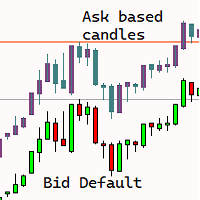
Are you tired of the uncertainty that arises when your orders fail to stop at a specific line due to the spread? Look no further! Introducing our  indicator that plots candlesticks based on the Ask price instead of the traditional bid-based chart commonly used in MQL4. With this indicator, you can say goodbye to the frustrations caused by the bid-based chart, as it provides you with a more accurate representation of market movements. By utilizing the Ask price, which represents the price at whic
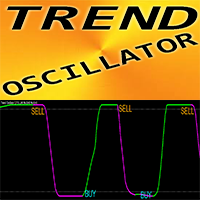
Trend Oscillator - é um indicador Crypto_Forex personalizado avançado, uma ferramenta de negociação eficiente! - É utilizado um novo método de cálculo avançado - 20 opções para o parâmetro "Preço para cálculo". - O oscilador mais suave alguma vez desenvolvido. - Cor verde para tendências ascendentes, cor vermelha para tendências descendentes. - Valores de sobrevenda: abaixo de 5, Valores de sobrecompra: acima de 95. - Existem muitas oportunidades para atualizar até mesmo as estratégias padrão c
Alpha Trend
Evgeny Belyaev
3 (4)
Alpha Trend is a trend indicator for the MetaTrader 4 platform; it has been developed by a group of professional traders. The Alpha Trend indicator finds the most probable tendency reversal points, which allows making trades at the very beginning of a trend. This indicator features notifications, which are generated whenever a new signal appears (alert, email, push-notification). This allows you to open a position in a timely manner. Alpha Trend does not redraw, which makes it possible to evalua
Description: Please tick "Show object descriptions" in chart properties to enable hrays views That utility converts a trendline into a horizontal ray known as tool for drawing supply and demand zones. Simply create a trendline on a chart and once selected, it will get converted. Ray remains horizontal while dragging.  Quick ray plot: press "R" key to create horizontal ray. It will be snapped to the nearest OHLC value Further versions will be improved. For feature request please post new comm
TradePilot
Hossein Khalil Alishir
TradePilot Expert Advisor (EA) for MetaTrader 4 TradePilot is a professional and user-friendly Expert Advisor (EA) for MetaTrader 4 (MT4) . It simplifies automated trading , risk management , and trade execution using a smart trading panel . Perfect for beginners and experienced traders looking for a reliable trade manager EA with automated lot size calculation . Key Advantages User-Friendly Trading Panel: Customizable panel with buttons and hotkeys. Smart Risk Management: Supports percen
Blahtech Market Profile
Blahtech Limited
4.53 (15)
Was: $249  Now: $99   Market Profile defines a number of day types that can help the trader to determine market behaviour. A key feature is the Value Area, representing the range of price action where 70% of trading took place. Understanding the Value Area can give traders valuable insight into market direction and establish the higher odds trade. It is an excellent addition to any system you may be using. Blahtech Limited presents their Market Profile indicator for the MetaTrader community. Ins
For sure, this indicator has become very popular amongst traders. Through coding this indicator will give you the most accurate levels possible for your trading analysis. We have also added in the ability for you to receive alerts when the price breaks above or below a Support or Resistance lines! HOW TO USE The red rectangles represent your resistance/supply zone. The green rectangles represent your support/demand zone.  BONUS FEATURES We coded this indicator with the ability to switch between
Wave Wolf MT4
Andrei Salanevich
O indicador Forex Wave Wold MT4 é projetado para procurar as ondas de Wolfe e exibi-las na janela atual do terminal de negociação. Um excelente indicador para os traders que usam as ondas de Wolf. Sua aplicação em estratégias de negociação aumentará significativamente sua eficiência e lucratividade. INFORMAÇÃO DO INDICADOR Ao contrário de outros indicadores de ondas de Wolfe, o indicador forex Wave Wold MT4 tem uma série de características que aumentam significativamente a sua eficiência: O p
Os compradores deste produto também adquirem
Bem-vindo ao Trade Manager EA—uma ferramenta de gestão de risco criada para tornar o trading mais intuitivo, preciso e eficiente. Não é apenas uma ferramenta para executar ordens, mas uma solução abrangente para planejamento de operações, gerenciamento de posições e controle de risco. Seja você um iniciante, trader avançado ou scalper que precisa de execução rápida, o Trade Manager EA adapta-se às suas necessidades, oferecendo flexibilidade em todos os mercados, desde forex e índices até commodi
News Filter EA: Advanced Algo Trading Assistant News Filter EA is an advanced algo trading assistant designed to enhance your trading experience. By using the   News Filter EA , you can integrate a Forex economic news filter into your existing expert advisor, even if you do not have access to its source code. In addition to the news filter, you can also specify   trading days   and   hours   for your expert. The News Filter EA also includes   risk management   and   equity protection   features
TradePanel MT4
Alfiya Fazylova
4.84 (95)
Trade Panel é um assistente de negociação multifuncional. O aplicativo contém mais de 50 funções de negociação para trading manual e permite automatizar a maioria das tarefas de negociação. Instruções para o aplicativo: https://www.mql5.com/pt/blogs/post/762435 Versão de teste do aplicativo para conta demo: https://www.mql5.com/pt/blogs/post/762547 Como instalar o aplicativo: https://www.mql5.com/pt/blogs/post/762548 Como testar o aplicativo no modo visual: https://www.mql5.com/pt/blogs/post/770
O Telegram to MT4 Multi-Channel Copier copia automaticamente os sinais de trading dos seus canais de Telegram e Discord diretamente para o MetaTrader 4. Sem bots, sem extensões de navegador, sem copiar à mão. O sinal chega ao Telegram ou ao Discord e o EA abre a operação no seu terminal em poucos segundos. E antes de copiar um canal, o backtester integrado mostra o que esse canal teria feito na sua conta. O produto inclui dois componentes: um aplicativo de Windows que escuta os seus canais de Te
TradeMirror é uma ferramenta local de cópia de ordens desenvolvida para as plataformas MT4/MT5, com suporte à sincronização de negociações em tempo real. Samouczek Kliknij link Samouczek Trademirror , aby zobaczyć więcej samouczków. Vantagens do Produto Alinhado com os altos padrões de segurança, estabilidade e privacidade para softwares financeiros, otimizamos três aspectos fundamentais: Interface gráfica intuitiva para operação simplificada Proteção de privacidade reforçada para isolamento de
PZ Trade Pad Pro MT4
PZ TRADING SLU
3.67 (3)
Este é um painel de negociação visual que ajuda você a realizar e gerenciar operações facilmente, evitando erros humanos e aprimorando sua atividade comercial. Ele combina uma interface visual fácil de usar com uma abordagem sólida de gerenciamento de riscos e posições. [ Guia de instalação | Guia de atualização | Solução de problemas | FAQ | Todos os produtos ] Surpreendentemente fácil de usar Negocie facilmente a partir do gráfico Negocie com gerenciamento preciso de riscos, sem complicações
Precisa de suporte? Como configurar? Tem dúvidas? Pergunte aqui no seu idioma, resposta rápida: https://www.mql5.com/en/market/product/139089/comments Baixar versão de teste funcional Copy Cat More (Gato Copião) — Copiador de Trades (Trade Copier) MT4 não é apenas um simples copiador local de trades; é um completo framework de gerenciamento de risco e execução (risk management and execution framework) projetado para os desafios de trading de hoje. De desafios de prop firm ao gerenciamento de
Trade Indicator Assistant is a powerful MT4 utility designed to turn indicators into automated trading systems. Its main feature is the ability to automatically detect an indicator’s   BUY and SELL signal buffers , without requiring you to know the buffer numbers, search through indicator settings, or modify the indicator source code. Bonus Indicator: After purchasing Trade Indicator Assistant, contact me to receive Trade Signal Pro completely free as a bonus indicator. [Download Demo Version]
Trade Manager Pro MT4
Bryan Djoufack Nguessong
Esta é uma utilidade para facilitar a sua negociação, colocando a um clique ou alguns cliques tarefas demoradas como gestão de ordens e gestão de riscos. Características Gestão do risco   Calcula automaticamente os lotes com base no risco especificado em % ou $ no campo de risco e deixa-o entrar apenas colocando linhas para SL TP etc. e exibir a Recompensa de Risco em tempo real. TrueRisk para que inclua comissões ao calcular o tamanho do lote em pares FX apenas para que arrisque 1% com tod
Copiadora->Interação de interface conveniente e rápida, os usuários podem usá-la imediatamente       ->>>> Recomendado para uso em computadores Windows ou VPS Windows Características: Configurações de negociação de cópias diversificadas e personalizadas: 1. Diferentes modos de lote podem ser definidos para diferentes fontes de sinal 2. Diferentes fontes de sinal podem ser definidas para negociação de cópias direta e reversa 3. Os sinais podem ser definidos com comentários 4. Se deve calibrar o
Shepherd Safety EA
AW Trading Software Limited
4.92 (13)
AW Shepherd Safety EA é um Expert Advisor para gerenciar posições abertas. A primeira ordem é aberta pelo trader no painel, e a partir daí o EA conduz a cesta sozinho: adiciona ordens de recuperação com filtro de tendência, fecha o lado por TakeProfit, trailing ou stop e mostra os níveis de fechamento no gráfico. Compras e vendas são geridas separadamente, e os dois lados podem ficar abertos ao mesmo tempo. A ordem de recuperação não é aberta apenas pelo passo de preço, mas depois de uma reversã
Trade Assistant Pro 36 in 1
Makarii Gubaydullin
4.76 (21)
Ferramenta Multifuncional: Calculadora de Lotes, Ordens Grid, Proporção R/R, Gerenciador de Trades, Zonas de Oferta e Demanda, Price Action e muito mais Versão Demo   |   Manual do usuário O Assistente de Trading não funciona no testador de estratégias: você pode baixar a Versão Demo AQUI para testar a utilidade . Entre em contato para qualquer dúvida / ideias de melhoria / em caso de encontrar um bug Se você precisa de uma versão MT5, está disponível aqui Simplifique, acelere e automatize seu
O MT4 para Telegram Signal Provider é uma ferramenta fácil de usar e totalmente personalizável que permite o envio de sinais para o Telegram, transformando sua conta em um provedor de sinais. O formato das mensagens é totalmente personalizável! No entanto, para uso simples, você também pode optar por um modelo predefinido e habilitar ou desabilitar partes específicas da mensagem. [ Demonstração ]   [ Manual ] [ Versão MT5 ] [ Versão Discord ] [ Canal do Telegram ]  New: [ Telegram To MT5 ] Conf
The product will copy all telegram signal to MT4   ( which you are member  ) , also it can work as remote copier.  Easy to set up, copy order instant, can work with almost signal formats, image signal, s upport to translate other language to English Work with all type of channel or group, even channel have "Restrict Saving Content", work with  multi channel, multi MT5 Work as remote copier: with signal have ticket number, it will copy exactly via ticket number. Support to backtest signal. How to
KT Equity Protector MT4
KEENBASE SOFTWARE SOLUTIONS
3.75 (4)
An equity protection EA for MetaTrader that enforces your loss limits and profit target for you: when your account reaches a rule you set, it closes your trades on every symbol, before one bad day turns into a lost account. It suits prop firm challenges and personal accounts alike. Attach it to one chart, answer a few questions in the on-chart setup wizard, and it watches your whole account in the background while you trade by hand or with other EAs. What it protects Daily loss limit: a percenta

Unlimited Trade Copier Pro is a tool to copy trade remotely to multiple MT4, MT5 and cTrader accounts at different computers/locations over internet. This is an ideal solution for you if you are a signal provider and want to copy your trades to other receivers globally on your own rules. One provider can copy trades to multiple receivers and one receiver can get trade from multiple providers as well. The provider can even set the subscription expiry for each receiver, so that receiver will not b
Strategy Builder offers an incredible amount of functionality. It combines a trade panel with configurable automation (covert indicators into an EA), real-time statistics (profit & draw down) plus automatic optimization of SL, TP/exit, trading hours, indicator inputs. Multiple indicators can be combined into an single alert/trade signal and can include custom indicators, even if just have ex4 file or purchased from Market. The system is easily configured via a CONFIG button and associated pop-up
Take a Break
Eric Emmrich
5 (31)
Take a Break pauses your Expert Advisors when trading is a bad idea: before news, after a daily loss, outside your trading hours, or when a rule you wrote yourself says so. When the pause is over, your EAs simply continue. Account protection for all your EAs in one tool: news filter, drawdown and equity protection, time filter and custom rules. One EA on one chart protects the whole account, the free indicator gives every chart its own rules on top. Free demo | What is new in 26.09 | Support Ass
Trade Manager MT4 DaneTrades
Levi Dane Benjamin
4.09 (11)
Trade Manager para ajudá-lo a entrar e sair rapidamente de negociações enquanto calcula automaticamente seu risco. Incluindo recursos para ajudar a evitar negociações excessivas, negociações de vingança e negociações emocionais. As negociações podem ser gerenciadas automaticamente e as métricas de desempenho da conta podem ser visualizadas em um gráfico. Esses recursos tornam este painel ideal para todos os traders manuais e ajudam a aprimorar a plataforma MetaTrader 4. Suporte multilíngue. Vers
Negocie o suporte e a resistência ou as zonas de oferta e procura automaticamente depois de identificar as áreas-chave nas quais pretende negociar. Este EA permite-lhe desenhar zonas de compra e venda com um único clique e, em seguida, colocá-las exatamente onde espera que o preço mude. O EA monitoriza então estas zonas e realizará automaticamente negociações com base na ação de preço que especificar para as zonas. Assim que a negociação inicial for realizada, o EA obterá lucro na zona oposta q
Riskless Pyramid
Snapdragon Systems Ltd
5 (1)
Introduction This powerful MT4 trade mangement EA offers a way potentially to aggressively multiply trade profits in a riskfree manner. Once a trade has been entered with a defined stoploss and take profit target then the EA will add three pyramid add-on trades in order to increase the overall level of profit. The user sets the total combined profit target to be gained if everything works out. This can be specified either as a multiple of the original trade profit or as a total dollar amount. Fo
The News Filter
Leolouiski Gan
5 (25)
Este produto filtra todos os consultores especializados e gráficos manuais durante o horário das notícias, para que você não precise se preocupar com picos de preços repentinos que possam destruir suas configurações de negociação manuais ou negociações realizadas por outros consultores especializados. Este produto também vem com um sistema de gerenciamento de pedidos completo que pode lidar com suas posições abertas e ordens pendentes antes do lançamento de qualquer notícia. Depois de comprar o
Prop Guardian Risk Manager MT4 – Drawdown, Risk & Hedge Protection for Prop Firm and Managed Accounts Prop Guardian Risk Manager is a professional risk-control utility for MetaTrader 4, designed for prop firm traders, money managers and anyone who wants strict account-level risk protection. It does not generate trading signals, strategy entries or trading decisions. Instead, it runs in the background, monitors your account risk and can automatically block new exposure, close managed trades or ac
FCK CurrencyStrength Pro
Patel Hitendrakumar Mahendrabhai
Hi Friends, " FCK Currency Strength Pro " is a auto & semi auto trading expert with direction of pair. Buy-Sell separate or multi currency in one click. The strategy of  FCK Currency Strength Pro  is a combination of custom indicator, Trendlines, Support & Resistance levels ( Price Action ) and most important secretive trading algorithm mentioned above. Download News Ex4 and csv file You need the following SDSnews.ex4 in MQL4/Libraries and the daylightsavings.csv in MQL4/Files. Only 4 of 5 copi
Fixação automática de lucro ao atingir o lucro alvo EquityTargetCloser   — é um consultor especialista utilitário para MetaTrader 5 que fecha automaticamente todas as posições de mercado e exclui as ordens pendentes assim que   o patrimônio (Equity) exceder o saldo atual no valor de lucro especificado . Após fechar todas as posições, o alvo aumenta automaticamente: o novo limite = novo saldo + lucro especificado. O EA não abre negociações, apenas gerencia as posições existentes, ajudando a fixar
Grid Manual MT4
Alfiya Fazylova
4.71 (17)
"Grid Manual" é um painel comercial para trabalhar com uma grade de ordens. O utilitário é universal, possui configurações flexíveis e uma interface intuitiva. Ele trabalha com uma grade de ordens não apenas na direção da média das perdas, mas também na direção do aumento dos lucros. O trader não precisa criar e manter uma grade de ordens, tudo será feito pelo ""Grid Manual". Basta abrir um orden e o "Grid manual" criará automaticamente uma grade de ordens para ele e trabalhará com ele até que s
DrawDown Limiter MT4
Haidar Lionel Haj Ali
5 (8)
DrawDown Limiter v5.0 — Controlador Avançado de Proteção de Conta O DrawDown Limiter v5.0 é um controlador de proteção de conta executado no lado do cliente, desenvolvido para monitorar sua conta de trading e reagir automaticamente quando os limites configurados de risco, lucro, notícias, horário, rollover ou número de posições forem atingidos. Ele pode monitorar operações manuais, estratégias automatizadas, vários Expert Advisors, ordens pendentes e posições abertas a partir de um único gráfico
Risk manager Risk manager - it will simplify the tracking of drawdown and will notify you (alert) when the specified risk is reached, and close/lock orders when the critical DD risk level is reached. If the specified drawdown is exceeded, you can choose two options for actions: All orders will be closed that mean loss will be fixed on depo. The terminal also closes. Instead of fixing the loss on depo, the opposite order will be opened - orders locking will occure. Not a single order will be c
MACD Divergence Scanner is a multi-timeframe and multi-symbol dashboard and alert that checks all timeframes and symbols to find regular and hidden divergences between price chart and MACD indicator. This divergence scanner is integrated with support and resistance zones so you can check the MACD divergences in the most important areas of the chart to find trend reversals in the price chart. Download demo version   (works on M 1,M5,M30,W1   timeframes) Full description of scanner parameters ->  
Lot Architect — Trade Panel and Position Size Calculator for MT4 Lot Architect is a trade panel and risk-based position size calculator for MetaTrader 4. It helps calculate lot size from the selected risk, displays trade parameters before entry, and supports Market, Limit and Stop orders from the chart. The utility is designed for traders who want a structured workflow for position sizing, stop-loss placement, take-profit planning and order execution. Purpose Before opening a trade, a trader nee

Mais do autor
MACD MTF Timeframe Independent Colorized is a MetaTrader 4 indicator designed to make MACD momentum easier to read while allowing the MACD calculation timeframe to be completely independent from the chart timeframe. Unlike a standard MACD that always follows the timeframe of the active chart, this indicator can calculate its values from a separately selected timeframe. For example, you can keep an M5 chart open while displaying an H1 or H4 MACD, making it useful for multi-timeframe analysis with
FREE
Filtro:
Sem comentários
Responder ao comentário