Fast Local Copier MT4
- Utilitários
- Versão: 5.0
- Ativações: 10

Fast Local Trade Copier MT4 🚀
Fast Local Trade Copier MT4 is an ultra fast, lightweight, and reliable All-in-One local trade replicator for MetaTrader 4. It is designed specifically for professional traders and account managers running multiple MT4 accounts on the same PC or Virtual Private Server (VPS).
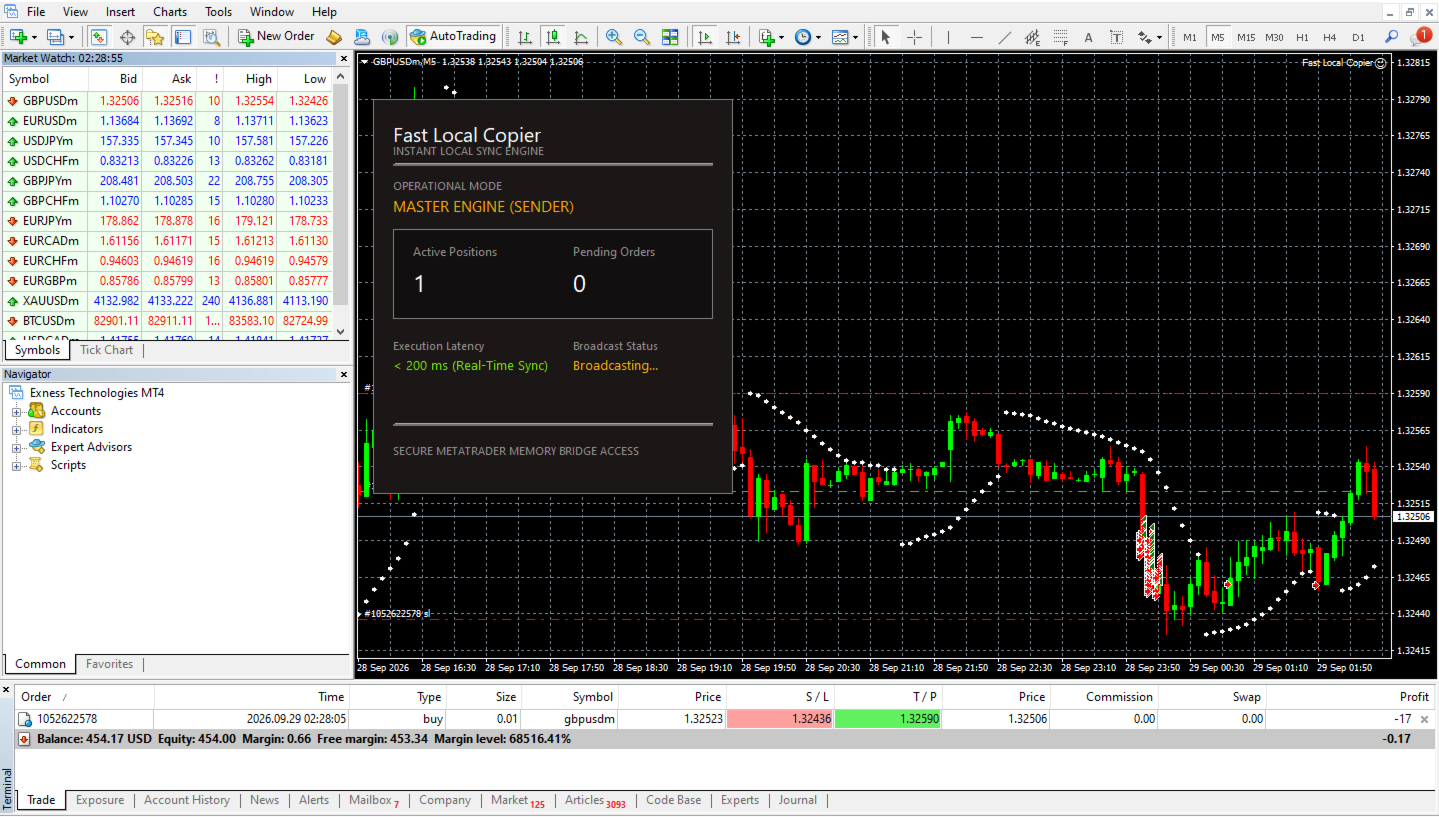
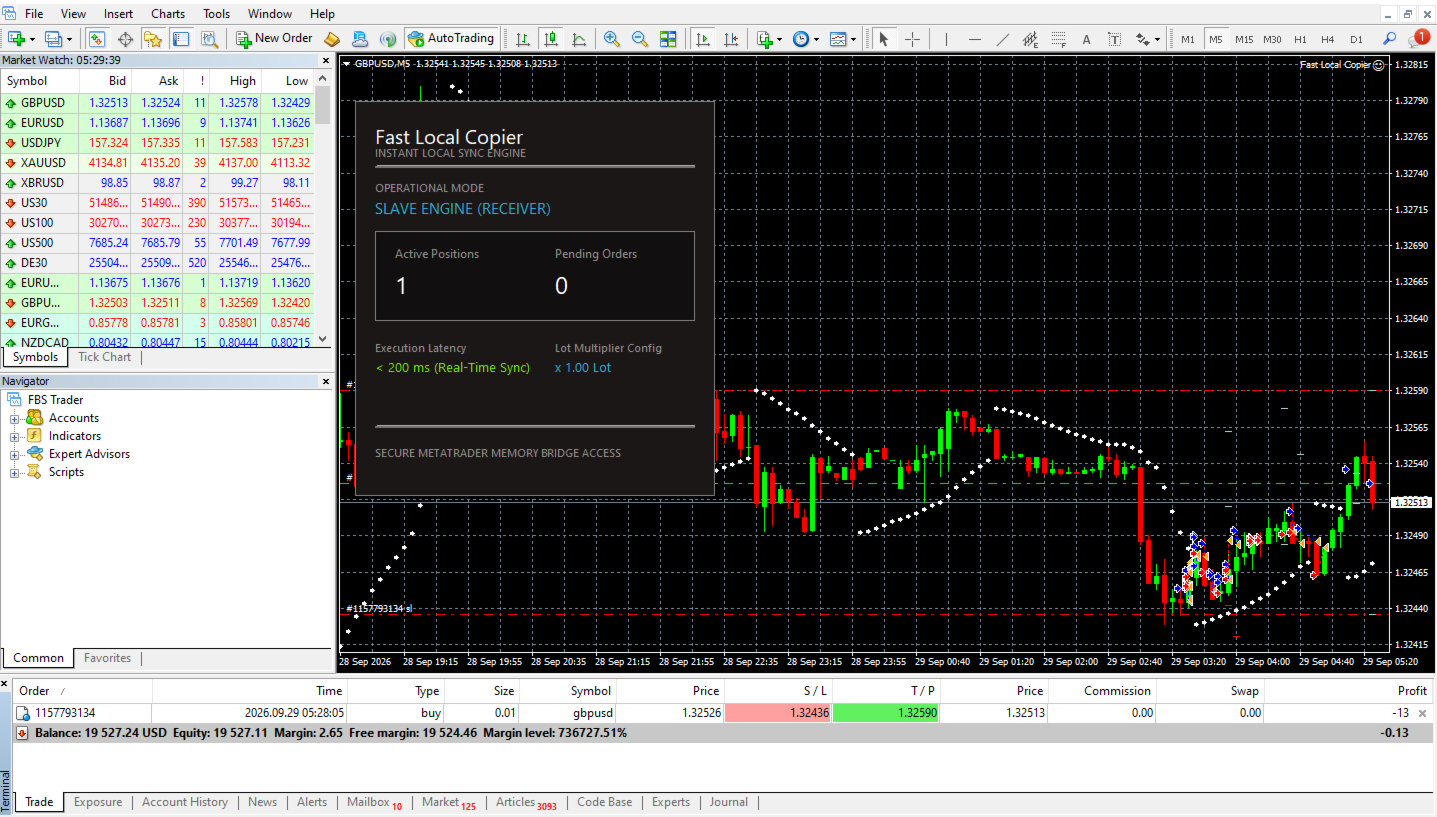
With its All-in-One architecture, a single copy EA file serves as both the Master (Signal Sender) and the Slave (Signal Receiver). Simply select the role in the input parameters and start copying trades instantly with millisecond-level execution speed.
🌟 Key Features
- All-in-One EA Architecture: One single .ex4 file handles both Master and Slave functions. No need to manage multiple files or separate plugins.
- Ultra Fast Local Execution: Powered by optimized local shared memory processing and a high-frequency 200ms timer loop for near-zero latency trade replication.
- Full Order Type Support: Copies Market Orders (Buy/Sell) and Pending Orders (Buy Limit, Sell Limit, Buy Stop, Sell Stop), while seamlessly executing partial fills on the slave account as positions open.
- Real Time SL & TP Synchronization: Any modification to Stop Loss (SL) or Take Profit (TP) levels on the Master account is instantly updated on all Slave accounts.
- Automatic Pending Order Clean-Up: When a pending order expires, is triggered, or gets canceled on the Master, Slave pending orders are automatically updated or removed in real-time.
- Smart Symbol Suffix Matching: Automatically detects and maps different symbol naming conventions between brokers (e.g., GBPUSD ↔️ GBPUSD! or EURUSD ↔️ EURUSD.m).
- Flexible Lot & Risk Management: Adjust position sizing using a Lot Multiplier (e.g., 0.5x, 1.0x, 2.0x) with automatic lot step and broker minimum/maximum volume normalization.
- 100% Secure & Private: All communication happens locally on your machine. No web servers, no third-party APIs, no monthly fees, and no data leaks.
⚙️ Inputs & Parameters
📌 General Settings
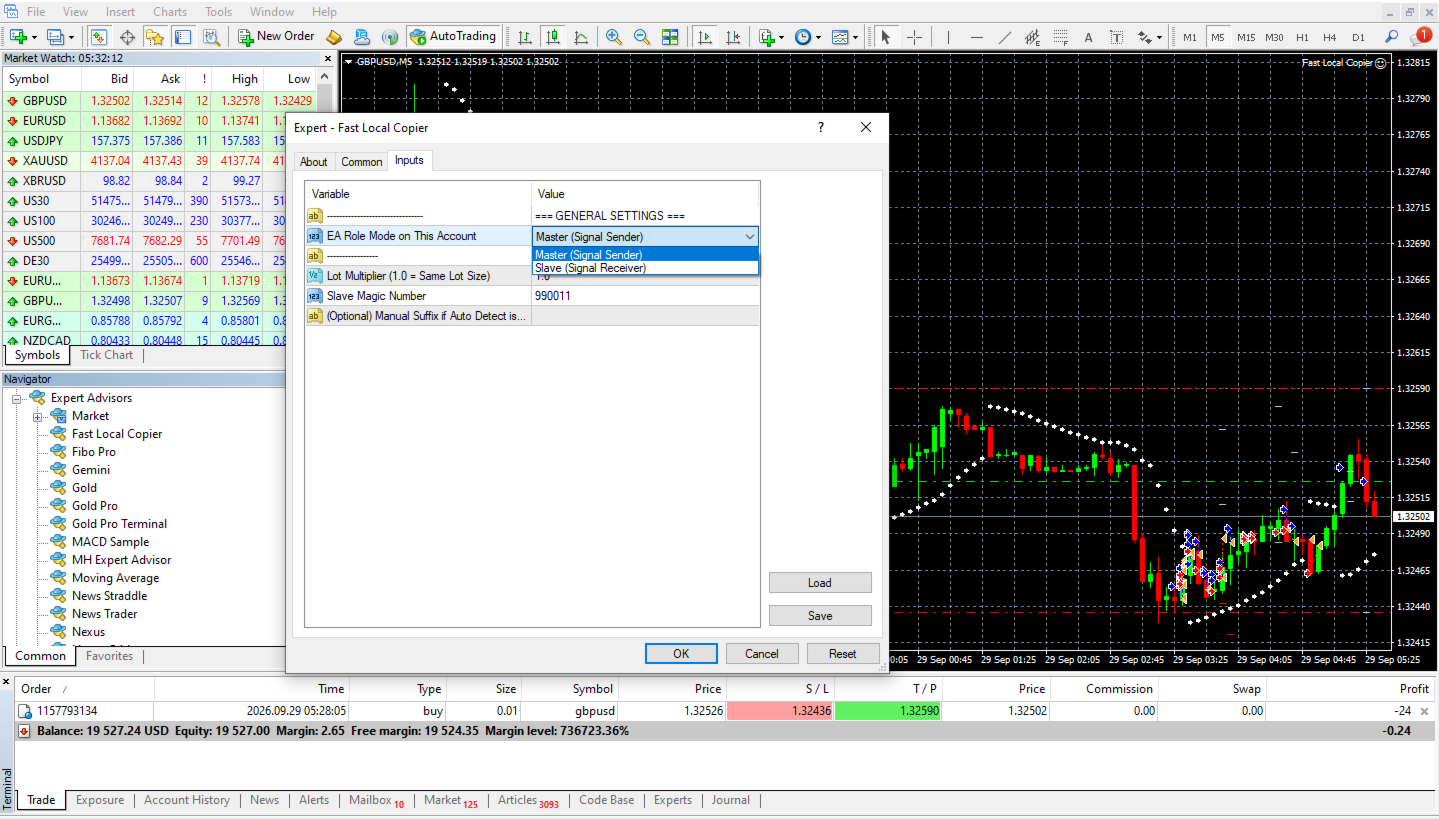
- Role (InpRole): Choose ROLE_MASTER for the account sending signals, or ROLE_SLAVE for the account receiving trades.
📌 Slave Settings (Active only when Role = Slave) [1]
- Lot Multiplier (InpLotMultiplier): Multiplier for lot calculation (e.g., 1.0 copies exact lot size; 0.5 copies half size).
- Magic Number (InpMagicNumber): Unique identifier assigned to trades opened on the Slave account (Default: 990011).
- Custom Suffix (InpCustomSuffix): Optional manual suffix string if needed (e.g., !, .m, pro). Leave blank for auto-detection.
🛠️ Setup & Installation Guide
➡️ Step 1: Allow File Operations
For both Master and Slave MT4 terminals, ensure file permissions are granted:
- Open MT4 and go to Tools ➡️ Options (or press Ctrl + O).
- Navigate to the Expert Advisors tab.
- Check the option "Allow Automated Trading".
➡️ Step 2: Setting Up the Master Account
- Open any chart on the Master MT4 terminal (e.g., EURUSD, Timeframe M1).
- Drag and drop Fast Local Trade Copier MT4 onto the chart.
- In the Inputs tab, set Role to: ROLE_MASTER.
- Click OK. The Master terminal is now ready to transmit all market and pending order signals.
➡️ Step 3: Setting Up the Slave Account(s)
- Ensure all tradeable symbols are visible in the Slave's Market Watch window (Ctrl + M).
- Open any chart on the Slave MT4 terminal (e.g., EURUSD, Timeframe M1).
- Drag and drop Fast Local Trade Copier MT4 onto the chart.
- In the Inputs tab, set:
- Role: ROLE_SLAVE [1]
- Lot Multiplier: Set your desired risk ratio (e.g., 1.0).
- Magic Number: Keep default or set a unique number.
- Click OK.
💡 Support & Recommendations
- Chart Placement: Attach the EA to only one chart per terminal (preferably an M1 chart with low CPU overhead like EURUSD). It will automatically monitor and copy trades across all symbols.
- VPS Usage: For best performance and 24/7 continuous operation, run your MT5 terminals on a Windows VPS with low latency to your broker server