ALX Heatmap Flow
- Experts
- Versão: 7.0
- Ativações: 5

🔥 ALX Heatmap Flow Pro — Terminal Institucional de Raio-X de Liquidez, Tape Reading e Boleta Rápida no DOM
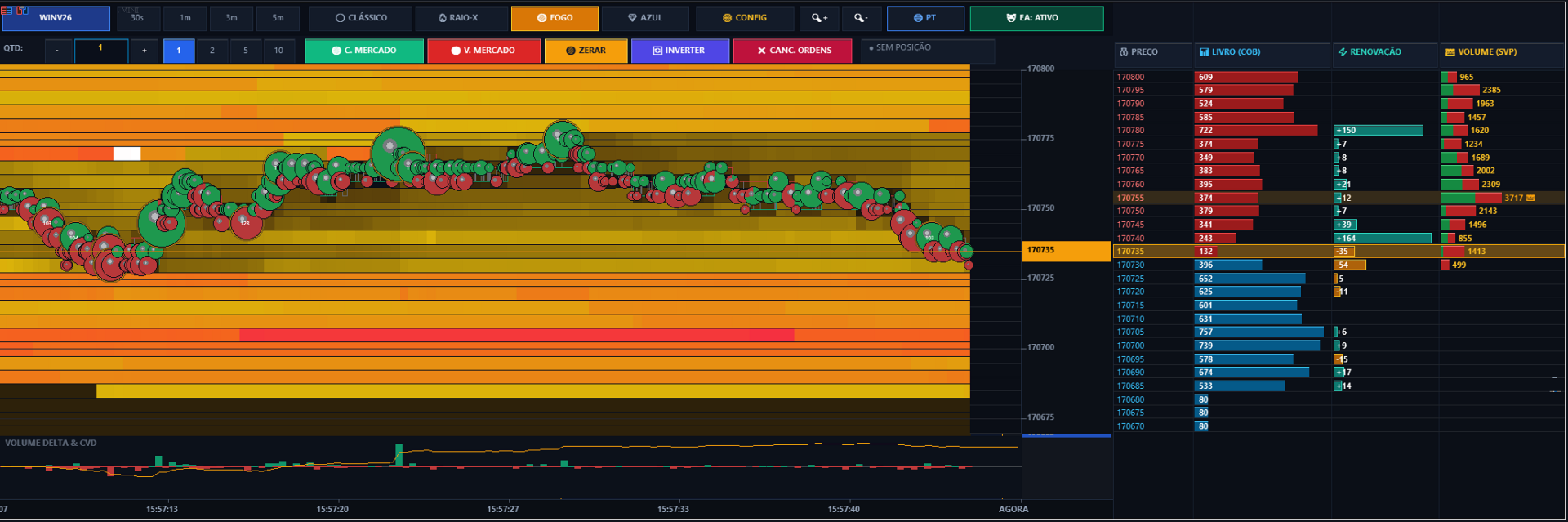
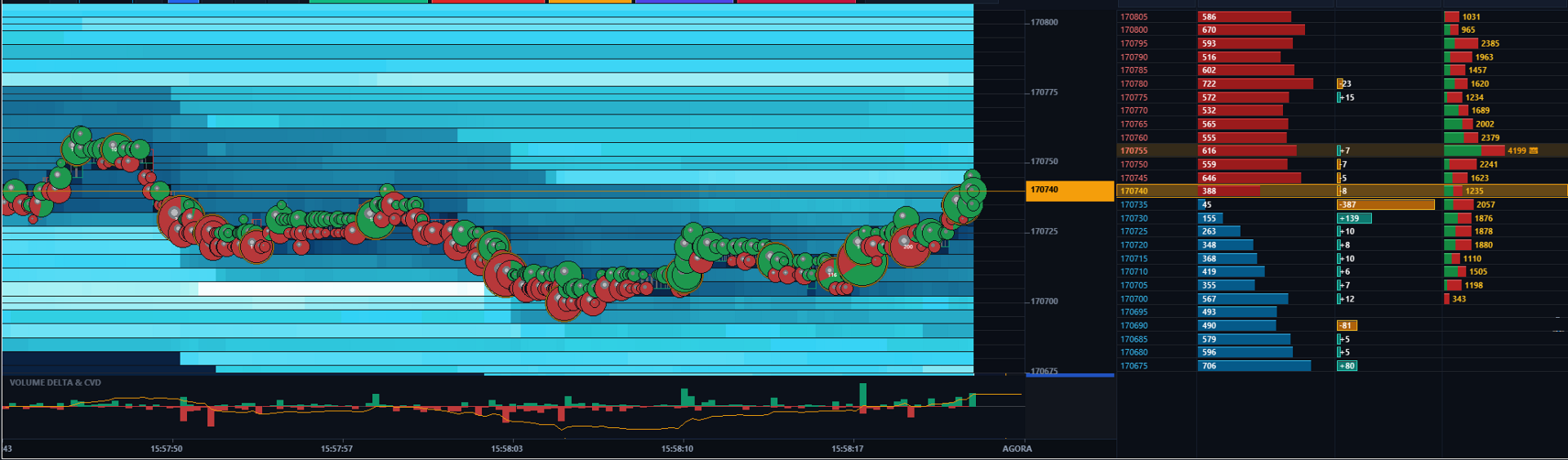
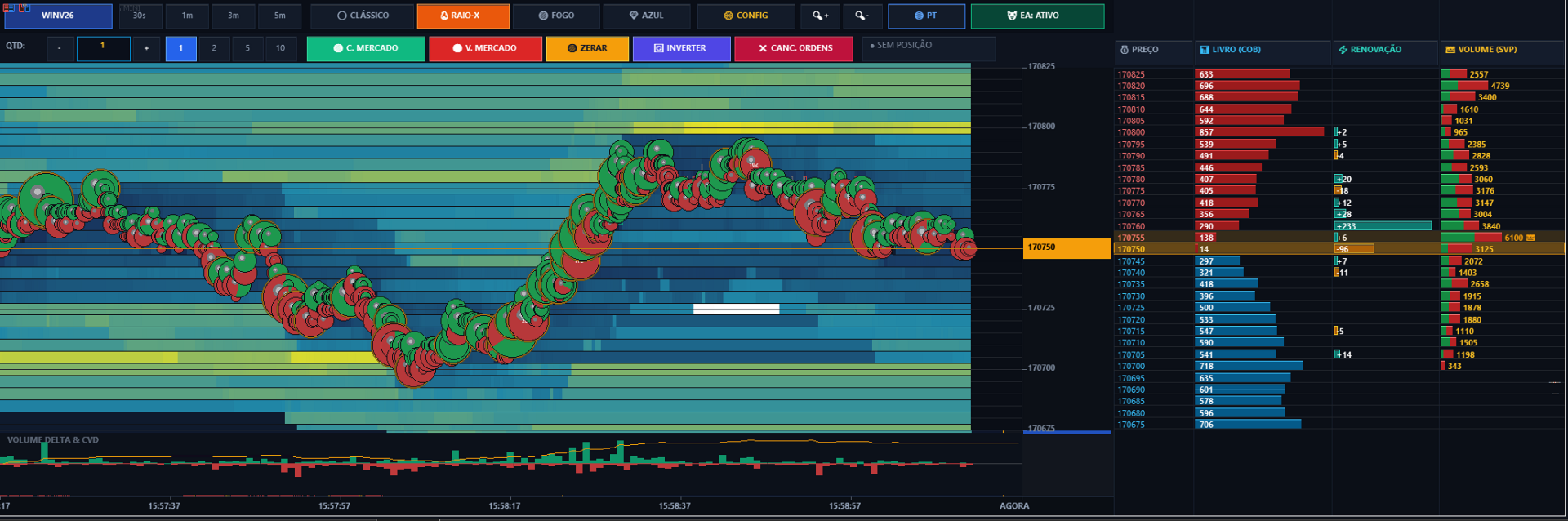
O ALX Heatmap Flow Pro é uma plataforma institucional de microestrutura de mercado desenvolvida nativamente para o MetaTrader 5. Desenvolvido para traders profissionais de Scalping e Day Trade, ele oferece visualização contínua do mapa térmico de liquidez a 30 FPS, bolhas 3D de agressão em tempo real, níveis de Gamma Exposure (GEX) e apregoamento de ordens com 1 clique diretamente na escada de preços do livro (DOM).
🌟 RECURSOS PRINCIPAIS:
• Mapa Térmico de Liquidez (Heatmap a 30 FPS): Profundidade real do livro de ofertas em todas as faixas de preço. Identifique absorções, spoofing e renovações de lotes.
• Bolhas 3D Orgânicas de Agressão: Negócios fechados com divisão proporcional entre compradores e vendedores, além do rastreador automático de Grandes Players (Tubarões / Baleias - LLT).
• Apregoamento com 1 Clique Direto no Livro (DOM): Clique abaixo do mercado para Compra Limite, acima para Venda Limite, ou Shift+Clique para Compra/Venda Stop.
• Barra de Boleta Rápida: Seletor de lotes [-] [1.0] [+], atalhos rápidos [1] [2] [5] [10], Compra/Venda a Mercado, Zerar, Inverter e Cancelar Ordens.
• Painel Dinâmico de Posição: Lucro/Prejuízo em tempo real em R$ e pontos.
• Suporte Multilíngue Instantâneo: Alternância com 1 clique no gráfico entre Português, Inglês e Espanhol.
• Níveis Institucionais GEX: Call Wall, Put Wall e Gamma Flip para reversões e barreiras de volatilidade.
• Volume Delta, Curva Dourada de CVD e POC (Point of Control).
• 4 Esquemas de Cores: Clássico Prata/Cinza, Raio-X Térmico, Fogo/Azul e Ciano Neon.
• Compatível com Mini Índice (WIN), Mini Dólar (WDO), Forex, Ações e Criptoativos.
🚀 QUICK START & INSTALLATION:
1. Enable AlgoTrading on MetaTrader 5 top toolbar (Green icon).
2. In MT5 Navigator -> Expert Advisors, drag ALX_Heatmap_Flow onto any chart.
3. In the "Common" tab, check "Allow Algorithmic Trading".
⚙️ PARAMETERS EXPLANATION:
• InpLanguage: Interface language (PT / EN / ES). Dynamic 1-click switcher available on chart.
• InpUIScale: Scale factor for High-DPI screens (1.0 = 1080p, 1.35 = 2K/QHD, 1.6 = 4K).
• InpEnableTrading: Enables chart trading toolbar & 1-click DOM order placing.
• InpDefaultVolume: Starting lot size for orders.
• InpMagicNumber: Unique tracking ID for trades.
• InpSlippagePoints: Maximum slippage tolerance in points.
• InpColorScheme: Thermal palette (Classic Grey, X-Ray Spectrum, Fire/Ice, Cyan).
• InpLookback: Visible time window (30s, 1m, 3m, 5m, 10m).
• InpContrast: Gamma color density (1.0 - 10.0). Higher values highlight institutional walls.
• InpShowBubbles: Toggle 3D aggressive volume bubbles (Green = Buyers, Red = Sellers).
• InpShowLLT: Large Lot Tracker highlighting whales/sharks with glowing golden halo.
• InpShowGEX: Calculates Call Wall (resistance), Put Wall (support), and Gamma Flip.
• InpShowDOM: Enables 3-column right-side DOM ladder with Price, COB, Renewals, and SVP.
💡 HOW TO TRADE IN 1-CLICK:
• Limit Orders: Click below current price for Buy Limit, above for Sell Limit.
• Breakout Stop Orders: Hold Shift and click on the desired price.
• Cancel Orders: Click the [X] button on the order line or [CANCEL ALL] on the top toolbar.
• Fast Actions: [BUY MKT], [SELL MKT], [CLOSE], and [REVERSE] for instant execution.
Autor: Alex Campo
Website: https://alexcampo.site