ALX Heatmap Flow
- Experts
- Versione: 7.0
- Attivazioni: 5

🔥 ALX Heatmap Flow Pro — Institutional Order Flow, Liquidity Heatmap & 1-Click DOM Trading Terminal
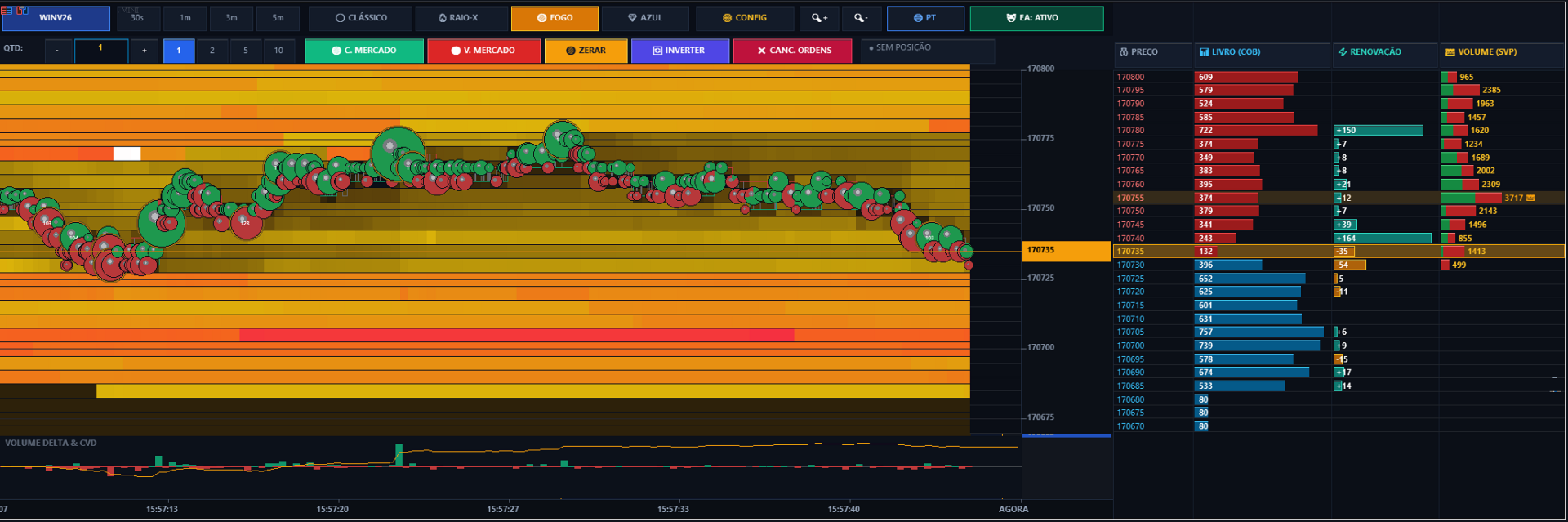
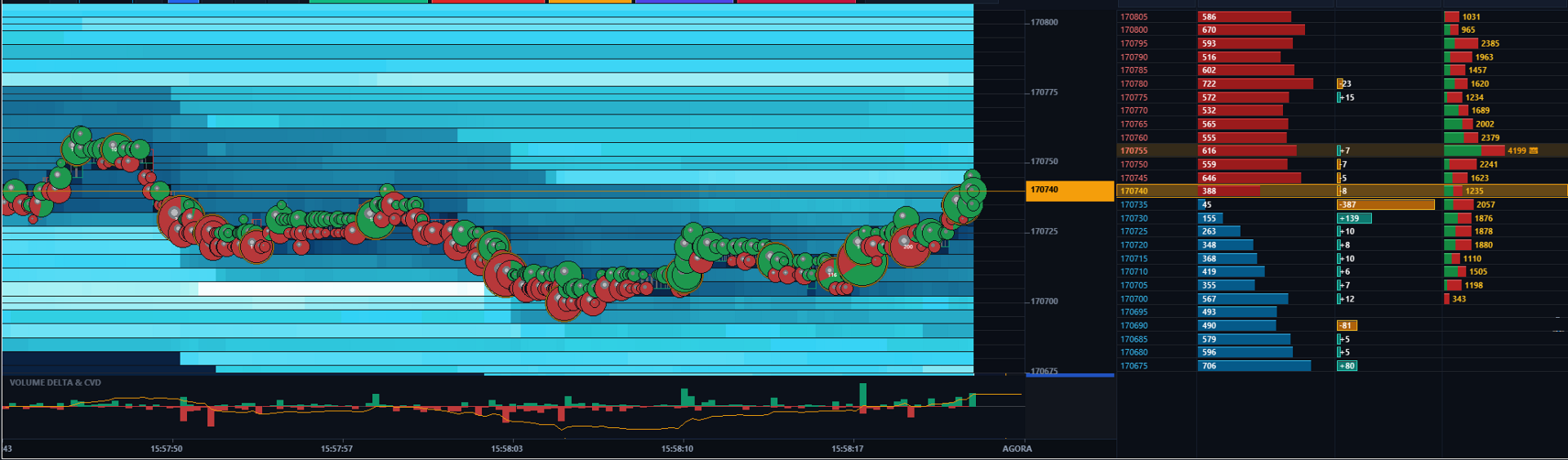
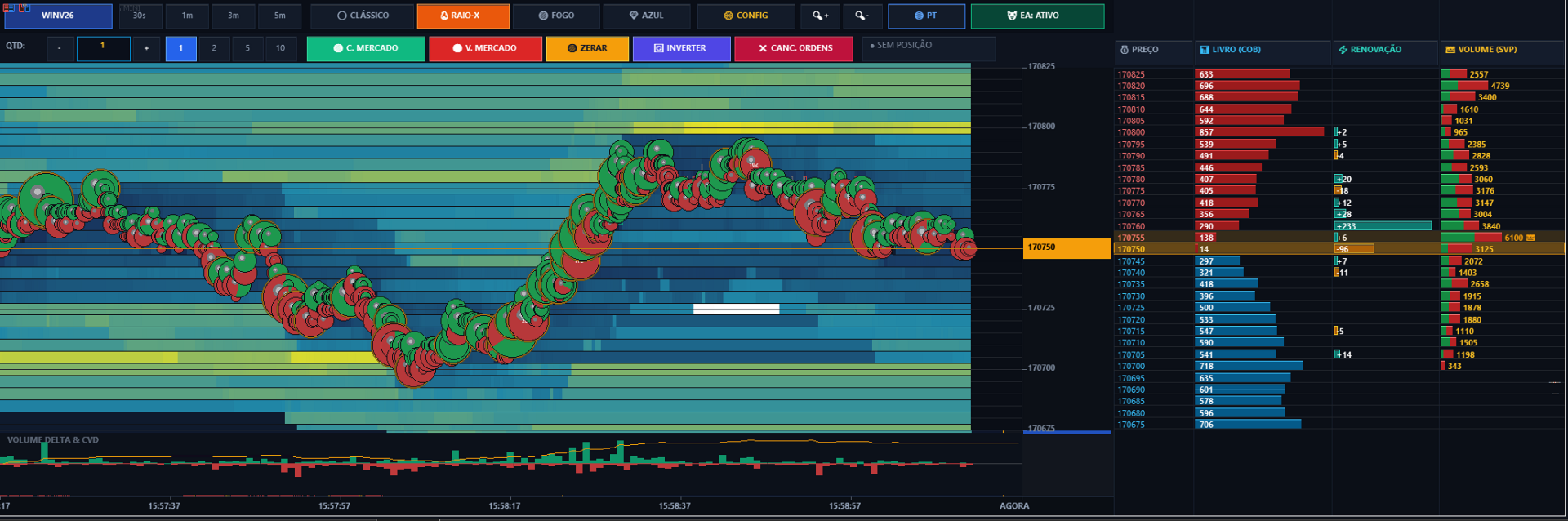
ALX Heatmap Flow Pro is a next-generation institutional trading terminal engineered natively for MetaTrader 5. It transforms your chart into a high-precision market microstructure powerhouse, delivering continuous full-depth liquidity heatmaps, 3D aggressive volume bubbles, real-time Gamma Exposure (GEX) levels, and ultra-fast 1-click Depth of Market (DOM) execution.
🌟 KEY FEATURES:
• Real-Time Full-Depth Liquidity Heatmap (30 FPS Engine): Continuous multi-band order book visualization across all visible price levels. Spot institutional absorption, spoofing, and liquidity layering.
• 3D Organic Aggression Volume Bubbles: True aggressive market execution visualization with buy/sell delta volume split and Large Lot Tracker (LLT / Whales & Sharks) with glowing golden auras.
• 1-Click Direct DOM Ladder Order Placement: Click below current market for Buy Limit, above for Sell Limit, or Shift+Click for breakout Stop Orders.
• Fast Action Chart Trading Toolbar: Lot size stepper [-] [1.0] [+], quick presets [1] [2] [5] [10], Buy/Sell Market, Close All, Reverse, and Cancel All.
• Live Position HUD: Real-time P&L tracking in points and account currency.
• Instant Multi-Language Localization: 1-Click direct chart toggle between English, Portuguese (BR), and Spanish.
• Gamma Exposure (GEX) Key Levels: Automated Call Wall, Put Wall, and Gamma Flip calculations.
• Advanced Tape Reading Sub-Panels: Bottom Volume Delta histogram, Golden Cumulative Volume Delta (CVD) trendline, and POC (Point of Control) highlight.
• 4 Color Palettes: Bookmap Classic Grey, Thermal Spectrum (X-Ray), Fire/Ice, and Cyan Neon.
• High-DPI & 4K Ready: Fully scalable UI with crystal-clear Segoe UI typography.
🚀 QUICK START & INSTALLATION:
1. Enable AlgoTrading on MetaTrader 5 top toolbar (Green icon).
2. In MT5 Navigator -> Expert Advisors, drag ALX_Heatmap_Flow onto any chart.
3. In the "Common" tab, check "Allow Algorithmic Trading".
⚙️ PARAMETERS EXPLANATION:
• InpLanguage: Interface language (PT / EN / ES). Dynamic 1-click switcher available on chart.
• InpUIScale: Scale factor for High-DPI screens (1.0 = 1080p, 1.35 = 2K/QHD, 1.6 = 4K).
• InpEnableTrading: Enables chart trading toolbar & 1-click DOM order placing.
• InpDefaultVolume: Starting lot size for orders.
• InpMagicNumber: Unique tracking ID for trades.
• InpSlippagePoints: Maximum slippage tolerance in points.
• InpColorScheme: Thermal palette (Classic Grey, X-Ray Spectrum, Fire/Ice, Cyan).
• InpLookback: Visible time window (30s, 1m, 3m, 5m, 10m).
• InpContrast: Gamma color density (1.0 - 10.0). Higher values highlight institutional walls.
• InpShowBubbles: Toggle 3D aggressive volume bubbles (Green = Buyers, Red = Sellers).
• InpShowLLT: Large Lot Tracker highlighting whales/sharks with glowing golden halo.
• InpShowGEX: Calculates Call Wall (resistance), Put Wall (support), and Gamma Flip.
• InpShowDOM: Enables 3-column right-side DOM ladder with Price, COB, Renewals, and SVP.
💡 HOW TO TRADE IN 1-CLICK:
• Limit Orders: Click below current price for Buy Limit, above for Sell Limit.
• Breakout Stop Orders: Hold Shift and click on the desired price.
• Cancel Orders: Click the [X] button on the order line or [CANCEL ALL] on the top toolbar.
• Fast Actions: [BUY MKT], [SELL MKT], [CLOSE], and [REVERSE] for instant execution.
Author: Alex Campo
Website: https://alexcampo.site