Quasar Sync X
- Indicadores
-
Yuki Miyake
 Yuki Miyake (GenixMan8888) – Expert Developer of "SHOGUN"
Nice to meet you. I am Yuki Miyake. I wasn’t always a winning trader. In the harsh Japanese market environment, I experienced the pain of losing, which drove me to study market principles more desperately than anyone else. - Versão: 10.8
- Ativações: 5
💡 Quasar Sync X: Stop Guessing. Start Sniping.
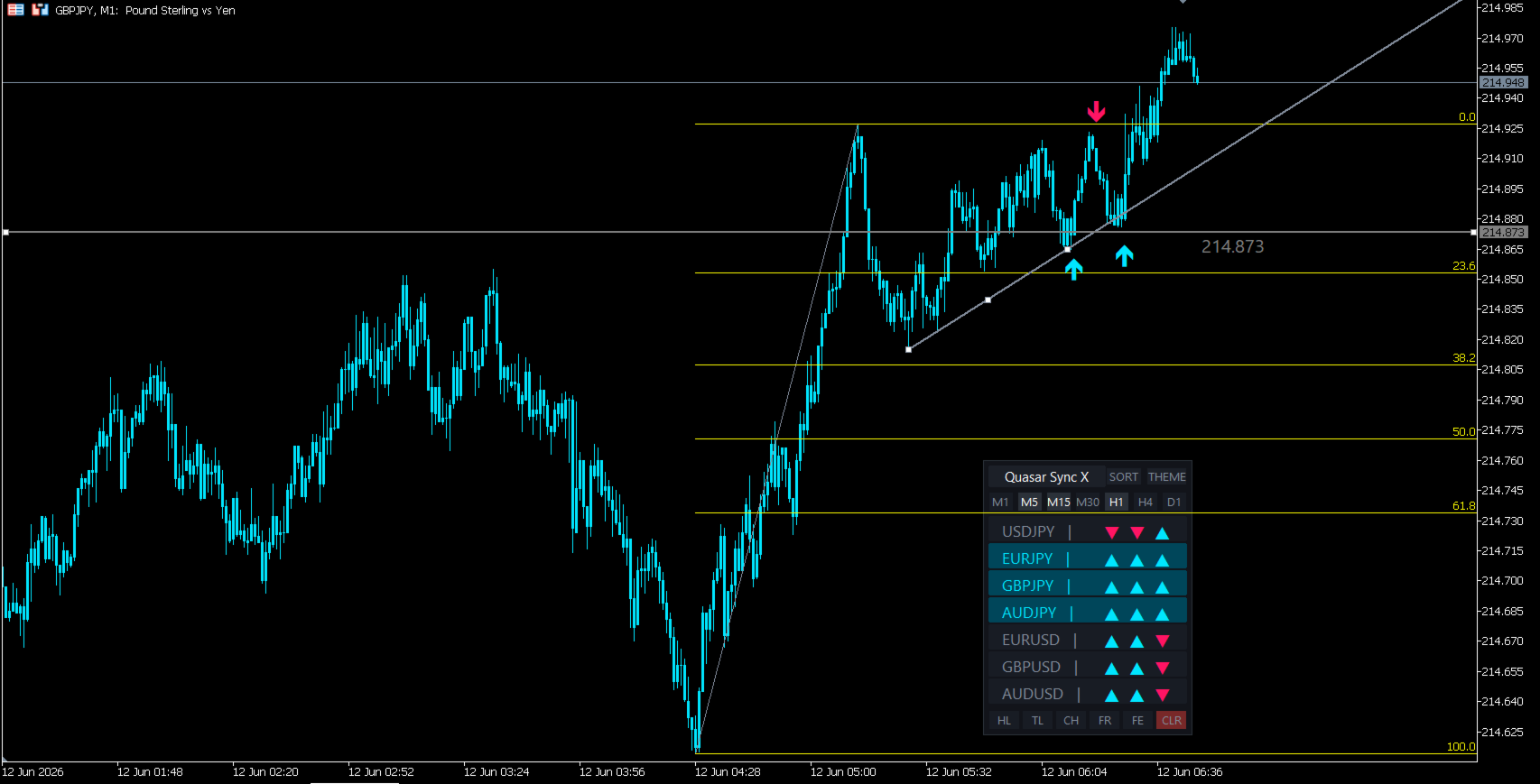
Tired of chasing fakeouts and missing the real moves? Quasar Sync X is the ultimate pro-spec HUD designed for serious discretionary traders. It packs full 4-Timeframe Monitoring, Instant Momentum Sorting, and Smart Pro-Drawing Tools into one beautiful, lag-free dashboard.
🚀 Why Quasar Sync X Will Transform Your Trading
-
🔥 Trade ONLY When the Big Players Do (3-TF SYNC)
-
Stop getting trapped. Your current chart is your trigger, while the panel tracks 3 higher timeframes.
-
When all 3 light up in sync, you enter with institutional wind at your back. High win-rate trading made effortless.
-
-
⚡ Zero Wasted Time (Instant Momentum Sorter)
-
No more clicking through 20 charts to find a move.
-
Our engine scans your watchlists and instantly ranks the pairs with the highest momentum at the top. You are always trading the hottest market.
-
-
🎯 Perfect Execution (Auto-Snap & Touch Alerts)
-
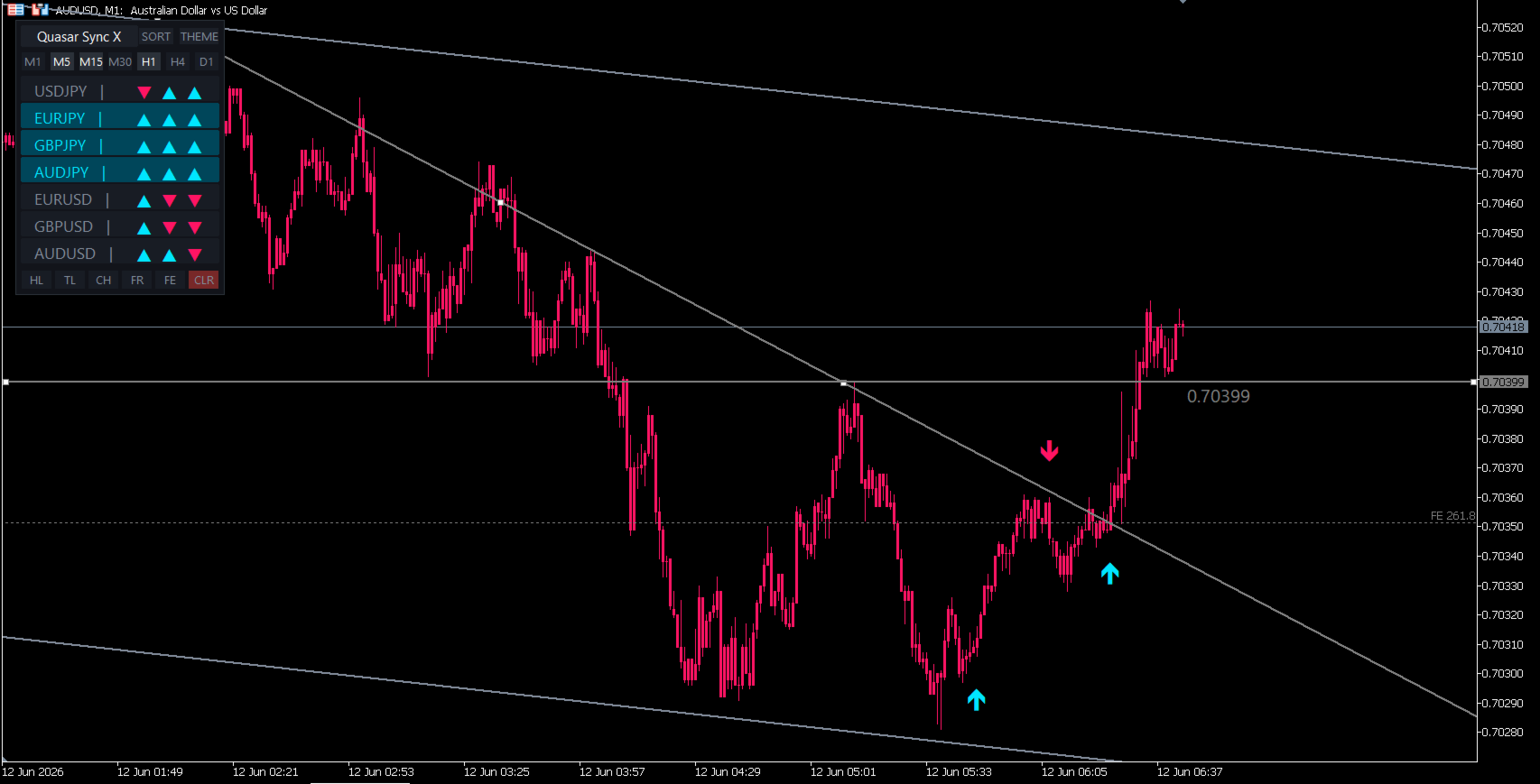
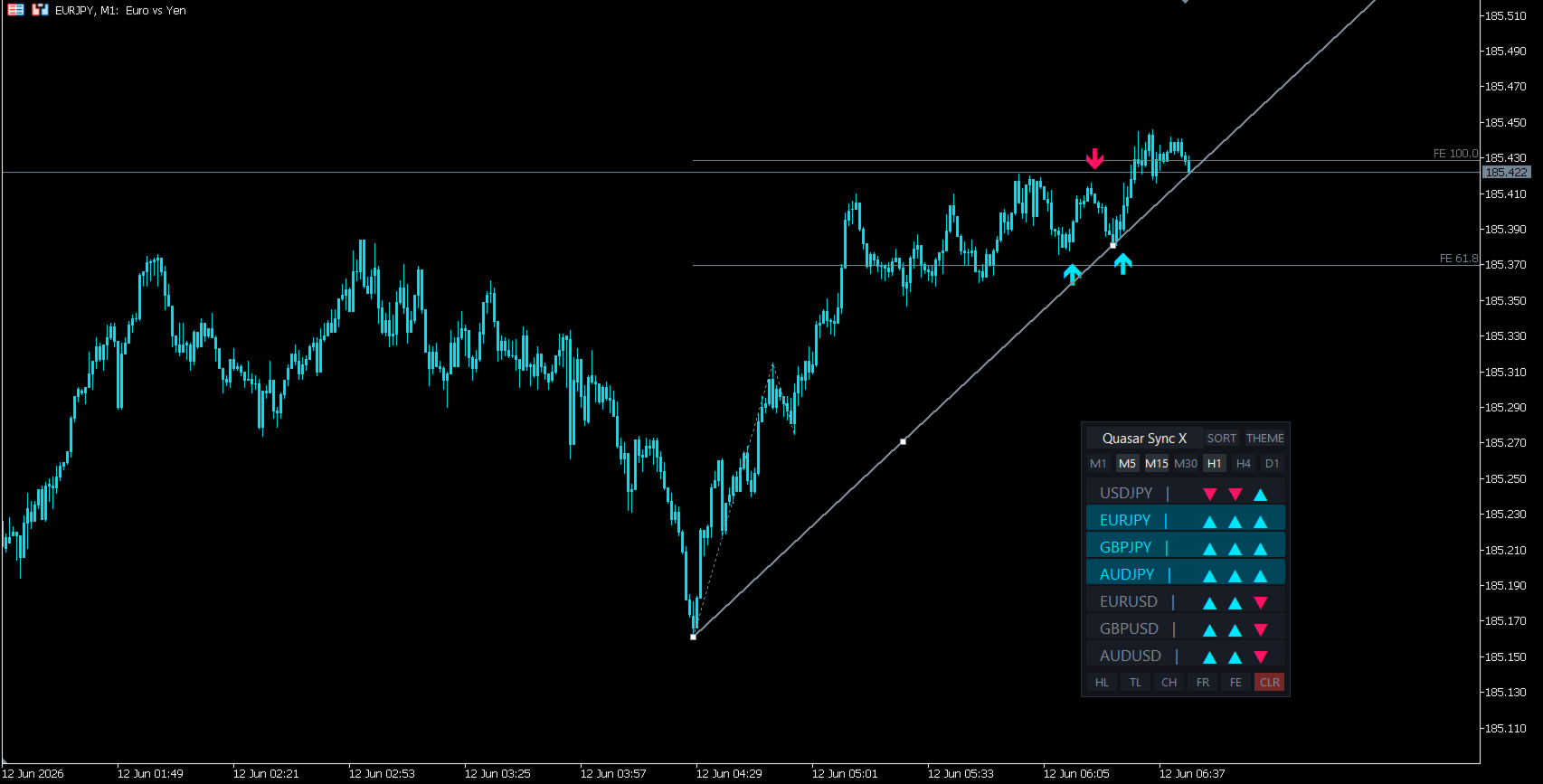
Draw HL, TL, CH, or Fibs with 1 click.
-
Lines automatically lock onto high/low wicks. When price touches them, you get an instant alert. Miss zero setups, even away from your screen.
-
🖥️ High-End UI Features
-
[ SORT ]: One click to bring the most volatile, profitable pairs to the top.
-
[ THEME ]: 10 premium, eye-friendly color themes (Tone-on-Tone) for long sessions.
-
3-TF Select: Pick any 3 timeframes (e.g., M5, M15, H1) with a single tap.
-
SYNC Glow: The entire row flashes Neon Teal (Buy) or Hot Red (Sell) for instant visual confirmation.
-
[ CLR ]: One-click cleanup to keep your charts pristine.
💡 The 5-Step Pro Routine
-
Load the HUD on your execution chart (e.g., M1).
-
Set higher timeframes to M5, M15, and H1.
-
Hit [ SORT ] and pick the top pair.
-
Wait for the dashboard row to GLOW in perfect alignment.
-
Execute the trade immediately when the on-chart arrow triggers.
⚙️ Quick Setup Parameters
-
Use Alerts: On-chart arrow audio/popup alerts.
-
Arrow Offset Pips: Visual spacing for entry arrows.
-
Monitor Symbols: Input your custom pairs (separated by commas).
-
Use Sync Alerts: Instant notification when a 3-TF SYNC occurs.
-
Use Auto Sort: Toggle between real-time auto-sorting or manual mode.