Multi Candle Timer MT5
- Utilitários
-
Andrew Mcculloch
 I build real tools that can help you with your trading. If you want AI characters selling you a dream, I cannot help you.
Message me if there is indicators/features you want added to current indicators or have an idea for an indicator to be developed. - Versão: 1.0
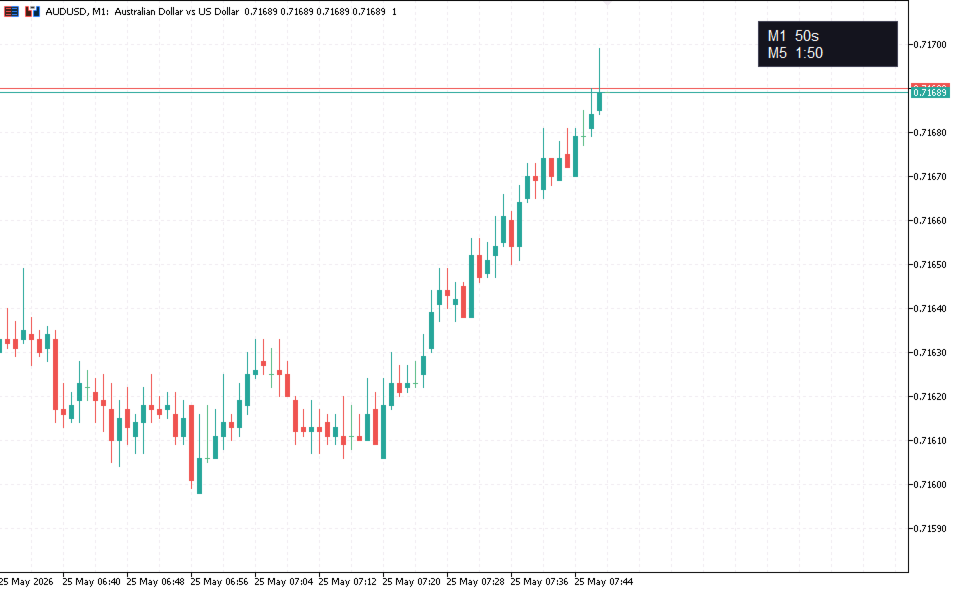
Always Know When the Candle Closes!The countdown is right there on the chart, updating every second.
If you find this indicator useful, please leave a review
How It Works
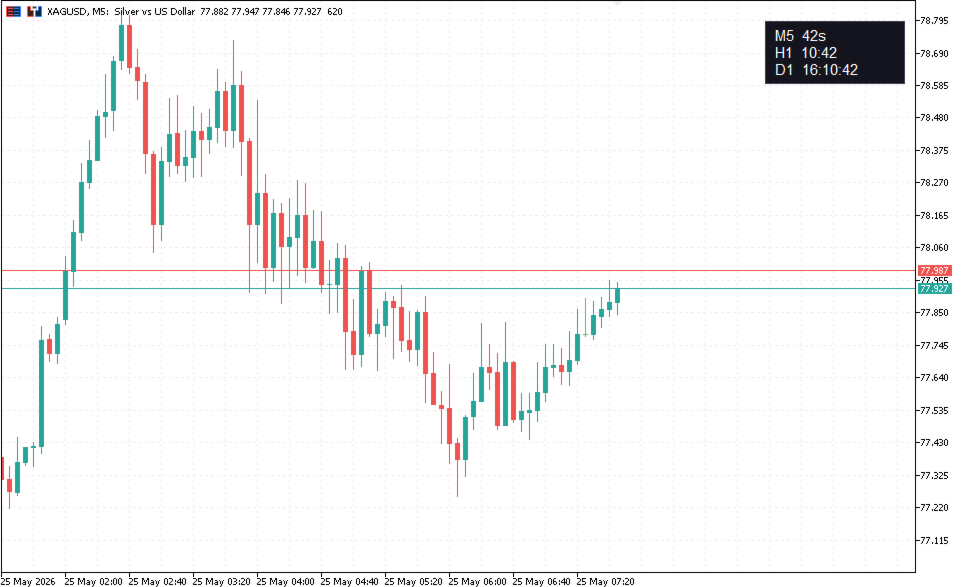
The indicator displays up to three independent candle close countdowns on your chart, each set to any MT5 timeframe. Monitor your chart timeframe, a higher timeframe, and a lower timeframe simultaneously — all without switching charts.
Slot 1 defaults to your current chart timeframe. Set slots 2 and 3 to any timeframe you want to track, or leave them disabled.
Where It Sits
Two display modes:
Price line - The countdowns sit next to the bid price on the right side of the chart. Moves with price, looks native, stays out of the way.
Corner - Anchored to any of the four chart corners with adjustable margins. Repositions automatically if the chart is resized.
Urgency Highlight - When a candle enters its final stretch, the countdown colour changes to a configurable urgent colour. Default is the last 10% of the bar — the final 6 seconds on M1, 30 seconds on M5, 6 minutes on H1. Set to 0 to disable.
Configuration
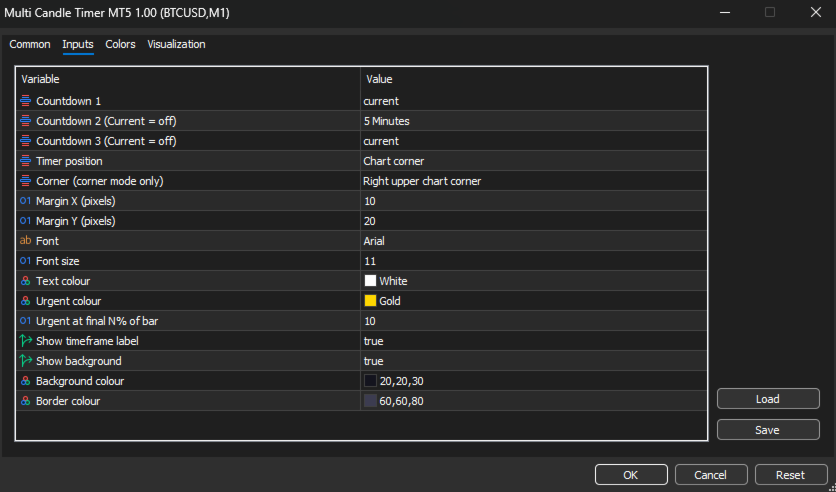
Countdown 1 (default: Current) — First countdown slot. "Current" uses whatever timeframe the chart is on.
Countdown 2 (default: M5) — Second slot. Set to any timeframe, or "Current" to disable.
Countdown 3 (default: off) — Third slot.
Timer position (default: Corner) — Display next to the price line or in a chart corner.
Corner (default: Right Upper) — Which corner to anchor the timer when using corner mode.
Margin X / Y — Pixel offset from the chart edge.
Font / Font size — Customise to match your chart style.
Text colour — Normal countdown colour.
Urgent colour (default: Gold) — Colour when the candle is near closing.
Urgent at final N% (default: 10) — When to switch to the urgent colour. Set to 0 to disable.
Show timeframe label — Toggle the "M5" / "H1" prefix next to each countdown.
Show background — Toggle the panel background on or off for a cleaner look.
Background / Border colour — Match your chart theme.