Equity Watch Pro Account Monitor for Your Phone

Stop Logging In and Out. See All Your Accounts at Once.

If you run multiple trading accounts across MT4 and MT5, you know the frustration — opening your broker app, logging in, checking the account, logging out, switching to the next. Repeat. Every time you want a quick status check, it costs you minutes and mental energy.

Equity Watch Pro was built to solve exactly that problem. One dashboard. All your accounts. Live equity, balance, floating P&L, drawdown, and daily performance — visible at a glance, from anywhere, without touching your trading terminal.

Now in Android Beta — Join Free

This EA works together with the Equity Watch Pro app for Android. The app is currently in a closed beta on Google Play and is not yet searchable in the Play Store. Joining is free and takes about five minutes — follow the steps at:

equitywatchpro.com/beta

As a beta tester you help shape the app before its public launch. Feedback can be sent straight from the app (account menu > Send feedback).

How It Works

Attach the Expert Advisor to any chart in your MetaTrader terminal. It runs silently in the background, sending a secure snapshot of your account data to your private cloud account every 60 seconds. Open the Equity Watch Pro app on your Android phone and every account you monitor appears on a single scrollable dashboard — live and always up to date.

No signals. No trading decisions. The EA only sends data out of MetaTrader — it never receives instructions, never places or closes trades, and never sees your password. This is pure, real-time account monitoring — the overview your broker app was never designed to give you.

Free Edition — What's Included

  • Monitor up to 2 accounts simultaneously on one dashboard
  • Live equity, balance, and floating P&L — updated every 60 seconds
  • Realised P&L for the current trading day
  • Drawdown percentage tracking
  • Connection status indicator — confirms your terminal is live and sending
  • 7-day daily performance history
  • EA version monitoring — the app alerts you if your EA needs updating
  • Compatible with MT4 and MT5 (separate EA files, same dashboard)
  • Works with all brokers, all instruments, and both live and demo accounts

Your Data. Your Rules.

Every sensitive field can be switched off individually. Account number, broker name, balance, margin level, ticket numbers, entry prices, stop loss, take profit, swap charges, and trade comments can all be hidden. Disabled fields are replaced with anonymous placeholders — nothing is shared without your explicit consent.

Setup — Four Steps

Step 1 — Join the Android beta and install the Equity Watch Pro app from Google Play: equitywatchpro.com/beta

Step 2 — Create your free account in the app. The setup guide shows your User ID and the Allowed URL, each with a copy button.

Step 3 — In MetaTrader, go to Tools > Options > Expert Advisors, tick "Allow WebRequest for listed URL" and add: https://api.equitywatchpro.com (same menu in MT4 and MT5).

Step 4 — Attach the EA to any chart, paste your User ID into the "User ID" input, and your account appears on the dashboard within seconds.

Input Parameters

Connection Settings

  • User ID — Your Equity Watch Pro account ID, copied from the app (setup guide or account menu). Required — the EA will not start without it.

Dashboard Settings

  • Account Nickname — The display name for this account on your dashboard. Default: My Account.
  • Update Frequency — How often account data is sent, in seconds. Default: 60 (the minimum on the Free edition).

Drawdown Alerts (Premium Only)

  • Phone Push Alerts — Information only. Drawdown push notifications and warning colours are part of the Premium edition.

Privacy — Account

  • Share Account Login Number — Disable to transmit your account number as "anonymous". Default: true.
  • Share Broker Name — Disable to transmit broker name as "HIDDEN". Default: true.
  • Share Account Balance — Disable to transmit balance as 0. Equity continues to show. Default: true.
  • Share Margin Level — Disable to transmit margin level as 0. Default: true.

Privacy — Trades

  • Share Trade Ticket Numbers — Disable to transmit ticket numbers as 0. Default: true.
  • Share Open Price, Stop Loss and Take Profit — Disable to transmit these prices as 0. Default: true.
  • Share Swap and Commission — Disable to transmit swap and commission as 0. Default: true.
  • Share Trade Comments — Disable to transmit comments as "HIDDEN". Default: true.

Advanced

  • Silent Mode — Suppresses routine update messages from the MetaTrader journal. Default: true.
  • Chart Background Colour — Applied to the chart while the EA is running. Fully restored on removal. Default: dark slate.
  • Chart Text & Axis Colour — Foreground colour for axis labels and chart text. Default: light grey.

Coming Soon: Premium Edition

The Free edition shows you what Equity Watch Pro can do with 2 accounts. A Premium edition will follow after the public Android launch — built for traders who run multiple accounts and need the full picture. Planned features:

  • Up to 20 accounts on one dashboard — your entire portfolio, one screen
  • Drawdown push alerts — instant warnings to your phone the moment drawdown crosses your threshold, even when the app is closed
  • Orange / red drawdown warning colours on the dashboard
  • 5-second update intervals — stay ahead of fast-moving markets
  • Full open trade details — entry price, SL, TP, swap, and comment per position
  • Complete closed trade history — every trade logged with close reason (manual, stop loss, take profit, or stop out)
  • 30-day performance statistics — win rate, best day, worst day, and maximum drawdown over the past month
  • Custom dashboard layout — drag and reorder account cards to suit your workflow

The Premium edition will be released on the MQL5 Market once the app is publicly available on Google Play. Beta testers will be the first to hear about it.

Notes

  • Android only. The app is in closed beta — join at equitywatchpro.com/beta. iOS support is planned for a future release.
  • An active internet connection is required on both the terminal machine and the Android device
  • An Equity Watch Pro account is required — registration is free and takes under a minute from the app
  • Questions or problems: support@equitywatchpro.com
Produtos recomendados
ATC Alert Manager permite definir alarmes de preço diretamente no gráfico e gerenciá-los a partir de um pequeno painel. Cada alarme é mostrado como uma linha no gráfico que você pode arrastar para um novo preço. Um alarme dispara uma vez, no momento em que o preço cruza seu nível, com um alerta popup, um som e uma notificação push opcional para o seu telefone. Preço que já passou do nível não o dispara, então você nunca recebe alertas repetidos a cada tick. Esta ferramenta também faz parte do A

FREE
Safety
Sergey Ermolov
5 (2)
Eu acho que todo mundo conhece a regra da Gestão de dinheiro como "cofre". Para aqueles que não estão cientes, o cofre envolve o fechamento de metade da posição depois que o lucro da transação foi igual ao tamanho da parada. Assim, mesmo que o preço se desdobre e pegue o stop, você não perderá dinheiro, porque exatamente o mesmo tamanho de lucro foi obtido ao fechar parte da posição anteriormente. O Safety Advisor tem apenas uma configuração-Um lote de fechamento. Deixando - o na posição 0, O
FREE
This simple but useful script calculates the lot in % of the deposit. It is indispensable for risk management. There is only one customizable parameter: MaxRisk - risk in % for lot calculation. The product works as a standard script. Launch it once on an appropriate chart and start trading using the calculated lot value. Genious is simplicity! Happy trading!
FREE
The "InfoBox" utility is designed to display the presence of open orders, the number of lots, current profit and much more in one window. The version for the MT5 platform   is here . You've probably encountered a situation where you have an advisor that works on a currency pair, but information about its operation: - orders and their number, the size of the spread for the instrument, the volume of lots on the market, drawdown and much more - are scattered in different places of the terminal and
FREE
This is a DEMO version of the Smarter Trade Manager Smarter Trade Manager  is an advanced trade management tool that can monitor and manage your manual and EA trades according to the settings you choose. It works as an Expert Advisor (EA), it does not open any trades but it closes trades as per the auto closing settings or when manually pressing any of the close buttons. FEATURES: Three-dimensional  interactive  view of your trades Trade Summary, P/L, Alerts, Closure by  Currency Trade Summary,
FREE
Account Info EA It is a tool that presents on the graph all the positions of the account, and specific information concerning the positions, but also the account. It enables the user to have an image of his account at a glance. Use like any expert advisor. You can't attach it in the same chart with other expert advisor. It does not have the ability to open or manage positions. You can attach it on any chart and any timeframe.
FREE
Protectron — Account Protection System A utility that monitors account equity in real time and closes all open positions automatically when a defined upper or lower threshold is reached. Works alongside any Expert Advisor or manual trading strategy without interfering with their logic. Overview Protectron attaches to a chart and monitors total account equity continuously — including floating positions. When equity reaches a configured threshold in either direction, all open positions are closed
FREE
Period Change Button
Rainer Albrecht
3 (1)
Fastest way to change the period. Suitable for traders who use many charts and timeframes. Size, shape and color can be customized. Inputs Parameters Corner — Choose corner placement Standart is "Right lower chart corner" Color — Background color of the button ColorText — Text color of the button ColorOn — Background color of the button for the current period ColorOnText — Text color of the button for the current period Font — Arial, Verdana... FontSize — Size of the font in pixels DistanceX —
FREE
ChartColorMT4
Thomas Pierre Maurice Moine
Customize your charts with this simple utility. Choose in the 24 pre-built color sets, or use your own colors, save them to re-use them later. You can also add a text label on your chart. --- Chart Colors-- Color Set : 24 prebuilt color sets (select "Custom" to use colors below) Background color Foreground color Grid color Chart Up color Chart Down color Candle Bull color Candle Bear color  Line color Volumes color --- Label--- Text Label : Type the text you want to appear on the chart Label P
FREE
Order Management Script Tool
Christianiel Robles Faustino
5 (1)
Stop Guessing Your Lot Size. Trade With Defined Risk. Order Management Script  is a   FREE risk-management utility   that automatically calculates your   lot size, Entry, Stop Loss, and Take Profit   based on your predefined trading rules. No manual position-size calculations. No repeated SL/TP calculations. Just define your risk and trading setup. KEY FEATURES   Automatic Lot Size Calculation Calculate the correct position size using: • Fixed monetary risk • Percentage of account equi
FREE
it's a combination of my rectangle and a line at half the distance of the between the upper part of a rectangle and the lower of the next rectangle /zone you can now select manual anchor where you put your own desired starting price example , 145 , for usdjpy or 3000 for gold 1.15000 for eurusd and any other  It’s a pure charting indicator that builds a fixed-price zone grid: Anchor: Uses StartUpperPrice as the top of index 0 (fixed, not auto-shifting). Zones: Draws rectangles every StepPips , e
FREE
Ao executara ordem, seja ela pela boleta do metatrader no computador ou pelo metatrader no celular, seja ordem manual ou pendente, o Easy Trade irá posicionar os níveis de take profit e stop loss, bem como uma ordem limit e seus respectivos take profit e stop loss de forma automática. Seguindo a estratégia de negociação para abertura de Bolsa (us30, us100,us500) porém, pode ser ultilizada em quaisquer ativo do mercado.
FREE
TradePulseMonitor for MetaTrader 4 & 5 Overview: TradePulseMonitor   is a comprehensive, real-time dashboard indicator designed for MetaTrader 4 and MetaTrader 5. It provides traders with an at-a-glance overview of their account's financial health, risk exposure, position metrics, and historical performance. By consolidating critical data into a single, customizable on-chart dashboard, it eliminates the need to constantly check the Terminal window, allowing for faster and more informed trading
FREE
Position Selective Close MT4
Francisco Manuel Vicente Berardo
The Position Selective Close is a multi-symbol multi-timeframe script used to close simultaneously various positions.  General Description   The Position Selective Close   possesses   three operation modes (Intersection,   Union   and All) that control the way   as   four position features (symbol, magic number,   type   and profit) are used. The modes, available through the Selection Mode input parameter, relate to the features, available through the “Select by Feature” and “Feature” input pa
FREE
Lógica de trabalho O utilitário Stop Out é um indicador simples, mas muito conveniente, que mostra quantos pontos faltam para o nível Stop Out / Seu benefício está no fato de que muitos traders superestimam deliberadamente o risco na negociação em busca de lucro, usam a margem disponível no máximo e, neste caso, é muito importante saber onde o corretor pode fechar suas posições à força. Basta colocar o indicador no gráfico e, dependendo da posição aberta em Compra ou Venda, você verá a marca
FREE
Cronômetro regressivo até o fechamento do bar, + status de progresso %:  #1 utilitário multifuncional :   66+ recursos, incluindo esta ferramenta  |   Entre em contato comigo  se tiver alguma dúvida   |    versão MT5 Nas configurações do indicador, você pode configurar: Período de tempo para cálculo; true / false: Opção de período de tempo superior (próximo ao atualmente usado: M15->M30, H4->D1...) Posição: 1 = Canto inferior esquerdo; 2 = Canto inferior direito; 3 = Canto superior esquerdo; 4
FREE
Signalator Trade Summary Panel MT4 is a free local MetaTrader 4 utility that gives traders a clear account and open-trade overview directly on the chart. The standard Trade tab shows individual positions, but it can be difficult to quickly understand the whole account situation when several trades or symbols are open. This panel summarizes the most important information in one compact dashboard. The panel shows current floating profit or loss, floating P/L as a percentage of account balance,
FREE
O InnovaDash Smart Sync é o conector de dados oficial projetado para interligar o seu terminal MetaTrader diretamente ao seu painel do InnovaDash Analytics. Criado para traders profissionais, este utilitário leve é executado silenciosamente em segundo plano, enviando automaticamente as atualizações do seu capital (equity) ao vivo, posições abertas e dados históricos de negociação para o InnovaDash. Por que o InnovaDash? O InnovaDash é uma suíte de análise quantitativa premium, baseada na nuv
FREE
OvertradeShield – EA utilitário para prevenir o overtrading no trading discricionário Você já se arrependeu de fazer “só mais uma” operação no trading discricionário? OvertradeShield é um EA utilitário que limita e alerta automaticamente as entradas com base no lucro e prejuízo realizados, apoiando suas regras de trading e disciplina mental. É ideal para quem deseja controlar os resultados diários, evitar o overtrading e aplicar rigorosamente as regras de lucro e prejuízo por meio de um sistema.
FREE
SL and TP Setter
Giacomo Barone
4 (1)
You can manually open a trade (one click), and this EA will take care of setting the SL and TP. SL and TP are set based on the number of pips you specify in the input screen. You can also choose monetary SL and TP. SL and TP are determined based on the weighted average price (WAP), so if you open a new trade, SL and TP will be updated according to the new WAP. The WAP is not unique but differentiated between buy and sell trades (this is useful only if you open opposite trades on the same chart)
FREE
This MQL4 indicator creates a customizable grid of horizontal lines on your trading chart. Here's what it does: **Main Functions:** - Draws equally spaced horizontal lines across the visible price range - Supports two line types: horizontal lines or trend lines with forward projection - Automatically adjusts to price scale changes **Key Features:** 1. **Customizable Spacing**: Set grid distance in pips (20 pips by default) 2. **Flexible Starting Point**: Auto-calculates starting price or lets
FREE
Automated Timeframe cycling with Symbols centered.  Force every timeframe onto one clock window, so the story you see on Daily is the same story you are slicing on H4, H1, and M1.  Traders usually flip timeframes and lose the span. A Daily chart shows a few weeks, then M15 shows a few hours, and the eye treats them as different markets. TASSERACT locks the window to N bars of the highest enabled timeframe — default 10 Daily — and maps every lower timeframe to that same stretch. You stay inside o
FREE
Lot by Risk
Sergey Vasilev
4.83 (24)
O painel de negociação Lot by Risk é projetado para negociação manual. Este é um meio alternativo para enviar ordens. A primeira característica do painel é a colocação conveniente de ordens usando linhas de controle. A segunda característica é o cálculo do volume da transação de acordo com um determinado risco, se houver uma linha stop loss. As linhas de controle são definidas usando as teclas de atalho: take profit-tecla T padrão; price-tecla padrão P; stop loss - tecla padrão S; Você mesmo
FREE
Demo version of the paid product - Copy MT4 copier , limited to lot size of 0.01 Universal copier of deals from MetaTrader 4 to MetaTrader 4 ( MT5<->MT5 version is available ; with both versions, you can copy MetaTrader 5<->MetaTrader 4, MetaTrader 4<->MetaTrader 5, MetaTrader 5<->MetaTrader 5, MetaTrader 4<->MetaTrader 4). Spread filter. Select the best price (start copying positions with a profit or loss). Configure the lot size, fixed or ratio-based (provider signals can be copied with an inc
FREE
ZoomIN
Maxim Polishchuk
4.5 (2)
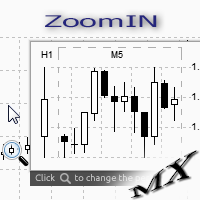
The ZoomIN indicator is designed for quickly viewing the selected bar on the smaller timeframes in a pop-up window. Once launched, the indicator works in the background, does not take up space on the chart and does not consume system resources. When the indicator is activated by the Shift + i combination (can be changed in the settings), a pop-up window with a chart of a smaller timeframe is created. The displayed timeframe can be changed by a left-click on the magnifying glass icon. To hide the
FREE
This utility keeps a watchful eye on your trading terminals and ensures that you are notified if any of them are disconnected. Simply attach the utility to a chart and connect to a monitoring service who can notify you. We use UptimeRobot for both VPS and terminal monitoring; however, any service supporting heartbeat monitoring can be employed. Many such services offer free plans and various notification methods, such as Cronitor.io
FREE
MQLTA Auto Close Demo
MQL4 Trading Automation
Auto Close is an expert advisor that can assist you with your money and risk management rules. The EA can monitor your Balance, Equity, Margin, Global Profit and Global Loss and alert you in case any of these reaches a specified threshold. This Demo Version has Notification and Close features disabled, full version can be found https://www.mql5.com/en/market/product/29141 How does it work? Load the Auto Close EA in the chart and set the parameters you want to keep monitored. If any of the risk
FREE
First 20 Downloads FREE ## 1. Overview $2014 MA Perfect Order All-Currency Scanner Detects "Perfect Order" moving average alignment across all currency pairs simultaneously. A Perfect Order occurs when 3-5 moving averages of increasing periods are stacked in a single, uninterrupted order $2014 proof that price is trending cleanly with no conflicting timeframes.   BUY  signal : Shorter-period MAs are all above longer-period MAs (fast-to-slow stack) -> strong uptrend   SELL signal : Shorte
FREE
Panel Display
Mohamad Zulhairi Baba
4.8 (5)
Panel Display is a free utilities indicator, to display basic account information, in a beautiful way. This indicator is a plug and play, where the is no input required except for display corners. User can quickly engage how much profit/loss for current day / week! This Week's Performance - This week closed order for all pairs. Today's Performance - Today's closed order for all pairs. Current Floating Profit / Loss - Current Floating Profit/Loss (all pairs) in the account
FREE
Pips Meter ADR
Christianiel Robles Faustino
See Your Key Trading Measurements at a Glance Smart Pips Meter  is a free utility that displays important market measurements directly on your chart—so you can make faster trading decisions without manually calculating pip distances. WHAT IT SHOWS ADR (Average Daily Range) See the current ADR pip value directly on your chart. Current Candle Size Instantly see the size of the current candle in pips. Previous Candle Size Quickly check the size of the last completed candle. Spread
FREE
Os compradores deste produto também adquirem
Bem-vindo ao Trade Manager EA—uma ferramenta de gestão de risco criada para tornar o trading mais intuitivo, preciso e eficiente. Não é apenas uma ferramenta para executar ordens, mas uma solução abrangente para planejamento de operações, gerenciamento de posições e controle de risco. Seja você um iniciante, trader avançado ou scalper que precisa de execução rápida, o Trade Manager EA adapta-se às suas necessidades, oferecendo flexibilidade em todos os mercados, desde forex e índices até commodi
Trade Assistant MT4
Evgeniy Kravchenko
4.43 (197)
Ajuda a calcular o risco por comércio, a fácil instalação de uma nova encomenda, gestão de encomendas com funções de fecho parcial, trailing stop de 7 tipos e outras funções úteis. Materiais e instruções adicionais Instruções de instalação - Instruções para a aplicação   Função de linha Mostra no gráfico a linha de Abertura, Stop Loss, Take Profit. Com esta função é fácil definir uma nova ordem e ver as suas características adicionais antes da abertura.   Gestão de risco A função de cálculo do
Local Trade Copier EA MT4
Juvenille Emperor Limited
4.96 (111)
Local Trade Copier EA MT4 é um copiador de operações rápido e flexível para copiar e gerenciar operações entre várias contas MetaTrader 4 no mesmo computador Windows ou Windows VPS. Ele combina a sincronização local de operações com controles no lado do Receiver para tamanho de lote, gerenciamento de risco, filtragem de operações, mapeamento de símbolos, gerenciamento de operações e proteção da conta. Configure seus terminais Transmitter e Receiver em aproximadamente 1 minuto e copie operações
Exp COPYLOT CLIENT for MT4
Vladislav Andruschenko
4.69 (65)
Copiador profissional de operações para MetaTrader 4 Copiador de operações rápido, profissional e confiável para MetaTrader 4 . COPYLOT permite copiar operações de Forex entre os terminais MetaTrader 4 e MetaTrader 5 , com sincronização flexível para diferentes tipos de conta e cenários de negociação. A versão COPYLOT MT4 oferece suporte para: MetaTrader 4 → MetaTrader 4 MetaTrader 5 Hedge → MetaTrader 4 MetaTrader 5 Netting → MetaTrader 4   Versão MT5 Descrição completa + DEMO + PDF Como compra
Telegram to MT4 Coppy
Sergey Batudayev
4.09 (11)
Telegram para MT4:   A solução definitiva para cópia de sinais Otimize suas negociações com   o Telegram para MT4   , o utilitário de última geração desenvolvido para copiar sinais de negociação diretamente de canais e chats do Telegram para sua plataforma MetaTrader 4 — sem a necessidade de DLLs. Esta solução robusta garante a execução perfeita de sinais com precisão incomparável e opções de personalização, economizando seu tempo e aumentando sua eficiência. [ Instructions and DEMO ] Principais
PZ Trade Pad Pro MT4
PZ TRADING SLU
3.67 (3)
Este é um painel de negociação visual que ajuda você a realizar e gerenciar operações facilmente, evitando erros humanos e aprimorando sua atividade comercial. Ele combina uma interface visual fácil de usar com uma abordagem sólida de gerenciamento de riscos e posições. [ Guia de instalação | Guia de atualização | Solução de problemas | FAQ | Todos os produtos ] Surpreendentemente fácil de usar Negocie facilmente a partir do gráfico Negocie com gerenciamento preciso de riscos, sem complicações
Trade copier MT4
Alfiya Fazylova
4.62 (37)
Trade Copier é um utilitário profissional projetado para copiar e sincronizar negociações entre contas de negociação. A cópia ocorre da conta / terminal do fornecedor para a conta / terminal do destinatário, instalada no mesmo computador ou vps. Antes de comprar, você pode testar a versão demo em uma conta demo. Versão de demonstração aqui . Instruções completas aqui . Principais funcionalidades e benefícios: Suporta a cópia de MT4> MT4, MT4> MT5, MT5> MT4, incluindo contas "MT5 netting". Os mod
Precisa de suporte? Como configurar? Tem dúvidas? Pergunte aqui no seu idioma, resposta rápida: https://www.mql5.com/en/market/product/139089/comments Baixar versão de teste funcional Copy Cat More (Gato Copião) — Copiador de Trades (Trade Copier) MT4 não é apenas um simples copiador local de trades; é um completo framework de gerenciamento de risco e execução (risk management and execution framework) projetado para os desafios de trading de hoje. De desafios de prop firm ao gerenciamento de
O Telegram to MT4 Multi-Channel Copier copia automaticamente os sinais de trading dos seus canais de Telegram e Discord diretamente para o MetaTrader 4. Sem bots, sem extensões de navegador, sem copiar à mão. O sinal chega ao Telegram ou ao Discord e o EA abre a operação no seu terminal em poucos segundos. E antes de copiar um canal, o backtester integrado mostra o que esse canal teria feito na sua conta. O produto inclui dois componentes: um aplicativo de Windows que escuta os seus canais de Te
Trade Assistant Pro 36 in 1
Makarii Gubaydullin
4.76 (21)
Ferramenta Multifuncional: Calculadora de Lotes, Ordens Grid, Proporção R/R, Gerenciador de Trades, Zonas de Oferta e Demanda, Price Action e muito mais Versão Demo   |   Manual do usuário O Assistente de Trading não funciona no testador de estratégias: você pode baixar a Versão Demo AQUI para testar a utilidade . Entre em contato para qualquer dúvida / ideias de melhoria / em caso de encontrar um bug Se você precisa de uma versão MT5, está disponível aqui Simplifique, acelere e automatize seu
TradePanel MT4
Alfiya Fazylova
4.84 (95)
Trade Panel é um assistente de negociação multifuncional. O aplicativo contém mais de 50 funções de negociação para trading manual e permite automatizar a maioria das tarefas de negociação. Instruções para o aplicativo: https://www.mql5.com/pt/blogs/post/762435 Versão de teste do aplicativo para conta demo: https://www.mql5.com/pt/blogs/post/762547 Como instalar o aplicativo: https://www.mql5.com/pt/blogs/post/762548 Como testar o aplicativo no modo visual: https://www.mql5.com/pt/blogs/post/770
Trading History MT4
Siarhei Vashchylka
5 (9)
Trading History - A program for trading and money management on the history of quotes in stratagy tester. It can work with pending and immediate orders, and is equipped with trailing stop, breakeven and take profit functions. Very good for training and testing different strategies. Manual (Be sure to read before purchasing) Advantages 1. Allows you to test any trading strategy in the shortest possible time 2. An excellent simulator for trading training. You can gain months of trading experience
Trade Indicator Assistant is a powerful MT4 utility designed to turn indicators into automated trading systems. Its main feature is the ability to automatically detect an indicator’s   BUY and SELL signal buffers , without requiring you to know the buffer numbers, search through indicator settings, or modify the indicator source code. Bonus Indicator: After purchasing Trade Indicator Assistant, contact me to receive Trade Signal Pro completely free as a bonus indicator. [Download Demo Version]
Take a Break
Eric Emmrich
5 (31)
Take a Break pauses your Expert Advisors when trading is a bad idea: before news, after a daily loss, outside your trading hours, or when a rule you wrote yourself says so. When the pause is over, your EAs simply continue. Account protection for all your EAs in one tool: news filter, drawdown and equity protection, time filter and custom rules. One EA on one chart protects the whole account, the free indicator gives every chart its own rules on top. Free demo | What is new in 26.09 | Support Ass
The Multicharts Crosshair draws a cross hair in any linked chart. The indicator can be used for comparison of symbol price levels in different time frame or to compare candles of different instruments in the same time frame How it works: It can works from every linked charts where the indicator is installed towards the others or from the chart where is istalled towards the following linked charts . It can be shown just pressing a the key of keyboard. After installing the indicators in the char
O MT4 para Telegram Signal Provider é uma ferramenta fácil de usar e totalmente personalizável que permite o envio de sinais para o Telegram, transformando sua conta em um provedor de sinais. O formato das mensagens é totalmente personalizável! No entanto, para uso simples, você também pode optar por um modelo predefinido e habilitar ou desabilitar partes específicas da mensagem. [ Demonstração ]   [ Manual ] [ Versão MT5 ] [ Versão Discord ] [ Canal do Telegram ]  New: [ Telegram To MT5 ] Conf
Copiadora->Interação de interface conveniente e rápida, os usuários podem usá-la imediatamente       ->>>> Recomendado para uso em computadores Windows ou VPS Windows Características: Configurações de negociação de cópias diversificadas e personalizadas: 1. Diferentes modos de lote podem ser definidos para diferentes fontes de sinal 2. Diferentes fontes de sinal podem ser definidas para negociação de cópias direta e reversa 3. Os sinais podem ser definidos com comentários 4. Se deve calibrar o
Trade Manager MT4 DaneTrades
Levi Dane Benjamin
4.09 (11)
Trade Manager para ajudá-lo a entrar e sair rapidamente de negociações enquanto calcula automaticamente seu risco. Incluindo recursos para ajudar a evitar negociações excessivas, negociações de vingança e negociações emocionais. As negociações podem ser gerenciadas automaticamente e as métricas de desempenho da conta podem ser visualizadas em um gráfico. Esses recursos tornam este painel ideal para todos os traders manuais e ajudam a aprimorar a plataforma MetaTrader 4. Suporte multilíngue. Vers
The product will copy all telegram signal to MT4   ( which you are member  ) , also it can work as remote copier.  Easy to set up, copy order instant, can work with almost signal formats, image signal, s upport to translate other language to English Work with all type of channel or group, even channel have "Restrict Saving Content", work with  multi channel, multi MT5 Work as remote copier: with signal have ticket number, it will copy exactly via ticket number. Support to backtest signal. How to
VirtualTradePad mt4 Extra
Vladislav Andruschenko
4.85 (61)
Painel de negociação para negociação em 1 clique.  Trabalhando com posições e pedidos!  Negociar a partir do gráfico ou do teclado. Usando nosso painel de negociação, você pode negociar com um clique no gráfico e realizar operações de negociação 30 vezes mais rápido do que o controle MetaTrader padrão. Cálculos automáticos de parâmetros e funções que tornam a vida mais fácil para um trader e ajudam-no a conduzir suas atividades de trading com muito mais rapidez e conveniência. Dicas gráficas e i
News Filter EA: Advanced Algo Trading Assistant News Filter EA is an advanced algo trading assistant designed to enhance your trading experience. By using the   News Filter EA , you can integrate a Forex economic news filter into your existing expert advisor, even if you do not have access to its source code. In addition to the news filter, you can also specify   trading days   and   hours   for your expert. The News Filter EA also includes   risk management   and   equity protection   features
KT Equity Protector MT4
KEENBASE SOFTWARE SOLUTIONS
3.75 (4)
An equity protection EA for MetaTrader that enforces your loss limits and profit target for you: when your account reaches a rule you set, it closes your trades on every symbol, before one bad day turns into a lost account. It suits prop firm challenges and personal accounts alike. Attach it to one chart, answer a few questions in the on-chart setup wizard, and it watches your whole account in the background while you trade by hand or with other EAs. What it protects Daily loss limit: a percenta
FCK CurrencyStrength Pro
Patel Hitendrakumar Mahendrabhai
Hi Friends, " FCK Currency Strength Pro " is a auto & semi auto trading expert with direction of pair. Buy-Sell separate or multi currency in one click. The strategy of  FCK Currency Strength Pro  is a combination of custom indicator, Trendlines, Support & Resistance levels ( Price Action ) and most important secretive trading algorithm mentioned above. Download News Ex4 and csv file You need the following SDSnews.ex4 in MQL4/Libraries and the daylightsavings.csv in MQL4/Files. Only 4 of 5 copi
Trade Dashboard MT4
Fatemeh Ameri
4.96 (55)
Trade Dashboard simplifies how you open, manage, and control your trades, with built-in lot size calculation. It allows you to execute trades, manage risk, and control positions directly on the chart, with tools such as partial close, breakeven, and trailing stop. Designed to reduce manual work and help you stay focused on your trading decisions. A demo version is available for testing. Detailed explanations of features are provided within the MQL5 platform. Installation instructions are include
Smart Copy Local MT4
Kyra Nickaline Watson-gordon
5 (7)
Smart Copy is an Easy-to-Use EA that supports Multi Copying Metatrader4 and Metatrader5 and Local/Remote Copying. (Remote Version is coming soon) Free version is available on Smart Copy Local Free MT4 Specifications :     Real Time, Multi Terminal - Multi Account - MT4/MT5 trade copying     Copy from netting to hedge and hedge to netting is supported.     Fast and instant copy     All settings are input visually.     Easy modifying symbol names, prefix, suffix     Enable/Disable copying s
RS Trade Copier - o local trade copier ultrarrápido com uma interface gráfica verdadeira . Pare de digitar números de conta manualmente. Chega daquela lista enorme de 200+ parâmetros de entrada incompreensíveis. Uma ferramenta confiável e flexível para cópia de operações comerciais entre múltiplos terminais MT4 e MT5. Atende tanto traders experientes e serviços de sinais quanto investidores individuais. Permite sincronizar negociações de um ou múltiplos Provedores para um ou múltiplos Clientes c
Want automatically to put the pending order, take profit and stop loss? This EA will do it on your behalf! The Fibo Heart EA strategy will place limit order after the ‘check point’ breakout. The position will be triggered when the price make a successful retest. If not, the pending order will automatically deleted after price hit certain level. You also have option to enable market order (instant execution) and custom take profit in the inputs setting. This EA must be attached with Fibo Heart In
Um copiador de negociações local entre terminais MetaTrader num PC ou VPS. A cópia funciona em qualquer direção entre MT5 e MT4. O volume de uma cópia é calculado em percentagem do património, na moeda da conta ou espelhando a participação no risco da conta principal; as negociações são selecionadas por filtros de símbolo, número mágico, comentário e tamanho. O painel gere o tempo de vida de uma cópia aberta: Stop Loss/Take Profit virtuais, ponto de equilíbrio, trailing stop, fecho do cesto e f
Easy Trade Executor es una herramienta para el cálculo rápido del tamaño de posición, la ejecución de operaciones y la gestión de operaciones en MT4. Coloque los niveles de Precio de Entrada, Stop Loss y Take Profit directamente en el gráfico, obtenga el cálculo automático del tamaño de posición y abra operaciones con un riesgo controlado en solo unos clics. ¿Por qué Easy Trade Executor? Easy Trade Executor está diseñado para traders que buscan algo más que simples cálculos de riesgo: quieren g
EchoTrade Telegram Signal Backtester VALIDATE TELEGRAM SIGNALS IN MINUTES - STOP GUESSING, START BACKTESTING Stop blowing accounts on "VIP" signals that don't deliver. The EchoTrade Telegram Signal Backtester is the professional solution to audit, verify, and optimize any Telegram signal provider's performance on historical data. Most signal providers show you their wins but hide their losses. This tool reveals the naked truth. By combining a powerful Data Manager (included) with an advanced MT4
Mais do autor
DataExporter saves the price history from your MetaTrader 5 terminal as text files with comma separated values (CSV). The files open directly in Excel, Google Sheets, Python, R or any other analysis tool. Instead of exporting one symbol at a time through the Symbols window, you choose a list of symbols and timeframes and export them all in one run. You can also export every symbol in your Market Watch window at once. Main features Several symbols and several timeframes in one run. Update mode: a
FREE
Stop Logging In and Out. See All Your Accounts at Once. If you run multiple trading accounts across MT4 and MT5, you know the frustration — opening your broker app, logging in, checking the account, logging out, switching to the next. Repeat. Every time you want a quick status check, it costs you minutes and mental energy. Equity Watch Pro was built to solve exactly that problem. One dashboard. All your accounts. Live equity, balance, floating P&L, drawdown, and daily performance — visible at a
FREE
Filtro:
Sem comentários
Responder ao comentário