SnapTrade Pro
- Utilitários
- Versão: 4.0

Utilitário de gerenciamento de trades para MT5 com entrada em um clique, fechamento parcial, controle de break-even e proteção por spread.
Oferta de lançamento: os primeiros 10 usuários podem baixá-lo gratuitamente. Se ele melhorar o seu fluxo de trabalho, eu agradeceria seu feedback honesto e sugestões por meio de mensagens ou comentários no MQL5.
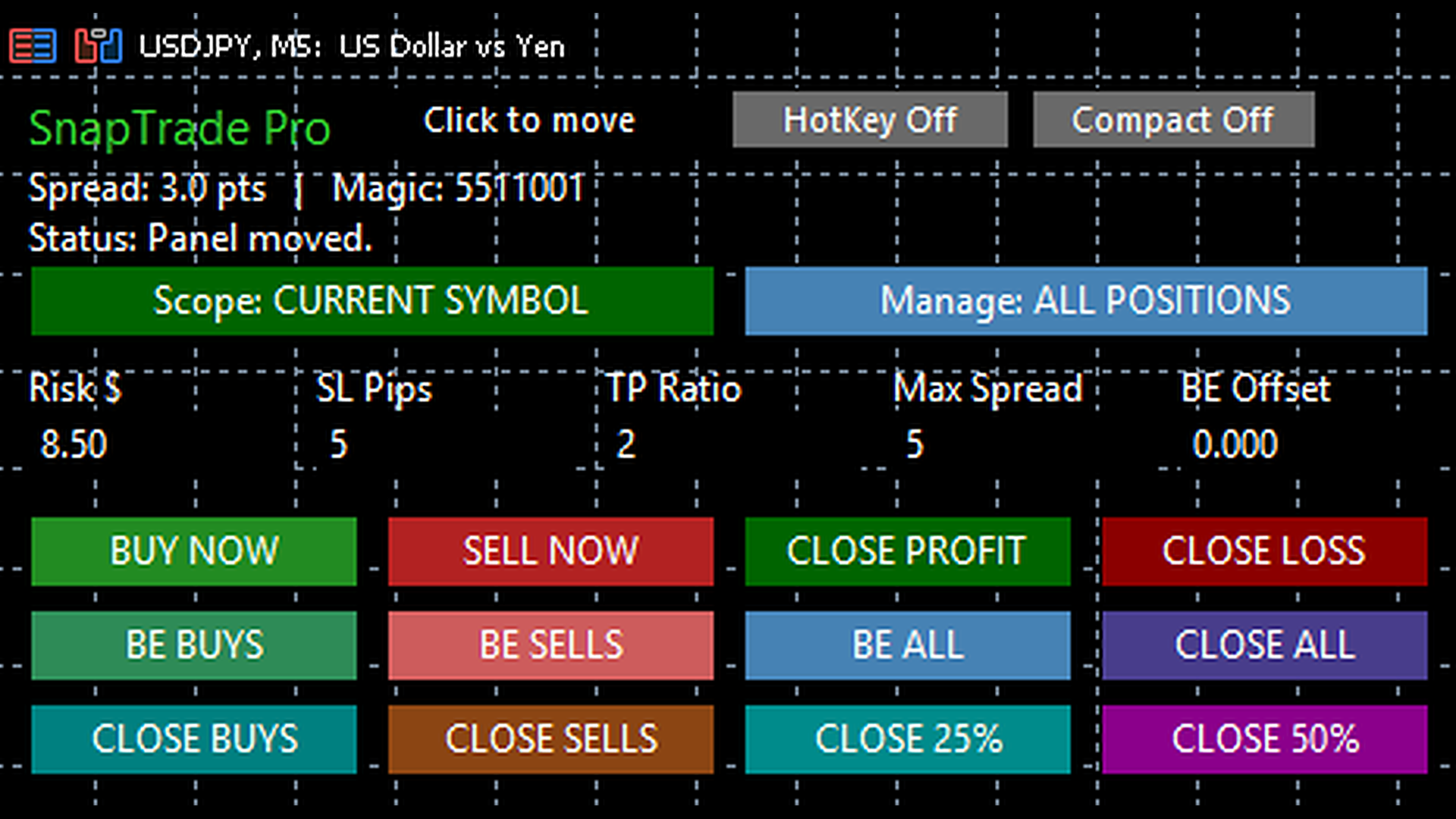
SnapTrade Pro é um painel de execução manual e gerenciamento de trades para MetaTrader 5 com dimensionamento por Risk $, stop loss automático, TP Ratio opcional, entrada de stop adaptada ao símbolo, modo compacto e gerenciamento rápido de posições diretamente no gráfico. Ele foi desenvolvido para traders que já conhecem seu setup e querem entrada mais rápida, controle de risco mais limpo e gerenciamento de posição mais simples diretamente no gráfico.
SnapTrade Pro não é um serviço de sinais nem um robô de estratégia. Ele não decide quando operar. Ele ajuda traders manuais a executar e gerenciar operações com menos cliques e com mais clareza.
Principais recursos:
SnapTrade Pro permite colocar ordens de mercado Buy e Sell diretamente pelo gráfico.
O tamanho do lote é calculado automaticamente com base no valor de Risk $ escolhido.
O stop loss é colocado automaticamente.
Também é possível definir um TP Ratio opcional:
- 0 = Sem TP
- 1 = 1R
- 2 = 2R
- 3 = 3R
- Valores decimais também são suportados
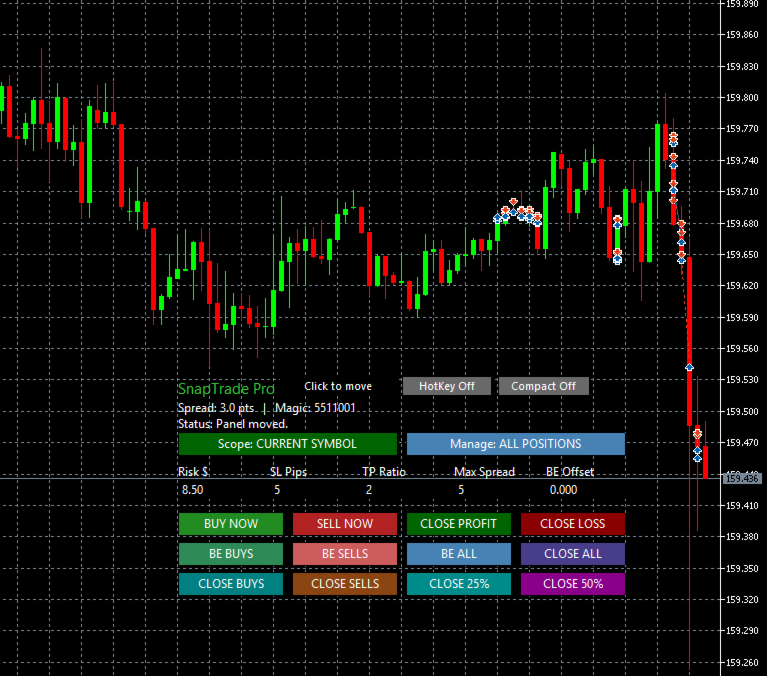
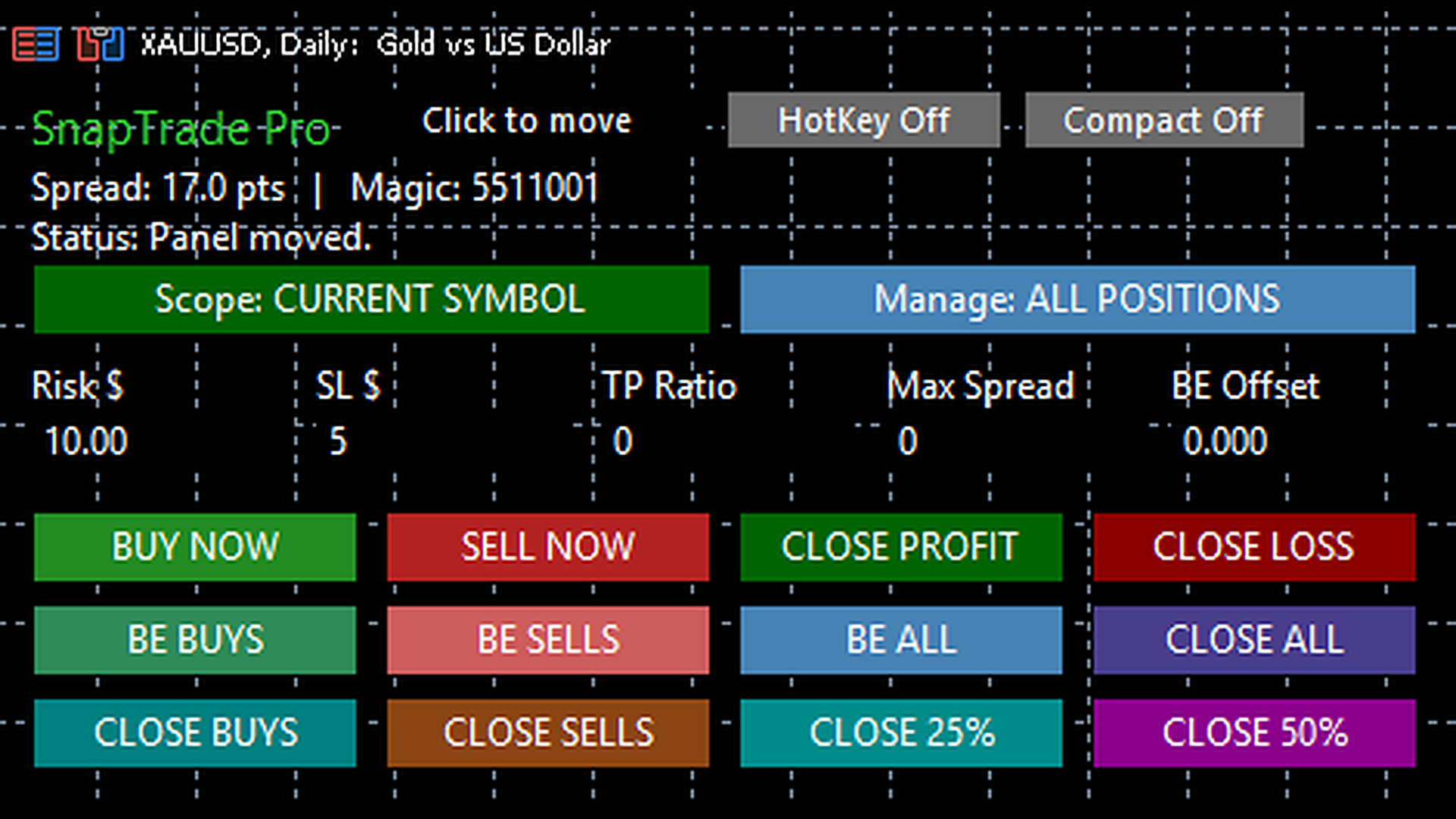
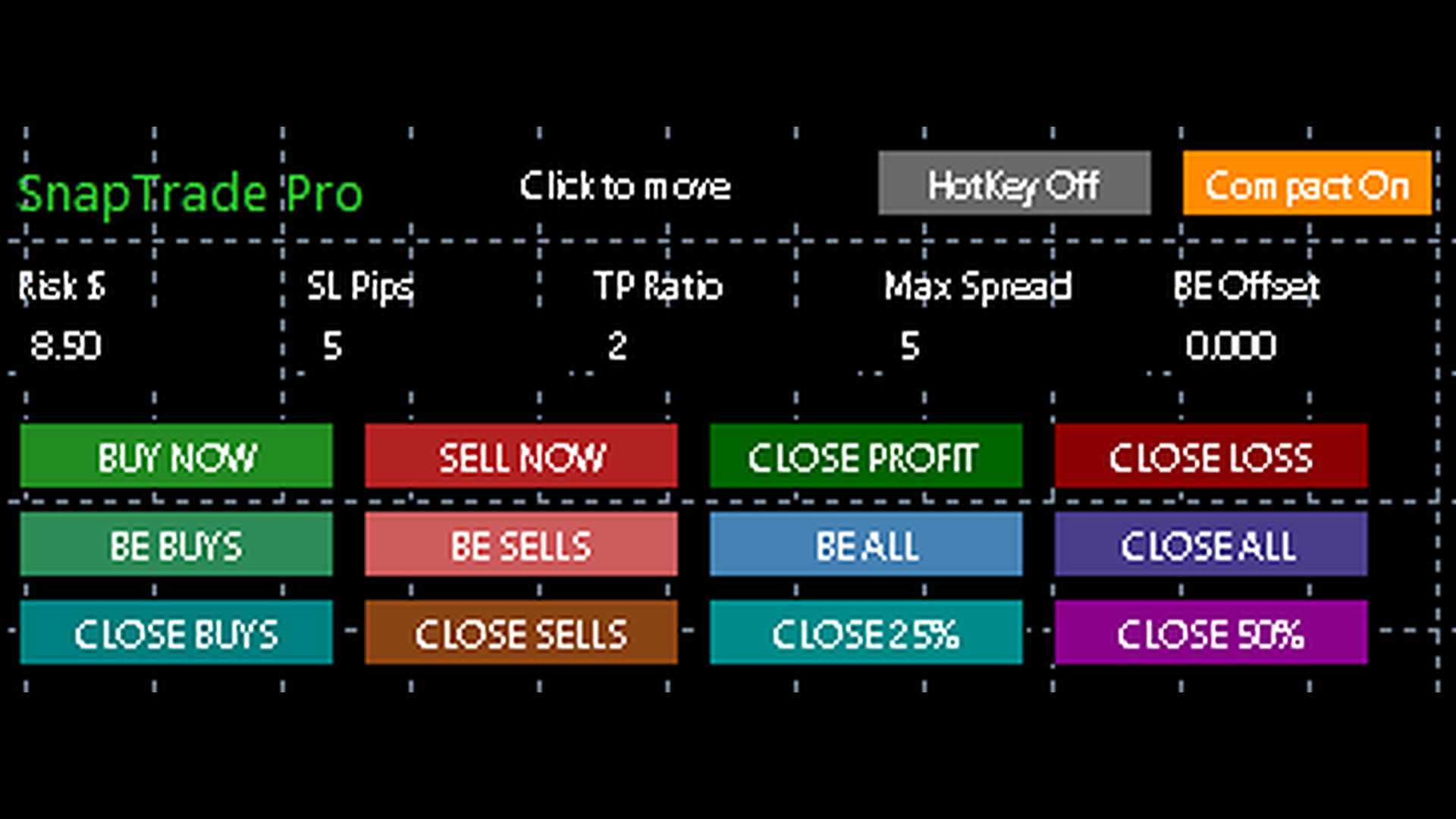
O painel inclui controles de um clique para:
- Break Even Buys
- Break Even Sells
- Break Even All
- Close Profit
- Close Loss
- Close All
- Close Buys
- Close Sells
- Close 25%
- Close 50%
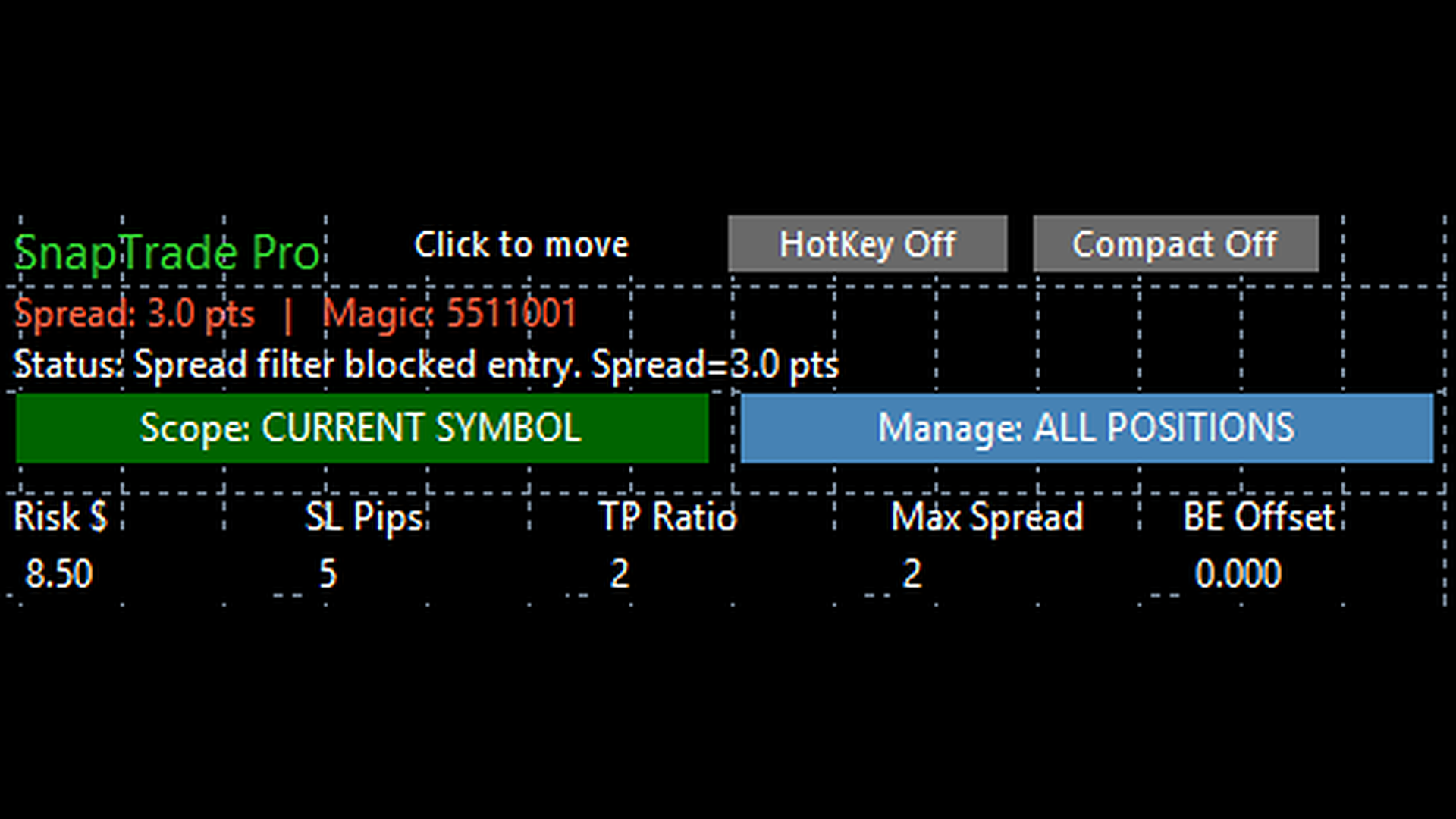
SnapTrade Pro também inclui um filtro de segurança de Max Spread. Se o spread subir acima do valor selecionado em Max Spread, o aviso fica vermelho e a operação não será executada.
O break-even offset é suportado, permitindo mover o stop além do ponto de entrada e travar um pequeno ganho quando o break-even é aplicado.
Entrada de Stop adaptada ao símbolo:
SnapTrade Pro ajusta automaticamente o rótulo do stop de acordo com o símbolo do gráfico.
- SL Pips é mostrado em pares Forex
- SL $ é mostrado em metais como XAUUSD
- SL Points é mostrado em índices comuns
- SL Price é usado como alternativa quando necessário
Isso significa que o painel está pronto para uso em diferentes tipos de gráfico sem exigir que o trader altere manualmente o modo do stop.
Como funciona:
- Anexe o SnapTrade Pro a um gráfico.
- Defina Risk $.
- Defina o valor de stop mostrado para aquele símbolo.
- Defina TP Ratio.
- Defina Max Spread se necessário.
- Clique em Buy Now ou Sell Now.
Ferramentas de gerenciamento:
SnapTrade Pro mantém em um só painel as ações manuais mais usadas, incluindo:
- Controles de break-even
- Controles de fechamento em massa
- Controles de fechamento parcial
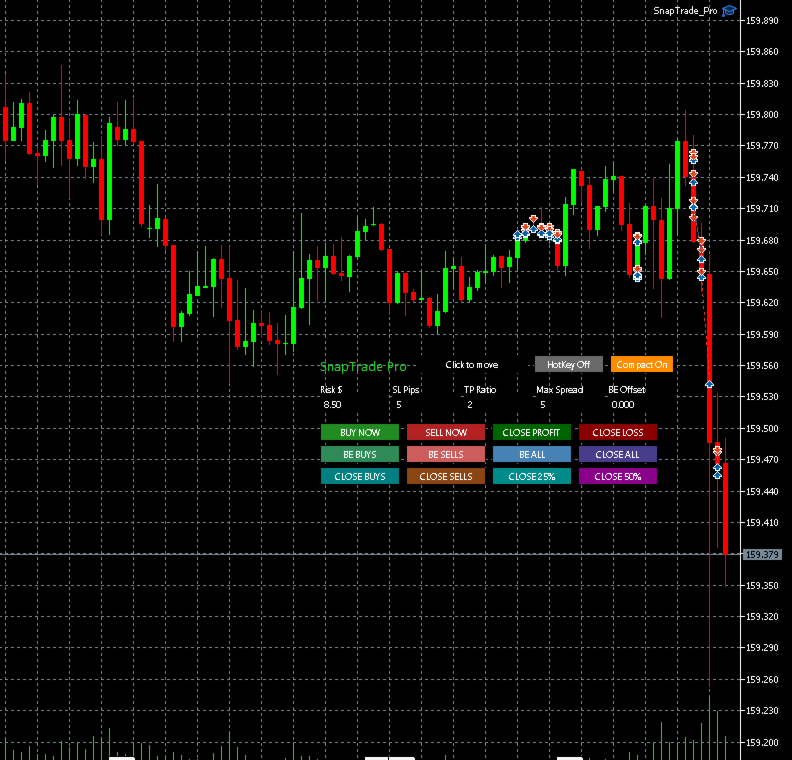
- Modo compacto
- Posição arrastável do painel
- Cor de aviso do spread
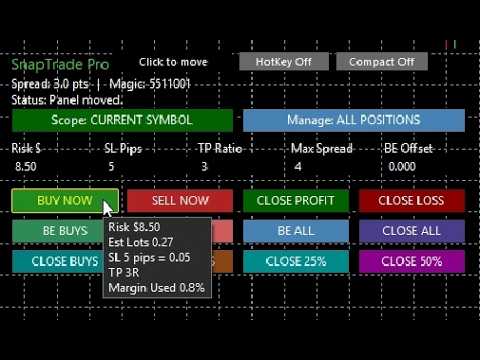
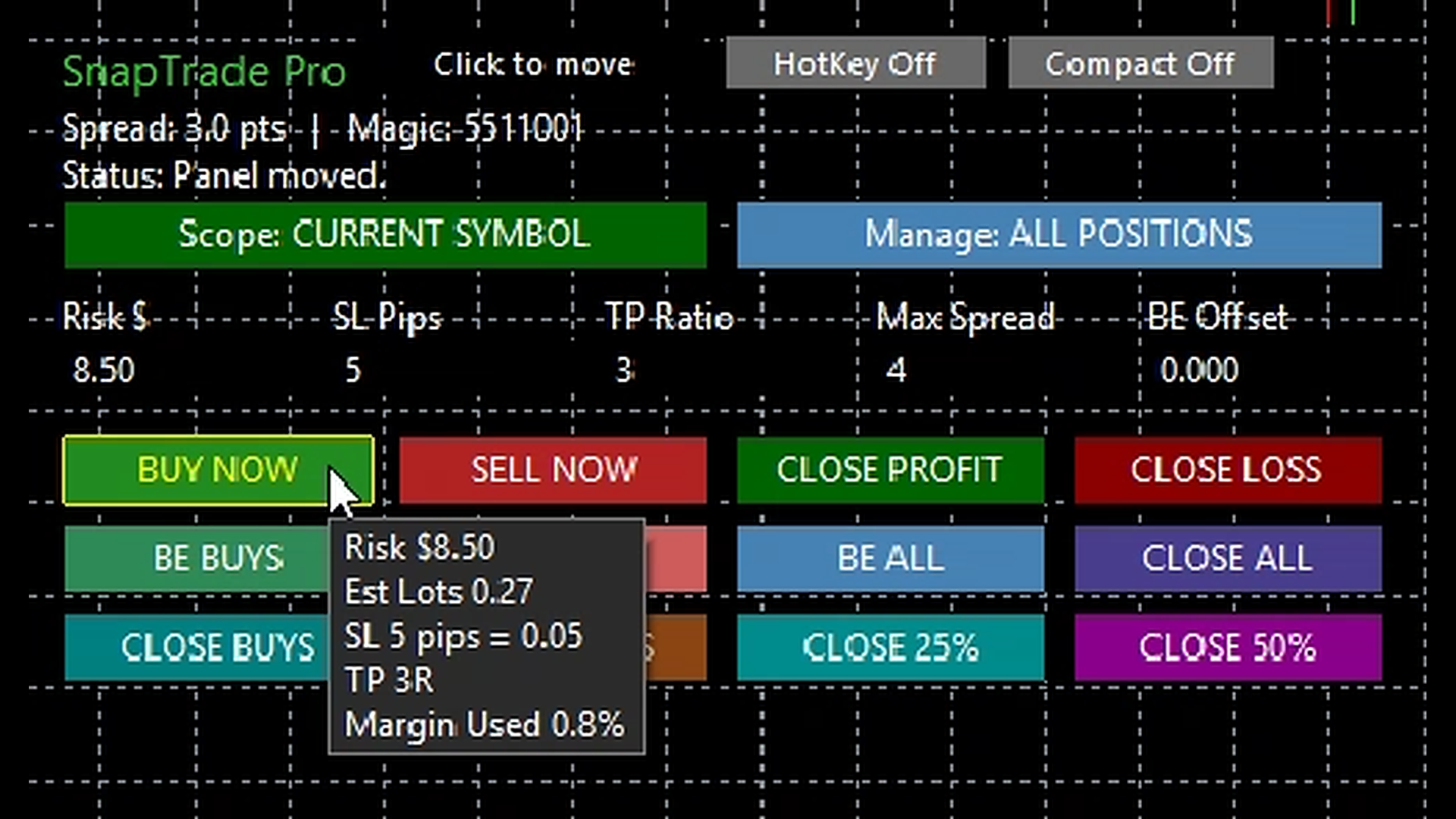
- Prévia ao passar o mouse sobre Buy e Sell, mostrando tamanho estimado do lote, conversão do stop, TP Ratio e percentual de margem utilizada
As configurações são lembradas por símbolo, incluindo a posição do painel e os principais parâmetros, ajudando o trader a alternar entre mercados sem redefinir o fluxo de trabalho a cada vez.
Feito para traders manuais:
SnapTrade Pro foi criado para traders que leem o gráfico por conta própria, querem dimensionamento baseado em risco, um alvo opcional em múltiplos de R, ferramentas rápidas de gerenciamento em um só lugar e não querem um robô de caixa-preta tomando decisões por eles.
Importante:
SnapTrade Pro é um utilitário de trading manual. O trader continua responsável por todas as entradas, saídas, configurações da corretora, condições de mercado e decisões de risco.
Recomendação:
Teste primeiro em uma conta demo para se familiarizar com o fluxo de trabalho e as configurações.