Modify TP SL in batches MT5
- Utilitários
-
Xin You Lin
 Golden Wings
 - Versão: 1.8
- Ativações: 5
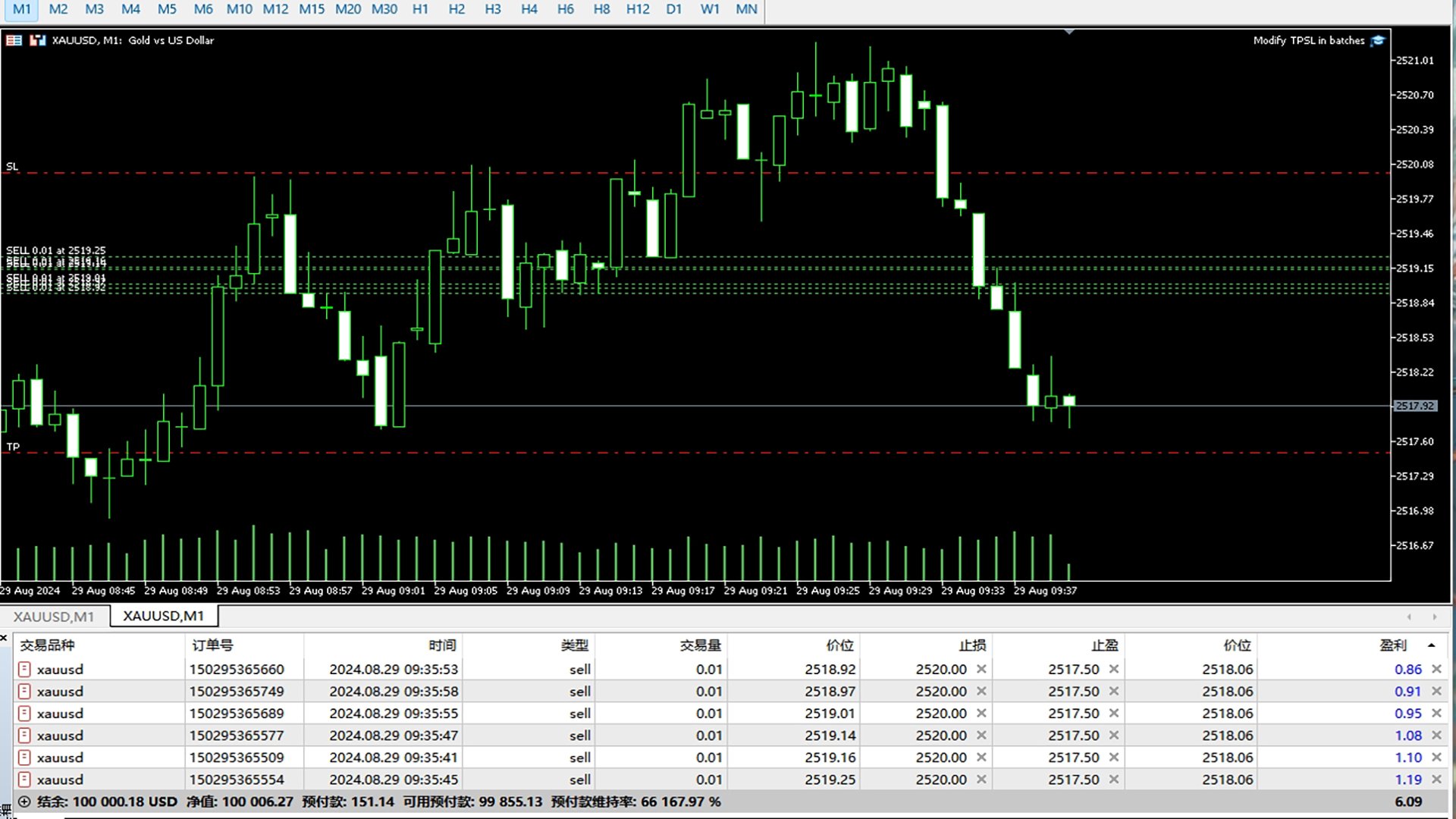
This utility sets the same stop loss and take profit level on several open positions at the same time. It does not open, close or analyse any trade.
Modifying positions one by one in the terminal takes time, and while you are doing it the price can move away. This EA applies the levels you enter to all selected positions in one action, so the whole basket is protected in a single step.
Example
You hold five XAUUSD buy positions opened at 2510, 2508, 2506, 2504 and 2495. You enter 2530 as take profit and 2480 as stop loss. After the EA runs, all five positions share the same take profit at 2530 and the same stop loss at 2480, regardless of their individual entry prices.
How to use
1. Attach the EA to any MT5 chart and enable Algo Trading.
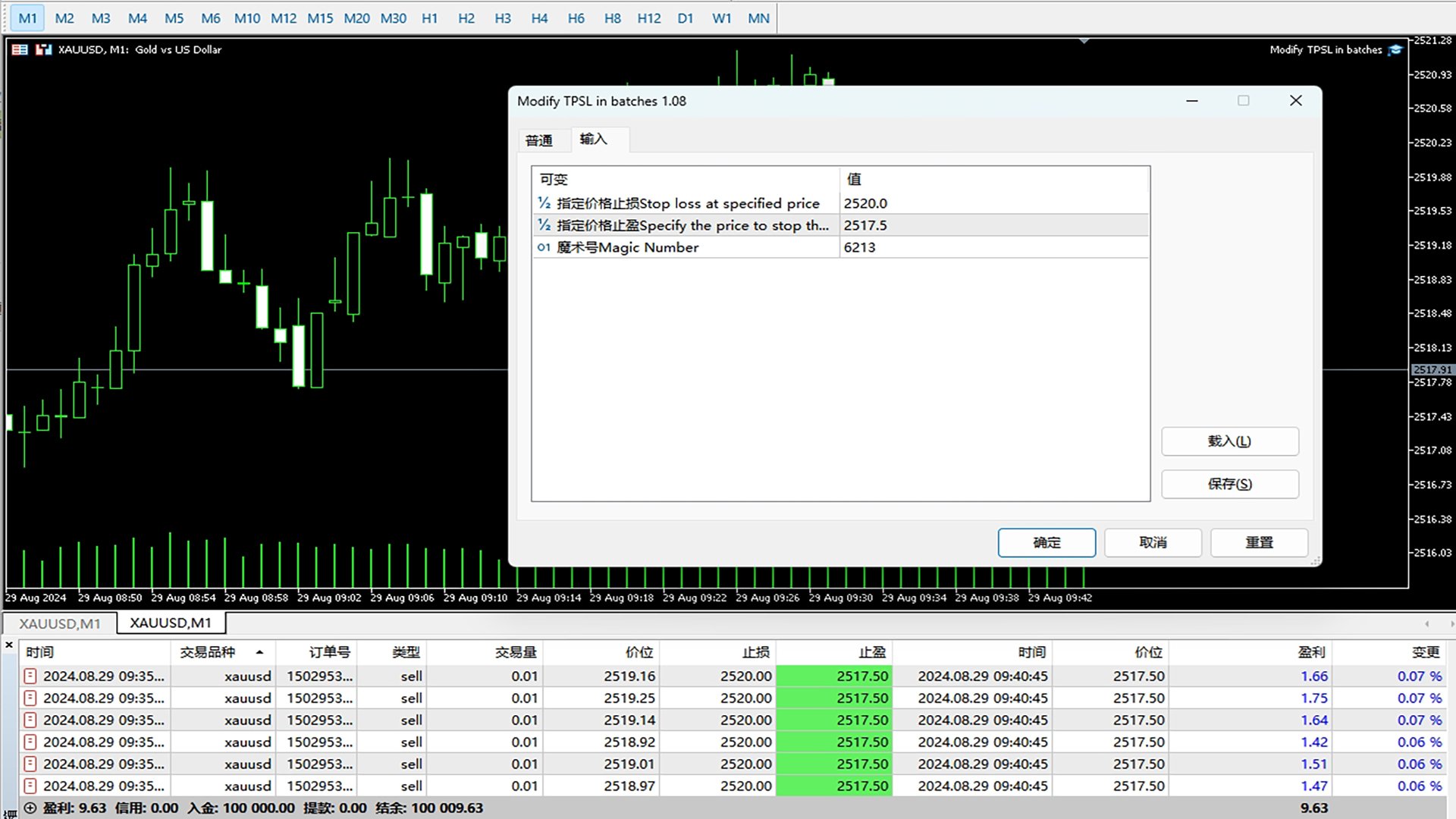
2. Enter the target stop loss and take profit prices.
3. Choose which positions to modify: current symbol only or the whole account, all magic numbers or one magic number, all positions or buy only and sell only.
4. Decide when the change is applied: once on start, or on every tick so that newly opened positions are also updated.
5. Optionally set an offset in points for cases where you prefer levels measured from each entry price instead of one absolute price.
Inputs
- StopLossPrice - stop loss level applied to the selected positions
- TakeProfitPrice - take profit level applied to the selected positions
- UseManualLevels - set one absolute price for all positions
- StopLossPoints / TakeProfitPoints - offset from each entry price, used when UseManualLevels is false
- SymbolFilter - current symbol only, or the whole account
- MagicNumber - only positions with this magic number, 0 = all
- DirectionFilter - all positions, buy only, or sell only
- ApplyMode - apply once, or keep applying to new positions
- ShowPanel - on-chart panel with the number of modified positions
(Replace the names above with the actual input names of your EA.)
Other features
- Works with positions opened manually or by another EA
- Modification results are logged in the Experts journal
- Lightweight, one chart is enough for the whole account
Notes
- Levels that fall inside the stop level or freeze level allowed by your broker are rejected by the server; error 130 and error 1 are logged in that case.
- On netting accounts only one position per symbol exists, so the basket logic applies to hedging accounts.
- Pending orders are not modified unless your EA explicitly supports them; state this in the description if it does.
- Test on a demo account before using it on a live account.
- Questions are welcome in the comments or by private message on MQL5.