Ultimate Trade Manager plus Mobile MT5 RunwiseFX

5

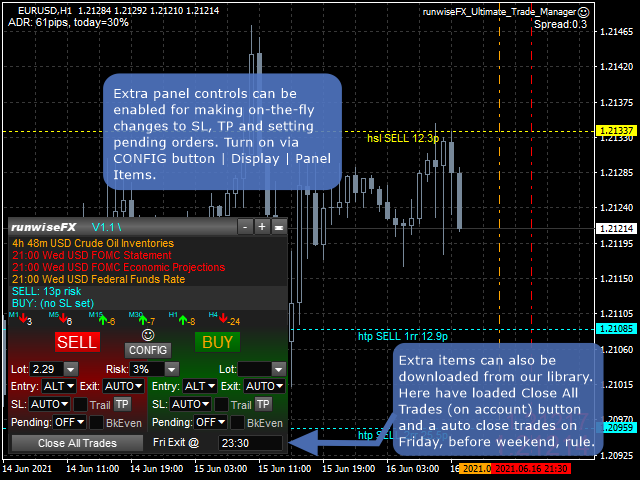
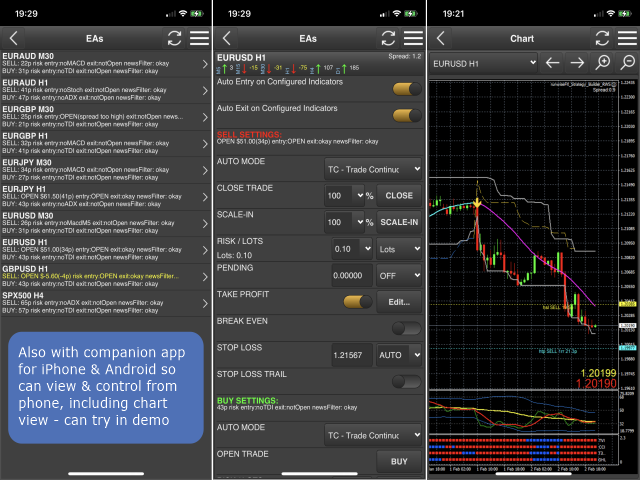
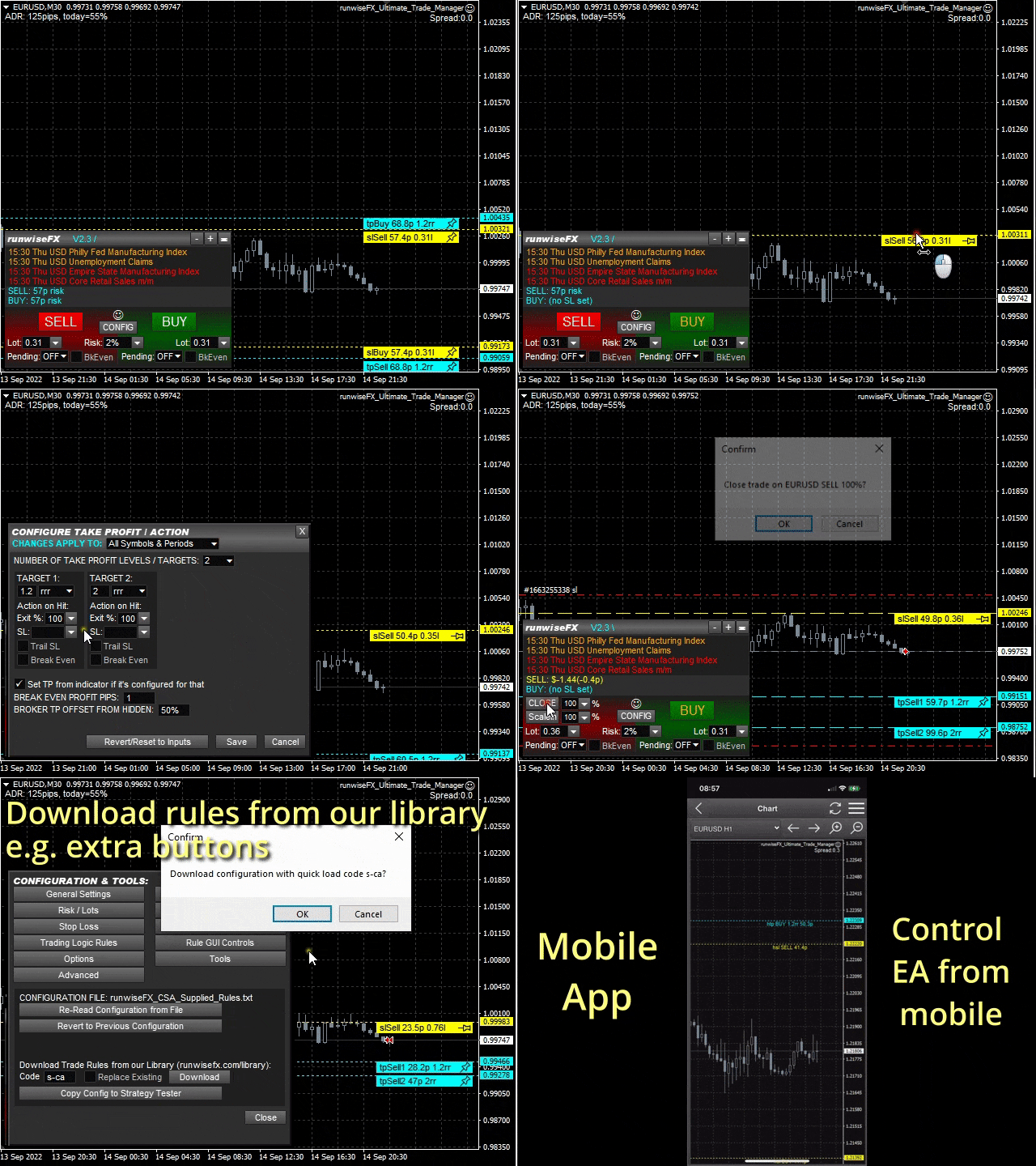
Comprehensive on chart trade panel with the unique ability to be controllable from mobile as well. Plus has a library of downloadable configuration, e.g. exit rules, extra panel buttons, pending order setup and more. Please see our product video. Works with all symbols not just currency pairs.

Features

  • On chart panel plus controllable from free app for Windows, iPhone and Android
  • Built-in script engine with library of downloadable configuration, e.g. add 'Close All Trades in Profit' button, exit before high impact news, etc.
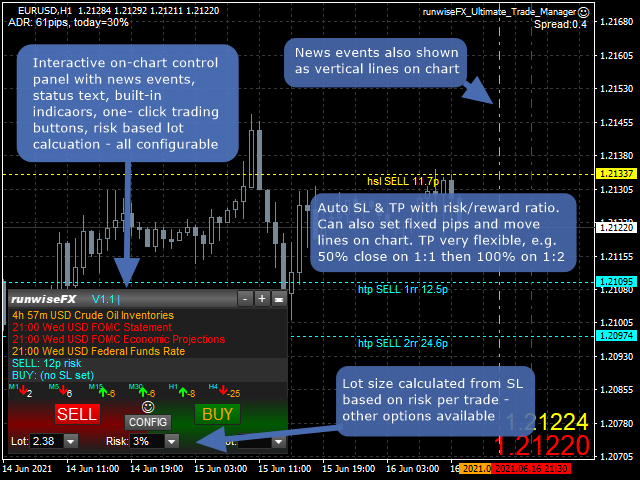
  • Lot size calculation - based on % of account to risk, fixed amount to risk, dynamic or fixed lots
  • Hidden (virtual/stealth) stop loss, take profit and pending orders - highly recommend for live trading - keep intentions hidden from broker
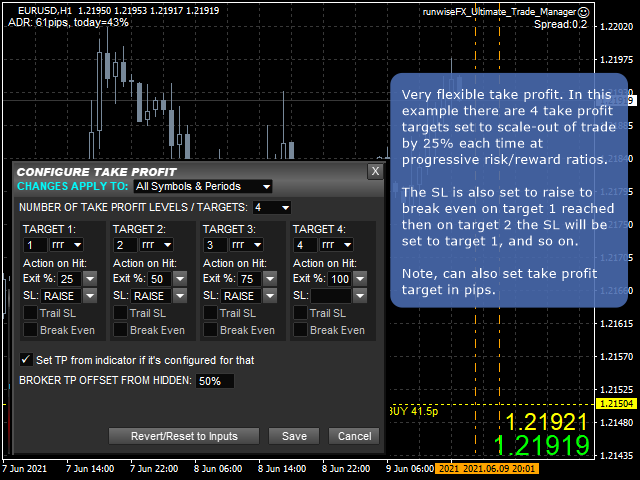
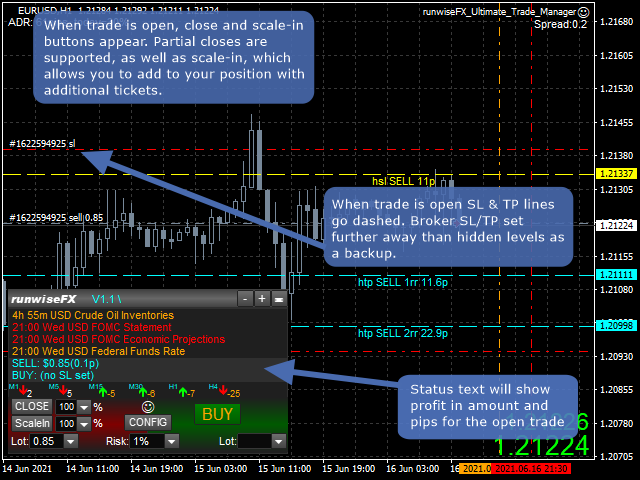
  • Partial closes (scale-out)
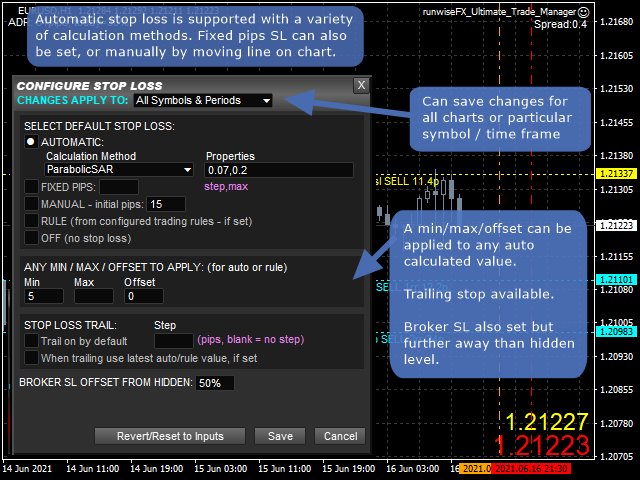
  • Easy to use configuration pop-up forms via CONFIG button
  • Stop loss, take profit lines can be positioned manually on the chart
  • Automatic stop loss - variety of calculation methods can be selected
  • Automatic take profit based on risk reward ratios or pips
  • Trailing stop loss and break even, which can be triggered when target reached
  • Sets broker SL/TP as backup but further away than hidden level
  • Hidden pending lines can be set to alert or trade, based on market price or candle close. Can be set with expiry and auto One Cancels Other (OCO).
  • Scale in (open additional tickets), plus automatic scale-in when target reached
  • News events (both text and vertical lines)
  • Optional multi-trade mode for multiple trades / pending orders on the same chart/symbol, all with separate SL/TP
  • Multi account trade copying where trade button presses can be sent to other accounts via MetaTrader instances on the same machine (master/slave(s))
  • Can be configured on a per symbol and/or timeframe basis, e.g. have different SL for different symbols or timeframes
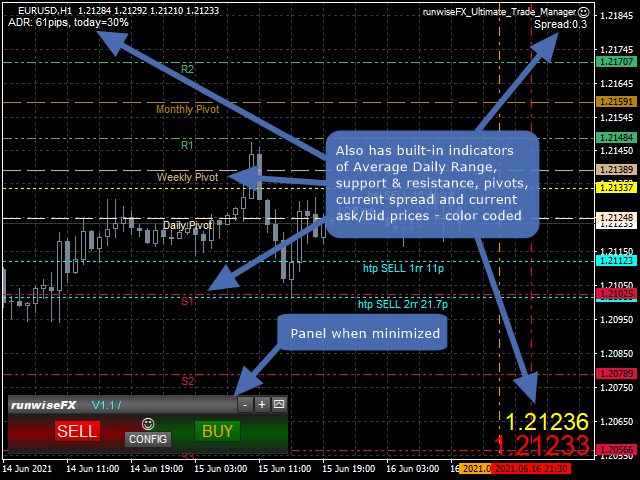
  • Includes indicators providing multiple timeframe trend, support/resistance, pivots, average daily range, current spread and ask/bid prices
  • Logs trades including execution time, slippage and profit, in a spreadsheet CSV file - keep an eye on your broker
  • Robust error handling
  • Underlying code base has been in live use since 2015


Using in Strategy Tester / Demo Version

Works reasonably well in Tester / demo version - just run in visual mode with play back speed around normal live market. You can even test the mobile app - see video. However, downloading from our library is not possible due to a limitation in the Tester. Note, tying in edit boxes doesn't in the Strategy Tester in MT5.

Usage

Please see our product manual in pdf format.


EA Inputs

The system is configured via the panel's CONFIG button rather than relying on inputs. However, here are a few inputs you may wish to change:

  • Main_confirmTradeClose - set to false to turn off confirmation on trade close click
  • Important_brokerSLTPSetOnOrderSend - set to true if broker requires SL to be set on Order Send
  • Gen_forcePointToPipDivider - set to 100 if trading indices so 1 pip is 1 basis point for most brokers
  • Gen_askBidPricesShow - turn on/off big ask/bid price 


Automating Indicators

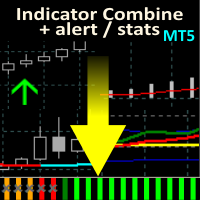
Fully compatible with our Indicator Combine product, which allows indicators to be captured and auto traded when in agreement. Includes both standard indicators and custom indicators. Also provides real-time statistics and auto optimization. See video.
리뷰 6
paulxluap
149
paulxluap 2023.09.21 17:16 
 

I really can't fault this EA - it's worth every penny, especially when one considers the amount of thinking and development that has clearly gone into it. It does pretty much everything that you could ever need, especially when combined with either of the two matrix products that RunwiseFX offer that integrate with the EA, allowing you to mix and match almost any external indicators to trigger a trade. It takes a little while (at least a day or two) to work through the extensive and clear documentation (which is excellent) and you'll need to be prepared for some trial & error tweaking and testing the comprehensive array of settings that are built in. There's also a huge library of plug-in settings that allow extra behaviours to be added in. But if you run into any issues setting it all up, RunwiseFX's support service is excellent as well. And the icing on the cake is the mobile add-on which means that you can keep an eye on things when away from your desk.

Melanio Aganus
57
Melanio Aganus 2023.04.02 09:58 
 

This software is Amazing will bring you to the new level of trading ! I ignore in the beginning but once you understand it will unlock your interest & knowledge! imagine you can review the probability or statistic of your trade base of your chosen indicators in combinations with one you like. one more thing I like is that they are a lot of script that use base on your personality. Its Truly Amazing …More power to the developers & the team

homeincome
19
homeincome 2022.09.13 11:26 
 

Great tool, especially being able to access it from my phone, Great Job...Cheers

추천 제품
Общие сведения Данная торговая панель предназначена для быстрой и удобной торговли в один клик. Создавался продукт для частичной автоматизации своей личной ручной торговли  https://www.mql5.com/ru/signals/1040299?source=Site+Profile+Seller Советник имеет ряд возможностей, а именно: Открытие BUY или SELL ордеров. SL выставляется ниже (выше)  минимальной (максимальной) цены, задаваемых в параметрах количества свечей. Размер TP рассчитывается в соотношении от размера SL (по умолчанию 0.618). Выстав
Grid MT5
Volodymyr Hrybachov
5 (1)
반자동 거래 유틸리티인 주문 관리는 계정에서 수익성이 없는 위치를 복원하는 데에도 사용할 수 있습니다. 무익한 주문을 중복하여 계정의 손실을 줄이는 기능이 있습니다. 수동 주문, 패널에서 열린 주문 또는 다른 Expert Advisor가 연 주문과 함께 작동할 수 있습니다. 최소한의 매개 변수가 있고 구성하기 쉽고 주문 수에 관계없이 작동합니다. 테스트를 위해 전략 테스터에서 비주얼 모드를 사용하십시오. MT4 버전 https://www.mql5.com/en/market/product/56492 옵션: START_LOT - 초기 로트; LOT_MULTIPLIER - 주문 그리드의 로트 승수. MAX_LOT - 최대 로트 STEP_ORDERS - 주문 그리드 단계; STEP_MULTIPLIER - 순서 단계 곱셈 계수, = -1이면 사용되지 않습니다. MAX_STEP - 최대 주문 그리드 단계; OVERLAP_ORDERS - 주문 겹침 기능을 활성화하는 주문입니다. OVERL
Cleopatra EA MT5
Nestor Alejandro Chiariello
안녕하세요 트레이더스입니다! 당신에게 '클레오파트라'를 선물합니다 클레오파트라는 아름답고 지적인 디자인과 그 힘이 다재다능한 곳에 지속적으로 적응하는 회복 형태를 갖추고 있습니다. 주요 전략은 시장의 탄력성을 읽는 것입니다. 진입 범위를 다양한 방식으로 분석할 수 있습니다. 이는 시장 뉴스에 대한 쿼리를 처리하면서 다양한 TF 및 다양한 범위에서 매우 역동적일 수 있습니다. 클레오파트라는 시장 회복에 적응할 수 있는 강력한 힘을 가지고 있으며, 그 패턴은 고정되어 있지 않습니다. 또한 우리는 백분율 또는 변동 여부에 관계없이 propfirm 또는 MFF 계정의 규칙에 따라 작업할 수 있는 다양한 유형의 보호 기능을 보유하고 있습니다. Forex든 다른 기호든 모든 기호에 적응하고 지지와 저항을 기반으로 범위 시간을 효과적으로 제어할 수 있으며 전체 전략을 반대로 작동하도록 할 수도 있고 역학이 사용자에 맞게 적응된다는 점에 유의해야 합니다. 중요: 이 전문가는 API 뉴스
Ultimate MT5 to Telegram (UMT) sends controlled trades (via symbol, magic, comment) to your telegram channel. It sends open and closed trades, including pending orders and TP/SL modifications, along with chart screenshots, to any telegram channel. Additionally, you can send trade reports of open trades and summary profit/pip reports for day, week, or month. You can customize the design of the trade actions or reports with variables and emoticons.  A beautiful panel allows you to visualize all t
복사기->편리하고 빠른 인터페이스 상호작용으로 사용자가 바로 사용 가능       ->>>> Windows 컴퓨터 또는 VPS Windows에서 사용하는 것이 좋습니다. 특징: 다양하고 개인화된 복사 거래 설정: 1. 다양한 신호 소스에 대해 다양한 로트 모드를 설정할 수 있습니다. 2. 다양한 신호 소스를 포워드 및 리버스 복사 거래에 대해 설정할 수 있습니다. 3. 신호는 주석으로 설정할 수 있습니다. 4. 계약 로트에 따라 로트를 교정할지 여부 다양하고 개인화된 복사 주문 설정 2: 1. 다양한 품종에 대해 다양한 로트 모드를 설정할 수 있습니다. 2. 정방향 및 역방향 복사 주문에 대해 다양한 품종을 설정할 수 있습니다. 3. 주석으로 신호를 설정할 수 있습니다. 4. 계약 로트에 따라 로트를 교정할지 여부 댓글 필터링, MAGIC 필터링, 시그널 로트 필터링, 로컬 제품 필터링 근무시간 설정 역동기화 SLAVE 닫힘 주문 바인딩 기능: 모든 주문은 설정된 신호 소스 주문
This is a powerful semi-automated EA designed for active traders who want enhanced control over their open trades. It combines advanced features like dynamic trailing stop , automatic DCA (dollar-cost averaging) , and a smart SL/TP synchronization system , all controlled via an intuitive on-chart button interface . Features: 1. Smart Trailing Stop Automatically adjusts your Stop Loss to secure profits as price moves in your favor. You can define: Profit thresholds to activate trailing (e.g.,
Remote Trade Copier is an advanced tool designed for efficiently copying trades between accounts in both local and remote modes. It allows for lightning-fast order replication from a master account to a slave account. In local mode, trades are copied instantly, while in remote mode, the copying process takes less than 1 second. MT4 Version (Only Local) MT5 Version (Only Local) MT4 Full Version (Local & Remote) Local mode refers to both MetaTrader platforms being installed on the same system,
Hello, boys and girls! Script allows you either to quickly save opened charts and then close all charts opened by visual tester mode or just faster close all charts. Feel free to take a look at video manual about how to use this script on my YouTube channel. Also, feel free to join my telegram channel , where time to time I publish some exclusive stuffs. Feel free to leave feedback and thoughts how to improve this script - I'd highly appreciate that. All the best.
텔레그램 채널을 통한 거래 복사기. 텔레그램 채널에 거래를 즉시 게시하거나 텔레그램 채널에서 거래를 복사하는 데 도움이 됩니다. 유틸리티는 MT5에서 신호를 수신하고 Telegram으로 신호를 전송하는 두 가지 방향으로 작동할 수 있습니다. 더 이상 놓친 거래가 없습니다. 더 이상 패닉은 없어 자본 관리 사용의 용이성 데모 https://www.mql5.com/ru/market/product/54083 다음 용도로 사용할 수 있습니다. 텔레그램 채널(인터넷을 통해)을 통해 자신의 거래를 복사합니다. MT5에서 MT4로 또는 그 반대로 거래를 복사합니다. MT4 버전 https://www.mql5.com/ru/market/product/56142 클라이언트를 위한 텔레그램 채널을 통한 신호 분배; 작동 방식: 테스트 채널 https://t.me/moneystrategy_mql에서 유틸리티가 어떻게 작동하는지 확인할 수 있습니다. PROVIDER 모드에서 유틸리티는 주문 티
Lock Bot
Artem Alekseev
This utility is designed to automatically maintain a "locking" position and reopen it when necessary, which is suitable for position maintenance and protection strategies. A simple utility (hereinafter referred to as the bot) that implements a locking strategy with an infinitely reloadable locking trade. How the bot works: - When launched, select a buy or sell order with a specified TP - Set the SL parameter for the locking trade - The bot monitors the distance between the opening price of the f
Mt5 To InterativeBrokers Copier allows you to copy deals from MT5 account to Interactive Brokers. With this, you can run your EA strategy on a MT5 Demo/Real Account, then copy all the deals to Interactive Brokers account real time. Features: 1. Copy or Invert-Copy deals Realtime from MT5 to IB Account. 2. Synchronizing positions of both accounts periodicaly, in case any missing copying. 3. You can choose only Buy position or Sell position. Symbols Setup: General Format:  {MT Symbol} -> {IB S
Time saving and fast execution Whether you’re traveling or sleeping, always know that Telegram To MT5 performs the trades for you. In other words, Our   Telegram MT5 Signal Trader  will analyze the trading signals you receive on your selected Telegram channels and execute them to your Telegram to MT5 account. Reduce The Risk Telegram To Mt5   defines the whole experience of copying signals from   Telegram signal copier to MT5 platforms. Users not only can follow all instructions from the signal
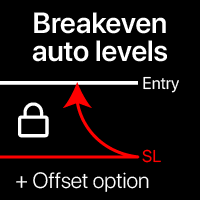
자동 손익분기 레벨 이 유틸리티를 사용하면 거래가 원하는 수익에 도달할 때 자동 SL 이동을 활성화할 수 있습니다. 단기 트레이더에게 특히 중요합니다. 오프셋 옵션도 사용 가능: 일부 수익을 보호할 수 있습니다. 다기능 유틸리티 : 66+ 기능, 이 도구 포함 | 문의하기 | MT4 버전 자동 손익분기 기능 활성화 과정: 1. 심볼 또는 거래 선택 자동 BE 기능이 활성화될 대상: 현재 [Symbol] / 모든 [ALL] 거래 / 또는 특정 거래 [Ticket] . [Symbol] 또는 [ALL] 규칙 외에 - 티켓 번호로 특정 거래에 대한 별도 규칙을 설정할 수 있습니다: 별도의 [Ticket] 규칙이 우선합니다. 2. 자동 BE를 활성화할 거래 유형 선택: [ALL]: 모든 활성 거래; [Longs]: Buy 거래만; [Shorts]: Sell 거래만; 3. [When profit] : 거래가 지정된 수익 금액에 도달할 때만 SL이 이동됩니다. 4. [+ Offset] : TP
This is a tool that enables you to know account information in real time by sending email alerts,both Nedge and Netting modes are supported. Alerts function as follows: 1. Floating profit and loss alerts, once the profit and loss amounts you have set are reached, EA will automatically send you an email with details of the alert. 2. Order open and close alerts, once your   account     has an open and close position, EA will automatically send you detailed alerts by email. 3. Multiple Symbol
This Expert Advisor monitors all open positions across all symbols in MetaTrader 5. Whenever a Stop Loss (SL) or Take Profit (TP) is manually set or adjusted on any position, the EA automatically applies that value to all other open positions , regardless of symbol or order type (Buy/Sell). This ensures consistent and synchronized SL and TP levels across your account. Perfect for mobile trading via tablet or smartphone!
Exit strategy
Samuel Njenga Nganga
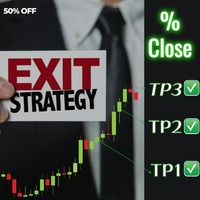
Introducing Exit strategy EA – Smart Trade Manager for MT5, designed to save you screen time and manage your open trades. Set your own TP levels. SL adjustments. Lot size percentages. How It Works: Set up to 2 Take Profits for each trade (TP1,TP2). I can add more TP levels  At each target hit: 1. Automatically close a customizable percentage of your position e.g 50% close on TP1 2. Instantly adjust your Stop Loss to a predefined level e.g Move stop loss to breakeven at TP1 hit. Why Y
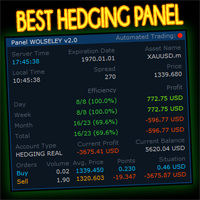
Wolseley Panel MT5 FREE
Walter Wolseley Pessoa Batista De Lima
WOLSELEY's Trading Panel - BASIC - - Feel free to contact me at instagram   @walter_robos  or whatsapp/telegram +5592981173937 View your history in a structured and detailed manner, with efficiency rate and profit rate separated by day, week, month and total, as well as asset details, server time and positions&orders in progress. This panel was created looking on HEDGE-type accounts, but it can be used on NETTING-type accounts without any problems. In the PREMIUM version of this Panel you have
EA SB8 Panel Trade
Juan Manuel Bernal Martin
SB-8 – Manual Trading Panel with Fixed Risk & TradingView-Style Visualization for MT5 SB-8 is an advanced manual trading panel for MetaTrader 5 , designed to execute trades visually, quickly and without calculations . It is especially built for traders coming from TradingView , who often find MT5 confusing when it comes to risk management and trade visualization. With SB-8, you don’t calculate lot size, percentages or risk . You simply move the Stop Loss line , and the panel handles everything a
The Comeback Kid Manger is half EA and half trade manager. It's capable of keeping the trader profitable on complete auto-pilot. You can also use the onscreen buttons to intervene with the EA to achieve a creative manual/algo collaboration. It's also capable of recovering losing trades by managing them into a small profit or break even. The user has a lot of control on how and when they would like to increase profit on good trades and recovery bad or losing trades.  Highlights  Includes one of
One Click Trader  is a tool designed for MetaTrader 4 platform, which enables you to take your trading to the next level. It enables you to open, manage and close your trades in simple an efficient way by just one click of your mouse button. "-"   ,  "+"  change OCT window size  Up arrow minimizes the OCT panel Down arrow maximizes the OCT panel Right arrow displays the next panel with additional features Left arrow hides the panel with additional features Red  SELL  button enables you to open s
EA Manage Emotion
Hua Nguyen Nguyen Tran
EA Emotion   is not a traditional Expert Advisor that places trades automatically – instead, it’s a psychological checkpoint that helps you manage   trading discipline and emotional control . Designed especially for discretionary traders, prop firm challengers, and anyone serious about improving consistency,   EA Emotion   asks a series of custom questions   right after you open a trade , such as: Did you follow your trading plan? Are you in the right mental state? Is this trade part of your set
HYT utility
Sergey Batudayev
HYT(Help Your Trading)   는 두 가지 주요 기술을 사용하여 손실 포지션의   평균을 낮추는 데   도움이 되도록 설계된 도구입니다. 표준 평균화. 추세 방향으로 포지션을 개시하여 헤지하는 방식입니다. 이 도구를 사용하면 매수와 매도 모두에서 여러 방향으로 개설된 여러 포지션을 관리할 수 있습니다. HYT는 다음 포지션의 크기, 주문 가격, 평균화 방향, 지정된 이익 실현 수준으로 포지션을 마감하는 것을 자동으로 계산합니다. 또한 매수 및 매도 버튼을 사용하여 포지션을 개설하고, 원하는 이익 실현 수준과 초기 로트를 지정하는 옵션도 제공합니다. 사용을 시작   하려면 도구를 차트로 끌어다 놓고, 이익 실현 수준을 설정한 후 "평균화 시작" 버튼을 클릭하면 됩니다. 초기 포지션이 너무 크지 않도록   주의하고, 평균화할 때 도구가 포지션 크기를 늘리므로 추가 비용이 발생할 수 있음을 대비하세요. HYT는   자동 거래   도 가능합니다. 자동 거래가 활성화되면, 도구
GUARDIAN EA PRO - SMART ACCOUNT PROTECTION "Don't let losses get out of control - Let Guardian protect you 24/7!"   KEY FEATURES   SMART ALERT SYSTEM Step-by-step alerts   by profit/loss percentage (5%, 10%, 15%...) Real-time notifications   via Telegram & Push Notifications Customizable intervals   between alerts   EMERGENCY PROTECTION Auto close all positions   when reaching maximum loss threshold Drawdown protection   - Prevent deep losses Trading time limits   - Safe automatic
Close All and Change Take Profit and Stop Loss All Orders. Main Features     Ability to Close All Orders the Symbol you put this EA.     Ability to Change Take Profit to All Order.     Ability to Change Stop Loss to All Order.     Show Order count.     Show Average price with info and Horizontal Line.     Show lot open.     Show Price diff from average to price now     Show broken price with info and Horizontal Line.     Easy to use . How to use Close All (Symbol) PC : you can click on CloseAl
Manually enter the price for Buy position or Sell position. This EA will automatically open 3 orders and also 3 Pending (In deposited position) = Total 6 orders per one click Please see Screenshot or Videos for more explanation. - Easy to manage your different order. - Fast in modification for SL and TP. - Can modified the SL and TP depends on individual techniques.
SmartLot Manager 는 속도와 정확성을 중시하는 트레이더를 위한 전문 보조 도구입니다. 더 이상 수동으로 랏(Lot)을 계산하거나 손익을 짐작할 필요가 없습니다. 차트에서 선을 이동하는 것만으로 주문을 설정하고 리스크를 관리할 수 있습니다. 손절매(Stop Loss)와 이익 실현(Take Profit) 레벨을 단순한 가격이 아닌, 예치금 통화의 구체적인 금액으로 확인할 수 있습니다. 주요 기능: 시각적 거래:   3개의 선(진입, 손절매, 이익 실현)을 사용하여 주문 전에 거래를 시각적으로 조정할 수 있습니다. 즉시 계산:   패널에서 예상 수익과 손실을 예치금 통화 및 포인트 단위로 실시간으로 보여줍니다. 모든 주문 유형 지원:   시장가 주문 및 지정가 주문(Limit/Stop)을 지원합니다. 진입 가격의 위치에 따라 주문 유형(Buy/Sell, Limit/Stop)을 자동으로 감지합니다. 리스크 관리:   설정된 리스크를 기반으로 포지션 규모(랏)를 편리하게 계산합니
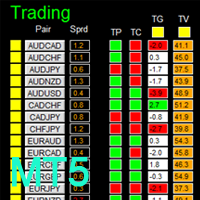
如果产品有任何问题或者您需要在此产品上添加功能,请联系我 Contact/message me if you encounter any issue using the product or need extra feature to add on the base version. There is a demo version of this panel Dashboard Trading Made Simple Demo in my product list, please try it out to get familiar with all functionalities free, LINK . This system basically utilizes TDI as the main indicator to generate trading signal mainly on H1 and H4 time-frame. The signal will be further filtered and trimmed. Stochastic; Heiken Ashi ca
Pending Orders Stacking Utility EA
Opengates Success International
Pending Orders Stacking EA 이 수동 전문가 고문은 사용자가 원하는 수량 또는 브로커가 허용하는 수량까지 예약 주문을 누적할 수 있도록 제작되었습니다. Buy Stop 예약 주문을 누적할 수 있습니다. Sell Stop 예약 주문을 누적할 수 있습니다. 첫 번째 거래를 즉시 주문으로 열고 나머지를 예약 주문으로 설정할 수 있습니다 (선택 사항). 모든 예약 주문을 종료할 수 있습니다. 모든 오픈된 거래를 종료할 수 있습니다. 시간 프레임 버튼으로 손쉽게 다른 시간 프레임으로 이동할 수 있습니다. 심볼 변경 버튼으로 손쉽게 다른 통화쌍으로 전환할 수 있습니다. 주문 식별을 위한 주문 번호 제공. 다음과 같은 거래 관리 기능 제공: 스프레드 제한 — 사용자 설정에 따라. 손익분기점 (Breakeven) — 사용자 설정에 따라. 트레일링 스탑 — 사용자 설정에 따라. 부분 청산 — 사용자 설정에 따라. 버튼은 사용자가 원하는 대로 재배치할 수 있습니다. 이 놀라운 도구
Crash5 EA ,I s a automatic robot that has the level of professional decision when to take a trade without any emotion. The bot will help in your scalping decision making with its own TP (take profit) and SL (stop loss) with the trail stop when in profit. This is a trend based spike catching ,looking on whats happening in real time charts no repainting of any signals. The robot helps in making decisions on the candle stick pattern opened and closed lat price with the help of RSI ,MACD and the EMA
Smart AI M5
Nikitha Lilitha Mathangana
Smart AI is a 100% calculating smart Robot that uses cutting edge algorithms. A technology you can trust in. Features: Time Based Trading Stop Loss Take Profit Trailing Stop Loss Break Even Stop Counter Trades Trade Appender One Click Buttons Close All: close all orders and positions. Close Profit: close all positions in profit. Close Loss: close all positions in loss. Close Stop: close all stop orders. Close Buy: close all buy positions. Close Sell: close all sell positions. Close Orders: close
이 제품의 구매자들이 또한 구매함
Ultimate Extractor
Clifton Creath
5 (7)
Ultimate Extractor - Professional Trading Analytics for MT5 Ultimate Extractor transforms your MetaTrader 5 trading history into actionable insights with comprehensive analytics, interactive charts, and real-time performance tracking. What It Does Automatically analyzes your MT5 trading history across all Expert Advisors and generates detailed HTML reports with interactive visualizations. Tracks live performance metrics including open positions, floating P/L, and drawdown in real-time. Supports
EasyInsight AIO MT5
Alain Verleyen
4.91 (11)
EASY Insight AIO – 스마트하고 손쉬운 트레이딩을 위한 올인원 솔루션 개요 외환, 금, 암호화폐, 지수, 심지어 주식까지 — 전 시장을 몇 초 만에, 수동 차트 확인이나 복잡한 설치, 인디케이터 설정 없이 스캔할 수 있다고 상상해 보세요. EASY Insight AIO 는 AI 기반 트레이딩을 위한 궁극의 플러그 앤 플레이(Plug & Play) 데이터 내보내기 도구입니다. 단 하나의 깔끔한 CSV 파일로 전체 시장 스냅샷을 제공하며, ChatGPT, Claude, Gemini, Perplexity 등 다양한 AI 플랫폼에서 즉시 분석할 수 있습니다. 창 전환, 복잡함, 차트 오버레이는 더 이상 필요 없습니다. 자동으로 내보내지는 순수하고 구조화된 데이터 인사이트만으로, 반복적인 차트 감시 대신 데이터 기반의 스마트한 의사결정에 집중할 수 있습니다. 왜 EASY Insight AIO인가요? 진정한 올인원 • 별도의 설정, 인디케이터 설치, 차트 오버레이가 필요 없습
MT5 To Tradovate
Laurent Xavier Richer
MT5 → Tradovate Bridge (Prop-Firm Ready) Mirror your MT5 trades into Tradovate in real time—perfect for running your favorite indices/gold EA on MT5 while meeting the rules of top prop firms like Apex , etc. What it does Live mirroring: Replicates MT5 market executions (open/close) to Tradovate as market orders. Symbol routing:  Map your chart (e.g., US100/USTEC) to the right futures contract (MNQ/NQ/MES/ES/…); roll-aware (quarterly/monthly). Position cap: Limit how many MT5 positions are mirro
The product will copy all telegram signal to MT5 ( which you are member) , also it can work as remote copier.  Easy to set up, copy order instant, can work with almost signal formats, image signal,  s upport to translate other language to English Work with all type of channel or group, even channel have "Restrict Saving Content", work with  multi channel, multi MT5 Work as remote copier: with signal have ticket number, it will copy exactly via ticket number. Support to backtest signal. How to s
Custom Alerts AIO: 다중 시장을 동시에 모니터링 – 설정 없이 즉시 사용 가능 개요 Custom Alerts AIO 는 복잡한 설정 없이 즉시 사용할 수 있는 통합 시장 모니터링 도구입니다. FX Power, FX Volume, FX Dynamic, FX Levels, IX Power 등 필요한 모든 지표가 내장되어 있어 별도의 설치나 구성 없이 알림 기능을 바로 사용할 수 있습니다. 차트 그래픽 없이 작동하며, Forex, 금속, 지수, 암호화폐 등 주요 자산군을 모두 지원합니다. 주식(Symbols)은 별도로 입력하여 추가할 수 있으나, MetaTrader에서는 일반적으로 제한적으로만 사용됩니다. 1. 왜 Custom Alerts AIO를 선택해야 하나요? 추가 라이선스가 필요 없습니다 • 모든 Stein Investments 지표가 내장되어 있어 별도 구매가 필요 없습니다. • 즉시 알림 기능을 시작할 수 있어 빠르고 간편합니다. 모든 시장을 하나의 도구로
Ultimate Trade Copier MT5
BLAKE STEVEN RODGER
5 (2)
This trade copy utility allows you to instantly and seamlessly replicate and synchronize unlimited orders from multiple master accounts to multiple slave accounts on your local machine. You can create custom channels (or portfolios) with advanced filtering capabilities to copy from multiple master accounts to multiple slave accounts. Moreover, you can tailor these channels with a range of lot sizing and trade condition options to ensure that copied trades outperform the original source. You can
The  Easy Strategy Builder (ESB)  is a " Do It Yourself " solution that allows you to create a wide range of the automated trading strategies without any line of codes. This is the world’s easiest method to automate your strategies that can be used in STP, ECN and FIFO brokers. No drag and drop is needed. Just by set conditions of your trading strategy and change settings on desired values and let it work in your account. ESB has hundreds of modules to define unlimited possibilities of strategi
Telegram To MT5 Receiver
Levi Dane Benjamin
4.53 (15)
가입한 모든 채널에서 (개인 및 제한된 채널 포함) 시그널을 바로 MT5로 복사합니다.   이 도구는 사용자를 고려하여 설계되었으며 거래를 관리하고 모니터하는 데 필요한 많은 기능을 제공합니다. 이 제품은 사용하기 쉽고 시각적으로 매력적인 그래픽 인터페이스로 제공됩니다. 설정을 사용자 정의하고 제품을 몇 분 안에 사용할 수 있습니다! 사용자 가이드 + 데모  | MT4 버전 | 디스코드 버전 데모를 시도하려면 사용자 가이드로 이동하십시오. Telegram To MT5 수신기는 전략 테스터에서 작동하지 않습니다! Telegram To MT5 특징 여러 채널에서 동시에 신호를 복사합니다. 개인 및 제한된 채널에서 신호를 복사합니다. Bot 토큰이나 채팅 ID가 필요하지 않습니다.   (원하는 경우에는 사용할 수 있습니다) 위험 % 또는 고정된 로트로 거래합니다. 특정 심볼을 제외합니다. 모든 신호를 복사할지 또는 복사할 신호를 사용자 정의할지 선택할 수 있습니다. 모든 신호를 인
YuClusters
Yury Kulikov
4.93 (42)
Attention: You can view the program operation in the free version  YuClusters DEMO .  YuClusters is a professional market analysis system. The trader has unique opportunities to analyze the flow of orders, trade volumes, price movements using various charts, profiles, indicators, and graphical objects. YuClusters operates on data based on Time&Sales or ticks information, depending on what is available in the quotes of a financial instrument. YuClusters allows you to build graphs by combining da
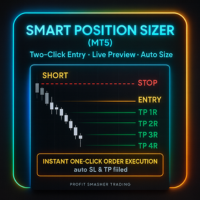
Smart Position Sizer (MT5) Two clicks to map risk, auto-size, and execute with SL/TP prefilled—fast, visual, broker-aware. Built to work beautifully across Forex, Futures, Indices, Metals, and CFD symbols . Why traders love it (by market) Forex Spread-aware sizing (optional): include current spread in risk so your lot size targets net risk. Pip & 5-digit precision: correct pip math on majors/minors; handles mini/micro volume steps automatically. Side-price logic: uses bid/ask correctly for SL/T
ManHedger MT5
Peter Mueller
4.8 (5)
THIS EA IS A SEMI-AUTO EA, IT NEEDS USER INPUT. Manual & Test Version Please DON'T BUY this product before TESTING  and watching my video about it. The price of the ManHedger will increase to 250$ after 20 copies sold. Contact me for user support or bug reports or if you want the MT4 version! MT4 Version  I do not guarantee any profits or financial success using this EA. With this Expert Advisor, you can: Implement your own Zone Recovery strategy to capitalize on trending markets. Create Grid
Bots Builder Pro MT5
Andrey Barinov
4.17 (6)
This is exactly what the name says. Visual strategy builder . One of a kind. Turn your trading strategies and ideas into Expert Advisors without writing single line of code. Generate mql source code files with a few clicks and get your fully functional Expert Advisors, which are ready for live execution, strategy tester and cloud optimization. There are very few options for those who have no programming skills and can not create their trading solutions in the MQL language. Now, with Bots Builde
Mentfx Mmanage mt5
Anton Jere Calmes
4.25 (8)
The added video will showcase all functionality, effectiveness, and uses of the trade manager. Drag and Drop Trade Manager. Draw your entry and have the tool calculate the rest. Advanced targeting and close portions of a trade directly available in tool (manage trades while you sleep). Market order or limit order on either side with factored spread. Just draw the entry, the tool does the rest. Hotkey setup to make it simple. Draw where you want to enter, and the stop loss, the tool calculates al
The product will copy all  Discord  signal   to MT5   ( which you are member  ) , also it can work as remote copier.  Easy to set up. Work with almost signal formats, support to translate other language to English Work with multi channel, multi MT5. Work with Image signal. Copy order instant, auto detect symbol. Work as remote copier: with signal have ticket number, it will copy exactly via ticket number. How to setup and guide: Let read all details about setup and download Discord To MetaTrader
Crypto Charting
Rajesh Kumar Nait
5 (4)
Crypto Charting for MT5 – MetaTrader 5용 암호화폐 차트 통합 도구 개요 Crypto Charting for MT5는 WebSocket을 통해 실시간 OHLC 차트 데이터를 제공합니다. 여러 거래소를 지원하며 MT5에서 자동으로 데이터가 동기화됩니다. 기능 WebSocket을 통한 실시간 차트 자동 역사 데이터 업데이트 네트워크 중단 시 예약된 동기화 모든 MT5 타임프레임 지원 OHLCV 데이터 지원 전략 테스터 지원 자동 재연결 기능 지원 거래소 Binance, Bybit, OKX, KuCoin, MEXC, Gate.io, Bitget, XT.com 추가 정보 Crypto Ticks 라는 별도 제품에서 틱 데이터와 오더북 정보를 제공합니다. 참고 사항 DLL 미사용, VPS 환경에 적합합니다. Strategy Tester에서는 WebRequest 기능이 작동하지 않습니다. 데모가 필요하신 경우 MQL5의 개인 메시지를 통해 문의하십시오. Full
HINN Lazy Trader
ALGOFLOW OÜ
5 (2)
Lazy Trader is your personal risk management assistant that independently finds the best market entries, manages positions, and helps you extract maximum profit from every trading idea! It monitors charts from M1 to W1 , finds optimal entry points based on your parameters, and manages trades without your involvement: - Got an idea on the daily chart? No need to wait for lower timeframes to form a signal — Lazy Trader will check everything and open all necessary positions while you live your lif
Trade Copier Pro MT5
Vu Trung Kien
3.67 (3)
Trade Copier Pro MT5 is a tool to copy trade remotely to multiple MT4, MT5 and cTradfer accounts at different computers/locations over internet. This is an ideal solution for you if you are a signal provider and want to copy your trades to other receivers globally on your own rules. One provider can copy trades to multiple receivers and one receiver can get trade from multiple providers as well. The provider can even set the subscription expiry for each receiver, so that receiver will not be abl
What Exactly Is A Smart Trading Tool? Smart Trading Tool   was developed for fast and comfortable trading of the financial markets especially for   ORDER BLOCKS TRADERS .   It provides traders functionalities, such as: A Drawing Tool One-Click Trading Panel Automated Lot Sizes Calculation   based on your risk appetite & Money Management ( Watch this video , how this tool can help manage your risk per trade better!) Built in PRICE LEVELS (Fibonacci, Round Numbers, Daily hi-low, etc) Shows Trading
The product is used to trade base on any Alert signal in MT5 Easy to setup, simple format with custom keyword All option to management orders as trailing stop, breakeen, partial close, time filter, news filter ... Option to auto open grid orders How to setup and guide: Let read all details about setup and download indicator for auto get   Alert Signal   here Do not buy if you even can not install demo EA to your VPS ( some VPS block download EA from mql5 market) We always bring customers high q
Partial Close Expert는   여러 기능을 하나의 자동화 시스템으로 결합한 도구입니다. 이 EA는 위험 관리 및 잠재 수익 극대화를 위한 다양한 옵션을 제공하여 트레이더가 포지션을 더욱 효과적으로 관리할 수 있도록 지원합니다. Partial Close Expert를 사용하면 거래자는 다음을 설정할 수 있습니다.       부분 폐쇄       이익을 확보하기 위한 수준       트레일링 스톱       이익을 보호하고 손실을 제한하는 수준       손익분기점       가격이 불리하게 변동하더라도 거래가 손익분기점을 넘지 않도록 보장하는 수준과 여러 가지 다른 기능이 있습니다. 이 올인원 EA를 사용하면 트레이더는 거래를 지속적으로 모니터링할 필요가 없으므로 시간과 노력을 절약할 수 있습니다. EA는 시장 상황에 따라 미리 설정된 지시를 실행하여 트레이더에게 거래에 대한 유연성과 통제력을 제공합니다. 부분 닫기 전문가 첨부,       키보드의 "p"를 누르고  
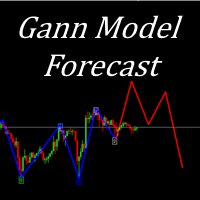
I present to your attention a powerful utility for predicting the future movement of an asset based on W.D. Ganna’s law of vibration. This utility analyzes the selected market model and provides codes for future possible market movement patterns. If you enter the selected code into the appropriate box, you will receive a forecast of the potential market movement. The utility has the ability to display several potential forecast models. The forecast is not yet tied to time and price and gives th
Ultimate Trailing Stop EA MT5
BLAKE STEVEN RODGER
4.13 (8)
This EA Utility allows you to manage (with advanced filtering) unlimited open orders (manual or EA) with 16 trailing stop methods: fixed, percent, ATR Exit, Chandelier Exit, Moving Average, Candle High Low Exit, Bollinger Bands, Parabolic, Envelope, Fractal, Ichimoku Kijun-Sen, Alligator, Exit After X Minutes or Bars, RSI and Stochastic. The trailing stop can be either real or virtual, and you can exit fully or with a partial close percent on touch or bar close.  Moreover, you can add (override
Trading Chaos Expert
Gennadiy Stanilevych
5 (11)
This software has no equals in the world and represents a universal trade "console" covering trading signals, automated market entry, setting of Stop Loss and Take Profit, as well as Trailing Profit for multiple trades at the same time in a single open window. Intuitive control of the Expert Advisor in "three clicks" ensures a comprehensive use of all its functions on different computers, including tablets PCs. Interacting with additional signal indicators that mark the chart to give a real mark
Botonera MT5
Jose Antonio Soto Mendoza
5 (1)
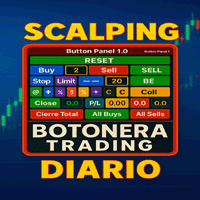
트레이딩 키보드 금융 시장에서 민첩하고 정확한 거래를 위한 고급 도구입니다. DAX, XAU/USD, 외환 및 기타 시장(스캘핑, 일중, 스윙 등)을 거래하는 트레이더를 위해 설계된 이 키패드는 한 번의 클릭으로 다양한 전문가용 설정을 통해 거래를 실행할 수 있도록 지원합니다. "일일 스캘핑 키패드"를 사용하면 한 번의 클릭으로 거래를 시작하고, 마감하고, 보호할 수 있어 M1/M5 거래에 시간 낭비 없이 이상적입니다. 헤지, 손익분기점, 총 마감, 빠른 랏 제어 버튼이 포함되어 있습니다. 소중한 시간을 낭비하고 싶지 않은 활동적인 트레이더를 위해 설계되었습니다. 주요 기능: 직접 및 예약 진입: 시장에서 매수 또는 매도 주문을 실행하거나, 매수/매도 제한가 또는 매수/매도 손절가를 사용하여 거래를 예약할 수 있습니다. 랏 크기 관리: 포지션 크기를 구성하고 헤지 전략을 자동화합니다. 자동 헤지: 지능형 헤지 시스템으로 위험을 최소화합니다. 강조 표시된 버튼: TSL(Tra
50% off. Original price: $375 Reward Multiplier is a semi-automatic trade manager based on pyramid trading that opens additional orders with the running profit of your trades to maximize return exponentially without increasing the risk. Unlike other similar EAs, this tool shows potential profit/loss and reward to risk ratio before even entering the first trade! Download Demo here  (starting lot is fixed at 0.01) Guide + tips here MT4 version   here You only open the first order. When your trade
Fly With Gold – Scenario Dashboard PRO Market Condition & Trend Analysis Dashboard for MT4 / MT5 Fly With Gold – Scenario Dashboard PRO is a professional market condition analysis indicator designed to help traders identify trend, range (lateral), and neutral market phases in real time. This product is an analysis and decision-support tool . It does not generate trading signals , does not open trades , and does not guarantee profits . What the Indicator Does Analyzes market conditions and classi
GRat Crypto
Ivan Titov
4.5 (2)
Trade on crypto exchanges in MT5! GRat_Crypto is a tool for manual and automated trading , including ANY available EA, ANY  cryptocurrency  on most popular crypto exchanges in the familiar MT5 environment 24/7. Features 1. ALL instruments of the 9 most popular crypto exchanges are available: Binance, BingX, Bybit, Coinbase, CoinEx, Kraken,   KuCoin, MEXC and OKX . 2. The ability to place ANY type of order available in MT5, both market and pending, to modify orders and positions, to delete order
Capital Management EA – Smart Risk Management & Profit Optimization for MT5 Take control of your trading capital with smart, automated strategies — fully optimized for MetaTrader 5 (MT5). Looking to protect your capital and maximize profits through automated money management strategies ? Capital Management EA is the all-in-one Expert Advisor for MetaTrader 5 (MT5) that helps you trade smarter, not harder. Core Features: 5-in-1 Capital Management Strategies – Built-in versatility Gr
FTMO Protector 8
Vyacheslav Izvarin
PROTECT YOUR FTMO Account in a simplest way Must-Have Account Protector for any Prop-trading Account and Challenge MT4 / MT5 Expert Advisor that protects your Forex Prop Trading account from an unexpected drawdown! FTMO Protector  is a Tool that lets you manage trades and control your profit and loss across multiple Robots and currency pairs using a simple parameters and settings. Use as many EAs and Instruments you need, the Protector will: 1.   Calculate your midnight (01:00 System time) Balan
제작자의 제품 더 보기
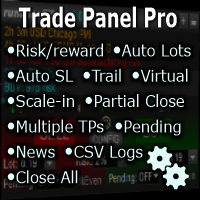
Fully functional manual trade panel with lot size calculation, one-click trading, hidden (virtual) stop loss/take profit and pending orders, scale in and out of trades (partial close), auto SL/TP and more. Works with all symbols not just currency pairs. Brings an incredible amount of functionality to MetaTrader for free and for both demo and live accounts. Features Lot size calculation - based on % of account to risk, fixed amount or dynamic lots Automatic take profit based on risk reward ratio
FREE
Comprehensive on chart trade panel with the unique ability to be controllable from mobile as well. Plus has a library of downloadable configuration, e.g. exit rules, extra panel buttons, pending order setup and more. Please see our product video. Works with all symbols not just currency pairs. Features On chart panel plus controllable from free app for Windows, iPhone and Android Built-in script engine with library of downloadable configuration, e.g. add 'Close All Trades in Profit' button, exit


Strategy Builder offers an incredible amount of functionality. It combines a trade panel with configurable automation (covert indicators into an EA), real-time statistics (profit & draw down) plus automatic optimization of SL, TP/exit, trading hours, indicator inputs. Multiple indicators can be combined into an single alert/trade signal and can include custom indicators, even if just have ex4 file or purchased from Market. The system is easily configured via a CONFIG button and associated pop-u
Fully functional manual trade panel with risk/reward, auto SL, lot size calculation, one-click trading, hidden (virtual) stop loss/take profit and pending orders, scale in and out of trades (partial close), news events and more. Works with all symbols not just currency pairs. Brings an incredible amount of functionality to MetaTrader for free and for both demo and live accounts. Features Lot size calculation - based on % of account to risk, fixed amount or dynamic lots Automatic take profit base
FREE
The first currency based indicator to draw a distinction between map and strength. The map shows the currencies in terms of oversold/overbought levels and gives the direction of travel. The currency strength calculates and shows the strength of that move. Alerts are included for changes in currency direction on the map (confirmed over two bars) and also when the strength reached the appropriate level.  The currency map is useful for finding currency pairs to trade and in which direction. Look fo
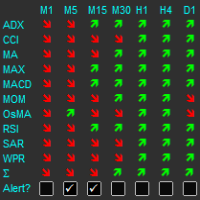
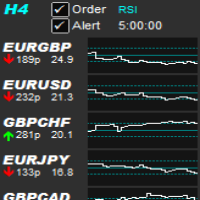
The indicator displays a matrix of indicators across multiple timeframes with a sum total and optional alert. Custom indicators can also be added to the matrix, in a highly configurable way. The alert threshold can be set to say what percentage of indicators need to be in agreement for an alert to happen. The alerts can turned on/off via on chart tick boxes and can be set to notify to mobile or sent to email, in addition to pop-up. The product offers a great way to create an alert when multiple
Description Shows Heikin-Ashi candles (often misspelled Heiken-Ashi) on the chart and can alert when candles change color. The alert is useful for both entry and exit. The number of candles of the new color before an alert is raised can be set. The alert can be controlled interactively, directly from the chart. Also includes bonus indicators of current spread and ask/bid prices in large text, color coded as price changes. Usage Heikin-Ashi candles give a much better insight to the underlying tre
Description The product draws lines on the chart to show daily support, resistance and pivot plus weekly and monthly pivot. An alert can be set when the price reaches one of the lines or the price closes above/below it. This can be useful for both entry and exit. The alerts can be controlled interactively directly from the chart. The product also includes bonus indicators of Average Daily Range (or Average True Range - configurable), current spread and ask/bid prices in large text, color coded a
Description Shows whether market is trending or not, to what extent, which direction, and if the trend is increasing. The indicator is very useful for trend following strategies. The indicator can also alert when the market transitions from being flat to trending, which can serve as a great entry point. The alert is controllable directly from the chart, with an on-chart tick box to enable the alert. Also includes bonus indicators of current spread and ask/bid prices in large text, color coded as
Provides the simplicity of binary options but addresses the shortcomings of regular binary options, namely: Poor risk reward ratio, fixed duration trades, poor broker choice, poor indicators/alerts, no hidden (stealth) stop loss/take profit, etc. Features 1 to 1 risk reward ratio, calculated automatically (configurable) Manual (with alert) or automatic trade entry (on alert conditions) Lot size calculation (money management) - based on % of account to risk or fixed amount Compact interactive on
The product combines a manual trade panel with the ability to perform actions automatically in a highly configurable way. Actions include capturing indicator values and then based on those values raising alerts, open/close or partially close trades, scale-in, setting up pending orders, adjusting stop loss, take profit and more. On-chart controls can be configured, such as tick boxes and buttons, so can be fully interactive. The EA also handles money management, news events, hidden stop loss, tak
Allows symbols/currency pairs to be ordered based on a configured indicator, with the best performing symbols shown at the top. This helps you to select the symbol with better prospects from a given list of symbols. Can optionally alert when a symbol moves into the top two (configurable). Also shown is the number of pips that the symbol has moved in its current direction, allowing you to tell if you've 'missed the boat'. Further, a graph is shown, per symbol, of the indicator value over time all
The indicator displays trend strength, including showing the transition from buy to sell and visa versa. It is ideal for trend following strategies and also highlights possible reversals/flattening trend with a yellow X on the indicator window. By default, the indicator does not repaint/flicker, however, there is an option to calculate on the live candle but even then the indicator will not repaint unduly. The indicator can also be used for exit. Usage Enter long/buy trade when the indicator tr
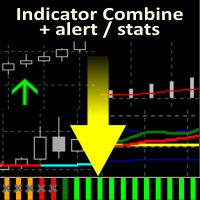
Allows multiple indicators to be combined into a single indicator, both visually and in terms of an alert. Indicators can include standard indicators, e.g. RSI, CCI, etc., and also Custom Indicators, even those purchased through Market, or where just have the ex4 file. An early alert is provided, say when 4 out 5 indicators have lined up, and a confirmed alert when all are in agreement. A‌lso features a statistics panel reporting the success of the combined indicator by examining the current cha
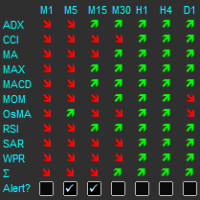
Displays multiple indicators, across multiple timeframes and symbols to give a comprehensive overview of the market. Uniquely, the indicators are configurable and can include custom indicators, even those where you just have the ex4 file or those purchased from Market. Standard indicators can also be selected, the default being ADX, CCI, market price above/below Moving Average (MA), Moving Average Cross (MAX), MACD, Momentum (MOM), OsMA, RSI, Parabolic SAR, William's Percentage Range (WPR). Use
Strategy Builder offers an incredible amount of functionality. It combines a trade panel with configurable automation (covert indicators into an EA), real-time statistics (profit & draw down) plus automatic optimization of SL, TP/exit, trading hours, indicator inputs. Multiple indicators can be combined into an single alert/trade signal and can include custom indicators, even if just have ex4 file or purchased from Market. The system is easily configured via a CONFIG button and associated pop-up
The product combines a manual trade panel with the ability to perform actions automatically in a highly configurable way. Actions include capturing indicator values and then based on those values raising alerts, open/close or partially close trades, scale-in, setting up pending orders, adjusting stop loss, take profit and more. On-chart controls can be configured, such as tick boxes and buttons, so can be fully interactive. The EA also handles money management, news events, hidden stop loss, tak
The indicator displays a matrix of indicators across multiple timeframes with a sum total and optional alert. Custom indicators can also be added to the matrix, in a highly configurable way. The alert threshold can be set to say what percentage of indicators need to be in agreement for an alert to happen. The alerts can turned on/off via on chart tick boxes and can be set to notify to mobile or sent to email, in addition to pop-up. The product offers a great way to create an alert when multiple
Shows whether market is trending or not, to what extent, which direction, and if the trend is increasing. The indicator is very useful for trend following strategies, where it can filter out flat/choppy markets. The indicator can also alert when the market transitions from being flat to trending, which can serve as a great trade entry point. The alert is controllable directly from the chart, via a tick box. Also, the product includes bonus indicators of the current spread and ask/bid prices in l
Allows multiple indicators to be combined into a single indicator, both visually and in terms of an alert. Indicators can include standard indicators, e.g. RSI, CCI, etc., and also Custom Indicators, even those purchased through Market, or where just have the ex4 file. An early alert is provided, say when 4 out 5 indicators have lined up, and a confirmed alert when all are in agreement. A‌lso features a statistics panel reporting the success of the combined indicator by examining the current cha
Displays multiple indicators, across multiple timeframes and symbols to give a comprehensive overview of the market. Uniquely, the indicators are configurable and can include custom indicators, even those where you just have the ex4 file or those purchased from Market. Standard indicators can also be selected, the default being ADX, CCI, market price above/below Moving Average (MA), Moving Average Cross (MAX), MACD, Momentum (MOM), OsMA, RSI, Parabolic SAR, William's Percentage Range (WPR). Use
The first currency based indicator to draw a distinction between map and strength. The map shows the currencies in terms of oversold/overbought levels and gives the direction of travel. The currency strength calculates and shows the strength of that move. Alerts are included for changes in currency direction on the map (confirmed over two bars) and also when the strength reached the appropriate level.  The currency map is useful for finding currency pairs to trade and in which direction. Look fo
필터:
paulxluap
149
paulxluap 2023.09.21 17:16 
 

I really can't fault this EA - it's worth every penny, especially when one considers the amount of thinking and development that has clearly gone into it. It does pretty much everything that you could ever need, especially when combined with either of the two matrix products that RunwiseFX offer that integrate with the EA, allowing you to mix and match almost any external indicators to trigger a trade. It takes a little while (at least a day or two) to work through the extensive and clear documentation (which is excellent) and you'll need to be prepared for some trial & error tweaking and testing the comprehensive array of settings that are built in. There's also a huge library of plug-in settings that allow extra behaviours to be added in. But if you run into any issues setting it all up, RunwiseFX's support service is excellent as well. And the icing on the cake is the mobile add-on which means that you can keep an eye on things when away from your desk.

Melanio Aganus
57
Melanio Aganus 2023.04.02 09:58 
 

This software is Amazing will bring you to the new level of trading ! I ignore in the beginning but once you understand it will unlock your interest & knowledge! imagine you can review the probability or statistic of your trade base of your chosen indicators in combinations with one you like. one more thing I like is that they are a lot of script that use base on your personality. Its Truly Amazing …More power to the developers & the team

stevekimamo
29
stevekimamo 2022.10.07 18:38 
 

사용자가 평가에 대한 코멘트를 남기지 않았습니다

homeincome
19
homeincome 2022.09.13 11:26 
 

Great tool, especially being able to access it from my phone, Great Job...Cheers

Runwise Limited
67197
개발자의 답변 Mark Mather 2022.09.13 11:52
Many thanks. The mobile access was an extraordinary amount of work to add.
Raju Das
27
Raju Das 2022.08.26 21:03 
 

Very nice working... Thank You.

Tyler Beckley
99
Tyler Beckley 2022.08.04 06:45 
 

Game Changing

리뷰 답변