PositionTool Pro
- 유틸리티
- 버전: 1.0
- 활성화: 5

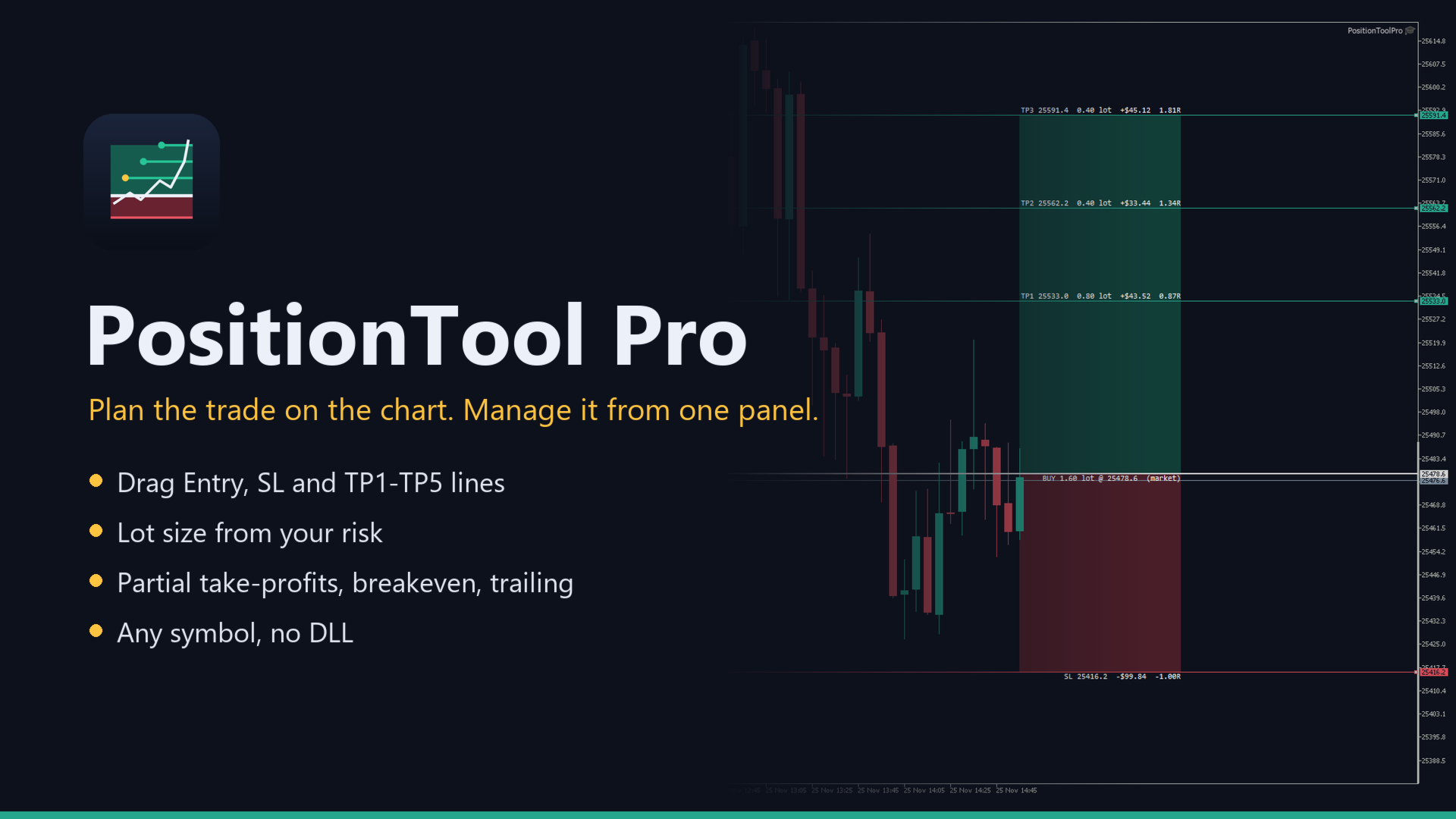
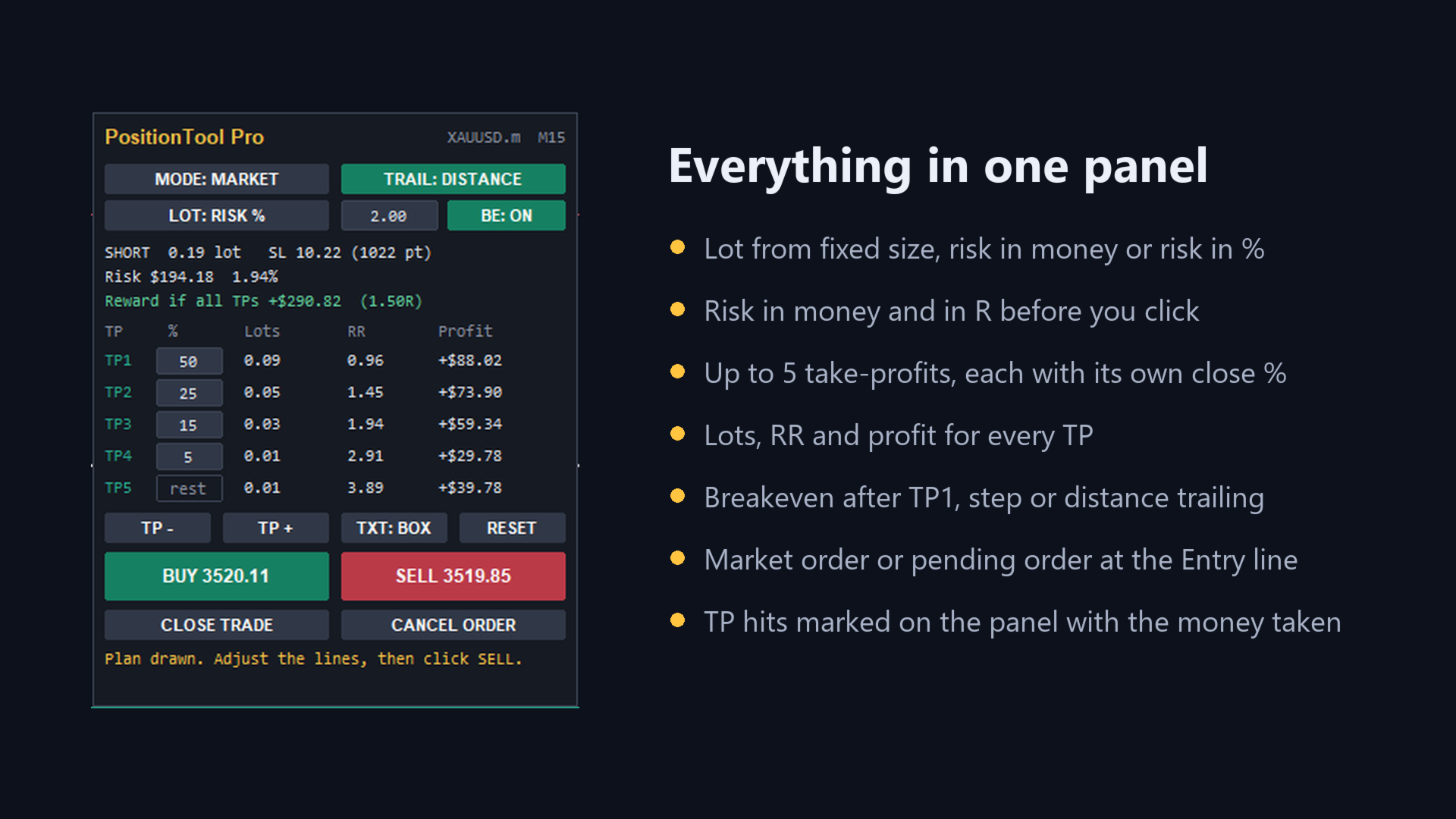
PositionTool Pro is a visual trade planner and manager for MetaTrader 5. Plan the trade with lines on the chart, see the risk before you click, and let the panel handle partial take-profits, breakeven and trailing.
PLAN ON THE CHART
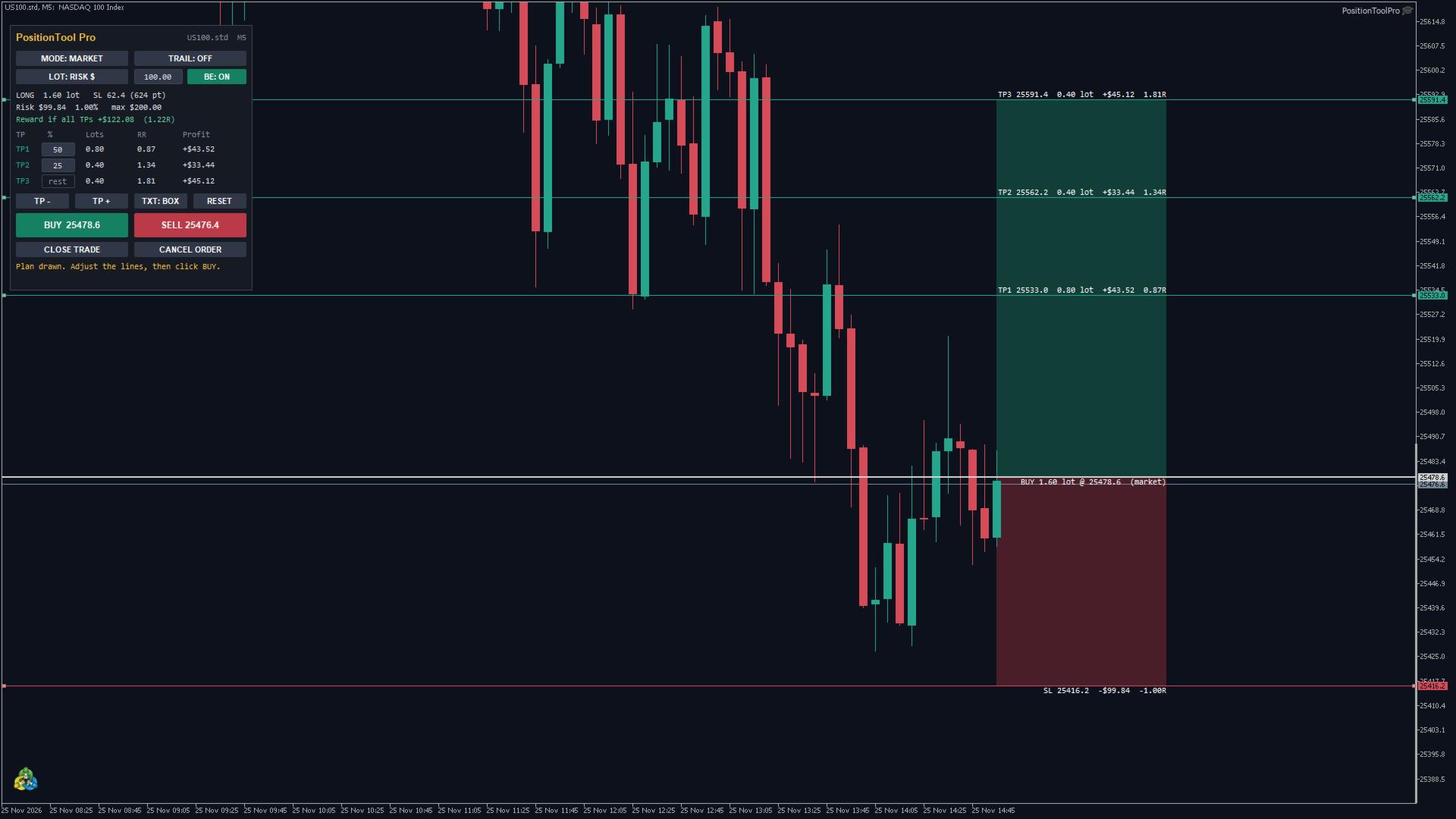
- Click BUY or SELL once: Entry, Stop Loss and up to five take-profit lines appear on the chart with profit and loss zones.
- Drag any line with the mouse. Lot size, risk, reward and RR update at once.
- Click the same button again to send the order. One-click mode is available.
- Market order, or a pending order at the Entry line (limit or stop is chosen automatically from the price).
POSITION SIZE
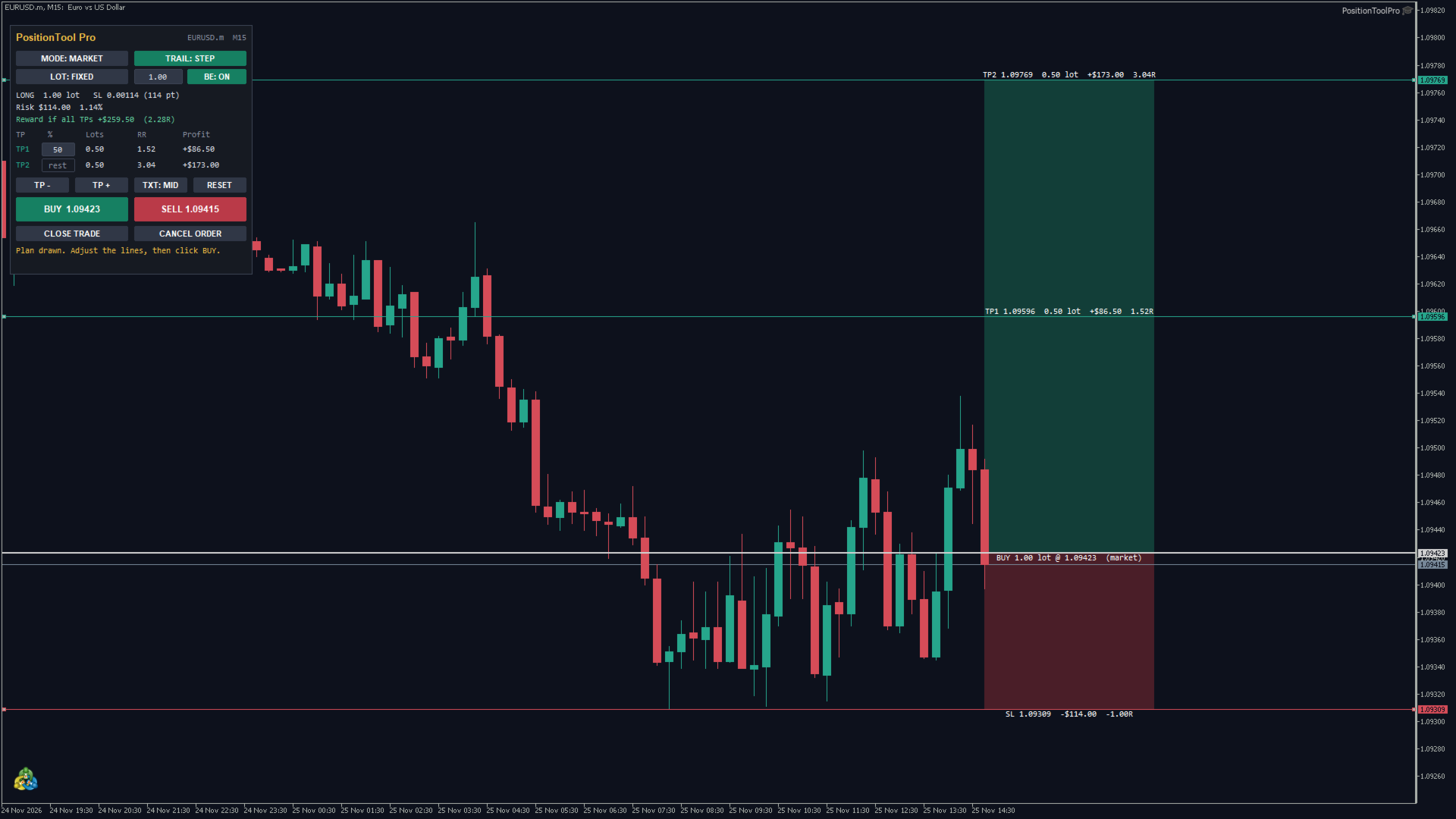
- Three lot modes: fixed lot, risk in money, or risk in % of balance.
- The lot is rounded to the symbol's volume step and limited by its minimum and maximum volume.
- Optional risk limit: a warning, or a block, when the risk is above your maximum.
- Margin check before sending: the panel shows when the free margin is not enough and the largest lot you can open.
PARTIAL TAKE-PROFITS (TP1-TP5)
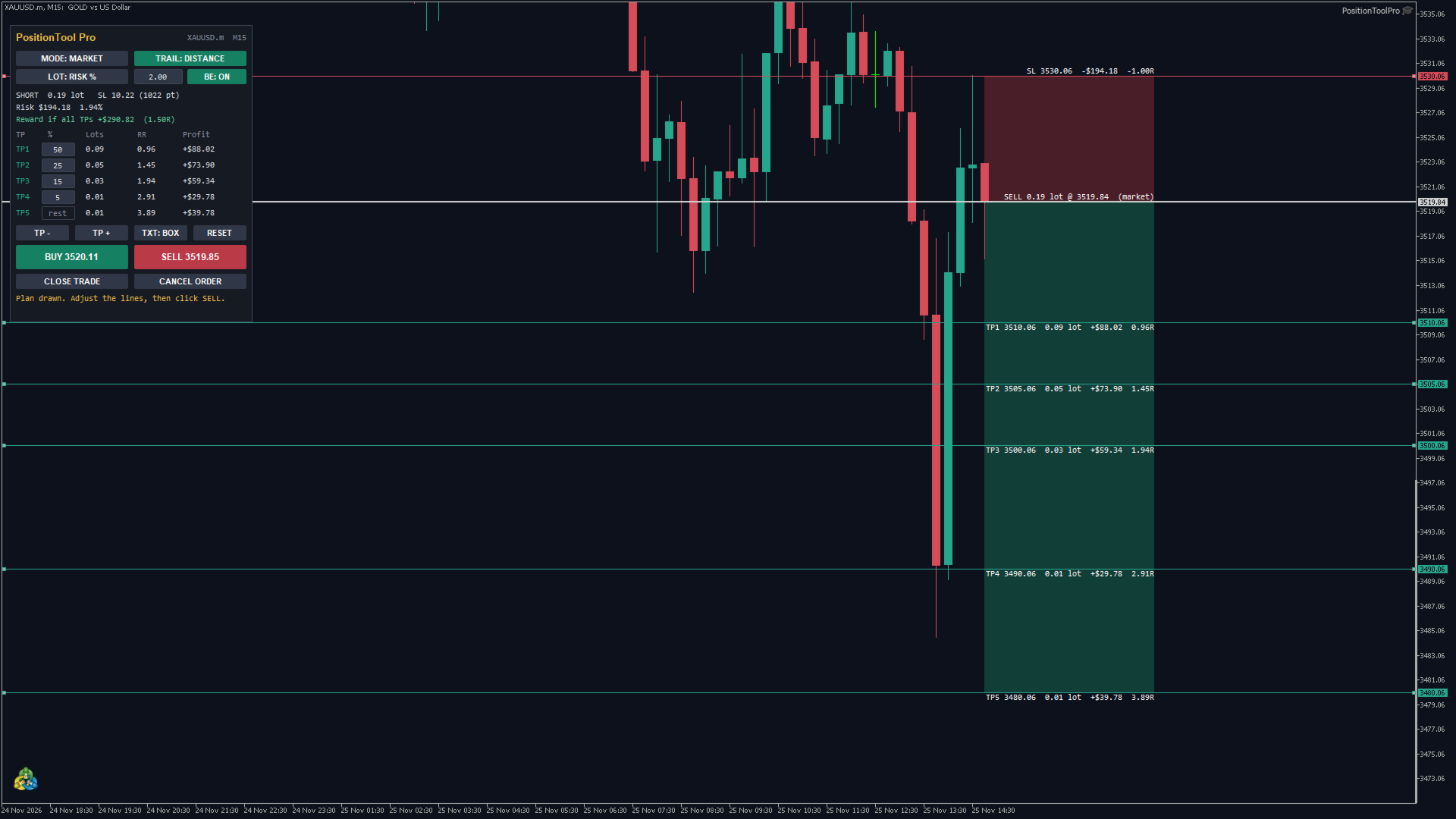
- One to five take-profits. Each TP closes its own % of the position; the last TP closes the rest.
- The panel shows lots, RR and profit for every TP before the trade is opened.
- When a TP is hit, the row is marked as HIT with the money actually taken, and an alert (optional phone push notification) tells you what was closed and where the stop was moved.
- At the end of the trade the panel shows how it closed (final TP or stop loss) and the total result.
STOP MANAGEMENT
- Breakeven after TP1, with an optional offset to lock in points.
- Trailing after TP1: step trailing (stop moves to the previous TP) or distance trailing (fixed distance in points).
- The stop only moves in the direction of the trade.
SAFE ORDER HANDLING
- Every request is checked before sending: trading allowed, market session open, volume limits, margin, stop and freeze levels, filling mode.
- Requotes and changed prices are retried; the result of every request is written to the journal in plain words.
- The trade plan is saved in the terminal, so the EA continues to manage an open trade after a restart or timeframe change.
DISPLAY
- Compact dark panel with all the numbers in one place.
- Line labels can be placed in five positions: next to the box, right edge, left edge, middle or left edge of the chart.
- All colors, panel position and box width are inputs.
WORKS ON ANY SYMBOL
Forex, gold, indices, crypto, stocks and futures CFDs. Profit and loss are calculated with the symbol's own tick value, so the money figures are correct for every instrument and account currency.
MAIN INPUTS
- Position size: lot mode, fixed lot, risk money, risk %, risk limit, block above limit
- Default plan: default SL distance (or automatic from the average bar range), number of TPs, TP1-TP5 distance in R, TP1-TP4 close %
- Trade management: breakeven, breakeven offset, trailing mode, trailing distance and step, one-click mode, confirmations, TP/SL alerts, push notifications, magic number, deviation, order comment
- Display: panel position, box width, label position, colors
NOTES
- The EA does not open trades by itself on a live or demo account. Every order is sent only after you click.
- In the Strategy Tester the EA opens small demo trades by itself (0.5% risk) so that all functions can be seen working. This can be switched off in the inputs.
- One managed trade per chart (symbol and magic number). Use a different magic number to run it on several charts of the same symbol.
- If a position is too small to split (for example 0.01 lot), the whole volume closes at the last TP and the earlier TPs only move the stop.
- No DLL, no internet connection, no external files.
- This is a trading tool, not a trading strategy, and not financial advice.