Demetra Tick Truth Real Tick Backtest Check

  • 유틸리티
  • Francesca Draoli
    Francesca Draoli
    Under the name DEMETRA, I develop software for MetaTrader 5. On this profile I publish indicators, utilities and expert advisors. I handle the code, the tests and the updates myself.
  • 버전: 1.70
  • 업데이트됨: 24 11월 2026
  • 활성화: 10

Many backtests are run on generated ticks, with the spread stored in the bars. Tick Truth shows how the same EA changes when you use real ticks, and whether your broker's real-tick data is actually complete. On live charts it never opens, modifies or closes trades.


Main features


- Reports page: you save two Strategy Tester HTML reports of the same EA, same symbol and same dates - one on generated ticks, one on real ticks - into MQL5\Files (or the Common Files folder). Tick Truth reads the deals in each report, not just the summary at the top, and places the key results side by side: trades, trades per week, profit factor, net result, balance drawdown and win rate. It also shows the profit factor written by MetaTrader 5, so you can compare.

- It matches the entries of the two reports and tells you how many are the same, and how much worse the real-tick entry prices were.

- A clear verdict: whether the edge disappears on real ticks, whether both tests lose, whether the result weakens or improves, whether the number of trades changes, or whether the two tests stay in line. If a report has no closed trades, it tells you instead of giving a verdict.

- Data page: for the chart symbol it samples your broker's history and shows whether real ticks are present, how complete they are, and whether the spread in the bars understates the real spread.

- Invalid inputs are refused with a clear message. English UI.


On live charts the tool never places, modifies or closes trades. In the Strategy Tester a short demo opens one small trade. No DLL, no web requests. Not financial advice.

추천 제품
Black Volume By ZeeAM Khan a Multi-Engine EA Professional Multi-Timeframe Volume & Breakout Trading System Black Volume Multi-Engine EA is an advanced automated trading system that combines volume analysis, spread analysis, liquidity sweeps, support/resistance breakouts, and multi-basket trade management into one powerful Expert Advisor. The EA continuously scans higher-timeframe candles to identify significant market activity, automatically draws key support and resistance zones, and executes
FREE
한 계좌에서 여러 EA를 돌리면 MetaTrader는 잔고 하나만 보여 줍니다. 조용히 손실을 내는 EA가 수익을 내는 EA 뒤에 몇 달씩 숨어 있다가, 계좌가 줄어든 뒤에야 알아차리게 됩니다. Halberd Portfolio Monitor는 EA마다 한 줄씩 보여 줍니다 (매직 넘버별). 거래 수, 승률, 프로핏 팩터, 순손익, 드로다운, 보유 포지션, 건강 상태. 리스크 화면에서는 전략이 아직 정상 범위 안에 있는지, 무너지기 시작했는지 알 수 있고, 계좌가 설정한 한도를 넘으면 알림을 받을 수 있습니다. 계좌의 아무 차트에나 붙이세요. 이미 있는 거래 내역을 읽기 때문에 첫 결과가 바로 나타납니다. 이 프로그램은 주문을 내거나 수정하거나 청산하지 않습니다. 사용자 본인 계좌의 이력과 보유 포지션을 읽기만 합니다. 데이터는 터미널 밖으로 나가지 않습니다. 전략별로 표시하는 항목 거래 수, 승률, 수익 팩터. 순손익, 최대 드로다운, 그 전략의 최고점 대비 현재 드로다운(청산된 거
Prop Strike
Joao Bordelo
PROPSTRIKE — Multi-Strategy GOLD/XAUUSD EA with Advanced Prop Firm Risk Control Early Bird Sales - Propstrike Live Signal: Check our Signal Page for real trading performance. ONLY 500 LICENSES — FIRST 50 AT $199 This exclusive offer is strictly limited to ONLY 5 COPIES at this price The price will soon increase to $299 EXCLUSIVE BONUS: After purchasing, send me a private message to claim your bonus gift. Distribution is licenses limited to reduce strategy overcrowding and excessive simultaneous
Trade Performance Journal — Your Visual Trading Summary Tool Trade smarter by understanding your performance. This Expert Advisor (EA) provides an instant visual summary of your trading results directly on the chart. Whether you’re a scalper, swing trader, or long-term investor, this tool helps you stay on top of your performance metrics with ease. Key Features Flexible Time Analysis View your performance by Quarter, Month, or Half-Year. Easily switch between display modes to analyze your res
FREE
DTK Scalping Panel
Thiago Pereira Pinho
A powerful and intuitive trade management tool designed for scalpers and intraday traders. Created to complement the Nampim Samba Scalper strategy , it allows traders to open, manage, and close positions quickly without leaving the chart.  Key Features: Customizable trading panel – choose position (left, right, center, top, bottom). One-click trading buttons – instantly open Buy/Sell trades with pre-set lot sizes. Close management – close last 1/2/3 trades or all Buy/Sell positions with one clic
Basket Guard watches a basket of open positions — all of them, one Magic number or a list of symbols — and closes the whole basket when its floating loss or profit reaches a percent of balance. It works next to any Expert Advisor or manual trading. Features Loss stop for the basket in % of balance Optional profit target in % of balance Close positions older than N days Lock after a loss stop: new positions in the basket are closed until the next day Filter by Magic number and by symbols Clear pa
FREE
Equity guardian and prop risk radar
Cristian David Castillo Arrieta
AbacuQuant Equity Guardian is an essential, 100% free institutional risk management utility designed for both Prop-Firm challenges (FTMO, FundedNext, The5ers) and Live personal accounts. Tired of losing your prop challenge or wiping weeks of profits in a single revenge-trading tilt? Equity Guardian stands watch 24/7 on your MetaTrader 5 chart and enforces strict, disciplined risk limits before emotions destroy your account. KEY FEATURES: Daily Loss Limit Guard: Tracks equity vs. broker day-
FREE
Trading panel for manual trading. Has a fairly wide functionality. Allows you to automatically calculate the order size, open both market and pending orders. It has a wide range of options for closing orders, it is possible to partially close orders, close orders after reaching a certain profit or loss, separately close profitable and unprofitable, buy and sell, as well as pending orders. The panel also contains a simple implementation of a grid of pending orders, reverse and lock functions, tr
Prop Guard AXIOM
Miguel Angel Leon Yanez
AXIOM Prop Guard 프롭 펌 및 펀딩 계좌 트레이더를 위한 필수 안전 도구. 개요 AXIOM Prop Guard는 일일 드로다운과 최대 드로다운을 실시간으로 모니터링합니다. 계좌가 펌의 리스크 한도에 접근하면 모든 오픈 포지션과 대기 주문을 자동으로 청산합니다. 단 하나의 규칙도 위반되기 전에 펀딩 계좌를 보호합니다. XAUUSD, Forex 페어, 지수 또는 암호화폐를 거래하든, AXIOM Prop Guard는 모든 차트와 심볼에서 백그라운드로 조용히 작동합니다. 거래 진입 없음, 신호 없음. 순수한 계좌 보호, 주 5일, 하루 24시간. 주요 기능 현재 자본을 당일 시작 잔액과 비교하는 실시간 일일 드로다운 추적. 현재 자본을 과거 최고 자본과 비교하는 실시간 최대 드로다운 추적. 한도가 위반되면 모든 오픈 포지션 자동 청산. 위반 시 모든 대기 주문 자동 삭제, 선택 사항. 색상 코드 상태 패널: 안전은 녹색, 경고는 주황색, 위반은 빨간색. 설정 가능한 한도 비율에
Quick Order Closer Testing
Danny Giovanni Romero Lozano
ONLY DEMO ACCOUNT Live Version Here : https://www.mql5.com/en/market/product/170601 The fastest on the entire platform, try it with 50 open trades or more This Expert Advisor provides a fast and intuitive way to manage and close open trading positions directly from the chart using a clean button-based interface. With a single click, traders can instantly close positions based on different conditions, improving execution speed and overall trade management efficiency. Key Features Close all open
FREE
SolarTrade Suite Financial Robot: LaunchPad Market Expert - 거래를 시작하도록 설계되었습니다! 이 거래 로봇은 특별하고 혁신적이며 고급 알고리즘을 사용하여 가치를 계산합니다. 금융 시장의 세계에서 여러분의 조수입니다. SolarTrade Suite 시리즈의 지표 세트를 사용하여 이 로봇을 시작할 순간을 더 잘 선택하세요. 설명 하단에서 SolarTrade Suite 시리즈의 다른 제품을 확인하세요. 투자와 금융 시장의 세계를 자신 있게 탐색하고 싶으신가요? SolarTrade Suite Financial Robot: LaunchPad Market Expert는 정보에 입각한 투자 결정을 내리고 수익을 늘리는 데 도움이 되도록 만들어진 혁신적인 소프트웨어입니다. SolarTrade Suite Financial Robot: LaunchPad Market Expert의 장점: - 정확한 계산: 로봇은 고급 알고리즘과 분석 방법을 사
DR Trade and Risk Manager: The Foundational Algorithmic Risk Console for MT5 For the discretionary trader, the greatest adversary is not the market; it is the undisciplined self. You have a solid strategy, but in moments of high pressure, do you follow your rules with perfect consistency? Do you cut losses without hesitation? Do you let winners run without cutting them short out of fear? For most, the answer is no. This gap between strategy and execution is where profits are lost. DR Trade and R
Execution Guard
Joao Matheus Melo Soares
Execution Guard  "Place orders directly on the chart with a single click.” A professional risk and execution management tool designed for traders who value precision, discipline, and operational safety. Instead of focusing on signals or strategies, Execution Guard acts as a protective layer over your trading process, helping you maintain control over executions, reduce human error, and enforce predefined trading rules — especially during faster or volatile market conditions. What is Execution G
Grid Guard
Sotirios Karkalakos
당신의 그리드 EA는 열 번 중 아홉 번을 이깁니다. 문제는 한 번도 거기에 있지 않았습니다. 가장 많이 팔리는 금 로봇들이 쓰는 방식 — 그리드, 물타기 복구, 어떤 포지션에도 손절 없음, 오직 하나의 강한 자본 손절 — 을 4년치 실제 XAUUSD 데이터에서 돌렸습니다. 스프레드는 각 봉에 기록된 실제 값이고, 수수료와 스왑도 실제 값입니다. 169개 시리즈 중 156개가 이익. 승률 92.3%. 계좌는 86.2% 손실로 끝났고, 최대 낙폭은 96.8%였습니다. 두 숫자는 동시에 참이며, 문제는 정확히 거기에 있습니다. 92%는 판매 페이지에 올라가는 숫자입니다. 8%는 어느 화요일에 찾아오는 숫자입니다. GRID GUARD는 당신의 EA를 대체하지 않습니다. 감시합니다. 이미 구매한 로봇과 같은 차트에 붙이십시오. 열려 있는 포지션을 읽고, 거기서 그리드의 실제 간격과 랏 증가 비율을 측정한 뒤, 당신의 EA가 결코 보여주지 않는 단 하나의 질문에 답합니다. 네 개 층을 더 쌓
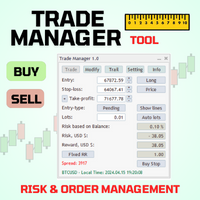
Product introduction : Trade Manager Tool for MT5 Trade Manager Tool will help trader calculate almost exactly the risk based on your account automatically. Along with that, there are features to support capital preservation with Trailing Stop, BreakEven, Risk Limit such as Daily Limit Profit/Loss,etc.. helps you avoid overtrading.In particular, the panel is simply designed with many interactive buttons inside the panel and outside the chart to help trader interact more easily.These features re
Rhino Trade Manager 는 실시간 차트와 전략 테스터의 비주얼 모드에서 모두 작동하는 MetaTrader 5용 트레이드 매니저입니다. 테스터에서도 실계좌에서 사용하는 것과 같은 패널로 주문을 내고 관리하므로, 과거 데이터에 대한 수동 백테스트와 실거래를 하나의 도구로 수행할 수 있습니다. 리스크 기반 포지션 크기 계산, 차트 위의 명확한 손절매와 이익실현 수준, 거래 결과의 기록이 필요한 재량 트레이더를 위한 제품입니다. 패널은 리스크 설정으로부터 랏 크기를 계산하고, 주문을 보내기 전에 각 손절매와 이익실현의 금액을 표시하며, 같은 컨트롤로 보유 중인 거래를 수정할 수 있게 하고, 거래 통계를 일, 주, 월 및 계좌 내역별로 기록합니다. 트레이드 매니저의 기능 실거래 모드와 테스터 모드. 같은 패널이 같은 창과 버튼으로 실시간 차트와 전략 테스터에서 작동합니다. 주문 유형. 시장가, 지정가 및 역지정가 주문. 대기 주문의 진입 가격은 패널이나 차트에서 설정합니다. 리
수십 개의 도구 대신 EA 하나: 트레이드 어시스턴트, 리스크 매니저, 17개 지표가 하나의 패널에. 차트에 올리면 필요한 모든 것이 손안에. 출시 기념가: 선착순 20개 $49, 이후 $99. 50% 할인은 지금뿐. 원클릭 트레이딩 랏은 잔고 대비 리스크 %에서 자동 계산 — 계산기는 이제 그만. 어떤 시간대든 프랙탈 스탑 또는 수동, R:R 기반 테이크프로핏, TP1/TP2/TP3 부분 청산, 원클릭 본전, 스윙 트레일링. 지정가 주문? 차트를 클릭하면 Entry/SL/TP가 바로 배치됩니다. 일일 낙폭 한도가 멈춰야 할 때 거래를 잠급니다. 단축키 지원. 이 모든 것이 비주얼 테스터에서 완벽하게 작동 — 과거 데이터로 전략을 다듬으세요. 17개 지표 — 모두 멀티 TF (최대 10개 시간대 동시) • 세션 — 아시아/런던/뉴욕 박스, 연장 피벗, 레인지 VWAP과 피보: 하루의 구조를 한 차트에 • 오더블록 — 10개 TF 동시 자동 감지, 터치 후 색상 변경/삭제 — 존은 항
HedgeSafe Trade Assistant 위험 관리를 우선하는 MetaTrader 5용 수동 매매 패널입니다. HedgeSafe는 BUY 또는 SELL을 누르기 전에 차트에서 거래를 준비하고 검증하며 관리할 수 있도록 돕습니다. HedgeSafe는 신호 서비스, 시장 예측 도구, AI 봇 또는 자동매매 전략이 아닙니다. 거래 방향을 선택하거나 수익을 보장하지 않습니다. 모든 거래 결정은 트레이더의 책임입니다. 주요 기능 계좌 잔액 비율 또는 계좌 통화의 고정 금액으로 랏 계산. Stop Loss를 포인트 또는 가격으로, Take Profit을 포인트, 가격 또는 R 배수로 설정. 금액 위험, 예상 보상, 거래량 및 위험/보상 비율 미리 보기. Entry, Stop Loss, Take Profit 차트 라인을 패널 값과 동기화. BUY와 SELL 준비 상태를 별도로 표시하고 실행 직전에 방향별 검증 수행. 최소/최대 거래량, 거래량 단계, tick size, tick value,
Veron Link Slave – Synchronized Grid, Martingale & Breakout Management Short Description Advanced synchronization tool designed to manage Grid, Martingale, and Breakout EAs. Automatically sends close-basket signals to the Master account upon profit target completion, minimizing slippage across different brokers. Full Description Veron Link Slave is a specialized utility developed to enhance the execution efficiency and risk management of multi-account or multi-broker trading setups. It is desig
G Labs Trade Manager Mt5
Garry James Goodchild
5 (1)
G-Labs Trade Manager by G-Labs — on-chart trade panel for MetaTrader 5. Risk-based lot sizing, visual entry stop and take profit lines, position management, news filter, currency strength, statistics, and OCO breakout tools. One panel for planning, executing, and managing manual trades. Set risk before you click buy or sell, drag stop loss and take profit on the chart, manage open positions and pending orders, and track performance — you stay in control of every decision. Trading utility, not a
RiskCopilot
Carlos Adrian Feged Zapata
한국어 RiskCopilot Utility - 당신의 지능형 거래 어시스턴트 "위험을 보고, 거래를 마스터하세요." RiskCopilot Utility는 MetaTrader 5를 위한 궁극적인 위험 관리 및 포지션 사이징 솔루션입니다. 이 포괄적인 거래 어시스턴트는 실시간 계산, 고급 위험 평가 도구, 전문적인 거래 분석을 제공하면서 귀하의 거래 결정을 통제하지 않습니다. 모든 자산 클래스에서 정확한 위험 관리를 추구하는 초보자와 전문 트레이더 모두에게 완벽합니다. 당신은 전략에 집중하고, 우리는 계산을 처리합니다. 주요 기능: 지능형 포지션 사이징 : 사용자 정의 가능한 위험 비율과 계좌 잔액을 기반으로 한 자동 계산 다중 통화 지원 : USD, EUR, GBP, JPY, AUD, CAD, CHF 및 기타 주요 통화 스프레드 모니터링 시스템 : 다양한 상품에 대한 적응형 한계를 가진 지능형 필터링 실시간 시장 정보 : 캔들 타이머, 시장 상태, 현지 시간 및 서버 시간
Headline ShikaaTraders Gold Grid Pro is a high-performance trade management utility designed specifically for XAUUSD (Gold) and high-volatility pairs. It allows traders to execute complex grid-layering strategies with a single click, ensuring you never miss an entry during fast market moves. Why Choose Gold Grid Pro? Manual trading on Gold requires speed. Manually calculating distances and opening multiple positions takes too much time. This utility automates the "Scaling-In" process, allowing y
Trade Assistant MT5 Pro – One Click Trading Panel | Auto Lot Size | Risk Management Tool Short Description Trade Assistant MT5 Pro is a professional trading utility for MetaTrader 5 that allows traders to execute trades with one click, manage risk automatically, and improve trading accuracy using advanced tools like ATR stop loss, risk reward ratios, breakeven, and trailing stop. Full Description Trade Assistant MT5 Pro is a powerful manual trading panel designed for traders who want speed, prec
Protect your funded accounts and personal capital with military-grade precision. This utility continuously monitors your floating equity against your daily starting balance. The moment your custom drawdown threshold is breached, it instantly liquidates all open positions, deletes pending orders, and completely unloads from the chart. Stop revenge trading and never fail a prop firm evaluation due to a margin breach again.
FREE
BerelzBridge
Barend Willem Van Den Berg
BerelzBridge Pro 계정 정보를 포함한 모든 시간대를 위한 MT5-to-JSON 데이터 브리지입니다. 개요 BerelzBridge Pro는 실시간 시장 데이터를 디스크의 JSON 파일로 내보내는 MT5 인디케이터입니다. 매수/매도 호가, 스프레드, 틱 볼륨, 일간 통계, 계정 정보 및 9개 모든 시간대에 대한 OHLCV 봉을 기록합니다. 파일은 구성 가능한 간격(기본값 2초)으로 업데이트됩니다. 이 인디케이터는 동일 차트에서 Expert Advisors와 충돌 없이 함께 실행됩니다. DLL, WebRequest 또는 기타 외부 종속성을 사용하지 않습니다. 여러 인스턴스를 다른 차트에서 실행하여 동시에 여러 종목의 데이터를 내보낼 수 있습니다. 내보내는 데이터 전체 소수점 정밀도를 갖는 매수/매도 호가 포인트 단위의 스프레드 현재 봉의 틱 볼륨 일간 고가, 저가 및 시가 M1, M5, M15, M30, H1, H4, D1, W1 및 MN1에 대한 OHLCV 봉 시간대당 최
Trade Copilot - 금(XAUUSD) 및 모든 상품을 위한 반자동 리스크 관리 패널 Trade Copilot는 자신의 진입 결정권을 유지하면서도 EA와 같은 규율을 원하는 재량 트레이더를 위해 설계된 반자동 트레이딩 패널입니다. 방향과 가격대는 사용자가 결정하고, 리스크 사이징, 손절 설정, 익절 관리, 포지션 보호는 패널이 자동으로 처리합니다. 주요 기능 - 리스크 기반 로트 계산 - Risk %, Risk $, 고정 로트 중 선택 가능; 손절 거리에 따라 패널이 포지션 크기를 자동 계산 - 3가지 손절 모드 - ATR 배수, 고정 포인트, 고정 $ 거리 - 원클릭 시장가/예약 주문(Buy/Sell Now, Pending Buy/Sell), 드래그 가능한 진입가/SL/TP 라인 - 그리드 트레이딩 - 가격 범위에 걸쳐 벨커브 로트 분배로 다수의 예약 주문 배치(마틴게일이 아님 - 로트 크기는 중심으로부터의 거리로 고정되며 손실 시 절대 두 배로 늘어나지 않음) -
## Operating Principle **Manual Order Manager PRO BTC** is an Expert Advisor for MetaTrader 5 designed to **automatically manage trades opened manually by the trader**. The EA does not decide when to buy or sell. The user analyzes the market, chooses the direction, sets the lot size, and opens the position manually. From that point on, the system monitors the trade and applies the configured protection and management rules. The goal is to help the trader maintain a more disciplined approach
DDKiller Pro
Njaratahiry Michael Randrianiaina
Stop Blowing Your Account. Once and For All. DDKiller Pro is the MT5 risk guardian that runs silently on your chart and shuts down trading the moment you hit a limit — whether you're grinding a prop firm challenge or managing your own CFD account. The problem every trader knows: You set your rules. You break them anyway. One revenge trade. One overleveraged position. One session that erases a month of gains. DDKiller Pro removes that decision from your hands entirely. What it does: The second yo
Instructions for Using Reverse Copier EA Attach EA to Charts Open MetaTrader and attach the EA to any chart on both accounts (master & slave). Make sure AutoTrading is enabled. Master Account (Signal Sender) Set Mode = Master in EA settings. This account will send trade signals. Slave Account (Signal Receiver) Set Mode = Slave in EA settings. This account will receive trades in reverse (opposite direction). Lot Multiplier In Slave EA settings, set Multiplier to control lot size. Example: 1.0
Margin Call Shield – Defend Your Margin on Your Terms Margin Call Shield is a tool for MetaTrader 5 traders who want to decide for themselves which open positions are closed during margin call situations before the platform does so automatically based on its internal rules. By default, the broker or platform decides which positions to close, often using undisclosed algorithms. Margin Call Shield lets you set this order according to your own strategy. Why Was Margin Call Shield Created? In a mar
이 제품의 구매자들이 또한 구매함
Trade Assistant MT5
Evgeniy Kravchenko
4.43 (216)
거래당 위험 계산, 라인을 사용한 손쉬운 신규 주문, 부분 청산 기능을 통한 주문 관리, 7가지 유형의 트레일링 스탑 및 기타 유용한 기능을 제공합니다. 추가 자료 및 지침 설치 지침   -   애플리케이션 지침   라인 기능       - 차트에 개시선, 손절매, 차익실현을 표시합니다. 이 기능을 사용하면 새로운 주문을 쉽게 하고 개봉 전에 추가 특성을 볼 수 있습니다. 위기 관리       -       위험 계산 기능은 설정된 위험과 손절매 주문의 크기를 고려하여 새 주문의 볼륨을 계산합니다. 이를 통해 손절매 크기를 설정하고 동시에 설정된 위험을 존중할 수 있습니다. 로트 계산 버튼 - 위험 계산을 활성화/비활성화합니다. 필요한 위험 값은 위험 필드에 0에서 100 사이의 백분율 또는 예금 통화로 설정됩니다. 설정 탭에서 위험 계산 옵션을 선택합니다. $ 통화, % 잔액, % 지분, % 자유 마진, % 사용자 정의, % AB 이전 일, % AB 이전 주, % AB 이전
Trade Manager EA에 오신 것을 환영합니다. 이 도구는 거래를 보다 직관적이고 정확하며 효율적으로 만들기 위해 설계된 궁극적인 리스크 관리 도구 입니다. 단순한 주문 실행 도구가 아닌, 원활한 거래 계획, 포지션 관리 및 리스크 제어를 위한 종합 솔루션입니다. 초보자부터 고급 트레이더, 빠른 실행이 필요한 스캘퍼에 이르기까지 Trade Manager EA는 외환, 지수, 상품, 암호화폐 등 다양한 시장에서 유연성을 제공합니다. Trade Manager EA를 사용하면 복잡한 계산은 이제 과거의 일이 됩니다. 시장을 분석하고 진입, 손절 및 익절 수준을 차트의 수평선으로 표시한 후 리스크를 설정하면, Trade Manager가 이상적인 포지션 크기를 즉시 계산하고 SL 및 TP 값을 실시간으로 표시합니다. 모든 거래가 간편하게 관리됩니다. 주요 기능: 포지션 크기 계산기 : 정의된 리스크에 따라 거래 크기를 즉시 결정합니다. 간단한 거래 계획 : 진입, 손절, 익절을 위한
Black Week: 구매 가격 69.99 USD. 이 혜택은 11월 27일(금요일)에 종료됩니다. Telegram to MT5 Multi-Channel Copier   는 Telegram 및 Discord 채널의 트레이딩 시그널을 MetaTrader 5로 자동 복사합니다. 봇도, 브라우저 확장도, 수동 복사도 필요 없습니다. Telegram이나 Discord에 시그널이 도착하면 EA가 몇 초 안에 터미널에서 주문을 실행합니다. 그리고 채널을 복사하기 전에, 내장 백테스터가 그 채널이 내 계좌에서 어떤 결과를 냈을지 보여줍니다. 제품은 두 가지 구성 요소로 이루어집니다: Telegram 채널을 수신하는 Windows 애플리케이션과, MT5 터미널에서 시그널을 실행하는 본 EA입니다. MT4 버전도 제공됩니다   여기 . 구매 전에 사용해 보세요:   애플리케이션은 무료로 다운로드할 수 있습니다. 본인의 채널을 연결하고 각 시그널이 어떻게 읽히는지 확인하세요. Backtest 탭과 실
Local Trade Copier EA MT5
Juvenille Emperor Limited
4.94 (150)
Local Trade Copier EA MT5는 동일한 Windows 컴퓨터 또는 Windows VPS에서 여러 MetaTrader 5 계정 간에 거래를 복사하고 관리할 수 있는 빠르고 유연한 거래 복사기입니다. 로컬 거래 동기화 기능과 함께 Receiver 측에서 로트 크기, 리스크 관리, 거래 필터링, 심볼 매핑, 거래 관리 및 계정 보호를 독립적으로 설정할 수 있습니다. Transmitter와 Receiver 터미널을 약 1분 안에 설정하고, 동일한 브로커 또는 서로 다른 브로커의 계정 간에 수동 거래 또는 EA 거래를 복사할 수 있습니다. 적절한 조건에서는 로컬 MetaTrader 터미널 간의 거래 정보가 0.5초 이내 에 동기화될 수 있습니다. 실제 체결 속도는 브로커 지연 시간, 네트워크 상태, 컴퓨터/VPS 성능 및 터미널 부하에 따라 달라집니다. 구매 전에 무료 데모를 사용해 보세요 MT5 데모 계정에서 Local Trade Copier EA MT5의 모든 기능을
Farmed Hedge Yield Farming | All Markets (Manual - Hybrid - Semi/Automated EA) VERIFIED TRADING RESULTS - Farmed Hedge Yield Axi Copy:  https://www.mql5.com/en/signals/2356376 - Farmed Hedge Yield Exn Copy:   https://www.mql5.com/en/signals/2356404 - Farmed Hedge Yield V Copy:  https://www.mql5.com/en/signals/2357156 IMPORTANT NOTICE: FarmedHedge is a MANUAL-FOCUSED TRADING UTILITY ,not a fully automated EA. Results shown on this Signal include manual trades and overall strategic management.
EA Overfitter
Stephen J Martret
5 (5)
That backtest looks great. But will it still be making money tomorrow, next week, next month? EA Overfitter re-runs your EA on 100 price histories it has never seen. One score tells you if the edge is real. A backtest tells you what an EA did on one price history — the one that happened to occur. What you cannot tell from it is how much of that result was the strategy and how much was the particular path. EA Overfitter answers that. It builds up to 100 synthetic price histories your EA has n
TradePanel MT5
Alfiya Fazylova
4.89 (175)
Trade Panel은 다기능 거래 도우미입니다. 이 애플리케이션에는 50개 이상의 수동 거래 기능이 포함되어 있으며 대부분의 거래 작업을 자동화할 수 있습니다. 앱 사용 설명서: https://www.mql5.com/en/blogs/post/756482 데모 계정용 앱 체험판: https://www.mql5.com/en/blogs/post/750865 앱 설치 방법: https://www.mql5.com/en/blogs/post/756239 시각 모드에서 앱 테스트 방법: https://www.mql5.com/en/blogs/post/770277 VPS MetaTrader에 앱 설치 방법: https://www.mql5.com/en/blogs/post/770190 거래. 한 번의 클릭으로 거래를 수행할 수 있습니다: 리스크 자동 계산과 함께 예약 주문 및 포지션 열기. 한 번의 클릭으로 여러 주문 및 포지션 열기. 주문 그리드 열기. 예약 주문 및 포지션을 그룹별로 닫기. 포지션
Strategy Ledger Pro
Abdullah Uygar Tuna
5 (17)
이제 한국어로 이용할 수 있습니다. Strategy Ledger Pro 는 MetaTrader 5용 읽기 전용 계좌 분석 패널입니다. 계좌 성과를 전문가 어드바이저(EA), 전략, 심볼, 매직 넘버별로 나누어 각각이 실제로 얼마나 기여하는지 보여줍니다. 패널은 11개 언어를 지원합니다: English, Français, Deutsch, Español, Italiano, Português, Русский, Türkçe, 中文, 日本語, 한국어. 데모를 사용해 보세요. 전략 테스터의 시각 모드에서 실행하면, 패널이 내장된 샘플 계좌로 열리며 모든 페이지를 대화형으로 안내합니다. 샘플 데이터이며 아무것도 저장되지 않습니다. 사용자 자신의 계좌에서는 패널이 실제 기록을 읽습니다. 데모 실행 방법, 단계별 안내: 블로그 글 . 이 설명의 동영상에서 실계좌에서 작동하는 패널을 확인할 수 있습니다. 모든 기능을 설명한 자세한 매뉴얼 (영문)과 토론 및 공지를 위한 AureusAI Tradin
내 거래 규칙에 맞춰 Telegram 신호 복사 Telegram to MT5 Signal Trader 는 공개 및 비공개 Telegram 채널과 그룹의 텍스트 기반 거래 신호를 MetaTrader 5로 자동 복사합니다. 하나의 데스크톱 앱에서 여러 신호 제공자와 MT5 계좌를 관리하고, 제공자마다 위험 관리 및 거래 설정을 개별적으로 지정 할 수 있습니다. 신호 복사에는 Telegram 봇이나 API 설정이 필요하지 않습니다. 전화번호 또는 QR 코드로 본인의 Telegram 계정에 로그인한 후, 이미 가입한 채널이나 그룹을 선택하면 됩니다. 봇을 만들거나 Telegram API 토큰, API ID 또는 API 해시를 입력할 필요가 없습니다. 포지션 크기를 선택하고, 여러 익절 목표에 청산 물량을 배분하며, 손익분기점 이동과 트레일링 스톱을 자동화하세요. 제공자의 신호를 따르면서도 실제 거래 방식은 직접 설정할 수 있습니다. 이 제품은 MT5 Expert Advisor와 필수 Win
Exp COPYLOT CLIENT for MT5
Vladislav Andruschenko
3.97 (35)
MetaTrader 5용 전문 트레이드 복사기 MetaTrader 용 빠르고 전문적이며 신뢰할 수 있는 트레이드 복사기 입니다. COPYLOT 은 MT4와 MT5 터미널 간의 Forex 거래 복사를 지원하며, Hedge 및 Netting 계좌를 모두 지원합니다. COPYLOT MT5 버전 지원 구성: - MT5 Hedge → MT5 Hedge - MT5 Hedge → MT5 Netting - MT5 Netting → MT5 Hedge - MT5 Netting → MT5 Netting - MT4 → MT5 Hedge - MT4 → MT5 Netting MT4 버전 전체 설명 + DEMO + PDF 구매 방법 설치 방법 로그 파일 확인 방법 테스트 및 최적화 방법 Expforex의 모든 제품 MT4 터미널로도 거래를 복사할 수 있습니다(MT4 → MT4, MT5 → MT4): COPYLOT CLIENT for MT4 COPYLOT은 2개, 3개, 심지어 10개의 터미널과 동시에 작동할
AI Agent Supervisor is NOT an Expert Advisor. AI Agent Supervisor   is a   multi-agent AI risk & portfolio supervisor   that watches every EA on your account and intervenes in real time.  WANT AN AI PORTFOLIO MANAGER WATCHING YOUR FLEET 24/7?   Run your fleet on the same brokers I do:   IC MARKETS , IC TRADING   .  Unlike the centralized stock market, Forex has no single, unified price feed.  Every broker sources liquidity from different providers, creating unique data streams. The Supervisor r
The product will copy all telegram signal to MT5 ( which you are member) , also it can work as remote copier.  Easy to set up, copy order instant, can work with almost signal formats, image signal,  s upport to translate other language to English Work with all type of channel or group, even channel have "Restrict Saving Content", work with  multi channel, multi MT5 Work as remote copier: with signal have ticket number, it will copy exactly via ticket number. Support to backtest signal. How to s
================================================================================ POC BREAKOUT - V20.72. Full Professional Grade Toolkit ================================================================================ POC Breakout is a full MetaTrader 5 trading dashboard for discretionary traders who want breakout signals, Point of Control (POC) context, volume profiles, order flow, market structure, news, alerts, and advanced trade planning in one professional workspace. Attached directly to you
Unlimited Trade Copier Pro MT5 is a tool to copy trade remotely to multiple MT4, MT5 and cTrader accounts at different computers/locations over internet. This is an ideal solution for you if you are a signal provider and want to copy your trades to other receivers globally on your own rules. One provider can copy trades to multiple receivers and one receiver can get trade from multiple providers as well. The provider can even set the subscription expiry for each receiver, so that receiver will n
News Trade EA MT5
Konstantin Kulikov
4.55 (11)
제가 몇 년 동안 사용하고 있는 유용한 로봇을 소개드립니다. 반자동뿐만 아니라 자동 모드로도 사용할 수 있습니다. >>> Chat <<< 본 프로그램에는 경제 캘린더의 뉴스별로 유연한 거래 설정이 포함되어 있습니다. 전략 테스터에서 확인할 수 없습니다. 진짜 작업뿐입니다. 최신 설정 아카이브 다운로드: https://www.mql5.com/en/blogs/post/747929 신호 모니터링: https://www.mql5.com/en/signals/author/test-standart 이 전문가를 위해 고유 설정 세트를 만들 때 블로그의 모든 매개변수에 대한 설명을 참조하십시오: https://www.mql5.com/en/blogs/post/748545 . 기본 설정 설명 작업은 한 차트에서 GBP(GBPUSD, EURGBP, GBPJPY, GBPCAD, GBPAUD, GBPCHF)와 쌍으로 이루어집니다. GBP는 가장 변동성이 큰 통화로서 거래 수행 시 거래를 성공적으로
News Filter EA
Rashed Samir
5 (2)
News Filter EA: Advanced Algo Trading Assistant News Filter EA is an advanced algo trading assistant designed to enhance your trading experience. By using the News Filter EA , you can integrate a Forex economic news filter into your existing expert advisor, even if you do not have access to its source code. In addition to the news filter, you can also specify trading days and hours for your expert. The News Filter EA also includes risk management  and equity protection features. MT4 Version Ma
VirtualTradePad PRO SE MT5 — MetaTrader 5용 전문 트레이딩 컨트롤 센터 VirtualTradePad PRO SE 는 MetaTrader 5 용 프리미엄 차트 기반 트레이딩 패널이자 거래 관리 워크스페이스입니다. 더 빠른 주문 실행, 더 명확한 포지션 관리, 구조화된 거래 관리, 시각적인 레벨 계획, 그리고 차트에서 직접 작업하는 전문적인 워크플로를 원하는 트레이더를 위해 설계되었습니다. 이 제품은 단순한 BUY / SELL 패널이 아닙니다. PRO SE는 수동 트레이딩, 예약 주문, 포지션 관리, 부분 청산, 바스켓 손익 관리, 평균가 레벨, ATM 규칙, 신호 모니터링, 실시간 시장 정보, 전략 테스터 (Strategy Tester) 워크플로, VPS 중심 운용을 하나의 연결된 인터페이스로 통합합니다. MT4 버전 | 전체 설명 및 스크린샷 | 구입 방법 | 설치 방법 | 로그 파일을 얻는 방법 | 테스트 및 최적화 방법 | Expforex의 모든
Equity Protect Pro: 안심 거래를 위한 종합 계좌 보호 전문가 계좌 보호, 자산 보호, 포트폴리오 보호, 다중 전략 보호, 수익 보호, 수익 확보, 거래 보안, 위험 관리 프로그램, 자동 위험 관리, 자동 청산, 조건부 청산, 예약 청산, 동적 청산, 추적 손절매, 원클릭 종료, 원클릭 청산, 원클릭 복원 등의 기능을 찾고 있다면 Equity Protect Pro가 바로 필요한 프로그램입니다. 설정이 간편하고 사전 설정된 조건이 충족되면 모든 차트를 닫을 수 있으며 신호 구독 취소도 지원합니다(이는 모든 거래 프로그램도 중지됨을 의미합니다). 이 시점에서 새로운 주문이 생성되지 않으며 최종적으로 모든 주문이 종료되어 예상치 못한 손실을 효과적으로 방지하고 안심하고 거래할 수 있습니다. Equity Protect Pro (Technical Manual) Equity Protect Pro Demo Version for yo u to test   Equity Protect
Trade copier MT5
Alfiya Fazylova
4.61 (57)
Trade Copier는 거래 계정 간의 거래를 복사하고 동기화하도록 설계된 전문 유틸리티입니다. 복사는 공급자의 계정/단말기에서 동일한 컴퓨터 또는 vps에 설치된 수신자의 계정/단말기로 발생합니다. 구매하기 전에 데모 계정에서 데모 버전을 테스트할 수 있습니다. 데모 버전 여기 . 전체 지침 여기 . 주요 기능 및 이점: 복사기는 "МТ5> МТ5", "МТ4> МТ5", "МТ5> МТ4" 복사를 지원합니다. 복사기는 데모 계정 > 실 계정, 실 계정 > 데모 계정, 데모 계정 > 데모 계정 및 실제 계정 > 실 계정 복사를 지원합니다. 복사기는 읽기 전용 암호가 적용된 투자자 계정에서 복사를 지원합니다. 하나의 공급자 터미널은 여러 수신 터미널로 트랜잭션을 보낼 수 있고 하나의 수신 터미널은 여러 공급자 터미널에서 트랜잭션을 수신할 수 있습니다. 복사기는 귀하 또는 귀하의 고문이 거래하는 동일한 터미널에서 작동할 수 있습니다. 높은 복사 속도(0.5초 미만). 복사기에는 간편
Timeless Charts
Samuel Manoel De Souza
5 (9)
Timeless Charts is an all-in-one trading utility for professional traders. It combines custom chart types such as Seconds Charts and Renko with advanced order flow analysis using Footprints , Clusters , Volume Profiles , VWAP studies, and anchored analysis tools for deeper market insight. Trading and position management are handled directly from the chart through an integrated trade management panel , while Market Replay and Virtual Accounts provide environments for practicing trading skills and
Astro Trade MT5
Indra Maulana
5 (8)
25% discount on the release of the tool: only for the next 3 buyers Send a message to receive a demo version. AstroTrade Trading Assistant AstroTrade is a comprehensive multi-functional trading utility developed for the MetaTrader 5 platform. It integrates essential tools for trade execution, risk management, and technical monitoring into a single unified interface. The application is designed to assist traders in managing their daily operations through a visual and structured environment. Vi
Power Candles Strategy Scanner: 스스로 최적화하는 멀티 심볼 셋업 파인더 작은 움직임마다 울리는 스캐너는 결국 무시하게 됩니다. 분주한 캔들 마감 한 번에 알림이 연달아 쏟아지고, 정작 실제로 거래하는 단 하나의 셋업은 소음에 묻혀 버립니다. Power Candles Strategy Scanner 는 스스로 최적화하는 Power Candles 엔진을 Market Watch의 모든 심볼에서 실행하고, 당신이 직접 정한 필터를 통과한 것만 알려줍니다. 기준은 마지막 확정 캔들의 강도, 셋업의 손익비, 실시간 스프레드, 그리고 당신이 거래하는 자산군입니다. 심볼이 리스트에 들어오면 스캐너가 당신을 부릅니다. 필터로 걸러낸 것은 모두 조용히 남아 있고, 같은 캔들 마감에서 나온 모든 신호는 하나의 메시지로 도착합니다. 구매 전에 패널과 모든 필터를 확인하세요. 스크린샷, 전체 기능 투어, Power Candles와 함께 쓰는 워크플로: stein.investment
훌륭한 신호를 찾았지만 공급자의 로트가 너무 작습니까? 더 큰 위치 볼륨이 필요하지만 터미널 설정이 너무 좋지 않습니까? Signal Lot Manager는 필요한 볼륨의 중복 주문을 통해 공급자의 포지션 볼륨을 증가시킵니다. 주문을 복사하기 위한 로트 크기와 신호 이름을 설정하기만 하면 됩니다. Signal Lot Manager는 터미널에서 주문을 복제하기 위한 로트 승수 유틸리티입니다. 소스는 고문, 수동 거래, 별도의 거래 신호를 선택할 수 있습니다. 간단한 설정으로 다양한 기능을 제공할 뿐만 아니라 빠른 속도와 안정성을 제공합니다. Signal Lot Manager 설치 및 입력 가이드 EA에 대한 알림을 받으려면 MT4/MT5 터미널에 URL을 추가하십시오(스크린샷 참조). MT4 버전       https://www.mql5.com/en/market/product/34864 MT5 버전       https://www.mql5.com/en/market/product/416
MetaTrader 5용 order block, BOS, ChoCH 전문가 어드바이저, Telegram 알림 포함 SMC Trade Pilot MT5는 차트의 시장 구조를 읽고 신호를 Telegram으로 전송합니다. 구조 돌파(BOS)와 성격 변화(ChoCH)를 표시하고, 강도 점수가 있는 order block 을 그리며, fair value gap(FVG)과 liquidity sweep을 추적하고, point of control, value area high, value area low가 포함된 volume profile을 표시하며, 멀티 타임프레임 패널, 컨플루언스 점수, kill zone 세션을 갖춘 간결한 대시보드에 모두 요약합니다. 종가에 표시하고, 그다음 확정 돌파는 캔들 종가 즉시 PENDING 으로 표시되며, 어떤 확인보다 먼저 나타납니다. 새로운 고점 또는 저점이 확인하면 확정으로 바뀌고, 설정한 캔들 수가 지나면 스스로 만료되며, 가격이 무효화하면 사라집니다. 하나
KT Equity Protector MT5
KEENBASE SOFTWARE SOLUTIONS
3.6 (5)
An equity protection EA for MetaTrader that enforces your loss limits and profit target for you: when your account reaches a rule you set, it closes your trades on every symbol, before one bad day turns into a lost account. It suits prop firm challenges and personal accounts alike. Attach it to one chart, answer a few questions in the on-chart setup wizard, and it watches your whole account in the background while you trade by hand or with other EAs. What it protects Daily loss limit: a percenta
Trade Manager DashPlus
Henry Lyubomir Wallace
4.85 (13)
DashPlus 는 MetaTrader 5 플랫폼에서 거래 효율성과 효과를 향상시키기 위해 설계된 고급 거래 관리 도구입니다. 리스크 계산, 주문 관리, 고급 그리드 시스템, 차트 기반 도구 및 성과 분석 등 포괄적인 기능을 제공합니다. 주요 기능 1. 리커버리 그리드 불리한 시장 상황에서 거래를 관리하기 위한 평균화 및 유연한 그리드 시스템을 구현합니다. 거래 회복을 최적화할 수 있도록 전략적인 진입 및 종료 포인트를 제공합니다. 2. 스택 그리드 강한 시장 움직임 동안 포지션을 추가하여 유리한 거래에서 잠재적 수익을 극대화하도록 설계되었습니다. 유리한 시장 트렌드에서 승률을 높이며 거래를 확장할 수 있도록 합니다. 3. 손익(P&L) 라인 차트에서 잠재적인 수익 및 손실 시나리오를 시각적으로 표현합니다. 설정을 조정하고 P&L 라인을 드래그하여 실행 전에 다양한 거래 결과를 평가할 수 있습니다. 4. 바스켓 모드 동일한 심볼에 여러 포지션을 단일 집계 포지션으로 결합하여 관리합니
TradingView-grade charts, native in MT5, with Pine Script v4 and up support A complete charting replacement built inside MetaTrader 5: a custom rendering engine, a Pine Script v4-v6 interpreter, 10+ built-in indicators, professional drawing tools, multi-chart layouts, a forex sessions overview, a bar replay simulator, and an integrated trade manager with risk-based position sizing. One license. Free updates for life. Why ChartZephyr MT5 gives you world-class execution. Its charting engine hasn't
EA Performance Hub
Joao Jara Carvalho
5 (3)
EA Performance Hub — Performance dashboard for MetaTrader 5 See which Expert Advisors are driving your account’s results. EA Performance Hub brings your strategies into one indicator panel, with a portfolio overview and a detailed view for each EA or group. Identify and group your EAs The indicator detects Magic Numbers from trade history and open positions. It uses suitable trade comments as names when available. EAs running across multiple symbols can be grouped into a single row. You can a
Custom Alerts: 여러 시장을 동시에 모니터링하고 중요한 기회를 놓치지 마세요 개요 Custom Alerts 는 여러 종목에 걸쳐 잠재적 트레이딩 기회를 한눈에 파악하고자 하는 트레이더를 위한 동적인 솔루션입니다. FX Power, FX Volume, FX Dynamic, FX Levels, IX Power와 같은 Stein Investments의 주요 도구들과 통합되어, 여러 차트를 오가거나 기회를 놓치는 일 없이 중요한 시장 변화를 자동으로 알림으로 제공합니다. 이제 브로커가 제공하는 모든 자산군을 지원하며, 기호를 입력할 필요 없이 자산 유형만 선택하면 설정이 완료됩니다. 1. Custom Alerts가 트레이더에게 매우 유용한 이유 올인원 시장 모니터링 • Custom Alerts 는 외환, 금속, 암호화폐, 지수, 주식(브로커가 지원하는 경우)까지 다양한 자산군의 신호를 수집하고 통합합니다. • 여러 차트를 전환할 필요 없이 하나의 창에서 명확한 알림을 받아보
MetaTrader 5용 트레이딩 패널 — 차트와 키보드에서 실행하는 프로페셔널 원클릭 트레이딩 활동적인 트레이더를 위해 설계된 고급 Trading Panel로, MetaTrader 기본 인터페이스보다 훨씬 빠르고 직관적으로 포지션과 주문을 열고, 관리하고, 종료할 수 있습니다. 이 패널은 포지션 관리, 대기 주문 제어, 총수익 관리, 체결 속도를 하나의 전문적인 작업 공간에 통합하고 싶은 트레이더를 위한 솔루션입니다. 이것은 단순한 보조 유틸리티가 아닙니다. MetaTrader 5를 위한 진정한 trading cockpit입니다. 차트에서 직접 거래하고, 키보드로 빠르게 명령을 실행하며, 자동 계산과 시각적 가이드를 통해 수동 트레이딩을 더 빠르고, 더 명확하고, 더 편리하게 만들어 줍니다.  이 패널을 사용하면 차트에서 단 한 번의 클릭으로 거래를 실행할 수 있으며, 표준 MetaTrader 컨트롤보다 최대 30배 빠르게 거래 작업을 수행할 수 있습니다. 새로운 프리미엄 버전
제작자의 제품 더 보기
See every hour against its own past Session Pulse measures how each hour of the week usually behaves. It reads the symbol's H1 history on your broker and builds a weekday by hour fingerprint, Monday to Friday, hour by hour. For each hour of each weekday it stores the usual range, the usual spread and how often that hour produced a spike. Then it puts the live market next to that fingerprint. Main features 1. Weekday by hour fingerprint. Monday 09:00 and Friday 09:00 are different hours, and S
Every fair value gap on your chart shows how much of it is already filled, and how often gaps on this symbol and timeframe were filled before. Rift measures every fair value gap. Each gap carries a live fill meter, and the panel tells you what the gaps of this symbol and timeframe did in the past on your broker's own data: how often they were filled, and how long it usually took. You see at a glance which gaps are fresh, which are half used, and how far price is from the next one, in the right
Trading sessions set in each city's own clock, with daylight saving handled for you, and each session measured against the average daily range (ADR). With Meridian Sessions you enter London, New York, Tokyo and Sydney in their own city time. The indicator converts them to your broker's clock day by day, including the weeks when Europe, the United States and Australia change their clocks on different dates. For each session the panel tells you how big its range is, what share of the ADR it used
Day, week and month VWAP with sigma bands, a manual anchored VWAP you set with one click, and six automatic anchors. Every line gets a respect score measured on your own chart, so you can see which VWAPs price has actually reacted to. Fulcrum VWAP Pro draws the volume weighted average price from several starting points at once. For each line it keeps a record of how price behaved around it: the respect score, shown next to the line and in the panel. Automatic anchors with a weak record switch t
Support and resistance levels from six kinds of sources, each with a biography: how many times price tested it, how many breaks failed, the share of tests that held, and whether a break was clean or suspected. Broken levels flip role, and the strongest overlaps become confluence zones. Levels Memory collects levels from swings, higher timeframe swings, the previous day, week and month, floor pivots, Fibonacci retracements and round numbers. Levels that sit close together are merged into one lev
Is the edge of your strategy robust, or did the backtest just get lucky? Robustness Lab takes the closed trades of a strategy and puts them through a set of stress tests: Monte Carlo risk, trade order, the best trades removed, luck, extra costs, missed trades and stability over time. The answer is one clear verdict and an A to F grade, with every test shown on one panel. It reads the trades from your account history, from a Strategy Tester or trade history report saved as HTML, or from a CSV fi
How much stress and how much size can your trading take? Risk Scenario Lab takes the closed trades of a strategy and re-runs them under harder conditions: higher costs, bigger losses, smaller wins, other lot sizes and compounding. It shows where the edge breaks, the largest lot size that keeps the risk inside your own limits, and what the positions open right now would lose in a bad move, all on one panel. It reads the trades from your account history, from a Strategy Tester or trade history re
Brick Lab builds Renko, Range and Seconds charts from real ticks and shows what spread and commission cost you on every brick, session by session. It helps you choose a brick size your broker can afford. What you get - Renko, Range and Seconds charts built from real ticks inside the EA, not from M1 bars. No external generator. - The cost of one brick after spread and commission, for each trading session, with a warning when a session gets too expensive. - A suggested brick size based on normal
One question: after an economic release, did the first move hold or fade? AfterRelease takes the most recent high-impact releases on your broker's calendar and prices and shows how many times the first move held and how many times it faded a few bars later, always with the number of cases. - TODAY'S CASE: one button loads today's release that already has an actual value, and the market it moves. - Choose the market and timeframe in the inputs; the panel always says which market it analysed. -
How old is the last swing high and swing low that has not been broken yet - and what happened to past swings of the same age? ExtremeAge shows both live swings on one panel: price, time and age in bars. Below them it lists past swings from your broker's history that reached a similar age, and how many of them stayed intact or were broken soon after, always with the number of cases. - Pick any market from the panel: forex, metals, indices, energies, crypto, stocks. Broker symbol names with suff
Precision Lot gives you the lot size that keeps your real loss at the stop within your risk. Besides the stop distance it counts the live spread, the slippage you really got on your past stop-outs, and the commission. What you get - Drag the ENTRY and SL lines on the chart, or use a fixed stop or an ATR stop. - The real-cost lot next to the textbook lot, so you see the difference at a glance. - Your own costs: stop slippage and commission measured on your closed trades. Until you have history,
Know what your stop cannot protect, before you hold overnight. Session Split separates what a symbol did inside the session from what it did overnight, measures how often the night jumped past a stop, and gives a hold-or-flat reading for the coming night. It never trades on live charts. Main features Overnight vs in-session: total move and how often each part was up, over the trading days you choose. Night risk: how much of the day-to-day movement happens outside the session. Stop Leak: how ofte
Finds the past days whose first hours moved like today, draws what followed them as a fan, and checks that reading against a simple later-week test. Counts and ranges, not odds. It never trades on live charts. Main features Twins: once enough hours of today are complete, Twin Days searches the past days of your symbol for the ones whose hourly path so far is closest to today, and keeps the closest ones. How far back it looks, how many twins it keeps, and how many completed hours of today it wait
A lab with one question: after a large move, did price go further, give half of it back, or give all of it back? GiveBack looks at the past large moves of the symbol on your own broker's history and shows how many went further, how many gave half back and how many gave everything back, always with the number of cases (N). No DLL, no web requests, no trades on live charts (in the Strategy Tester only, the demo presses the panel buttons and opens one minimum-lot test trade so the automatic check c
One panel to open trades sized by risk, manage them in R and keep your account inside its limits: daily loss, drawdown, daily target, news and spread - with a clear lamp that tells you whether a new trade is allowed. Main features - Orders sized by risk % of equity or a fixed lot. The risk lot includes your broker's commission; orders whose smallest lot would risk too much are refused. A margin cap cuts lots that would use too much free margin. - Stop loss required by default; a warning (or, i
Prop Pass Replays takes your real closed trading days and replays them thousands of times under the rules of your prop firm phase. It counts how many replays reach the target and how many break the daily or maximum loss first. These are counts of your past days, not a forecast. What you get - Ready presets for common 2-step and 1-step phases, or your own rules: target, daily loss, maximum loss (static or trailing), minimum days and deadline. - Clear counts: replays passed out of the total, rep
Your closed trades, measured in R. R Ledger finds the habits that cost you money: revenge trades, trades without a stop, oversized risk, and trading outside your hours. It shows what each habit cost, and when you trade best. It never trades on live charts. Main features Every closed trade is turned into R (the money you had at risk at entry). For a trade opened without a stop, R uses the typical risk of your trades that had a stop. Trades are then split into rule-breaking and clean, so one line
A map of every hour of every weekday: how often that hour closed up, its average return, and whether that tendency still held in later weeks. Any symbol from your terminal. It never trades on live charts. Main features One cell per weekday and hour. Colour shows how often that hour closed up over the lookback you set. Hover a cell for the up share, the average return, and whether the same direction kept showing up in later weeks. Only closed bars are counted. A cell stays blank until there are e
Up to 8 pairs of symbols: how stretched the relationship between them is, and whether they still move together. A clear warning when that relationship itself breaks. Never trades on live charts. Main features - A large stretch means little if the two symbols have stopped moving together. Pair Pulse shows the stretch and, next to it, whether the relationship still holds. - You choose up to 8 pairs and the timeframe. For each pair the panel shows how extended the relationship is, how closely the
Previous day high, low and close, today's open and previous week high and low as live levels, with plain counts of how often your symbol reached each one in its own history. Main features - Six levels on one panel: previous day high (PDH), low (PDL) and close (PDC), today's open, previous week high (PWH) and low (PWL). For each level you see whether it has been tested today, how far price is from it, and an optional line on the chart. - History as plain counts from your own symbol: how many pa
All your EAs and manual trades in one risk picture: open stop-loss risk, positions without a stop, daily and peak drawdown, margin, currency exposure and how far a bad move could go before a broker stop-out. Never trades on live charts. Main features - Reads the whole account (every EA and every manual trade) and shows what no single EA can see on its own. - Risk grade A to F: how many of your own limits are touched right now. It is a checklist, not a forecast; the tooltip lists what counts. -
A balance can grow because of deposits, not trading. True Growth separates money you put in or take out from the money made by trading, so you can see the real growth. On live charts it never opens, modifies or closes trades. Main features - Balance growth as many pages show it (deposits are inside that number), next to a return that ignores deposits and withdrawals, and a return that weighs the money that was actually in the account. - Deposits, withdrawals, and money added after losses are l
Reads your account history and, for every EA, tells you whether it trades one position at a time or hides a grid or a martingale. On live charts it never opens, modifies or closes trades. Main features - One reading per EA (magic number and symbol) from your closed-deal history. - It shows how many positions that EA keeps open together, how often it adds to a losing position, how its lots change as it adds, how its groups of trades end, and how often entries were opened without a stop loss. Op
For every hour of the day: how often a trade entered at that hour reached its target before its stop, how much pain it took first, and a stop size that would have kept most of those winning entries alive. Built from the price history in your terminal. Past counts, not odds. It never trades on live charts. What you get An entry hour table for your symbol: for each server hour, the share of entries that reached the target first, how many entries sit behind it, a survival stop and a reading of the
필터:
리뷰 없음
리뷰 답변