Ballast Spread Guard

Stop losing trades to the spread. At rollover and around news the spread can jump to ten or twenty times its usual size for a minute: pending orders fill at bad prices and stop-losses get hit although the price never went there. Ballast Spread Guard steps aside while the spread is wide and puts everything back when it is normal again.

Attach it to one chart. It watches the spread of that symbol (or a list of symbols) and acts on all their orders, manual or from any EA. It never opens a trade.

  • Knows what "wide" is: the typical spread is the median of the last 24 hours, so the limit adapts to each symbol and broker. Wide = spread above 3x typical (or a fixed number of points). Normal again only after 60 seconds below the limit, so it does not flicker on and off.
  • Lifts pending orders while the spread is wide and places them again afterwards with the same price, stop, target, volume, expiry, comment and magic number. An order whose price was passed meanwhile is not placed again (it would fill at once) and is reported. Orders that are only too close to the price wait until the broker accepts them.
  • Shields stop-losses: a stop the wide spread could reach is moved further out (20x typical spread) as a safety stop at the broker, and the guard watches the real stop on the normal-spread price. If the market really reaches it, the trade is closed at market. When the spread is normal the stop goes back exactly where it was. If you change the stop yourself, the guard leaves it alone.
  • Optional: close trades opened while the spread is wide; alert and push notification when the spread turns wide; only one magic number.
  • Spread log for every weekday hour (average, maximum, minutes wide) in MQL5\Files\SpreadGuard_<symbol>.csv. The panel shows the most expensive hours of your broker, so you know when not to trade.
  • For other EAs: the global variable SpreadGuard_<symbol> is 1 while the spread is wide.

Tested

  • Eight one-year runs on real ticks (EURUSD and Gold, November 2025 to October 2026, every real spread spike of the broker), each with the guard off and on, with a random trader placing trades and pending orders. An independent tracker computed the spread state on every tick and checked every fill and every stop-out.
  • Spread state: 2,578 wide spells, 0 ticks where the guard and the tracker disagreed.
  • Pending orders filled while the spread was above the limit: 345 without the guard, 155 with it. All 155 filled on the first tick of a spike, before any tool can react; later inside a wide spell it was 191 and 0. 14,155 orders lifted, 13,895 placed again identical, 0 different, 248 not placed again because the price had passed them, 12 still waiting when the tests ended.
  • Stop-outs caused only by the spread: 1,107 without the guard, 903 with it (inside a wide spell 171 and 0). The remaining ones came from a spread below the limit or from the first tick of a spike. On Gold the total hardly changed (592 and 582).
  • Shielded stops compared with what the original stop would have done: EURUSD: 619 stops reached, 264 ended better, 197 worse, on average 30 points better. Gold: 56 stops reached, 4 better, 24 worse: no benefit in these tests, so on Gold consider turning "Shield stop-losses" off and using only the order lifting.
  • Average loss per losing trade stayed at the planned risk (1.01x on EURUSD, 1.04x to 1.05x on Gold). Large single losses are not prevented: losses above 1.5x the plan were 137 without and 148 with the guard; the largest (17.7x on Gold) came from a weekend gap.
  • Not avoidable: the very first tick of a spike, spread rises below the limit, and weekend gaps. Results are from one broker; spreads differ between brokers.

Notes

  • A restored pending order gets a new ticket number. If an EA tracks its own pending orders by ticket, keep it out with "Only this magic number" or turn off "Lift pending orders".
  • While a stop is shielded, the guard must be running (keep the terminal on, e.g. on a VPS). If it is not, the safety stop at the broker still protects the trade, further out.
  • When the market really reaches a shielded stop during a spike, the trade is closed at market and pays part of the wide spread. Weekend gaps are not affected by any stop.
  • In the Strategy Tester the demo opens a trade and a pending order before the nightly rollover so you can watch the guard work (choose "Every tick based on real ticks"). On a real chart it never opens trades.

Inputs

  • Wide when spread > this x typical spread — 3 (0 = off)
  • Wide when spread > this many points — 0 = off
  • Normal again after this many seconds below the limit — 60
  • Symbols — e.g. EURUSD,GOLD; empty = this chart only
  • Lift pending orders, restore them afterwards — true
  • Shield stop-losses — true
  • Shielded broker stop: this x typical spread further out — 20
  • Close trades opened while the spread is wide — false
  • Only this magic number — -1 = all, 0 = manual trades
  • Alert / push notification when the spread turns wide — false
  • Panel font size, corner — 9, upper left

Works well with

추천 제품
FlexiTrade
Johny Gomez Macaranas
Flexi Trade   is a powerful, fully automated Expert Advisor (EA) designed for MetaTrader 5. It combines intelligent money management, dynamic trailing stops, and an intuitive draggable dashboard – all in one package. Whether you are a novice trader looking for a "set-and-forget" solution or an experienced trader wanting full control over risk and entry logic, Flexi Trade adapts to your needs. The EA is built with   robust risk management   at its core: it calculates lot sizes based on a percenta
Closes positions and blocks trading around important news, using MT5's built-in economic calendar. Protects manual trades and other EAs. Big news (interest rates, jobs reports, inflation) can move price more in one minute than in the whole day before it, with wide spreads and slippage. Many prop firms forbid holding trades through it. Ballast News Shield handles it for you. Reads the built-in MT5 economic calendar — no DLL, no web requests, no settings to allow URLs. A set number of minutes befo
News Hedging Pro  is a unique robot that allows you to trade during the most critical news announcement periods by your predefined strategy. You can preset the strategy to trade, and then it will trade that news automatically when the news comes. News release gives opportunity to have pips since the price usually has big move at that time. Now with this tool, trading news become easier, more flexible and more exciting than ever. No waiting, no confusing anymore. Product Links Fully  Description
Smart Strategy EA v6 VISUAL
Sergio Millares Raposo
XAUUSD Smart Strategy EA Price Action • Market Structure • Fibonacci • Smart Risk Management XAUUSD Smart Strategy EA is a professional MetaTrader 5 Expert Advisor designed specifically for Gold (XAUUSD) , combining Price Action, Market Structure, Dynamic Fibonacci analysis, trend confirmation, momentum filters, volatility analysis and advanced trade management into one integrated trading system. The EA is designed to identify structured trading opportunities rather than relying on a single tech
VENIQOR Smart Trade Copier PRO is more than a simple MT5 trade copier. It combines fast local trade synchronization with flexible risk management, Account Protection and optional News Protection for every Receiver account. As with our other VENIQOR products, we welcome useful customer feedback and are happy to implement meaningful improvements and new features whenever possible. The same EA works as both Master and Receiver . One Master can copy trades to multiple Receivers running on the same
Why choose Trading Pal EA: This is a EA utility that auto-manage your   positions ' Stop-Loss (SL) and Take-Profits (TP) dynamically. When opening a single   position , it is easy to set the SL and TP manually. But when dealing with multiple   positions , it can be very tedious or   overwhelming   to fill in so many SL and TP values consistently, especially in a short span of time, like in scalping. Over time and after many such trades, trading itself can become a chore. That is where this EA c
Orydax Keldrix
Pablo Orcaray Lopez
Orydax Keldrix — XAUUSD Expert Advisor for MetaTrader 5 Turn a demanding market routine into a clear, automated process. Orydax Keldrix is a liquidity-structure breakout strategy for MetaTrader 5, with XAUUSD M15 as the recommended starting setup. It follows the market continuously, waits for a defined liquidity structure with room for expansion, and handles the trading workflow when its confirmation process is complete. It is designed for users seeking selective structure-based breakout exposu
RMT Capital Firewall
Denis David Garcia Camejo
RMT Capital Firewall is a risk guard, equity protector and drawdown limiter for MetaTrader 5. It watches daily loss, drawdown, an equity floor, open risk and positions without a stop loss, warns before a limit, and — only if you authorise it — closes the positions in the scope you chose and stays latched until you re-arm. Every decision is recorded as a structured audit line in the Experts journal. The problem it solves A daily-loss or drawdown rule is easy to write down and hard to keep when a
Magic Brake
Markus Hentschel
Try it free first: click the "Free Demo" button on this page and test it in the MetaTrader 5 Strategy Tester. Magic Brake watches every EA on your account, one row per magic number. It scores each EA from 0 to 100, tells you why, and, if you want it to, brakes only the EA that misbehaves: it closes its new trades, closes all of its trades, or sets the stop loss it forgot. Default mode is warn only. Problems it solves 1. You run five or ten EAs on one account. One of them starts doubling its lot
FX Monitor
Ivan Pochta
5 (1)
FX Monitor EA is a free utility that turns your raw MetaTrader account into a fully analyzed, monitored trading record. It reads your account's trading data — balance, equity, open positions, and closed trade history — and sends it securely over HTTPS to your FX Monitor account (fx-monitor.com), where it becomes the foundation for deep performance analytics. Once connected, you can monitor all your accounts online from any device and dig into your trading the way professionals do: profit factor,
FREE
MeanX
Kenichiro Shimada
MeanX is a fixed-lot Expert Advisor for MetaTrader 5. It is designed primarily for Gold (XAUUSD) on M1 and combines a mean-reversion entry model, staged Recovery orders, Basket-level exits, trailing logic, and Basket-loss protection. MeanX v1.03 uses fixed lot sizing. When FixedLot = 0 , the EA uses the minimum trading volume allowed by the current symbol. MeanX does not use balance-based or equity-based automatic lot scaling. Main risk controls include a maximum Basket volume, maximum spread fi
Sondra Grider Hedge - мультивалютная сеточная система с мартингейлом,  автоматическим безубытком и трейлинг стопом. Советник достаточно установить на график любого финансового инструмента с параметрами по умолчанию. Параметры Lot   фиксированный объем для торговли MagicNumber   уникальное число для идентификации советником своих ордеров Komment   комментарий к открываемым сделкам Минимальный стартовый депозит для торговли составляет 1000 usd. Прошлые прибыльные трейды советника не являются га
Gap Straddle EA
Nazat Hossain Adi
Gap Straddle Trailing EA Automated Pending Order Management with Smart Trailing Stop Gap Straddle Trailing EA is an Expert Advisor for MetaTrader 5 designed to manage pending orders and trade protection through configurable settings. It includes automated order management, risk-based lot sizing, trailing stop functionality, session controls, and an on-chart dashboard. Key Features Buy Stop & Sell Stop Management — Automated pending-order placement and management. OCO Functionality — Opposite pen
Smart Basket Pro
Adam Shareef Mohamed
1️⃣ SHORT DESCRIPTION (Market Preview Text) Smart Basket Pro is an RSI-based basket grid Expert Advisor for MT5, using fixed-lot grid trading (no martingale) with smart basket take-profit and built-in safety protections. Designed for stable, long-term automated trading on Forex pairs. 2️⃣ FAQ – BUYER QUESTIONS (Very Important for Sales) What strategy does Smart Basket Pro use? Smart Basket Pro uses RSI extreme levels to open an initial trade and manages positions using a fixed-lot grid
MultiChart Pro
Pablo Filipe Soares De Almeida
MultiChart Pro – MetaTrader 5용 차트 관리 전문가 도구 MultiChart Pro는 MetaTrader 5 플랫폼에서 여러 차트를 자동으로 열고 설정할 수 있는 전문가용 어드바이저(EA)입니다. 이 도구는 트레이더가 다양한 시간 프레임에서 시장을 효율적으로 분석할 수 있도록 설계되었으며, 매번 수동으로 차트를 여는 번거로움을 제거합니다. 이 EA는 최대 네 개의 차트를 자동으로 설정할 수 있습니다. 예를 들어, D1, M1, M15 차트와 함께 10초 오프라인 차트를 생성할 수 있으며, 현재 활성 차트(M5 등)도 함께 구성합니다. 모든 차트는 사용자가 지정한 템플릿으로 자동 구성되어, 동일한 스타일과 지표 구성을 유지합니다. 주요 기능: 자동 차트 생성: EA 실행 시 여러 시간대 차트를 자동으로 엽니다. 템플릿 자동 적용: 사용자가 지정한 템플릿을 각 차트에 적용하고, 파일 존재 여부를 자동 확인합니다. 시간 프레임 선택: 입력 매개변수를 통해 손쉽게 원하
Bneu Smart Monkey Concept Pro
Marvinson Salavia Caballero
Bneu Smart Money Concepts Pro — All-in-One ICT/SMC Analysis An automated Smart Money Concepts indicator that marks BOS, CHoCH, Order Blocks, Fair Value Gaps, Liquidity Sweeps, OTE Zone, Kill Zones, Asian Range, and Premium/Discount zones in real time. All signals use closed-bar data only. Non-repainting. WHAT IT DRAWS - BOS (Break of Structure) and CHoCH (Change of Character) labels - HH / HL / LH / LL swing point labels - Order Block zones (supply and demand) with midpoint lines - Fair Val
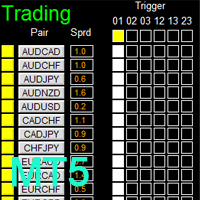
如果产品有任何问题或者您需要在此产品上添加功能,请联系我 Contact/message me if you encounter any issue using the product or need extra feature to add on the base version. There is Demo version of this panel Dashboard Super Three MA MT5 Demo in my product list, please try it out to get familiar with all functionalities for free Free version: LINK MT4 version: LINK This system basically utilizes PA and three adjustable Moving Average as the main indicator set to generate trading signal. With the feature that all MA_timefram
Multi Strategy Dashboard EA MT5
Kevin Beltran Keena
5 (1)
Multi instrument and multi time frame EA, with the best indicators.  The MSD EA can be used for automated and manual trading. Click on the '?' button on the dashboard to obtain information about the various elements of the MSD EA. Uses ATR Take Profits, ATR Stop Losses and ATR Trailing Stops. Comes with an FX Currency Strength meter and a Market Sessions indicator. Has the option to place Trade Lines (Buy, Sell, Close, Alarm). When the price reaches the trendline, the EA will perform the approp
Average Price Calculator is an MT5 trade management utility for calculating the volume-weighted average entry price and maintaining a common Take Profit for multiple positions opened on the same symbol and in the same direction. BUY and SELL positions are processed as separate baskets. The utility calculates the average entry price according to the volume of every position and sets a common Take Profit at the specified distance from that average. It can also calculate a suggested additional volu
FREE
The utility for setting a common stop loss for multiple orders. Beta version. After the test,  common take profit function will be added, orders close function will be added , and other necessary features will be added. Please do not give bad ratings to this free beta version. If you like it, give it a good rating and write to the author about any errors you find and what you would like to see in the utility. I made this utility for myself and use it daily. I am sharing it with you. A commercial
FREE
Gridma
Enrique Valeros Muriana
EV Smart Grid is a recovery-grid expert advisor with a hard capital-protection switch built in. It is designed to be simple, transparent and safe to test - a grid that knows when to stop. HOW IT WORKS - Opens a first trade in the bias direction (moving-average bias, or Buy-only / Sell-only if you prefer) - If price moves against the position by one grid step, it averages in with a capped multiplier to recover the move - never an unlimited martingale - Closes the entire basket as soon as it reac
FREE
Vip Trader is an expert advisor for MetaTrader 5 designed for BTCUSD. It combines a multi-timeframe indicator vote with ATR-based stop orders and an ATR profit-lock trailing stop. All distances are calculated from the M5 ATR, so the levels adapt to current volatility and the EA can also run on other symbols. How it works Signal. On every new M5 candle the EA checks five timeframes: M5, M15, M30, H1 and H4. On each timeframe, RSI, moving averages, MACD and Bollinger Bands vote for buy or sell (St
FREE
Grid Envelopes EA
AL MOOSAWI ABDULLAH JAFFER BAQER
Grid Envelopes EA - v3.05 (MetaTrader 5, hedging account) Download the free demo and test it in the Strategy Tester before you buy - every setting is open to you there. Questions, set files or setup help: send me a private message, I answer every buyer. Send a screenshot of your order after purchase and receive one of my free products as a thank-you gift. Why traders keep asking for an envelope grid that does not panic Envelopes are one of the oldest tools on any MetaTrader chart, and for good r
The White Rabbit
Kevin Craig E Gittins
WHITE RABBIT - 전문 시간대 범위 브레이크아웃 Expert Advisor 개요 White Rabbit은 수년간의 수동 거래 경험에서 개발된 전문 브레이크아웃 트레이딩 Expert Advisor입니다. 정밀성과 유연성을 요구하는 트레이더를 위해 설계되었으며, 모든 시장과 시간대에서 높은 확률의 브레이크아웃 기회를 포착하는 동시에 소매 및 프롭 펌 계정에 특별히 맞춤화된 고급 리스크 관리 도구를 제공합니다. 핵심 브레이크아웃 전략 White Rabbit은 사용자 정의 가능한 시간대 내에서 범위 고점과 저점을 식별하고 가격이 이러한 레벨을 결정적으로 돌파할 때 브레이크아웃 거래를 실행합니다. 시각적 거래 영역 차트에 브레이크아웃 직사각형을 자동으로 그립니다 각 세션의 고점/저점 범위를 명확하게 시각화 M1에서 H4까지 모든 단일 시간대에서 작동 두 가지 브레이크아웃 방법 직사각형 크기 방법 : 손절매와 이익실현은 리스크-보상 비율을 사용하여 브레이크아웃 기간의 고점-저점 범위
Overview DYJ BetaLogicDynamicsEA: Statistical Mean-Reversion Powered by Beta Distribution. Unlock data-driven trading with the DYJ BetaLogicDynamicsEA . This expert advisor employs the Beta Distribution probability density function to dynamically model MACD-based market intensity. By identifying statistical extremes, it automates high-precision mean-reversion entries. Featuring a built-in real-time graphical dashboard and bilingual support (CN/EN), this tool transforms complex statistical probab
Introducing Savage Capital Max Scaling Pro – Your Go-To EA for Trading Success! Make the most of your trading with Savage Capital Max Scaling Pro, a versatile EA for  LIVE MARKETS . Key Features: Maximize Profits Automatically:   The EA places Take Profit (TP) & Stop Loss (SL) and uses a Trail Stop (TS) technique. It even collects money from running trades, even if TP isn't reached. Developed by Pros:   Crafted by an experienced software developer & day-trader with years of EA development and
Vixy 10 EA
Wayne Ysel
1 (1)
VOLATILATY 10 Vixy 10 ,I s a automatic robot that has the level of professional decision when to take a trade without any emotion. The bot will help in your scalping decision making with its own TP (take profit). This is a down trend based scalping ,looking on whats happening in real time charts no repainting of any signals. The robot helps in making decisions on the candle stick pattern opened and closed lat price with the help of RSI ,MA and Ichimoku cross for support and confirmation to take
Gold Scalper EA Pro — Automated XAUUSD Breakout Trading Robot for MT5 Capture fast intraday moves on Gold with a precision breakout scalping system built for MetaTrader 5. Gold Scalper EA Pro identifies key support and resistance levels  or a defined price channel  and automatically enters when price breaks decisively through them, aiming to catch the momentum of genuine breakouts while staying out of the market during quiet, range-bound conditions. Key Features: Purpose-Built for XAUUSD — e
Automated Timeframe cycling with Symbols centered.  Force every timeframe onto one clock window, so the story you see on Daily is the same story you are slicing on H4, H1, and M1.  Traders usually flip timeframes and lose the span. A Daily chart shows a few weeks, then M15 shows a few hours, and the eye treats them as different markets. This indicator locks the window to N bars of the highest enabled timeframe — default 10 Daily — and maps every lower timeframe to that same stretch. You stay ins
FREE
A complete PostgreSQL client implemented in pure MQL5 over native MetaTrader 5 TCP sockets. The library implements the PostgreSQL client with MD5 and SCRAM-SHA-256 authentication, SSL/TLS, the Simple Query Protocol, and explicit transactions. No DLLs, no external dependencies, no third-party services. Features Direct TCP connection to any PostgreSQL-compatible database MD5 and SCRAM-SHA-256 authentication, auto-detected SSL/TLS via PostgreSQL's SSLRequest flow Full transaction support Typed res
이 제품의 구매자들이 또한 구매함
Trade Assistant MT5
Evgeniy Kravchenko
4.43 (216)
거래당 위험 계산, 라인을 사용한 손쉬운 신규 주문, 부분 청산 기능을 통한 주문 관리, 7가지 유형의 트레일링 스탑 및 기타 유용한 기능을 제공합니다. 추가 자료 및 지침 설치 지침   -   애플리케이션 지침   라인 기능       - 차트에 개시선, 손절매, 차익실현을 표시합니다. 이 기능을 사용하면 새로운 주문을 쉽게 하고 개봉 전에 추가 특성을 볼 수 있습니다. 위기 관리       -       위험 계산 기능은 설정된 위험과 손절매 주문의 크기를 고려하여 새 주문의 볼륨을 계산합니다. 이를 통해 손절매 크기를 설정하고 동시에 설정된 위험을 존중할 수 있습니다. 로트 계산 버튼 - 위험 계산을 활성화/비활성화합니다. 필요한 위험 값은 위험 필드에 0에서 100 사이의 백분율 또는 예금 통화로 설정됩니다. 설정 탭에서 위험 계산 옵션을 선택합니다. $ 통화, % 잔액, % 지분, % 자유 마진, % 사용자 정의, % AB 이전 일, % AB 이전 주, % AB 이전
Trade Manager EA에 오신 것을 환영합니다. 이 도구는 거래를 보다 직관적이고 정확하며 효율적으로 만들기 위해 설계된 궁극적인 리스크 관리 도구 입니다. 단순한 주문 실행 도구가 아닌, 원활한 거래 계획, 포지션 관리 및 리스크 제어를 위한 종합 솔루션입니다. 초보자부터 고급 트레이더, 빠른 실행이 필요한 스캘퍼에 이르기까지 Trade Manager EA는 외환, 지수, 상품, 암호화폐 등 다양한 시장에서 유연성을 제공합니다. Trade Manager EA를 사용하면 복잡한 계산은 이제 과거의 일이 됩니다. 시장을 분석하고 진입, 손절 및 익절 수준을 차트의 수평선으로 표시한 후 리스크를 설정하면, Trade Manager가 이상적인 포지션 크기를 즉시 계산하고 SL 및 TP 값을 실시간으로 표시합니다. 모든 거래가 간편하게 관리됩니다. 주요 기능: 포지션 크기 계산기 : 정의된 리스크에 따라 거래 크기를 즉시 결정합니다. 간단한 거래 계획 : 진입, 손절, 익절을 위한
Local Trade Copier EA MT5
Juvenille Emperor Limited
4.94 (150)
Local Trade Copier EA MT5는 동일한 Windows 컴퓨터 또는 Windows VPS에서 여러 MetaTrader 5 계정 간에 거래를 복사하고 관리할 수 있는 빠르고 유연한 거래 복사기입니다. 로컬 거래 동기화 기능과 함께 Receiver 측에서 로트 크기, 리스크 관리, 거래 필터링, 심볼 매핑, 거래 관리 및 계정 보호를 독립적으로 설정할 수 있습니다. Transmitter와 Receiver 터미널을 약 1분 안에 설정하고, 동일한 브로커 또는 서로 다른 브로커의 계정 간에 수동 거래 또는 EA 거래를 복사할 수 있습니다. 적절한 조건에서는 로컬 MetaTrader 터미널 간의 거래 정보가 0.5초 이내 에 동기화될 수 있습니다. 실제 체결 속도는 브로커 지연 시간, 네트워크 상태, 컴퓨터/VPS 성능 및 터미널 부하에 따라 달라집니다. 구매 전에 무료 데모를 사용해 보세요 MT5 데모 계정에서 Local Trade Copier EA MT5의 모든 기능을
Black Week: 구매 가격 69.99 USD. 이 혜택은 11월 27일(금요일)에 종료됩니다. Telegram to MT5 Multi-Channel Copier   는 Telegram 및 Discord 채널의 트레이딩 시그널을 MetaTrader 5로 자동 복사합니다. 봇도, 브라우저 확장도, 수동 복사도 필요 없습니다. Telegram이나 Discord에 시그널이 도착하면 EA가 몇 초 안에 터미널에서 주문을 실행합니다. 그리고 채널을 복사하기 전에, 내장 백테스터가 그 채널이 내 계좌에서 어떤 결과를 냈을지 보여줍니다. 제품은 두 가지 구성 요소로 이루어집니다: Telegram 채널을 수신하는 Windows 애플리케이션과, MT5 터미널에서 시그널을 실행하는 본 EA입니다. MT4 버전도 제공됩니다   여기 . 구매 전에 사용해 보세요:   애플리케이션은 무료로 다운로드할 수 있습니다. 본인의 채널을 연결하고 각 시그널이 어떻게 읽히는지 확인하세요. Backtest 탭과 실
Farmed Hedge Yield Farming | All Markets (Manual - Hybrid - Semi/Automated EA) VERIFIED TRADING RESULTS - Farmed Hedge Yield Axi Copy:  https://www.mql5.com/en/signals/2356376 - Farmed Hedge Yield Exn Copy:   https://www.mql5.com/en/signals/2356404 - Farmed Hedge Yield V Copy:  https://www.mql5.com/en/signals/2357156 IMPORTANT NOTICE: FarmedHedge is a MANUAL-FOCUSED TRADING UTILITY ,not a fully automated EA. Results shown on this Signal include manual trades and overall strategic management.
TradePanel MT5
Alfiya Fazylova
4.89 (175)
Trade Panel은 다기능 거래 도우미입니다. 이 애플리케이션에는 50개 이상의 수동 거래 기능이 포함되어 있으며 대부분의 거래 작업을 자동화할 수 있습니다. 앱 사용 설명서: https://www.mql5.com/en/blogs/post/756482 데모 계정용 앱 체험판: https://www.mql5.com/en/blogs/post/750865 앱 설치 방법: https://www.mql5.com/en/blogs/post/756239 시각 모드에서 앱 테스트 방법: https://www.mql5.com/en/blogs/post/770277 VPS MetaTrader에 앱 설치 방법: https://www.mql5.com/en/blogs/post/770190 거래. 한 번의 클릭으로 거래를 수행할 수 있습니다: 리스크 자동 계산과 함께 예약 주문 및 포지션 열기. 한 번의 클릭으로 여러 주문 및 포지션 열기. 주문 그리드 열기. 예약 주문 및 포지션을 그룹별로 닫기. 포지션
EA Overfitter
Stephen J Martret
5 (4)
That backtest looks great. But will it still be making money tomorrow, next week, next month? EA Overfitter re-runs your EA on 100 price histories it has never seen. One score tells you if the edge is real. A backtest tells you what an EA did on one price history — the one that happened to occur. What you cannot tell from it is how much of that result was the strategy and how much was the particular path. EA Overfitter answers that. It builds up to 100 synthetic price histories your EA has n
내 거래 규칙에 맞춰 Telegram 신호 복사 Telegram to MT5 Signal Trader 는 공개 및 비공개 Telegram 채널과 그룹의 텍스트 기반 거래 신호를 MetaTrader 5로 자동 복사합니다. 하나의 데스크톱 앱에서 여러 신호 제공자와 MT5 계좌를 관리하고, 제공자마다 위험 관리 및 거래 설정을 개별적으로 지정 할 수 있습니다. 신호 복사에는 Telegram 봇이나 API 설정이 필요하지 않습니다. 전화번호 또는 QR 코드로 본인의 Telegram 계정에 로그인한 후, 이미 가입한 채널이나 그룹을 선택하면 됩니다. 봇을 만들거나 Telegram API 토큰, API ID 또는 API 해시를 입력할 필요가 없습니다. 포지션 크기를 선택하고, 여러 익절 목표에 청산 물량을 배분하며, 손익분기점 이동과 트레일링 스톱을 자동화하세요. 제공자의 신호를 따르면서도 실제 거래 방식은 직접 설정할 수 있습니다. 이 제품은 MT5 Expert Advisor와 필수 Win
Strategy Ledger Pro
Abdullah Uygar Tuna
5 (17)
이제 한국어로 이용할 수 있습니다. Strategy Ledger Pro 는 MetaTrader 5용 읽기 전용 계좌 분석 패널입니다. 계좌 성과를 전문가 어드바이저(EA), 전략, 심볼, 매직 넘버별로 나누어 각각이 실제로 얼마나 기여하는지 보여줍니다. 패널은 11개 언어를 지원합니다: English, Français, Deutsch, Español, Italiano, Português, Русский, Türkçe, 中文, 日本語, 한국어. 데모를 사용해 보세요. 전략 테스터의 시각 모드에서 실행하면, 패널이 내장된 샘플 계좌로 열리며 모든 페이지를 대화형으로 안내합니다. 샘플 데이터이며 아무것도 저장되지 않습니다. 사용자 자신의 계좌에서는 패널이 실제 기록을 읽습니다. 데모 실행 방법, 단계별 안내: 블로그 글 . 이 설명의 동영상에서 실계좌에서 작동하는 패널을 확인할 수 있습니다. 모든 기능을 설명한 자세한 매뉴얼 (영문)과 토론 및 공지를 위한 AureusAI Tradin
Exp COPYLOT CLIENT for MT5
Vladislav Andruschenko
3.97 (35)
MetaTrader 5용 전문 트레이드 복사기 MetaTrader 용 빠르고 전문적이며 신뢰할 수 있는 트레이드 복사기 입니다. COPYLOT 은 MT4와 MT5 터미널 간의 Forex 거래 복사를 지원하며, Hedge 및 Netting 계좌를 모두 지원합니다. COPYLOT MT5 버전 지원 구성: - MT5 Hedge → MT5 Hedge - MT5 Hedge → MT5 Netting - MT5 Netting → MT5 Hedge - MT5 Netting → MT5 Netting - MT4 → MT5 Hedge - MT4 → MT5 Netting MT4 버전 전체 설명 + DEMO + PDF 구매 방법 설치 방법 로그 파일 확인 방법 테스트 및 최적화 방법 Expforex의 모든 제품 MT4 터미널로도 거래를 복사할 수 있습니다(MT4 → MT4, MT5 → MT4): COPYLOT CLIENT for MT4 COPYLOT은 2개, 3개, 심지어 10개의 터미널과 동시에 작동할
AI Agent Supervisor is NOT an Expert Advisor. AI Agent Supervisor   is a   multi-agent AI risk & portfolio supervisor   that watches every EA on your account and intervenes in real time.  WANT AN AI PORTFOLIO MANAGER WATCHING YOUR FLEET 24/7?   Run your fleet on the same brokers I do:   IC MARKETS , IC TRADING   .  Unlike the centralized stock market, Forex has no single, unified price feed.  Every broker sources liquidity from different providers, creating unique data streams. The Supervisor r
The product will copy all telegram signal to MT5 ( which you are member) , also it can work as remote copier.  Easy to set up, copy order instant, can work with almost signal formats, image signal,  s upport to translate other language to English Work with all type of channel or group, even channel have "Restrict Saving Content", work with  multi channel, multi MT5 Work as remote copier: with signal have ticket number, it will copy exactly via ticket number. Support to backtest signal. How to s
================================================================================ POC BREAKOUT - V20.72. Full Professional Grade Toolkit ================================================================================ POC Breakout is a full MetaTrader 5 trading dashboard for discretionary traders who want breakout signals, Point of Control (POC) context, volume profiles, order flow, market structure, news, alerts, and advanced trade planning in one professional workspace. Attached directly to you
Power Candles Strategy Scanner: 스스로 최적화하는 멀티 심볼 셋업 파인더 작은 움직임마다 울리는 스캐너는 결국 무시하게 됩니다. 분주한 캔들 마감 한 번에 알림이 연달아 쏟아지고, 정작 실제로 거래하는 단 하나의 셋업은 소음에 묻혀 버립니다. Power Candles Strategy Scanner 는 스스로 최적화하는 Power Candles 엔진을 Market Watch의 모든 심볼에서 실행하고, 당신이 직접 정한 필터를 통과한 것만 알려줍니다. 기준은 마지막 확정 캔들의 강도, 셋업의 손익비, 실시간 스프레드, 그리고 당신이 거래하는 자산군입니다. 심볼이 리스트에 들어오면 스캐너가 당신을 부릅니다. 필터로 걸러낸 것은 모두 조용히 남아 있고, 같은 캔들 마감에서 나온 모든 신호는 하나의 메시지로 도착합니다. 구매 전에 패널과 모든 필터를 확인하세요. 스크린샷, 전체 기능 투어, Power Candles와 함께 쓰는 워크플로: stein.investment
Unlimited Trade Copier Pro MT5 is a tool to copy trade remotely to multiple MT4, MT5 and cTrader accounts at different computers/locations over internet. This is an ideal solution for you if you are a signal provider and want to copy your trades to other receivers globally on your own rules. One provider can copy trades to multiple receivers and one receiver can get trade from multiple providers as well. The provider can even set the subscription expiry for each receiver, so that receiver will n
Timeless Charts
Samuel Manoel De Souza
5 (9)
Timeless Charts is an all-in-one trading utility for professional traders. It combines custom chart types such as Seconds Charts and Renko with advanced order flow analysis using Footprints , Clusters , Volume Profiles , VWAP studies, and anchored analysis tools for deeper market insight. Trading and position management are handled directly from the chart through an integrated trade management panel , while Market Replay and Virtual Accounts provide environments for practicing trading skills and
News Trade EA MT5
Konstantin Kulikov
4.55 (11)
제가 몇 년 동안 사용하고 있는 유용한 로봇을 소개드립니다. 반자동뿐만 아니라 자동 모드로도 사용할 수 있습니다. >>> Chat <<< 본 프로그램에는 경제 캘린더의 뉴스별로 유연한 거래 설정이 포함되어 있습니다. 전략 테스터에서 확인할 수 없습니다. 진짜 작업뿐입니다. 최신 설정 아카이브 다운로드: https://www.mql5.com/en/blogs/post/747929 신호 모니터링: https://www.mql5.com/en/signals/author/test-standart 이 전문가를 위해 고유 설정 세트를 만들 때 블로그의 모든 매개변수에 대한 설명을 참조하십시오: https://www.mql5.com/en/blogs/post/748545 . 기본 설정 설명 작업은 한 차트에서 GBP(GBPUSD, EURGBP, GBPJPY, GBPCAD, GBPAUD, GBPCHF)와 쌍으로 이루어집니다. GBP는 가장 변동성이 큰 통화로서 거래 수행 시 거래를 성공적으로
VirtualTradePad PRO SE MT5 — MetaTrader 5용 전문 트레이딩 컨트롤 센터 VirtualTradePad PRO SE 는 MetaTrader 5 용 프리미엄 차트 기반 트레이딩 패널이자 거래 관리 워크스페이스입니다. 더 빠른 주문 실행, 더 명확한 포지션 관리, 구조화된 거래 관리, 시각적인 레벨 계획, 그리고 차트에서 직접 작업하는 전문적인 워크플로를 원하는 트레이더를 위해 설계되었습니다. 이 제품은 단순한 BUY / SELL 패널이 아닙니다. PRO SE는 수동 트레이딩, 예약 주문, 포지션 관리, 부분 청산, 바스켓 손익 관리, 평균가 레벨, ATM 규칙, 신호 모니터링, 실시간 시장 정보, 전략 테스터 (Strategy Tester) 워크플로, VPS 중심 운용을 하나의 연결된 인터페이스로 통합합니다. MT4 버전 | 전체 설명 및 스크린샷 | 구입 방법 | 설치 방법 | 로그 파일을 얻는 방법 | 테스트 및 최적화 방법 | Expforex의 모든
Strategy Builder offers an incredible amount of functionality. It combines a trade panel with configurable automation (covert indicators into an EA), real-time statistics (profit & draw down) plus automatic optimization of SL, TP/exit, trading hours, indicator inputs. Multiple indicators can be combined into an single alert/trade signal and can include custom indicators, even if just have ex4 file or purchased from Market. The system is easily configured via a CONFIG button and associated pop-u
Astro Trade MT5
Indra Maulana
5 (8)
25% discount on the release of the tool: only for the next 3 buyers Send a message to receive a demo version. AstroTrade Trading Assistant AstroTrade is a comprehensive multi-functional trading utility developed for the MetaTrader 5 platform. It integrates essential tools for trade execution, risk management, and technical monitoring into a single unified interface. The application is designed to assist traders in managing their daily operations through a visual and structured environment. Vi
MetaTrader 5용 트레이딩 패널 — 차트와 키보드에서 실행하는 프로페셔널 원클릭 트레이딩 활동적인 트레이더를 위해 설계된 고급 Trading Panel로, MetaTrader 기본 인터페이스보다 훨씬 빠르고 직관적으로 포지션과 주문을 열고, 관리하고, 종료할 수 있습니다. 이 패널은 포지션 관리, 대기 주문 제어, 총수익 관리, 체결 속도를 하나의 전문적인 작업 공간에 통합하고 싶은 트레이더를 위한 솔루션입니다. 이것은 단순한 보조 유틸리티가 아닙니다. MetaTrader 5를 위한 진정한 trading cockpit입니다. 차트에서 직접 거래하고, 키보드로 빠르게 명령을 실행하며, 자동 계산과 시각적 가이드를 통해 수동 트레이딩을 더 빠르고, 더 명확하고, 더 편리하게 만들어 줍니다.  이 패널을 사용하면 차트에서 단 한 번의 클릭으로 거래를 실행할 수 있으며, 표준 MetaTrader 컨트롤보다 최대 30배 빠르게 거래 작업을 수행할 수 있습니다. 새로운 프리미엄 버전
News Filter EA
Rashed Samir
5 (2)
News Filter EA: Advanced Algo Trading Assistant News Filter EA is an advanced algo trading assistant designed to enhance your trading experience. By using the News Filter EA , you can integrate a Forex economic news filter into your existing expert advisor, even if you do not have access to its source code. In addition to the news filter, you can also specify trading days and hours for your expert. The News Filter EA also includes risk management  and equity protection features. MT4 Version Ma
Equity Protect Pro: 안심 거래를 위한 종합 계좌 보호 전문가 계좌 보호, 자산 보호, 포트폴리오 보호, 다중 전략 보호, 수익 보호, 수익 확보, 거래 보안, 위험 관리 프로그램, 자동 위험 관리, 자동 청산, 조건부 청산, 예약 청산, 동적 청산, 추적 손절매, 원클릭 종료, 원클릭 청산, 원클릭 복원 등의 기능을 찾고 있다면 Equity Protect Pro가 바로 필요한 프로그램입니다. 설정이 간편하고 사전 설정된 조건이 충족되면 모든 차트를 닫을 수 있으며 신호 구독 취소도 지원합니다(이는 모든 거래 프로그램도 중지됨을 의미합니다). 이 시점에서 새로운 주문이 생성되지 않으며 최종적으로 모든 주문이 종료되어 예상치 못한 손실을 효과적으로 방지하고 안심하고 거래할 수 있습니다. Equity Protect Pro (Technical Manual) Equity Protect Pro Demo Version for yo u to test   Equity Protect
훌륭한 신호를 찾았지만 공급자의 로트가 너무 작습니까? 더 큰 위치 볼륨이 필요하지만 터미널 설정이 너무 좋지 않습니까? Signal Lot Manager는 필요한 볼륨의 중복 주문을 통해 공급자의 포지션 볼륨을 증가시킵니다. 주문을 복사하기 위한 로트 크기와 신호 이름을 설정하기만 하면 됩니다. Signal Lot Manager는 터미널에서 주문을 복제하기 위한 로트 승수 유틸리티입니다. 소스는 고문, 수동 거래, 별도의 거래 신호를 선택할 수 있습니다. 간단한 설정으로 다양한 기능을 제공할 뿐만 아니라 빠른 속도와 안정성을 제공합니다. Signal Lot Manager 설치 및 입력 가이드 EA에 대한 알림을 받으려면 MT4/MT5 터미널에 URL을 추가하십시오(스크린샷 참조). MT4 버전       https://www.mql5.com/en/market/product/34864 MT5 버전       https://www.mql5.com/en/market/product/416
Trade copier MT5
Alfiya Fazylova
4.61 (57)
Trade Copier는 거래 계정 간의 거래를 복사하고 동기화하도록 설계된 전문 유틸리티입니다. 복사는 공급자의 계정/단말기에서 동일한 컴퓨터 또는 vps에 설치된 수신자의 계정/단말기로 발생합니다. 구매하기 전에 데모 계정에서 데모 버전을 테스트할 수 있습니다. 데모 버전 여기 . 전체 지침 여기 . 주요 기능 및 이점: 복사기는 "МТ5> МТ5", "МТ4> МТ5", "МТ5> МТ4" 복사를 지원합니다. 복사기는 데모 계정 > 실 계정, 실 계정 > 데모 계정, 데모 계정 > 데모 계정 및 실제 계정 > 실 계정 복사를 지원합니다. 복사기는 읽기 전용 암호가 적용된 투자자 계정에서 복사를 지원합니다. 하나의 공급자 터미널은 여러 수신 터미널로 트랜잭션을 보낼 수 있고 하나의 수신 터미널은 여러 공급자 터미널에서 트랜잭션을 수신할 수 있습니다. 복사기는 귀하 또는 귀하의 고문이 거래하는 동일한 터미널에서 작동할 수 있습니다. 높은 복사 속도(0.5초 미만). 복사기에는 간편
MetaTrader 5용 order block, BOS, ChoCH 전문가 어드바이저, Telegram 알림 포함 SMC Trade Pilot MT5는 차트의 시장 구조를 읽고 신호를 Telegram으로 전송합니다. 구조 돌파(BOS)와 성격 변화(ChoCH)를 표시하고, 강도 점수가 있는 order block 을 그리며, fair value gap(FVG)과 liquidity sweep을 추적하고, point of control, value area high, value area low가 포함된 volume profile을 표시하며, 멀티 타임프레임 패널, 컨플루언스 점수, kill zone 세션을 갖춘 간결한 대시보드에 모두 요약합니다. 종가에 표시하고, 그다음 확정 돌파는 캔들 종가 즉시 PENDING 으로 표시되며, 어떤 확인보다 먼저 나타납니다. 새로운 고점 또는 저점이 확인하면 확정으로 바뀌고, 설정한 캔들 수가 지나면 스스로 만료되며, 가격이 무효화하면 사라집니다. 하나
KT Equity Protector MT5
KEENBASE SOFTWARE SOLUTIONS
3.6 (5)
An equity protection EA for MetaTrader that enforces your loss limits and profit target for you: when your account reaches a rule you set, it closes your trades on every symbol, before one bad day turns into a lost account. It suits prop firm challenges and personal accounts alike. Attach it to one chart, answer a few questions in the on-chart setup wizard, and it watches your whole account in the background while you trade by hand or with other EAs. What it protects Daily loss limit: a percenta
Trade Manager DashPlus
Henry Lyubomir Wallace
4.85 (13)
DashPlus 는 MetaTrader 5 플랫폼에서 거래 효율성과 효과를 향상시키기 위해 설계된 고급 거래 관리 도구입니다. 리스크 계산, 주문 관리, 고급 그리드 시스템, 차트 기반 도구 및 성과 분석 등 포괄적인 기능을 제공합니다. 주요 기능 1. 리커버리 그리드 불리한 시장 상황에서 거래를 관리하기 위한 평균화 및 유연한 그리드 시스템을 구현합니다. 거래 회복을 최적화할 수 있도록 전략적인 진입 및 종료 포인트를 제공합니다. 2. 스택 그리드 강한 시장 움직임 동안 포지션을 추가하여 유리한 거래에서 잠재적 수익을 극대화하도록 설계되었습니다. 유리한 시장 트렌드에서 승률을 높이며 거래를 확장할 수 있도록 합니다. 3. 손익(P&L) 라인 차트에서 잠재적인 수익 및 손실 시나리오를 시각적으로 표현합니다. 설정을 조정하고 P&L 라인을 드래그하여 실행 전에 다양한 거래 결과를 평가할 수 있습니다. 4. 바스켓 모드 동일한 심볼에 여러 포지션을 단일 집계 포지션으로 결합하여 관리합니
TradingView-grade charts, native in MT5, with Pine Script v4 and up support A complete charting replacement built inside MetaTrader 5: a custom rendering engine, a Pine Script v4-v6 interpreter, 10+ built-in indicators, professional drawing tools, multi-chart layouts, a forex sessions overview, a bar replay simulator, and an integrated trade manager with risk-based position sizing. One license. Free updates for life. Why ChartZephyr MT5 gives you world-class execution. Its charting engine hasn't
Custom Alerts: 여러 시장을 동시에 모니터링하고 중요한 기회를 놓치지 마세요 개요 Custom Alerts 는 여러 종목에 걸쳐 잠재적 트레이딩 기회를 한눈에 파악하고자 하는 트레이더를 위한 동적인 솔루션입니다. FX Power, FX Volume, FX Dynamic, FX Levels, IX Power와 같은 Stein Investments의 주요 도구들과 통합되어, 여러 차트를 오가거나 기회를 놓치는 일 없이 중요한 시장 변화를 자동으로 알림으로 제공합니다. 이제 브로커가 제공하는 모든 자산군을 지원하며, 기호를 입력할 필요 없이 자산 유형만 선택하면 설정이 완료됩니다. 1. Custom Alerts가 트레이더에게 매우 유용한 이유 올인원 시장 모니터링 • Custom Alerts 는 외환, 금속, 암호화폐, 지수, 주식(브로커가 지원하는 경우)까지 다양한 자산군의 신호를 수집하고 통합합니다. • 여러 차트를 전환할 필요 없이 하나의 창에서 명확한 알림을 받아보
제작자의 제품 더 보기
Stop-loss and take-profit levels sized from the expected daily range, with the lot that risks exactly your chosen % of balance. To open a trade with this lot and an automatic stop in one click, use Ballast Risk Panel ; for prop-firm accounts, Ballast Prop Guard keeps every stop inside the daily loss limit. A stop that is too tight gets hit by normal noise; a stop that is too wide makes the lot tiny. Ballast Stop Sizer sizes the stop from how much the market is expected to move today. Expected da
FREE
Would your trading have passed a prop-firm challenge? Checks your closed trades against the daily loss, max loss, profit target and minimum trading days, and shows every day that broke a rule. Drop Ballast Prop Rules Checker on any chart, enter the rules of your firm, and in a second it replays your account history day by day the way a prop firm judges it: Verdict: PASSED, FAILED (which rule, on which day and hour), or still running. Daily loss limit: how many days broke it and how many came wit
FREE
Shows where your account loses money: trades without a stop-loss, worst symbols, weekdays, hours and holding times. New in 1.10: the report ends with What would have helped — for each problem it found (trades without a stop, a few oversized losses, one very bad day) it names the fix and the Ballast tool that does it: Ballast Risk Panel (lot from risk, a stop on every trade, daily loss lock) or Ballast Prop Guard (prop-firm rules). Drop Ballast Loss Finder on any chart. In a second it reads your
FREE
Would your trading have passed a prop-firm challenge? Checks your closed trades against the daily loss, max loss, profit target and minimum trading days, and shows every day that broke a rule. Drop Ballast Prop Rules Checker on any chart, enter the rules of your firm, and in a second it replays your account history day by day the way a prop firm judges it: Verdict: PASSED, FAILED (which rule, on which day and hour), or still running. Daily loss limit: how many days broke it and how many came wit
FREE
Direct translation of blackcat's L3 Banker Fund Flow Trend Oscillator. Get push notifications on your phone app when a signal bar has formed. Historical signals are shown with buy/sell arrow right on the main chart. Indicator uses two data calculations to check for a cross below 25% level (a signal to go long) and above 75% level (a signal to short). For any further questions  feel free to contact me directly. Including requests for product improvements.
Two lines are being drawn in a separate window. And both are representing an angle of a trendline. One trendline is measured going across two price highs, but the other is measured across two lows. You get to choose the period from which the first price high and first price low is being determined. The second high and low comes from identical time period preceding the first one. Feel free to experiment with the period count until you get the confirmation you are looking for.
Line1: simple calculation of change in closing price for the chosen input period - named Velocity. Line2: simple calculation of change in velocity for the chosen input period - named Acceleration. Feel free to play with the input periods to find a profitable combination. For faster results it is best to do it in MT Optimizer. Can assist in either manual or automatic trading.
This is an Expert that gives you a control panel with two buttons - 'Hide Stops' and 'Show Stops'. With a click of a button you can hide your stoploss and takeprofit levels from your broker and restore them if necessary. When levels are hidden Expert tracks orders in the background and closes them as soon as the price exceeds hidden levels. It is not opening new orders just working with existing ones, only stoploss and takeprofit levels are not visible to the market. Choose zero as magic number
Keeps your prop-firm challenge inside its rules: fits every stop to the loss you have left, closes and locks before the daily or total limit, locks a reached profit target. Launch price until 3 December 2026: 35 USD (then 49 USD). A prop-firm challenge is usually lost to one rule: the maximum daily loss or the maximum total loss. Ballast Prop Guard watches the whole account — manual trades and every EA — and makes those limits very hard to break. What it does Fitted stops — every open trade gets
One-click trading that sizes every lot from your risk %, adds a stop-loss to any trade without one, and locks trading after your daily loss limit. Most accounts are not lost by a bad strategy. They are lost by one trade without a stop, one oversized lot, or one bad day that turns into revenge trading. Ballast Risk Panel stops all three. 1. Buy / Sell with the right lot size Press BUY or SELL. Ballast Risk Panel calculates the lot so that the stop-loss loses exactly your chosen % of balance (defa
Manages your open trades for you: break-even, partial profit, ATR trailing stop and time exit — measured in R, never loosening a stop. Opening a trade is the easy part. Ballast Exit Manager handles the rest, the same way every time, for manual trades and trades from other EAs. Everything is measured in R = the trade's initial risk (the distance from entry to the first stop-loss). A trade at +1R has made as much as it risked. Break-even — at +1R (default) the stop moves to the entry price plus a
Closes all your trades together when their combined profit or loss reaches your target — in money or % of balance — with an optional trailing profit lock. Many trades open at once — from you, from several EAs, or a grid/basket strategy. Ballast Equity Target watches their combined result and closes them all together: Profit target in money and/or % of balance (the first one reached wins). Loss limit in money and/or % of balance. Trailing profit lock — once the basket is up X%, it may give back a
Hidden stop-loss and take-profit: your levels stay in the EA, not at the broker. Drag the lines to move them; a wider emergency stop stays as insurance. Ballast Stealth Stops keeps your stop-loss and take-profit inside the EA. When price reaches a level, the trade is closed at market. The broker sees only a much wider emergency stop (or nothing, if you choose). Takes over existing broker stops/targets, or sets hidden levels (fixed points or ATR multiple, target as a multiple of the stop). Drag t
One-cancels-other for MT4: when one pending order fills, the others are deleted at once. One-click straddle with stop, target, expiry and a risk-based lot. MetaTrader 4 has no built-in OCO. Place a buy stop above and a sell stop below before the news, one of them fills, and the other one is still waiting to open a second trade against you. Ballast OCO Orders deletes it for you. What it does OCO for any pending orders — buy/sell stop, buy/sell limit. Placed by hand, from the one-click button, or
One line at the price where all your open trades on the symbol together are at zero — swaps and commission included — plus lines for your basket profit target and loss limit. Three buys at different prices, one sell, a few EAs on the same chart: where is the price at which all of it together is back at zero? MT4 does not show it. Ballast Break Even draws that price as one line and keeps it up to date on every tick. What it shows Break-even line — the Bid price at which all open trades on the sym
Asia, London and New York session boxes, with statistics from the symbol's own history: average ranges, how often London breaks the Asian range, when the day's high and low form. Session boxes show where each session traded. Ballast Session Ranges also tells you what usually happens next on the symbol you are looking at, measured on its own history. On the chart Boxes for the Asian, London and New York sessions, with the range of each session in points. Session hours are inputs (server time), in
Shows what your open trades really add up to: net long/short per currency, index and metal exposure, and the money lost if every stop is hit. Buy EURUSD, buy EURJPY, buy USDJPY — three different trades? Not really: you are long EUR twice and short JPY twice. Ballast Exposure Meter adds up every open trade on the account and shows the real picture. Net exposure per currency — long or short, the amount in that currency and its value in your account currency, largest first. Indices, metals, stocks,
Your account on your phone: push notifications for equity drops, low margin, trades without a stop, AutoTrading switched off, lost connection, every trade and a daily summary. Running EAs on a VPS, or leaving a manual trade open while you are away? Ballast Account Alerts watches the whole account and tells your phone (MetaTrader mobile app push), the terminal (alert) or your e-mail. Alarms Equity down X% since the start of the day (default 5%), or below a fixed amount. Margin level below X% (def
Averaging grid with a worst case you know before you start: a real broker stop on every trade, lots sized so all levels filled plus the stop = your chosen % of balance. Launch price until 3 December 2026: 35 USD (then 49 USD). Averaging grids win often and lose rarely, but when they lose, many accounts are gone. The cause is almost always the same: no stop, and lots that grow until the margin runs out. Ballast Grid Manager keeps the useful part of a grid and removes the unlimited part. How it wo
Copies trades between MT4 terminals on one PC or VPS — opens, partial closes, closes, stop-loss and take-profit — and to or from the MT5 version. Launch price until 3 December 2026: 41 USD (then 59 USD). Run TradeCopier as MASTER on the account you trade, and as SLAVE on every account that should follow. All terminals must run on the same computer or VPS. Copies new trades, partial closes , full closes, stop-loss and take-profit changes . MT4 and MT5 together: the MT4 and MT5 versions use the sa
Your trading in R: every closed trade divided by the money its stop risked. See which setups really pay, what a trade is worth on average and how your weeks went, without keeping a spreadsheet. Attach Ballast Trade Journal to any chart. It reads the account history, rebuilds every trade (partial closes and additions included) and refreshes by itself each time a trade closes. It never opens, changes or closes a trade. R for every trade : the result (with swap and commission) divided by the money
Stop losing trades to the spread. At rollover and around news the spread can jump to ten or twenty times its usual size for a minute: pending orders fill at bad prices and stop-losses get hit although the price never went there. Ballast Spread Guard steps aside while the spread is wide and puts everything back when it is normal again. Attach it to one chart. It watches the spread of that symbol (or a list of symbols) and acts on all their orders, manual or from any EA. It never opens a trade. Kn
L3 Banker Fund Flow Trend Oscillator v5 is a simple translation of blackcat's work from pine script (language used by TradingView platform) to mql5. It generates buy and sell signals when two calculated buffers cross over each other in the oversold and overbought oscillator territory. Current version does not offer any changable inputs, but could be easily added in the modified version if requested.
Keeps your prop-firm challenge inside its rules: fits every stop to the loss you have left, closes and locks before the daily or total limit, locks a reached profit target. Launch price until 3 December 2026: 35 USD (then 49 USD). A prop-firm challenge is usually lost to one rule: the maximum daily loss or the maximum total loss. Ballast Prop Guard watches the whole account — manual trades and every EA — and makes those limits very hard to break. What it does Fitted stops — every open position g
One-click trading that sizes every lot from your risk %, adds a stop-loss to any trade without one, and locks trading after your daily loss limit. Most accounts are not lost by a bad strategy. They are lost by one trade without a stop, one oversized lot, or one bad day that turns into revenge trading. Ballast Risk Panel stops all three. 1. Buy / Sell with the right lot size Press BUY or SELL. Ballast Risk Panel calculates the lot so that the stop-loss loses exactly your chosen % of balance (defa
Manages your open trades for you: break-even, partial profit, ATR trailing stop and time exit — measured in R, never loosening a stop. Opening a trade is the easy part. Ballast Exit Manager handles the rest, the same way every time, for manual trades and trades from other EAs. Everything is measured in R = the trade's initial risk (the distance from entry to the first stop-loss). A trade at +1R has made as much as it risked. Break-even — at +1R (default) the stop moves to the entry price plus a
Closes positions and blocks trading around important news, using MT5's built-in economic calendar. Protects manual trades and other EAs. Big news (interest rates, jobs reports, inflation) can move price more in one minute than in the whole day before it, with wide spreads and slippage. Many prop firms forbid holding trades through it. Ballast News Shield handles it for you. Reads the built-in MT5 economic calendar — no DLL, no web requests, no settings to allow URLs. A set number of minutes befo
Closes all your positions together when their combined profit or loss reaches your target — in money or % of balance — with an optional trailing profit lock. Many trades open at once — from you, from several EAs, or a grid/basket strategy. Ballast Equity Target watches their combined result and closes them all together: Profit target in money and/or % of balance (the first one reached wins). Loss limit in money and/or % of balance. Trailing profit lock — once the basket is up X%, it may give bac
필터:
리뷰 없음
리뷰 답변