DuoFX Trading Psychology MT4

You know the trade. The one right after a loss, bigger than it should be, taken to win it back.

User guide and articles: User guide, How to stop revenge trading in MT5, Overtrading and daily loss limits, Tilt and FOMO in trading, Trader burnout and exhaustion.

DuoFX Trading Psychology sees it the moment it happens, on your desktop or from your phone, and tells you in plain words: "New trade 4 min after a loss, lots up 2x". Revenge trading, overtrading, a losing streak, the daily loss limit, a trade with no stop loss, a trade outside the hours you planned: it watches every trade on your account and speaks up while there is still time to stop.

No pop-ups to click through and no lectures. Just an honest signal when your trading stops following your plan, for traders who know their rules and want help keeping them on a bad day.

Why it is free

We trade too, and we know how it feels at the end of a bad day: tired, frustrated, tempted to win it back. Mental health and exhaustion are part of trading that nobody talks about. This tool is our contribution, free now and free for good.

What it watches

  • Revenge trading: a new trade within 15 minutes (your choice) after a losing trade closes.
  • Size up after a loss: bigger lots than the losing trade before it, on the same symbol and magic number.
  • Overtrading: more trades in a day than your trading plan allows (default 5), with your own day start hour.
  • Losing streak: a number of losses in a row (default 3), with a warning one loss before.
  • Daily loss limit: the day's loss, open trades included, against a percentage of the balance at the start of the day (default 3%), with a warning at 75%.
  • Stop loss discipline: a trade that still has no stop loss after a short grace time (default 60 seconds), so a stop you add right after the fill is never flagged.
  • Trading plan hours: a trade opened outside the sessions you planned (off by default).

The discipline meter

A small panel shows one word, Calm, Warning or Tilt, and the reason in plain words, for example "2nd trade 4 min after a loss, lots up 2x". Below it are today's counters (trades against your plan, losses in a row, day P/L against your daily loss limit, the last loss and the time left in the revenge window) and a short list of today's flagged events. It follows the chart's light or dark colours, folds its sections, minimises to a one-line bar, can be dragged anywhere and fits small charts. Every line has a tooltip that explains it.

Alerts that never block you

An on-chart notice appears at the top of the chart and closes by itself or on a click. Sound, push notifications to your phone and email are each optional, and are rate limited so several flags arrive as one message. There is no pop-up box to click away, and nothing stops the terminal. Telegram and Discord alerts with the free DuoFX Alert Relay.

An optional cooldown, chosen while you are calm

FOMO and tilt are hardest to see from the inside. If you want a firmer rule, switch the cooldown on in the inputs or on the panel before you trade. After a losing streak, the daily loss limit or a revenge trade it starts a break of the minutes you set, or until the next trading day. During it, choose one of two modes:

  • Warn only (the default when on): every new trade is flagged.
  • Close new trades: a trade opened during the cooldown is closed at once. Only trades within your chosen scope, and only trades opened after the cooldown began. Trades that were open when it started are never touched. Closing a trade costs its spread and any commission already paid, so this mode does not save money on that trade; it stops a tilted session from growing.

A countdown shows the time left, and an "End cooldown" button ends it early after a second click to confirm.

It sees phone trades too

MetaTrader cannot stop a trade being placed, and a trade from the phone app or the web terminal never passes through a desktop window. An Expert Advisor still sees every position on the account while the terminal runs, so attach it once in a terminal that stays on (a VPS works well) and it watches trades from every device.

Use cases

  • Day traders and scalpers on gold (XAUUSD), indices and forex who want a daily loss limit and a trade count that speak up in time.
  • Traders working on revenge trading, FOMO or emotional trading after a loss.
  • Anyone building a trading routine: a written trading plan, fixed hours, a stop loss on every trade.
  • Traders who notice burnout and exhaustion and want a clear signal to step away for the day.

FAQ

  • Can it stop me from opening a trade? No tool can block a trade in MetaTrader. It tells you at once, and with the close mode of the cooldown it closes a new trade within a few seconds.
  • Does it trade? It never opens or changes a trade. It closes a trade only in the cooldown's close mode, which is off by default.
  • Which trades does it count? You choose: manual trades only (magic 0, which includes phone and web trades), all trades, or a list of magic numbers; all symbols or only the chart's symbol.
  • What happens after a restart? Today's flags, what was already alerted and a running cooldown are kept, and the counters are rebuilt from the account history, so nothing is alerted twice.
  • Several charts? One chart per account and scope sends the alerts and runs the cooldown; other charts show the same panel.
  • Netting or hedging accounts? Both. Partial closes count as one trade on hedging accounts (and on MT4, where a partial close creates a new ticket).
  • Does it need to stay open? Yes. No Expert Advisor can watch an account while the terminal is closed.
  • Is this risk management or mental health advice? Neither. It is a trading discipline tool that reads your trades. It cannot judge how you feel, and it does not promise results.
  • Strategy Tester? It runs and watches the tester's own trades. Panel clicks do not work in the tester, so use the inputs there.
  • MT4 or MT5? Both, with the same features.

Settings

  • What to watch: symbols (all or this chart), trades (manual, all, listed magic numbers), magic numbers, trading day start hour.
  • Behaviour checks: revenge window, size up after a loss, max trades a day, losing streak, daily loss limit %, stop loss check and grace seconds, planned hours on or off and the hours.
  • Cooldown after tilt: off, warn only or close new trades; length in minutes or until the next day; minutes; max slippage for the close mode.
  • Alerts: warnings and tilt or tilt only, on-chart notice and its seconds, sound and sound file, push, email, Send to DuoFX Alert Relay (off by default), the seconds between combined alerts.
  • Panel: corner, offsets, theme, font, font size, start minimised, number of flagged events shown.

Available for MetaTrader 4 and MetaTrader 5.

Disclaimer: Trading carries a high risk of loss. This utility is a trading discipline tool for educational and informational purposes only. It is not financial advice and not medical or psychological advice, it cannot prevent losses or block trades, and it does not guarantee results. If stress from trading feels serious, talk to someone you trust or a professional.

추천 제품
Breakout Perfecto
Pikrih Pirmansyah
Breakout Perfecto - Automated Supply & Demand Breakout EA No Martingale Breakout Perfecto is a fully automated Expert Advisor that scans price action to identify Supply and Demand zones, then places BuyStop and SellStop pending orders at the edge of the most relevant zone. Orders are kept up to date automatically: whenever a new zone forms, the pending order's entry, stop loss and take profit are recalculated and adjusted - no manual work required. KEY FEATURES - Automatic Supply & Demand zon
FREE
This is a pending order closer, created to fulfill a made for MAC project. The EA originally could not be installed directly on the platform, and this is an attempt to install using this method. You can use it, but it might eventually be removed. You can also contact the original client and request their access. Unauthorized use is prohibited, and you are welcome to contact the developer or employer/client. Use it at your own risk.
FREE
Smart Trend Tool
Smaylle Rafael Coelho Mariano
5 (1)
메타 트레이더 4 (MT4)용 스마트 트렌드 필터 도구 이 도구는 메타 트레이더 4 (MT4) 내에서 작동하는 모든 전문가 컨설턴트 (EA)가 현재의 시장 트렌드와 일치하는 포지션만을 개설하도록 보장하기 위해 설계되었습니다. 이 도구는 하나 이상의 차트에서 트렌드를 분석하고, 트렌드 정보를 파일에 작성하고, 특정 템플릿 (길게 트렌드인 경우 SMARTLONG.tpl 및 짧게 트렌드인 경우 SMARTSHORT.tpl)을 적용함으로써 작동합니다. 이 도구는 트렌드가 변경될 때마다 템플릿을 조정하면서 백그라운드에서 연속적인 루프로 작동합니다. 특징 다중 차트 트렌드 분석: 이 도구는 한 개 이상의 차트에서 동시에 트렌드를 분석하여 시장의 종합적인 개요를 제공할 수 있습니다. 트렌드 결정: 트렌드는 두 개의 이동 평균 (MA)의 교차점을 기준으로 식별됩니다. 트렌드 결정에 사용되는 특정 이동 평균은 설정에서 구성할 수 있습니다. 템플릿 전환: 식별된 트렌드에 따라 도구는 두 가지
FREE
NAS100 Auto Sl And TP
Moustapha Boulouz
5 (2)
MT4용 NAS100 Auto SL 및 TP 메이커를 소개합니다: 메타트레이더 4에서 나스닥 100 시장을 탐색하는 트레이더에게 필수적인 보조 도구인 NAS100 Auto SL 및 TP 메이커로 손절 및 테이크프로핏 설정을 다시는 놓치지 마세요. 이 도구는 손절 및 테이크프로핏 레벨을 자동으로 관리할 수 있는 원활한 솔루션을 찾는 분들을 위해 설계되었습니다. 주요 특징: 손쉬운 자동화: 스톱로스 및/또는 테이크프로핏 없이 나스닥 100 거래를 자동으로 모니터링합니다. 사용자가 구성한 설정에 따라 레벨을 동적으로 조정합니다. 다양한 주문 유형: 나스닥 100의 시장가 주문과 지정가 주문 모두 호환됩니다. 메타트레이더 4에서 사용할 수 있는 다양한 주문 유형을 지원합니다. 맞춤형 구성: 사용자 친화적인 매개변수 설정으로 추적 기본 설정 및 손절/익절 수준을 사용자 지정할 수 있습니다. 유연한 범위: 실행되는 특정 NAS100 상품 또는 거래되는 모든 상품에 대해 손절 및 이익실현을 설
FREE
Challenge Compass Keep track of your prop firm challenges from your trading chart. Challenge Compass displays your balance, equity, daily loss allowance, maximum drawdown and progress towards your profit target in one panel. Included prop firm presets FTMO FundedNext The5ers FundingPips FXIFY E8 Markets Alpha Capital Presets cover selected programs from these firms. Custom settings are available for other challenge rules. Set your own daily loss limit, estimate lot size using an ATR or fixed-pip
FREE
Alligator Trader
Ciprian Ghebanoaei
3 (2)
Alligator Trader is a fully automatic, professional trading robot. Designed specifically for the foreign exchange market   USDJPY M30. EA does not need to configure parameters. Ready to work on  USDJPY M30. , You only need to decide on the choice of the lot. It has a smart algorithm which detects the trend, filters out market noise. The expert creates orders on trend direction. Input and output orders are given by a combination of two indicators that can be found on any MT4 platform: Alligator
FREE
Long Waiting MT4
Aleksandr Davydov
Expert description Algorithm optimized for Nasdaq trading The Expert Advisor is based on the constant maintenance of long positions with daily profit taking, if there is any, and temporary interruption of work during the implementation of prolonged corrections The Expert Advisor's trading principle is based on the historical volatility of the traded asset. The values of the Correction Size (InpMaxMinusForMarginCallShort) and Maximum Fall (InpMaxMinusForMarginCallLong) are set manually. Recomme
FREE
-- 간단하지만 효과적입니다. 역전 지표 - 무엇인가요? 슈퍼트렌드(SuperTrend) 논리와 지수 곡선 기술을 결합한 추세 추종 오버레이 지표입니다. 추세 방향을 감지하고 차트에 동적 채널을 그리며, 추세가 반전될 때 실시간 알림을 보냅니다. 어떻게 작동하나요? 지표는 ATR과 슈퍼트렌드 계수를 사용해 지수형 기준선을 계산합니다. 가격이 이 기준선 위나 아래로 마감되면 추세 반전이 확인됩니다. 녹색 화살표는 매수 추세 시작을, 빨간색 화살표는 매도 추세 시작을 표시합니다. 주요 기능: ATR 기반 동적 채널을 적용한 지수 추세 기준선 녹색/적색으로 구분된 추세선 및 채워진 채널 추세 반전 시 매수/매도 화살표 신호 내장 알림: 팝업, 푸시 알림, 이메일, 소리 중복 알림 방지 (바당 하나의 알림) 완전 커스터마이징 가능: 색상, 선 두께, 화살표 크기, 채널 폭 지연 없는 깔끔한 차트 오버레이 입력값: 지수 추세율, 슈퍼트렌드 계수, ATR 기간, 채널 폭 토글 기능
FREE
AutoClusterEdge
Hoang Loc Tran
AutoClusterEdge – Nguồn điện có cấu trúc. Phục hồi chiến lược. AutoClusterEdge là một hệ thống tự động dịch hoàn toàn được thiết kế cho các giao dịch dựa trên hệ thống mạng. Hệ thống tích hợp Chỉ số sức mạnh tương đối (RSI), Đường trung bình động (MA) và Phạm vi biến động thực trung bình (ATR) để khởi tạo và quản lý các cụm giao dịch, điều chỉnh mô-đun thế một cách hoạt động bằng cách sử dụng chuỗi Fibonacci và thực hiện lệnh thoát chiến lược có điều kiện. Hệ thống này đặc biệt phù hợp với nhữn
FREE
MA Dev Chanel
Alexandr Gladkiy
Индикатор показывает максимальное отклонение от скользящей средней за заданный период. Границы канала могут послужить своего рода зонами перекупленности/перепроданности, от которых может произойти откат цены к центру канала. За этими уровнями и стоит искать дополнительные сигналы для входа в сделку.  В настройках индикатора всего 2 параметра -  период, за который будет расчитываться индикатор и метод усреднения скользящей средней.
FREE
Harvest FX
Sayan Vandenhout
4.56 (9)
Harvest FX USES THE TREND WAVE INDICATOR AND IT CAN IDENTIFY THE BEGINNING AND THE END OF A NEW WAVE TREND MOVEMENT. AS AN OSCILLATOR, THE INDICATOR IDENTIFIES THE OVERBOUGHT AND OVERSOLD ZONES. IT WORKS GREAT TO CATCH THE SHORT TERM PRICE REVERSALS AND USES A MARTINGALE STRATEGY TO CLOSE ALL TRADES IN PROFIT. USE DEFAULT SETTINGS ON H1 OR HIGHER TIME FRAME ON ANY PAIR FOR MORE ACCURATE TRADES WHY THIS EA : Smart entries calculated by 3 great strategies The EA can be run on even a $30000 a
FREE
Auto Supply and Demand Oscillator is an indicator for MetaTrader 4 and MetaTrader 5 that detects supply and demand zones automatically and displays them as a single oscillator value at the bottom of the chart, instead of drawing rectangles directly on price. Concept Supply zones are price areas where strong selling created a sharp downward move away from a balance area. Demand zones are price areas where strong buying created a sharp upward move. Traditional implementations draw boxes on the
FREE
Free automatic fibonacci
Tonny Obare
4.69 (51)
Free automatic Fibonacci is an indicator that automatically plots a Fibonacci retracement based on the number of bars you select on the BarsToScan setting in the indicator. The Fibonacci is automatically updated in real time as new highest and lowest values appears amongst the selected bars. You can select which level values to be displayed in the indicator settings. You can also select the color of the levels thus enabling the trader to be able to attach the indicator several times with differe
FREE
Grid Engulfing MT4
Yudi Sri Warsito
4.83 (6)
Grid Engulfing   is a trading strategy that combines grid trading with engulfing patterns.  Grid Trading: A grid trading strategy involves placing buy and sell orders at regular intervals (grid size) above and below a set price level. The goal is to profit from small price movements within a range-bound market. Engulfing Patterns: Engulfing patterns are a type of candlestick pattern that indicates a potential reversal or continuation of a trend. A bullish engulfing pattern occurs when a small
FREE
Trend Analizer Bot
Pavel Predein
4.67 (3)
Automatic trading Advisor .This is a free version of the expert Advisor "Trend Analyzer Pro" https://www.mql5.com/ru/market/product/42792.В the robot is based on 2 strategies: at the intersection of moving averages and Bollinger bands indicator .In the paid version, three strategies are available, which increases profitability several times .Designed for the EURUSD H1 currency pair.It is possible to use it on other tools after optimization.Test only on tick data. ** Does not use such dangerous
FREE
PZ Heiken Ashi EA
PZ TRADING SLU
4.64 (11)
This EA trades using the Heiken Ashi Smoothed Indicator. It offers many trading scenarios and flexible position management settings, plus many useful features like customizable trading sessions, a martingale and inverse martingale mode. [ Installation Guide | Update Guide | Troubleshooting | FAQ | All Products  |  Get Help ] Easy to use and supervise It implements three different entry strategies Customizable break-even, SL, TP and trailing-stop Works for ECN/Non-ECN brokers Works for 2-3-4-5
FREE
Grid Assistant Pro
Alessandro De Cristofaro
Grid Assistant Pro – Utility for Managing Grid Strategies on MetaTrader 4 Grid Assistant Pro is a professional utility that helps traders manage and monitor unidirectional grid strategies directly from the MT4 chart. It provides a visual dashboard , clear controls, and automated risk protection features for precise and efficient grid operation. Key Features Visual Dashboard Real-time metrics: Balance, Equity, Floating P/L, Drawdown %, Free Margin Grid status: active and pending or
FREE
PZ Goldfinch Scalper EA
PZ TRADING SLU
2.7 (44)
This is the latest iteration of my famous scalper, Goldfinch EA, published for the first time almost a decade ago. It scalps the market on sudden volatility expansions that take place in short periods of time: it assumes and tries to capitalize of inertia in price movement after a sudden price acceleration. This new version has been simplified to allow the trader use the optimization feature of the tester easily to find the best trading parameters. [ Installation Guide | Update Guide | Troublesh
FREE
FX Gambit
Boyan Atanassov
Zenner Trading Presents FX Gambit Streaming Live on YouTube:  https://youtu.be/rD9bCSxypio FX Gambit is an Adaptive, Market Neutral, Dual MT4 based Parallel Launch Automated Trading System, designed to respond to all directional combinations and permutations of the market, and still produce a Net Positive Outcome. There are 2 instances of MT4 with 2 charts in each. The LONG LEG of the HEDGE is in the left chart and the SHORT LEG on the right. The two MT4 instances exchange current market BID
FREE
️ This is a FREE version of the tool. Developed by a practicing trader with 12 years of live trading experience (verified tax records, 51 Finam certificates). Looking for professional trading solutions (Volume Profile, SMC, Risk Manager)? Author's full lineup of PRO indicators: https://www.mql5.com/en/users/musa1994/seller Official website and portfolio: https://developer-mql4-mql5.netlify.app/ Retail Sentiment MT4 Retail Sentiment is a professional information indicator for MetaTrader 4
FREE
SnowyOwlFree
RODION SLOTIN
3 (2)
The free version of the snowyowl trend adviser, which is based on determining combinations of candle patterns. A virtual trailing stop tracks each open order and groups open orders to close them simultaneously. In the free version, you can only work on one timeframe, while in the paid version, opening orders on the selected TF is a signal to open orders on lower TF.
FREE
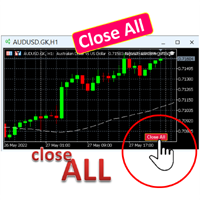
A simple button to completely close   all existing open trades   (both Buy and Sell) on the   current chart . Warning : Once the button is pressed, all open trades on the current chart will be deleted immediately without any more questions or dialogue. Use this utility very carefully. We recommend that you do a trial of removing open trades on a demo account first, before trying to use this utility on a real account.
FREE
Super Buy Sell
Rio Purwanggono
3.25 (4)
Super Buy Sell  is a combination of Hedging and Martingale strategy. Buy and Sell at the same time and open order every 20 pips (default setting) with customized Target Profit. It was backtested and optimized using real ticks with high quality. The Expert Advisor has successfully passed the stress test with slippage approximate to the real market conditions. This EA can run on several instruments simultaneously. This EA is recommended for cent accounts. Real account monitoring https://www.mql5.
FREE
Rainbow MT4
Jamal El Alama
Rainbow MT4 is a technical indicator based on Moving average with period 34 and very easy to use. When price crosses above MA and MA changes color to green, it’s a signal to buy. When price crosses below MA and MA changes color to red, it’s a signal to sell. The Expert advisor ( Rainbow EA MT4) based on Rainbow MT4 indicator, as you can see in the short video below is now available here .
FREE
ADR Bands
Navdeep Singh
4.5 (2)
Average daily range, Projection levels, Multi time-frame ADR bands shows levels based on the selected time-frame. Levels can be used as projections for potential targets, breakouts or reversals depending on the context in which the tool is used. Features:- Multi time-frame(default = daily) Two coloring modes(trend based or zone based) Color transparency  
FREE
PZ Pivot Points EA
PZ TRADING SLU
4.6 (10)
This EA trades Classic Pivot Points using pending orders. It offers many trading behaviors and flexible position management settings, plus many useful features like customizable trading sessions and a martingale mode. [ Installation Guide | Update Guide | Troubleshooting | FAQ | All Products  |  Get Help ] Easy to use and supervise It implements 4 different trading behaviors Customizable break-even, SL, TP and trailing-stop Works for ECN/Non-ECN brokers Works for 2-3-4-5 digit symbols Trading
FREE
Donar EA
Walter Ludwig Tengler
Donar EA is a sophisticated automated trading Expert Advisor (EA) designed for MetaTrader 4 platforms. This algorithmic trading system provides intelligent trade management with customizable parameters to suit various trading strategies and risk profiles. Key Features: Adaptive trading time windows Configurable trade direction (Buy, Sell, or Both) Robust risk management Dynamic lot sizing Comprehensive performance tracking Trading Methodology: The EA employs a strategic approach to market entry
FREE
Vinoscalper mt4
Vinothkumar Sukumar
4 (2)
VinoScalper — 4-Strategy Adaptive Scalper with Tiered Risk Management VinoScalper combines four independent, complementary entry strategies into a single Expert Advisor, all sharing one professional-grade risk and trade-management engine. Instead of relying on a single setup, VinoScalper looks for opportunities across different market conditions — trending breakouts, mean-reversion pullbacks, support/resistance reactions, and range-bound extremes — and takes whichever signal confirms first. STRA
FREE
Raven
Dmitriy Prigodich
4.5 (2)
"Raven" is an expert scalper who does not use dangerous strategies in his work. It trades at the extremes of the pullback, according to the trend. Channel scalping means confidence, reliability and minimal risks. The Expert Advisor implements all types of stops from the percentage of the balance to the signal stop, so you can always control your balance and not worry. It is recommended to use a signal stop - this will optimize losses and increase profits. The first 10 copies are priced at $ 10
FREE
Galeri Forex MT4
Maldini Yoga Pratama
4.25 (4)
Galeriforex automatic trading advisor is an EA based on MA logic cross with RSI filter and stochastic, logic that is fairly ancient but produces consistent profits and long-term life I hope you provide reviews and comments so that ea Galeri forex can continue to grow and get the latest updates Supported currency pairs: Major Pair Recommended timeframe: M5 - H1 Recommended Preset Settings: I included in the google drive link Preset input recommendations? download here:   Click Here Requirements
FREE
이 제품의 구매자들이 또한 구매함
Trade Manager EA에 오신 것을 환영합니다. 이 도구는 거래를 보다 직관적이고 정확하며 효율적으로 만들기 위해 설계된 궁극적인 리스크 관리 도구 입니다. 단순한 주문 실행 도구가 아닌, 원활한 거래 계획, 포지션 관리 및 리스크 제어를 위한 종합 솔루션입니다. 초보자부터 고급 트레이더, 빠른 실행이 필요한 스캘퍼에 이르기까지 Trade Manager EA는 외환, 지수, 상품, 암호화폐 등 다양한 시장에서 유연성을 제공합니다. Trade Manager EA를 사용하면 복잡한 계산은 이제 과거의 일이 됩니다. 시장을 분석하고 진입, 손절 및 익절 수준을 차트의 수평선으로 표시한 후 리스크를 설정하면, Trade Manager가 이상적인 포지션 크기를 즉시 계산하고 SL 및 TP 값을 실시간으로 표시합니다. 모든 거래가 간편하게 관리됩니다. 주요 기능: 포지션 크기 계산기 : 정의된 리스크에 따라 거래 크기를 즉시 결정합니다. 간단한 거래 계획 : 진입, 손절, 익절을 위한
Exp COPYLOT CLIENT for MT4
Vladislav Andruschenko
4.69 (65)
MetaTrader 4용 전문 트레이드 복사기 MetaTrader 4 용 빠르고 안정적이며 전문적인 트레이드 복사기입니다. COPYLOT 은 MetaTrader 4 와 MetaTrader 5 터미널 간에 Forex 거래를 복사할 수 있으며, 다양한 계좌 유형과 운용 방식에 맞춰 유연한 동기화 환경을 제공합니다. COPYLOT MT4 버전 지원 방식: MetaTrader 4 → MetaTrader 4 MetaTrader 5 Hedge → MetaTrader 4 MetaTrader 5 Netting → MetaTrader 4   MT5 버전 상세 설명 + DEMO + PDF 구매 방법 설치 방법 로그 파일 확인 방법 테스트 및 최적화 방법 Expforex의 모든 제품 MetaTrader 5 버전 을 사용하면 MetaTrader 5 → MetaTrader 5 및 MetaTrader 4 → MetaTrader 5 복사도 지원됩니다: COPYLOT CLIENT for MT5 COPYLOT 은
Local Trade Copier EA MT4
Juvenille Emperor Limited
4.96 (111)
Local Trade Copier EA MT4는 동일한 Windows 컴퓨터 또는 Windows VPS에서 여러 MetaTrader 4 계정 간에 거래를 복사하고 관리할 수 있는 빠르고 유연한 거래 복사기입니다. 로컬 거래 동기화 기능과 함께 Receiver 측에서 로트 크기, 리스크 관리, 거래 필터링, 심볼 매핑, 거래 관리 및 계정 보호를 독립적으로 설정할 수 있습니다. Transmitter와 Receiver 터미널을 약 1분 안에 설정하고, 동일한 브로커 또는 서로 다른 브로커의 계정 간에 수동 거래 또는 EA 거래를 복사할 수 있습니다. 적절한 조건에서는 로컬 MetaTrader 터미널 간의 거래 정보가 0.5초 이내 에 동기화될 수 있습니다. 실제 체결 속도는 브로커 지연 시간, 네트워크 상태, 컴퓨터/VPS 성능 및 터미널 부하에 따라 달라집니다. 구매 전에 무료 데모를 사용해 보세요 MT4 데모 계정에서 Local Trade Copier EA MT4의 모든 기능을
Grid Manual MT4
Alfiya Fazylova
4.71 (17)
"Grid Manual"은 주문 그리드 작업을 위한 거래 패널입니다. 이 유틸리티는 보편적이며 유연한 설정과 직관적인 인터페이스를 제공합니다. 그것은 손실을 평균화하는 방향뿐만 아니라 이익을 증가시키는 방향으로 주문 그리드와 함께 작동합니다. 거래자는 주문 그리드를 만들고 유지할 필요가 없으며 유틸리티에서 수행합니다. 거래자가 주문을 시작하는 것으로 충분하며 "Grid Manual"는 자동으로 그를 위한 주문 그리드를 생성하고 거래가 마감될 때까지 그와 동행할 것입니다. 전체 설명 및 데모 버전 여기 . 유틸리티의 주요 기능: 모바일 터미널을 포함하여 어떤 방식으로든 열린 주문과 함께 작동합니다. "제한" 및 "중지"의 두 가지 유형의 그리드와 함께 작동합니다. 고정 및 동적(ATR 표시기 기반)의 두 가지 유형의 그리드 간격 계산과 함께 작동합니다. 오픈 오더 그리드의 설정을 변경할 수 있습니다. 차트에서 각 주문 그리드의 손익분기점 수준을 표시합니다. 각 주문 그리드에 대한 이익
Trade Indicator Assistant is a powerful MT4 utility designed to turn indicators into automated trading systems. Its main feature is the ability to automatically detect an indicator’s   BUY and SELL signal buffers , without requiring you to know the buffer numbers, search through indicator settings, or modify the indicator source code. Bonus Indicator: After purchasing Trade Indicator Assistant, contact me to receive Trade Signal Pro completely free as a bonus indicator. [Download Demo Version]
TradePanel MT4
Alfiya Fazylova
4.84 (95)
Trade Panel은 다기능 거래 도우미입니다. 이 애플리케이션에는 50개 이상의 수동 거래 기능이 포함되어 있으며 대부분의 거래 작업을 자동화할 수 있습니다. 앱 사용 설명서 : https://www.mql5.com/en/blogs/post/756482 데모 계정용 앱 체험판: https://www.mql5.com/en/blogs/post/750865 앱 설치 방법: https://www.mql5.com/en/blogs/post/756239 시각 모드에서 앱 테스트 방법: https://www.mql5.com/en/blogs/post/770277 VPS MetaTrader에 앱 설치 방법: https://www.mql5.com/en/blogs/post/770190 거래. 한 번의 클릭으로 거래를 수행할 수 있습니다: 리스크 자동 계산과 함께 예약 주문 및 포지션 열기. 한 번의 클릭으로 여러 주문 및 포지션 열기. 주문 그리드 열기. 예약 주문 및 포지션을 그룹별로 닫기. 포지션
Trade Assistant MT4
Evgeniy Kravchenko
4.43 (197)
거래당 위험 계산, 라인을 사용한 손쉬운 신규 주문, 부분 청산 기능을 통한 주문 관리, 7가지 유형의 트레일링 스탑 및 기타 유용한 기능을 제공합니다. 추가 자료 및 지침 설치 지침 - 애플리케이션 지침   라인 기능       - 차트에 개시선, 손절매, 차익실현을 표시합니다. 이 기능을 사용하면 새로운 주문을 쉽게 하고 개봉 전에 추가 특성을 볼 수 있습니다. 위기 관리       -       위험 계산 기능은 설정된 위험과 손절매 주문의 크기를 고려하여 새 주문의 볼륨을 계산합니다. 이를 통해 손절매 크기를 설정하고 동시에 설정된 위험을 존중할 수 있습니다. 로트 계산 버튼 - 위험 계산을 활성화/비활성화합니다. 필요한 위험 값은 위험 필드에 0에서 100 사이의 백분율 또는 예금 통화로 설정됩니다. 설정 탭에서 위험 계산 옵션을 선택합니다. $ 통화, % 잔액, % 지분, % 자유 마진, % 사용자 정의, % AB 이전 일, % AB 이전 주, % AB 이전 월.
지원이 필요하신가요? 설정 방법이 궁금하신가요? 질문이 있으신가요? 여기에 고객님의 언어로 문의하세요, 빠른 답변: https://www.mql5.com/en/market/product/139089/comments 작동 체험판 다운로드 Copy Cat More (카피캣) MT4 트레이드 카피어 (Trade Copier) 는 단순한 로컬 트레이드 카피어가 아닙니다. 오늘날의 트레이딩 과제를 위해 설계된 완전한 리스크 관리 및 실행 프레임워크 (risk management and execution framework) 입니다. 프롭 펌 (prop firm) 챌린지부터 개인 포트폴리오 관리까지, 견고한 실행, 자본 보호, 유연한 설정, 고급 트레이드 처리의 조합으로 모든 상황에 적응합니다. 이 카피어는   마스터 (Master, 송신측) 와 슬레이브 (Slave, 수신측)   두 모드 모두에서 작동하며, 시장가 주문과 대기 주문, 트레이드 수정, 부분 청산, 상호 청산 (Close B
Trade copier MT4
Alfiya Fazylova
4.62 (37)
Trade Copier는 거래 계정 간의 거래를 복사하고 동기화하도록 설계된 전문 유틸리티입니다. 복사는 공급자의 계정/단말기에서 동일한 컴퓨터 또는 vps에 설치된 수신자의 계정/단말기로 발생합니다. 구매하기 전에 데모 계정에서 데모 버전을 테스트할 수 있습니다. 데모 버전 여기 . 전체 지침 여기 . 주요 기능 및 이점: 복사기는 "МТ4> МТ4", "МТ4> МТ5", "МТ5> МТ4" 복사를 지원합니다. 복사기는 데모 계정 > 실 계정, 실 계정 > 데모 계정, 데모 계정 > 데모 계정 및 실제 계정 > 실 계정 복사를 지원합니다. 복사기는 읽기 전용 암호가 적용된 투자자 계정에서 복사를 지원합니다. 하나의 공급자 터미널은 여러 수신 터미널로 트랜잭션을 보낼 수 있고 하나의 수신 터미널은 여러 공급자 터미널에서 트랜잭션을 수신할 수 있습니다. 복사기는 귀하 또는 귀하의 고문이 거래하는 동일한 터미널에서 작동할 수 있습니다. 높은 복사 속도(0.5초 미만). 복사기에는 간편
Telegram to MT4 Coppy
Sergey Batudayev
4.09 (11)
Telegram에서 MT4로:   최고의 신호 복사 솔루션 최첨단 유틸리티인   Telegram to MT4를   사용하여 거래를 간소화하세요. DLL 없이도 Telegram 채널과 채팅에서 MetaTrader 4 플랫폼으로 거래 신호를 직접 복사할 수 있습니다. 이 강력한 솔루션은 탁월한 정밀도와 맞춤 설정 옵션을 통해 원활한 신호 실행을 보장하여 시간을 절약하고 효율성을 높여줍니다. [ Instructions and DEMO ] 주요 특징 직접 Telegram API 통합 전화번호와 보안 코드를 통해 인증하세요. 사용자 친화적인 EXE 브리지를 사용하여 채팅 ID를 손쉽게 가져오고 관리하세요. 여러 채널/채팅을 추가, 삭제, 새로 고침하여 동시에 신호를 복사합니다. 고급 필터를 사용한 신호 파싱 사용자 정의 예외 단어(예: "보고서", "요약")가 포함된 원치 않는 신호를 건너뜁니다. 유연한 SL 및 TP 형식을 지원합니다: 가격, 핍 또는 포인트. 신호가 가격 대신 지점을 지정
News Filter EA: Advanced Algo Trading Assistant News Filter EA is an advanced algo trading assistant designed to enhance your trading experience. By using the   News Filter EA , you can integrate a Forex economic news filter into your existing expert advisor, even if you do not have access to its source code. In addition to the news filter, you can also specify   trading days   and   hours   for your expert. The News Filter EA also includes   risk management   and   equity protection   features
DoIt Trade Manager - Risk Panel and EA Position Manager for MT4 Finding an entry is only half the job. Many execution mistakes happen in position sizing, partial exits, breakeven, trailing and account protection. DoIt Trade Manager puts the complete workflow on the chart. Plan the risk before entry, execute the order and apply consistent management rules to your manual trades and selected positions opened by other EAs. Full setup guide + how the free version works and where PRO starts :  https:/
The product will copy all telegram signal to MT4   ( which you are member  ) , also it can work as remote copier.  Easy to set up, copy order instant, can work with almost signal formats, image signal, s upport to translate other language to English Work with all type of channel or group, even channel have "Restrict Saving Content", work with  multi channel, multi MT5 Work as remote copier: with signal have ticket number, it will copy exactly via ticket number. Support to backtest signal. How to

PZ Trade Pad Pro MT4
PZ TRADING SLU
3.67 (3)
Effortlessly calculate lot sizes and manage trades to save time and avoid costly errors The Trade Pad Pro EA is a tool for the Metatrader Platform that aims to help traders manage their trades more efficiently and effectively. It has a user-friendly visual interface that allows users to easily place and manage an unlimited number of trades, helping to avoid human errors and enhance their trading activity. [ Installation Guide | Update Guide | Troubleshooting | FAQ | All Products ] One of the k
The program is use to copy trading from MT4   to MT4 and MT5  on same Windows   PC or VPS .   Now you can easy copy trades to any MT4 account or MT5 account. Instants copy, speed smaller 0.1 seconds, easy to setup. Need run EA as Signal provider on one MT4 account, other MT4 / MT5 will run EA as Trade copier. You can download and try demo version on demo account Copi Trade MT4 demo   version   here   Copi Trade MT5 demo   version  here  
This is the simplest Lot Multiplier to manage trades open by signal, expert or manually.   How The Program Works: When a new trade is open in the terminal from any source (advisor, manually, signal), the program opens an additional trade (duplicates / copies the source with the specified parameters) in the same terminal and controls it as per source, when the source trade parameters (SL, TP) change, the program will automatically change the parameters of additional trade as well, when closing th
Az OrderGun
Jose Antonio Valle Magana
AZ_OrderGun MT4 - Professional 1-Click Trading Panel AZ_OrderGun is the all-in-one panel to execute and manage your trades without wasting time setting up SL/TP. KEY FEATURES: 1. 4 INSTANT ENTRIES: Buy SLL - Buy with SL on Low of previous candle Sell SLH - Sell with SL on High of previous candle Buy SLO / Sell SLO - SL on Open of previous candle > Fully configurable % Risk 2. ADVANCED VISUAL MANAGEMENT: Draggable lines for Pending and Market orders Auto calculation of Lot Size, $ Ri
Trade Manager Pro MT4
Bryan Djoufack Nguessong
This is an Utility to make your trading easier by putting at   one click or a few clicks   time-consuming tasks as order management and risk management. Contact for a free trial. Features Risk Management   Calculates automatically lots based on risk specified in either   % or $  in the risk field and let you enter just   by placing lines for SL TP   etc and display   real-time Risk Reward . TrueRisk   so   it includes commissions when calculating lot size on FX pairs only so you risk 1% with
Trading History MT4
Siarhei Vashchylka
5 (9)
Trading History - A program for trading and money management on the history of quotes in stratagy tester. It can work with pending and immediate orders, and is equipped with trailing stop, breakeven and take profit functions. Very good for training and testing different strategies. Manual (Be sure to read before purchasing) Advantages 1. Allows you to test any trading strategy in the shortest possible time 2. An excellent simulator for trading training. You can gain months of trading experience
CloseIfProfitorLoss with Trailing
Vladislav Andruschenko
4.88 (32)
이익 추적 기능으로 총 이익/손실에 도달하면 MetaTrader 4에서 포지션을 청산합니다. 가상 정지 (별도 주문) 을 활성화할 수 있습니다. BUY 및 SELL 포지션을 별도로 계산하고 마감합니다 (BUY SELL 별도). 모든 심볼 또는 현재 심볼 만 닫고 계산합니다 (모든 심볼). 이익을 위해 후행 추적 을 활성화합니다 (후행 이익). 예금 통화, 포인트, 잔액의 %에 대한 총 손익을 마감합니다. 이 애플리케이션은 다른 EA와 함께 또는 수동 거래와 함께 모든 계정에서 사용하도록 설계되었습니다. MT5 버전 전체 설명 + DEMO + PDF 구입 방법 설치하는 방법 로그 파일을 얻는 방법 테스트 및 최적화 방법 Expforex의 모든 제품 일부 쌍 또는 모든 쌍의 총 거래 잔액이 설정에서 지정된 값보다 크거나 같으면 모든 포지션이 닫히고 주문이 삭제됩니다. 이 버전은 지정된 이익 수준에서 포지션을 마감할 수 있을 뿐만 아니라 더 나은 결과를 위해 이익을 추적할 수도 있습니다
Shepherd Safety EA
AW Trading Software Limited
4.92 (13)
AW Shepherd Safety EA는 열린 포지션을 관리하는 EA입니다. 첫 주문은 트레이더가 패널에서 열고, 이후에는 EA가 바스켓을 직접 관리합니다: 추세 필터를 거쳐 복구 주문을 추가하고, TakeProfit, 트레일링 또는 손절로 해당 측을 청산하며, 청산 수준을 차트에 표시합니다. 매수와 매도는 따로 관리되며 양 측을 동시에 열어 둘 수 있습니다. 복구 주문은 가격 간격만으로 열리지 않고, Parabolic SAR, 두 개의 MA 또는 캔들 색상 기준으로 포지션 방향으로의 반전이 확인된 뒤에 열립니다. Orders Magic number가 일치하면 수동으로 또는 다른 EA가 연 포지션도 EA가 넘겨받아 관리합니다. EA가 포지션을 관리하는 방식: 1 트레이더가 Open Buy 또는 Open Sell 버튼으로 Order Size 필드의 거래량만큼 첫 주문을 엽니다. 2 가격이 포지션에 불리한 방향으로 Minimal step between recovery orders만큼 움
Trade Assistant Pro 36 in 1
Makarii Gubaydullin
4.76 (21)
다기능 거래 도구: 로트 계산기, 그리드 주문, 위험/보상 비율, 거래 관리자, 수급 구역, 가격 행동 분석 등 데모 버전   |   사용자 설명서 트레이딩 어시스턴트 는 전략 테스터에서 작동하지 않습니다: 이 유틸리티 를 테스트하려면 데모 버전을 여기서 다운로드하세요. 질문 /개선 아이디어/버그 발견 시 저에게 연락 하세요 MT5 버전이 필요하시면, 여기서 사용 가능합니다 거래 프로세스 를 단순화, 가속화, 자동화하세요. 이 대시보드 로 표준 터미널 기능을 확장합니다. 트레이딩 패널 은 모든 거래 상품에서 작동합니다: 외환, 주식, 지수, 암호화폐 등. 1. 새로운 거래 열기 : 로트/위험/위험보상비 계산: 수동 거래의 위험 관리 로트 계산기 (위험 크기 기반 거래량 계산) 위험 계산기 (로트 크기 기반 위험 금액) 위험 보상 비율 그리드 주문: + 동적 거리 옵션 및 분할 로트 옵션 주문 활성화 트리거, + Buy StopLimit/Sell StopLimit: Mt4에서도 가능
RS Trade Copier - 진짜 그래픽 인터페이스를 갖춘 초고속 로컬 트레이드 카피어입니다. 계좌번호를 일일이 입력하지 마세요. 200개가 넘는 복잡한 입력 파라미터 목록은 이제 끝입니다. 여러 MT4와 MT5 터미널 간 거래 작업을 복사하기 위한 안정적이고 유연한 도구입니다. 이 도구는 경험 많은 트레이더, 신호 서비스, 개인 투자자 모두에게 적합합니다. 하나 또는 여러 시그널 소스(Provider)에서 하나 또는 여러 리시버(Client)로 트레이딩을 동기화 하여 높은 정밀도와 최소 지연 시간을 제공합니다. 간단한 자동 설정부터 고급 수동 구성까지 지원합니다. 수동 또는 다른 EA로 열린 주문에 간섭하지 않습니다. 모든 작업이 MT4 내부에서 로컬로 처리 되며 외부 서버 의존성 없이 실행됩니다. RS Trade Copier와 다른 솔루션 비교 RS Trade Copier 다른 솔루션 설정 시각적 단계별 마법사. 설정에 약 1분 소요. 200개 이상의 불분명한 입력 매개변수.
Telegram to MT4 Multi-Channel Copier   는 Telegram 및 Discord 채널의 트레이딩 시그널을 MetaTrader 4로 자동 복사합니다. 봇도, 브라우저 확장도, 수동 복사도 필요 없습니다. Telegram이나 Discord에 시그널이 도착하면 EA가 몇 초 안에 터미널에서 주문을 실행합니다. 그리고 채널을 복사하기 전에, 내장 백테스터가 그 채널이 내 계좌에서 어떤 결과를 냈을지 보여줍니다. 제품은 두 가지 구성 요소로 이루어집니다: Telegram 채널을 수신하는 Windows 애플리케이션과, MT4 터미널에서 시그널을 실행하는 본 EA입니다. MT5 버전도 제공됩니다   여기 . 구매 전에 사용해 보세요:   애플리케이션은 무료로 다운로드할 수 있습니다. 본인의 채널을 연결하고 각 시그널이 어떻게 읽히는지 확인하세요. Backtest 탭과 실제 거래에는 구매하거나 임대한 EA가 필요합니다. 이 페이지의 무료 데모는 전략 테스터에서만 실행되며
Rhino Chart Drawing Tools 는 MetaTrader 4에서 TradingView 스타일 의 차트 드로잉 환경을 제공합니다. 54개의 드로잉 도구 , 사용자 지정 가능한 툴바, 즐겨찾기, 빠른 스타일 설정, 객체 설정, 템플릿 및 객체 관리자를 제공합니다. 사용자 매뉴얼: 제품 사용 방법 무료 데모 버전: 데모 다운로드 MetaTrader 5 버전: Rhino Drawing Tools for MT5 드로잉 도구 그룹 객체 목록 라인 추세선, 레이, 연장선, 수평선, 수직선, 수평 레이, 교차선, 추세 각도, 화살표, 경로, 폴리라인 및 정보선. 채널 평행 채널, 회귀 채널, 플랫 채널, 분리 채널 및 피치포크. 피보나치 되돌림, 확장, 채널, 속도 팬 및 시간대. 간 간 박스 및 간 팬. 도형 사각형, 회전 사각형, 타원, 원, 삼각형 및 폴리라인. 주석 텍스트, 메모, 콜아웃, 가격 라벨, 표지판, 플래그 및 화살표 마크. 패턴 XABCD, ABCD, Cyphe
MT4 to Telegram Signal Provider 는 사용하기 쉽고 완전히 사용자 정의가 가능한 도구로, 텔레그램으로 신호를 보내어 계정을 신호 제공자로 변환할 수 있습니다. 메시지 형식은 완전히 사용자 정의가 가능합니다! 그러나 간단한 사용을 위해 미리 정의된 템플릿을 선택하고 메시지의 특정 부분을 활성화하거나 비활성화할 수도 있습니다. [ 데모 ]  [ 매뉴얼 ] [ MT5 버전 ] [ 디스코드 버전 ] [ 텔레그램 채널 ]  New: [ Telegram To MT5 ] 설정 단계별 사용자 가이드 가 제공됩니다. 텔레그램 API에 대한 지식이 필요 없으며, 개발자가 필요한 모든 것을 제공합니다. 주요 기능 구독자에게 보낸 주문 세부 정보를 사용자 정의할 수 있는 기능 예를 들어 브론즈, 실버, 골드와 같은 계층 구독 모델을 만들 수 있습니다. 골드 구독은 모든 신호 등을 받게 됩니다. ID, 심볼 또는 코멘트별 주문 필터링 주문이 실행된 차트의 스크린샷을 포함 보낸
Multi Account Local Trade Copier 는 MetaTrader용 빠른 로컬 트레이드 카피어입니다: 동일한 Windows PC 또는 VPS의 MT4/MT5 터미널 간에, 하나의 마스터 계좌에서 여러 리시버 계좌로 거래를 복사하세요 — 본인의 실계좌, 데모 계좌, 프랍펌 계좌로. 같은 브로커든 다른 브로커든 상관없습니다. 이벤트 기반 으로 작동합니다: 마스터는 각 거래를 발생하는 순간 즉시 게시하고, 리시버는 모든 복사의 실제 지연 시간을 측정하고 기록 합니다 — 일반적으로 50-150ms 입니다. DLL 없음, 인터넷 브리지 없음, 설정 파일 없음. 단계별 설정 가이드: Multi Account Local Trade Copier — 설정 가이드 하나의 EA, 두 가지 모드 원본 터미널에는 MASTER 로, 각 대상 터미널에는 RECEIVER 로 부착하세요. Master ID = AUTO 이면 리시버가 활성 마스터를 스스로 찾습니다: 드래그, 드롭, 끝. 하나의 마스
Equity Protect Pro: 안심 거래를 위한 종합 계좌 보호 전문가 계좌 보호, 자산 보호, 포트폴리오 보호, 다중 전략 보호, 수익 보호, 수익 확보, 거래 보안, 위험 관리 프로그램, 자동 위험 관리, 자동 청산, 조건부 청산, 예약 청산, 동적 청산, 추적 손절매, 원클릭 종료, 원클릭 청산, 원클릭 복원 등의 기능을 찾고 있다면 Equity Protect Pro가 바로 필요한 프로그램입니다. 설정이 간편하고 사전 설정된 조건이 충족되면 모든 차트를 닫을 수 있으며 신호 구독 취소도 지원합니다(이는 모든 거래 프로그램도 중지됨을 의미합니다). 이 시점에서 새로운 주문이 생성되지 않으며 최종적으로 모든 주문이 종료되어 예상치 못한 손실을 효과적으로 방지하고 안심하고 거래할 수 있습니다. Equity Protect Pro (Technical Manual) Equity Protect Pro Demo Version for yo u to test   Equity Protect
The indicator has three main tools: Magnifier (Zoom chart), Ruler  ( Time and Price scales ),   and Crosshair. You can move it all around with your mouse and customize different formats for  displaying , customize   size and color of each element. The Magnifier (zoom chart) allows you to display candles from any time frame and at different scales. Hotkeys: 'Q' - higher timeframe, 'A' - lower timeframe, 'W' - decrease candle size, 'S' - increase candle size, 'Z' - show/hide zoom chart You can
Automatic Trailing Stop Based on Take Profit Percentage with Profit Lock EA MT4   Lock in your profits and "let your winners run" past your 100% take profit target with this EA.  This Expert Advisor automatically adjusts your Stop Loss based on up to 4 user-defined Take Profit Target Percentages, locking in your profit.  If price pushes past your 100% take profit target, the EA will automatically trail the price by user-defined pips, so you won't miss that runaway train again.   EA Features The
제작자의 제품 더 보기
Get your DuoFX indicator alerts on Telegram and Discord, with a chart screenshot, without staring at the terminal. Free, for DuoFX products only This relay forwards alerts from DuoFX indicators and tools that have the "Send to DuoFX Alert Relay" option. It does not forward alerts from other indicators or Expert Advisors. Supported today: DuoFX Divergence Scanner (version 1.3 and later and DuoFX Currency Strength Meter 1.1 and later). More DuoFX tools get the option in their next updates; the cur

FREE
Chart Sync MT4
Dragos Mihai Ofrim
3.5 (2)
Draw once. See it on every chart and every timeframe. User guide and articles Chart Sync user manual How to sync drawings across timeframes and charts How to sync the crosshair, scroll and zoom across charts Multi-timeframe analysis on gold (XAUUSD): draw once on H4, trade on M15 Keep your drawings through templates, profiles and restarts You mark a level on H4, flick to M15, then H1, then the daily, and draw the same line again on each. Or you open four gold charts and want the same support, th
Know exactly who is strong and who is weak, before you place a single trade. User guide and articles Currency Strength Meter user manual How to pick the strongest vs weakest pair Using currency strength when trading gold Every forex pair is a tug of war between two currencies. Trade the wrong side of that fight and the best setup in the world will not save you. DuoFX Currency Strength Meter cuts through the noise: it scans all 28 major and cross pairs, crunches the strength of all eight majors (
Stack trades like a pro. Manage them like one trade. User guide and articles Stack Manager user manual How to average into a trade with one stop How to pyramid into a winner and move to breakeven You scale in: averaging at better prices, or stacking into a winner. Three, five, ten entries on the same market. Then the busywork starts: copy the stop to the new trade, fix the take profit, drag ten lines when you move the stop, and guess what the whole stack really risks. Stack Manager does all of i
RSI, MACD or Stochastic divergence across 28 pairs, gold and up to 9 timeframes. One grid. No repainting. User guide and articles Divergence Scanner user manual Regular divergence for reversals Hidden divergence for trend continuation Divergence is one of the oldest warnings in trading: price makes a new high, momentum does not. But hunting for it means flicking through dozens of charts and squinting at an oscillator on each one, and by the time you find it, it is gone. DuoFX Divergence Scanner
Backtest with a news filter. Keep your Expert Advisor out of FOMC, CPI and Nonfarm Payrolls (NFP), live, in the Strategy Tester and in the optimizer. User guide and articles News Filter Library user guide: install, header, full API and sample EA How to backtest your EA with a news filter Your news filter is an hour off: broker server time and the DST gap weeks Needs coding: a library for MQL5 and MQL4 developers. It has no panel, does not trade and does nothing on its own: your EA calls it. MT5'
Get your DuoFX indicator alerts on Telegram and Discord, with a chart screenshot, without staring at the terminal. Free, for DuoFX products only This relay forwards alerts from DuoFX indicators and tools that have the "Send to DuoFX Alert Relay" option. It does not forward alerts from other indicators or Expert Advisors. Supported today: DuoFX Divergence Scanner (version 1.3 and later and DuoFX Currency Strength Meter 1.1 and later). More DuoFX tools get the option in their next updates; the cur
FREE
Send alerts from ANY indicator, ANY Expert Advisor and your own price lines to Telegram, Discord, your phone and email, with a chart screenshot. No coding. MetaTrader can beep and pop up a box. It cannot send an indicator's arrow to your Telegram group, post your EA's trades to a Discord channel, or tell you on your phone that price touched the line you drew. DuoFX Alert Relay Pro does all of that from one Expert Advisor on one chart, for every chart in the terminal. It is an alert tool and noth
Chart Sync MT5
Dragos Mihai Ofrim
5 (3)
Draw once. See it on every chart and every timeframe. User guide and articles Chart Sync user manual How to sync drawings across timeframes and charts How to sync the crosshair, scroll and zoom across charts Multi-timeframe analysis on gold (XAUUSD): draw once on H4, trade on M15 Keep your drawings through templates, profiles and restarts You mark a level on H4, flick to M15, then H1, then the daily, and draw the same line again on each. Or you open four gold charts and want the same support, th
Stack Manager
Dragos Mihai Ofrim
Stack trades like a pro. Manage them like one trade. User guide and articles Stack Manager user manual How to average into a trade with one stop How to pyramid into a winner and move to breakeven You scale in: averaging at better prices, or stacking into a winner. Three, five, ten entries on the same market. Then the busywork starts: copy the stop to the new trade, fix the take profit, drag ten lines when you move the stop, and guess what the whole stack really risks. Stack Manager does all of i
Know exactly who is strong and who is weak, before you place a single trade. User guide and articles Currency Strength Meter user manual How to pick the strongest vs weakest pair Using currency strength when trading gold Every forex pair is a tug of war between two currencies. Trade the wrong side of that fight and the best setup in the world will not save you. DuoFX Currency Strength Meter cuts through the noise: it scans all 28 major and cross pairs, crunches the strength of all eight majors (
RSI, MACD or Stochastic divergence across 28 pairs, gold and up to 9 timeframes. One grid. No repainting. User guide and articles Divergence Scanner user manual Regular divergence for reversals Hidden divergence for trend continuation Divergence is one of the oldest warnings in trading: price makes a new high, momentum does not. But hunting for it means flicking through dozens of charts and squinting at an oscillator on each one, and by the time you find it, it is gone. DuoFX Divergence Scanner
Backtest with a news filter. Keep your Expert Advisor out of FOMC, CPI and Nonfarm Payrolls (NFP), live, in the Strategy Tester and in the optimizer. User guide and articles News Filter Library user guide: install, header, full API and sample EA How to backtest your EA with a news filter Your news filter is an hour off: broker server time and the DST gap weeks Needs coding: a library for MQL5 and MQL4 developers. It has no panel, does not trade and does nothing on its own: your EA calls it. MT5'
Send alerts from ANY indicator, ANY Expert Advisor and your own price lines to Telegram, Discord, your phone and email, with a chart screenshot. No coding. MetaTrader can beep and pop up a box. It cannot send an indicator's arrow to your Telegram group, post your EA's trades to a Discord channel, or tell you on your phone that price touched the line you drew. DuoFX Alert Relay Pro does all of that from one Expert Advisor on one chart, for every chart in the terminal. It is an alert tool and noth
You know the trade. The one right after a loss, bigger than it should be, taken to win it back. User guide and articles: User guide , How to stop revenge trading in MT5 , Overtrading and daily loss limits , Tilt and FOMO in trading , Trader burnout and exhaustion . DuoFX Trading Psychology sees it the moment it happens, on your desktop or from your phone, and tells you in plain words: "New trade 4 min after a loss, lots up 2x". Revenge trading, overtrading, a losing streak, the daily loss limit,
FREE
필터:
리뷰 없음
리뷰 답변