Auto Close Trades by Time and Magic Number MT5

Auto Close Trades by Time and Magic Number closes the trades of the magic numbers you choose at the times you set: open positions, in profit or in loss, and pending orders. One line per close, for example 05:00=105.

It opens no trades and gives no signals. Put it on any spare chart and it watches the whole account, next to your Expert Advisors, your trade copier or your manual trading.

One line per close

Write the close times in a single input, separated by semicolons:

  • 05:00=105 — at 05:00 it closes everything with magic number 105.
  • 14:30=106,107 — several magic numbers in one line.
  • Fri 21:50=* — every trade of the account, on Fridays only, before the weekend.
  • Mon-Thu 23:00=0 — magic number 0 = the trades you opened by hand.

From one line to as many as you need: 24 lines can close 24 copies of an EA, each one at the end of its own hour.

Typical uses

  • An EA that trades one session and has to be flat when the session ends.
  • The same EA on several charts, each copy with its own magic number and its own closing time.
  • Flat before the weekend, before the daily rollover or before the market closes.
  • Pending orders that must not stay alive after a certain time.

Closes that get done

If the broker rejects a close (requote, off quotes, market closed), the EA tries again until nothing is left, for up to 60 minutes, and writes every close in the Experts tab with the ticket, symbol, lots, magic number and profit. Each time runs once a day. If the terminal was off or disconnected at the time, the close still runs when it comes back within the minutes you set. A close missed by more than that is skipped, so nothing is closed hours later by surprise.

The schedule on the chart

The chart shows the clock in use, each close line, the next time it will run and how many positions and orders it would close right now. A warning appears if Algo Trading is off, because then nothing can be closed.

Inputs

  • Close times, e.g. 05:00=105; Fri 21:50=* — the close lines: [days] HH:MM = magic numbers, or * for all. Days as Mon-Fri, Mon,Wed,Fri or Sat-Mon; without days, every day.
  • What to close — positions and pending orders, positions only, or pending orders only.
  • Clock for the close times — the broker's server time (the time of the chart and Market Watch) or this computer's clock.
  • Only these symbols, e.g. XAUUSD,EURUSD (empty=all) — limits the closes to some symbols.
  • Still close if the time was missed by up to N minutes — how late a missed close may still run (5 by default).
  • Max slippage in points — the deviation accepted when closing at market.
  • Show the schedule on the chart — the status text on the chart.

Good to know

  • Each EA you want to close at its own time needs its own magic number. Most EAs have a magic number input.
  • On a netting account there is one position per symbol, so two EAs on the same symbol share it. To close them at different times, use a hedging account.
  • Algo Trading must be on and the terminal must be running at the close times. A VPS is the usual choice.
  • The Strategy Tester runs one Expert Advisor at a time, so there it cannot close the trades of another EA. To show how it works, in the tester it opens a minimum position for each close line and closes it at its time.

FAQ

Does it open trades? No. Only in the Strategy Tester, as a demonstration.

Which time does it use? The broker's server time by default, the same time you see on the chart and in Market Watch. You can switch to this computer's clock.

Does it close trades opened by hand? Yes, with magic number 0, or every trade with *.

What happens when the clocks change? The server time of many brokers moves one hour with daylight saving time. If your close times are tied to a session, check them after the change.

Which symbols? Any symbol of your broker: forex, gold, indices, crypto, stocks.

auto close, close all trades, close by time, close by magic number, time exit, scheduled close, close all trades at a time, close positions, delete pending orders, Friday close, session close, trade manager, utility, MT5

추천 제품
The utility for setting a common stop loss for multiple orders. Beta version. After the test,  common take profit function will be added, orders close function will be added , and other necessary features will be added. Please do not give bad ratings to this free beta version. If you like it, give it a good rating and write to the author about any errors you find and what you would like to see in the utility. I made this utility for myself and use it daily. I am sharing it with you. A commercial
FREE
FlexiTrade
Johny Gomez Macaranas
Flexi Trade   is a powerful, fully automated Expert Advisor (EA) designed for MetaTrader 5. It combines intelligent money management, dynamic trailing stops, and an intuitive draggable dashboard – all in one package. Whether you are a novice trader looking for a "set-and-forget" solution or an experienced trader wanting full control over risk and entry logic, Flexi Trade adapts to your needs. The EA is built with   robust risk management   at its core: it calculates lot sizes based on a percenta
DeletePendingOrder
Konstantin Chernov
5 (1)
Script for deleting pending orders If you need to delete all pending orders you placed, this script will do it for you! It doesn't have any input parameters. Allow AutoTrading before running the script. Usage: Run the script on a chart. If you need a possibility to adjust parameters of the script, use the version with input parameters https://www.mql5.com/en/market/product/627 You can download MetaTrader 4 version here: https://www.mql5.com/en/market/product/2782
FREE
AI Equity Drawdown Guardian is an account-wide protection utility for MetaTrader 5. It continuously monitors your account equity against a configurable daily and total drawdown limit, and automatically closes all open positions and blocks new trading the moment a limit is breached - across ALL symbols and ALL magic numbers, not just its own trades. Key features: Daily drawdown percent limit, calculated from the equity at the start of each trading day Total drawdown percent limit, calculated from
FREE
Talents ATR Scalper Utility (MT5) The Talents ATR Scalper Utility is a professional-grade trade execution and management tool built for MetaTrader 5. Inspired by the Biblical Parable of the Talents , this utility is designed to help traders multiply their potential with precision risk control, one-click simplicity, and advanced automation. Whether you’re scalping forex, gold, or indices, this tool delivers speed, consistency, and confidence. Key Features One-Click Trade Preview Click below price
The only EA for TRADING PSYCHOLOGY:Discipline, Mindset Training & Risk Control  Checklist-Enforced Trading (No trades allowed until  strategy checklist is met)  1-Click Revenge Trade Blocker (Auto-freezes account after losses)  Overtrading Circuit Breaker (Hard daily trade limits enforced)  Neuroplasticity Training (Rewires retail habits into institutional discipline)  Institutional Risk Protocols (Auto SL/TP, position sizing, daily loss cutoffs)  Prop Firm  and account Safeguard (Preve
如果产品有任何问题或者您需要在此产品上添加功能,请联系我 Contact/message me if you encounter any issue using the product or need extra feature to add on the base version. There is Demo version of this panel Dashboard Super Three MA MT5 Demo in my product list, please try it out to get familiar with all functionalities for free Free version: LINK MT4 version: LINK This system basically utilizes PA and three adjustable Moving Average as the main indicator set to generate trading signal. With the feature that all MA_timefram
Gridma
Enrique Valeros Muriana
EV Smart Grid is a recovery-grid expert advisor with a hard capital-protection switch built in. It is designed to be simple, transparent and safe to test - a grid that knows when to stop. HOW IT WORKS - Opens a first trade in the bias direction (moving-average bias, or Buy-only / Sell-only if you prefer) - If price moves against the position by one grid step, it averages in with a capped multiplier to recover the move - never an unlimited martingale - Closes the entire basket as soon as it reac
FREE
Prop Firm Shield watches your prop-firm account's daily loss and total drawdown in real time, warns you at 80%, and force-closes everything at 90% — before the firm's breach line ends your challenge. =====================================================  One bad day should not cost you your challenge. Prop firms disqualify an account the moment it breaches the maximum daily loss or the maximum total loss. While you trade, floating losses, commissions and swaps quietly add up — and many traders
UTralVirtualMT5
Viktor Shpakovskiy
오픈 포지션 및 보류 중인 주문을 관리하기 위한 유틸리티. 내장형 트레일링 스톱에는 5가지 모드와 7가지 도구가 있습니다. 차트에서 자유롭게 이동할 수 있는 가상 손절매와 가상 이익실현이 있습니다. 내장된 거래 시뮬레이터의 도움으로 전략 테스터에서 EA가 어떻게 작동하는지 확인할 수 있습니다. 에 대한 자세한 가이드 유트랄비르투알트 5 에서 찾을 수 있습니다 코멘트 섹션. MT5 테스터에서 차트에 따른 가상 SL 및 TP 라인의 수동 이동이 작동하지 않습니다! 장점: 5가지 후행 정지 모드: 가상, 일반, 전체, 비율 및 모바일 손절매; 7가지 옵션: 점별, 극단 막대별, 프랙탈별, 체적별, MA별, Parabolic SAR 및 ATR별; 가상 TP 및 SL - 그래프에 따라 수동으로 자유롭게 이동합니다. 손절매 추가 및 모든 오픈 포지션에 이익실현; 손절매 설정: 포인트, 프랙탈, ATR 표시기, 일일 고가/저가; 차트에서 열린 모든 주문에 대한 후행 정지; 후행 정지를 시작하는
PrecisionEntry EA is a semi-automatic Expert Advisor for MetaTrader 5 that enables precise order placement at the click of a button — without taking control away from the trader. With a single click on the LONG or SHORT button, the EA automatically places a BuyStop or SellStop order at the high or low of the previous candle. Stop-loss, take-profit, and lot size are calculated fully automatically — based on the configured risk percentage and the desired risk-reward ratio. Features: Interactive on
justEnter is a semi-automatic trade management utility for MetaTrader 5. You choose the entry; the utility calculates position size, places the stop loss, and manages the position through breakeven, partial closes and trailing until exit. For traders following signals If you take your entries from a signal service, a mentor, or your own alerts, the entry decision is already made by the time you open the terminal. What remains is execution: sizing the position correctly, placing the stop, moving
LotMaster
Sergei Shevchenko
LotMaster — trading assistant for MetaTrader 5 LotMaster is a manual trading panel for MetaTrader 5. It helps you prepare a trade quickly: place the entry, Stop Loss and Take Profit lines, see the calculated lot and risk before clicking the button, and send the order in one click. The EA does not trade by signals and does not make decisions for the trader — it calculates and executes what you set with the lines. How it works Press Lines — three dotted lines appear on the chart: the blue entry li
FREE
Stop And Close
Tetyana Shcherba
2.75 (4)
The utility (Expert Advisor) is designed for monitoring and controlling the total drawdown, as well as closing all positions after reaching the specified levels or upon the occurrence of a specified time with the ability to disable the operation of the automatic EAs running in the same terminal. It is capable of tracking the status of the entire account, as well as individual pairs. It works with the positions opened manually or by other automatic EAs. It tracks the open trades in real time mode
` Account Limit Guard MT5 ` is a free account-level daily limit protection utility for MetaTrader 5. It is not a trading strategy, does not open trades, does not generate signals, and does not rely on any specific indicator. Its purpose is simple: monitor your account-level daily loss and automatically apply protection once your configured limit is reached. For prop / funded-challenge traders   Need more than a daily-loss cap?   Prop Firm Risk Guardian (MT5)   is the full prop-challenge p
FREE
Smart Strategy EA v6 VISUAL
Sergio Millares Raposo
XAUUSD Smart Strategy EA Price Action • Market Structure • Fibonacci • Smart Risk Management XAUUSD Smart Strategy EA is a professional MetaTrader 5 Expert Advisor designed specifically for Gold (XAUUSD) , combining Price Action, Market Structure, Dynamic Fibonacci analysis, trend confirmation, momentum filters, volatility analysis and advanced trade management into one integrated trading system. The EA is designed to identify structured trading opportunities rather than relying on a single tech
News Hedging Pro  is a unique robot that allows you to trade during the most critical news announcement periods by your predefined strategy. You can preset the strategy to trade, and then it will trade that news automatically when the news comes. News release gives opportunity to have pips since the price usually has big move at that time. Now with this tool, trading news become easier, more flexible and more exciting than ever. No waiting, no confusing anymore. Product Links Fully  Description
Suvarna Scalper
Dhokiyas Money Map Investment Consultants - FZCO
Suvarna Scalper Suvarna Scalper 는 XAUUSD 거래를 위해 설계된 Gold 중심의 프리미엄 Expert Advisor 입니다. 간단한 설정, 제어된 recovery 로직, 차트에서의 명확한 모니터링을 원하는 트레이더를 위해 만들어졌습니다. 이 EA 는 짧은 백테스트에서만 좋아 보이도록 만든 제품이 아닙니다. Suvarna Scalper 의 가장 큰 강점은 장기 생존에 초점을 둔 구조입니다. Grid trading 은 본질적으로 위험하며, 많은 Grid EA 는 일정 기간 수익을 낼 수 있지만 시장이 강하게 움직이면 실패할 수 있습니다. Suvarna Scalper 는 Gold 시장 압력을 더 지능적으로 처리하기 위해 제어된 basket management 로 만들어졌습니다. 특별한 포인트 Suvarna Scalper 의 특별한 점은 장기간 Grid trading 조건에서 살아남도록 설계되었다는 것입니다. 일반적인 Grid trading 에서는 강한 시장
FREE
SFRecovery EA
Benjamin Sanchez Parra
1 (1)
SFRecovery EA - 각 사이클이 시작되기 전에 최악의 경우를 계산하는 MT5용 무료 드로다운 회복 관리자. 그리드나 리커버리 EA라면 어느 것이든 손실 중인 바스켓에 물타기를 할 수 있습니다. 하지만 시작 시점에 정말 중요한 단 하나의 질문, "잘못되면 얼마까지 잃을 수 있는가?" 에 답할 수 있는 것은 거의 없습니다. SFRecovery는 각 사이클 전에 실제로 거래할 것과 같은 그리드 엔진으로 이를 계산해 패널, 저널, Telegram에 표시하며, 최악의 경우가 사용자가 정한 자산 비율을 넘으면 시작을 거부할 수 있습니다. 100% 무료 - 정식 버전 모든 기능이 잠금 해제되어 있습니다. 기간 제한 없음, 구독 없음, 유료 버전 없음, 추가 판매 없음. 전략 테스터에서 시험해 보고, 같은 파일로 실계좌에서 사용하세요. 당신의 포지션을 구합니다 - 자체 전략은 없습니다 SFRecovery에는 진입 신호가 없습니다. 차트 하나에 붙이면 해당 심볼에서 선택한 포지션을 감시
FREE
Prop News Filter
Joao Jara Carvalho
Prop News Filter is a free Expert Advisor that helps traders on prop firm and funded accounts avoid violating the 2-minute news rule that most major prop firms enforce. It uses a precise two-stage protection model: pre-block new trades 15 minutes before the restricted window, then close everything 2 minutes before the news. Most news filter tools either block trading too aggressively and kill your edge, or rely on the MQL5 native calendar which is often disabled on prop firm terminals. This EA u
FREE
Gap Straddle EA
Nazat Hossain Adi
Gap Straddle Trailing EA Automated Pending Order Management with Smart Trailing Stop Gap Straddle Trailing EA is an Expert Advisor for MetaTrader 5 designed to manage pending orders and trade protection through configurable settings. It includes automated order management, risk-based lot sizing, trailing stop functionality, session controls, and an on-chart dashboard. Key Features Buy Stop & Sell Stop Management — Automated pending-order placement and management. OCO Functionality — Opposite pen
Six Stars
Marta Gonzalez
Six Stars    it is a Secure Automated Software for trade 6 values ​​simultaneously. Six Stars   It is optimized for the majors Do not use this robot at the same time as others, it is a multi-value robot, therefore it manages 6 pairs simultaneously. The architecture is a Fully Automatic Autonomous Robot Expert capable of independently analyzing the market and making trading decisions   Six Stars   Have 6 neurals nets to used the correct algoritm in the correct market situation Six Stars     It
The EA uses scalping strategy at night, trading consists of three algorithms and each algorithm works in its own time interval. The EA uses many smart filters to adapt to almost any economic situation. Pending orders are used for the least slippage when trading scalping. The adviser is safe and does not require any settings from the user, just install it on the chart and you are ready. The EA sets a protective stop order, so the trader does not have to worry that the robot will allow significant
Price Ray
Keni Chetankumar Gajanan -
5 (7)
Price Ray indicator is a utility that will improve the way you trade. Primarily, it shows the Bid, Ask or Last price as a line ray which beams till the current candle, last visible chart candle or extended to all candle bars. The enhanced features in this indicator provide information in an area where you focus most, right next to the current candle. You can select text to be shown above or below the Price ray. The indicator is fully customizable, allowing it to fit any strategy requirements. Th
FREE
Matsukaze Prop Shield는 프롭펌 트레이더를 위해 만들어진 드로다운 보호 및 분석 유틸리티입니다. FTMO 챌린지 참여 중이든, 펀디드 계정을 관리 중이든, 어떤 프롭펌 평가를 진행 중이든, 이 도구는 실시간으로 계정을 모니터링하고, 일일 및 총 드로다운 한도 위반을 방지하며, 트레이딩 성과를 검토할 수 있는 완전한 분석 도구를 제공합니다 — 모든 기능이 차트 위 하나의 패널에 집약되어 있습니다. FTMO 챌린지 실계좌($50,000 2-Step)에서 설계 및 검증되었습니다. 모든 드로다운 값, 잔여 금액, 통계가 FTMO 대시보드와 정확히 일치했습니다. 모든 프롭펌 펀디드 계정 또는 개인 트레이딩 계정에서 작동합니다. 이 도구의 기능 Prop Shield는 귀하의 트레이딩(수동 또는 EA)과 함께 실행되며 계정 에퀴티를 감시합니다. 드로다운이 한도에 가까워지면 신호등이 노란색으로, 그 다음 빨간색으로 변합니다. 한도를 초과하면 모든 포지션이 자동으로 청산되고
FREE
BossFXTradePanelEA (MT5)  [First 10 copies sold at 50 USD price will increase to 99USD] BossFXTradePanelEA is a fully interactive trade management panel designed for MetaTrader 5, providing traders with an easy-to-use, one-click interface to execute and manage trades. This EA simplifies trade execution , risk management, and position control by combining market orders, stop loss, take profit, trailing stops, and breakeven functionalities into a single, intuitive panel.  Key features include: On
ProTrade EA
Jim Ariel Camarce Ignao
Key Features   Automated Candle Pattern Recognition 10 Professional Patterns : Detects Bullish/Bearish Engulfing, Hammer/Shooting Star, Morning/Evening Star, Piercing/Dark Cloud, and 6 additional professional candlestick patterns Smart Filtering : Combine multiple patterns with configurable confirmation logic Volume Confirmation : Optional volume filter to validate pattern strength Multi-Timeframe Analysis : Separate execution and bias timeframes for better timing   Trading Dashboard Int
AllClosedMT5
Andrey Spiridonov
The AllClosedMT5 utility in the form of an expert. The utility is designed for closing all open positions simultaneously based on the total profit (in the deposit currency) of all open positions. The utility can be attached to any chart with any trading instrument. Parameters Profit - the total positive profit in the deposit currency, at which all open positions are closed (profit). Stop - the total negative profit in the deposit currency, at which all open positions are closed (loss). The valu
FREE
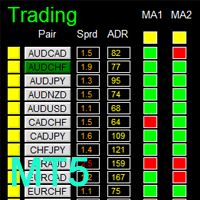
如果产品有任何问题或者您需要在此产品上添加功能,请联系我 Contact/message me if you encounter any issue using the product or need extra feature to add on the base version. There is Demo version of this panel Dashboard Super MA RSI CCI Demo in my product list, please try it out to get familiar with all functionalities for free, LINK . Dashboard Super MA RSI CCI is an intuitive and handy graphic tool to help you to: Have 28 pairs under control with one dashboard Monitor price movement, identify possible trend based on MA, RS
MANUAL OF RECOVERY GRIP The recovery grip system can recover both an isolated loss and a loss produced by a grip or multiple orders, the algorithm gradually compensates the losses until the equity returns to zero. The time it takes for the algorithm to reverse the loss is proportional to the volatility of the pair and the size of the loss.This system allows you to test the algorithm prior to purchase.For this, it has a powerful simulation system in which you can choose whether your loss is a
이 제품의 구매자들이 또한 구매함
Trade Assistant MT5
Evgeniy Kravchenko
4.43 (216)
거래당 위험 계산, 라인을 사용한 손쉬운 신규 주문, 부분 청산 기능을 통한 주문 관리, 7가지 유형의 트레일링 스탑 및 기타 유용한 기능을 제공합니다. 추가 자료 및 지침 설치 지침   -   애플리케이션 지침   라인 기능       - 차트에 개시선, 손절매, 차익실현을 표시합니다. 이 기능을 사용하면 새로운 주문을 쉽게 하고 개봉 전에 추가 특성을 볼 수 있습니다. 위기 관리       -       위험 계산 기능은 설정된 위험과 손절매 주문의 크기를 고려하여 새 주문의 볼륨을 계산합니다. 이를 통해 손절매 크기를 설정하고 동시에 설정된 위험을 존중할 수 있습니다. 로트 계산 버튼 - 위험 계산을 활성화/비활성화합니다. 필요한 위험 값은 위험 필드에 0에서 100 사이의 백분율 또는 예금 통화로 설정됩니다. 설정 탭에서 위험 계산 옵션을 선택합니다. $ 통화, % 잔액, % 지분, % 자유 마진, % 사용자 정의, % AB 이전 일, % AB 이전 주, % AB 이전
Trade Manager EA에 오신 것을 환영합니다. 이 도구는 거래를 보다 직관적이고 정확하며 효율적으로 만들기 위해 설계된 궁극적인 리스크 관리 도구 입니다. 단순한 주문 실행 도구가 아닌, 원활한 거래 계획, 포지션 관리 및 리스크 제어를 위한 종합 솔루션입니다. 초보자부터 고급 트레이더, 빠른 실행이 필요한 스캘퍼에 이르기까지 Trade Manager EA는 외환, 지수, 상품, 암호화폐 등 다양한 시장에서 유연성을 제공합니다. Trade Manager EA를 사용하면 복잡한 계산은 이제 과거의 일이 됩니다. 시장을 분석하고 진입, 손절 및 익절 수준을 차트의 수평선으로 표시한 후 리스크를 설정하면, Trade Manager가 이상적인 포지션 크기를 즉시 계산하고 SL 및 TP 값을 실시간으로 표시합니다. 모든 거래가 간편하게 관리됩니다. 주요 기능: 포지션 크기 계산기 : 정의된 리스크에 따라 거래 크기를 즉시 결정합니다. 간단한 거래 계획 : 진입, 손절, 익절을 위한
Farmed Hedge Yield Farming | All Markets (Manual - Hybrid - Semi/Automated EA) VERIFIED TRADING RESULTS - Farmed Hedge Yield Axi Copy:  https://www.mql5.com/en/signals/2356376 - Farmed Hedge Yield Exn Copy:   https://www.mql5.com/en/signals/2356404 - Farmed Hedge Yield V Copy:  https://www.mql5.com/en/signals/2357156 IMPORTANT NOTICE: FarmedHedge is a MANUAL-FOCUSED TRADING UTILITY ,not a fully automated EA. Results shown on this Signal include manual trades and overall strategic management.
Telegram to MT5 Multi-Channel Copier   는 Telegram 및 Discord 채널의 트레이딩 시그널을 MetaTrader 5로 자동 복사합니다. 봇도, 브라우저 확장도, 수동 복사도 필요 없습니다. Telegram이나 Discord에 시그널이 도착하면 EA가 몇 초 안에 터미널에서 주문을 실행합니다. 그리고 채널을 복사하기 전에, 내장 백테스터가 그 채널이 내 계좌에서 어떤 결과를 냈을지 보여줍니다. 제품은 두 가지 구성 요소로 이루어집니다: Telegram 채널을 수신하는 Windows 애플리케이션과, MT5 터미널에서 시그널을 실행하는 본 EA입니다. MT4 버전도 제공됩니다   여기 . 구매 전에 사용해 보세요:   애플리케이션은 무료로 다운로드할 수 있습니다. 본인의 채널을 연결하고 각 시그널이 어떻게 읽히는지 확인하세요. Backtest 탭과 실제 거래에는 구매하거나 임대한 EA가 필요합니다. 이 페이지의 무료 데모는 전략 테스터에서만 실행되며
Local Trade Copier EA MT5
Juvenille Emperor Limited
4.94 (149)
Local Trade Copier EA MT5는 동일한 Windows 컴퓨터 또는 Windows VPS에서 여러 MetaTrader 5 계정 간에 거래를 복사하고 관리할 수 있는 빠르고 유연한 거래 복사기입니다. 로컬 거래 동기화 기능과 함께 Receiver 측에서 로트 크기, 리스크 관리, 거래 필터링, 심볼 매핑, 거래 관리 및 계정 보호를 독립적으로 설정할 수 있습니다. Transmitter와 Receiver 터미널을 약 1분 안에 설정하고, 동일한 브로커 또는 서로 다른 브로커의 계정 간에 수동 거래 또는 EA 거래를 복사할 수 있습니다. 적절한 조건에서는 로컬 MetaTrader 터미널 간의 거래 정보가 0.5초 이내 에 동기화될 수 있습니다. 실제 체결 속도는 브로커 지연 시간, 네트워크 상태, 컴퓨터/VPS 성능 및 터미널 부하에 따라 달라집니다. 구매 전에 무료 데모를 사용해 보세요 MT5 데모 계정에서 Local Trade Copier EA MT5의 모든 기능을
Strategy Ledger Pro
Abdullah Uygar Tuna
5 (14)
이제 한국어로 이용할 수 있습니다. Strategy Ledger Pro 는 MetaTrader 5용 읽기 전용 계좌 분석 패널입니다. 계좌 성과를 전문가 어드바이저(EA), 전략, 심볼, 매직 넘버별로 나누어 각각이 실제로 얼마나 기여하는지 보여줍니다. 패널은 11개 언어를 지원합니다: English, Français, Deutsch, Español, Italiano, Português, Русский, Türkçe, 中文, 日本語, 한국어. 데모를 다운로드하기 전에. Market은 모든 유료 제품의 데모를 전략 테스터에서만 실행합니다. 이 패널은 사용자 자신의 계좌 거래를 분석하는데, 전략 테스터에는 읽을 계좌 기록이 없으므로 데모는 빈 패널로 열리고 그 사실을 표시합니다. 이는 데모 방식에 따른 것이며 제품의 제약이 아닙니다. 이 설명의 동영상에서 실계좌에서 작동하는 패널을 확인할 수 있습니다. 모든 기능을 설명한 자세한 매뉴얼 (영문)과 토론 및 공지를 위한 AureusAI
내 거래 규칙에 맞춰 Telegram 신호 복사 Telegram to MT5 Signal Trader 는 공개 및 비공개 Telegram 채널과 그룹의 텍스트 기반 거래 신호를 MetaTrader 5로 자동 복사합니다. 하나의 데스크톱 앱에서 여러 신호 제공자와 MT5 계좌를 관리하고, 제공자마다 위험 관리 및 거래 설정을 개별적으로 지정 할 수 있습니다. 신호 복사에는 Telegram 봇이나 API 설정이 필요하지 않습니다. 전화번호 또는 QR 코드로 본인의 Telegram 계정에 로그인한 후, 이미 가입한 채널이나 그룹을 선택하면 됩니다. 봇을 만들거나 Telegram API 토큰, API ID 또는 API 해시를 입력할 필요가 없습니다. 포지션 크기를 선택하고, 여러 익절 목표에 청산 물량을 배분하며, 손익분기점 이동과 트레일링 스톱을 자동화하세요. 제공자의 신호를 따르면서도 실제 거래 방식은 직접 설정할 수 있습니다. 이 제품은 MT5 Expert Advisor와 필수 Win

TradePanel MT5
Alfiya Fazylova
4.88 (170)
Trade Panel은 다기능 거래 도우미입니다. 이 애플리케이션에는 50개 이상의 수동 거래 기능이 포함되어 있으며 대부분의 거래 작업을 자동화할 수 있습니다. 앱 사용 설명서: https://www.mql5.com/en/blogs/post/756482 데모 계정용 앱 체험판: https://www.mql5.com/en/blogs/post/750865 앱 설치 방법: https://www.mql5.com/en/blogs/post/756239 시각 모드에서 앱 테스트 방법: https://www.mql5.com/en/blogs/post/770277 VPS MetaTrader에 앱 설치 방법: https://www.mql5.com/en/blogs/post/770190 거래. 한 번의 클릭으로 거래를 수행할 수 있습니다: 리스크 자동 계산과 함께 예약 주문 및 포지션 열기. 한 번의 클릭으로 여러 주문 및 포지션 열기. 주문 그리드 열기. 예약 주문 및 포지션을 그룹별로 닫기. 포지션
VirtualTradePad PRO SE MT5 — MetaTrader 5용 전문 트레이딩 컨트롤 센터 VirtualTradePad PRO SE 는 MetaTrader 5 용 프리미엄 차트 기반 트레이딩 패널이자 거래 관리 워크스페이스입니다. 더 빠른 주문 실행, 더 명확한 포지션 관리, 구조화된 거래 관리, 시각적인 레벨 계획, 그리고 차트에서 직접 작업하는 전문적인 워크플로를 원하는 트레이더를 위해 설계되었습니다. 이 제품은 단순한 BUY / SELL 패널이 아닙니다. PRO SE는 수동 트레이딩, 예약 주문, 포지션 관리, 부분 청산, 바스켓 손익 관리, 평균가 레벨, ATM 규칙, 신호 모니터링, 실시간 시장 정보, 전략 테스터 (Strategy Tester) 워크플로, VPS 중심 운용을 하나의 연결된 인터페이스로 통합합니다. MT4 버전 | 전체 설명 및 스크린샷 | 구입 방법 | 설치 방법 | 로그 파일을 얻는 방법 | 테스트 및 최적화 방법 | Expforex의 모든
================================================================================ POC BREAKOUT - V20.72. Full Professional Grade Toolkit ================================================================================ POC Breakout is a full MetaTrader 5 trading dashboard for discretionary traders who want breakout signals, Point of Control (POC) context, volume profiles, order flow, market structure, news, alerts, and advanced trade planning in one professional workspace. Attached directly to you
REVDEN AI Desk: REVDEN의 시장 컨텍스트 위에서, 당신만의 AI와 나누는 하나의 대화로 트레이딩을 운영하세요 하나의 대화로 트레이딩을 운영한다고 상상해 보세요. REVDEN AI Desk 는 이를 MetaTrader 5로 가져옵니다. 당신만의 AI에게 시장을 어떻게 읽는지 물으면, AI는 당신이 거래하는 종목에 대한 REVDEN의 전체 컨텍스트, 즉 각 종목의 상태와 리스크 현황, 예정된 발표를 바탕으로 답합니다. AI의 제안은 진입, 스톱, 타겟, 리스크를 갖추고 도착하며, 맞는 제안을 당신이 승인합니다. 규칙도 같은 방식으로 바뀝니다. 무엇을 바꿀지 적으면 AI가 새 룰북의 초안을 작성하고, 받아들일지 버릴지는 당신이 정합니다. 대화를 둘러싸고 시장 전체가 하나의 화면에 펼쳐집니다. 데스크와 설정 가이드를 확인하세요. 모든 화면, 모든 설정, 그리고 당신만의 AI와 함께하는 첫 단계: stein.investments/products/revden-ai-desk 당신
MT5 to Telegram Signal Provider 는 사용하기 쉽고 완전히 커스터마이즈 가능한 유틸리티로, 특정 신호를 Telegram의 채팅, 채널 또는 그룹으로 전송하고, 귀하의 계정을 신호 제공자 로 만듭니다. 경쟁 제품과 달리 DLL 임포트를 사용하지 않습니다. [ 데모 ] [ 매뉴얼 ] [ MT4 버전 ] [ 디스코드 버전 ] [ 텔레그램 채널 ]  New: [ Telegram To MT5 ] 설정 단계별 사용자 가이드 가 제공됩니다. 텔레그램 API에 대한 지식은 필요하지 않습니다; 개발자가 제공하는 모든 것이 필요합니다. 주요 특징 구독자에게 보낸 주문 상세 정보를 커스터마이즈할 수 있습니다. 예를 들어, 브론즈, 실버, 골드와 같은 계층 구독 모델을 만들 수 있습니다. 골드 구독에서는 모든 신호를 받습니다. id, 심볼, 또는 코멘트로 주문을 필터링할 수 있습니다. 주문이 실행된 차트의 스크린샷이 포함됩니다 보낸 스크린샷에 닫힌 주문을 그려 추가 검증을 합니다
Exp COPYLOT CLIENT for MT5
Vladislav Andruschenko
3.97 (35)
MetaTrader 5용 전문 트레이드 복사기 MetaTrader 용 빠르고 전문적이며 신뢰할 수 있는 트레이드 복사기 입니다. COPYLOT 은 MT4와 MT5 터미널 간의 Forex 거래 복사를 지원하며, Hedge 및 Netting 계좌를 모두 지원합니다. COPYLOT MT5 버전 지원 구성: - MT5 Hedge → MT5 Hedge - MT5 Hedge → MT5 Netting - MT5 Netting → MT5 Hedge - MT5 Netting → MT5 Netting - MT4 → MT5 Hedge - MT4 → MT5 Netting MT4 버전 전체 설명 + DEMO + PDF 구매 방법 설치 방법 로그 파일 확인 방법 테스트 및 최적화 방법 Expforex의 모든 제품 MT4 터미널로도 거래를 복사할 수 있습니다(MT4 → MT4, MT5 → MT4): COPYLOT CLIENT for MT4 COPYLOT은 2개, 3개, 심지어 10개의 터미널과 동시에 작동할
News Trade EA MT5
Konstantin Kulikov
4.55 (11)
제가 몇 년 동안 사용하고 있는 유용한 로봇을 소개드립니다. 반자동뿐만 아니라 자동 모드로도 사용할 수 있습니다. >>> Chat <<< 본 프로그램에는 경제 캘린더의 뉴스별로 유연한 거래 설정이 포함되어 있습니다. 전략 테스터에서 확인할 수 없습니다. 진짜 작업뿐입니다. 최신 설정 아카이브 다운로드: https://www.mql5.com/en/blogs/post/747929 신호 모니터링: https://www.mql5.com/en/signals/author/test-standart 이 전문가를 위해 고유 설정 세트를 만들 때 블로그의 모든 매개변수에 대한 설명을 참조하십시오: https://www.mql5.com/en/blogs/post/748545 . 기본 설정 설명 작업은 한 차트에서 GBP(GBPUSD, EURGBP, GBPJPY, GBPCAD, GBPAUD, GBPCHF)와 쌍으로 이루어집니다. GBP는 가장 변동성이 큰 통화로서 거래 수행 시 거래를 성공적으로
Trade copier MT5
Alfiya Fazylova
4.61 (57)
Trade Copier는 거래 계정 간의 거래를 복사하고 동기화하도록 설계된 전문 유틸리티입니다. 복사는 공급자의 계정/단말기에서 동일한 컴퓨터 또는 vps에 설치된 수신자의 계정/단말기로 발생합니다. 구매하기 전에 데모 계정에서 데모 버전을 테스트할 수 있습니다. 데모 버전 여기 . 전체 지침 여기 . 주요 기능 및 이점: 복사기는 "МТ5> МТ5", "МТ4> МТ5", "МТ5> МТ4" 복사를 지원합니다. 복사기는 데모 계정 > 실 계정, 실 계정 > 데모 계정, 데모 계정 > 데모 계정 및 실제 계정 > 실 계정 복사를 지원합니다. 복사기는 읽기 전용 암호가 적용된 투자자 계정에서 복사를 지원합니다. 하나의 공급자 터미널은 여러 수신 터미널로 트랜잭션을 보낼 수 있고 하나의 수신 터미널은 여러 공급자 터미널에서 트랜잭션을 수신할 수 있습니다. 복사기는 귀하 또는 귀하의 고문이 거래하는 동일한 터미널에서 작동할 수 있습니다. 높은 복사 속도(0.5초 미만). 복사기에는 간편
Seconds Chart MT5
Boris Sedov
4.61 (18)
Seconds Chart - MetaTrader 5에서 초 단위 차트를 생성하는 독특한 도구입니다. Seconds Chart 를 사용하면 초 단위로 설정된 타임프레임으로 차트를 작성할 수 있어, 표준 분 또는 시간 단위 차트에서는 불가능한 유연성과 정밀한 분석이 가능합니다. 예를 들어, S15 타임프레임은 15초 동안의 캔들로 구성된 차트를 의미합니다. 사용자 정의 심볼을 지원하는 모든 인디케이터와 전문가 어드바이저를 사용할 수 있습니다. 이를 사용하는 것은 표준 차트에서 거래하는 것만큼 편리합니다. 표준 도구와 달리, Seconds Chart 는 초고속 타임프레임에서도 높은 정확도와 지연 없이 작업할 수 있도록 지원합니다. 무료 데모: Seconds Chart v2.29 Demo.ex5 무료 데모를 다운로드하고 직접 확인하십시오: 완전한 기능 - 모든 기능 사용 가능 24시간 테스트 - 정확성과 편리성을 평가하기에 충분한 시간 데모 계정만 - 대부분의 브로커에서 쉽게 개설 가능
The Patch
Mian Rameez Ali
The Patch It never opens a trade. It walks behind the ones that did. Every open position, every pending order — checked twice a second for the one thing that's easy to forget: a stop, a target. Found bare, it doesn't ask. It writes the missing number in, measured in points from wherever the position began, and moves on to the next. No strategy, no opinion on direction. Just the quiet assumption that nothing should ever sit on the market unprotected — not because someone decided it shouldn't,
EA Overfitter
Stephen J Martret
5 (1)
That backtest looks great. But will it still be making money tomorrow, next week, next month? EA Overfitter re-runs your EA on 100 price histories it has never seen. One score tells you if the edge is real. A backtest tells you what an EA did on one price history — the one that happened to occur. What you cannot tell from it is how much of that result was the strategy and how much was the particular path. EA Overfitter answers that. It builds up to 100 synthetic price histories your EA has n
다음 업데이트 — 버전 2.52 곧 출시! [신규] 시장 분석 및 트레이딩 워크플로를 향상시키기 위해 설계된 4가지 주요 신규 기능을 기대해 주세요. 트레이딩 요구 사항을 충족하도록 설계된 4가지 새로운 기능으로 시장 분석을 한 단계 더 발전시킵니다. 다음 기능을 소개합니다: 1. TRADE OVERVIEW DASHBOARD 2. CONFLUENCE AT ZONE 3. STRONG & WEAK HIGH/LOW 4. OTE 1. TRADE OVERVIEW DASHBOARD 시장 전체 상황을 더 쉽게 파악할 수 있도록 도와주는 대시보드입니다. 트레이딩 의사결정을 지원하는 가이드를 제공하며, 하나의 화면에서 시장을 분석하고 체계적으로 트레이딩을 계획할 수 있도록 도와줍니다. 멀티 타임프레임 시장 개요 (Multi-Timeframe Market Overview) 시장 방향과 가격 구조를 더욱 명확하게 파악 시장 상황을 빠르게 확인 체계적인 시장 분석 및 진입 계획을 위한 가이드 2. CO
The product will copy all telegram signal to MT5 ( which you are member) , also it can work as remote copier.  Easy to set up, copy order instant, can work with almost signal formats, image signal,  s upport to translate other language to English Work with all type of channel or group, even channel have "Restrict Saving Content", work with  multi channel, multi MT5 Work as remote copier: with signal have ticket number, it will copy exactly via ticket number. Support to backtest signal. How to s
RETAILBERG FOOTPRINT CHART PRO — Order-Flow Workspace for MetaTrader 5 Version 7.00  |  Professional System  |  31 tools  |  One chart A full 150-page illustrated User Manual is included. Please read the full manual to understand this feature packed footprint chart elements and ui. https://www.mql5.com/en/blogs/post/777982 DEMO / STRATEGY TESTER — PLEASE READ FIRST
Astro Trade MT5
Indra Maulana
5 (8)
25% discount on the release of the tool: only for the next 3 buyers Send a message to receive a demo version. AstroTrade Trading Assistant AstroTrade is a comprehensive multi-functional trading utility developed for the MetaTrader 5 platform. It integrates essential tools for trade execution, risk management, and technical monitoring into a single unified interface. The application is designed to assist traders in managing their daily operations through a visual and structured environment. Vi
Timeless Charts
Samuel Manoel De Souza
5 (9)
Timeless Charts is an all-in-one trading utility for professional traders. It combines custom chart types such as Seconds Charts and Renko with advanced order flow analysis using Footprints , Clusters , Volume Profiles , VWAP studies, and anchored analysis tools for deeper market insight. Trading and position management are handled directly from the chart through an integrated trade management panel , while Market Replay and Virtual Accounts provide environments for practicing trading skills and
Floor Watch
Syed Tauqeer Hussain Shah
Floor Watch One number, watched every thirty seconds: how far equity has fallen since the day began — or since its highest point, if it's told to trail the peak instead of the open. Cross the line and it doesn't argue. Every open position closes, every pending order vanishes, and anything that slips through afterward gets shut the moment it appears. Not asked. Removed. The floor holds until the clock turns 5 AM Pakistan time — then, and only then, does the day start over. One rule. No except
Telegram To MT5 Ultra
Mirel Daniel Gheonu
5 (5)
Telegram To MT5 — 시그널 카피어 텔레그램 채널의 트레이딩 콜을 실제 MT5 주문으로 바꿔 드립니다 — 자동으로, 원하는 만큼의 계좌에서, 리스크와 규칙을 완전히 당신의 통제 아래 둡니다. Telegram To MT5는 이미 텔레그램에서 팔로우하고 있는 VIP / 시그널 채널을 당신의 MetaTrader 5 터미널에 연결합니다. 무료 동반 데스크톱 앱이 메시지를 읽고(봇을 차단하는 채널에서도 가능), 이 EA가 당신의 계좌에서 이를 실행합니다 — 당신만의 리스크 설정, 심볼 매핑, 익절(TP) 처리, 세션 및 뉴스 필터를 적용합니다. 이것은 블랙박스 전략이 아니라 시그널 카피어입니다. 어떤 채널을 신뢰할지, 각 거래의 수량과 관리 방식을 당신이 결정합니다. 단계별 설정 및 동반 앱 설치 가이드 작동 방식 [당신의 텔레그램 채널] -> [동반 데스크톱 앱] -> [MT5 + 이 EA] -> 주문 동반 데스크톱 앱(무료, 포함)은 당신의 텔레그램 계정으로 로그인하여 선택한
파워 캔들 전략 스캐너 - 자체 최적화 다중 종목 설정 찾기 도구 파워 캔들 전략 스캐너는 마켓 워치에 등록된 모든 종목에 대해 파워 캔들 지표와 동일한 자체 최적화 엔진을 동시에 실행합니다. 하나의 패널에서 현재 통계적으로 거래 가능한 종목, 각 종목별 최적의 전략, 최적의 손절매/익절 조합을 알려주며, 새로운 신호가 발생하면 즉시 알림을 전송합니다. 이 도구는 Stein Investments 에코시스템의 일부입니다. 18개 이상의 도구와 함께 당신의 1대1 AI 트레이딩 멘토 Max.  항상 대기 중, 모든 인디케이터를 깊이 있게 이해, 무언가를 차근차근 생각해보고 싶은 순간에 도움을 줍니다.  https://stein.investments 에서 만나보세요 완벽한 시장 모니터링. 종목당 3,000건 이상의 자동 최적화. 2가지 알림 유형. 한 번의 클릭으로 차트를 전환하고 바로 거래하세요. 이 도구가 필요한 이유 대부분의 다중 종목 스캐너는 가격 변동만 보여줍니다. 티커별
Equity Protect Pro: 안심 거래를 위한 종합 계좌 보호 전문가 계좌 보호, 자산 보호, 포트폴리오 보호, 다중 전략 보호, 수익 보호, 수익 확보, 거래 보안, 위험 관리 프로그램, 자동 위험 관리, 자동 청산, 조건부 청산, 예약 청산, 동적 청산, 추적 손절매, 원클릭 종료, 원클릭 청산, 원클릭 복원 등의 기능을 찾고 있다면 Equity Protect Pro가 바로 필요한 프로그램입니다. 설정이 간편하고 사전 설정된 조건이 충족되면 모든 차트를 닫을 수 있으며 신호 구독 취소도 지원합니다(이는 모든 거래 프로그램도 중지됨을 의미합니다). 이 시점에서 새로운 주문이 생성되지 않으며 최종적으로 모든 주문이 종료되어 예상치 못한 손실을 효과적으로 방지하고 안심하고 거래할 수 있습니다. Equity Protect Pro (Technical Manual) Equity Protect Pro Demo Version for yo u to test   Equity Protect
Trader Evolution
Siarhei Vashchylka
5 (7)
" Trader Evolution " - A utility designed for traders who use wave and technical analysis in their work. One tab of the utility is capable of money management and opening orders, and the other can help in making Elliott wave and technical analysis. Manual (Be sure to read before purchasing) | Version for MT4 Advantages 1. Trading in a few clicks. Immediate and pending orders are available in the panel 2. Money management. The program automatically selects the appropriate lot size 3. Simplifies
MT5 Professional Copy Trading System (MT5 버전) MT5 Professional Copy Trading System은 산업급 초고속 LOCAL 트레이드 코피어 로, 전문 트레이더, 시그널 제공자, 기관 수준의 멀티 계정 운용을 위해 설계되었습니다. 일반적인 클라우드 기반 또는 리테일용 복사 도구와 달리, 본 시스템은 동일한 Windows 환경에서 여러 터미널을 실행하는 것을 전제로 한 LOCAL 아키텍처를 기반으로 구축되었습니다. 산업급 LOCAL 아키텍처 LOCAL 설계를 통해 동일한 PC 또는 동일한 Windows VPS 인스턴스에서 실행되는 터미널 간 통신이 최소 지연과 높은 안정성으로 이루어집니다. 불필요한 네트워크 의존성을 줄임으로써 더 빠른 동기화, 정확한 실행, Master와 Receiver 계정 간 높은 일관성을 제공합니다. 이는 전문 거래 환경과 24/7 무인 운용에 적합합니다. Master / Slave / Self-Copier +
YuClusters
Yury Kulikov
4.93 (43)
Attention: You can view the program operation in the free version  YuClusters DEMO .  YuClusters is a professional market analysis system. The trader has unique opportunities to analyze the flow of orders, trade volumes, price movements using various charts, profiles, indicators, and graphical objects. YuClusters operates on data based on Time&Sales or ticks information, depending on what is available in the quotes of a financial instrument. YuClusters allows you to build graphs by combining da
제작자의 제품 더 보기
Telegram to MT5 Multi-Channel Copier   는 Telegram 및 Discord 채널의 트레이딩 시그널을 MetaTrader 5로 자동 복사합니다. 봇도, 브라우저 확장도, 수동 복사도 필요 없습니다. Telegram이나 Discord에 시그널이 도착하면 EA가 몇 초 안에 터미널에서 주문을 실행합니다. 그리고 채널을 복사하기 전에, 내장 백테스터가 그 채널이 내 계좌에서 어떤 결과를 냈을지 보여줍니다. 제품은 두 가지 구성 요소로 이루어집니다: Telegram 채널을 수신하는 Windows 애플리케이션과, MT5 터미널에서 시그널을 실행하는 본 EA입니다. MT4 버전도 제공됩니다   여기 . 구매 전에 사용해 보세요:   애플리케이션은 무료로 다운로드할 수 있습니다. 본인의 채널을 연결하고 각 시그널이 어떻게 읽히는지 확인하세요. Backtest 탭과 실제 거래에는 구매하거나 임대한 EA가 필요합니다. 이 페이지의 무료 데모는 전략 테스터에서만 실행되며
Telegram to MT4 Multi-Channel Copier   는 Telegram 및 Discord 채널의 트레이딩 시그널을 MetaTrader 4로 자동 복사합니다. 봇도, 브라우저 확장도, 수동 복사도 필요 없습니다. Telegram이나 Discord에 시그널이 도착하면 EA가 몇 초 안에 터미널에서 주문을 실행합니다. 그리고 채널을 복사하기 전에, 내장 백테스터가 그 채널이 내 계좌에서 어떤 결과를 냈을지 보여줍니다. 제품은 두 가지 구성 요소로 이루어집니다: Telegram 채널을 수신하는 Windows 애플리케이션과, MT4 터미널에서 시그널을 실행하는 본 EA입니다. MT5 버전도 제공됩니다   여기 . 구매 전에 사용해 보세요:   애플리케이션은 무료로 다운로드할 수 있습니다. 본인의 채널을 연결하고 각 시그널이 어떻게 읽히는지 확인하세요. Backtest 탭과 실제 거래에는 구매하거나 임대한 EA가 필요합니다. 이 페이지의 무료 데모는 전략 테스터에서만 실행되며
Multi Account Local Trade Copier 는 MetaTrader용 빠른 로컬 트레이드 카피어입니다: 동일한 Windows PC 또는 VPS의 MT4/MT5 터미널 간에, 하나의 마스터 계좌에서 여러 리시버 계좌로 거래를 복사하세요 — 본인의 실계좌, 데모 계좌, 프랍펌 계좌로. 같은 브로커든 다른 브로커든 상관없습니다. 이벤트 기반 으로 작동합니다: 마스터는 각 거래를 발생하는 순간 즉시 게시하고, 리시버는 모든 복사의 실제 지연 시간을 측정하고 기록 합니다 — 일반적으로 50-150ms 입니다. DLL 없음, 인터넷 브리지 없음, 설정 파일 없음. 단계별 설정 가이드(영어): Multi Account Local Trade Copier — Setup Guide 하나의 EA, 두 가지 모드 원본 터미널에는 MASTER 로, 각 대상 터미널에는 RECEIVER 로 부착하세요. Master ID = AUTO 이면 리시버가 활성 마스터를 스스로 찾습니다: 드래그, 드롭,
ThemeManager
Sergio Marquez Uroz
ThemeManager   는 MetaTrader 5에서 열려 있는 모든 차트의 색상 구성을 클릭 한 번으로 바꿔 줍니다. 다크 모드, 라이트 모드, 웹트레이더 스타일 등 8가지 전문 차트 테마 중에서 고르거나, 13가지 색상 선택기로 나만의 Custom 테마를 만들 수 있습니다. 더 이상 차트마다 색상을 일일이 설정할 필요가 없습니다. 차트 위의 작은 패널이 모든 차트를 한 번에 새 단장합니다. ThemeManager는 완전 무료입니다 — 모든 테마와 모든 기능을 제한 없이 사용할 수 있습니다. 다른 트레이딩 도구 사용 방법 ThemeManager를 아무 차트에나 끌어다 놓습니다(네비게이터 → 지표). THEMES 패널에서 테마를 클릭합니다 — 각 버튼은 해당 테마 색상의 실시간 미리보기입니다. 완료: 열려 있는 모든 차트가 즉시 바뀝니다. 마지막으로 사용한 테마는 기억되어 지표가 로드될 때 다시 적용됩니다. ThemeManager를 기본 템플릿에 추가하면 새 차트가 항상 내 색상
FREE
QuickBar Pro MT4
Sergio Marquez Uroz
QuickBar Pro는 MetaTrader 4용 원클릭 트레이딩 패널이자 포지션 관리 도구입니다. 설정한 위험에서 랏을 계산하고, 손절·익절 선을 차트에서 직접 끌어 옮길 수 있으며, 본전 이동과 부분 청산, 트레일링 스탑까지 차트를 가리지 않는 한 줄에 담았습니다. 빠르게 판단해야 하고 한눈팔 여유가 없는 스캘퍼와 데이트레이더를 위해 만들었습니다. 떠다니는 창도, 화면 절반을 차지하는 패널도 없습니다. 차트 상단의 작은 막대 하나에 주문과 관리에 필요한 것이 모두 들어 있습니다. 설정한 위험에 맞는 랏 위험은 잔고의 비율로도, 고정 금액으로도 입력할 수 있습니다. 패널은 사용 중인 브로커의 계약 명세로 랏을 계산하므로, 실제로 걸리는 금액이 곧 지정한 금액입니다. 외환은 물론 금, 지수, 암호화폐에서도 마찬가지입니다. 설정한 위험이 최소 랏에도 못 미치면, 선택하지 않은 크기로 주문하는 대신 그 사실을 알려 줍니다. 끌어서 옮기는 손절과 익절 두 선은 차트 위에 놓이고 마우스로
AutoJournal MT4
Sergio Marquez Uroz
당신의 매매일지를 대신 작성해 드립니다. 청산된 모든 거래가 자동으로 기록됩니다 — 차트 스크린샷, 상세 통계, 캘린더 대시보드와 함께. 100% 로컬 저장, 구독 불필요. AutoJournal은 백그라운드에서 조용히 실행되며 거래 내역을 전문적인 HTML 매매일지로 변환하는 유틸리티입니다. 수동 데이터 입력도, 스프레드시트도, 외부 서비스도 필요 없습니다. 모든 것이 사용자의 컴퓨터에서 생성되고 저장되며, 수동 거래든 EA 거래든 동일하게 작동합니다. 자동으로 기록되는 내용 청산된 각 거래는 다음 정보를 담은 카드로 매매일지에 추가됩니다: 진입가와 청산가, 손절가(Stop Loss)와 익절가(Take Profit), 랏 크기, 보유 시간, 매매 방향, 수수료와 스왑을 포함한 순손익, 계좌 대비 비율, 손익비(Risk-Reward), 티켓 번호. 수익, 손실, 본전 거래는 색상으로 구분되며 필터링할 수 있습니다. 거래가 보이는 차트 스크린샷 거래가 청산되는 순간, AutoJourna
QuickBar Pro MT5
Sergio Marquez Uroz
QuickBar Pro는 MetaTrader 5용 원클릭 트레이딩 패널이자 포지션 관리 도구입니다. 설정한 위험에서 랏을 계산하고, 손절·익절 선을 차트에서 직접 끌어 옮길 수 있으며, 본전 이동과 부분 청산, 트레일링 스탑까지 차트를 가리지 않는 한 줄에 담았습니다. 빠르게 판단해야 하고 한눈팔 여유가 없는 스캘퍼와 데이트레이더를 위해 만들었습니다. 떠다니는 창도, 화면 절반을 차지하는 패널도 없습니다. 차트 상단의 작은 막대 하나에 주문과 관리에 필요한 것이 모두 들어 있습니다. 설정한 위험에 맞는 랏 위험은 잔고의 비율로도, 고정 금액으로도 입력할 수 있습니다. 패널은 사용 중인 브로커의 계약 명세로 랏을 계산하므로, 실제로 걸리는 금액이 곧 지정한 금액입니다. 외환은 물론 금, 지수, 암호화폐에서도 마찬가지입니다. 설정한 위험이 최소 랏에도 못 미치면, 선택하지 않은 크기로 주문하는 대신 그 사실을 알려 줍니다. 끌어서 옮기는 손절과 익절 두 선은 차트 위에 놓이고 마우스로
AutoJournal MT5
Sergio Marquez Uroz
당신의 매매일지를 대신 작성해 드립니다. 청산된 모든 거래가 자동으로 기록됩니다 — 차트 스크린샷, 상세 통계, 캘린더 대시보드와 함께. 100% 로컬 저장, 구독 불필요. AutoJournal은 백그라운드에서 조용히 실행되며 거래 내역을 전문적인 HTML 매매일지로 변환하는 유틸리티입니다. 수동 데이터 입력도, 스프레드시트도, 외부 서비스도 필요 없습니다. 모든 것이 사용자의 컴퓨터에서 생성되고 저장되며, 수동 거래든 EA 거래든 동일하게 작동합니다. 자동으로 기록되는 내용 청산된 각 거래는 다음 정보를 담은 카드로 매매일지에 추가됩니다: 진입가와 청산가, 손절가(Stop Loss)와 익절가(Take Profit), 랏 크기, 보유 시간, 매매 방향, 진입 딜과 청산 딜 양쪽의 수수료와 스왑을 포함한 순손익, 계좌 대비 비율, 손익비(Risk-Reward), 티켓 ID. 수익, 손실, 본전 거래는 색상으로 구분되며 필터링할 수 있습니다. 거래가 보이는 차트 스크린샷 거래가 청산되는
하나의 EA. 상관관계가 낮은 4개의 전략. 하나의 리스크 설정. Aureon Multi-Strategy Portfolio I은 4개의 독립적인 Aureon 전략을 하나의 EA(Expert Advisor)로 통합한 제품입니다. 각 전략은 고유의 로직과 고유의 매직 넘버로 각자의 시장을 거래합니다. 단일 심볼이 한 달의 성과를 좌우하지 않습니다. 목표는 분산 투자 입니다. 상관관계가 낮은 통화와 지수에 리스크를 분산함으로써, 자산 곡선은 단일 전략보다 더 완만해지는 경향이 있습니다. 렌트 옵션 제공: $120 / 3개월 · $249 / 1년 포트폴리오의 원칙은 단순합니다: 마틴게일 없음, 그리드 없음, 물타기 없음. 모든 거래는 브로커 서버에 설정된 실제 스탑로스와 테이크프로핏으로 보호되며(숨겨지지 않습니다), 각 전략은 최대 1개의 포지션만 보유하므로 동시에 4개를 초과하는 포지션은 열리지 않습니다. Hedging 및 Netting 계좌 모두 지원합니다. 왜 단일 시장 EA가 아닌
MT5 to Telegram MultiChannel Sender   는 MetaTrader 5의 트레이딩 시그널을 Telegram으로 자동 전송합니다. 하나 또는 여러 채널, 그룹, 개인 채팅으로 보낼 수 있습니다. 모든 진입, SL/TP 변경, 부분 청산, 청산, 대기 주문이 몇 초 안에 게시되며, 차트의 패널로 같은 계좌에서 VIP 채널과 무료 채널을 함께 운영할 수 있습니다. 코딩도, 입력값 설정도 필요 없습니다. 반대 방향, 즉 Telegram 시그널을 MT5로 복사하고 싶다면   Telegram to MT5 MultiChannel Copier 를 확인하세요. 설정 가이드:   https://www.mql5.com/en/blogs/post/776166 현재 가격은 앞으로 인상될 예정입니다. 작동 방식 @BotFather로 무료 Telegram 봇을 만들고 채널의 관리자로 추가합니다. 계좌의 차트 하나에 EA를 적용합니다. 차트 패널의 3단계를 따라 합니다: 봇 토큰 붙여넣기,
하나의 EA, 4개의 모멘텀 전략, 하나의 리스크 설정: 거래당 리스크 1%로 7년 이상의 백테스트에서 +399%. Corvane Momentum Portfolio 는 서로 독립된 완전 자동 모멘텀 전략 4개를 하나의 EA(Expert Advisor)에서 운용합니다: M15의 GBPJPY, H1의 USDJPY, H4 필터를 적용한 H1의 NASDAQ 100, 그리고 H1의 다우존스 30(US30). 각 전략은 고유의 규칙과 고유의 매직 넘버로 각자의 시장을 거래하며, 4개 전략 모두를 하나의 차트와 하나의 자금 관리(Money Management) 설정으로 제어합니다. 제 모든 EA는 제 MQL5 프로필 에서 확인하실 수 있습니다. 규칙은 의도적으로 엄격합니다: 마틴게일 없음, 그리드 없음, 물타기 없음. 모든 거래는 브로커 서버에 설정되는 실제 스탑로스와 테이크프로핏으로 보호되며 — 절대 숨기지 않습니다 — 각 전략은 최대 1개의 포지션만 보유하므로 동시에 4개를 초과하는 포지션은
Hanzo Yen Portfolio
Sergio Marquez Uroz
엔화를 양방향으로: 세 가지 전략, 하나의 EA, 하나의 리스크 설정 — 거래당 리스크 1%로 7년 이상의 백테스트에서 +140%, 최대 드로다운 6.62%. Hanzo Yen Portfolio 는 유동성이 가장 높은 두 엔화 페어에서 서로 독립된 완전 자동 전략 세 개를 모두 H1로 운용합니다: GBPJPY 매수 전략, GBPJPY 매도 전략, USDJPY 매수 전략. 각 전략은 고유의 규칙과 고유의 매직 넘버로 거래하며, 세 전략 모두를 하나의 차트와 하나의 자금 관리(Money Management) 설정으로 제어합니다. 대부분의 개인 투자자용 EA는 매수만 합니다. 이 포트폴리오에는 전용 매도 전략도 있어, 엔화 크로스가 하락세로 돌아설 때마다 손 놓고 기다리지 않습니다. 제 모든 EA는 제 MQL5 프로필 에서 확인하실 수 있습니다. 규칙은 의도적으로 엄격합니다: 마틴게일 없음, 그리드 없음, 물타기 없음. 모든 거래는 브로커 서버에 설정되는 실제 스탑로스와 테이크프로핏으로
Just Gold Breakout MT5
Sergio Marquez Uroz
모든 거래에 손절과 익절, 그리드 없음, 마틴게일 없음의 골드(XAUUSD) 돌파 매매. Just Gold 는 골드(XAUUSD)의 주요 지지선과 저항선 돌파를 거래합니다. 가격이 존중해 온 고점과 저점을 찾아 그 바로 앞에 스톱 대기 주문을 걸고, 방향은 시장이 선택하게 합니다. 저항선이 뚫리면 매수하고 지지선이 깨지면 매도합니다. 여러 돌파 전략이 각자의 청산 방식으로 나란히 작동하므로 한 번의 거래가 결과를 좌우하지 않습니다. 제 모든 EA는 MQL5 프로필 에 있습니다. 규칙은 의도적으로 엄격합니다: 그리드 없음, 마틴게일 없음, 물타기 없음, 손실 만회를 위한 랏 배수 없음. 모든 포지션은 진입하는 순간 브로커 서버에 손절과 익절이 설정됩니다. 진입은 스톱 대기 주문이므로 EA가 감시하는 모든 레벨을 차트에서 볼 수 있습니다. 매매 방식 레벨 — 골드가 존중해 온 고점과 저점으로, 하루 동안 계속 갱신됩니다. 진입 — 저항선 바로 아래에 buy stop, 지지선 바로 위에
Prop Firm Drawdown Lock은 프롭펌 계좌를 위한 MetaTrader 5 리스크 매니저입니다. 일일 손실 한도와 최대 드로다운을 실시간으로 감시하고, 모든 차트에 아직 얼마를 더 잃어도 되는지 보여 주며, 한도를 넘기기 전에 모든 포지션을 청산하고 계좌를 잠급니다. 하루의 실수로 챌린지나 펀디드 계좌를 잃는 일은 더 이상 없습니다. FTMO 방식의 규칙(일일 최대 손실, 최대 드로다운, 수익 목표)이 있는 프롭펌 챌린지, 검증 단계, 펀디드 계좌에서 거래하는 트레이더를 위해 만들었습니다. 주문을 내지 않으며 시그널도 주지 않습니다. 수동 매매, 트레이드 카피어, 같은 터미널의 다른 EA 위에 얹는 안전 장치입니다. 회사보다 먼저 끊는다 프롭펌은 틱 단위로 에쿼티 기준 위반을 판정하고, 포지션을 닫는 주문 자체가 스프레드와 슬리피지를 치릅니다. 한도에서 정확히 닫는 것은 이미 늦은 것입니다. 여기서는 공식 한도의 몇 %에서 EA가 움직일지 여러분이 정하며(예: 일일 손실
금(XAUUSD) 돌파 신호. 차트에 완전한 거래 계획을 표시하고, 통계는 캔들 하나하나 확인할 수 있습니다. Gold Treasure Map 은 XAUUSD M5 차트용 신호 지표입니다. 금이 존중해 온 가격 레벨을 찾아 가격이 도달하기 전에 차트에 그리고, 그중 하나가 H1 추세 방향으로 돌파될 때 신호를 줍니다. 모든 신호에는 계획이 따라옵니다: 진입, 손절, 첫 번째 이익실현, 주 이익실현, 연장 목표. 신호는 리페인트되지 않습니다: 한번 나타난 신호는 그대로 남습니다. 제 모든 제품은 제 MQL5 프로필 에 있습니다. 통계 패널은 과거 신호들이 선택한 계획으로 어떻게 끝났을지를 보여 줍니다. 수치는 캔들의 고가와 저가로 계산되고 스프레드를 포함하며, 손절과 이익실현이 같은 캔들에서 모두 닿으면 그 신호는 손실로 계산됩니다. 입력에서 목표를 바꾸면 패널이 새 계획으로 모든 과거 신호를 다시 계산합니다. 차트에서 보이는 것 지도 — 다음 매수 레벨과 다음 매도 레벨. 가격보다
Breakout Lab MT5
Sergio Marquez Uroz
차트 위 패널, 모든 아이디어의 빠른 점검, 그리고 전략 테스터용 견고성 점수를 갖춘 브레이크아웃 전략 빌더. Breakout Lab MT5 로 나만의 브레이크아웃 전략을 설계하고, 거래하기 전에 그 전략이 과거에 어떤 결과를 냈을지 확인할 수 있습니다. 모델을 고르고 차트 패널의 화살표로 값을 바꾸면 빠른 점검이 거래 수, 수익 팩터, 드로다운, 견고성 점수를 바로 보여 줍니다. 마음에 드는 전략은 클릭 한 번으로 전략 테스터용으로 저장하고, 실제 틱으로 확인한 뒤 Use this 를 눌러 거래하면 됩니다. 또한 옵티마이저가 한 번도 보지 않은 데이터로 검증된 은 전략 2개로 이루어진 내장 라이브러리가 함께 제공됩니다. 제 EA는 모두 제 MQL5 프로필 에 있습니다. 세 가지 사용 방법 Built-in library set — XAGUSD 차트에 적용하면 검증된 은 전략 2개를 거래합니다. 설정할 것이 없습니다. My own strategy — 차트 패널이나 입력값으로 어떤 심볼
필터:
리뷰 없음
리뷰 답변