Position Sizer Pro MT5
- 유틸리티
-
Impact Ventures OÜ
 Systematic trader and algorithmic developer specializing in MetaTrader 5 Expert Advisors and Python-based strategy development. I build, backtest, and deploy automated trading systems including multi-strategy portfolio EAs with proper risk management frameworks. Experience with real accounts and
 - 버전: 3.0
- 활성화: 10
Position Sizer Pro MT5는 500회 이상 다운로드된 Position Sizer MT5의 확장 버전입니다.
무료 버전은 거래 수량을 랏 단위로 계산합니다. Pro 버전에서는 차트에서 거래 전체를 계획하고, 적절한 거래 수량을 계산한 뒤 패널에서 바로 주문을 제출할 수 있습니다.
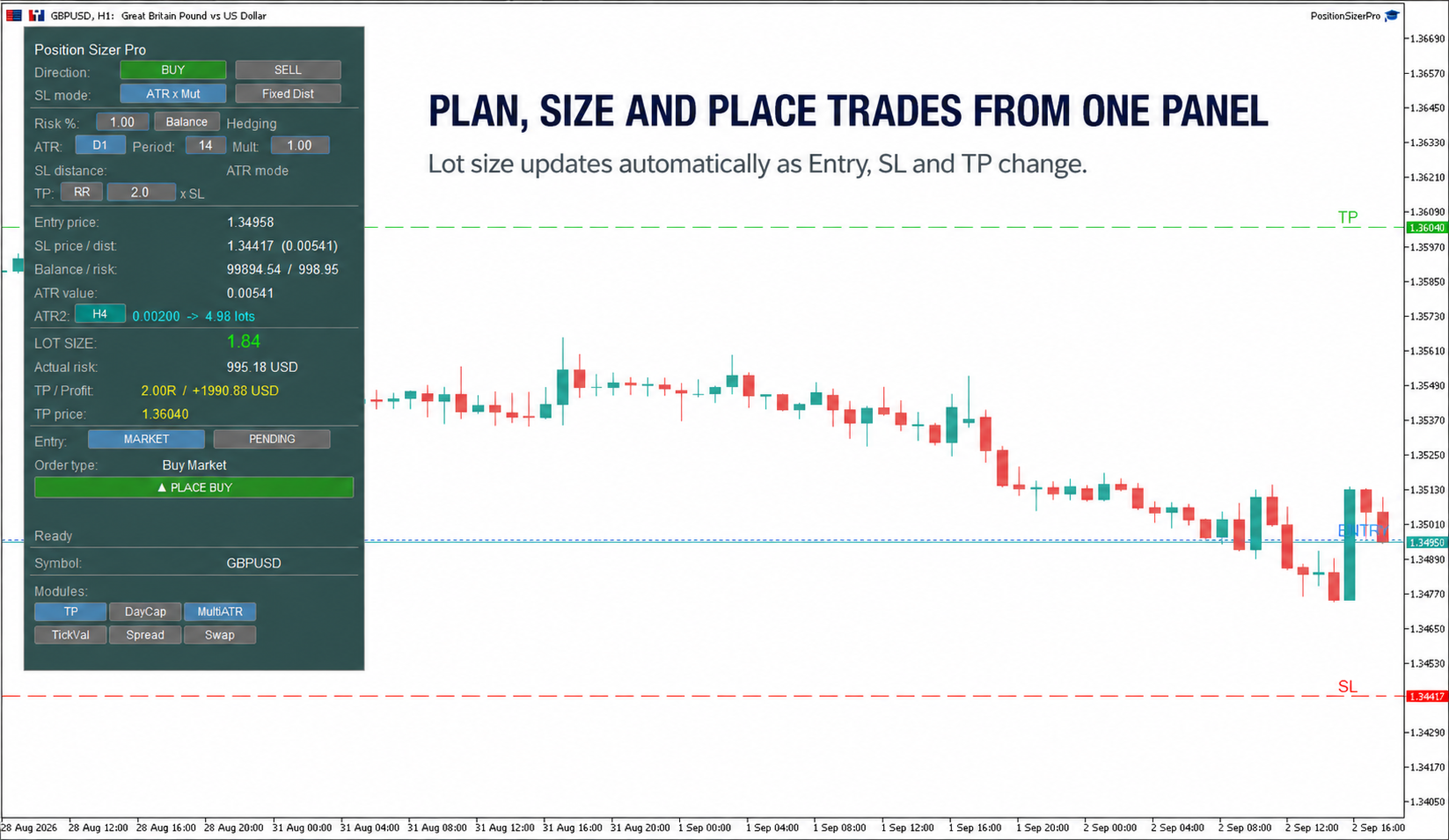
수동 계산도, 별도의 주문 창도 필요 없습니다. 주문을 전송하기 전에 진입가(Entry), 손절가(SL), 익절가(TP), 랏 수량과 실제 위험을 확인할 수 있습니다.
차트에서 시각적으로 거래 계획하기
Entry, SL, TP는 차트에 선으로 표시됩니다.
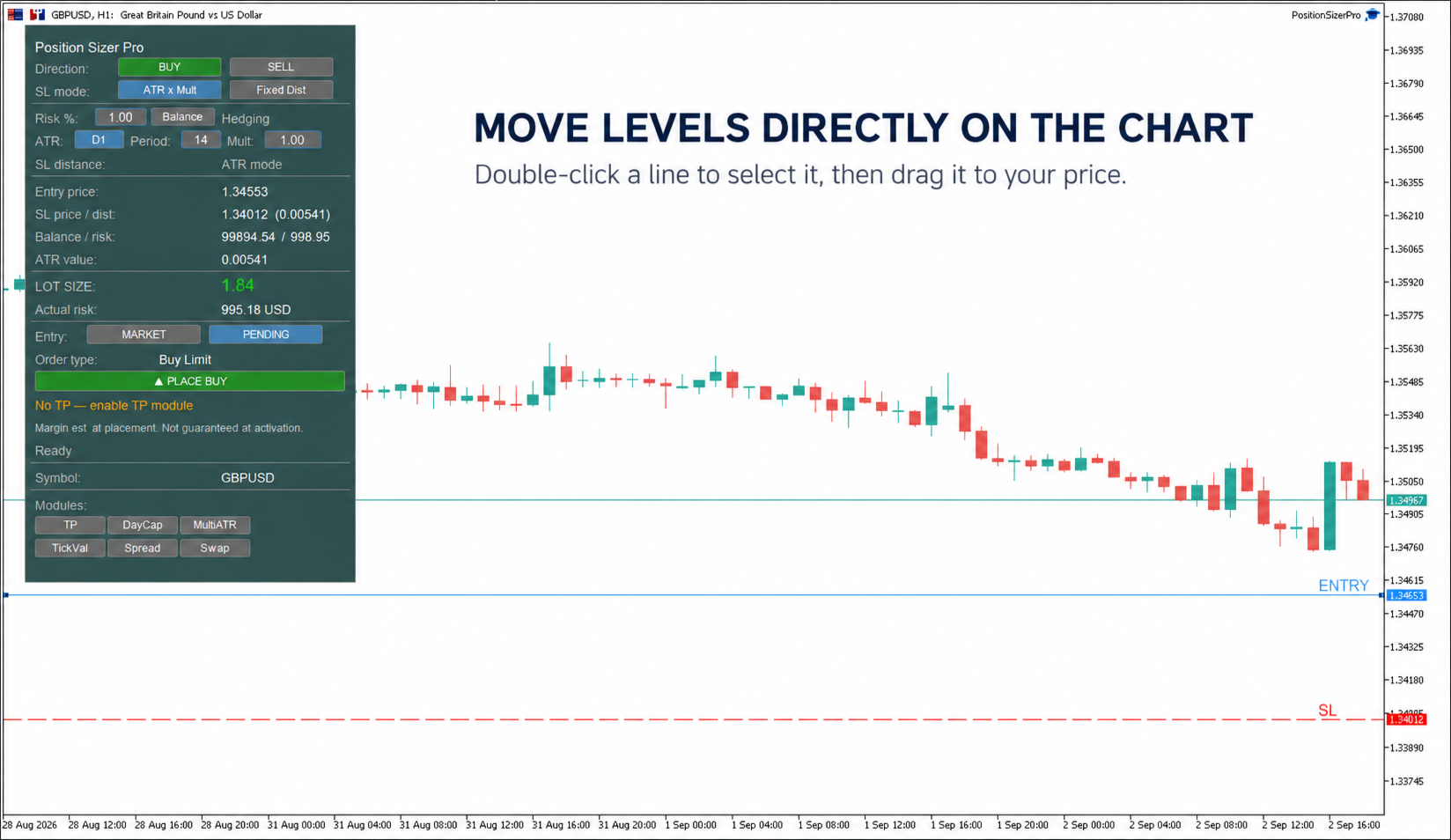
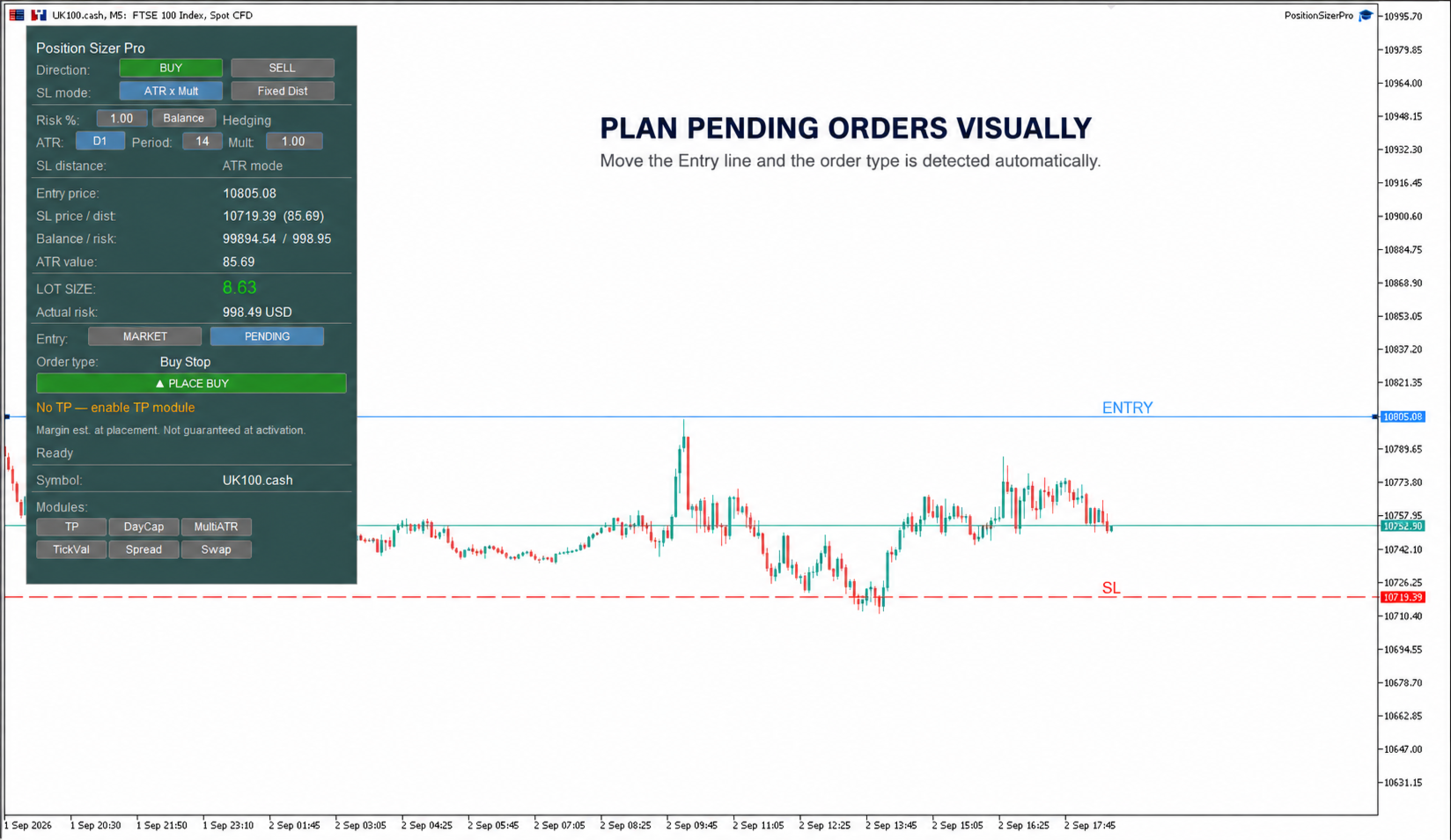
SL 선을 움직이면 랏 수량이 자동으로 갱신됩니다. Pending 모드로 전환하고 Entry 선을 원하는 가격으로 옮기면 적절한 주문 유형이 자동으로 감지됩니다.
-
Buy Stop
-
Buy Limit
-
Sell Stop
-
Sell Limit
선을 움직이려면 먼저 더블 클릭하여 선택한 다음 원하는 가격으로 드래그하세요. Pending 모드로 전환하면 Entry 선이 자동으로 선택됩니다.
패널에서 바로 주문 제출하기
BUY 또는 SELL을 선택하고, Market 또는 Pending을 선택한 뒤 PLACE를 클릭하세요.
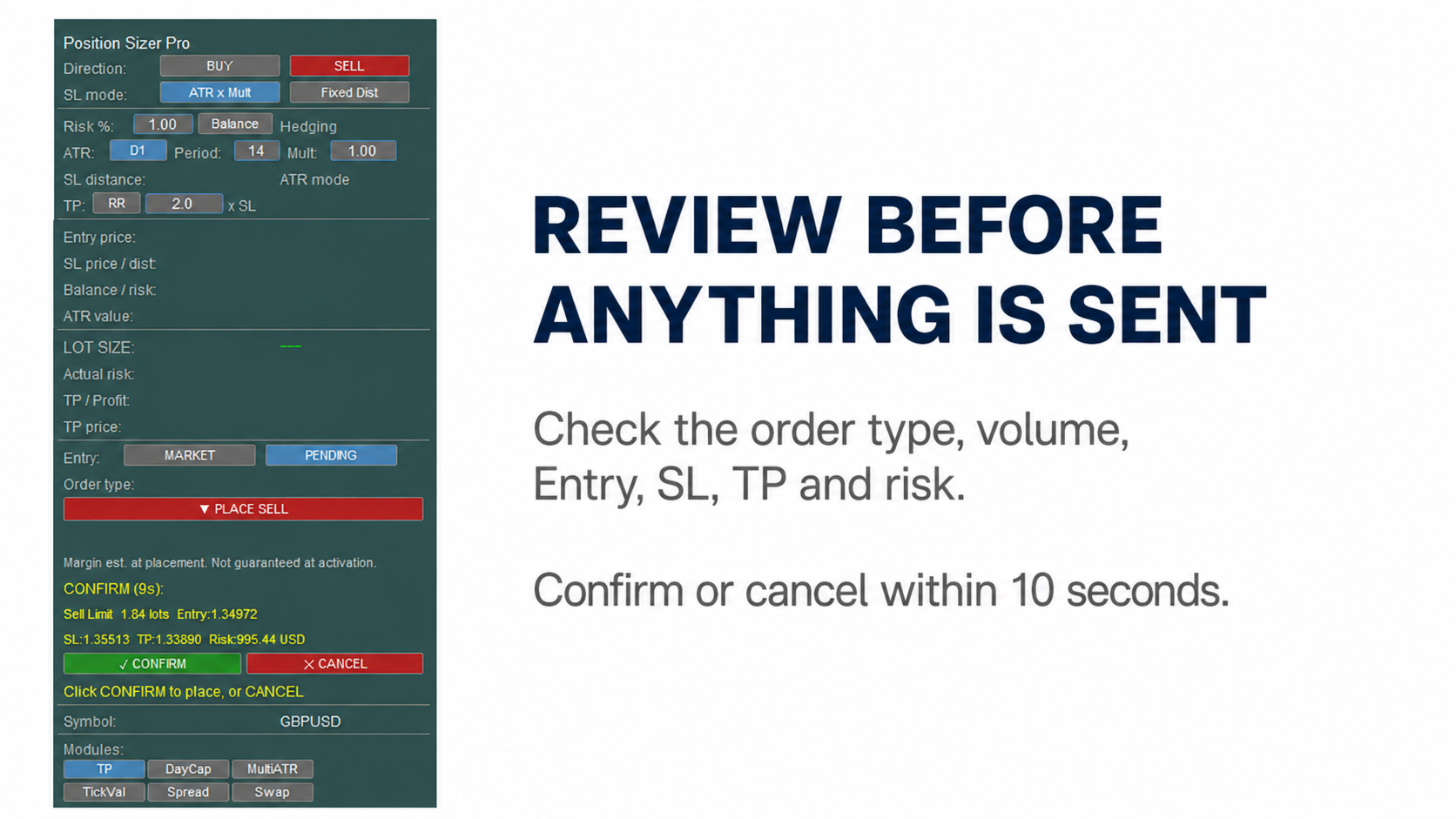
확인 화면에는 주문 유형, 거래 수량, Entry, SL, TP 및 위험이 표시됩니다. 이후 10초 이내에 확정하거나 취소할 수 있습니다.
주문을 전송하기 전에 EA가 랏 수량, 진입가 대비 SL 및 TP의 방향, 브로커가 정한 스톱 레벨의 최소 거리, 사용 가능한 증거금, 브로커의 거래 요청 사전 검사 결과를 확인합니다. 문제가 있으면 패널에 수정해야 할 내용이 표시됩니다.
원하는 방식으로 Take Profit 설정하기
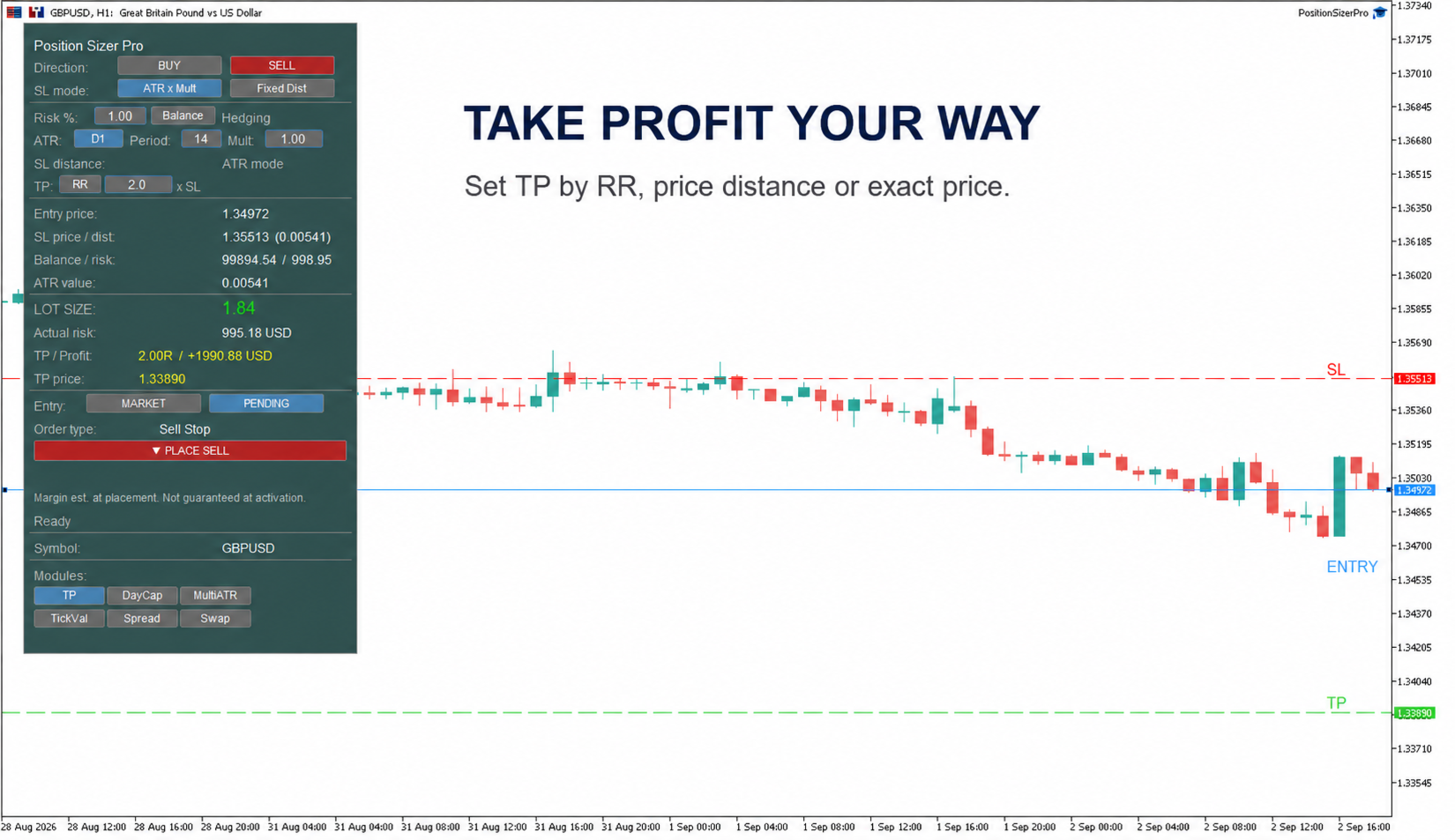
세 가지 TP 모드 중 선택하세요.
-
위험 대비 수익 비율(RR)
-
가격 차이
-
정확한 가격 지정
버튼 하나로 모드를 전환할 수 있습니다. 패널에는 설정에 따른 RR, 계좌 통화 기준 예상 수익, 정확한 TP 가격이 항상 표시됩니다.
차트에서 TP 선을 직접 드래그할 수도 있습니다. TP가 진입가를 기준으로 잘못된 쪽에 있으면 선이 빨간색으로 바뀌고, 수정할 때까지 주문 전송이 차단됩니다.
TP는 선택 사항이며 모듈 전체를 끌 수 있습니다.
원하는 방식으로 Stop Loss 설정하기
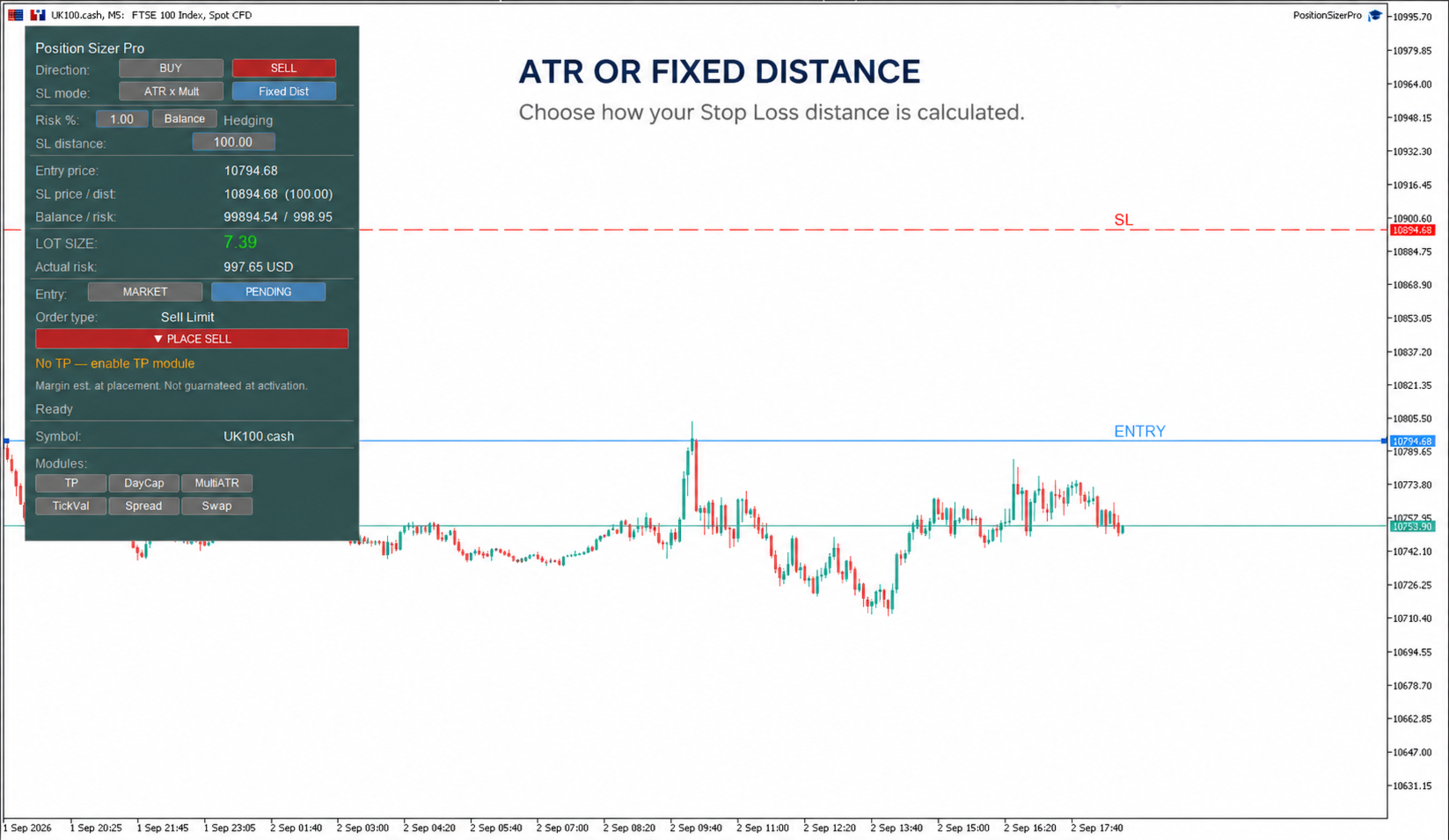
ATR 모드는 변동성을 바탕으로 SL 거리를 계산합니다. ATR의 차트 시간 주기, 계산 기간, 배수는 모두 패널에서 직접 변경할 수 있습니다.
Fixed Distance 모드에서는 가격 차이를 입력하거나 SL 선을 차트의 정확한 가격 수준으로 옮길 수 있습니다.
위험 계산 기준 선택하기
잔고(Balance), 평가자산(Equity) 또는 여유 증거금(Free Margin)을 기준으로 위험을 계산할 수 있습니다.
거래 수량을 브로커가 허용하는 랏 증감 단위에 맞게 조정한 후 실제 위험을 패널에 표시합니다. 계산된 포지션 크기가 브로커의 최소 랏 수량보다 작으면, 더 큰 포지션을 강제하는 대신 경고를 표시합니다.
선택형 정보 모듈
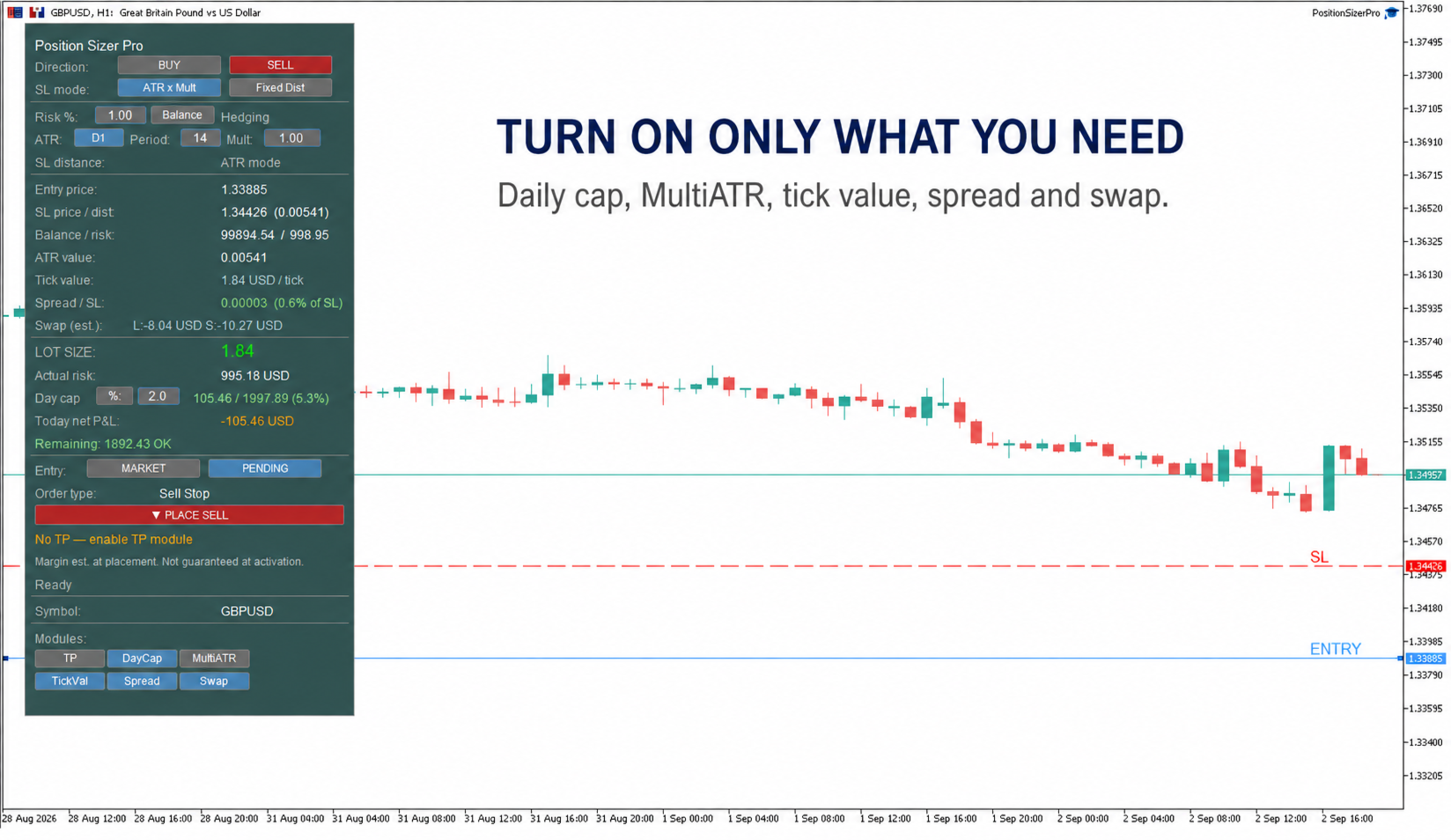
필요한 모듈만 켜세요.
-
DayCap: 설정한 일일 한도와 비교하여 오늘의 실현 순손익을 추적합니다. 프롭 트레이딩 회사의 트레이더에게도 유용합니다.
-
MultiATR: 사용자가 선택한 두 번째 ATR 차트 시간 주기를 사용해 포지션 크기 계산 결과를 비교할 수 있습니다.
-
TickVal: 계산된 거래 수량에 대한 틱 가치를 계좌 통화로 표시합니다.
-
Spread: SL 거리 대비 스프레드를 백분율로 표시합니다.
-
Swap: 매수 및 매도 포지션을 다음 날까지 보유할 때의 스왑을 추정합니다.
헤징 및 네팅 계좌 지원
Position Sizer Pro는 헤징 계좌와 네팅 계좌를 모두 지원합니다.
네팅 계좌에서는 새 주문이 동일 종목의 기존 통합 포지션에 영향을 줄 수 있습니다. 해당하는 경우 주문 확인 단계에서 명확한 경고가 표시됩니다.
설정 저장
위험 비율, ATR 설정, TP 모드, 활성화된 모듈, 위험 계산 기준, Market 또는 Pending 선택은 계좌 및 종목별로 따로 저장됩니다.
브로커가 지원하는 외환, 지수, 금속, 원자재 및 암호화폐 CFD에 사용할 수 있습니다.
DLL이 필요하지 않습니다.
참고: 예약 주문의 증거금은 주문 제출 시 확인하지만, 주문이 활성화되는 시점에도 필요한 증거금을 사용할 수 있다는 보장은 없습니다. 체결 가격, 슬리피지, 스왑 및 기타 거래 조건은 브로커에 따라 달라집니다.