
Bankah Bar Replay
- 유틸리티
- 버전: 1.0

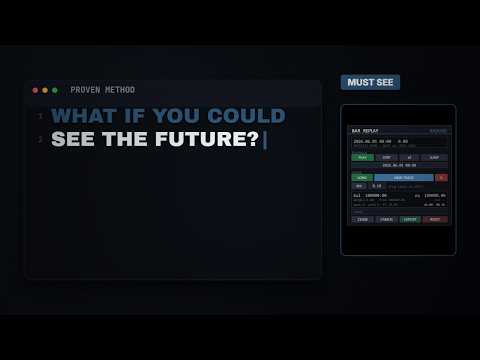
The tool builds a separate replay symbol from your chosen instrument and streams historical data into it. Because the data feeds a real symbol, every timeframe and every indicator you apply behaves exactly as it would live, and no future price information is ever visible on the chart. You decide your entries, stops, and targets before price develops, then advance the replay to see how the trade would have performed.
WHAT IT DOES
- Replays any instrument bar by bar, or continuously at speeds from 1 to 50 bars per second.
- Loads deep historical context before your chosen start date, so you can perform full top-down analysis across higher timeframes before you begin.
- Lets you draw your trade directly on the chart. You set entry, stop loss, and take profit with draggable lines, and the tool places the order when you confirm.
- Supports market orders and pending stop and limit orders, classified automatically from where you place the entry relative to price.
- Shows a live position view with a progress marker that tracks current price between your entry and your targets, updating as the replay advances.
- Simulates a trading account with balance, equity, used and free margin, and margin level.
- Models leverage, margin requirements, commission, and overnight swap, all read from the instrument and account where available.
- Applies margin call and stop out exactly as a broker would, force-closing positions when the account can no longer support them.
- Lets you size positions by fixed lots or by a chosen percentage of account risk.
- Displays open positions, pending orders, floating profit, closed profit, and a running win and loss count.
- Supports multiple replay charts at once for genuine multi-timeframe analysis, with your trades and drawings mirrored across all of them.
- Exports your completed trades to a CSV file for review in your own trading journal.
HOW IT WORKS
Attach the tool to a chart of the instrument you want to study. It opens the replay charts, loads history up to your start date, and displays a control panel. Use the panel to play, pause, step forward, change speed, or jump to a specific date and time. When you want to trade, choose a direction, start a new trade, drag the entry, stop, and target lines into place, and confirm. The panel shows the position size, reward-to-risk ratio, and required margin before you commit.
KEY INPUTS
- Source symbol: the instrument to replay. Leave empty to use the current chart symbol.
- Replay start time: the date and time from which manual replay begins.
- History depth: how much data to load before and after the start date.
- Replay timeframes: which chart timeframes to open for the replay.
- Starting balance: the virtual account balance for the session.
- Leverage: taken from the account by default, or set manually.
- Commission per lot: round-turn cost applied to each trade.
- Apply swap: whether overnight financing is charged on positions held across days.
- Spread model: fixed spread, or a random spread within a defined range.
- Default lot size and risk percentage: used for position sizing.
WHO IT IS FOR
Bankah Bar Replay is intended for traders who want to practice discretionary execution, test how a strategy behaves across market conditions, and build screen time without waiting for live markets. It performs no automated trading. Every trade is placed by you.
NOTES
The tool creates a custom replay symbol in your terminal for the instrument you study. Historical accuracy depends on the depth of data your broker provides for that instrument. Currency conversion for profit and margin uses current conversion rates.
If you have questions or run into an issue, please use the built-in chat on this product page. Feedback is welcome and helps improve future versions.













































عالی عالی