Real Spread Monitor Pro
- 지표
- 버전: 1.0

Now free. Know your real spread, and know exactly what it costs you on every trade.
Know your real spread. Know what it costs you.
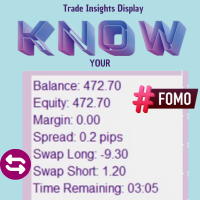
Real Spread Monitor puts the one number most traders ignore right on your chart: the real bid/ask spread, live, and exactly what it costs you per trade. Scalpers and intraday traders lose money to the spread every single day. This tool shows you when the spread is normal, when it is too wide to trade, and how it behaves hour by hour — so you trade with your eyes open.
Monitoring tool only. It does NOT execute arbitrage and does NOT compare prices between brokers — it measures the spread of YOUR own broker. Works on any symbol and any timeframe.
📘 Full user manual & guide: https://www.mql5.com/en/blogs/post/771679
📘 Full user manual & guide: https://www.mql5.com/en/blogs/post/771679
────────────────────────────────
KEY FEATURES
────────────────────────────────
• Live spread in points and in your account currency, tick by tick.
• Cost-per-lot calculator — the real money the spread takes from each trade.
• Multi-symbol watchlist (up to 10) with per-symbol sparklines.
• Rolling average / min / max, and an adaptive OK / HIGH / CRITICAL status.
• Spread-vs-ATR ratio — know if the spread is cheap or expensive for current volatility.
• Hourly typical-spread heatmap with an average reference line — find the cheap and expensive hours at a glance.
• Heatmap fills INSTANTLY from up to 7 days of your broker's history (no waiting) and keeps learning live; data is saved between sessions.
• Configurable alerts: popup, sound and push when the spread spikes.
• On-chart floating spread label, Dark & Light themes, adjustable font, English & Spanish.
• Handles broker symbol suffixes (XAUUSD.m, EURUSD.pro, etc.) automatically.
────────────────────────────────
HOW TO USE
────────────────────────────────
1) Attach the indicator to an active chart (e.g. XAUUSD).
2) Read the big number — the live spread of the focused symbol — plus its cost per lot.
3) Click any symbol in the watchlist to focus it.
4) Use the "AVG SPREAD BY HOUR" chart to find the cheap/expensive hours: bars above the dotted "avg" line are the expensive hours to avoid; below are the cheap ones.
5) Leave it running — it learns your broker's spread and alerts you when the spread spikes.
────────────────────────────────
HOW THE HOURLY HEATMAP WORKS
────────────────────────────────
On load it reads up to 7 days of your broker's bar history and buckets the spread by hour of day, so it is useful immediately (gold, indices, most CFDs). As it runs it keeps adding live samples and SAVES them, so the chart survives timeframe changes and restarts. If a symbol's history has no spread data, the chart fills in live over time. If it looks empty right after loading, give it a couple of minutes — it retries the backfill automatically.
────────────────────────────────
INPUTS (overview)
────────────────────────────────
Display: Theme · Language · Panel position · Refresh rate · Font scale.
Watchlist: comma-separated symbols (up to 10) · Rolling average window (minutes).
Alerts: enable · High factor (avg × 2) · Critical factor (avg × 4) · Popup / Sound / Push.
Cost: Reference lot size (set it to the size you trade).
Chart Style: Hide grid · Apply color scheme · On-chart spread label.
────────────────────────────────
FAQ
────────────────────────────────
• Heatmap empty? Broker history still downloading or has no spread for that symbol — wait a couple of minutes; it retries and otherwise fills in live.
• A forex pair shows 0.0? Its market is likely closed; it updates when open.
• Cost too big/small? It is for the Reference lot size — set that to your size.
• Broker uses suffixes? Just put the base names; it resolves them automatically.
Why I made this free: if you scalp gold on M1, spread and slippage are what
decide whether a strategy makes money or loses it. This tool tells you in seconds
whether your broker gives the real RAW/ECN conditions a fast scalper needs. If it
does, and you want a robot built for exactly those conditions, my Expert Advisors
are on my profile.
It costs you nothing. If it helps you read your broker better, a short review
means a lot and helps other traders find it.
────────────────────────────────
DISCLAIMER
────────────────────────────────
Real Spread Monitor is a monitoring tool. It does not provide financial advice, does not execute arbitrage and does not compare brokers. All trading decisions are yours. Trading carries a high level of risk.