
QuantFusion
- Experts
- 버전: 6.3
- 업데이트됨: 23 9월 2026
- 활성화: 10

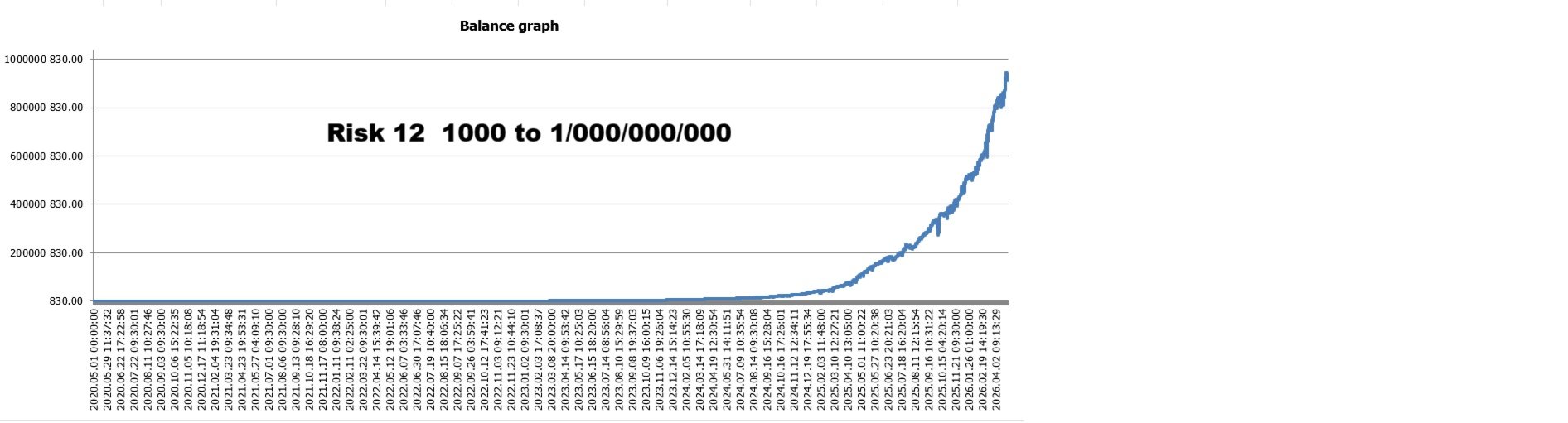
Live Performance – Risk 12
MQL5 Signal: https://www.mql5.com/en/signals/2384529
I Am QuantFusion – Multi-Strategy EURUSD Trading Engine
🚀 Overview
I am QuantFusion — an advanced algorithmic trading system developed exclusively for the EURUSD pair in ECN trading environments.
Instead of relying on a single trading logic, I combine 46 independent swing-trading strategies into one diversified portfolio structure. My architecture is designed to adapt to changing market conditions including trending, ranging, volatile, and low-volatility environments.
Rather than depending on high-frequency scalping or ultra-fast execution models, I focus on structured market behavior, medium-term price movement analysis, and adaptive portfolio management.
My objective is to reduce dependency on a single market condition while maintaining diversified exposure and balanced portfolio behavior.
🧠 Key Features
-
46 Independent Swing-Trading Strategies
-
Designed for EURUSD ECN Accounts
-
Fully Automated Portfolio Execution
-
Adaptive Multi-Strategy Logic
-
Internal Portfolio Risk Distribution
-
Transparent Magic Number Structure
-
Historical Risk Analytics
-
Advanced Exposure-Control Profiles
🧠 Swing Trading Architecture
All internal strategies are built around swing-trading behavior and medium-term market analysis.
I do not rely on high-frequency scalping techniques or ultra-short-term execution sensitivity. Instead, I operate using structured price movement analysis and adaptive position management.
Because of this architecture, I am generally less sensitive to spread fluctuations, execution delays, and minor latency variations compared to traditional scalping systems.
This allows me to operate more efficiently in stable ECN trading environments.
💻 Transparent Magic Numbers (46 Strategies)
Each internal strategy uses its own dedicated Magic Number for transparent portfolio tracking and independent execution management.
// Fixed Magic Numbers for the 46 Internal Strategies
int MagicNumbers[] =
{
48101, 48102, 48103, 48104, 48105,
48106, 48107, 48108, 48109, 48110,
48111, 48112, 48113, 48114, 48115,
48116, 48117, 48118, 48119, 48120,
48121, 48122, 48123, 48124, 48125,
48126, 48127, 48128, 48129, 48130,
48131, 48132, 48133, 48134, 48135,
48136, 48137, 48138, 48139, 48140,
48141, 48142, 48143, 48144, 48145,
48146, 48147, 48148, 48149, 48150,
48151, 48152, 48153, 48154, 48155,
48156, 48157, 48158, 48159, 48160,
48161, 48162, 48163, 48164, 48165,
48166, 48167, 48168, 48169, 48170,
48171, 48172, 48173, 48174, 48175,
48176, 48177, 48178, 48179, 48180,
48181, 48182, 48183, 48184, 48185,
48186, 48187, 48188, 48189, 48190,
48191, 48192, 48193, 48194
};
📊 Historical Risk Analytics
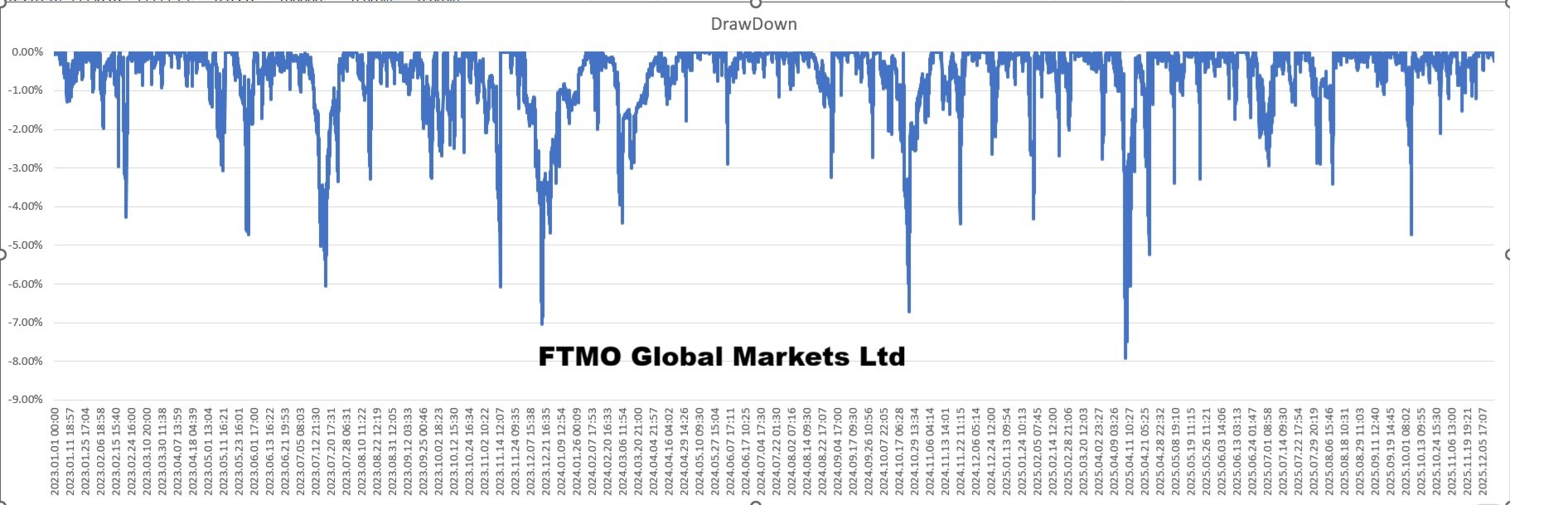
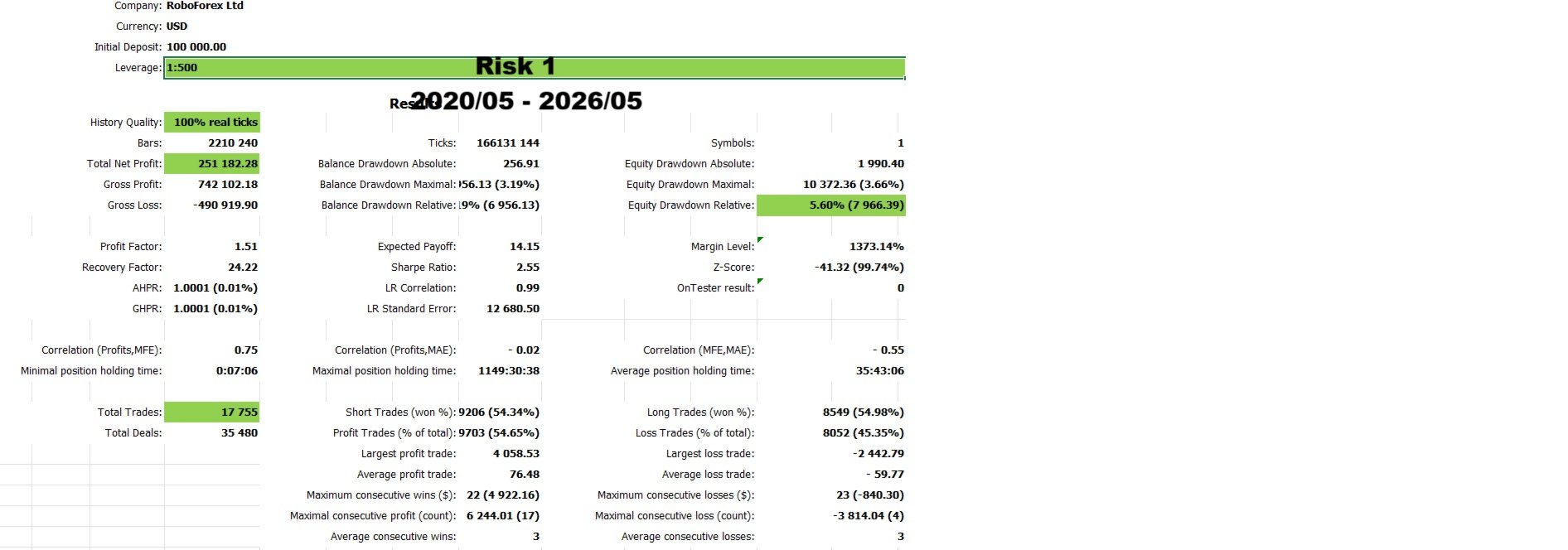
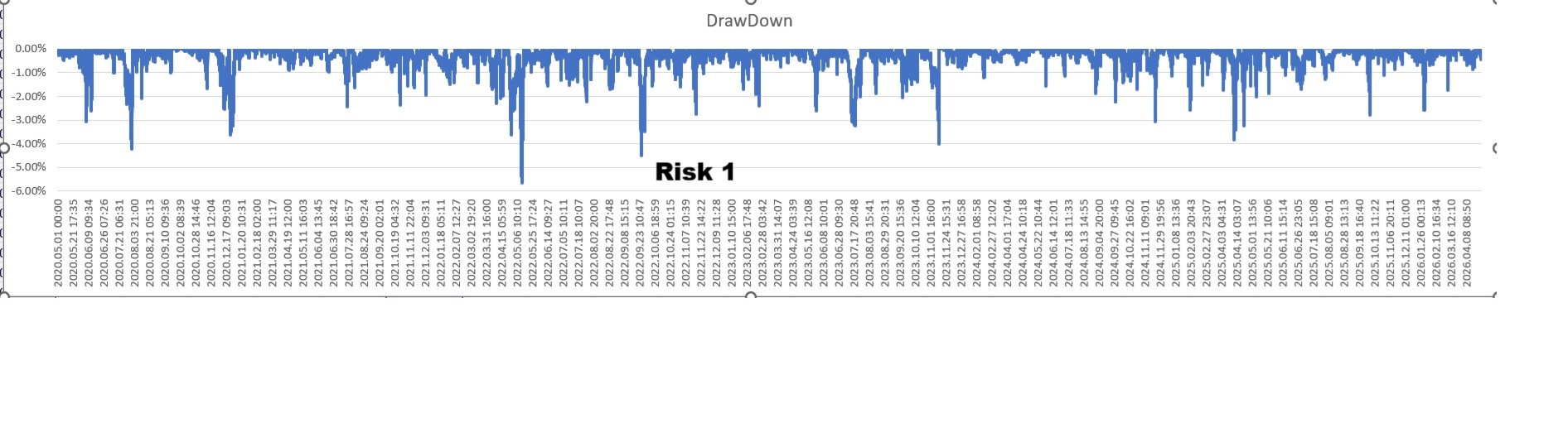
My analytics are based on Drawdown from Peak Balance, including all realized profits and losses.
This provides a broader representation of historical portfolio behavior compared to floating drawdown metrics alone.
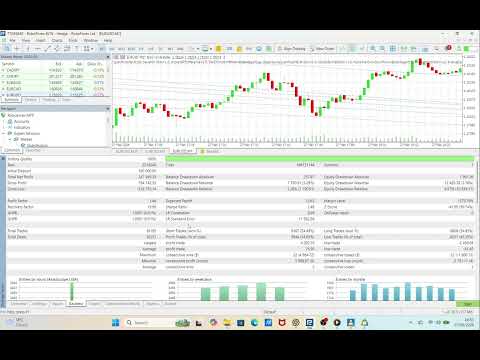
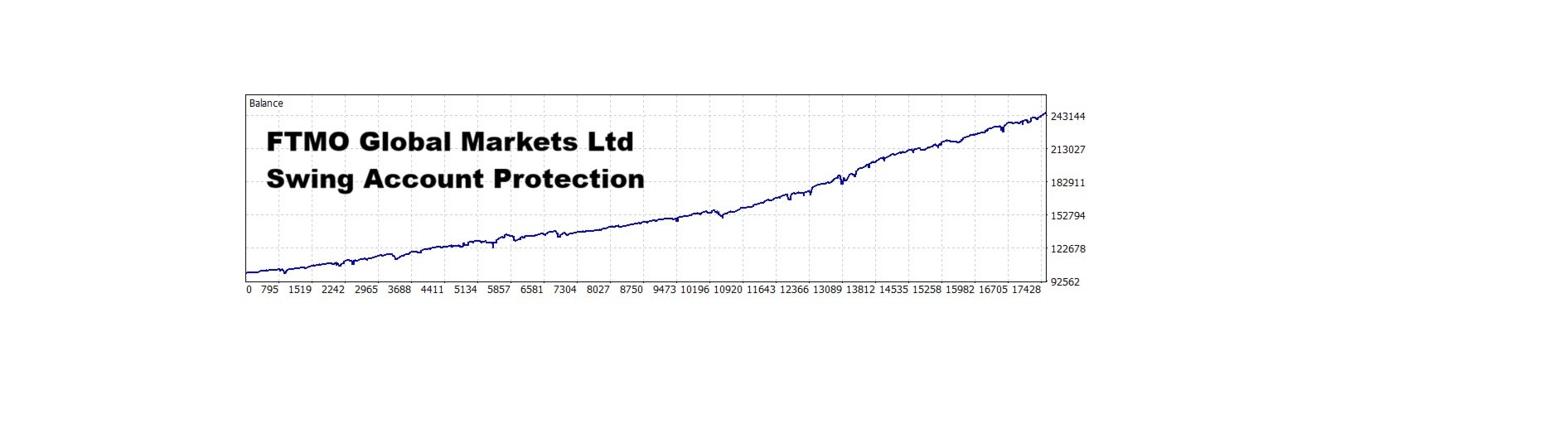
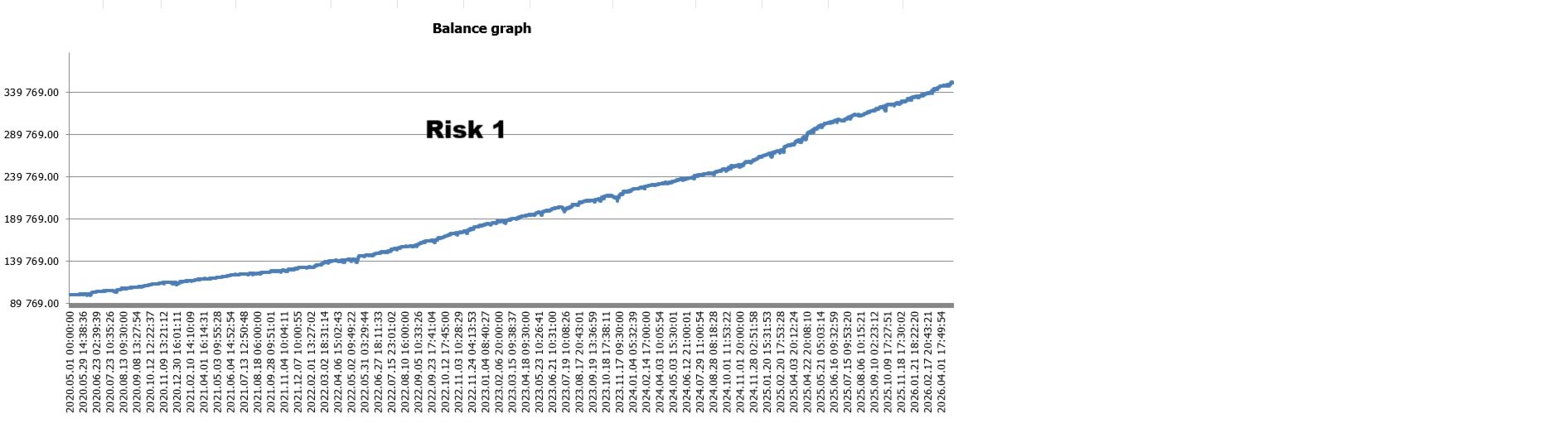
Historical backtests from January 2020 to May 2026 demonstrate observed recovery behavior across multiple market phases.
Recovery Behavior Examples
-
2020 → Recovery to new equity highs within 13 days
-
2022 → Recovery period of 15 days
-
2024 → Stable recovery cycle across 31 days
-
2026 → Recovery within 11 days
Performance may vary depending on broker conditions, spread, execution quality, VPS latency, and BrokerGMT configuration.
💰 Account Balance and Risk Management
I automatically adjust position sizing based on account equity. Account balance and selected risk level are the primary factors influencing overall portfolio exposure.
Recommended Balances
-
🏆 Optimal Balance: $20,000+
-
✅ Standard Balance: $10,000
-
⚠️ Minimum Balance: $1000
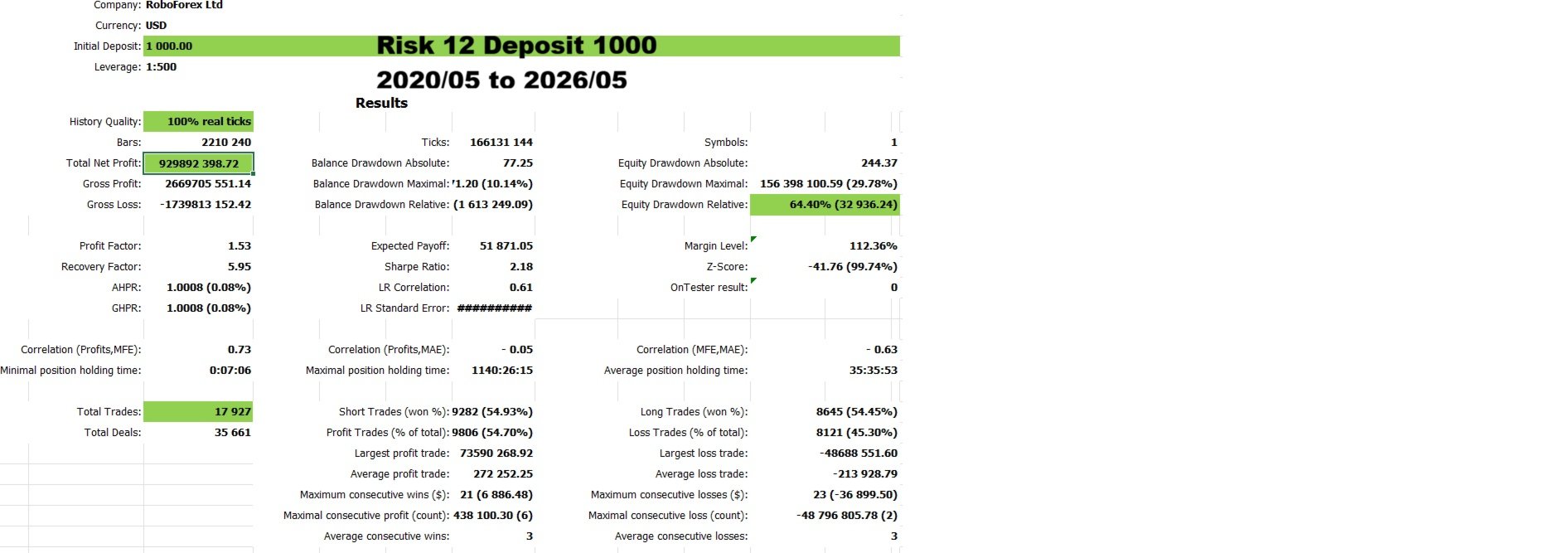
At the minimum balance level, I internally operate at an exposure equivalent to approximately Risk = 12, representing my highest aggressive portfolio configuration.
Lower balances naturally increase portfolio exposure and may lead to higher account volatility during unstable market conditions.
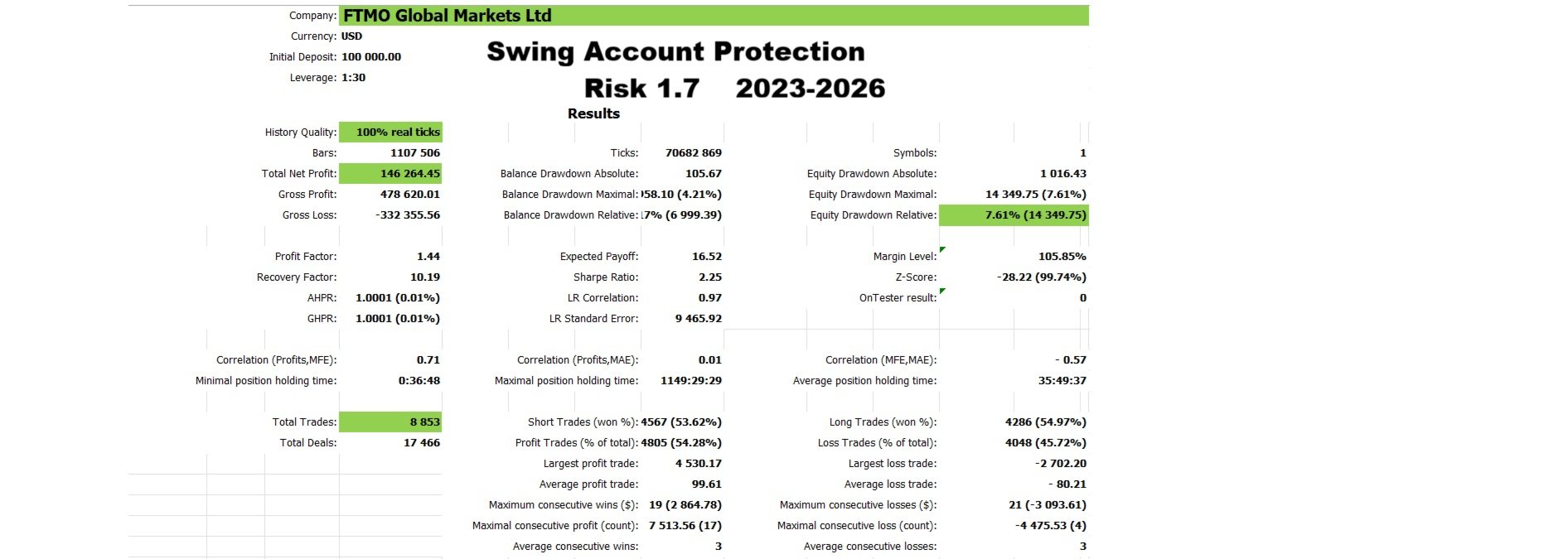
🛡️ Swing Account Protection Profiles
I include internal exposure-control configurations designed for swing-style trading environments operating under disciplined capital management conditions.
| Swing Account Profile | Leverage | Recommended Risk |
|---|---|---|
| Conservative | 1:30 | Risk = 1 |
| Balanced | 1:30 | Risk = 1.5 |
| Aggressive | 1:30 | Risk = 2 |
These configurations are designed to support balanced equity behavior and controlled portfolio exposure.
⚠️ High-Risk Configuration
I am capable of operating on leverage up to 1:500 with risk levels up to Risk = 12.
This configuration represents a highly aggressive exposure environment.
Higher leverage and aggressive risk settings may significantly increase portfolio volatility during unstable market conditions.
⚙️ Standard Risk Settings
My unified portfolio risk system manages exposure across all 46 internal strategies.
-
Risk = 1 → Conservative
-
Risk = 1.5 → Balanced
-
Risk = 2 → Aggressive
-
Risk = 3+ → Very Aggressive
Past performance does not guarantee future results.
🕒 BrokerTimeOffset Setting
My execution logic depends on the correct BrokerTimeOffset configuration.
How to Configure BrokerTimeOffset
-
Check your broker server time.
-
Compare it with realLondon time.
-
Set the difference as your BrokerTimeOffset value.
Example:
-
Broker Server Time =Lodon + 2
-
BrokerTimeOffset = 2
Incorrect BrokerTimeOffset settings may affect trading behavior and backtest consistency.
📋 Pre-Live Recommendations
1. Backtesting
Before live trading, it is strongly recommended to perform a detailed backtest using your broker’s ECN conditions and correct BrokerGMT configuration.
Because I combine 46 independent internal strategies, my backtests may take longer than typical single-strategy Expert Advisors.
This is normal and does not indicate any issue with live trading performance. In live trading, I process market conditions in real time and operate normally.
For accurate historical analysis, always use Real Tick Data with 100% quality modeling during backtesting.
Backtests performed with lower-quality modeling or incomplete tick data may produce unrealistic or unreliable results.
Please be patient during backtesting, especially when testing long historical periods or using high-quality tick data.
2. Demo Testing
Please test the demo version within your broker environment before using live capital.
🛡️ Trading Notes
I am designed for EURUSD ECN environments and diversified swing-style portfolio execution.
For best performance, use stable spreads, correct BrokerGMT settings, and risk configurations appropriate for your account size.
Trading performance may vary depending on broker and market conditions.
[Download Demo / Purchase QuantFusion / Follow Signal]








































사용자가 평가에 대한 코멘트를 남기지 않았습니다