Lot Assistant MT4

  • 유틸리티
  • Hamed Dehgani
    Hamed Dehgani
    4.6 (279)
    저는 Hamed이며, 18년 경력의 전문 MQL4/MQL5 개발자로 MetaTrader 플랫폼용 EA(자동매매), 지표, 트레이딩 도구를 제작하고 있습니다.
    그동안 전 세계 트레이더와 기업을 위해 3,000개 이상의 맞춤형 프로젝트를 완성하며, 트레이딩 아이디어를 완전하고 고성능의 시스템으로 구현해왔습니다.
    이제 저는 제 경험을 공유하여 트레이더들이 수익성 있고 효율적인 자동화 전략을 구축하도록 돕고 있습니다.
    간단한 스크립트든 복잡한 멀티 로직 EA든, 제 18년의 경험으로 여러분의 아이디어를 실현해드립니다.
  • 버전: 1.1

Lot Assistant MT5 소개

  1. 위험 금액(달러) 손절을 기반으로 한 스마트 로트 계산

  2. 자동 손절 설정이 포함된 빠른 원클릭 거래

  3. MetaTrader One Click Trading에서 영감을 받은 간단하고 깔끔한 거래 패널

Lot Assistant MT5 는 트레이더가 리스크를 관리하고 신속하게 거래를 열 수 있도록 도와주는 무료 거래 유틸리티입니다. 이 패널은 많은 트레이더가 빠른 실행을 위해 이미 사용하고 있는 MetaTrader One Click Trading 도구에서 영감을 받았습니다. 빠른 Buy 및 Sell 버튼 외에도, 이 도구는 Profit 및 Stop Loss를 위한 두 개의 중요한 편집 가능한 필드를 제공합니다. 손절 포인트와 위험으로 감수할 금액을 설정하기만 하면, 도구가 자동으로 올바른 로트 크기를 계산합니다. 거래가 열리면 계산된 로트 크기와 지정된 손절가로 즉시 포지션이 실행되어 보다 안전하고 통제된 거래가 가능합니다.

사용 방법

Lot Assistant MT5 사용은 매우 간단합니다. 패널은 Profit, Stop Loss, Lot Size의 세 가지 주요 편집 가능한 필드를 보여줍니다. Profit 박스(녹색)와 Stop Loss 박스(빨강)는 편집 가능하며, 트레이더가 차트에서 직접 값을 조정할 수 있습니다. 사용자가 손절 거리를 포인트 단위로 설정하고 감수할 금액을 정의하면, EA가 자동으로 적절한 로트 크기를 계산하여 흰색 박스에 표시합니다. 이를 통해 수동 로트 계산이 필요 없으며, 거래 리스크가 제어됩니다. 값을 설정한 후, 트레이더는 Buy 또는 Sell 버튼을 눌러 EA가 계산된 로트 크기로 즉시 거래를 열고 손절을 자동으로 설정하도록 할 수 있습니다.

그래픽 거래 패널의 위치도 조정할 수 있습니다. 두 개의 입력 매개변수를 통해 사용자가 차트에서 인터페이스의 수평 및 수직 위치를 제어할 수 있어, 개인 취향이나 차트 레이아웃에 따라 패널을 화면의 원하는 위치에 쉽게 배치할 수 있습니다.

이 무료 제품을 즐기시길 바랍니다. 효과적인 거래 전략을 찾고 있다면 Strategy Assistant를 방문하시길 권장합니다. 이 강력한 지표는 여러 전문 거래 전략을 하나의 도구에 결합합니다.

또한 이 무료 제품에 대한 피드백과 리뷰를 남겨 향후 더 많은 무료 도구 개발을 지원해 주세요.

추가로, 더 많은 거래 솔루션과 업데이트를 확인하려면 제 채널에 가입하실 수 있습니다.


추천 제품
Psychology
Tais Miranda Hoffmann
4.6 (5)
The most different product of the site: This tool is an auxiliary tool aimed at managing your trades and psychological discussions. As you probably know, more than 70% of the reason for the success of big traders is psychological issues. Only 30% is related to your strategy. So it is better to strengthen this big part with a tool. With a free tool, I allow you to become a better trader   This tool consists of several rules. In version 1.0, we have 7 rules. In later versions, we will add more ru
FREE
StatsBar
Maksim Kalachev
StatBar 1.6 Indicator showing balance, earnings for today, yesterday and the day before yesterday. The indicator also shows: - Server; - GMT; - Server time; - Shoulder; - Spread. Description of variables: extern int Magic = "-1"; // Magic for statistics -1 = all 0 = manual extern string Symboll = "-1"; // Symbol for statistics -1 = all 0 = current EURUSD = for EURUSD
FREE
If you run an EA on a VPS, it is necessary to quickly notice if the server loses the connection to the broker. The ServerGuard24 EA checks the connection to the broker once a minute and sends the result to our monitoring server. There we notify you by e-mail, SMS, push and much more. The setup is super easy: 1. register at www.serverguard24.de 2. create a "Cron" check 3. copy the URL that is shown to you during the "Cron" check into the properties of the EA. And you can be sure that your Met
FREE
OTRX Fimathe Backtest is a tool for the Trader or Enthusiast who uses the Fimathe technique created by Trader Marcelo Ferreira to carry out his training and validate if he can obtain profitability. In this tool you will be able to: 1. Define whether you are looking for a buy or sell entry. (Trend). 2. Define by clicking twice on the horizontal lines where your Reference Zone and your Neutral Zone will be. 3. Monitor the entry, subcycle and exit of the trade. 4. Trading Summary, Daily, Week
FREE
High Low Open Close MT4
Alexandre Borela
4.81 (21)
이 프로젝트를 좋아한다면 5 스타 리뷰를 남겨주세요. 이 지표는 열리고, 높은, 낮은 및 마감 가격을 지정합니다. 기간과 그것은 특정한 시간대를 위해 조정될 수 있습니다. 이들은 많은 기관 및 전문가에 의해 보는 중요한 수준입니다 상인은 당신이 더 많은 것일 수있는 장소를 알고 도움이 될 수 있습니다 이름 * 사용 가능한 기간: 이전 날. 이전 주. 지난 달. 이전 분기. 이전 연도. 또는: 현재 날. 현재 주. 현재 달. 현재 분기. 현재 년.
FREE
SnowyOwlFree
RODION SLOTIN
3 (2)
The free version of the snowyowl trend adviser, which is based on determining combinations of candle patterns. A virtual trailing stop tracks each open order and groups open orders to close them simultaneously. In the free version, you can only work on one timeframe, while in the paid version, opening orders on the selected TF is a signal to open orders on lower TF.
FREE
VR Color Levels MT4
Vladimir Pastushak
5 (2)
VR 컬러 레벨은 추세선, 직사각형, 텍스트 등의 요소를 사용하여 기술적 분석을 적용하는 사람들에게 편리한 도구입니다. 차트에 직접 텍스트를 추가하고 스크린샷을 찍는 것이 가능합니다. 설정, 세트 파일, 데모 버전, 지침, 문제 해결 등은 다음에서 얻을 수 있습니다. [블로그] 다음에서 리뷰를 읽거나 작성할 수 있습니다. [링크] 버전 [MetaTrader 5] 표시기 작업은 한 번의 클릭 으로 수행됩니다. 이렇게 하려면 선이 있는 버튼을 클릭하세요. 그러면 커서 아래에 추세선이 나타납니다. 그런 다음 커서를 움직여 선 위치 를 선택하고 다시 클릭하여 수정하면 됩니다. 표시기 의 특징은 스타일과 색상의 모든 변경 사항이 자동으로 저장되고 나중에 새로 생성된 모든 그래픽 개체에 적용된다는 것입니다. 이 지표에는 서로 다른 스타일의 추세선을 설정하기 위한 두 개의 독립 버튼, 서로 다른 스타일의 두 개의 독립 직사각형, 자체 스타일이 있는 하나의 텍스트 필드 및 스크린샷 생성용 버튼
FREE
Manual zig zag
Andrey Koshcheev
5 (7)
Manual Zig-zag allows you to build a zig-zag with the mouse, to build it is necessary to turn on the zig-zag and left-click. The file must be placed in the \ MQL4 \ Indicators folder then in the terminal from the list of indicators put it on the chart. A zigzag can be built so that this zigzag can only be seen on the current time frame or in all halves at once. You can change the color and thickness of the line while on the chart without getting into the settings. You can quickly remove each
FREE
This simple but useful script calculates the lot in % of the deposit. It is indispensable for risk management. There is only one customizable parameter: MaxRisk - risk in % for lot calculation. The product works as a standard script. Launch it once on an appropriate chart and start trading using the calculated lot value. Genious is simplicity! Happy trading!
FREE
EA Close All Set TPSL All  Panel MT4 EA Close All Set TPSL All MT4 is a professional utility tool for MetaTrader 4 that helps traders manage orders quickly and efficiently. With a clean on-chart control panel, you can close trades or set Take Profit / Stop Loss levels for all orders with just one click.       [MT5 Version --->  click . ] Key Features On-Chart Control Panel – Light gray background with simple and intuitive design. Close All Orders – Instantly close all active Buy, Sell, and Pe
FREE
NAS100 Auto Sl And TP
Moustapha Boulouz
5 (2)
MT4용 NAS100 Auto SL 및 TP 메이커를 소개합니다: 메타트레이더 4에서 나스닥 100 시장을 탐색하는 트레이더에게 필수적인 보조 도구인 NAS100 Auto SL 및 TP 메이커로 손절 및 테이크프로핏 설정을 다시는 놓치지 마세요. 이 도구는 손절 및 테이크프로핏 레벨을 자동으로 관리할 수 있는 원활한 솔루션을 찾는 분들을 위해 설계되었습니다. 주요 특징: 손쉬운 자동화: 스톱로스 및/또는 테이크프로핏 없이 나스닥 100 거래를 자동으로 모니터링합니다. 사용자가 구성한 설정에 따라 레벨을 동적으로 조정합니다. 다양한 주문 유형: 나스닥 100의 시장가 주문과 지정가 주문 모두 호환됩니다. 메타트레이더 4에서 사용할 수 있는 다양한 주문 유형을 지원합니다. 맞춤형 구성: 사용자 친화적인 매개변수 설정으로 추적 기본 설정 및 손절/익절 수준을 사용자 지정할 수 있습니다. 유연한 범위: 실행되는 특정 NAS100 상품 또는 거래되는 모든 상품에 대해 손절 및 이익실현을 설
FREE
EA News
Konstantin Kotlov
3.4 (5)
EA News that includes multiple strategies for trading rapid price swings. It is designed to simplify the placement of pending orders at a specified distance from the price of price channel. The EA can trade both the price breakouts and rebounds. There are two trading modes: Automatic - the EA downloads the news from the site http://ec.forexprostools.com/. When it finds the symbol of the currency pair and the specified volatility of the news, it places pending orders several minutes before the re
FREE
Free automatic fibonacci
Tonny Obare
4.68 (50)
Free automatic Fibonacci is an indicator that automatically plots a Fibonacci retracement based on the number of bars you select on the BarsToScan setting in the indicator. The Fibonacci is automatically updated in real time as new highest and lowest values appears amongst the selected bars. You can select which level values to be displayed in the indicator settings. You can also select the color of the levels thus enabling the trader to be able to attach the indicator several times with differe
FREE
Auto TP SL Manul Open Panding Orders Overview: AUto TP SL Manul Open Panding Orders is an innovative trading platform designed to enhance trading efficiency and effectiveness in managing financial investments. Key Features: Automated Management : Seamlessly manage take-profit (TP) and stop-loss (SL) orders with our advanced automation tools. Manual Adjustments : Maintain control with manual options, allowing traders to adjust orders according to market conditions.
FREE
Market Profile 3
Hussien Abdeltwab Hussien Ryad
3 (2)
Market Profile 3 MetaTrader 4 indicator  — is a classic Market Profile implementation that can show the price density over time, outlining the most important price levels, value area, and control value of a given trading session. This indicator can be attached to timeframes between M1 and D1 and will show the Market Profile for daily, weekly, monthly, or even intraday sessions. Lower timeframes offer higher precision. Higher timeframes are recommended for better visibility. It is also possible t
FREE
Close Button
Wang Yu
4.76 (38)
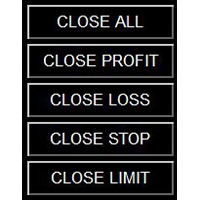
如果产品有任何问题或者您需要在此产品上添加功能,请联系我 Contact/message me if you encounter any issue using the product or need extra feature to add on the base version. Close Button provides you an intuitive, effective, and handy way to close your orders based on their type. The utility provides seven close options: Close All: close all orders, including trading and pending ones. Close Profit: close all orders which are in profit. Close Loss: close all orders which are in loss. Close Stop: close all stop orders. Close L
FREE
Dragon Structure Filter
Rodion Matveichuk
4 (2)
Представляем "Dragon_Structure_Filter" — это не просто индикатор. Это ваш личный аналитический отдел, встроенный в MetaTrader 4. Он находит мощнейший разворотный паттерн "Дракон" и пропускает его через 7 степеней защиты от убыточных сделок. Наша Технология Фильтрации: Как Мы Отсеиваем 95% "Мусорных" Сигналов Каждый фильтр — это ваш личный страж, который стоит на защите вашего депозита. Вот как они работают: Фильтр 1: Согласование с Глобальным Трендом (Market Structure Filter) Как работает?
FREE
SX Supply Demand Zones accurately identifies and draws high-probability Supply and Demand zones using a sophisticated algorithm. Unlike traditional indicators that clutter your chart, this indicator is designed with a focus on performance and a clean user experience. New Unique Feature: Interactive Legend System What truly sets this indicator apart from everything else is the Interactive Control Legend. You have a professional dashboard directly on your chart that allows you to: Show/Hide: Ins
FREE
Long Waiting MT4
Aleksandr Davydov
Expert description Algorithm optimized for Nasdaq trading The Expert Advisor is based on the constant maintenance of long positions with daily profit taking, if there is any, and temporary interruption of work during the implementation of prolonged corrections The Expert Advisor's trading principle is based on the historical volatility of the traded asset. The values of the Correction Size (InpMaxMinusForMarginCallShort) and Maximum Fall (InpMaxMinusForMarginCallLong) are set manually. Recomme
FREE
Gap Up Hunter
You Long Guo
Reasonable Indicators, Reasonable Prices 1. Core Functions   Multi-Period Resonance : Uses   13, 34, 55   period KDJ for signal filtering.   Gap Up Capture : Identifies   Gap Up   patterns for strong start entries.   Reversal Warning : Predicts tops/bottoms using   J-value   sensitivity. 2. Signal Description   Buy Signal 1: UP (Gap Up) Displays white   “UP”   text. Indicates a   Gap Up   bullish candle above   MA5 . Shows strong   bullish power , suitable for   trend following .
FREE
Virtual Assistant MINI   VIRTUALL ASSISTANT = MAKE YOUR TP AND SL VIRTUAL!   Tool meant to control your stop loss and take profit by converting them to virtual SL/TP (with support for TRAILING) Convert all SL and TP to virtual so your exits on trades are hidden from your broker! Run this EA on any graph, choose 1MIN timeframe (VA is autosaving data only on new bar detected, so graph TF equals to VA autosave period) !!! When using virtual trade exits, stable connection is needed for order executi
FREE
PZ Penta O MT4
PZ TRADING SLU
2.33 (3)
The Penta-O is a 6-point retracement harmonacci pattern which usually precedes big market movements. Penta-O patterns can expand and repaint quite a bit. To make things easier this indicator implements a twist: it waits for a donchian breakout in the right direction before signaling the trade. The end result is an otherwise repainting indicator with a very reliable trading signal. The donchian breakout period is entered as an input. [ Installation Guide | Update Guide | Troubleshooting | FAQ | A
FREE
Follow The Line
Oliver Gideon Amofa Appiah
3.94 (16)
FOLLOW THE LINE GET THE FULL VERSION HERE: https://www.mql5.com/en/market/product/36024 This indicator obeys the popular maxim that: "THE TREND IS YOUR FRIEND" It paints a GREEN line for BUY and also paints a RED line for SELL.  It gives alarms and alerts of all kinds. IT DOES NOT REPAINT and can be used for all currency pairs and timeframes. Yes, as easy and simple as that. Even a newbie can use it to make great and reliable trades. NB: For best results, get my other premium indicators for more
FREE
Ultra Scalper Pro
Vadim Korolyuk
4.4 (10)
Scalping Expert Advisor trades from daily support and resistance levels. Trading expert does not use indicators. Recommended use a broker with 5 signs and a low spread. To protect the account from trading during spread expansion, added parameter: "MaxSpread", in which you specify the maximum allowable spread (15-20 pips). A month opens 16-18 deals on average. Benefits: Expert always uses Takeprofit, Stoploss and Traillingstop; Expert does not use a grid or martingale system; Expert can work with
FREE
SR Breakout EA MT4 Launch Promo: Depending on the demand, the EA may become a paid product in the future. Presets:  Click Here Key Features: Easy Installation : Ready to go in just a few steps - simply drag the EA onto any chart and load the settings. Safe Risk Management: No martingale, grid, or other high-risk money management techniques. Risk management, stop loss, and take profit levels can be adjusted in the settings. Customizable Parameters: Flexible configuration for individual trading pr
FREE
Period Change Button
Rainer Albrecht
3 (1)
Fastest way to change the period. Suitable for traders who use many charts and timeframes. Size, shape and color can be customized. Inputs Parameters Corner — Choose corner placement Standart is "Right lower chart corner" Color — Background color of the button ColorText — Text color of the button ColorOn — Background color of the button for the current period ColorOnText — Text color of the button for the current period Font — Arial, Verdana... FontSize — Size of the font in pixels DistanceX —
FREE
Silver Bullet MT4
Saksham Solanki
5 (2)
Contact me for any queries or custom orders, if you want to use this in an EA. Key Features: Pattern Recognition : Identifies Fair Value Gaps (FVGs) Spots Break of Structure (BOS) points Detects Change of Character (CHoCH) patterns Versatile Application : Optimized for candlestick charts Compatible with any chart type and financial instrument Real-Time and Historical Analysis : Works seamlessly with both real-time and historical data Allows for backtesting strategies and live market analysis Vi
FREE
LT Round Numbers
Thiago Duarte
4.2 (5)
Round numbers (or key levels) is an amazing strategy. These numbers are strong support and resistance levels. So what this indicator does is draw horizontal lines on the chart to help you find these levels. Configurations: 1St level: Color - lines color. Style - lines style. Width -  lines width. 2Nd level: Second level lines? -  turn off second level lines. Color -  lines color. Style -  lines style. Width -  lines width. Space between lines in points -  I don't need explain :) Display at backg
FREE
Diversify the risk in your trading account by combining our Expert Advisors. Build your own custom trading system here:   Simple Forex Trading Strategies The expert advisor opens trades when the SMAs cross and when the WPR has left overbought/oversold areas. The SMAs are also programmed to close the trades if the trend changes. The Stop Loss, Take Profit, and Trailing Stop are calculated based on the ATR indicator. The recommended currency pair is NZDUSD and the recommended timeframe to operat
FREE
Vinoscalper mt4
Vinothkumar Sukumar
4 (2)
VinoScalper — 4-Strategy Adaptive Scalper with Tiered Risk Management VinoScalper combines four independent, complementary entry strategies into a single Expert Advisor, all sharing one professional-grade risk and trade-management engine. Instead of relying on a single setup, VinoScalper looks for opportunities across different market conditions — trending breakouts, mean-reversion pullbacks, support/resistance reactions, and range-bound extremes — and takes whichever signal confirms first. STRA
FREE
이 제품의 구매자들이 또한 구매함
Local Trade Copier EA MT4
Juvenille Emperor Limited
4.96 (111)
Local Trade Copier EA MT4 를 사용하여 매우 빠른 거래 복사 경험을 해보세요. 1분 안에 간편하게 설정할 수 있으며, 이 거래 복사기를 사용하면 Windows 컴퓨터 또는 Windows VPS에서 여러 개의 MetaTrader 터미널 간에 거래를 0.5초 미만의 초고속 복사 속도로 복사할 수 있습니다. 초보자든 전문가든 Local Trade Copier EA MT4 는 다양한 옵션을 제공하여 사용자의 특정 요구에 맞게 맞춤 설정할 수 있습니다. 이는 수익 잠재력을 높이려는 모든 사람을 위한 최고의 솔루션입니다. 지금 사용해보시고 이것이 왜 시장에서 가장 빠르고 쉬운 무역용 복사기인지 알아보세요! 팁: 여기 에서 데모 계정에서 Local Trade Copier EA MT4 데모 버전을 다운로드하여 사용해 볼 수 있습니다. 다운로드한 무료 데모 파일을 MT4 >> File >> Open Data Folder >> MQL4 >> Experts 폴더에 붙여넣고 터미널
Trade Manager EA에 오신 것을 환영합니다. 이 도구는 거래를 보다 직관적이고 정확하며 효율적으로 만들기 위해 설계된 궁극적인 리스크 관리 도구 입니다. 단순한 주문 실행 도구가 아닌, 원활한 거래 계획, 포지션 관리 및 리스크 제어를 위한 종합 솔루션입니다. 초보자부터 고급 트레이더, 빠른 실행이 필요한 스캘퍼에 이르기까지 Trade Manager EA는 외환, 지수, 상품, 암호화폐 등 다양한 시장에서 유연성을 제공합니다. Trade Manager EA를 사용하면 복잡한 계산은 이제 과거의 일이 됩니다. 시장을 분석하고 진입, 손절 및 익절 수준을 차트의 수평선으로 표시한 후 리스크를 설정하면, Trade Manager가 이상적인 포지션 크기를 즉시 계산하고 SL 및 TP 값을 실시간으로 표시합니다. 모든 거래가 간편하게 관리됩니다. 주요 기능: 포지션 크기 계산기 : 정의된 리스크에 따라 거래 크기를 즉시 결정합니다. 간단한 거래 계획 : 진입, 손절, 익절을 위한
Exp COPYLOT CLIENT for MT4
Vladislav Andruschenko
4.69 (65)
MetaTrader 4용 전문 트레이드 복사기 MetaTrader 4 용 빠르고 안정적이며 전문적인 트레이드 복사기입니다. COPYLOT 은 MetaTrader 4 와 MetaTrader 5 터미널 간에 Forex 거래를 복사할 수 있으며, 다양한 계좌 유형과 운용 방식에 맞춰 유연한 동기화 환경을 제공합니다. COPYLOT MT4 버전 지원 방식: MetaTrader 4 → MetaTrader 4 MetaTrader 5 Hedge → MetaTrader 4 MetaTrader 5 Netting → MetaTrader 4   MT5 버전 상세 설명 + DEMO + PDF 구매 방법 설치 방법 로그 파일 확인 방법 테스트 및 최적화 방법 Expforex의 모든 제품 MetaTrader 5 버전 을 사용하면 MetaTrader 5 → MetaTrader 5 및 MetaTrader 4 → MetaTrader 5 복사도 지원됩니다: COPYLOT CLIENT for MT5 COPYLOT 은
Trade Assistant MT4
Evgeniy Kravchenko
4.43 (197)
거래당 위험 계산, 라인을 사용한 손쉬운 신규 주문, 부분 청산 기능을 통한 주문 관리, 7가지 유형의 트레일링 스탑 및 기타 유용한 기능을 제공합니다. 추가 자료 및 지침 설치 지침 - 애플리케이션 지침 - 데모 계정용 애플리케이션 평가판 라인 기능       - 차트에 개시선, 손절매, 차익실현을 표시합니다. 이 기능을 사용하면 새로운 주문을 쉽게 하고 개봉 전에 추가 특성을 볼 수 있습니다. 위기 관리       -       위험 계산 기능은 설정된 위험과 손절매 주문의 크기를 고려하여 새 주문의 볼륨을 계산합니다. 이를 통해 손절매 크기를 설정하고 동시에 설정된 위험을 존중할 수 있습니다. 로트 계산 버튼 - 위험 계산을 활성화/비활성화합니다. 필요한 위험 값은 위험 필드에 0에서 100 사이의 백분율 또는 예금 통화로 설정됩니다. 설정 탭에서 위험 계산 옵션을 선택합니다. $ 통화, % 잔액, % 지분, % 자유 마진, % 사용자 정의, % AB 이전 일, % AB
Telegram to MT4 Coppy
Sergey Batudayev
4.09 (11)
Telegram에서 MT4로:   최고의 신호 복사 솔루션 최첨단 유틸리티인   Telegram to MT4를   사용하여 거래를 간소화하세요. DLL 없이도 Telegram 채널과 채팅에서 MetaTrader 4 플랫폼으로 거래 신호를 직접 복사할 수 있습니다. 이 강력한 솔루션은 탁월한 정밀도와 맞춤 설정 옵션을 통해 원활한 신호 실행을 보장하여 시간을 절약하고 효율성을 높여줍니다. [ Instructions and DEMO ] 주요 특징 직접 Telegram API 통합 전화번호와 보안 코드를 통해 인증하세요. 사용자 친화적인 EXE 브리지를 사용하여 채팅 ID를 손쉽게 가져오고 관리하세요. 여러 채널/채팅을 추가, 삭제, 새로 고침하여 동시에 신호를 복사합니다. 고급 필터를 사용한 신호 파싱 사용자 정의 예외 단어(예: "보고서", "요약")가 포함된 원치 않는 신호를 건너뜁니다. 유연한 SL 및 TP 형식을 지원합니다: 가격, 핍 또는 포인트. 신호가 가격 대신 지점을 지정
작동 체험판 다운로드 Copy Cat More (카피캣) MT4 트레이드 카피어 (Trade Copier) 는 단순한 로컬 트레이드 카피어가 아닙니다. 오늘날의 트레이딩 과제를 위해 설계된 완전한 리스크 관리 및 실행 프레임워크 (risk management and execution framework) 입니다. 프롭 펌 (prop firm) 챌린지부터 개인 포트폴리오 관리까지, 견고한 실행, 자본 보호, 유연한 설정, 고급 트레이드 처리의 조합으로 모든 상황에 적응합니다. 이 카피어는   마스터 (Master, 송신측) 와 슬레이브 (Slave, 수신측)   두 모드 모두에서 작동하며, 시장가 주문과 대기 주문, 트레이드 수정, 부분 청산, 상호 청산 (Close By) 작업을 실시간으로 동기화합니다. 데모 및 실거래 계좌, 트레이딩 또는 인베스터 로그인 모두와 호환되며, EA·터미널·VPS가 재시작되더라도 영구 트레이드 메모리 (Persistent Trade Memory) 시
X2 Copy MT4
Liubov' Shkandrii
빠르게. 정확하게. 혁신적으로. 기술 기반. 혁신적인 X2 Copy MT4로 즉각적인 거래 복사를 경험해 보세요. 단 10초의 간단한 설정만으로 단일 컴퓨터 또는 Windows VPS에서 MetaTrader 터미널 간의 거래를 전례 없는 속도로 동기화하는 강력한 도구를 얻을 수 있습니다. 여러 계정을 관리하든, 신호를 따라 거래하든, 전략을 확장하든, X2 Copy MT4는 비교할 수 없는 정밀도와 제어력으로 작업 흐름에 적응합니다. 가장 기술 중심적인 거래 복사 솔루션으로 더 빠르고 안정적으로 작업하세요. 무료 평가판을 사용해 보고 시스템에서 속도를 확인해 보십시오. *중요: MT5 터미널 작업에는 별도의 X2 Copy MT5 버전이 필요합니다 X2 Copy MT4/5 설정 및 기능 설명 | X2 Copy 체험판 설치 방법 주요 기능 고속 복사 — 0.1초 이내 거래 전송 모든 복사 유형에 대한 범용 지원: MT4>MT4, MT4>MT5, MT5>MT4, MT5>MT5 직관적인 인
Trend Line Optimizer
Evgenii Aksenov
4.11 (19)
이 추세선 프로 표시기에 대한 자동 매개 변수 최적화 프로그램입니다 쉽고 빠르게 당신은 당신의 마음에 드는 추세선 프로 표시기에 대한 최적의 매개 변수를 선택합니다. 최적화에는 몇 초 밖에 걸리지 않습니다. 최적화할 수 있는 최고의 매개변수에 대한 각 쌍고기간:진폭,TP1-TP3,stoploss 에뿐만 아니라,값은 시간을 필터 및 카테고에 필터가 역사를 선택 섹션(일) 다른 시간대를 최적화하려면 다른 범위의 히스토리가 필요합니다: M5-M15 계산 범위 매개 변수 설정(일)=60(3 개월) M30-H1 계산 범위 매개 변수 설정(일)=120(6 개월) H4 매개 변수 계산 범위 설정(일)=240(1 년) D1-W1 매개 변수 계산 범위 설정(일)=720(3 년) Mn1 매개 변수 계산 범위 설정(일)=1200(5 년) 최적화 후 매개 변수는 폴더의 기성품 세트 파일에 자동으로 저장됩니다.MQL4>Files>trendlineoptimizedsettings 최적화 유틸리티 사용
News Filter EA: Advanced Algo Trading Assistant News Filter EA is an advanced algo trading assistant designed to enhance your trading experience. By using the   News Filter EA , you can integrate a Forex economic news filter into your existing expert advisor, even if you do not have access to its source code. In addition to the news filter, you can also specify   trading days   and   hours   for your expert. The News Filter EA also includes   risk management   and   equity protection   features
The product will copy all telegram signal to MT4   ( which you are member  ) , also it can work as remote copier.  Easy to set up, copy order instant, can work with almost signal formats, image signal, s upport to translate other language to English Work with all type of channel or group, even channel have "Restrict Saving Content", work with  multi channel, multi MT5 Work as remote copier: with signal have ticket number, it will copy exactly via ticket number. Support to backtest signal. How to
MetaTrader 4 통화 강도 지표 이 통화 강도 지표 는 최대 28개 주요 통화쌍을 읽어 USD, EUR, GBP, JPY, CHF, CAD, AUD, NZD 등 8개 주요 통화에 각각 하나의 값을 산출합니다. 어느 통화가 주도하는지 알아보려고 차트를 하나씩 열 필요 없이, MetaTrader 4 차트의 패널 하나만 보면 어떤 통화가 매수되고 어떤 통화가 매도되는지 알 수 있습니다. 패널에 표시되는 내용 8개 통화 각각의 강도 막대와 백분율, 강한 순으로 정렬 멀티 타임프레임 매트릭스: 통화별로 세 개의 시간대를 나란히 표시하여 진입 전에 M15, H1, H4가 일치하는지 확인 각 행의 강도 히스토리. 20에서 60으로 올라온 통화와 90에서 60으로 내려온 통화는 다릅니다 최적 통화쌍 : 강도 차이가 가장 큰 조합을 정렬해 표시. 클릭하면 해당 차트가 열립니다 피할 통화쌍 : 두 통화가 함께 움직이면 거래할 여지가 없으며, 숨기지 않고 표시합니다 클릭 한 번으로 열리는 28
Partial Closure EA MT4
Juvenille Emperor Limited
5 (3)
Partial Closure EA MT4 는 계정의 모든 거래를 부분 청산할 수 있게 해줍니다. 로트 크기의 선택된 비율 및/또는 티켓 번호로 수동 청산하거나, TP/SL 수준의 지정된 비율에 따라 자동으로 초기 로트 크기의 일부를 최대 10개의 이익 실현 및 10개의 손절매 수준에 걸쳐 청산할 수 있습니다. 특정 매직 번호, 코멘트 또는 심볼을 지정하거나 제외하여 계정 내 모든 거래 또는 선택한 거래를 관리할 수 있습니다. 팁: 부분 폐쇄 EA MT4의 무료 데모 버전을 다운로드하고 데모 계정에서 사용해 보십시오: 여기 다운로드한 무료 데모 파일을 MT4 >> File >> Open Data Folder >> MQL4 >> Experts 폴더에 붙여넣고 터미널을 다시 시작합니다.   무료 데모 버전은 데모 계정에서만 한 번에 4시간 동안 모든 기능을 사용할 수 있습니다. 평가판 기간을 재설정하려면 MT4 >> 도구 >> 전역 변수 >> Control + A >> 삭제로 이동하세
TradePanel MT4
Alfiya Fazylova
4.84 (95)
Trade Panel은 다기능 거래 도우미입니다. 이 애플리케이션에는 50개 이상의 수동 거래 기능이 포함되어 있으며 대부분의 거래 작업을 자동화할 수 있습니다. 앱 사용 설명서 + 동영상 설명: https://www.mql5.com/en/blogs/post/756482 데모 계정용 앱 체험판: https://www.mql5.com/en/blogs/post/750865 앱 설치 방법: https://www.mql5.com/en/blogs/post/756239 시각 모드에서 앱 테스트 방법: https://www.mql5.com/en/blogs/post/770277 VPS MetaTrader에 앱 설치 방법: https://www.mql5.com/en/blogs/post/770190 거래. 한 번의 클릭으로 거래를 수행할 수 있습니다: 리스크 자동 계산과 함께 예약 주문 및 포지션 열기. 한 번의 클릭으로 여러 주문 및 포지션 열기. 주문 그리드 열기. 예약 주문 및 포지션을 그룹별로
TPSpro Risk Manager
Roman Podpora
3.67 (3)
TPSpro 위험 관리자       모든 교육과 자본을 보유한 트레이더를 위한 전문적인 위험 관리를 위한 고유한 시스템입니다. 거래 손실과 거래 시 심각한 실수를 방지할 수 있습니다. TPSpro Risk Manager는 주로 스캘퍼와 데이 트레이더를 위한 리스크 관리에 필요하지만 모든 거래 스타일의 트레이더가 성공적으로 사용합니다. 패널에는 3개의 열이 있으며 각 열에는 유용한 정보가 포함되어 있습니다. 첫 번째 열에는 당월 초의 계좌 정보가 표시됩니다. 즉, 전체 결과를 백분율과 예금 통화로 표시합니다. 두 번째 열에는 설정에 지정된 날짜의 위험이 표시됩니다. 세 번째 열에는 현재 계정 상황이 표시됩니다. 하루 동안 지정된 위험이 초과되거나 주문 수가 초과되면 Advisor는 모든 주문을 종료하고 새로운 주문을 열지 못하게 하여 트레이더를 "감정적 거래"로부터 보호합니다. "Risk Manager"를 사용하면 다음 매개변수에 따라 거래를 제어할 수 있습니다. 일일 손실 한도
EA Local Trade Copier Pro MT4: The Ultimate DLL-Free Trade Duplicator Are you tired of complicated trade copiers that require unsafe external DLLs, crash your terminal, or confuse you with separate "Master" and "Client" files? Experience the next generation of trade copying with EA Local Trade Copier Pro MT4. Engineered for maximum stability, lightning-fast execution, and ultimate simplicity, this utility allows you to seamlessly copy trades between multiple MetaTrader terminals on the same Wind
King Trade Copier MT4
Mohammed Maher Al-sayed Mohammed Ahmed Saleh
King Trade Copier MT4 – Lightning-Fast Local Trade Copier (Master + Slave in ONE file) King Trade Copier is a professional local trade copier that mirrors every trading action from one Master account to unlimited Slave accounts on the same PC or VPS — with an internal copy latency of just a few milliseconds. It was built by a real trader for daily real-money use, with one goal: whatever happens on the Master must happen on the Slave, instantly and without exceptions. Watch the demo video to s
Fast Trade MT4
Alexey Valeev
4.8 (5)
This trading panel has been developed for fast and comfortable operation of the financial markets. It is equipped with the necessary functions for manual and semi-automated trading. Due to the presence of the order trailing feature, trailing stop and automatic closure by equity, profit, time. You can use it to automate your trading system. All you have to do is open a position and set the parameters for maintenance, everything else will be handled by the EA. If you want to limit your losses, set
Trade copier MT4
Alfiya Fazylova
4.6 (35)
Trade Copier는 거래 계정 간의 거래를 복사하고 동기화하도록 설계된 전문 유틸리티입니다. 복사는 공급자의 계정/단말기에서 동일한 컴퓨터 또는 vps에 설치된 수신자의 계정/단말기로 발생합니다. 프로모션 - 이미 "Trade copier MT4"를 구매하셨다면, "Trade copier MT5"를 무료로 받으실 수 있습니다 (MT4 → MT5 및 MT4 ← MT5 복사용). 조건에 대한 자세한 정보를 원하시면, 개인 메시지를 통해 저희에게 문의해 주시기 바랍니다! 구매하기 전에 데모 계정에서 데모 버전을 테스트할 수 있습니다. 데모 버전 여기 . 전체 지침 여기 . 주요 기능 및 이점: 복사기는 "МТ4> МТ4", "МТ4> МТ5", "МТ5> МТ4" 복사를 지원합니다. 복사기는 데모 계정 > 실 계정, 실 계정 > 데모 계정, 데모 계정 > 데모 계정 및 실제 계정 > 실 계정 복사를 지원합니다. 복사기는 읽기 전용 암호가 적용된 투자자 계정에서 복사를 지원합니다. 하
KT Equity Protector MT4
KEENBASE SOFTWARE SOLUTIONS
3.75 (4)
모든 MetaTrader 트레이더가 실행해 두어야 하지만, 아직 많은 사람이 사용하지 않는 단 하나의 EA. 대부분의 계좌는 전략이 틀려서 무너지는 것이 아닙니다. 좋지 않은 순간에 손실을 계속 방치하거나, 포지션을 더 키우거나, 주말까지 거래를 들고 가거나, 한 주 동안의 수익을 다시 시장에 돌려주거나, 단 한 번의 잘못된 클릭으로 prop firm의 일일 손실 한도를 잊어버리기 때문에 무너집니다. KT Equity Protector는 이런 일이 일어나지 않도록 막아주는 자동 계좌 보호 EA입니다. 차트 하나에만 설치하세요. 이해하기 쉬운 단계별 설정 마법사에서 일일 손실, 최대 드로다운, 수익 목표, equity 트레일링 스톱, 주말 전 청산 같은 규칙을 한 번만 설정하면 됩니다. 그 순간부터 EA는 전체 MetaTrader 계좌를 실시간으로 감시합니다. 모든 포지션. 모든 심볼. 모든 틱. 설정한 선이 넘어가는 즉시, EA는 사용자가 선택한 동작을 실행합니다. 알림, 손실 거래
A simple script that closes all current orders. Terminate once close all positions, so please don't worry about constantly closing your order. How to use : Drag the script from the navigator to the chart to activate it. Do remember to enable algo trading to use this script. There are different versions of the script that can choose whether to close all buy/sell posiitons, if you need this, do contact me in MQL5.
Smart Copy Local MT4
Kyra Nickaline Watson-gordon
5 (7)
Smart Copy is an Easy-to-Use EA that supports Multi Copying Metatrader4 and Metatrader5 and Local/Remote Copying. (Remote Version is coming soon) Free version is available on Smart Copy Local Free MT4 Specifications :     Real Time, Multi Terminal - Multi Account - MT4/MT5 trade copying     Copy from netting to hedge and hedge to netting is supported.     Fast and instant copy     All settings are input visually.     Easy modifying symbol names, prefix, suffix     Enable/Disable copying s
VirtualStops
Viktor Shpakovskiy
A utility for managing open positions using virtual (invisible to the broker) stops. Virtual stop loss and virtual take profit can be freely moved around the chart. If the price touches the virtual stop line (TP, SL, TS), the EA will close all orders of the same direction on the current chart. Closing orders by virtual take profit is possible only if there is a profit. With the help of the built-in trading simulator, you can, in the strategy tester, see how the adviser works. Parameters Block
Trade Manager 4 Lite is trading panel developed with a goal to make manual trading in some (routine) task easier. Trade Manager 4 Lite also works in Strategy Tester. Version for Meta Trader 5 is here: Trade Manager 5 Lite Main features of Trade Manager 4 Lite Trading for Forex and CFDs Support for 4 and 5 digit brokers 65 combinations to set order Set Take Profit, Stop Loss and entry level for Pending Order with lines positioned on the chart Break Even Trailing Stop Loss Multiple Orders at one
Riskless Pyramid
Snapdragon Systems Ltd
5 (1)
Introduction This powerful MT4 trade mangement EA offers a way potentially to aggressively multiply trade profits in a riskfree manner. Once a trade has been entered with a defined stoploss and take profit target then the EA will add three pyramid add-on trades in order to increase the overall level of profit. The user sets the total combined profit target to be gained if everything works out. This can be specified either as a multiple of the original trade profit or as a total dollar amount. Fo
Equity Protect Pro: 안심 거래를 위한 종합 계좌 보호 전문가 계좌 보호, 자산 보호, 포트폴리오 보호, 다중 전략 보호, 수익 보호, 수익 확보, 거래 보안, 위험 관리 프로그램, 자동 위험 관리, 자동 청산, 조건부 청산, 예약 청산, 동적 청산, 추적 손절매, 원클릭 종료, 원클릭 청산, 원클릭 복원 등의 기능을 찾고 있다면 Equity Protect Pro가 바로 필요한 프로그램입니다. 설정이 간편하고 사전 설정된 조건이 충족되면 모든 차트를 닫을 수 있으며 신호 구독 취소도 지원합니다(이는 모든 거래 프로그램도 중지됨을 의미합니다). 이 시점에서 새로운 주문이 생성되지 않으며 최종적으로 모든 주문이 종료되어 예상치 못한 손실을 효과적으로 방지하고 안심하고 거래할 수 있습니다. Equity Protect Pro (Technical Manual) Equity Protect Pro Demo Version for yo u to test   Equity Protect
The News Filter
Leolouiski Gan
5 (25)
이 제품은 뉴스 시간 동안 모든 전문가 어드바이저 및 수동 차트를 필터링하여 수동 거래 설정이나 다른 전문가 어드바이저가 입력한 거래가 파괴될 수 있는 급격한 가격 상승으로부터 걱정하지 않아도 됩니다. 이 제품은 또한 뉴스 발표 전에 열린 포지션과 대기 주문을 처리할 수 있는 완전한 주문 관리 시스템이 함께 제공됩니다. The News Filter  를 구매하면 더 이상 내장 뉴스 필터에 의존할 필요가 없으며 이제부터 모든 전문가 어드바이저를 여기서 필터링할 수 있습니다. 뉴스 선택 뉴스 소스는 Forex Factory의 경제 캘린더에서 얻어집니다. USD, EUR, GBP, JPY, AUD, CAD, CHF, NZD 및 CNY와 같은 어떤 통화 기준으로 선택할 수 있습니다. Non-Farm (NFP), FOMC, CPI 등과 같은 키워드 식별을 기준으로 선택할 수도 있습니다. 저, 중, 고 영향을 가지는 뉴스를 필터링할 수 있도록 선택할 수 있습니다. 차트와 관련된 뉴스만 선택하
Prop Guardian Risk Manager MT4 – Drawdown, Risk & Hedge Protection for Prop Firm and Managed Accounts Prop Guardian Risk Manager is a professional risk-control utility for MetaTrader 4, designed for prop firm traders, money managers and anyone who wants strict account-level risk protection. It does not generate trading signals, strategy entries or trading decisions. Instead, it runs in the background, monitors your account risk and can automatically block new exposure, close managed trades or ac
Grid Manual MT4
Alfiya Fazylova
4.71 (17)
"Grid Manual"은 주문 그리드 작업을 위한 거래 패널입니다. 이 유틸리티는 보편적이며 유연한 설정과 직관적인 인터페이스를 제공합니다. 그것은 손실을 평균화하는 방향뿐만 아니라 이익을 증가시키는 방향으로 주문 그리드와 함께 작동합니다. 거래자는 주문 그리드를 만들고 유지할 필요가 없으며 유틸리티에서 수행합니다. 거래자가 주문을 시작하는 것으로 충분하며 "Grid Manual"는 자동으로 그를 위한 주문 그리드를 생성하고 거래가 마감될 때까지 그와 동행할 것입니다. 전체 설명 및 데모 버전 여기 . 유틸리티의 주요 기능: 모바일 터미널을 포함하여 어떤 방식으로든 열린 주문과 함께 작동합니다. "제한" 및 "중지"의 두 가지 유형의 그리드와 함께 작동합니다. 고정 및 동적(ATR 표시기 기반)의 두 가지 유형의 그리드 간격 계산과 함께 작동합니다. 오픈 오더 그리드의 설정을 변경할 수 있습니다. 차트에서 각 주문 그리드의 손익분기점 수준을 표시합니다. 각 주문 그리드에 대한 이익
# Vyl Trade Manager — Full Documentation ## Short Description (for the Market product card) Vyl Trade Manager is a professional trading panel for MetaTrader 4 that automates risk-based position-size calculation and gives you instant access to all the trade-management tools you need. Forget manual calculations and complex formulas — one click to open a trade with the correct lot size, instant move-to-breakeven, partial profit-taking, and Stop Loss/Take Profit management right from the chart
The utility copies trades from the signal provider accounts (master accounts, one or multiple providers) to unlimited number of receiver accounts (slave accounts). The provider is defined by the 'provider' parameter (any combination of numbers and letters). For example, there are two providers. Run the utility in master mode on them, and set different values to the provider parameter. On the account designated for copying these signals, run two utilities in slave mode in different windows, setti
제작자의 제품 더 보기
M1 Quantum MT5
Hamed Dehgani
4.27 (11)
M1 Quantum을 이용한 실시간 트레이딩 신호 : 신호   ( Quantum Trade Assistant 에 의해 거래가 자동으로 실행되며, 이 제품에 무료 로 포함되어 있습니다.) 최신 소식: 버전 1.64가 출시되었습니다. 이제 모든 거래에는 해당 지지/저항 구간 뒤에 Stop Loss가 설정됩니다. 또한 이번 버전에서는 EA의 성능을 향상시키기 위해 Smart Close 기능이 개선되었습니다. 8월 9일부터 라이브 신호는 버전 1.64로 운영되고 있습니다. 가격 계획: 현재 가격: $169 (얼리 어답터 혜택) 다음 예정 가격: $189 예정 소매 가격: $299 개발자 안내: 구매 후 저에게 연락하시면 최신 권장 설정 파일(Set File) , 사용 팁, 그리고 다른 M1 Quantum 사용자들과 소통할 수 있는 VIP 지원 그룹 초대장을 받으실 수 있습니다. 자주 묻는 질문 - 설정 파일 - 설치 가이드 M1 Quantum 은 M1 전용 전문 트레이딩 시스템으로, 손

Strategy Assistant MT5
Hamed Dehgani
5 (2)
제품 소식: Strategy Assistant가 새로운 버전 1.9로 업데이트되었습니다. 더 빠른 성능, 새롭게 디자인된 전문적인 인터페이스, 그리고 향상된 사용자 경험을 제공합니다. 개발자 안내: Strategy Assistant는 지속적으로 개발되고 있으며, 정기적인 업데이트와 기능 개선이 이루어지고 있습니다. 다음 업데이트: Strategy Agent(여러 거래 전략을 지능적으로 조합하는 기능)가 추가될 예정입니다. 가격 안내: 현재 가격은 첫 100명의 사용자까지 $50 로 유지됩니다 . 이후 가격은 $100 로 인상됩니다. Strategy Assistant 소개 15가지 강력한 트레이딩 전략을 하나의 스마트 인디케이터에 통합 복잡한 설정 없이 간단한 설치 하나의 차트에서 다양한 거래 전략의 도형 표시와 알림을 관리할 수 있는 빠른 계산 기능. MT4 Version :  Open Strategy Assistant 는 전문 트레이더들이 사용하는 가장 인기 있고 효과적인 전략들
가격 정책: 현재 가격: $499 (얼리 어답터 특별가) 다음 예정 가격: $599 예정 소매 가격: $1,499 구매 후 연락 주시면 계좌 규모와 위험 감수 수준에 맞춘 맞춤형 거래 계획과 최적의 설정을 제공해 드리겠습니다. M1 Quantum EA 는 성공적인 M1 Quantum 거래 전략 을 기반으로 한 완전 자동 매매 로봇입니다. 시장을 분석하여 고품질 진입 시점을 찾고, 내장된 손절매(Stop Loss) 및 이익실현(Take Profit) 기능으로 거래를 자동 관리합니다. M1 Quantum EA 의 주요 기능 완전 자동 거래 시스템 M1 시간 프레임 전용 멀티 통화쌍 알고리즘 $500 이상의 계좌에서 사용 가능 복잡한 설정이 필요 없는 내장 최적화 엔진 모든 거래는 Stop Loss 및 Take Profit 으로 보호 마틴게일 없음, 그리드 거래 없음 M1 Quantum 전략 기반의 정확한 진입 안전하고 체계적인 리스크 관리 모든 M1 Quantum EA 고객에게 24시
구매하기 전에 실제 시장에서 테스트해 보세요 :  이 제품에는 무료 체험 버전   이 포함되어 있으며, 직접 다운로드하여 데모 계정 에서 사용할 수 있습니다. 구매 전에 실제 시장 환경에서 모든 기능을 테스트해 보세요. 다운로드 링크는 이 제품의 첫 번째 댓글에서 확인할 수 있습니다. Prop Firm Trade Assistant 는 명확한 규칙, 통제된 리스크, 깔끔한 실행을 통해 프로프 펌 계정을 통과하고 보호 하고자 하는 트레이더를 위해 설계된 전문 차트 패널입니다. 이 제품이 당신에게 적합한가요? 이 제품은 더 쉽고 빠르고 스마트하게 거래하고 싶은 수동 트레이더에게 적합합니다. 이 어시스턴트는 불필요한 손실과 심리적인 실수를 피하는 데 도움을 줍니다. 가격 : 처음 100명의 구매자에게는 50$로 제공되며, 이후에는 이 제품의 적정 가격인 100$로 인상됩니다. Prop Firm Trade Assistant 는 prop firm 트레이딩 에 특별히 맞춘 전문 트레이드 어시스
M1 Quantum
Hamed Dehgani
M1 Quantum을 이용한 실시간 트레이딩 신호 : 신호  ( Quantum Trade Assistant 에 의해 거래가  자동으로  실행되며, 이 제품에  무료 로 포함되어 있습니다.) 개발자 안내:   구매 후 저에게 연락하시면 최신   추천 설정 파일(Set File) , 거래 팁, 그리고   VIP 지원 그룹 초대를 받으실 수 있습니다. 여기에서 다른 M1 Quantum 사용자들과 소통할 수 있습니다. MT5 버전 사용 가능 : MT5 방문 M1 Quantum 은 M1 전용 전문 트레이딩 시스템으로, 손절(Stop Loss), 익절(Take Profit), 그리고 스마트 자금 관리 기능이 내장된 빠르고 정확한 거래 신호를 제공합니다. M1 Quantum 은 연속 수익 거래 에 집중하여 계좌를 빠르게 성장시키도록 설계된 전문 자금 관리 시스템을 포함하고 있습니다. M1 Quantum 인디케이터 의 주요 기능 M1 타임프레임 및 모든 주요 통화쌍 용으로 설계됨 모든 거래에 손


Break Out Explosion MT5
Hamed Dehgani
5 (2)
개발 노트: Break Out Explosion은 기간 한정 할인 중이며 다음 가격은 69$입니다 심볼: USDCHF, USDJPY, XAUUSD, GBPUSD, EURUSD, AUDUSD, GBPJPY ( 저는 USDCHF_H1을 좋아합니다 ) 시간 프레임: M15, H1, H4, D1 주요 특징: 리페인트 없음, 지연 없음, 방향 신호, 다중 확인 안전성: 신호에는 손절매, 이익실현이 포함되어 있으며, 위험 대비 보상 규칙을 준수함 포함: 무료 멀티 타임프레임 스캐너 (이 제품 구매 후, 개인 메시지로 스크린샷만 보내주시면 제가 직접 스캐너 파일을 보내드립니다.) 완전한 거래 시스템 개념: 기사 읽기 (전체 개념은 이 기사에서 설명됩니다) 제품이 1.5 버전으로 업그레이드되었습니다 (저는 매일 실계좌에서 수동으로 거래하며 이 인디케이터를 계속 개선하고 있습니다) Break Out Explosion의 MT4 버전이 제공됩니다: https://www.mql5.com/en/marke
Range Explosion 소개 Range Explosion은 시장 범위를 감지하고, 정확한 지지선과 저항선을 그리며, 돌파 기회를 정확하게 식별하는 강력하고 무료인 트레이딩 도구입니다. Break Out Explosion 프로젝트의 일부로서, 초보자와 전문가 모두에게 신뢰할 수 있는 고급 시각적 솔루션을 제공합니다. 추세선 돌파 개념에 관심이 있다면, 주요 추세 방향의 돌파를 감지하는 고급 도구를 확인해 보세요: https://www.mql5.com/en/market/product/152676 이 지표의 화살표를 기반으로 거래하는 EA를 원하시나요? 아래 링크를 통해 $30 에 직접 작업을 생성하시면 제가 만들어드리겠습니다: https://www.mql5.com/en/job/new?prefered=eeecad Break Out Explosion 프로젝트 의 최신 소식과 업데이트를 받으려면 이 채널을 구독하세요: https://www.mql5.com/en/channels/brea

FREE
RSI Assistant MT5 – 고급 RSI 트레이딩 도구 주요 기능 스마트 RSI 시각화 – 부드러운 색상 영역으로 과매수 및 과매도 구간을 명확하게 표시 고급 신호 감지 – RSI 구간 강도(70, 80, 90 / 30, 20, 10)에 따라 서로 다른 색상의 상승 및 하락 화살표 표시 구간 기반 알림 – RSI 신호 강도에 따라 서로 다른 알림 제공 멀티 타임프레임 RSI 패널 – 인터랙티브 버튼으로 M15, M30, H1, H4의 RSI 값을 확인 동적 상태 버튼 – 버튼 색상이 자동으로 변경되어 과매수(빨강) 및 과매도(초록) 상태 표시 프로 버전 제공  –  16개 이상의 트레이딩 전략  ->  Strategy Assistant  지금 사용해보기 최신 정보 받기  – MQL5 커뮤니티  @hdtradinglab 채널  에 참여하여 업데이트 및 무료 도구 확인 개요 RSI Assistant MT5는 전통적인 RSI 분석을 향상시키기 위해 설계된 강력하고 완전히 무료인 지
FREE
Lot Assistant MT5 소개 위험 금액(달러) 과 손절 을 기반으로 한 스마트 로트 계산 자동 손절 설정이 포함된 빠른 원클릭 거래 MetaTrader One Click Trading에서 영감을 받은 간단하고 깔끔한 거래 패널 Lot Assistant MT5 는 트레이더가 리스크를 관리하고 신속하게 거래를 열 수 있도록 도와주는 무료 거래 유틸리티입니다. 이 패널은 많은 트레이더가 빠른 실행을 위해 이미 사용하고 있는 MetaTrader One Click Trading 도구에서 영감을 받았습니다. 빠른 Buy 및 Sell 버튼 외에도, 이 도구는 Profit 및 Stop Loss를 위한 두 개의 중요한 편집 가능한 필드를 제공합니다. 손절 포인트와 위험으로 감수할 금액을 설정하기만 하면, 도구가 자동으로 올바른 로트 크기를 계산합니다. 거래가 열리면 계산된 로트 크기와 지정된 손절가로 즉시 포지션이 실행되어 보다 안전하고 통제된 거래가 가능합니다. 사용 방법 Lot Assi
FREE
Range Explosion 소개 Range Explosion은 시장 범위를 감지하고, 정확한 지지선과 저항선을 그리며, 돌파 기회를 정확하게 식별하는 강력하고 무료인 트레이딩 도구입니다. Break Out Explosion 프로젝트의 일부로서, 초보자와 전문가 모두에게 신뢰할 수 있는 고급 시각적 솔루션을 제공합니다. 이 제품의 MT5 버전은 여기에서 확인할 수 있습니다: https://www.mql5.com/en/market/product/153004 추세선 돌파 개념에 관심이 있다면, 주요 추세 방향의 돌파를 감지하는 고급 도구를 확인해 보세요: https://www.mql5.com/en/market/product/155132 이 지표의 화살표를 기반으로 거래하는 EA를 원하시나요? 아래 링크를 통해 $30 에 직접 작업을 생성하시면 제가 만들어드리겠습니다: https://www.mql5.com/en/job/new?prefered=eeecad 최신 업데이트와 새로운 제품 출시
FREE
Strategy Assistant 소개 15가지 강력한 트레이딩 전략을 하나의 스마트 인디케이터에 통합 복잡한 설정 없이 간단한 설치 하나의 차트에서 다양한 거래 전략의 도형 표시와 알림을 관리할 수 있는 빠른 계산 기능. MT5 Version :  Open Strategy Assistant   는 전문 트레이더들이 사용하는 가장 인기 있고 효과적인 전략들을 활용하여 시장을 분석할 수 있도록 설계된 강력한   올인원   트레이딩 도구입니다. 여러 개의 인디케이터를 설치하고 도구 사이를 전환하는 대신,   Strategy Assistant   는   15가지 강력한 전략   을 하나의 지능형 어시스턴트에 통합했습니다. 이러한 전략들은 오른쪽 메뉴의 아름다운 그래픽 대시보드 안에서 다양한 카테고리로 정리되어 있습니다. 카테고리 및 전략 세부 정보: 가격 패턴 이러한 클래식 차트 패턴은 트레이더가 잠재적인 반전 및 추세 지속 움직임을 식별하는 데 도움을 줍니다. • 더블 탑 / 더블 바
MA Assistant MT5 소개 시각적 추세 감지 – 부드럽고 컬러풀한 영역을 통해 상승 및 하락 시장 움직임을 즉시 식별할 수 있습니다 MA 교차 알림 – 빠른 이동평균과 느린 이동평균이 교차할 때 실시간 알림을 제공합니다 멀티 타임프레임 MA 히트맵 – 여러 시간대의 이동평균 상태를 하나의 표에서 명확하게 분석할 수 있습니다 MA 차이 측정 – 10개의 캔들마다 두 이동평균 간의 차이를 표시하여 추세 강도와 모멘텀을 측정합니다 프로 버전 제공 – 16개 이상의 트레이딩 전략 이 포함된 고급 도구는 Strategy Assistant 지금 체험하기 에서 확인할 수 있습니다 업데이트 유지 – 최신 업데이트와 무료 도구를 받으려면 MQL5 커뮤니티 채널 @hdtradinglab 에 참여하세요 YouTube 영상 보기: MA Assistant에 대한 전체 정보를 확인하려면 YouTube 영상을 시청하시고, 새로운 무료 제품 영상을 받으려면 채널을 구독하세요. 간단 설명 : MA As
FREE
RSI Assistant MT4 – 고급 RSI 트레이딩 도구 주요 기능 스마트 RSI 시각화   – 부드러운 색상 영역으로 과매수 및 과매도 구간을 명확하게 표시 고급 신호 감지   – RSI 구간 강도(70, 80, 90 / 30, 20, 10)에 따라 서로 다른 색상의 상승 및 하락 화살표 표시 구간 기반 알림   – RSI 신호 강도에 따라 서로 다른 알림 제공 멀티 타임프레임 RSI 패널   – 인터랙티브 버튼으로 M15, M30, H1, H4의 RSI 값을 확인 동적 상태 버튼   – 버튼 색상이 자동으로 변경되어 과매수(빨강) 및 과매도(초록) 상태 표시 프로 버전 제공  –  16개 이상의 트레이딩 전략  ->  Strategy Assistant  지금 사용해보기 최신 정보 받기  – MQL5 커뮤니티  @hdtradinglab 채널  에 참여하여 업데이트 및 무료 도구 확인 개요 RSI Assistant MT5는 전통적인 RSI 분석을 향상시키기 위해 설계된 강력하고
FREE
MA Assistant MT4 소개 시각적 추세 감지   – 부드럽고 컬러풀한 영역을 통해 상승 및 하락 시장 움직임을 즉시 식별할 수 있습니다 MA 교차 알림   – 빠른 이동평균과 느린 이동평균이 교차할 때 실시간 알림을 제공합니다 멀티 타임프레임 MA 히트맵   – 여러 시간대의 이동평균 상태를 하나의 표에서 명확하게 분석할 수 있습니다 MA 차이 측정   – 10개의 캔들마다 두 이동평균 간의 차이를 표시하여 추세 강도와 모멘텀을 측정합니다 프로 버전 제공   –   16개 이상의 트레이딩 전략 이 포함된 고급 도구는   Strategy Assistant   지금 체험하기 에서 확인할 수 있습니다 업데이트 유지   – 최신 업데이트와 무료 도구를 받으려면 MQL5 커뮤니티   채널 @hdtradinglab 에 참여하세요 YouTube 영상 보기:  MA Assistant에 대한 전체 정보를 확인하려면 YouTube 영상을 시청하시고, 새로운 무료 제품 영상을 받으려면 채널을
FREE
개발자 참고사항: Break Out Explosion에는 이 전략을 기반으로 자동 매매를 수행할 수 있는 무료 Trade Assistant가 포함되어 있습니다. 심볼: USDCHF, USDJPY, XAUUSD, GBPUSD, EURUSD, AUDUSD, GBPJPY (저는 USDCHF_H1을 좋아합니다 ) 시간 프레임:  H1, H4, D1 주요 특징: 리페인트 없음, 지연 없음, 방향 신호, 다중 확인 안전성: 신호에는 손절매, 이익실현이 포함되어 있으며, 위험 대비 보상 규칙을 준수함 포함: 무료 멀티 타임프레임 스캐너 (이 제품 구매 후, 개인 메시지로 스크린샷만 보내주시면 제가 직접 스캐너 파일을 보내드립니다.) 완전한 거래 시스템 개념: 기사 읽기 (전체 개념은 이 기사에서 설명됩니다) Break Out Explosion의 MT5  버전이 제공됩니다:   Download  토론에 참여하세요 MQL5 커뮤니티 채팅에서 지원 그룹을 이용할 수 있습니다.  지원 그룹 에 참여하
구매 전에 실제 시장에서 테스트하세요 :  이 제품에는 직접 다운로드하여 데모 계정 에서 사용할 수 있는 무료 체험 버전 이 포함되어 있습니다. 구매하기 전에 실제 시장 환경에서 모든 기능을 테스트해 보세요. 다운로드 링크는 이 제품의 첫 번째 댓글에서 확인할 수 있습니다. Prop Firm Trade Assistant 는 명확한 규칙, 통제된 리스크, 깔끔한 체결로   prop firm 계좌를 통과하고 보호 하려는 트레이더를 위한 전문 차트 패널입니다. 이 제품이 나에게 맞을까요?   이 제품은 더 쉽고, 빠르고, 스마트하게 거래하고 싶은 수동 트레이더에게 적합합니다. 이 어시스턴트는   추가 손실과 심리적 실수를 줄이도록   도와줍니다. 가격:   처음 100명의 구매자에게는 $50를 유지하며, 이후에는 이 제품의 적정가인 $100로 인상됩니다. Prop Firm Trade Assistant 는   prop firm 트레이딩 에 특별히 맞춘 전문 트레이드 어시스턴트입니다. pr
M1 Quantum EA
Hamed Dehgani
가격 정책: 현재 가격: $499 (얼리 어답터 특별가) 다음 예정 가격: $599 예정 소매 가격: $1,499 구매 후 연락 주시면 계좌 규모와 위험 감수 수준에 맞춘 맞춤형 거래 계획과 최적의 설정을 제공해 드리겠습니다. M1 Quantum EA 는 성공적인 M1 Quantum 거래 전략 을 기반으로 한 완전 자동 매매 로봇입니다. 시장을 분석하여 고품질 진입 시점을 찾고, 내장된 손절매(Stop Loss) 및 이익실현(Take Profit) 기능으로 거래를 자동 관리합니다. M1 Quantum EA 의 주요 기능 완전 자동 거래 시스템 M1 시간 프레임 전용 멀티 통화쌍 알고리즘 $500 이상의 계좌에서 사용 가능 복잡한 설정이 필요 없는 내장 최적화 엔진 모든 거래는 Stop Loss 및 Take Profit 으로 보호 마틴게일 없음, 그리드 거래 없음 M1 Quantum 전략 기반의 정확한 진입 안전하고 체계적인 리스크 관리 모든 M1 Quantum EA 고객에게 24시
TradingView 확장 도구 TradingView 스타일의 드로잉 및 분석 도구를 MetaTrader 차트에 직접 적용 플랫폼 제한 없이 무제한 차트 사용 사용자 정의 조건에 따라 무제한 알림 생성 및 관리 MetaTrader 내에서 TradingView 스타일의 인기 지표 사용 구매 후 TradingView 스타일 지표와 설치 가이드가 포함된 추가 폴더 제공 소개 Trading View Extension은 TradingView의 고급 드로잉 도구와 분석 기능을 MetaTrader 환경으로 가져오기 위해 설계된 전문 지표입니다. 이 솔루션은 TradingView에서 분석하고 MetaTrader에서 별도로 거래를 실행해야 하는 번거로움을 제거합니다. 모든 도구는 TradingView 경험을 최대한 그대로 재현하도록 설계되었습니다. 또한 이 지표는 TradingView 구독 제한 없이 무제한 사용을 제공하여 트레이더에게 완전한 유연성을 제공합니다. 사용 가능한 도구 추세선 도구
필터:
리뷰 없음
리뷰 답변