Psychology

5

The most different product of the site:

This tool is an auxiliary tool aimed at managing your trades and psychological discussions.

As you probably know, more than 70% of the reason for the success of big traders is psychological issues. Only 30% is related to your strategy. So it is better to strengthen this big part with a tool.

With a free tool, I allow you to become a better trader


This tool consists of several rules. In version 1.0, we have 7 rules. In later versions, we will add more rules if you support them.

Each rule examines a number of factors to reinforce your psychological issues.

For example, if you are involved in psychological issues and are greedy and want to trade at a high volume, this tool does not allow. By running this tool, you must obey the rules. Rules that you set yourself.


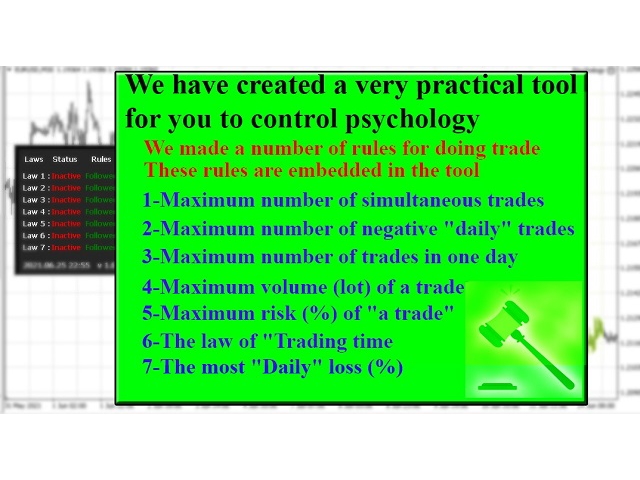
Rules:

  1. Law 1: The law of simultaneous trades (Maximum number of simultaneous trades)
  2. Law 2: The law of negative daily trades (Maximum number of negative "daily" trades)
  3. Law 3: The law of trades in one day (Maximum number of trades in one day)
  4. Law 4: The law of volume of a trade (Maximum volume (lot) of a trade)
  5. Law 5: The law of risk of a trade (Maximum risk (%) of a trade)
  6. Law 6: The law of Trading time (Trading start time (hour) & Trading end time (hour))
  7. Law 7: The law of most Daily loss (The most "Daily" loss (%))
  8. Law 8: Soon( Tell me any other features or rules you need to add )


How it work:

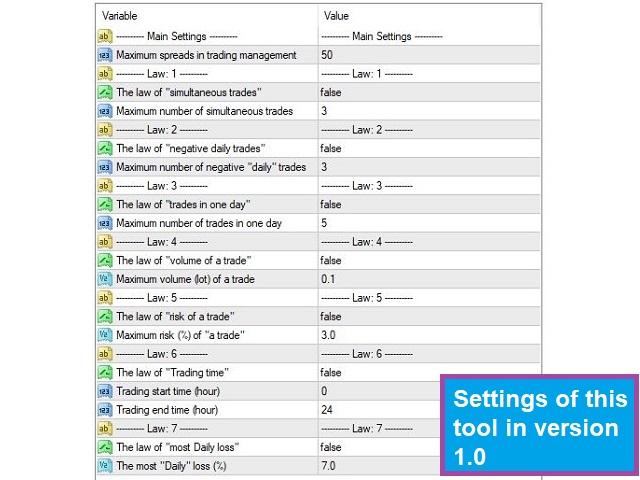
  1. Law 1: Manages the number of simultaneous trades you have. For example, if you set this section to 3, you can not have more than 3 trades at a time. If you have more trades, this tool will automatically close your trade.
  2. Law 2: Manages your number of negative trades. For example, if you set this section to 3, if you have more than 3 negative trades, you will no longer be allowed to trade "on that day".
  3. Law 3: Manages the number of trades you have in a day. For example, if you set this section to 5, you will no longer be allowed to trade that day. You have to wait until the next day.
  4. Law 4: Manages the volume of a trade. For example, if you set this section to 0.2, you can not trade more than this number. If you trade more, the amount of traded volume will be closed more.
  5. Law 5: Examines the amount of risk of a trade. For example, if you risk more than 3% in a trade, it will shift the amount of the loss limit and reduce your risk.
  6. Law 6: Manages the opening time of a trade. For example, if you set up to trade between 3pm and 9pm but start a trade at 2pm, you will not be allowed to trade.
  7. Law 7: Manages the most daily risk. For example, if you lose more than 7% in one day, you will no longer be allowed to trade.
  8. Law 8: Soon( Tell me any other features or rules you need to add )


How to work:

Run the tool
Activate the rules you want in the settings
Specify the amount of rules you have enabled in the settings
Do your trading and follow the rules
This tool manages your trades and makes up for it if you make a mistake.


    Features of this tool:

    Just run on one chart to manage all your trades on all charts and all time frames
    Can be used in all currency pairs
    Can be used in all markets
    Can be used in all time frames
    Free
    upgradeable(Tell me any other features or rules you need to add)
    Quick support, tell me any problems
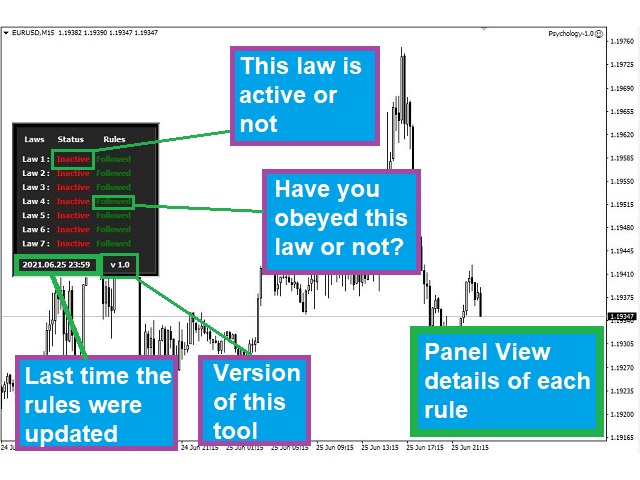
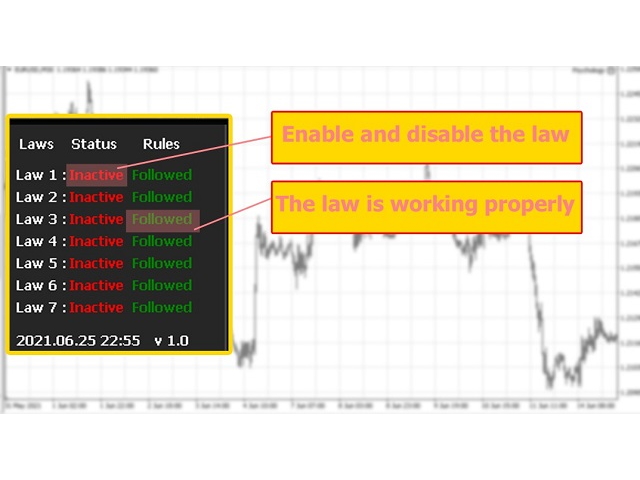
    Has a panel with details


      Ways to contact me: Direct message

      If you have any questions, I will be happy to answer


      Hints:

      Run this tool on just one chart to manage all your trades.
      Once set, do not change the rules for at least a month and control your psychological issues
      Support us to make this tool the best tool in the market


        more information:


        • Settings (You can read the settings guide in this section)



          리뷰 6
          Sivaramakrishnan Thavasi
          2558
          Sivaramakrishnan Thavasi 2022.10.08 01:22 
           

          Thank you very much

          Pandora303
          145
          Pandora303 2021.12.22 11:47 
           

          Who created it he is a very good trader.

          Geraldo Gomes
          95
          Geraldo Gomes 2021.08.19 02:02 
           

          I was searching for something like this EA for a long time. If you tend to overtrade or refuse to step back and end the day after several bad trades or big drawdown, give this EA a try, it can be a game changer

          추천 제품
          Full Closer
          Dmitrii Korchagin
          이 스크립트는 주문의 큰 숫자로 작업하는 사람들을 위해 매우 유용합니다. 계정에 이익이 있고 계정의 모든 주문을 한 번에 닫아야합니다. 이 전체 가까이 스크립트가 무엇을위한 것입니다. 스크립트 매개 변수: 닫기 유형-닫을 주문 유형을 지정합니다. 당신은 단지 주문을 구입 닫으려면. 매개 변수를 유일한 구매 주문 위치로 설정하고 모든 주문을 닫으려면 매개 변수를 모든 유형 위치에 둡니다 마법 번호-귀하의 계정에서 실행되는 여러 주문이 있지만 특정 고문의 주문을 종료하고 이 매개 변수에 이 고문의 고유 번호를 지정해야 하는 경우 스크립트가 이 고문의 주문만 닫고 나머지 주문은 시장에 나가지 않습니다. 새로운 로봇의 업데이트 및 릴리스를 놓치지 않도록 나를 친구로 추가하십시오-> 드미트리 코르 차긴 시장에 내 다른 제품을 참조하십시오-> 내 제품 내 로봇은 곧 출시 될 예정이지만 그 동안 거래 방식을 지켜보십시오-> 히어 신호
          FREE
          EA News
          Konstantin Kotlov
          3.4 (5)

          EA News that includes multiple strategies for trading rapid price swings. It is designed to simplify the placement of pending orders at a specified distance from the price of price channel. The EA can trade both the price breakouts and rebounds. There are two trading modes: Automatic - the EA downloads the news from the site http://ec.forexprostools.com/. When it finds the symbol of the currency pair and the specified volatility of the news, it places pending orders several minutes before the re
          FREE
          AllClosedMt4
          Andrey Spiridonov
          5 (1)
          The AllClosedMT4 utility in the form of an expert. The utility is designed for closing all open positions simultaneously based on the total profit (in the deposit currency) of all open positions. The utility can be attached to any chart with any trading instrument. Parameters Profit - the total positive profit in the deposit currency, at which all open positions are closed (profit). Stop - the total negative profit in the deposit currency, at which all open positions are closed (loss). The valu
          FREE
          Tulips
          Kun Jiao
          3.75 (8)
          튤립 EA 전략 설명 핵심 전략 트렌드 추종 : 스톱로스 포함, 마틴게일/그리드 사용 안함. 독립적인 매수/매매 : 캔들스틱 패턴 분석으로 트렌드 시작점 포착. 매개변수 설정 매개변수 기본값 / 설명 안정성 매개변수 5 (기본값) 거래 상품 금 (XAUUSD) 손절/익절 SL 0.3%, TP 1.2% 로트 크기 0.01 (기본값) 자동 자금 관리 계좌 잔고 $10,000당 0.01로트 차트 기간 M5 권장 매직 넘버 고유 ID (충돌 방지) 브로커 요구 사항 낮은 스프레드 (ECN, 스프레드 < 0.1-0.2) 초보자용 센트 계좌 (1,000 또는 10,000센트) 주의 사항 자동 자금 관리는 수동으로 활성화 필요. 여러 EA 사용 시 매직 넘버 변경. 낮은 지연 시간과 스프레드가 실행 효율 향상. 투자와의 연관성 튤립 파동 : 최초의 금융 버블 (네덜란드, 17세기) 짧은 개화 기간 : 시장 기회의 일시성 상징. 사용 권장 뚜렷한 트렌드에서 사용, 횡보장 피할 것.
          FREE
          ELEGRAM_NOTIFICATION is a utility that forwards real-time trade events from your MetaTrader 4 terminal to any Telegram chat, group, or channel. It tracks every order event (open, close, modify, cancel) and sends a formatted message within seconds. It can also generate a daily profit and loss report for a user-defined time window. Main Features Open alerts for market and pending orders (BUY, SELL, BUY LIMIT, SELL LIMIT, BUY STOP, SELL STOP) Close alerts with net profit, balance, equity, and daily
          FREE
          Modify Order SL TP
          Konstantin Kulikov
          5 (1)
          The utility places stop loss and take profit for opened orders. It is necessary to allow automated trading in the terminal settings. Discuss the complexities of Forex trading here:  chat "Age of Expert Advisors" . Parameters magic - magic number. If less than 0, orders with any magic number are processed. Select_Symbol  - selection of symbols. Positions with selected symbols will be accompanied by. Take_Profit - take profit (TP). If the value is less than 0, then TP does not change. If the value
          FREE
          GridderEA Pro
          Nikolaos Pantzos
          3.83 (6)
          It's a multi-currency grid and martingale system that can trade all input pairs from one chart. The expert will close all orders for each pair using a profit level. The expert has the possibility to trade up to 100 pairs. Information Chose a broker with fast execution and low spreads for effective results. Please make some tests on a demo account to see how the expert works before using it on a real account. For 0.01 lot size and leverage 1:500, you need an initial balance of at least 10,000 f
          FREE
          Basket Recovery System : is useful for trading multiple pair on a single account, single chart. Functions Of this Ea with a simple click on a button in any Symbol row, this Utilities will, Open new Order, Set Lot, Close Order, Reverse Order, Add new Symbol, Delete Symbol, with a simple click on a Navigation Button, this Utilities will, Select all Symbol Available on Broker, ReSet Symbol Lots, Close all Order, Set Low Risk for all Symbol, Remove all Pair with spread above 2two.
          FREE
          하나의 MT5 또는 MT4 계정에서 다른 MT4 계정으로 거래량을 복사하는 간단한 유틸리티입니다. 네팅 계정과 헷징 계정 사이의 포지션을 어떤 조합으로든 복사할 수 있습니다. 기본적으로 동일한 볼륨을 가진 일치하는 모든 기호에 의해 열린 위치가 복사됩니다. 심볼 이름이 다르거나 복사된 위치의 볼륨이 다르거나 모든 위치가 복사되지 않아야 하는 경우 이   게시물   에 설명된 설정에서 원하는 동작을 지정할 수 있습니다. 이 제품은 향후 릴리스에서 기능을 확장할 것입니다. 버전 2.0까지 이 제품은 무료입니다. 설치 순서: 발신자 계정의 터미널에서 발신자 모드의 Expert Advisor를 실행하십시오. 수신자 계정의 터미널에서 수신자 모드로 Expert Advisor를 시작   하고 이전에 시작된 발신자 중 하나를 선택하여 포지션 볼륨을 복사할 수 있습니다.
          FREE
          Lot Assistant MT5 소개 위험 금액(달러) 과   손절 을 기반으로 한 스마트 로트 계산 자동 손절 설정이 포함된 빠른   원클릭 거래 MetaTrader One Click Trading에서 영감을 받은 간단하고 깔끔한 거래 패널 Lot Assistant MT5   는 트레이더가 리스크를 관리하고 신속하게 거래를 열 수 있도록 도와주는 무료 거래 유틸리티입니다. 이 패널은 많은 트레이더가 빠른 실행을 위해 이미 사용하고 있는 MetaTrader One Click Trading 도구에서 영감을 받았습니다. 빠른 Buy 및 Sell 버튼 외에도, 이 도구는 Profit 및 Stop Loss를 위한 두 개의 중요한 편집 가능한 필드를 제공합니다. 손절 포인트와 위험으로 감수할 금액을 설정하기만 하면, 도구가 자동으로 올바른 로트 크기를 계산합니다. 거래가 열리면 계산된 로트 크기와 지정된 손절가로 즉시 포지션이 실행되어 보다 안전하고 통제된 거래가 가능합니다. 사용 방법 Lo
          FREE
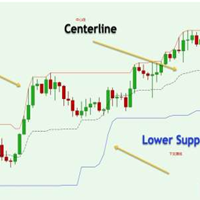
          Donchian通道(唐奇安通道指标)是用于交易突破的最古老、最简单的技术指标之一。 一般来说,唐奇安通道的宽度越宽,市场波动就越大,而唐奇安通道越窄,市场波动性也就越小 。此外,价格走势可以穿过布林带,但你看不到唐奇安通道的这种特征,因为其波段正在测量特定时期的最高价和最低价。 交易实用必备工具指标 波浪自动计算指标,通道趋势交易 完美的趋势-波浪自动计算通道计算 , MT4版本 完美的趋势-波浪自动计算通道计算 , MT5版本 本地跟单复制交易 Easy And Fast Copy , MT4版本 Easy And Fast Copy , MT5版本 本地跟单复制交易 模拟试用 Easy And Fast Copy , MT4 模拟账号运行 Easy And Fast Copy , MT5 模拟账号运行 唐奇安通道指标计算: 唐奇安上阻力线 - 由过去N天的当日最高价的最大值形成。 唐奇安下支撑线 - 由过去N天的当日最低价的最小值形成。 中心线 - (上线 + 下线)/ 2   唐奇安通道信号   唐奇安通道常用作突破指标。它提供了两种主要类型的突破信号,一个是上阻力线或下支撑线
          FREE
          StatsBar
          Maksim Kalachev
          StatBar 1.6 Indicator showing balance, earnings for today, yesterday and the day before yesterday. The indicator also shows: - Server; - GMT; - Server time; - Shoulder; - Spread. Description of variables: extern int Magic = "-1"; // Magic for statistics -1 = all 0 = manual extern string Symboll = "-1"; // Symbol for statistics -1 = all 0 = current EURUSD = for EURUSD
          FREE
          Copying trading signals from the Telegram channel to MetaTrader. The utility will help you easily and simply   copy transactions from   your Telegram   channel or chat to the MetaTrader trading terminal almost instantly This is a DEMO version, restrictions - minimum lot Operational support in telegram chat: https://t.me/forex4up_chat Template for signals in the Telegram channel, chat (can be changed in the parameters) SYMBOL=EURUSD, TYPE=SELL, PRICE= 0.00000 , LOT= 0.01 , STOPLOSS= 0.00000
          FREE
          Close Button
          Wang Yu
          4.76 (38)
          如果产品有任何问题或者您需要在此产品上添加功能,请联系我 Contact/message me if you encounter any issue using the product or need extra feature to add on the base version. Close Button provides you an intuitive, effective, and handy way to close your orders based on their type. The utility provides seven close options: Close All: close all orders, including trading and pending ones. Close Profit: close all orders which are in profit. Close Loss: close all orders which are in loss. Close Stop: close all stop orders. Close L
          FREE
          Account Profit & Loss Killer Full Account-Level Intelligent Risk Management EA (MT4) ⸻ Product Introduction Account Profit & Loss Killer is a true "overall account control and risk management tool". It does not participate in any trading strategy; it focuses on only one thing: When the total floating profit or total floating loss of all positions in the account reaches your set amount, it immediately and within milliseconds forcibly closes all orders in the account. This is a true "
          FREE
          Der rebound EA handelt vollautomatisch  Du bekommst hier einen tollen EA mit extra Zubehör, Kostenlos ! Er verwendet keine gefährlichen Strategien wie Martingale oder Gritter usw. Bei diesem EA kannst du vieles nach deinen Wünschen, oder nach meinem Set einstellen. Zusätzlich hat er einen News Filter, er pausiert die trades während der eingestellten Zeit. Zusätzlich erhöht er auf Wunsch die lots Grösse automatisch. Der Backtest und die trades wurden mit Fusion Markets gemacht Hebel 1:500 Zer
          FREE
          PrecisionEntry EA is a semi-automatic Expert Advisor for MetaTrader 4 that enables precise order placement at the click of a button — without taking control away from the trader. With a single click on the LONG or SHORT button, the EA automatically places a BuyStop or SellStop order at the high or low of the previous candle. Stop-loss, take-profit, and lot size are calculated fully automatically — based on the configured risk percentage and the desired risk-reward ratio. Features: Interactive on
          Averager NEW
          Oleg Popov
          4 (7)
          Expert Advisor Features trailing profit in the deposit currency (Trailing Stop Money) closing by a profit or loss in the deposit currency opening orders at a specified time managing positions opened manually or by another Expert Advisor calculating initial lot based on the current balance limiting the maximum lot volume choosing trading type several types and methods of averaging visually displays the current breakeven price, draws horizontal lines "Line break even BUY"-blue, "Line break even S
          FREE
          ForexBob 1 Click Button is very impresive forex tool for scalpers: 1. Helpful in Closing multiple trades in just Single Click. 2. Scalper can benefits the most who always eager to close multiple trades in averaging and lock the profits fast. 3. It helps to avoid latency and so profits can be locked where we need. 4. Easy to Install, same as we install any expert advisor. 5. Speed of closing trades depends on your broker's server speed. If you find any improvements we are open to your feedback
          FREE
          Fibo Color Levels
          Marlon Campos da Silva
          4 (4)
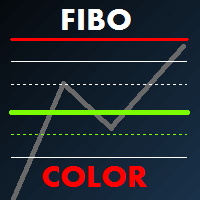
          Fibo Color Levels is an amazing tool for Fibonacci lovers. You can customize your preferred values, styles and formats of each level and set the color levels according to their importance. Fibo Color Levels Not add object fibonacci retracement automatically . The purpose of this indicator is not it. So you need to manually add the Fibonacci Retracement in your chart, as usually already do. Use the standard tool Fibonacci Retracement in your MT4, draw the Fibo according to the swing-high and/or s
          This free utility is a must to manage your risk. Very easy to calculate a new position size (number of lots), based on: Your equity Your risk per trade (% of equity) Your entry price Your stop loss This utility gives the right information to enter the market. A paid version is also available, Ofir Calculator+, to open the trade by a single click. Telegram Setup instruction Open your Telegram APP and search for "BotFather" Type  /start  and click/type  /newbot  to create a new bot Give your bot
          FREE
          This expert is a utility to help any trader to find the right lot size according to the risk he wants to take. It calculates the lot size based on account equity and added stop loss. The utility can't to open or close position. Attach the expert in the same symbol as the one you want to open position. PARAMETERS LossPips - Stop loss in pips for your position. RiskPercent - Risk of equity you want to get.
          FREE
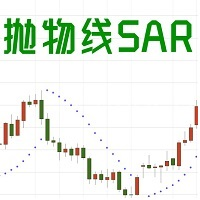
          1. EA basic  This EA is an EA that trades based on the SAR indicator. When the SAR appears at the top of the K line short or close a long order, and when the SAR appears at the bottom of the K line, long or close a short order. Sar is more useful when the trend is strong. It can clearly tell you when to enter or exit.   Please see bottom pictures. EA does not have the ability to judge the trend, so you need to judge the trading direction by yourself. You should decide to choose long or short in
          FREE
          XeroX
          Vasile Verdes
          Copy transactions from one MT4 account to another MT4 account on the same computer. Option to select with which type of device to perform the copying. The code is minimalistic, without graphic objects, panels, etc., and maximally fast, for a faster copying. Separate Money Management, and other settings. To transmit transactions, attach the expert to the unwanted pair in Master mode. To copy transactions, attach the expert to the same pair in another MT4 terminal, in Slave mode.
          This utility is simple to use and supports a wide variety of settings: Pick your desired Telegram group and enter the bot token and the chat id Get notified when orders are placed, modified, executed, closed… or any combination of states Connect your broker account with Telegram and stop missing important notifications. Would you like to receive Telegram notifications? Are you looking for a simple way to share trade signals with your followers? Do you need to start documenting your trades with
          FREE
          전체 시장의 모든 기호에 대한 수익 가능성을 분석하는 간단한 스크립트입니다. 각 기간에 대해 최소 및 최대 이익을 백분율 및 단계 수로 지정할 수 있습니다. 스크립트는 구성에 따라 가장 흥미로운 기호를 찾습니다. 올바른 거래를 선택하는 데 도움이 될 수 있는 전체 시장에 대한 빠르고 최신 분석을 얻을 수 있으며 다시는 기회를 놓치지 않습니다. 전체 시장의 모든 기호에 대한 수익 가능성을 분석하는 간단한 스크립트입니다. 각 기간에 대해 최소 및 최대 이익을 백분율 및 단계 수로 지정할 수 있습니다. 스크립트는 구성에 따라 가장 흥미로운 기호를 찾습니다. 올바른 거래를 선택하는 데 도움이 될 수 있는 전체 시장에 대한 빠르고 최신 분석을 얻을 수 있으며 다시는 기회를 놓치지 않습니다. 전체 시장의 모든 기호에 대한 수익 가능성을 분석하는 간단한 스크립트입니다. 각 기간에 대해 최소 및 최대 이익을 백분율 및 단계 수로 지정할 수 있습니다. 스크립트는 구성에 따라 가장 흥미로운
          FREE
          Manual zig zag
          Andrey Koshcheev
          5 (7)
          Manual Zig-zag allows you to build a zig-zag with the mouse, to build it is necessary to turn on the zig-zag and left-click. The file must be placed in the \ MQL4 \ Indicators folder then in the terminal from the list of indicators put it on the chart. A zigzag can be built so that this zigzag can only be seen on the current time frame or in all halves at once. You can change the color and thickness of the line while on the chart without getting into the settings. You can quickly remove each
          FREE
          Duel MT4
          Marta Gonzalez
          YOU WANT TO WIN THE DUEL. Look the market in the eye, feel the trigger on your finger. Take a deep breath and shoot before anyone else. This system allows you to detect the right moment to attack the market. The whistles are already sounding in the air. Dare to win the duel at the market. This system is suitable for small accounts and can be used with only  $ 10 0 . You can download the demo and test it yourself.   Very stable growth curve as result of smart averaging techniques. "Safety
          The Effective Advisor is your trading assistant. It can be used in fully automated or semi-automated mode. You can trade with one order or several, setting specific position averaging. Trading is based on the MACD indicator. The indicator settings are standard and built into the Advisor (they can be displayed in the Advisor upon request). Averaging occurs without a multiplier (you can only manually increase the lot size). The lot size, distance, and Take Profit can be customized to suit y
          FREE
          No Nonsense ATR
          HYPANTHIUM, LDA
          4.3 (20)
          Overview No Nonsense ATR is a tool designed to help the No Nonsense Forex Traders backtest strategies and trading in real time. The indicator calculates the value of the Stop Loss and the Take Profit (SL/TP) based on the ATR (Average True Range) allowing to verify the historical data in a simple and practical way, showing not only the SL/TP values but also the place where they would be and if it was a gain or loss. The No Nonsense ATR also calculates the trading volume required for each trade a
          FREE
          이 제품의 구매자들이 또한 구매함
          Trade Manager EA에 오신 것을 환영합니다. 이 도구는 거래를 보다 직관적이고 정확하며 효율적으로 만들기 위해 설계된 궁극적인 리스크 관리 도구 입니다. 단순한 주문 실행 도구가 아닌, 원활한 거래 계획, 포지션 관리 및 리스크 제어를 위한 종합 솔루션입니다. 초보자부터 고급 트레이더, 빠른 실행이 필요한 스캘퍼에 이르기까지 Trade Manager EA는 외환, 지수, 상품, 암호화폐 등 다양한 시장에서 유연성을 제공합니다. Trade Manager EA를 사용하면 복잡한 계산은 이제 과거의 일이 됩니다. 시장을 분석하고 진입, 손절 및 익절 수준을 차트의 수평선으로 표시한 후 리스크를 설정하면, Trade Manager가 이상적인 포지션 크기를 즉시 계산하고 SL 및 TP 값을 실시간으로 표시합니다. 모든 거래가 간편하게 관리됩니다. 주요 기능: 포지션 크기 계산기 : 정의된 리스크에 따라 거래 크기를 즉시 결정합니다. 간단한 거래 계획 : 진입, 손절, 익절을 위한
          Local Trade Copier EA MT4
          Juvenille Emperor Limited
          4.96 (110)
          Local Trade Copier EA MT4 를 사용하여 매우 빠른 거래 복사 경험을 해보세요. 1분 안에 간편하게 설정할 수 있으며, 이 거래 복사기를 사용하면 Windows 컴퓨터 또는 Windows VPS에서 여러 개의 MetaTrader 터미널 간에 거래를 0.5초 미만의 초고속 복사 속도로 복사할 수 있습니다. 초보자든 전문가든 Local Trade Copier EA MT4 는 다양한 옵션을 제공하여 사용자의 특정 요구에 맞게 맞춤 설정할 수 있습니다. 이는 수익 잠재력을 높이려는 모든 사람을 위한 최고의 솔루션입니다. 지금 사용해보시고 이것이 왜 시장에서 가장 빠르고 쉬운 무역용 복사기인지 알아보세요! 팁: 여기 에서 데모 계정에서 Local Trade Copier EA MT4 데모 버전을 다운로드하여 사용해 볼 수 있습니다. 다운로드한 무료 데모 파일을 MT4 >> File >> Open Data Folder >> MQL4 >> Experts 폴더에 붙여넣고 터미널
          Trade Assistant MT4
          Evgeniy Kravchenko
          4.43 (197)
          거래당 위험 계산, 라인을 사용한 손쉬운 신규 주문, 부분 청산 기능을 통한 주문 관리, 7가지 유형의 트레일링 스탑 및 기타 유용한 기능을 제공합니다. 추가 자료 및 지침 설치 지침 - 애플리케이션 지침 - 데모 계정용 애플리케이션 평가판 라인 기능       - 차트에 개시선, 손절매, 차익실현을 표시합니다. 이 기능을 사용하면 새로운 주문을 쉽게 하고 개봉 전에 추가 특성을 볼 수 있습니다. 위기 관리       -       위험 계산 기능은 설정된 위험과 손절매 주문의 크기를 고려하여 새 주문의 볼륨을 계산합니다. 이를 통해 손절매 크기를 설정하고 동시에 설정된 위험을 존중할 수 있습니다. 로트 계산 버튼 - 위험 계산을 활성화/비활성화합니다. 필요한 위험 값은 위험 필드에 0에서 100 사이의 백분율 또는 예금 통화로 설정됩니다. 설정 탭에서 위험 계산 옵션을 선택합니다. $ 통화, % 잔액, % 지분, % 자유 마진, % 사용자 정의, % AB 이전 일, % AB
          Exp COPYLOT CLIENT for MT4
          Vladislav Andruschenko
          4.69 (65)
          MetaTrader 4용 전문 트레이드 복사기 MetaTrader 4 용 빠르고 안정적이며 전문적인 트레이드 복사기입니다. COPYLOT 은 MetaTrader 4 와 MetaTrader 5 터미널 간에 Forex 거래를 복사할 수 있으며, 다양한 계좌 유형과 운용 방식에 맞춰 유연한 동기화 환경을 제공합니다. COPYLOT MT4 버전 지원 방식: MetaTrader 4 → MetaTrader 4 MetaTrader 5 Hedge → MetaTrader 4 MetaTrader 5 Netting → MetaTrader 4   MT5 버전 상세 설명 + DEMO + PDF 구매 방법 설치 방법 로그 파일 확인 방법 테스트 및 최적화 방법 Expforex의 모든 제품 MetaTrader 5 버전 을 사용하면 MetaTrader 5 → MetaTrader 5 및 MetaTrader 4 → MetaTrader 5 복사도 지원됩니다: COPYLOT CLIENT for MT5 COPYLOT 은
          TradePanel MT4
          Alfiya Fazylova
          4.84 (95)
          Trade Panel은 다기능 거래 도우미입니다. 이 애플리케이션에는 50개 이상의 수동 거래 기능이 포함되어 있으며 대부분의 거래 작업을 자동화할 수 있습니다. 구매하기 전에 데모 계정에서 데모 버전을 테스트할 수 있습니다. 데모 계정용 애플리케이션 체험판 다운로드: https://www.mql5.com/en/blogs/post/750865 . 전체 지침 여기 . 거래. 한 번의 클릭으로 거래를 수행할 수 있습니다: 리스크 자동 계산과 함께 예약 주문 및 포지션 열기. 한 번의 클릭으로 여러 주문 및 포지션 열기. 주문 그리드 열기. 예약 주문 및 포지션을 그룹별로 닫기. 포지션 방향 전환 (Buy 닫기 > Sell 열기, Sell 닫기 > Buy 열기). 포지션 잠금 (부족한 포지션을 열어 Buy와 Sell 포지션의 수량을 동일하게 만들기). 모든 포지션 한 번의 클릭으로 부분적으로 닫기. 모든 포지션의 테이크 프로핏과 스톱로스를 같은 가격 수준에 설정. 모든 포지션의 스톱로스를
          PZ Trade Pad Pro MT4
          PZ TRADING SLU
          3.67 (3)
          Effortlessly calculate lot sizes and manage trades to save time and avoid costly errors The Trade Pad Pro EA is a tool for the Metatrader Platform that aims to help traders manage their trades more efficiently and effectively. It has a user-friendly visual interface that allows users to easily place and manage an unlimited number of trades, helping to avoid human errors and enhance their trading activity. [ Installation Guide | Update Guide | Troubleshooting | FAQ | All Products ] One of the k
          Copy Cat More Trade Copier MT4 (복사 고양이 MT4) 는 단순한 로컬 트레이드 카피어가 아니라, 오늘날의 거래 환경을 위해 설계된 완전한 리스크 관리 및 실행 프레임워크입니다. Prop Firm 챌린지부터 개인 계좌 관리까지, 강력한 실행력, 자본 보호, 유연한 설정, 고급 거래 처리 기능을 통해 모든 상황에 적응합니다. 이 카피어는 Master(송신자) 와 Slave(수신자) 모드 모두에서 작동하며, 실시간으로 시장가/지정가 주문, 거래 수정, 부분 청산, Close By 작업을 동기화합니다. 데모 및 실계좌 모두 호환되며, 거래용 비밀번호 또는 투자자 비밀번호로도 사용할 수 있습니다. Persistent Trade Memory 기술을 통해 EA, 터미널, VPS가 재시작되더라도 거래가 복원됩니다. 여러 Master와 Slave를 동시에 관리할 수 있으며, 브로커 간 차이는 접두사/접미사 자동 감지 또는 심볼 매핑으로 처리됩니다. 매뉴얼/설정: Copy C
          Trade Manager MT4 DaneTrades
          Levi Dane Benjamin
          4.09 (11)
          거래 관리자는 위험을 자동으로 계산하는 동시에 거래를 빠르게 시작하고 종료하는 데 도움을 줍니다. 과잉 거래, 복수 거래 및 감정 거래를 방지하는 데 도움이 되는 기능이 포함되어 있습니다. 거래를 자동으로 관리할 수 있으며 계정 성과 지표를 그래프로 시각화할 수 있습니다. 이러한 기능은 이 패널을 모든 수동 거래자에게 이상적으로 만들고 MetaTrader 4 플랫폼을 향상시키는 데 도움이 됩니다. 다중 언어 지원. MT5 버전  |  사용자 가이드 + 데모 트레이드 매니저는 전략 테스터에서 작동하지 않습니다. 데모를 보려면 사용자 가이드로 이동하세요. 위기 관리 % 또는 $를 기준으로 위험 자동 조정 고정 로트 크기 또는 거래량과 핍을 기반으로 한 자동 로트 크기 계산을 사용하는 옵션 RR, Pips 또는 Price를 사용한 손익분기점 손실 설정 추적 중지 손실 설정 목표 달성 시 모든 거래를 자동으로 마감하는 최대 일일 손실률(%)입니다. 과도한 손실로부터 계정을 보호하고 과도한
          Trade copier MT4
          Alfiya Fazylova
          4.56 (32)
          Trade Copier는 거래 계정 간의 거래를 복사하고 동기화하도록 설계된 전문 유틸리티입니다. 복사는 공급자의 계정/단말기에서 동일한 컴퓨터 또는 vps에 설치된 수신자의 계정/단말기로 발생합니다. 프로모션 - 이미 "Trade copier MT5"를 구매하셨다면, "Trade copier MT4"를 무료로 받으실 수 있습니다 (MT4 → MT5 및 MT4 ← MT5 복사용). 조건에 대한 자세한 정보를 원하시면, 개인 메시지를 통해 저희에게 문의해 주시기 바랍니다! 구매하기 전에 데모 계정에서 데모 버전을 테스트할 수 있습니다. 데모 버전 여기 . 전체 지침 여기 . 주요 기능 및 이점: 복사기는 "МТ4> МТ4", "МТ4> МТ5", "МТ5> МТ4" 복사를 지원합니다. 복사기는 데모 계정 > 실 계정, 실 계정 > 데모 계정, 데모 계정 > 데모 계정 및 실제 계정 > 실 계정 복사를 지원합니다. 복사기는 읽기 전용 암호가 적용된 투자자 계정에서 복사를 지원합니다. 하
          Coppy Master MT4
          Sergey Batudayev
          4 (3)
          카피 마스터 MT4       MetaTrader 4 및 MetaTrader 5 터미널용 트레이딩 복사 도구입니다. 양방향 복사를 지원합니다. MT4에서 MT5로, MT5에서 MT4로, 그리고 동일 유형의 계정 간 MT4에서 MT4로. 올바르게 작동하려면 모든 터미널이 동일한 PC나 VPS에서 실행되어야 합니다. [ Instruction  and Demo ]  MetaTrader 4에 복사하려면 별도 버전이 필요합니다.       카피마스터 MT5       — 필수입니다. 주요 특징: 복사 모드 마스터 및 리시버 역할을 모두 지원합니다. 거래 송수신을 위한 유연한 설정이 가능합니다. 주문 관리 시장가 및 보류 주문을 복사합니다. 동기화 및 부분 마감, 매매 반전, 손절매/실현가 수정을 지원합니다. 심볼 처리 접두사와 접미사를 지원합니다. 특정 기호를 제외하거나 포함하고, 자산에 사용자 지정 이름을 지정할 수 있습니다. 위험 관리 및 한도 일일 거래 한도, 최대 손실 한도,
          CloseIfProfitorLoss with Trailing
          Vladislav Andruschenko
          4.87 (31)
          이익 추적 기능으로 총 이익/손실에 도달하면 MetaTrader 4에서 포지션을 청산합니다. 가상 정지 (별도 주문) 을 활성화할 수 있습니다. BUY 및 SELL 포지션을 별도로 계산하고 마감합니다 (BUY SELL 별도). 모든 심볼 또는 현재 심볼 만 닫고 계산합니다 (모든 심볼). 이익을 위해 후행 추적 을 활성화합니다 (후행 이익). 예금 통화, 포인트, 잔액의 %에 대한 총 손익을 마감합니다. 이 애플리케이션은 다른 EA와 함께 또는 수동 거래와 함께 모든 계정에서 사용하도록 설계되었습니다. MT5 버전 전체 설명 + DEMO + PDF 구입 방법 설치하는 방법 로그 파일을 얻는 방법 테스트 및 최적화 방법 Expforex의 모든 제품 일부 쌍 또는 모든 쌍의 총 거래 잔액이 설정에서 지정된 값보다 크거나 같으면 모든 포지션이 닫히고 주문이 삭제됩니다. 이 버전은 지정된 이익 수준에서 포지션을 마감할 수 있을 뿐만 아니라 더 나은 결과를 위해 이익을 추적할 수도 있습니다
          Exp4 Duplicator
          Vladislav Andruschenko
          4.5 (22)
          Duplicator for MetaTrader 4 — 하나의 터미널 안에서 동작하는 전문 거래 및 주문 복제 시스템 이미 열려 있는 거래를 자동으로 복제하고, 로트를 확장하며, 자체적인 수량 규칙을 적용하고, 복제 포지션을 정교한 로직으로 관리하고 싶은 트레이더를 위한 강력한 Expert Advisor입니다. 수동 매매, 자동매매 시스템, 그리고 이미 존재하는 포지션을 더 유연하게 관리하려는 사용자에게 매우 실용적인 도구입니다. Duplicator는 자체 매매 전략으로 새로운 거래를 열지 않습니다. 이 제품의 역할은 MetaTrader 4 안에 이미 존재하는 포지션과 주문을 감시하고, 사용자가 지정한 규칙에 따라 정확한 복제본을 만드는 것입니다. 복제 개수, 로트 크기, Stop Loss, Take Profit, 필터, 추가 관리 조건까지 세밀하게 설정할 수 있습니다. 서로 다른 터미널 사이에서 거래를 복사하는 도구가 아니라, 같은 터미널 내부에서 스마트하게 거래와 주문을 복제하고
          DrawDown Limiter MT4
          Haidar Lionel Haj Ali
          5 (8)
          Drawdown Limiter EA You are in the right place if you were searching for Drawdown control, Drawdown limiter, Balance protection, Equity Protection or Daily Drawdown Limit related to Prop Firm, FTMO, or Funded account trading, or if you want to protect your trading account. Have you suffered from controlling your drawdown when trading funded accounts? This EA is meant for you. Prop firms usually set a rule called “Trader Daily Drawdown”, and if it is not respected, you are disqualified.  I am an
          Trade Dashboard MT4
          Fatemeh Ameri
          4.96 (53)
          Trade Dashboard simplifies how you open, manage, and control your trades, with built-in lot size calculation. It allows you to execute trades, manage risk, and control positions directly on the chart, with tools such as partial close, breakeven, and trailing stop. Designed to reduce manual work and help you stay focused on your trading decisions. A demo version is available for testing. Detailed explanations of features are provided within the MQL5 platform. Installation instructions are include
          Close by percentage MT4
          Konstantin Kulikov
          5 (1)
          Hello friends. I wrote this utility specifically for use in my profile with a large number of Expert Advisors and sets ("Joint_profiles_from_grid_sets" https://www.mql5.com/en/blogs/post/747929 ). Now, in order to limit losses on the account, there is no need to change the "Close_positions_at_percentage_of_loss" parameter on each chart. Just open one additional chart, attach this utility and set the desired percentage for closing all trades on the account. The utility has the following function
          Telegram to MT4 Coppy
          Sergey Batudayev
          4 (10)
          Telegram에서 MT4로:   최고의 신호 복사 솔루션 최첨단 유틸리티인   Telegram to MT4를   사용하여 거래를 간소화하세요. DLL 없이도 Telegram 채널과 채팅에서 MetaTrader 4 플랫폼으로 거래 신호를 직접 복사할 수 있습니다. 이 강력한 솔루션은 탁월한 정밀도와 맞춤 설정 옵션을 통해 원활한 신호 실행을 보장하여 시간을 절약하고 효율성을 높여줍니다. [ Instructions and DEMO ] 주요 특징 직접 Telegram API 통합 전화번호와 보안 코드를 통해 인증하세요. 사용자 친화적인 EXE 브리지를 사용하여 채팅 ID를 손쉽게 가져오고 관리하세요. 여러 채널/채팅을 추가, 삭제, 새로 고침하여 동시에 신호를 복사합니다. 고급 필터를 사용한 신호 파싱 사용자 정의 예외 단어(예: "보고서", "요약")가 포함된 원치 않는 신호를 건너뜁니다. 유연한 SL 및 TP 형식을 지원합니다: 가격, 핍 또는 포인트. 신호가 가격 대신 지점을 지정
          MT4 to Telegram Signal Provider 는 사용하기 쉽고 완전히 사용자 정의가 가능한 도구로, 텔레그램으로 신호를 보내어 계정을 신호 제공자로 변환할 수 있습니다. 메시지 형식은 완전히 사용자 정의가 가능합니다! 그러나 간단한 사용을 위해 미리 정의된 템플릿을 선택하고 메시지의 특정 부분을 활성화하거나 비활성화할 수도 있습니다. [ 데모 ]  [ 매뉴얼 ] [ MT5 버전 ] [ 디스코드 버전 ] [ 텔레그램 채널 ]  New: [ Telegram To MT5 ] 설정 단계별 사용자 가이드 가 제공됩니다. 텔레그램 API에 대한 지식이 필요 없으며, 개발자가 필요한 모든 것을 제공합니다. 주요 기능 구독자에게 보낸 주문 세부 정보를 사용자 정의할 수 있는 기능 예를 들어 브론즈, 실버, 골드와 같은 계층 구독 모델을 만들 수 있습니다. 골드 구독은 모든 신호 등을 받게 됩니다. ID, 심볼 또는 코멘트별 주문 필터링 주문이 실행된 차트의 스크린샷을 포함 보낸
          The product will copy all telegram signal to MT4   ( which you are member  ) , also it can work as remote copier.  Easy to set up, copy order instant, can work with almost signal formats, image signal, s upport to translate other language to English Work with all type of channel or group, even channel have "Restrict Saving Content", work with  multi channel, multi MT5 Work as remote copier: with signal have ticket number, it will copy exactly via ticket number. Support to backtest signal. How to
          VirtualTradePad PRO SE MT4 — MetaTrader 4용 고급 트레이딩 패널 및 차트 워크스페이스 VirtualTradePad PRO SE 는 MetaTrader 4 용 전문 트레이딩 패널이자 거래 관리 워크스페이스입니다. 하나의 차트 기반 인터페이스에서 거래를 더 빠르게 열고, 관리하고, 보호하고, 닫고, 분석할 수 있도록 도와줍니다. 이 제품은 단순한 버튼 모음 이상의 기능이 필요한 적극적인 수동 트레이더를 위해 만들어졌습니다. PRO SE는 원클릭 실행, 예약 주문, 포지션 제어, 부분 청산, 바스켓 손익 로직, 평균가 레벨, ATM 규칙, 신호 모니터링, 시장 정보, 전략 테스터 워크플로, VPS 중심 준비를 하나의 구조화된 워크스페이스로 통합합니다. MT5 버전 | 전체 설명 및 스크린샷 | 구입 방법 | 설치 방법 | 로그 파일을 얻는 방법 | 테스트 및 최적화 방법 | Expforex의 모든 제품 일반 수동 트레이딩 대비 장점 여러 창 대신 하나의 워
          Hey, it’s finally here: the One-Way Hedge Object Copier! Seamlessly copy your drawing objects across multiple charts and timeframes. Available now on the market! Simply drop it onto your charts, draw and adjust your objects, and they will be copied 1:1 into all other charts. This lets you focus on what really matters and have fun. :) Happy trading, everyone!
          MT4 to Discord Signal Provider 는 Discord로 직접 거래 신호를 보내는 데에 설계된 사용자 친화적이고 완전히 맞춤화할 수 있는 유틸리티입니다. 이 도구는 귀하의 거래 계좌를 효율적인 신호 제공자로 변환합니다. 귀하의 스타일에 맞게 메시지 형식을 사용자 정의하세요! 사용 편의성을 위해 사전에 디자인된 템플릿을 선택하고 포함하거나 제외할 메시지 요소를 선택할 수 있습니다. [ 데모 ] [ 매뉴얼 ] [ MT5 버전 ] [ Telegram 버전 ]  New: [ Telegram To MT5 ] 설정 간편한 설정을 위해 저희의 상세한 사용자 가이드 를 따르세요. Discord API에 대한 사전 지식이 필요 없습니다; 필요한 모든 도구를 제공합니다. 주요 기능 구독자 업데이트를 위한 주문 세부 정보를 사용자 정의합니다. 각 계층이 다른 수준의 신호 접근을 제공하는 브론즈, 실버, 골드와 같은 계층적 구독 모델을 구현합니다. 주문이 실행된 차트의 스크린샷을 첨
          ManHedger MT4
          Peter Mueller
          5 (2)
          THIS EA IS A SEMI-AUTO EA, IT NEEDS USER INPUT. Manual & Test Version Please TEST this product before   BUYING  and watch my video about it. Contact me for user support or bug reports, or if you want the MT5 version! MT5 Version I do not guarantee any profits or financial success using this EA. With this Expert Advisor, you can: Implement your own   Zone Recovery   strategy to capitalize on trending markets. Create   Grid   trading strategies, to profit from ranging markets. Place orders easil
          RS Trade Copier - 진짜 그래픽 인터페이스를 갖춘 초고속 로컬 트레이드 카피어입니다. 계좌번호를 일일이 입력하지 마세요. 200개가 넘는 복잡한 입력 파라미터 목록은 이제 끝입니다. 여러 MT4와 MT5 터미널 간 거래 작업을 복사하기 위한 안정적이고 유연한 도구입니다. 이 도구는 경험 많은 트레이더, 신호 서비스, 개인 투자자 모두에게 적합합니다. 하나 또는 여러 시그널 소스(Provider)에서 하나 또는 여러 리시버(Client)로 트레이딩을 동기화 하여 높은 정밀도와 최소 지연 시간을 제공합니다. 간단한 자동 설정부터 고급 수동 구성까지 지원합니다. 수동 또는 다른 EA로 열린 주문에 간섭하지 않습니다. 모든 작업이 MT4 내부에서 로컬로 처리 되며 외부 서버 의존성 없이 실행됩니다. RS Trade Copier와 다른 솔루션 비교 RS Trade Copier 다른 솔루션 설정 시각적 단계별 마법사. 설정에 약 1분 소요. 200개 이상의 불분명한 입력 매개변수.
          MT5 버전을 찾고 계신가요? MetaTrader 5를 사용 중이라면, 여기를 클릭하여 네이티브 버전을 확인하세요: https://www.mql5.com/en/market/product/155546 Multi-Currency Strength Dashboard PRO — 전문가용 통화 강도 지표 (MT4) Multi-Currency Strength Dashboard PRO 는 MetaTrader 4를 위한 고급 지표로, 외환 시장 주요 통화의 상대적 강도를 실시간으로 측정합니다. 최대 28개의 주요 통화쌍을 분석하고, 8개 주요 통화의 정규화된 강도를 계산하여, 트레이딩하거나 피해야 할 통화쌍을 빠르게 식별할 수 있는 완벽한 대시보드를 제공합니다. 지표의 목적 통화의 강세와 약세를 명확하고 즉각적으로 시각화합니다. "강세 vs 약세" 조합을 강조하여 강력한 추세를 포착하도록 돕습니다. 트레이딩할 통화쌍 선택을 개선하기 위한 필터 역할을 합니다. 여러 차트를 열지 않고도 외
          Seconds Chart - MetaTrader 4에서 초 단위 차트를 생성하는 독특한 도구입니다. Seconds Chart 를 사용하면 초 단위로 설정된 타임프레임으로 차트를 작성할 수 있어, 표준 분 또는 시간 단위 차트에서는 불가능한 유연성과 정밀한 분석이 가능합니다. 예를 들어, S15 타임프레임은 15초 동안의 캔들로 구성된 차트를 의미합니다. 모든 인디케이터, 전문가 자문(EA), 스크립트를 사용할 수 있으며, 표준 차트와 동일한 편리함으로 작업할 수 있습니다. 표준 도구와 달리, Seconds Chart 는 초고속 타임프레임에서도 높은 정확도와 지연 없이 작업할 수 있도록 지원합니다. 이것도 유용할 수 있습니다 RS Trade Copier - 완전한 그래픽 인터페이스를 갖춘 초고속 로컬 거래 복사기입니다. 설정은 약 1분, 계좌 번호를 수동으로 입력할 필요가 없습니다. MT4와 MT5 간의 모든 조합으로 복사를 지원합니다. Seconds Chart의 장점 1초부터 900
          Dyj 는 DYJ 지표의 가상 거래 기록을 추적하여 실제로 창고를 열고 창고를 평평하게 하는 EA 입니다. 단일 신호 소스의 표시기 이름과 상태를 표시할 수 있습니다. 현재는 DYJ T3ModeMa 포인터만 있어 앞으로 더 많은 포인터가 확장될 예정입니다. 지표의 실시간 추세 방향을 수신할 수 있습니다. 지시자의 최근 라이센스 시간을 받을 수 있습니다. 지표의 최신 입장 가격을 받을 수 있다. 여러 통화 쌍의 이익 버튼을 표시할 수 있으며, 총 창고 수도 버튼에 표시됩니다. 복수 통화 대 명세서 수량을 표시하는 버튼입니다. 언제든지 통화 명세서를 삭제하거나 모든 통화 명세서를 삭제할 수 있습니다. 버튼을 클릭하여 이익 크기에 따라 언제든지 한 통화 쌍의 총 이익 또는 모든 통화 쌍의 이익을 평평하게 할 수 있습니다. 한 번에 한 개씩 설정할 수 있으며, 한 개당 고정수 수는 0.01 등이다. 또는 1 손 이상 또는 지표 거래량을 따르십시오. 동적 이익 추적을 설정합니
          News Filter EA: Advanced Algo Trading Assistant News Filter EA is an advanced algo trading assistant designed to enhance your trading experience. By using the   News Filter EA , you can integrate a Forex economic news filter into your existing expert advisor, even if you do not have access to its source code. In addition to the news filter, you can also specify   trading days   and   hours   for your expert. The News Filter EA also includes   risk management   and   equity protection   features
          Telegram to MT4 Multi-Channel Copier 는 Telegram 채널의 트레이딩 시그널을 MetaTrader 4로 자동으로 직접 복사합니다. 봇도, 브라우저 확장 프로그램도, 수동 복사도 필요 없습니다. Telegram에서 시그널을 받으면 EA가 몇 초 안에 터미널에서 거래를 엽니다. 제품은 두 가지 구성 요소를 포함합니다: Telegram 채널을 듣는 Windows 애플리케이션과 MT4 터미널에서 시그널을 실행하는 이 Expert Advisor입니다. MT5 버전도 사용할 수 있습니다. 설치 가이드 및 애플리케이션 다운로드: https://www.mql5.com/en/blogs/post/768988 작동 방식 Windows 애플리케이션은 봇이 아닌 사용자 본인의 API 자격 증명을 사용하여 Telegram에 연결합니다. 즉, 비공개 및 VIP 채널을 포함하여 가입한 모든 채널, 그룹 또는 포럼 토픽을 읽을 수 있습니다. 시그널을 감지하면 이를 파싱하여 EA로
          Exp SafetyLock PRO
          Vladislav Andruschenko
          4.57 (28)
          SAFETYLOCK for MetaTrader 4 는 급격한 시장 반전에 대비해 반대 방향의 안전 주문을 자동으로 배치하여 열린 포지션을 보호하도록 설계된 프리미엄 거래 보호 유틸리티입니다. 트레이더 또는 Expert Advisor (EA)가 포지션을 열자마자 SAFETYLOCK for MT4 는 반대 방향의 해당 대기 주문(Buy Stop 또는 Sell Stop)을 생성합니다. 시장이 원래 거래에 불리하게 움직이면 대기 주문이 활성화되어 보호 잠금 구조를 형성하며, 이를 통해 트레이더는 드로우다운을 제어하고 복구 로직을 더욱 효율적으로 구성할 수 있습니다. 이 Expert Advisor는 포지션을 유연하게 관리할 수 있도록 해줍니다. 원래 거래를 닫거나, 활성화된 안전 포지션에 트레일링을 적용하거나, 더 큰 랏으로 잠금 구조를 확장하거나, 시장 상황에 따라 여러 안전 관리 시나리오를 조합할 수 있습니다. SAFETYLOCK for MT4 는 또한 대기 주문 가격의 동적 이동을 지원
          Equity Protect Pro: 안심 거래를 위한 종합 계좌 보호 전문가 계좌 보호, 자산 보호, 포트폴리오 보호, 다중 전략 보호, 수익 보호, 수익 확보, 거래 보안, 위험 관리 프로그램, 자동 위험 관리, 자동 청산, 조건부 청산, 예약 청산, 동적 청산, 추적 손절매, 원클릭 종료, 원클릭 청산, 원클릭 복원 등의 기능을 찾고 있다면 Equity Protect Pro가 바로 필요한 프로그램입니다. 설정이 간편하고 사전 설정된 조건이 충족되면 모든 차트를 닫을 수 있으며 신호 구독 취소도 지원합니다(이는 모든 거래 프로그램도 중지됨을 의미합니다). 이 시점에서 새로운 주문이 생성되지 않으며 최종적으로 모든 주문이 종료되어 예상치 못한 손실을 효과적으로 방지하고 안심하고 거래할 수 있습니다. Equity Protect Pro (Technical Manual) Equity Protect Pro Demo Version for yo u to test   Equity Protect
          제작자의 제품 더 보기
          Breaking Pro MT5
          Tais Miranda Hoffmann
          5 (2)
          A indicator to show saturation in buying or selling With fast and complex mathematical calculations Easily find saturation points for buying or selling Can be used in all symbols and time frames with many signals Can be combined with different indicators and different time frames With simple settings and simple working methods Features: Can be used on all symbols Can be used in all time frames Can be used in all markets (Forex, stock, etc.) Large number of signals Same performance on all time
          Multi Chart MT5
          Tais Miranda Hoffmann
          An indicator for analyzing different currency pairs simultaneously Forex is a complex market that requires several currency pairs to be analyzed simultaneously Determine the number of currency pairs yourself Determine the currency pair you want to analyze to analyze 4 of the most important and similar currency pairs at the same time. For direct and simple analysis, some currency pairs have changed (EURUSD>>>USDEUR) Do not doubt that to succeed in this market, you must analyze several currency pa
          FREE
          Ai EuRUsD MT5
          Tais Miranda Hoffmann
          2.25 (24)
          An expert based on artificial intelligence ( AI ) For EURUSD in time frame 15 and 30 minutes, 1 and 4 hours and daily With Relatively large number of signals (To receive all the signals: activate the full trade option in the settings and run the expert at the same time in several time frames) Has a TP and a SL Without the use of dangerous strategies such as martingales and hedges   Symbol   EURUSD   Time frames   M15 , M30 , H1 , H4 , D1   Minimum Deposit   50$   Brokers   Any broke
          Personal Chart MT5
          Tais Miranda Hoffmann
          If you can not create a background image for yourself (photo size and format must be changed), let me know. I make your photo for free. Otherwise, you can read the  help file . A tool for chart management You can change the background image You can change the background color Change the color of the candles Volume colors, line charts and everything else You can also enable and disable some items Read the help file for more information Settings: Save Changes After Remove Tool Back Ground Phot
          FREE
          Personal Chart MT4
          Tais Miranda Hoffmann
          If you can not create a background image for yourself (photo size and format must be changed), let me know. I make your photo for free. Otherwise, you can read the help file . A tool for chart management You can change the background image You can change the background color Change the color of the candles Volume colors, line charts and everything else You can also enable and disable some items Read the help file for more information Settings: Save Changes After Remove Tool Back Ground Photo
          FREE
          Multi Chart MT4
          Tais Miranda Hoffmann
          An indicator for analyzing different currency pairs simultaneously Forex is a complex market that requires several currency pairs to be analyzed simultaneously Determine the number of currency pairs yourself Determine the currency pair you want to analyze to analyze 4 of the most important and similar currency pairs at the same time. For direct and simple analysis, some currency pairs have changed (EURUSD>>>USDEUR) Do not doubt that to succeed in this market, you must analyze several currency pa
          FREE
          Strategy Maker MT4
          Tais Miranda Hoffmann
          5 (4)
          Friends, at first you may think that this tool is difficult to use, but by reading its guide, you can easily use it. Once you learn, you can test thousands of strategies in it. Dear friends, this tool can not be tested in backtest. Using this tool, you can test your strategies live. Create strategies that are in your mind. With this tool, you can make the strategies you have in mind a reality. Create and use experts using popular indicators such as RSI, MACD, Moving Average, Bollinger Band, etc
          High Signals MT4
          Tais Miranda Hoffmann
          An indicator for receiving a lot of signals Can be used in all time frames and all markets Trade professionally  using professional indicators yourself . Using this indicator, you will have a signal at any time. Do not miss any market movement. Get the signal very simply and clearly. ---------------------------------------------------------------------------------------------------------------------------------------------------------------------------------------------------- How it work: Th
          High Tools MT4
          Tais Miranda Hoffmann
          A versatile tool for: " viewing trading records ", " trading management ", " risk management" and "calculator " For $ 30, get 3 versatile tools.   Each tool is only $ 10.  With just one purchase, use several commonly used tools for a trader. In the first section, view your trading history in detail for each trade, In the second part, perform and manage all types of transactions with accurate and convenient profit and loss limits, And in the last part, use a professional and complete calculator.
          Candle Patterns MT4
          Tais Miranda Hoffmann
          Find Candle patterns easily and quickly. With a large number of candlestick patterns Old and new patterns Specify the color of each pattern to find it faster. With 40 Candle patterns in version 1.0 Patterns: Bearish 3 Method Formation Bearish Harami Bearish Harami Cross Big Black Candle Big White Candle Bullish 3 Method Formation Bullish Harami Bullish Harami Cross Dark Cloud Cover Darth Maul Doji Doji Star Pattern Dragonfly Doji Engulfing Bearish Line Engulfing Bullish Line Evening Doji Star
          Breaking Pro MT4
          Tais Miranda Hoffmann
          5 (4)
          A indicator to show saturation in buying or selling With fast and complex mathematical calculations Easily find saturation points for buying or selling Can be used in all symbols and time frames with many signals Can be combined with different indicators and different time frames With simple settings and simple working methods Features: Can be used on all symbols Can be used in all time frames Can be used in all markets (Forex, stock, etc.) Large number of signals Same performance on all time
          Ai EuRUsD MT4
          Tais Miranda Hoffmann
          3 (27)
          An expert based on artificial intelligence ( AI ) For EURUSD in time frame 15 and 30 minutes, 1 and 4 hours and daily With Relatively large number of signals (To receive all the signals: activate the full trade option in the settings and run the expert at the same time in several time frames) Has a TP and a SL Without the use of dangerous strategies such as martingales and hedges   Symbol   EURUSD   Time frames   M15 , M30 , H1 , H4 , D1   Minimum Deposit   50$   Brokers   Any brokers
          Ai GbPUsD MT4
          Tais Miranda Hoffmann
          1 (6)
          Only 5 copies for $260, next price: $280(3 copies left) For testing, in the settings, it is better to enable the full trade option. An expert based on artificial intelligence ( AI ) For GBPUSD in time frame 15 and 30 minutes, 1 and 4 hours and daily With Relatively large number of signals (To receive all the signals: activate the full trade option in the settings and run the expert at the same time in several time frames) Has a TP and a SL Without the use of dangerous strategies such as marting
          Ai UsDCaD MT4
          Tais Miranda Hoffmann
          2 (4)
          Only 5 copies for $220, next price: $240(3 copies left) For testing, in the settings, it is better to enable the full trade option. An expert based on artificial intelligence ( AI ) For USDCAD in time frame 15 and 30 minutes, 1 and 4 hours and daily With Relatively large number of signals (To receive all the signals: activate the full trade option in the settings and run the expert at the same time in several time frames) Has a TP and a SL Without the use of dangerous strategies such as marting
          High Signals MT5
          Tais Miranda Hoffmann
          1 (2)
          An indicator for receiving a lot of signals Can be used in all time frames and all markets Trade professionally  using professional indicators yourself . Using this indicator, you will have a signal at any time. Do not miss any market movement. Get the signal very simply and clearly. ---------------------------------------------------------------------------------------------------------------------------------------------------------------------------------------------------- How it work: Thi
          Ai GbPUsD MT5
          Tais Miranda Hoffmann
          2.17 (12)
          Only 5 copies for $260, next price: $280(3 copies left) For testing, in the settings, it is better to enable the full trade option. An expert based on artificial intelligence ( AI ) For GBPUSD in time frame 15 and 30 minutes, 1 and 4 hours and daily With Relatively large number of signals (To receive all the signals: activate the full trade option in the settings and run the expert at the same time in several time frames) Has a TP and a SL Without the use of dangerous strategies such as marting
          Ai UsDCaD MT5
          Tais Miranda Hoffmann
          2.33 (3)
          Only 5 copies for $220, next price: $240(3 copies left) For testing, in the settings, it is better to enable the full trade option. An expert based on artificial intelligence ( AI ) For USDCAD in time frame 15 and 30 minutes, 1 and 4 hours and daily With Relatively large number of signals (To receive all the signals: activate the full trade option in the settings and run the expert at the same time in several time frames) Has a TP and a SL Without the use of dangerous strategies such as marting
          필터:
          Yew Tong Giam
          439
          Yew Tong Giam 2023.08.13 16:20 
           

          사용자가 평가에 대한 코멘트를 남기지 않았습니다

          kotpies69
          14
          kotpies69 2023.01.02 16:29 
           

          사용자가 평가에 대한 코멘트를 남기지 않았습니다

          Sivaramakrishnan Thavasi
          2558
          Sivaramakrishnan Thavasi 2022.10.08 01:22 
           

          Thank you very much

          Pandora303
          145
          Pandora303 2021.12.22 11:47 
           

          Who created it he is a very good trader.

          Tais Miranda Hoffmann
          11335
          개발자의 답변 Tais Miranda Hoffmann 2021.12.23 09:41
          It was an interesting point
          Thankful
          Geraldo Gomes
          95
          Geraldo Gomes 2021.08.19 02:02 
           

          I was searching for something like this EA for a long time. If you tend to overtrade or refuse to step back and end the day after several bad trades or big drawdown, give this EA a try, it can be a game changer

          Mehdi Faraz Fard
          2470
          Mehdi Faraz Fard 2021.07.11 13:24 
           

          So far so good.Thanks

          Tais Miranda Hoffmann
          11335
          개발자의 답변 Tais Miranda Hoffmann 2021.07.11 18:01
          Thank you dear friend, if there is any criticism, question, update or anything else, be sure to let me know so that I can fix the problem immediately.
          리뷰 답변