Chart Replay Indicator MT5
- 지표
- 버전: 1.10
- 활성화: 5

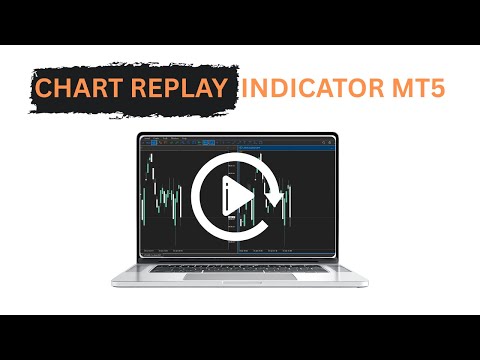
Chart Replay Indicator MT5
Overview
Chart Replay Indicator is a chart replay and training tool for MetaTrader that allows users to replay historical market data bar by bar directly on the chart.
It is designed for manual backtesting, strategy training, and market behavior analysis without relying on future price information. Candles are displayed progressively to reproduce the flow of historical data.
This indicator does not provide trading signals and does not execute or manage trades.
Key Features
-
Replay historical price data bar by bar
-
Manual control over replay progression
-
Progressive display of historical candles
-
Works on any symbol and timeframe
-
Compatible with Netting and Hedging accounts
-
Suitable for price action, VWAP, volume, and structure analysis
-
Lightweight and stable
-
No signals, no repainting, no automation
Intended Use
Chart Replay Indicator is an educational and analytical tool intended for users who want to:
-
Practice manual trading strategies
-
Perform historical analysis
-
Study market structure and price behavior
-
Improve execution timing and discipline
The indicator does not guarantee profits and should not be considered financial advice.
How to Use the Chart Replay Indicator
Step 1: Create a Custom Replay Symbol (Required)
To enable chart replay, a custom symbol must be created using a helper utility.
-
Download and run the custom symbol creation utility
-
The utility prepares a custom symbol using historical data
-
A link to the required utility is provided below
Custom Symbol Creation Utility:
https://www.mql5.com/en/market/product/163084
This step is required to allow controlled historical replay.
Step 2: Attach the Indicator
-
Open the chart of the custom replay symbol
-
Select the desired timeframe
-
Attach the Chart Replay Indicator to the chart
-
Ensure sufficient historical data is available
Step 3: Select the Replay Start Point
-
Scroll the chart to the historical area to be studied
-
Set the replay starting point using the indicator controls
-
Future candles will be hidden and revealed progressively
This allows analysis without seeing future price data.
Step 4: Control the Replay
-
Advance the chart one candle at a time or at a controlled pace
-
Pause the replay to analyze price behavior
-
Resume replay when ready
Drawing tools and indicators can be used during replay as on a live chart.
Step 5: Practice and Analyze
The replay can be used to:
-
Practice entries and exits
-
Study reactions around key levels
-
Observe market structure and volatility
-
Improve consistency through repetition
Step 6: Restart or Change Scenario
-
Stop the replay at any time
-
Reset the chart and select a new starting point
-
Change symbol or timeframe as needed
Best Practices
-
Start the replay before the setup being analyzed
-
Treat each session as a real trading environment
-
Avoid skipping forward in history
-
Use the tool consistently for training
Important Notes
-
Chart Replay Indicator is a training tool only
-
It does not generate buy or sell signals
-
Results during replay may differ from live trading conditions
-
Trading involves risk and requires proper knowledge
Conclusion
Chart Replay Indicator provides a structured way to study historical price behavior and practice trading decisions in a controlled environment.