CumulativeVolumeDeltaHistogram
- 지표
- 버전: 1.0
- 활성화: 5

1. Introduction
This document explains how to use the CVD (Cumulative Volume Delta) + Delta Volume Histogram indicator. It covers setup, features, trading logic, and best practices.
2. What the Indicator Shows
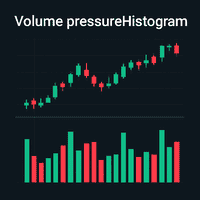
- Delta Histogram: Displays per‑bar delta (buy volume – sell volume) as green/red bars.
- Helps identify market pressure, absorption, reversal signals, and trend strength.
3. How to Add Indicator in MT5
1. Open MT5.
2. Go to File → Open Data Folder.
3. Navigate to MQL5 → Indicators.
4. Paste the .mq5 source file.
5. Restart MT5.
6. Attach indicator from Navigator → Indicators.
4. Inputs & Settings
- CumulativePeriod : 20
- Positive Delta Color: Green.
- Negative Delta Color: Red.
- Line Width, Smoothing, Scaling options, etc.
5. How to Read CVD & Delta
• Rising CVD → Buyers stronger.
• Falling CVD → Sellers stronger.
• Divergence between Price & CVD → Possible reversal.
• Large Delta spikes → Aggressive buying/selling.
6. Trading Examples
- Bullish Divergence: Price making lower low while CVD makes higher low → Buy setup.
- Bearish Divergence: Price making higher high while CVD makes lower high → Sell setup.
- Trend Confirmation: CVD moving in same direction as trend strengthens breakout.
7. Best Practices
• Use with Market Structure.
• Add volume profile or VWAP for confluence.
• Avoid low‑liquidity times.
• Always confirm signals with price action.
8. Disclaimer
This indicator does not guarantee profits. Use proper risk management.